Locker Management System: The Complete Guide to Software-Driven Locker Fleet Operations
Explore what a locker management system is, how it works, and how to choose one. Covers real-time monitoring, access control, API/SIEM, multi-site dashboards, and deployment models.
What Is a Locker Management System?
A locker management system is a cloud-based or on-premises software platform that centrally administers, monitors, and controls fleets of lockers across one or many physical locations. Unlike a locker lock system, which governs the electromechanical hardware at the individual door level, a locker management system operates at the orchestration layer — it handles real-time occupancy tracking, credential provisioning (RFID, PIN, mobile app, biometric), remote unlock commands, audit logging, API integrations with property management systems (PMS), human resources information systems (HRIS), single sign-on (SSO) identity providers, and security information and event management (SIEM) tools. Every locker management system should be evaluated on its software capabilities, not on the lock hardware it controls. According to industry benchmarks, a modern locker management system should process access control events in under 150 milliseconds, support deployments ranging from 10 to 50,000+ lockers, manage concurrent user bases of 100,000 or more, and typically price between $1.50 and $8.00 per locker per month depending on feature scope and scale. A locker management system that achieves SOC 2 Type II certification and GDPR compliance commands higher trust, particularly in regulated verticals like healthcare, education, and logistics. The global smart locker market, which is driven almost entirely by the management software layer rather than the lock hardware itself, is projected to exceed $2.5 billion by 2028, reflecting the accelerating shift from standalone mechanical locking to integrated, software-defined access ecosystems. Any organization evaluating a locker management system should begin by understanding the software layer, not the lock hardware. A good locker management system is the difference between a fragmented hardware deployment and a unified, observable asset fleet. The importance of the locker management system as the central orchestration layer cannot be overstated in modern facility operations.
Why the Locker Management System Matters More Than the Lock Hardware
The most common mistake buyers make when evaluating a locker management system is conflating the lock hardware with the selection of the right locker management system. A locker lock system typically describes the physical actuator — a Bluetooth-enabled latch, a biometric scanner, a keypad, or a traditional cam lock — that secures an individual door. These components are increasingly commoditized: a Bluetooth lock module from a contract manufacturer in Shenzhen costs roughly $12 to $28 in volume, and the core mechanical functionality (lock, unlock, report status) is nearly identical across brands. By contrast, the locker management system is the software brain that makes those locks useful at scale. A capable locker management system determines whether a lost credential can be deprovisioned instantly across all sites, whether occupancy data flows into a facility management dashboard in real time, whether a temporary delivery code can be issued to a courier without an admin touching the hardware, and whether audit trails can be exported to a SIEM tool for compliance review. Without a robust locker management system, even the most sophisticated lock hardware is little more than a standalone electronic latch — it cannot federate across sites, integrate with enterprise identity systems, or generate the analytics that justify the capital expenditure. Organizations that invest in lock hardware alone without evaluating the locker management system routinely find themselves locked into proprietary ecosystems with limited API access, no multi-site visibility, and manual processes that erode the efficiency gains the hardware was supposed to deliver. The locker management system is the differentiator that turns hardware into a strategic asset. Selecting the right locker management system is far more impactful than selecting the lock hardware, and the total cost of a locker management system deployment is dominated by the software and integration costs, not the lock hardware. A proper locker management system evaluation should treat the software platform as the primary purchase decision, with the lock hardware as a secondary consideration.
Core Capabilities of a Modern Locker Management System
Real-Time Status and Occupancy Monitoring
A locker management system provides a live, map-based or list-based view of every locker across every site, updated within seconds of any state change. This is the primary monitoring interface of any locker management system. Each locker displays its current status — available, occupied, reserved, out of service, or pending maintenance — along with metadata such as the assigned user, the duration of occupancy, the credential type in use, and the last access timestamp. Many systems supplement this with occupancy heat maps that reveal usage patterns across floors, buildings, or regions, enabling facility managers to right-size locker density and identify underutilized assets. Data from the locker management system is typically polled from the lock controllers via a local gateway or hub, which communicates back to the cloud platform over encrypted TLS 1.3 connections. The round-trip latency from lock event to dashboard update averages under 500 milliseconds in production environments, and the locker management system can sustain concurrent status updates from tens of thousands of lockers without degradation. This real-time visibility is the foundation for every other capability the platform delivers — without accurate occupancy data, remote unlock, audit trails, and analytics all degrade in quality. A modern locker management system treats occupancy data as the single source of truth for all downstream operations. The occupancy monitoring feature of a locker management system is often the first capability that facility managers notice and the one they rely on most heavily for daily operations and strategic planning.
Credential Assignment and Lifecycle Management
One of the central functions of any locker management system is the ability to create, assign, modify, and revoke digital credentials from a single administrative interface. Credentials can take many forms: RFID cards or fobs, PIN codes, mobile app tokens, biometric templates (fingerprint or facial recognition), or temporary one-time codes valid for a specific window. The locker management system handles the full lifecycle — when a new employee is onboarded, the system can provision a credential tied to that user's identity, assign them a specific locker or a pool of available lockers, and set an expiration date aligned with their employment term. When the employee leaves, the credential is revoked globally with a single action, and the locker is returned to the available pool. This lifecycle management extends to temporary users: visitors, contractors, delivery personnel, and shift workers can all receive time-bound credentials that expire automatically. Leading platforms that offer a comprehensive locker management system integrate with SSO providers such as Azure Active Directory, Okta, and Google Workspace, so credential creation and deprovisioning can be triggered by HRIS lifecycle events without manual intervention, reducing administrative overhead by an estimated 70 to 80 percent for large deployments. A well-configured locker management system can eliminate the need for dedicated facilities staff to manage locker assignments entirely. The credential management capability of a locker management system is one of its highest-value features for large organizations with frequent employee turnover, and it directly impacts the operational efficiency of the entire facility management team.
Remote Unlock and Override Commands
The ability to remotely unlock a locker from the management dashboard or API is a critical operational capability of any locker management system, particularly in environments where on-site staff is limited or where lockers are used for shared or transient purposes. A locker management system exposes a remote unlock function that can be triggered by an authorized admin, by the assigned user via a mobile app, or by an automated workflow — for example, automatically unlocking a locker when a delivery is confirmed by a courier's scan. The remote unlock command travels from the cloud platform of the locker management system to the local gateway, which transmits it to the specific lock controller, typically in under one second end-to-end on a stable network. This is a standard capability of any enterprise-grade locker management system. A robust locker management system caches the most recent unlock state on the local gateway so that unlock commands continue to function even if the internet connection to the cloud platform is temporarily lost. This offline capability is essential for mission-critical settings such as hospital medication lockers, evidence lockers in law enforcement, or time-sensitive package delivery lockers where a network outage cannot be allowed to block access. The remote unlock feature of a locker management system is one of the most requested capabilities by operations teams. The locker management system should also log every remote unlock request for audit and compliance purposes, creating a complete audit trail of all remote access events.
Audit Logging and Compliance Analytics
Every access event in a modern locker management system is logged with a precise timestamp, the identity of the credential holder, the action taken (lock, unlock, override, timeout), the locker ID, the site, and the gateway that processed the event. These logs in the locker management system are stored in an immutable, cryptographically signed audit trail that cannot be modified retroactively, meeting the requirements of regulatory frameworks such as HIPAA, SOC 2, PCI DSS, and SOX. The locker management system typically retains audit logs for a configurable period ranging from 90 days to seven years, depending on the organization's compliance obligations. Administrators can search the audit trail by user, locker, date range, or event type, and export results in CSV or JSON format for integration with external audit platforms. A mature locker management system also provides anomaly detection — for example, flagging repeated failed unlock attempts on the same locker, access at unusual hours, or a single credential being used across multiple lockers in rapid succession — and can trigger alerts or automated workflows when suspicious patterns are detected. This audit capability transforms the locker fleet from an operational blind spot into a fully observable, forensically sound asset. Choosing a locker management system with strong audit features is critical for regulated industries, and the audit trail of a locker management system is often the primary evidence used in internal investigations and external compliance audits. Every organization that deploys a locker management system should ensure the audit features meet their regulatory requirements before going live.
API and SIEM Integration
A mature locker management system exposes a comprehensive RESTful or GraphQL API that allows external systems to query locker status, assign credentials, trigger unlock commands, retrieve audit logs, and manage users programmatically. The API is the backbone of enterprise integration, enabling the locker management system to connect with property management systems (PMS) in hospitality, HRIS platforms in corporate environments, warehouse management systems (WMS) in logistics, visitor management systems in office buildings, and identity providers for SSO. Every API call to the locker management system returns results in under 200 milliseconds on average, and the API endpoints are rate-limited and authenticated via OAuth 2.0 or API keys with granular scopes. For security operations centers, the locker management system should support integration with SIEM platforms such as Splunk, Datadog, and Elastic, forwarding access events in real time via syslog, webhook, or a dedicated connector. This SIEM integration ensures that locker access events from the locker management system are visible alongside badge access, network authentication, and physical security data, enabling correlated threat detection and unified incident response. Organizations that treat the locker management system as a first-class citizen in their security architecture gain a significant advantage in audit readiness and operational visibility. The API surface of a locker management system is often the deciding factor for enterprise buyers who need deep integration with existing infrastructure, and the API documentation quality of a locker management system is a strong indicator of the vendor's engineering maturity.
Deployment Models for a Locker Management System: On-Premises, SaaS, and Hybrid
The deployment architecture of a locker management system has profound implications for total cost of ownership, scalability, data sovereignty, and maintenance burden. Three primary models exist for deploying a locker management system, each suited to different organizational priorities. Understanding which deployment model for your locker management system fits your requirements is the first major architectural decision when evaluating a locker management system. The deployment model you choose for your locker management system will affect everything from upfront costs to ongoing operational complexity, and the wrong choice can lead to years of unnecessary expense and operational friction.
SaaS (Cloud-Based) Locker Management System
The software-as-a-service model is the most common deployment choice for new installations of a locker management system, accounting for approximately 65 percent of smart locker deployments as of 2026. In this model, the locker management system runs entirely in the cloud — the vendor manages the servers, database, load balancers, and security updates, and the customer accesses the platform through a web browser or mobile app. The customer deploys local gateways or hubs at each site that communicate with the cloud platform over encrypted internet connections and relay commands to the lock controllers. SaaS deployments of a locker management system offer the lowest upfront cost (typically no hardware servers beyond the gateways), automatic feature updates, elastic scaling, and vendor-managed compliance certifications. The subscription pricing for a SaaS locker management system ranges from $1.50 to $6.00 per locker per month, depending on the feature tier and the size of the deployment. The primary trade-off of a SaaS locker management system is data residency — the customer's access logs and user data reside on the vendor's infrastructure, which may be a concern for organizations with strict data sovereignty requirements or regulatory restrictions on cloud storage. A SaaS locker management system is ideal for organizations that want rapid deployment and minimal IT overhead, and it is the most popular choice for mid-market organizations deploying a locker management system for the first time.
On-Premises Locker Management System
An on-premises locker management system is installed on the customer's own servers, behind the customer's firewall, and managed by the customer's IT or facilities team. This model provides full control over data storage, network security, and system availability, making it the preferred choice for organizations that cannot entrust their access data to a third-party locker management system vendor. The customer purchases a perpetual or term license for the software, provisions the required server infrastructure (physical or virtual), and manages updates, backups, and security patches internally. On-premises deployments of a locker management system are favored by government agencies, defense contractors, financial institutions, and healthcare organizations that require absolute data control or operate in air-gapped environments. The cost structure is significantly different from SaaS: upfront license fees for an on-premises locker management system typically range from $20,000 to $150,000 depending on locker count and feature requirements, plus ongoing annual maintenance fees of 15 to 20 percent of the license cost. The customer also bears the cost of server hardware, storage, networking, and the personnel to manage it. While the total cost of ownership over five years can be lower than SaaS for very large deployments of 10,000 lockers or more, the upfront investment and operational complexity are substantial barriers. An on-premises locker management system offers the highest level of data control and is the preferred choice for highly regulated environments where data sovereignty is non-negotiable.
Hybrid Locker Management System
The hybrid model combines elements of both SaaS and on-premises, giving organizations the flexibility to run certain components of the locker management system locally while leveraging cloud services for others. The most common hybrid architecture deploys the locker management system's core control logic — credential validation, lock command processing, and status aggregation — on a local server or gateway at each site, ensuring that the locker fleet remains operational even if the internet connection to the cloud is lost. The cloud component of a hybrid locker management system handles analytics dashboards, multi-site reporting, user management, API integrations, and long-term audit log storage. Data is synchronized between the local and cloud layers when connectivity is available, with conflict resolution handled by timestamp-based precedence. This model is particularly attractive for organizations with multiple sites that have varying levels of internet reliability, or for campuses that want centralized visibility without sacrificing local operational resilience. Hybrid deployments of a locker management system typically involve a blended cost structure: a lower per-locker SaaS fee (reflecting the reduced cloud dependency) plus a one-time license for the local server component. A hybrid locker management system provides the best balance of resilience and centralized visibility for multi-site deployments with uneven connectivity, making it a popular choice for large enterprises with diverse site requirements.
Decision Matrix for Locker Management System Deployment Model Selection
| Factor | SaaS | On-Premises | Hybrid |
|---|---|---|---|
| Upfront cost | Low (gateways only) | High (license + servers) | Medium (gateways + local license) |
| Ongoing cost per locker/month | $1.50–$6.00 | $0.25–$0.80 (maintenance only) | $0.80–$3.00 |
| Data sovereignty | Vendor-controlled | Full customer control | Site-level control, cloud analytics |
| Offline resilience | Gateway-dependent | Full | Full |
| Update management | Automatic | Customer-managed | Vendor-managed core, customer optional |
| Compliance certifications | Vendor-managed | Customer-managed | Split |
| Best for | 50–10,000 lockers, low IT overhead | 5,000+ lockers, strict data rules | 500–20,000 lockers, multi-site |
| Deployment timeline | 1–4 weeks | 4–16 weeks | 3–8 weeks |
| Typical locker management system user | Operations team | IT security team | Facilities + IT team |
Multi-Site Dashboard and Centralized Locker Management System Fleet Management
Organizations that operate locker fleets across multiple buildings, campuses, or geographic regions require a locker management system that provides a unified view of all sites from a single pane of glass. The multi-site dashboard of a locker management system aggregates locker status, occupancy trends, active users, pending maintenance requests, and system health metrics across all locations, with the ability to drill down into individual sites, floors, or locker banks. This centralized visibility is essential for facility managers who oversee distributed operations — for example, a university housing department managing locker banks in residence halls, the student union, and the recreation center, or a healthcare system with locker fleets in multiple hospital buildings and outpatient clinics. The dashboard typically includes interactive maps, configurable widgets, and role-based views so that a regional manager sees all sites in their region while a site-level manager sees only their location. Most platforms that qualify as a true multi-site locker management system support the creation of site groups, allowing administrators to apply policies — such as allowed credential types, occupancy timeout rules, or maintenance schedules — to groups of sites in a single operation rather than configuring each site individually. The multi-site locker management system also provides cross-site reporting, enabling comparisons of utilization rates, peak usage hours, and maintenance frequency across locations, which informs strategic decisions about fleet expansion, rebalancing, or consolidation. Without a centralized locker management system, each site operates as an isolated silo with no cross-site visibility, and the organization cannot optimize fleet performance at scale.
Integration with Enterprise Systems via a Locker Management System: PMS, HRIS, and SSO
The value of a locker management system multiplies when it connects to the enterprise systems that already manage people, spaces, and assets. A locker management system that lacks integration capabilities is essentially a standalone database with limited utility, and organizations should prioritize integration depth when selecting a locker management system. The integration depth of a locker management system is often the primary factor that determines whether the platform delivers transformative value or merely incremental improvement. Three integration categories are particularly important for any enterprise-grade locker management system, and each integration category delivers significant operational value when properly implemented.
Property Management System (PMS) Integration
In hospitality and residential settings, the locker management system integrates with the PMS — platforms such as Oracle Opera, Mews, or Cloudbeds — to automate the assignment of lockers to guests or residents. When a guest checks in, the PMS sends a trigger to the locker management system, which provisions a temporary credential (typically a PIN code or mobile key) valid for the duration of the stay. When the guest checks out, the credential is automatically revoked by the locker management system and the locker is returned to the available pool. This integration eliminates manual check-in processes for luggage lockers, amenity lockers, or package lockers in hotels and apartment buildings, and it is commonly configured to work with the PMS's existing housekeeping and front-desk workflows. The integration typically uses REST API calls from the locker management system or a middleware layer such as MuleSoft or Boomi, with OAuth 2.0 authentication and real-time event delivery via webhooks from the locker management system to the PMS. A PMS-integrated locker management system is a standard requirement in modern hospitality technology stacks, and it significantly reduces front-desk workload during peak check-in and check-out periods while improving the guest experience.
Human Resources Information System (HRIS) Integration
Corporate locker deployments are tightly coupled with employee lifecycle events. The locker management system that integrates with an HRIS — Workday, SAP SuccessFactors, BambooHR, or UKG — can automatically provision a locker and credential for a new hire on their start date, update the assignment if the employee changes departments or locations, and deprovision everything on termination. This automation eliminates the need for facilities staff to manually track locker assignments in spreadsheets, reduces the risk of orphaned lockers that remain occupied indefinitely after an employee leaves, and ensures compliance with data retention policies. The HRIS integration also supports directory sync for SSO, so employees can authenticate to the locker management system's user portal or mobile app using their corporate identity rather than a separate username and password. Leading platforms support SCIM (System for Cross-domain Identity Management) for automated user provisioning within the locker management system, alongside SAML 2.0 or OpenID Connect for authentication. An HRIS-integrated locker management system can save hundreds of hours of administrative labor per year in large organizations and completely eliminates the problem of orphaned lockers that plague organizations without a proper locker management system.
Single Sign-On (SSO) Integration
Beyond HRIS integration, the locker management system should support SSO as a standalone capability for any organization using an identity provider such as Azure AD, Okta, OneLogin, or Ping Identity. SSO integration allows users to access the locker management system's self-service portal — where they can reserve a locker, release a locker, or request a remote unlock — without creating yet another account. For administrators, SSO reduces the security risk of shared or weak passwords and simplifies the user management burden by centralizing authentication in the enterprise identity provider. Most locker management systems support SAML 2.0 as the baseline SSO protocol, with some also supporting OAuth 2.0 and OpenID Connect for modern application stacks. The SSO integration should support just-in-time provisioning, so users who authenticate via SSO for the first time are automatically created in the locker management system with the appropriate role and site access based on their identity provider attributes. A locker management system with strong SSO support reduces password-related support tickets and improves user adoption rates, since employees can access their locker assignment portal in the locker management system without remembering a separate set of credentials.
Reporting and Analytics in a Locker Management System
The reporting and analytics layer of a locker management system transforms raw event data into actionable business intelligence. Without this layer, a locker management system is merely a remote control for locks rather than a strategic management tool that can drive operational decisions. The reporting capabilities of a locker management system are what separate basic platforms from enterprise-grade solutions. Standard reports in a locker management system typically include:
Utilization Reports show occupancy rates from the locker management system over time, broken down by site, floor, locker bank, or locker type (standard, large, refrigerated). These reports help facility managers identify underutilized lockers that can be reallocated, overutilized areas that need additional capacity, and peak usage patterns that inform operating hours and cleaning schedules. A good locker management system makes utilization data available in real time as well as through scheduled reports, allowing facility managers to monitor occupancy trends continuously.
Turnover Reports track how frequently lockers are reassigned, showing the average occupancy duration, the number of unique users per locker over a given period, and the rate of early releases versus full-term assignments. High turnover rates may indicate a need for more transient locker pools, while low turnover suggests that lockers are being used for long-term storage rather than their intended purpose. The locker management system should allow filtering turnover data by site, user group, and date range, and the turnover report should be exportable for further analysis in external business intelligence tools.
Compliance Reports export the audit trail from the locker management system in a format suitable for regulatory review, including user identity, locker ID, timestamp, action type, and the credential used. These reports can be filtered by date range, user, or locker and are typically signed with a cryptographic hash to demonstrate immutability. A compliant locker management system makes these reports available on demand with a single click, reducing the burden on compliance teams during audits.
Anomaly Reports surface events that deviate from normal patterns, such as lockers that have not been accessed in 90 days, credentials that have been used on multiple lockers in a short period, or access attempts that occurred outside authorized hours. These reports are often generated by automated rules engines within the locker management system that can also trigger alerts or workflows. The locker management system can be configured to notify security teams automatically when anomalies are detected, ensuring that suspicious activity is investigated promptly.
Billing and Chargeback Reports attribute locker usage costs from the locker management system to specific departments, cost centers, or projects. This is particularly relevant in universities, hospitals, and corporate environments where locker expenses are allocated to individual budgets. The report from the locker management system can include the cost per locker, the duration of occupancy, and the total charge for the reporting period. A locker management system with chargeback capabilities enables cost recovery and budget accountability, ensuring that the locker fleet operates as a cost-conscious service rather than an uncontrolled expense.
The best locker management system platforms offer both scheduled report delivery (daily, weekly, monthly via email or SFTP) and ad-hoc report generation through a drag-and-drop report builder. Reports can be exported in CSV, PDF, and Excel formats, and some platforms support embedding reports from the locker management system in external dashboards via embedded analytics or API access to raw data. The reporting engine of a locker management system is what transforms operational data into strategic insights, and organizations should evaluate the reporting capabilities of any locker management system against their specific reporting requirements before making a final selection.
How to Choose a Locker Management System
Selecting the right locker management system is a multi-dimensional decision that should be driven by operational requirements, technical architecture, and vendor viability. The following evaluation framework covers the critical factors for choosing a locker management system that will serve your organization for the next five to ten years. A poorly chosen locker management system can lock an organization into years of operational inefficiency, so careful evaluation is essential.
Define Your Scale and Use Case
The first step in choosing a locker management system is to quantify the current and projected locker fleet size, the number of sites, the number of users, and the primary use cases. A locker management system designed for a 50-locker university student center will have different requirements than one supporting 15,000 lockers across a hospital network. Use cases also drive feature priorities for a locker management system: package delivery lockers require strong courier integration and temporary code generation, while employee locker banks require HRIS integration and SSO. Document your use cases in a requirements matrix and map them to the capabilities of each locker management system under consideration. When you choose a locker management system, ensure the platform's maximum supported locker count exceeds your projected growth by at least 50 percent, and verify that the vendor has reference customers in your specific industry vertical who have deployed the locker management system at a similar scale.
Evaluate API Quality and Integration Depth
The locker management system is only as valuable as the systems it connects to. Request access to the API documentation during the evaluation phase and assess the completeness of the API surface — does it cover all CRUD operations for lockers, users, credentials, and audit logs? Are webhooks available for real-time event notifications? Is the API versioned and documented with OpenAPI/Swagger? Ask for reference architectures for the integrations you need (PMS, HRIS, SIEM, SSO) and, if possible, speak with existing customers who have implemented those integrations with this locker management system. A platform with a thin API that only exposes basic status queries will limit your ability to build custom workflows and integrations. The API quality of a locker management system directly impacts the total cost and timeline of your integration projects, and a poorly documented API can add weeks to any integration schedule.
Assess Deployment Flexibility and Offline Capabilities
If your organization has strict data sovereignty requirements, unreliable internet connectivity at some sites, or a need for the locker fleet to remain operational during cloud outages, the deployment model of your locker management system is a critical factor. On-premises and hybrid architectures offer greater resilience but require more IT involvement. Even in a SaaS deployment, evaluate the local gateway's capability — can it cache credentials and process unlock commands offline? How long can the gateway operate without cloud connectivity? What happens when connectivity is restored — is conflict resolution handled automatically? The answers to these questions determine whether the locker management system is suitable for your operational environment. The deployment flexibility of a locker management system is particularly important for organizations with multiple sites at varying levels of connectivity maturity, and the wrong choice can lead to frequent downtime and user frustration.
Verify Security and Compliance Certifications
The locker management system stores sensitive data: user identities, access credentials, audit trails, and potentially personal information such as biometric templates. Verifying the security posture of a locker management system is a critical step before committing to any platform. Verify that the platform holds relevant security certifications, including SOC 2 Type II (for SaaS deployments), ISO 27001, and GDPR compliance documentation. For on-premises deployments, verify that the software supports the security controls required by your compliance framework, such as encryption at rest (AES-256), encryption in transit (TLS 1.3), role-based access control (RBAC), and audit log immutability. If the locker management system will be used in a regulated environment such as healthcare (HIPAA) or payment card processing (PCI DSS), request a completed responsibility matrix that clarifies which security controls are managed by the vendor and which are managed by your organization. A compliant locker management system is a prerequisite for deployment in regulated industries, and non-compliance can result in significant fines and reputational damage. Every organization should conduct a security review of the locker management system before granting it access to production data.
Evaluate Total Cost of Ownership
The headline per-locker pricing is only one component of the total cost of ownership for a locker management system. Build a five-year cost model that includes:
- Subscription or license fees for the locker management system, including any minimum commitments or volume discounts
- Gateway hardware costs, including spares and replacements
- Installation and commissioning fees
- Integration costs, both one-time (custom development, middleware) and ongoing (API maintenance)
- Training costs for administrators and end users to learn the locker management system
- Support and maintenance fees, including the escalation process and response time SLAs
- Upgrade costs for on-premises deployments of the locker management system, including server hardware refresh cycles
- Decommissioning costs, including data export from the locker management system and credential revocation
A platform with a higher per-locker price but lower integration and maintenance costs may be more economical over the full lifecycle. The total cost of ownership of a locker management system extends far beyond the monthly subscription fee, and organizations should model all cost components before making a final decision on which locker management system to deploy.
Demo with Realistic Scenarios
A vendor demo that shows a polished dashboard with a few lockers is not sufficient to validate the platform's capabilities at your scale. Request a demo environment with a representative deployment of the locker management system and test the following scenarios:
- Provisioning 100 credentials in a single batch operation
- Generating a utilization report across 10 sites over a 90-day period
- Triggering a remote unlock and measuring the end-to-end response time
- Importing a user list from a CSV file or directory sync
- Exporting the audit trail and verifying the cryptographic signature
- Simulating a network outage at a site and verifying offline unlock capability
- Revoking a credential and confirming that the affected locker is immediately unavailable
These hands-on tests will reveal edge cases and performance characteristics that a scripted demo of a locker management system will not cover. When you choose a locker management system, always insist on a hands-on evaluation with your own data and use cases, and involve both facilities and IT teams in the evaluation process. The selection of a locker management system should be a collaborative decision between operations, security, and technology stakeholders.
Comparison Table for Leading Locker Management System Platforms
| Feature | Platform A | Platform B | Platform C | Platform D |
|---|---|---|---|---|
| Deployment models | SaaS, Hybrid | SaaS, On-Prem | SaaS only | On-Prem, Hybrid |
| Max supported lockers | 50,000+ | 25,000 | 10,000 | 100,000+ |
| API protocol | REST + Webhooks | REST | GraphQL | REST + gRPC |
| Offline unlock | 72-hour cache | 24-hour cache | Gateway-dependent | Unlimited (local server) |
| SSO protocols | SAML 2.0, OIDC | SAML 2.0 | OIDC only | SAML 2.0, OIDC, LDAP |
| SIEM connectors | Splunk, Elastic, Datadog | Splunk, Elastic | Syslog only | Splunk, Elastic, QRadar |
| Compliance certs | SOC 2, ISO 27001, HIPAA | SOC 2, GDPR | SOC 2 | SOC 2, ISO 27001, HIPAA, FedRAMP |
| Starting price per locker/month | $2.50 | $1.80 | $3.50 | $4.00 (maintenance only) |
| Typical deployment time | 2–4 weeks | 1–3 weeks | 1–2 weeks | 4–12 weeks |
| Mobile app | iOS + Android | iOS + Android | Web only | iOS + Android |
| PMS integration | Native | Native | Partner middleware | Custom API |
| Locker management system certification | SOC 2 + HIPAA | SOC 2 only | SOC 2 only | FedRAMP + HIPAA |
Industry-Specific Applications of a Locker Management System
Corporate Offices and Coworking Spaces
In the corporate environment, the locker management system is typically deployed for employee day lockers, permanent storage lockers, and equipment lockers (laptops, peripherals, tools). The key integration points for a corporate locker management system are the HRIS for employee lifecycle automation and the SSO provider for self-service portal access. Occupancy analytics from the locker management system help facility managers right-size the locker fleet as headcount fluctuates with hybrid work patterns. Many corporate locker management systems also support hot-desking integration, where a desk booking system automatically assigns a nearby locker for the day. A corporate locker management system should support flexible assignment models — day lockers, permanent lockers, and shared pools — to accommodate diverse work patterns and fluctuating office attendance.
Healthcare and Hospitals
Healthcare locker deployments are among the most demanding for any locker management system, requiring HIPAA compliance, high-availability architecture, and support for specialized locker types such as medication lockers, refrigerated specimen lockers, and personal protective equipment (PPE) lockers. The locker management system in a hospital must integrate with the electronic health record (EHR) system for patient-specific locker assignments, with the nurse call system for critical-access lockers, and with the access control system for restricted-area lockers. Audit logging is paramount — every access to a medication locker must be traceable to a specific clinician with a timestamp, and the locker management system must support tamper detection and immediate alerting. A healthcare-grade locker management system must pass rigorous compliance validation and demonstrate HIPAA readiness before deployment in any clinical setting.
Education and Universities
Universities deploy locker fleets across residence halls, recreation centers, libraries, student unions, and academic buildings, making a scalable locker management system essential. The locker management system must handle diverse credential types — student ID cards, mobile app tokens, and temporary PINs for guest users — and integrate with the campus identity management system (typically based on SAML or Shibboleth). The system must support semester-based assignments with automatic expiration and renewal, and the reporting module of the locker management system must provide utilization data that informs capital planning for new residence halls or recreation expansions. An education-focused locker management system must scale to handle the surge of activity at the start of each academic term and support high-volume batch operations for onboarding thousands of students simultaneously.
Logistics and Last-Mile Delivery
Package delivery lockers are one of the fastest-growing segments of the locker management system market. These systems are deployed in apartment buildings, retail locations, transit hubs, and corporate campuses to facilitate secure package acceptance. The locker management system must integrate with major carrier APIs (UPS, FedEx, DHL, USPS, Amazon Logistics) so that couriers can deposit packages by scanning a barcode and the system automatically generates a notification to the recipient with a one-time pickup code. The locker management system must handle variable package sizes, refrigeration for perishable items, and temperature monitoring for sensitive deliveries. A logistics-grade locker management system must be capable of processing thousands of delivery transactions per day across hundreds of sites, with carrier integration that supports real-time status updates at every step of the delivery lifecycle.
Hospitality and Hotels
Hotels use locker management systems for luggage storage, amenity lockers (beach towels, pool equipment), and in-room digital safes managed through the same locker management system platform. The integration with the PMS is the critical capability for a hospitality locker management system — the system must automatically assign a luggage locker to a guest upon check-in, provision a PIN code valid for the duration of the stay, and release the locker upon check-out. The locker management system should also support valet workflows, where a bellhop can assign a locker to a guest's luggage and print a receipt with the locker ID and claim code. A hospitality locker management system must be intuitive enough for front-desk staff to use without extensive training and reliable enough to operate 24/7 without downtime during peak travel seasons. The hospitality industry requires a locker management system that can handle high turnover volumes and integrate seamlessly with existing property management workflows.
Security Architecture of a Locker Management System
The security architecture of a locker management system is layered, spanning physical security (the lock hardware), network security (the communication between gateways, locks, and cloud), application security (the web dashboard and API), and data security (storage and encryption of sensitive information). Each layer of the locker management system must be designed with defense-in-depth principles, and the overall security of a locker management system is determined by the security of its weakest layer. Organizations should conduct a thorough security review of any locker management system before deployment.
At the physical layer, the locker management system communicates with the lock controllers over encrypted protocols — typically Bluetooth Low Energy (BLE) 5.x with AES-128 encryption for short-range communication, or Zigbee / Thread with AES-128-CCM for mesh-networked lockers. The lock controller itself must be tamper-resistant, with sensors that detect forced entry attempts and trigger an alert in the management dashboard of the locker management system. The locker management system should log all physical tamper events and escalate them to the security team automatically, creating a complete forensic record of any physical security incident.
At the network layer, all communication between the local gateway and the cloud platform of the locker management system is encrypted over TLS 1.3 with mutual authentication (mTLS), where the gateway presents a certificate signed by the platform's certificate authority, and the platform presents a certificate signed by a public CA. This mutual authentication prevents man-in-the-middle attacks and ensures that only authorized gateways can connect to the locker management system. The gateway itself should be a hardened device with a minimal attack surface — no SSH access, no open ports beyond the required communication channels, and firmware signed with a hardware root of trust. A secure locker management system treats every network communication as potentially hostile and encrypts accordingly, implementing defense-in-depth from the gateway to the cloud.
At the application layer, the locker management system implements role-based access control (RBAC) with granular permissions. Typical roles in a locker management system include system administrator (full access to all sites and configurations), site administrator (access to a single site's lockers, users, and reports), operator (can perform remote unlock and view status but cannot modify configurations), and auditor (read-only access to audit logs and reports). All API calls to the locker management system are authenticated and authorized, with rate limiting to prevent abuse and comprehensive request logging for forensic analysis. The application layer of a locker management system should enforce the principle of least privilege by default, ensuring that no user has more access than their role requires.
At the data layer, the locker management system encrypts all sensitive data at rest using AES-256. Credentials such as PIN codes and biometric templates are hashed or encrypted with a key derivation function that prevents plaintext recovery even if the locker management system database is compromised. Audit logs are stored in an append-only format with cryptographic chaining, where each log entry includes the hash of the previous entry, creating a tamper-evident chain that can be verified by external auditors. The data layer of a locker management system is the last line of defense against data breaches and must be designed with the assumption that all other layers could be compromised at some point.
Future Trends in Locker Management System Technology
The locker management system market is evolving rapidly, driven by advances in IoT connectivity, edge computing, artificial intelligence, and changing workplace and consumer behaviors. Several trends are shaping the next generation of locker management system platforms, and organizations evaluating a locker management system today should understand where the technology is heading.
Edge-Native Architecture — Rather than relying on a cloud gateway for every lock command, next-generation locker management systems are moving intelligence to the edge. Lock controllers with embedded Linux or real-time operating systems can run credential validation, audit logging, and even machine learning inference locally, reducing cloud dependency of the locker management system and enabling sub-50-millisecond unlock response times. This architecture also supports fully autonomous operation of the locker management system during extended network outages, ensuring that the locker fleet remains functional even when the cloud is unreachable. An edge-native locker management system offers the lowest possible latency and the highest resilience for mission-critical locker deployments, and it represents the future direction of the locker management system market.
AI-Driven Predictive Maintenance — Machine learning models trained on lock usage patterns, actuator wear data, and environmental conditions can predict lock failures before they occur. The locker management system can schedule maintenance proactively, dispatch a technician with the correct replacement part, and temporarily reassign the affected locker's users — all without a service disruption and without any manual intervention from the facilities team. Early adopters of this technology report a 40 to 60 percent reduction in emergency maintenance calls and a 25 percent extension in lock actuator service life. An AI-enhanced locker management system turns raw telemetry data into actionable maintenance intelligence that saves both time and money.
Contactless and Frictionless Access — The post-pandemic shift toward touchless interactions has accelerated the adoption of hands-free credential types. The locker management system of 2026 supports mobile proximity unlock (BLE-based, no app launch required), ultra-wideband (UWB) for precise ranging and automatic unlock as the user approaches, and facial recognition with liveness detection for completely touchless access. The credential validation happens in the background as the user walks toward the locker bank, and the locker management system opens the door automatically when the user is within range. A frictionless locker management system enhances user experience while maintaining the same level of security as traditional credential methods.
Unified Space Management Platforms — The locker management system is increasingly being absorbed into broader space management and workplace experience platforms. Instead of a standalone locker dashboard, the locker functionality is embedded in a platform that also manages desk booking, meeting room scheduling, visitor management, parking, and asset tracking. This convergence reduces the number of systems that facility managers need to learn and maintain, and it enables cross-domain analytics — for example, correlating locker usage from the locker management system with desk booking data to optimize floor plan layouts. A unified locker management system that integrates with the broader workplace technology stack delivers higher ROI than a standalone solution, since data flows between systems without manual intervention.
Sustainability and Energy Management — Smart locker management systems are incorporating energy monitoring and sustainability features. For refrigerated lockers, the locker management system monitors power consumption and temperature, alerting on deviations that could indicate a failing compressor. For all lockers, the system can track the energy impact of different locker configurations and recommend adjustments to reduce the carbon footprint. Some platforms are also integrating with building management systems (BMS) to optimize power draw during peak demand periods. A sustainable locker management system contributes to organizational ESG goals and reduces operational costs over the long term, making it attractive to environmentally conscious organizations.
Conclusion: The Strategic Value of a Locker Management System
A locker management system is the essential software layer that transforms a collection of electronic lockers from isolated hardware into a coordinated, observable, and programmable asset fleet. Organizations that invest in a robust locker management system gain real-time visibility into locker occupancy, automated credential lifecycle management, enterprise-grade security controls, and deep integrations with the systems that already run their operations — PMS, HRIS, SSO, and SIEM. The choice of deployment model for your locker management system (SaaS, on-premises, or hybrid) should be driven by scale, data sovereignty requirements, and IT operational capacity, while the evaluation process should prioritize API quality, offline capabilities, security certifications, and total cost of ownership over the full deployment lifecycle. When you choose a locker management system, you are not simply buying software to control locks — you are investing in a platform that influences facility operations, security posture, user experience, and compliance readiness. Selecting the right locker management system is one of the most consequential technology decisions for facility operations. As the market matures, the locker management system is evolving from a niche operational tool into a strategic component of the broader enterprise space management and security architecture. Organizations that select the right locker management system today will be well-positioned to leverage the AI-driven, edge-native, and fully integrated locker management systems of the future. The locker management system is no longer a nice-to-have accessory for electronic lockers — it is the foundational technology that determines whether a locker fleet delivers operational efficiency, security compliance, and user satisfaction at scale. A well-designed locker management system deployment pays for itself through reduced administrative labor, improved security posture, and higher user satisfaction.
Not sure which lock fits your lockers?
Talk to our lock engineers about credentials, battery life, and retrofit fit — no obligation.
Related cabinet lock resources
Compare lock types, check installation guides, and download the product catalog
Related products
3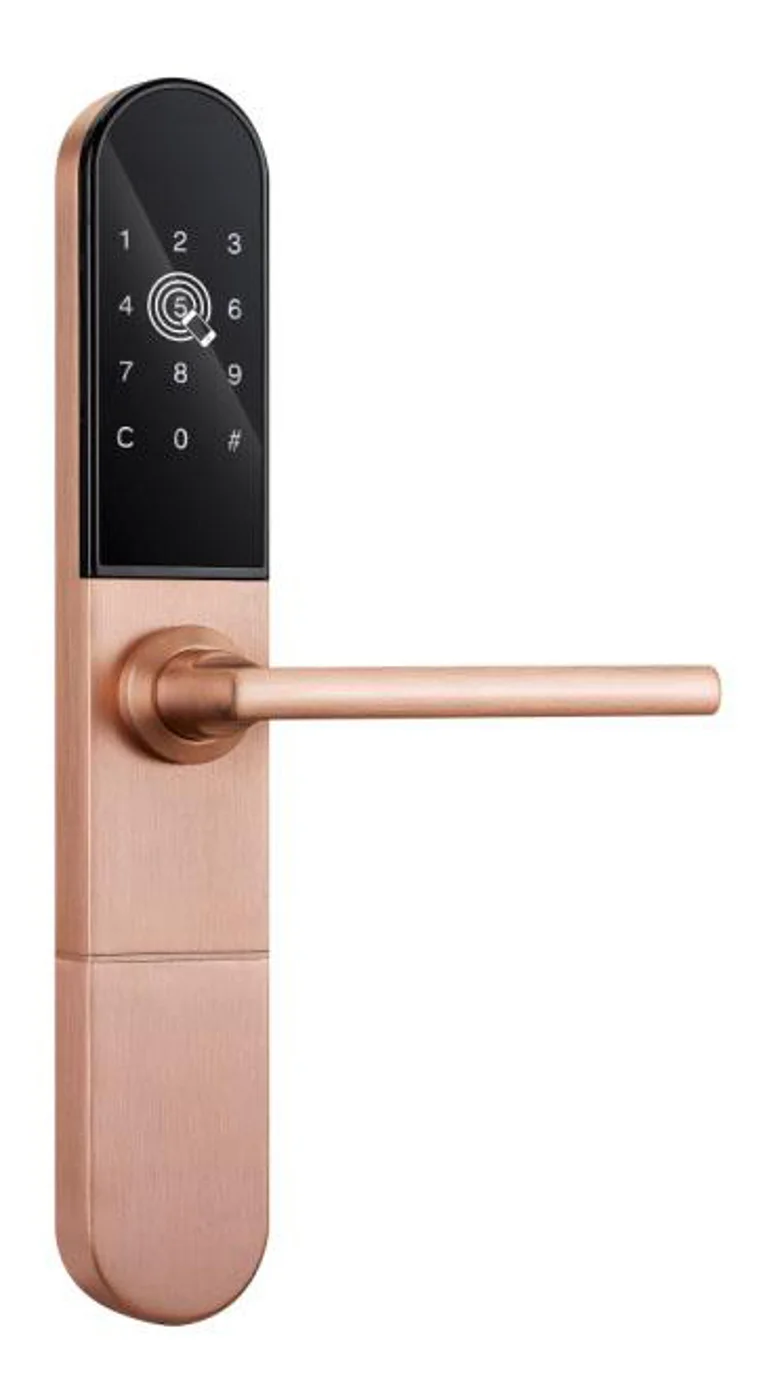
Smart Cabinet Lock — App-Managed, Multi-Site Dashboard
App-managed smart cabinet lock for office, parcel, and multi-site fleets. BLE app dashboard, audit trail, remote unlock, no per-lock server. Higher-tier chassis.
This page already points to it as the next recommended reference.
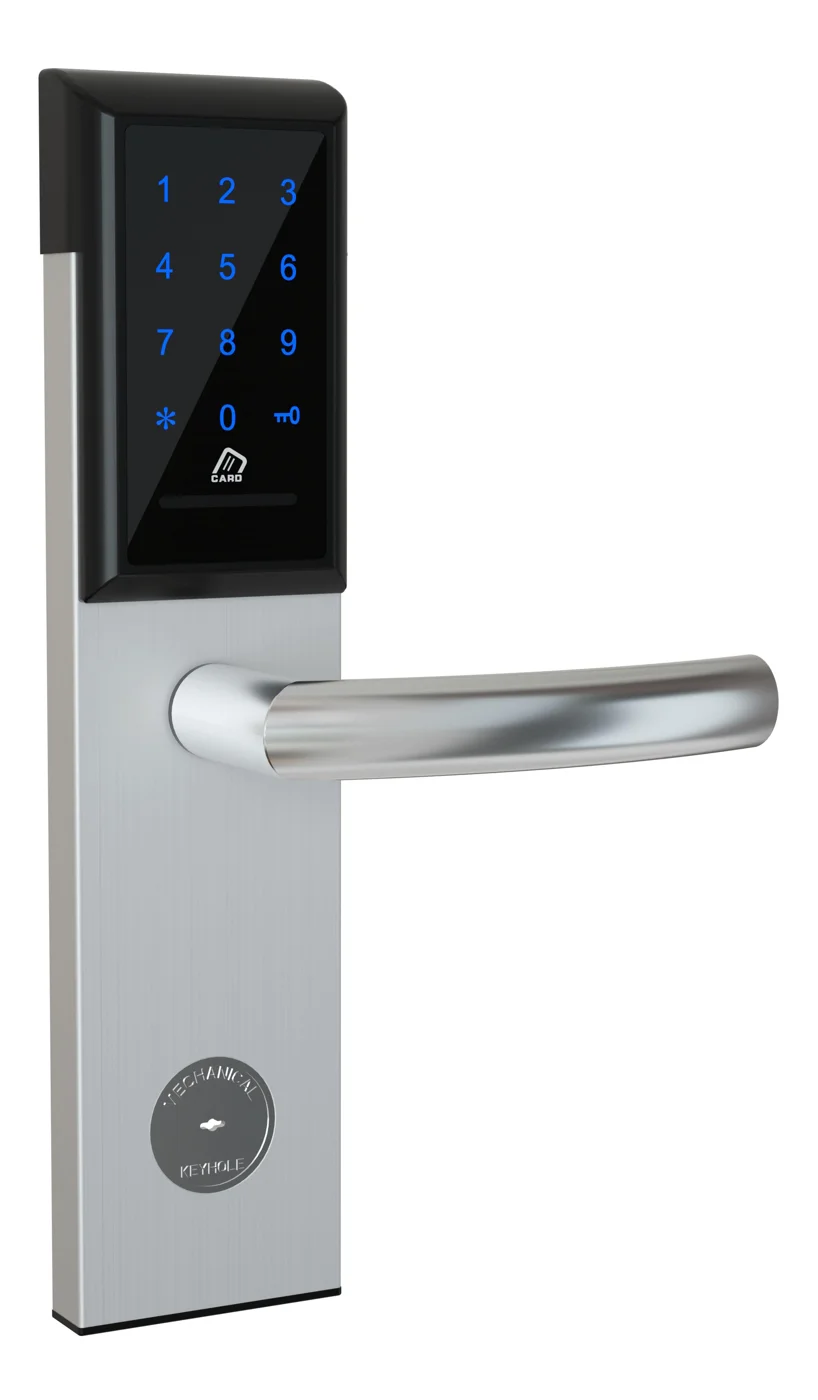
Office Cabinet Lock — PIN + Card for Filing & Pedestals
Offline PIN + card office cabinet lock for filing cabinets, pedestals, and drawers. Battery-powered 5-minute retrofit, no WiFi, no key management. CE/FCC/RoHS.
This page already points to it as the next recommended reference.
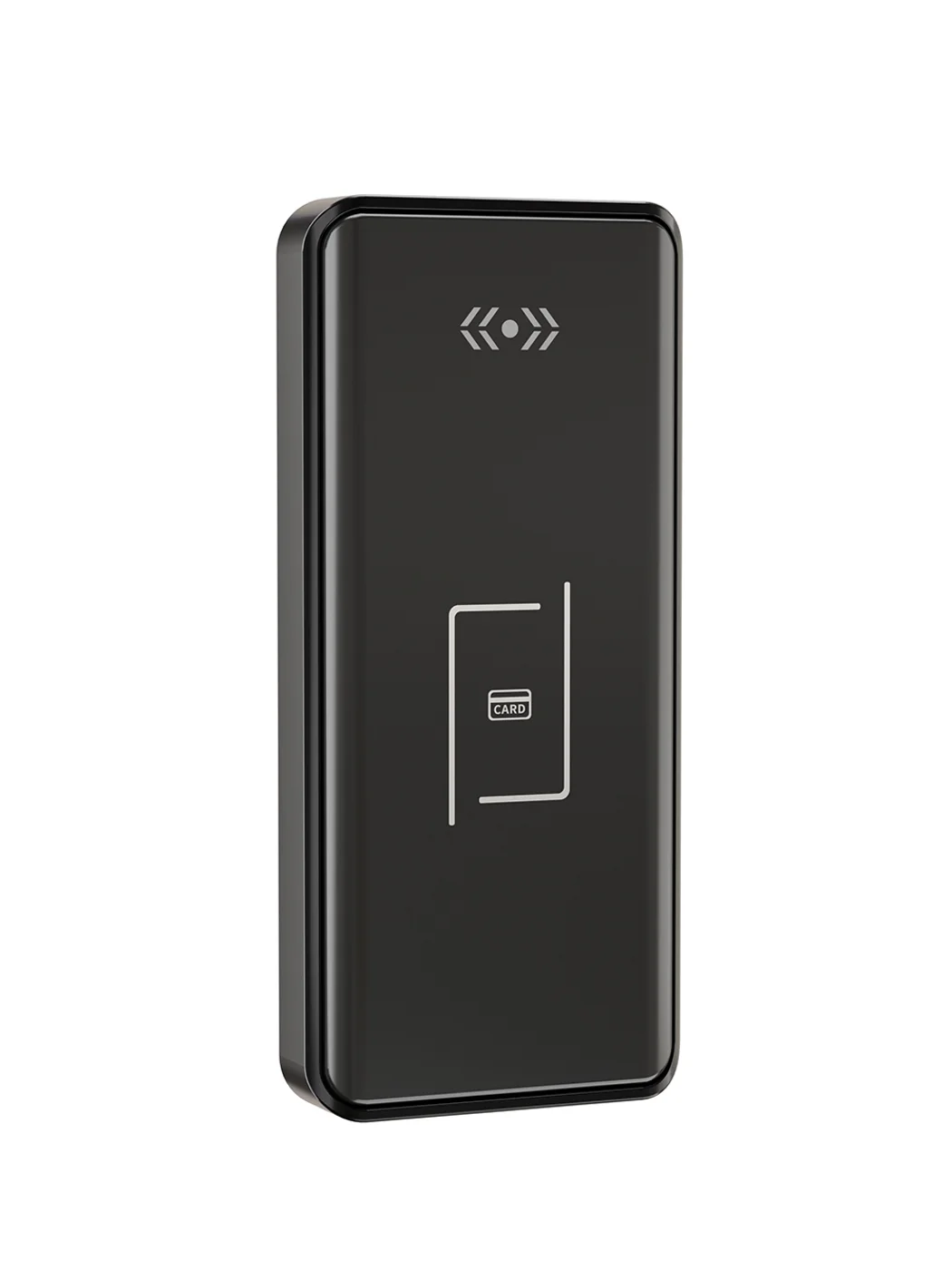
Gym Locker Lock — Offline Card, No WiFi Required
Offline card gym locker lock for fitness and pool lockers. MIFARE card, battery-powered 5-minute retrofit, no WiFi or server. Zinc alloy body, CE/FCC/RoHS.
This page already points to it as the next recommended reference.
Related blog posts
3
Mobile App Cabinet Lock: The Complete Guide to Smartphone-Controlled Cabinet Security
Discover how mobile app cabinet lock systems work. Explore BLE/Wi-Fi/NFC credentials, remote unlock, temporary codes, role-based access, cloud sync, security features, and deployment scenarios.
It supports the same product context: Smart Cabinet Lock — App-Managed, Multi-Site Dashboard, Office Cabinet Lock — PIN + Card for Filing & Pedestals, Gym Locker Lock — Offline Card, No WiFi Required.
MIFARE Cabinet Lock: Advanced Security Guide for MIFARE-Based Cabinet Access Systems
In-depth technical guide to MIFARE cabinet lock technology covering MIFARE Classic, Plus, DESFire, Ultralight variants, cryptographic security, installation, and multi-application smart card integration for cabinet access control.
It supports the same product context: Smart Cabinet Lock — App-Managed, Multi-Site Dashboard, Office Cabinet Lock — PIN + Card for Filing & Pedestals, Gym Locker Lock — Offline Card, No WiFi Required.
MIFARE Locker Lock: Definitive Guide to MIFARE-Based Smart Locker Security
Complete guide to MIFARE locker lock technology for gyms, schools, offices, and public facilities. Covers MIFARE Classic, Plus, DESFire variants, multi-user management, installation, networking, and smart locker ecosystem integration.
It supports the same product context: Gym Locker Lock — Offline Card, No WiFi Required.
Specify your cabinet lock project with our engineers
Send your locker count, cabinet type, and credential preference. We will return a sample plan and quote within 24 business hours.
- Move from general guidance into a product or application discussion.
- Use RFQ when pricing, drawings, MOQ, or launch timing needs structure.
- Keep a direct contact path visible for fast clarifications and handoff.