MIFARE Locker Lock: Definitive Guide to MIFARE-Based Smart Locker Security
Complete guide to MIFARE locker lock technology for gyms, schools, offices, and public facilities. Covers MIFARE Classic, Plus, DESFire variants, multi-user management, installation, networking, and smart locker ecosystem integration.
The Rise of MIFARE Locker Lock Technology in Modern Facilities
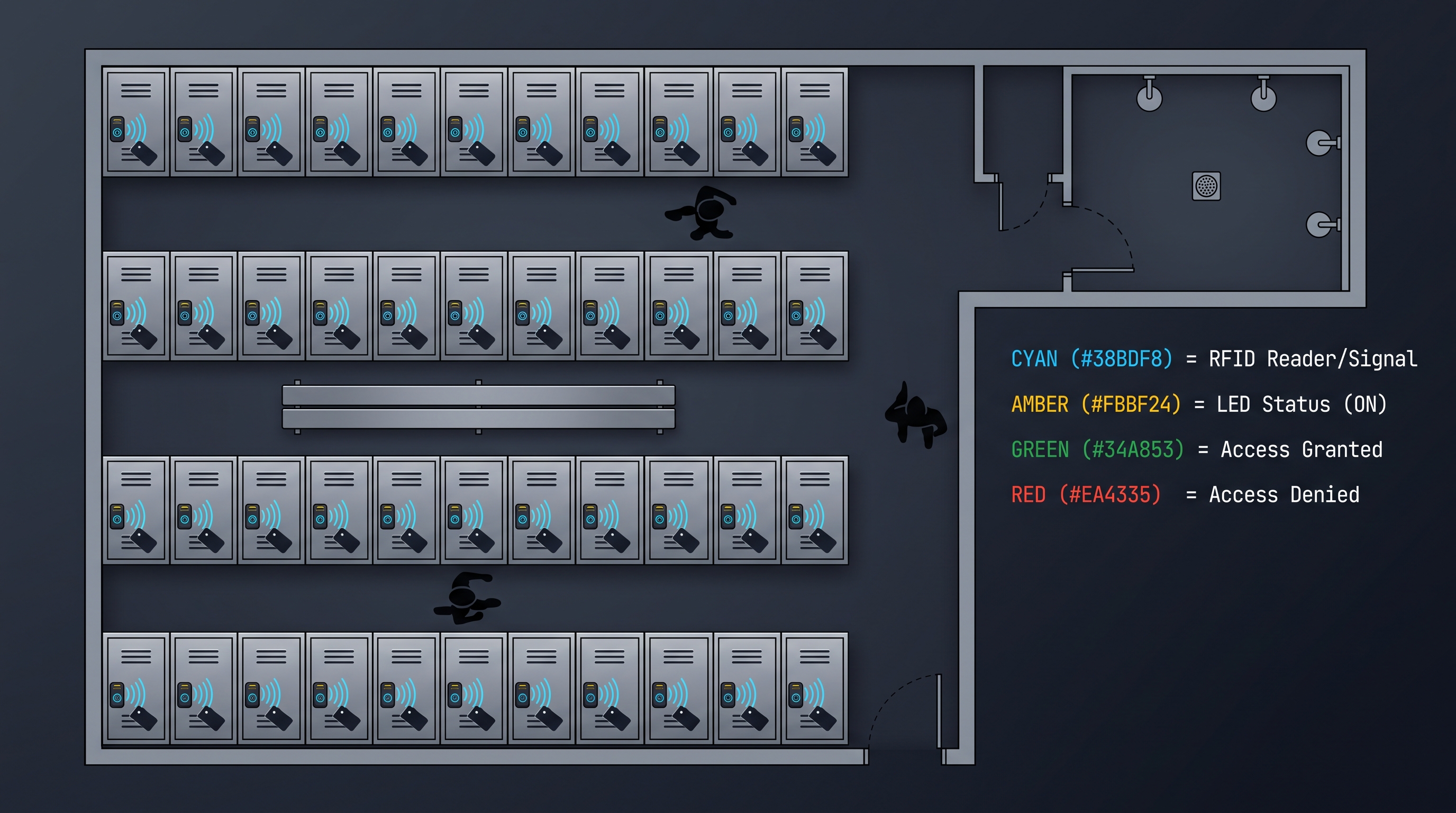
A MIFARE locker lock represents the convergence of two transformative technologies: the contactless smart card platform developed by NXP Semiconductors that powers billions of credentials worldwide, and the electronic locker lock industry that has moved from mechanical keys and combination dials to digital access control. A MIFARE locker lock reads MIFARE-based credentials—cards, fobs, wristbands, or NFC smartphones—and uses the authenticated identity to control access to individual lockers in gym facilities, schools, offices, healthcare environments, and public venues.
The shift from traditional locker locks to MIFARE locker lock technology has been driven by fundamental advantages in user experience, operational efficiency, and security. A traditional locker lock with a mechanical key or combination dial places the security burden entirely on the user, who must keep track of a key or remember a combination. When users lose keys, forget combinations, or share credentials with friends, the locker's security is compromised, and staff must devote time to cutting locks, rekeying, or resetting combinations. A MIFARE locker lock eliminates these problems by storing the access credential electronically and binding the locker to whatever card the user presents, whether for short-term use or recurring membership.
The versatility of the MIFARE platform makes it the dominant choice for a MIFARE locker lock across diverse environments. Fitness clubs that issue MIFARE membership cards can have the same card operate building entry turnstiles, check-in kiosks, payment terminals, and a MIFARE locker lock. Universities with MIFARE campus cards extend the same credential to student lockers and athletic facility storage. Hotels and resorts using MIFARE room keys can provide guests with a MIFARE locker lock experience at the spa, pool, or beach facility. This credential unification, enabled by MIFARE locker lock technology, simplifies the user experience and maximizes the return on the organization's credential infrastructure investment.
The market for MIFARE locker lock products has expanded rapidly as the technology has matured and as organizations have recognized the operational benefits. Today's MIFARE locker lock offerings range from battery-powered standalone units suitable for retrofit installation on existing lockers to fully networked systems with cloud-based management platforms that support thousands of MIFARE locker lock units across multiple facilities. This guide provides a comprehensive examination of MIFARE locker lock technology, from the underlying MIFARE authentication protocols through deployment architecture to long-term management best practices.
This definitive guide to MIFARE locker lock technology serves as a comprehensive reference for facility managers, security directors, IT professionals, and procurement specialists involved in selecting and deploying MIFARE locker lock systems. Whether you are evaluating your first MIFARE locker lock or planning a large-scale deployment to replace mechanical locker locks across a multi-site organization, the detailed information in this guide will support informed decision-making throughout the project lifecycle.
MIFARE Authentication Technology in Locker Lock Applications
The authentication protocol executed between a MIFARE card and a MIFARE locker lock forms the security foundation of the entire system. Understanding the technical details of this authentication process is essential for selecting the appropriate MIFARE variant, configuring the system correctly, and assessing the security posture of a MIFARE locker lock deployment against the threat model.
MIFARE Classic authentication, the original and most widely deployed MIFARE protocol, uses a proprietary stream cipher called CRYPTO1 for card-reader communication. When a MIFARE Classic card enters the field of a MIFARE locker lock reader, the reader and card engage in a three-pass authentication exchange. The reader proves knowledge of the sector key by demonstrating the ability to encrypt and decrypt correctly-chosen challenges. Upon successful authentication, the MIFARE locker lock can read or write to the sector data. The CRYPTO1 cipher was compromised through academic research in 2008, and practical attacks against MIFARE Classic have been demonstrated publicly. A MIFARE locker lock relying on MIFARE Classic provides minimal security against a determined attacker with modest technical skills and equipment.
MIFARE Plus was developed to provide a secure migration path from MIFARE Classic. MIFARE Plus cards support multiple security levels: a legacy level that emulates CRYPTO1 behavior for backward compatibility, and higher security levels that use AES-128 encryption for authentication and data protection. A MIFARE locker lock supporting MIFARE Plus can initially operate in legacy mode alongside existing MIFARE Classic infrastructure, then transition to AES security by reconfiguring the cards and readers. This migration capability makes MIFARE Plus an attractive option for organizations that need to upgrade MIFARE locker lock security gradually.
MIFARE DESFire represents the gold standard for MIFARE locker lock security. DESFire EV3, the current generation, implements AES-128 encryption with mutual authentication, meaning both the card and the MIFARE locker lock reader prove their authenticity to each other before any data is exchanged. Mutual authentication protects against rogue readers that might attempt to extract card data, and the encrypted communication channel protects against passive eavesdropping on the radio frequency exchange. A MIFARE locker lock using DESFire technology provides the strongest commercially available security in the MIFARE ecosystem and is the recommended choice for new MIFARE locker lock deployments where security matters.
MIFARE DESFire EV3 introduces additional security features that are particularly relevant for a MIFARE locker lock deployment. These include Transaction MAC, which provides authenticated confirmation of data operations, preventing unauthorized modification of card data; improved random number generation that strengthens the cryptographic exchanges; and better side-channel attack resistance, making it more difficult for an attacker to extract key material by observing the MIFARE locker lock's power consumption or electromagnetic emissions. When specifying a MIFARE locker lock for new deployment, DESFire EV3 compatibility should be prioritized.
The key management architecture for a MIFARE locker lock deployment determines how the cryptographic keys that protect card-reader communication are generated, distributed, and protected. In a simple deployment, a MIFARE locker lock may store a master key or set of keys and use a deterministic derivation process to generate the specific key for each card based on the card's unique identifier. This diversified key approach means that compromising one card's key does not compromise other cards. In more sophisticated deployments, the MIFARE locker lock may use session keys negotiated with a central key management server for each transaction, providing additional security through centralized control. Master keys must be protected in hardware security modules and access to them must be tightly controlled.
MIFARE Locker Lock Operational Modes and Configurations
A MIFARE locker lock can operate in one of several distinct modes, each with different implications for user experience, administrative overhead, and security. The choice of operating mode should be driven by the use case, the number of lockers and users, and the operational model of the facility hosting the MIFARE locker lock deployment.
The assigned mode is the most common operating configuration for a MIFARE locker lock. In assigned mode, specific lockers are dedicated to specific users for extended periods. A MIFARE locker lock in a workplace might be assigned to a particular employee who uses the same locker every day. In assigned mode, the MIFARE locker lock is programmed to recognize a specific card or set of cards, and only those cards can unlock that particular locker. This configuration provides clear personal accountability and is straightforward to manage, but it is inefficient when locker demand fluctuates.
The free-use or shared mode supports dynamic locker assignment, where any available locker can be used by any user at any time. When a user presents their MIFARE card to a free-use MIFARE locker lock, the lock captures the card's identifier and binds the locker to that card until the user releases the locker. A second user presenting a different card to the same MIFARE locker lock cannot open it—the locker remains bound to the first card until released. This mode maximizes locker utilization and is commonly deployed in fitness centers, transportation hubs, and other transient-use environments.
The time-limited mode is a variation of free-use where the MIFARE locker lock automatically releases the locker after a specified time period. This is particularly useful for day-use lockers in spas, theme parks, and visitor centers where users should not retain a locker indefinitely. The MIFARE locker lock tracks when the locker was assigned and releases it automatically when the time limit expires, making the locker available for the next user. Some MIFARE locker lock implementations send notifications to users when their assigned locker is approaching the time limit, prompting them to collect their belongings.
The PIN plus card mode adds a secondary authentication factor to a MIFARE locker lock deployment. The user must present their MIFARE card and then enter a PIN on a keypad integrated with the MIFARE locker lock. This dual-factor authentication addresses the concern that a lost or stolen MIFARE card could be used by an unauthorized person to access the locker. The PIN requirement means that the unauthorized user would need both the card and the PIN, which provides reasonable additional security for MIFARE locker lock applications where high-value contents may be stored.
The rental or pay-per-use mode integrates the MIFARE locker lock with a payment system. A user pays a fee at a kiosk or terminal, which triggers the assignment of an available locker and communicates the authorization to the MIFARE locker lock. The user's MIFARE card then opens the assigned locker. When the rental period expires or the user releases the locker, the MIFARE locker lock returns to the available pool for the next rental. This mode is common in airports, train stations, tourist attractions, and event venues where lockers are a commercial service rather than a provided amenity.
Hardware Architecture of a MIFARE Locker Lock
The hardware architecture of a MIFARE locker lock determines its security, reliability, and suitability for different environments. Understanding the components and their interaction supports informed selection and effective maintenance of MIFARE locker lock deployments.
The reader module in a MIFARE locker lock generates the 13.56 MHz radio frequency field and handles the communication protocol with MIFARE cards. The reader antenna is typically integrated into the lock housing, positioned to interact with cards presented to the reader surface. Reader performance characteristics that matter for a MIFARE locker lock include read range, read speed, and tolerance to environmental interference such as metal lockers, electrical noise from nearby equipment, and card positioning variations. A well-designed MIFARE locker lock reader provides reliable detection of cards presented in a reasonable range of positions and orientations.
The controller module is the brain of the MIFARE locker lock, managing the authentication process, maintaining the authorized card list (in standalone mode), and controlling the actuator. The controller typically uses a microcontroller or application-specific integrated circuit with non-volatile memory for storing configuration data and authorized card identifiers. The controller firmware implements the MIFARE communication protocols, access decision logic, and actuator control sequences. Firmware quality directly affects MIFARE locker lock security and reliability, so a well-established manufacturer with a track record of security-conscious firmware development is essential.
The actuator module in a MIFARE locker lock converts electrical signals from the controller into mechanical motion that retracts the locking bolt or latch. Common actuator types include DC motors, solenoids, and shape-memory alloy actuators. Each has advantages and limitations. DC motors provide strong, controllable actuation but consume more power. Solenoids are simple and reliable but may not provide sufficient force for heavy-duty applications. Shape-memory alloy actuators offer low power consumption and silent operation but have limited cycle life. The actuator choice affects MIFARE locker lock power consumption, noise level, and mechanical durability.
The locking mechanism in a MIFARE locker lock typically consists of a bolt or latch that engages with a strike plate or receiving aperture on the locker body. The mechanism must be strong enough to resist forced entry attempts but must operate smoothly under normal conditions. A MIFARE locker lock for high-security applications should feature a hardened steel bolt with adequate throw distance. The mechanism should include position feedback that allows the controller to verify that the lock has fully engaged after closing, confirming that the MIFARE locker lock has secured the locker door.
The power system of a MIFARE locker lock determines its operational lifetime, reliability, and maintenance requirements. Battery-powered MIFARE locker lock models typically use standard alkaline or lithium batteries, with battery life ranging from one to several years depending on usage patterns and features. Some MIFARE locker lock models include energy-saving features such as motion detection that activates the reader only when a user approaches, extending battery life significantly. The MIFARE locker lock must include a low-battery warning that provides sufficient advance notice for planned replacement, and ideally an emergency power interface that allows temporary external power application if batteries are fully depleted.
The housing of a MIFARE locker lock must protect the internal electronics from physical damage, environmental exposure, and tampering. Materials commonly used include engineered polymers for indoor applications and zinc alloy or stainless steel for high-security or outdoor use. The housing design should resist drilling, prying, and impact attacks that might attempt to defeat the MIFARE locker lock or access internal components. Surface treatments including plating and powder coating protect against corrosion and wear from repeated card presentations.
Installing a MIFARE Locker Lock on Existing Lockers
One of the most attractive features of a MIFARE locker lock is the ability to retrofit existing mechanical locker installations, transforming them from key or combination operation to modern electronic access without replacing the entire locker bank. The retrofit process for a MIFARE locker lock varies depending on the original lock type and the MIFARE locker lock model selected, but follows a general pattern that this section describes.
The first step in retrofitting a MIFARE locker lock is a survey of the existing locker installation. Document the locker dimensions, door thickness, construction material, and the existing lock mounting configuration. Identify any unusual conditions such as non-standard door thicknesses, damaged mounting surfaces, or environmental concerns that might affect the MIFARE locker lock installation. The survey data determines which MIFARE locker lock models are physically compatible with the existing lockers and identifies any additional preparation work that may be required.
The next step is removing the existing mechanical lock. This typically involves removing the lock body from the door and any strike plate or receiving hardware from the locker body. Mechanical locks may be secured with rivets, screws, clips, or threaded collars. The removal process should be careful to avoid damaging the locker door or body, as these are typically more difficult to repair or replace than the lock itself. Once the mechanical lock is removed, clean the mounting area thoroughly and inspect for any damage that requires repair before the MIFARE locker lock can be installed.
Mounting the MIFARE locker lock on the prepared door involves the reverse of the mechanical lock removal process. The MIFARE locker lock body is positioned in the door cutout, oriented correctly for the bolt to engage with the strike plate on the locker body. Depending on the MIFARE locker lock design, it may be secured with screws, rivets, or threaded hardware. Some MIFARE locker lock models are designed specifically as drop-in replacements for common mechanical lock form factors, requiring minimal modification of the existing mounting holes. Others may require drilling new holes for additional mounting hardware or anti-rotation features.
Strike plate and receiving hardware installation for a MIFARE locker lock must ensure proper alignment with the lock body bolt. The strike plate or receiving aperture must be positioned so that the bolt engages fully and positively when the MIFARE locker lock is in the locked position. Misalignment can cause mechanism binding, premature wear, and security vulnerabilities. After installation, manually test the bolt engagement by closing and locking the locker door, confirming smooth operation without binding or excessive force.
Wiring for MIFARE locker lock models that require external power or network connectivity is the most labor-intensive part of a retrofit installation. Cable routing must be planned to reach each MIFARE locker lock from the power supply and, for networked models, from the network infrastructure. Cable management includes securing cables away from moving parts, protecting them from sharp edges and pinch points, and using appropriate cable ties and routing hardware. In existing facilities, routing cables through ceilings, behind panels, and through existing conduit can minimize visual disruption and protect cables from damage.
Initial configuration and testing of the MIFARE locker lock after installation involves enrolling the management cards, configuring the operating mode, registering user cards or enabling free-use operation, and verifying correct behavior. The first MIFARE locker lock installed should be tested thoroughly before proceeding with subsequent units. Test card reading, lock actuation, battery status indication, any LED or audible feedback features, and any networked communication. Only after confirming correct operation should the MIFARE locker lock be put into service, and ideally a second verification should be performed after closing the locker door to confirm complete operational cycle.
MIFARE Locker Lock Network Architecture and Management
The network architecture supporting a MIFARE locker lock deployment determines how lockers are managed, how access events are logged, and how system-wide operations such as master card issuance and security updates are handled. The choice of architecture should be driven by the size of the deployment, the operational model, and the integration requirements with other facility systems.
Standalone MIFARE locker lock architecture requires no network infrastructure and supports deployments of any size where administrative overhead is manageable. Each MIFARE locker lock maintains its own authorized card list and configuration, programmed through handheld programming devices or through management cards issued by the facility administrator. A standalone MIFARE locker lock deployment works well for small facilities with stable user populations, such as a small gym or a single corporate office. The disadvantage of standalone architecture is that administrative changes must be made at each MIFARE locker lock individually, which becomes burdensome as the deployment scales.
Wired networked MIFARE locker lock architecture uses physical cabling to connect each MIFARE locker lock to a central controller or server. Common wired architectures include RS-485 multidrop networks where multiple MIFARE locker lock units share a single cable run, and Ethernet networks where each MIFARE locker lock has its own network connection. Wired networked MIFARE locker lock systems enable centralized administration, real-time audit event reporting, and immediate response to operational changes such as lost card revocation. The installation cost of wired network infrastructure is higher than standalone, but the operational efficiency and security advantages often justify the investment for medium to large MIFARE locker lock deployments.
Wireless networked MIFARE locker lock architecture eliminates the cabling requirement by using radio frequency communication between the MIFARE locker lock units and the central management system. Wireless options include Wi-Fi, Bluetooth Low Energy with mesh networking, Zigbee, and proprietary wireless protocols. Wireless MIFARE locker lock deployments dramatically reduce installation cost and disruption, particularly when retrofitting existing facilities where running cables to each locker would be impractical. Wireless MIFARE locker lock units are typically battery-powered, requiring battery management as an ongoing operational consideration. The wireless network must be secured against eavesdropping and unauthorized commands.
Cloud-managed MIFARE locker lock architecture combines networked lockers with cloud-based management software accessed through web browsers or mobile applications. A cloud-managed MIFARE locker lock deployment provides several advantages: no on-premises management server infrastructure is required, software updates and security patches are applied automatically, and management access can be provided to authorized users from anywhere with internet connectivity. Cloud management is particularly attractive for organizations with multiple sites that need centralized oversight of distributed MIFARE locker lock deployments, such as fitness chains or hotel groups.
Management software for a MIFARE locker lock deployment provides the interface for administering users, configuring locker assignments, monitoring system health, reviewing access logs, and generating reports. The management software should support role-based access control so that different administrators have appropriate permissions. It should provide bulk operations for efficient management of large MIFARE locker lock deployments. Reporting capabilities should include both operational reports such as locker utilization statistics and security reports such as denied access attempts. The management software user experience significantly affects the operational cost of running a MIFARE locker lock deployment, so evaluating the software thoroughly before procurement is essential.
MIFARE Locker Lock Applications by Facility Type
Fitness centers and health clubs are among the largest MIFARE locker lock application environments. Members present their membership cards at the MIFARE locker lock reader, which assigns an available locker to that card for the duration of the visit. When the member returns to the MIFARE locker lock with their card and presses the lock button or presents the card again, the lock releases and the locker becomes available for the next user. This free-use MIFARE locker lock mode eliminates the issues of lost keys and forgotten combinations that plague traditional gym locker locks. Many fitness chains have realized significant operational savings and member satisfaction improvements after deploying MIFARE locker lock systems.
Educational institutions use MIFARE locker lock technology in student activity centers, athletic facilities, music practice rooms, and residence halls. The MIFARE locker lock in these environments typically uses the institution's existing MIFARE-based campus card, eliminating the need to issue separate credentials for locker access. In residence halls, a MIFARE locker lock on a student room closet or storage area provides secure storage that can be managed through the same system as building entry. In athletic facilities, a MIFARE locker lock on team equipment storage rooms and day-use lockers supports both assigned and transient use patterns through different operating modes on different lockers.
Corporate office environments deploy MIFARE locker lock technology for personal storage lockers assigned to employees, visitor day-use lockers in lobbies, and secure storage for company equipment such as laptops, tools, or sensitive documents. The MIFARE locker lock in an office assignment mode, where each employee has a dedicated locker, provides secure personal storage that eliminates the need for desk locks. In visitor day-use mode, the MIFARE locker lock provides temporary secure storage for guests without requiring staff to issue and collect keys. The integration of MIFARE locker lock with the corporate access control system means that visitor access can be enabled through the visitor management platform and automatically disabled at the end of the visit.
Healthcare facilities use MIFARE locker lock technology for staff lockers, patient belongings storage in ambulatory or emergency settings, and secure storage for medical devices and medications. The MIFARE locker lock in healthcare must support infection control protocols, with smooth, cleanable surfaces that withstand hospital-grade disinfectants. The MIFARE locker lock audit trail provides documentation of who accessed which locker and when, supporting regulatory compliance for controlled substance storage. In emergency department settings, a MIFARE locker lock can securely store patient belongings during treatment, with the patient's identity card or a temporary credential serving as the access token.
Hospitality and leisure venues including hotels, resorts, spas, theme parks, and water parks deploy MIFARE locker lock technology to provide guest storage. The MIFARE locker lock in these environments may use the guest's room key card, a dedicated facility card, or a temporary credential issued at the attraction entrance. Time-limited operating modes are particularly valuable in hospitality settings to ensure that lockers are available for turnover between guests. The MIFARE locker lock can be integrated with the property management system or attraction ticketing platform, creating a seamless guest experience from credential issuance to locker access.
Transportation hubs including airports, train stations, and bus terminals use MIFARE locker lock technology for short-term luggage storage. A MIFARE locker lock in this application typically operates in rental or pay-per-use mode, where the traveler pays for a locker rental at a kiosk and the MIFARE locker lock is assigned to that rental. The MIFARE locker lock provides secure storage that the traveler can access repeatedly during the rental period using a credential linked to the rental transaction. When the rental expires or the traveler releases the locker, the MIFARE locker lock returns to the available pool. This MIFARE locker lock application is particularly common in European and Asian transit hubs.
MIFARE Locker Lock Security and Threat Analysis
The security analysis of a MIFARE locker lock deployment must consider threats at the credential level, the reader-card interface, the physical lock level, the administrative level, and the system integration level. A vulnerability at any level can undermine the security of the entire MIFARE locker lock deployment, regardless of the strength of other layers.
Credential security for a MIFARE locker lock depends on the MIFARE variant used and the key management architecture. MIFARE Classic credentials with fixed identifiers and CRYPTO1 encryption are vulnerable to cloning, where an attacker uses a card emulator or writable card to copy a legitimate credential. A MIFARE locker lock using MIFARE Classic and operating only on card serial numbers provides minimal protection against credential cloning. MIFARE DESFire credentials with AES encryption and mutual authentication resist cloning because the card proves possession of secret keys without revealing them. A MIFARE locker lock using MIFARE DESFire provides substantially stronger credential security than one using MIFARE Classic alone.
Relay attacks against a MIFARE locker lock involve positioning a device near a legitimate card to capture the card's response to a reader challenge, then relaying that response to a second device near a MIFARE locker lock. If the relay is fast enough, the MIFARE locker lock believes the legitimate card is present and unlocks. Defending against relay attacks requires distance-bounding protocols that measure the round-trip time of the authentication exchange and reject responses that take longer than expected for a card in close proximity. Some advanced MIFARE locker lock products incorporate relay attack resistance, but this is not yet universal. Physical security measures such as ensuring that user cards are kept in shielded holders when not in use provide a complementary defense.
Physical attacks against a MIFARE locker lock include attempts to drill through the reader to access internal wiring, pry the lock body away from the door, or force the bolt back through the door material. A well-designed MIFARE locker lock incorporates hardened components at critical points, anti-drill features in the reader surface, secure mounting hardware, and a bolt mechanism that resists being pushed back when locked. For high-security MIFARE locker lock applications, security certifications such as LPS 1175 or EN 1627 provide standardized ratings for forced entry resistance that can guide product selection.
Administrative security for a MIFARE locker lock deployment is often the most exploited weakness. Forgotten cards not collected from former members, temporary credentials not expired after use, master cards stored insecurely, and credential sharing among users all create security vulnerabilities that no amount of technical sophistication can address. A MIFARE locker lock deployment must be supported by clear administrative policies, regular access reviews, prompt credential lifecycle management, and user education about the importance of credential protection.
Privacy considerations in a MIFARE locker lock deployment are increasingly important. The audit trail of who accessed which locker and when is sensitive information that reveals patterns of presence and absence. A MIFARE locker lock deployment must comply with applicable privacy regulations such as GDPR in Europe, which requires lawful basis for processing personal data, data minimization, retention limits, and data subject rights. The MIFARE locker lock management system should implement access controls on audit data, retention policies that balance security needs with privacy obligations, and procedures for responding to data subject access requests.
Designing a Successful MIFARE Locker Lock Implementation
A successful MIFARE locker lock implementation begins with clear definition of objectives and requirements. Identify the primary goals: improving member or employee experience, reducing administrative overhead, enhancing security, supporting a new credential ecosystem, or all of these. Quantify success criteria where possible: target response time for locker access, acceptable rate of credential issues, administrator time savings, reduction in lost key incidents. Clear objectives guide design decisions and enable measurement of implementation success.
Stakeholder engagement is critical for a MIFARE locker lock implementation. Identify the facility operators who will use the system daily, the IT team responsible for network infrastructure and security, the security team responsible for access control policy, the procurement team that will manage vendor relationships, and the executive sponsors who will champion the project. Engage each stakeholder group in the design and selection process to ensure that their requirements are understood and incorporated. End user feedback, gathered through surveys or focus groups, provides valuable insights into user expectations for the MIFARE locker lock experience.
Pilot deployment is highly recommended before full-scale rollout of a MIFARE locker lock deployment. Select a representative subset of the facility or facilities for the pilot, ideally including a variety of locker types and usage patterns. Run the pilot for a sufficient period to observe typical usage cycles, identify any technical issues, and gather user feedback. Use the pilot to refine configuration, train administrators, and document operational procedures before extending the MIFARE locker lock to the full population.
The procurement process for a MIFARE locker lock should include evaluation of multiple vendors and products. Develop a detailed specification based on the requirements analysis, send it to qualified vendors, and evaluate responses against both the specification and the vendor's reputation, support capabilities, and financial stability. Request demonstration units for hands-on evaluation. Check references from comparable MIFARE locker lock deployments. Negotiate warranty terms, support agreements, and pricing for both hardware and software. Total cost of ownership analysis should include not only purchase price but installation, training, ongoing maintenance, and expected lifecycle replacement.
Implementation planning for a MIFARE locker lock deployment addresses the logistics of converting from existing locks to MIFARE locker lock units. Develop an installation schedule that minimizes operational disruption, potentially working during off-hours or in phases. Coordinate with credential issuance to ensure that users have their MIFARE cards ready before the MIFARE locker lock installation is complete. Plan for contingencies including hardware failures, integration issues, and unexpected site conditions. Maintain a stock of spare MIFARE locker lock units and components to enable rapid replacement of any failed units during and after the implementation.
Long-Term Management of MIFARE Locker Lock Systems
The ongoing management of a MIFARE locker lock deployment requires attention to operational processes, maintenance schedules, and evolving technology and business requirements. A proactive management approach prevents issues from becoming service disruptions and maximizes the value of the MIFARE locker lock investment.
Preventive maintenance for a MIFARE locker lock deployment includes scheduled battery replacement for battery-powered units, physical inspection of locks and mounting hardware, cleaning of reader surfaces, and verification of correct lock operation. The maintenance schedule should be based on the manufacturer's recommendations and the deployment's actual operating conditions. Document maintenance activities in a centralized system to track trends and identify MIFARE locker lock units that may need additional attention.
User support is an ongoing requirement for any MIFARE locker lock deployment. Common user issues include cards not being recognized, lockers not releasing properly, batteries dying in active locks, and confusion about how to operate the MIFARE locker lock. Establish clear support processes including self-service resources such as FAQ documents and instructional signage at the lockers, staff escalation procedures for issues that cannot be resolved by users, and rapid response capability for security incidents. Track support issues to identify systemic problems that may indicate configuration errors or equipment failures.
Firmware and software management for a MIFARE locker lock deployment should follow a planned, documented process. Subscribe to manufacturer security advisories and update notifications. Evaluate each update for relevance, severity, and compatibility with the deployment. Test updates on a controlled subset before deploying broadly. Maintain documentation of firmware versions and software configurations across the MIFARE locker lock deployment to support troubleshooting and compliance requirements.
Technology evolution and refresh planning anticipates the eventual need to upgrade or replace MIFARE locker lock components. While MIFARE locker lock hardware is designed for years of service, the technology evolves and may require updates to support new credential formats, security improvements, or integration with newer systems. Plan for refresh cycles by monitoring manufacturer product roadmaps and industry trends. Build flexibility into the MIFARE locker lock architecture so that individual components can be upgraded or replaced without disrupting the entire system.
Organizational change management keeps the MIFARE locker lock deployment aligned with evolving business requirements. As the organization changes—new facilities, new user populations, new operating policies—the MIFARE locker lock configuration must be updated to maintain alignment. Regular review meetings between facility management, IT, security, and operations stakeholders ensure that the MIFARE locker lock deployment continues to meet organizational needs and that planned changes are coordinated across affected stakeholders.
This definitive guide to MIFARE locker lock technology was last updated on August 3, 2026. The MIFARE trademark and technology are owned by NXP Semiconductors. Product specifications, MIFARE variant availability, and security properties are subject to change. Always verify current information with manufacturers and consult with NXP documentation. For personalized recommendations on MIFARE locker lock solutions for your facility, contact the CabinetLock Security Team or consult with a qualified physical security and access control professional.
Resources and Further Reading
- NXP MIFARE Product Family Documentation: www.nxp.com/products/rfid-nfc/mifare-hf
- ISO/IEC 14443: Identification Cards — Contactless Integrated Circuit Cards — Proximity Cards
- NXP Application Note AN12343: MIFARE DESFire EV3 Symmetric Key Management
- SIA OSDP Standard: Open Supervised Device Protocol
- IATA Recommended Practice 1700: Self-Service Bag Drop and Storage Systems
- GSA Approved Products List for Security Container Locks
Not sure which lock fits your lockers?
Talk to our lock engineers about credentials, battery life, and retrofit fit — no obligation.
Related cabinet lock resources
Compare lock types, check installation guides, and download the product catalog
Related products
3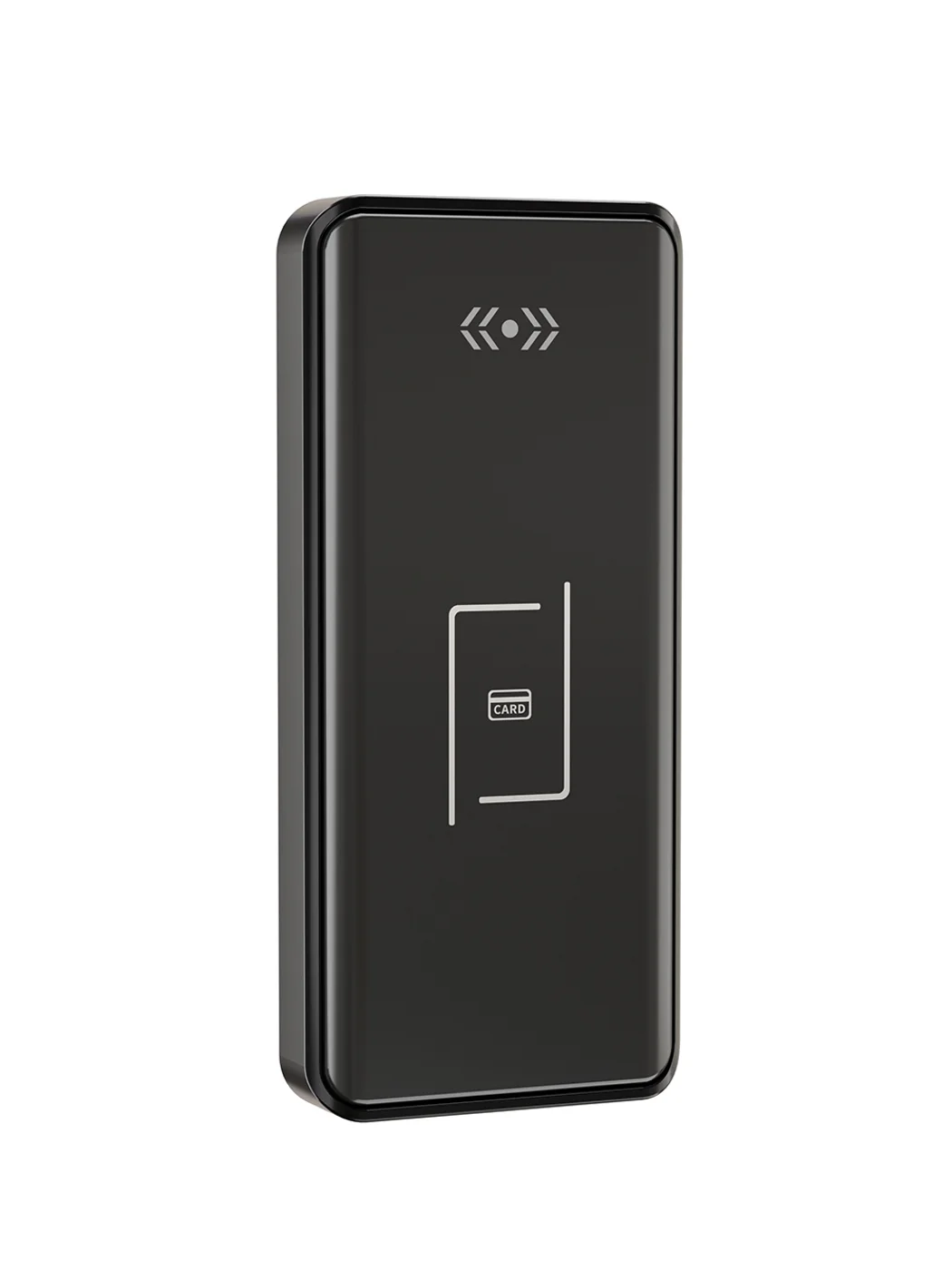
Gym Locker Lock — Offline Card, No WiFi Required
Offline card gym locker lock for fitness and pool lockers. MIFARE card, battery-powered 5-minute retrofit, no WiFi or server. Zinc alloy body, CE/FCC/RoHS.
This page already points to it as the next recommended reference.
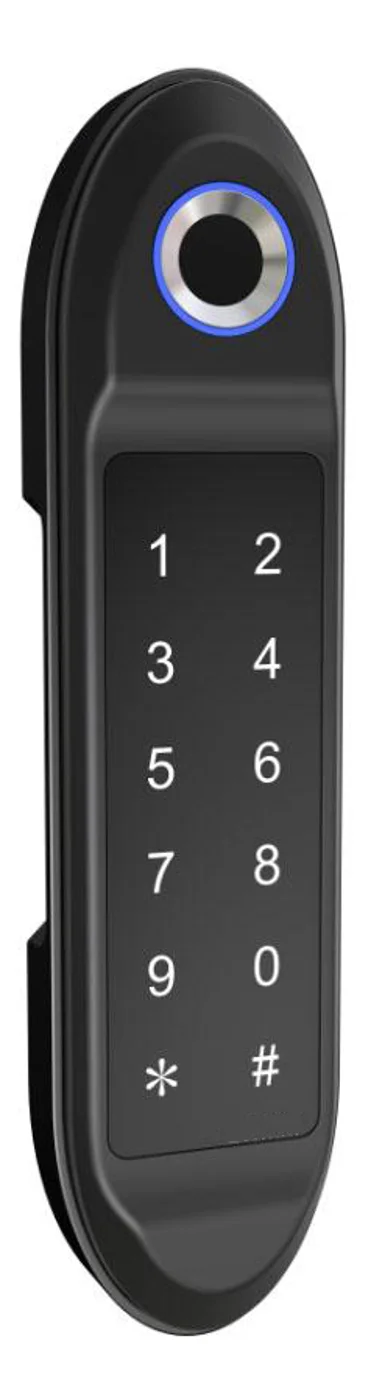
PIN Code Electronic Cabinet Lock — Stand-Alone, No WiFi
Offline keypad cabinet lock for gym, office and parcel lockers. Battery-powered, 5-minute retrofit, audit-free simple deployment. PIN + MIFARE card, DC 6V, 4×AA.
This page already points to it as the next recommended reference.
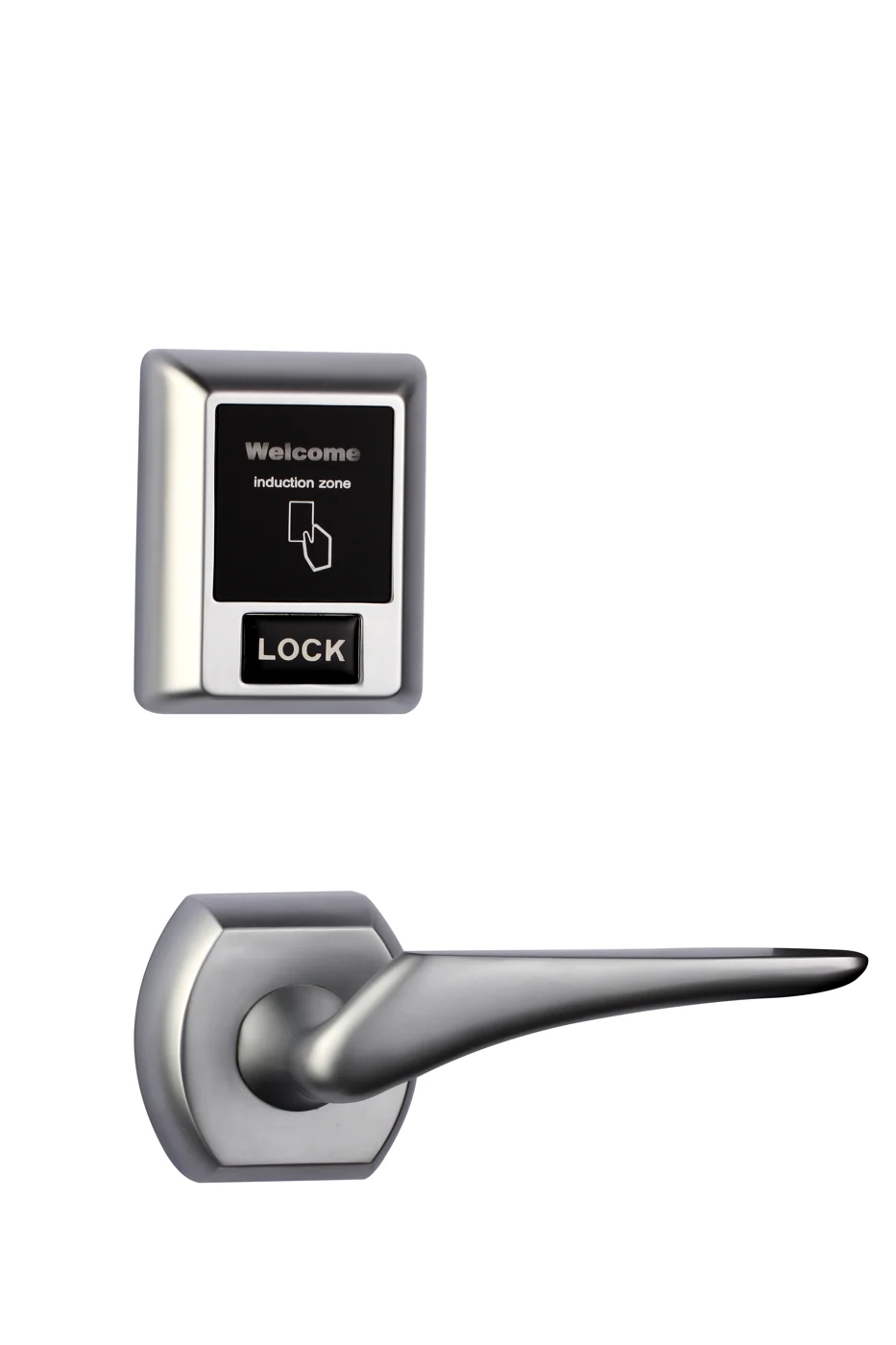
Bluetooth Cabinet Lock — App + PIN + Card, Managed Fleet
Offline BLE app cabinet lock for parcel, office, and managed locker fleets. App + PIN + MIFARE card, remote credential management, no server dependency, battery-powered retrofit.
This page already points to it as the next recommended reference.
Related blog posts
3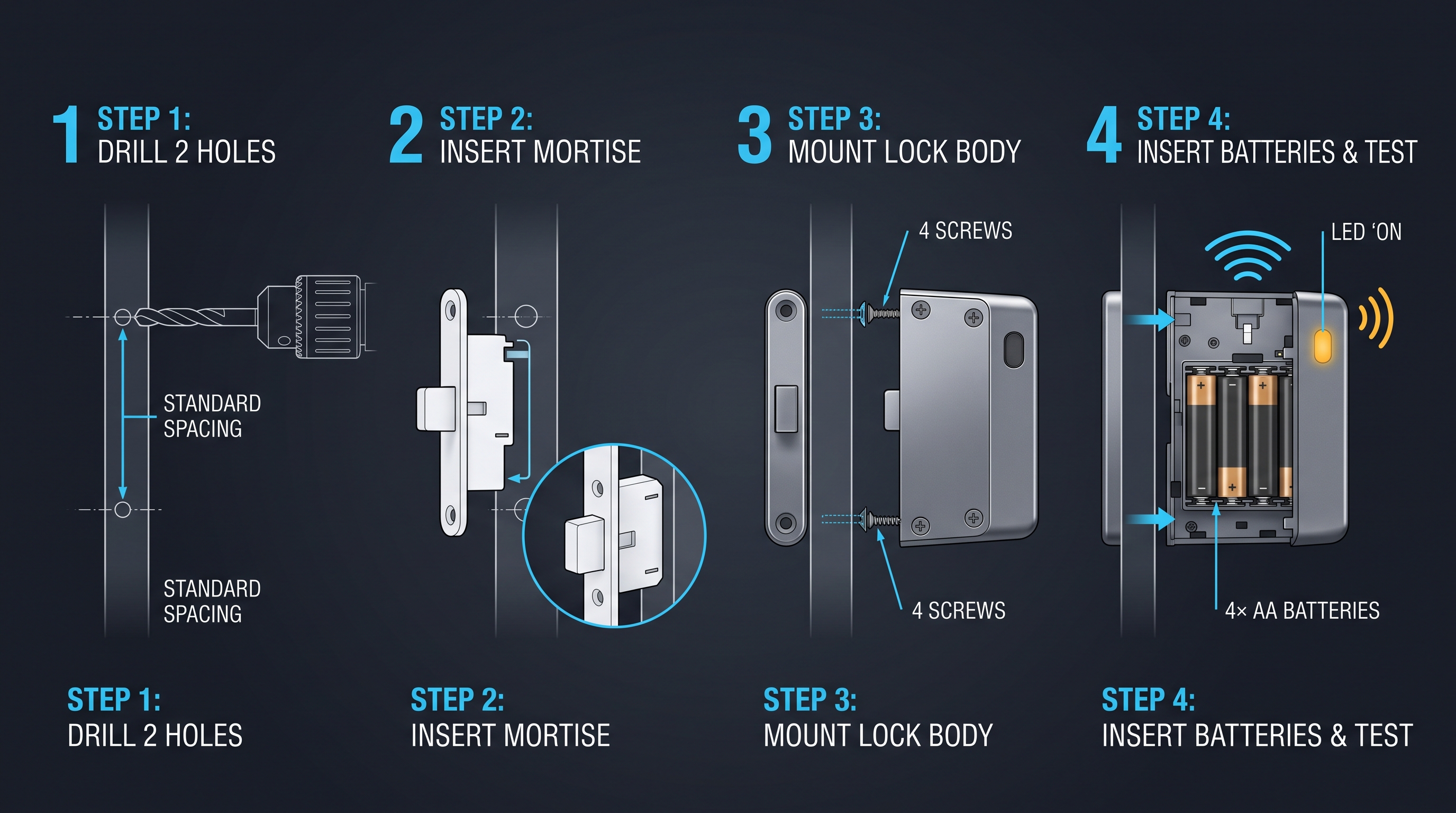
Mobile App Cabinet Lock: The Complete Guide to Smartphone-Controlled Cabinet Security
Discover how mobile app cabinet lock systems work. Explore BLE/Wi-Fi/NFC credentials, remote unlock, temporary codes, role-based access, cloud sync, security features, and deployment scenarios.
It supports the same product context: Gym Locker Lock — Offline Card, No WiFi Required.
MIFARE Cabinet Lock: Advanced Security Guide for MIFARE-Based Cabinet Access Systems
In-depth technical guide to MIFARE cabinet lock technology covering MIFARE Classic, Plus, DESFire, Ultralight variants, cryptographic security, installation, and multi-application smart card integration for cabinet access control.
It supports the same product context: Gym Locker Lock — Offline Card, No WiFi Required.
Medicine Cabinet Lock: The Ultimate Guide to Securing Medications and Protecting Your Family
A comprehensive guide to medicine cabinet lock systems covering types, installation, child safety, smart options, and best practices for residential and healthcare settings.
It supports the same product context: Gym Locker Lock — Offline Card, No WiFi Required.
Specify your cabinet lock project with our engineers
Send your locker count, cabinet type, and credential preference. We will return a sample plan and quote within 24 business hours.
- Move from general guidance into a product or application discussion.
- Use RFQ when pricing, drawings, MOQ, or launch timing needs structure.
- Keep a direct contact path visible for fast clarifications and handoff.