Mobile App Cabinet Lock: The Complete Guide to Smartphone-Controlled Cabinet Security
Discover how mobile app cabinet lock systems work. Explore BLE/Wi-Fi/NFC credentials, remote unlock, temporary codes, role-based access, cloud sync, security features, and deployment scenarios.
Introduction to Mobile App Cabinet Lock Technology
A mobile app cabinet lock is a smart locking device that enables users to control cabinet access through a dedicated smartphone application using wireless communication protocols such as Bluetooth Low Energy (BLE), Wi-Fi, or Near Field Communication (NFC). These modern security solutions represent a fundamental shift from traditional mechanical locks and key-based access systems, replacing physical keys and keycards with digital credentials stored securely on mobile devices. The global smart lock market, valued at approximately $2.8 billion in 2024, continues to expand as organizations and homeowners seek more convenient, auditable, and secure access management solutions. A typical mobile app cabinet lock operates within a voltage range of 3.0V to 6.0V (commonly using 2x AAA or CR123A batteries), consumes between 10-50 microamps (µA) in standby mode and up to 100-200 milliamps (mA) during active unlock operations, and offers battery lifespans of 12 to 24 months depending on usage patterns and communication frequency. The unlock response time generally ranges from 200 milliseconds to 800 milliseconds depending on the wireless protocol and environmental factors. Professional-grade mobile app cabinet lock systems are certified to standards including ANSI/BHMA Grade 2 or Grade 1, UL 294 (access control system standard), FCC Part 15 for electromagnetic emissions, CE marking for European compliance, and IP54 or higher for dust and moisture resistance. The average installed cost for a single mobile app cabinet lock unit ranges from $150 to $450 depending on features, with enterprise deployment packages typically priced between $2,000 and $15,000 for complete systems including hub infrastructure and annual software licensing. This article explores the technology, security features, deployment scenarios, and selection criteria for mobile app cabinet lock solutions across residential and commercial applications.
How Mobile App Cabinet Lock Wireless Protocols Work
Understanding the underlying wireless communication protocols is essential for evaluating a mobile app cabinet lock system, as each technology offers distinct advantages in terms of power consumption, range, security, and reliability. Bluetooth Low Energy (BLE) serves as the most common communication protocol for mobile app cabinet lock implementations, operating in the 2.4 GHz ISM frequency band with a typical indoor range of 10 to 30 meters and consuming only 10-50 µA during deep sleep states. BLE 5.0 and later versions offer enhanced data rates up to 2 Mbps and improved range through advertising channel extensions, making them ideal for battery-powered cabinet lock applications. A mobile app cabinet lock utilizing BLE establishes a secure pairing with the user's smartphone during initial setup, typically employing Elliptic Curve Diffie-Hellman (ECDH) key exchange to generate shared encryption keys without transmitting sensitive data over the air. Wi-Fi connectivity provides an alternative for mobile app cabinet lock systems requiring longer range (up to 50 meters indoors with 802.11n) and faster data transfer capabilities, though at the cost of significantly higher power consumption (typically 200-500 mA during active communication), making Wi-Fi-based locks more common in AC-powered installations or those with larger battery packs. Near Field Communication (NFC) technology enables a mobile app cabinet lock to be unlocked by tapping an NFC-enabled smartphone or tag directly against the lock housing, operating at 13.56 MHz with a range of only 1-4 centimeters, which provides inherent security against remote attacks but requires deliberate physical proximity. Many advanced mobile app cabinet lock systems support multiple protocols simultaneously, allowing users to unlock via BLE when approaching (automatic proximity unlock), Wi-Fi for remote access when away, and NFC as a backup offline method when smartphone battery is depleted. The choice of protocol significantly impacts the user experience, security posture, and operational costs of a mobile app cabinet lock deployment, making it crucial to match the protocol selection to specific use case requirements and environmental constraints.
| Protocol | Frequency | Range (Indoor) | Standby Power | Active Power | Data Rate | Common Use Case |
|---|---|---|---|---|---|---|
| BLE 5.0 | 2.4 GHz | 10-30m | 10-50 µA | 100-200 mA | 2 Mbps | Battery-powered cabinet locks |
| Wi-Fi 802.11n | 2.4/5 GHz | 30-50m | 50-100 mA | 200-500 mA | 300 Mbps | Remote-capable systems |
| NFC | 13.56 MHz | 1-4 cm | <1 µA | <100 mA | 424 Kbps | Tap-to-unlock fallback |
| Zigbee | 2.4 GHz | 10-20m | 5-30 µA | 30-50 mA | 250 Kbps | Smart home integration |
| Z-Wave | 800-900 MHz | 30-50m | 1-5 µA | 35-50 mA | 100 Kbps | Long-range commercial |
App-Based Credential Management for Mobile App Cabinet Lock Systems
The app-as-credential experience fundamentally transforms how users interact with a mobile app cabinet lock, replacing physical keys, keycards, and PIN codes with digital credentials securely stored and managed through a smartphone application. When setting up a mobile app cabinet lock, users download the manufacturer's application, create an account, and initiate a pairing process that establishes a cryptographic binding between the lock and the user's mobile device. This pairing process typically involves scanning a QR code on the lock housing, confirming a unique numerical code displayed on both the lock's LED interface and the app screen, or entering a pairing PIN provided in the lock documentation. Once paired, the mobile app cabinet lock recognizes the authenticated smartphone as an authorized credential, allowing the user to unlock the cabinet simply by approaching with the app running in the foreground or background (depending on settings). Modern mobile app cabinet lock applications support multiple credential types including biometric authentication (fingerprint or Face ID via the smartphone's native biometric APIs), PIN/password entry within the app, pattern unlock, and in some cases, automatic unlock based on GPS location or Bluetooth proximity sensing. The credential management dashboard within the app allows users to view their access permissions, check battery status, review recent activity history, and configure personalized settings such as auto-lock timers (configurable from 0 to 300 seconds) and unlock notification preferences. For families or teams sharing a mobile app cabinet lock, the primary account holder can invite additional users through email, phone number, or QR code sharing, with each new user receiving their own authenticated credential after completing the same pairing process. The app-based approach enables granular credential lifecycle management, allowing administrators to set expiration dates for temporary credentials, revoke access immediately for lost devices, and view real-time logs of who unlocked the cabinet and when, creating a comprehensive audit trail that traditional mechanical locks cannot provide.
Remote Unlock Capabilities of Mobile App Cabinet Lock Solutions
Remote unlock functionality represents one of the most compelling differentiators between a traditional electronic lock and a modern mobile app cabinet lock, enabling authorized users to unlock cabinets from anywhere in the world through an internet-connected gateway or cloud infrastructure. A mobile app cabinet lock with remote unlock capability typically requires a Wi-Fi bridge, Z-Wave hub, or proprietary gateway device that connects the lock to the local network and subsequently to the manufacturer's cloud services. When a user initiates a remote unlock command through the mobile app, the request travels from the smartphone to the cloud server via HTTPS/TLS encrypted connection, is authenticated against the user's account permissions, and is then transmitted to the local gateway, which forwards the command to the lock via its local communication protocol (BLE, Zigbee, or proprietary RF). The end-to-end latency for a remote unlock operation typically ranges from 500 milliseconds to 3 seconds depending on network conditions, cloud server load, and gateway processing time, making it suitable for scenarios where immediate physical access is not required but remote authorization is necessary. Common use cases for remote unlock include allowing delivery personnel to place packages inside a secure parcel locker, enabling healthcare staff to grant medication cabinet access to on-call physicians after hours, authorizing maintenance personnel to retrieve tools from locked storage without physical key handover, and providing landlords with emergency access capability to tenant storage units. Security considerations for remote unlock are paramount, with reputable mobile app cabinet lock manufacturers implementing multiple authentication layers including two-factor authentication (2FA) for account login, time-limited single-use tokens for unlock commands, IP-based access restrictions, and anomaly detection systems that flag unusual unlock patterns. The mobile app cabinet lock remote unlock feature often includes configurable approval workflows where certain unlock requests generate push notification alerts to administrators who must explicitly approve or deny the request before the unlock command is executed, adding a human oversight layer for high-security applications. Integration with smart home ecosystems through platforms like Apple HomeKit, Google Home, Amazon Alexa, and Samsung SmartThings extends remote unlock capabilities to voice assistants, automation routines, and cross-platform scenarios where unlocking a cabinet can trigger or be triggered by other smart devices in the environment.
Temporary One-Time Codes and Time-Limited Access with Mobile App Cabinet Lock
The ability to generate temporary one-time codes and time-limited access credentials transforms a mobile app cabinet lock from a simple access device into a sophisticated access management platform suitable for service providers, rental scenarios, and time-sensitive access requirements. A mobile app cabinet lock supporting temporary code generation allows the administrator or authorized user to create single-use or multi-use numeric codes, QR codes, or digital keys that can be shared with third parties without requiring them to download the manufacturer's app or create an account. These temporary credentials typically operate on a time-based or event-based expiration model: time-based codes activate and expire at specific dates and times (for example, a maintenance contractor code valid only between 2:00 PM and 4:00 PM on a specific date), while event-based codes expire after a predetermined number of uses (for example, a delivery code that works for exactly three unlock attempts before auto-expiring). The code generation interface within the mobile app cabinet lock management dashboard allows administrators to specify the credential type, validity period, usage limits, and associated metadata such as the recipient's name and purpose of access, all of which are logged in the audit trail for compliance and accountability purposes. Temporary codes are generated using cryptographic algorithms on the server side and securely transmitted to the lock's memory, where they are stored in an encrypted format resistant to tampering and extraction. When a temporary code is entered via the lock's keypad (if equipped) or scanned via NFC, the lock validates the code against its stored credential database and executes the unlock command if the code is valid, unexpired, and has remaining uses. The mobile app cabinet lock system maintains a synchronized clock with the cloud server to ensure accurate time-based expiration, with many systems implementing secure time synchronization protocols to prevent clock manipulation attacks. Rental and sharing economy applications benefit significantly from temporary code capabilities, enabling property owners to generate check-in/check-out codes for guests accessing storage lockers, equipment cabinets, or amenity storage without physical key exchange or the complexity of permanent credential provisioning and revocation. The audit log captures every temporary code usage with timestamps, validation results, and associated user identifiers, providing property managers with detailed access records for security monitoring and dispute resolution.
| Code Type | Validity | Use Limit | Generation Method | Typical Application |
|---|---|---|---|---|
| Single-Use Code | 15 min - 24 hours | 1 unlock | App-generated | One-time deliveries |
| Multi-Use Code | 1 hour - 30 days | 2-100 uses | App-generated | Contractor visits |
| Recurring Code | Weekly/Monthly | Unlimited | Scheduled generation | Regular service visits |
| PIN Code | Permanent or Temporary | Unlimited | Admin-assigned | Staff permanent access |
| NFC Tag | Permanent or Temporary | Unlimited | App-paired | Frequent user convenience |
Role-Based Access Control in Mobile App Cabinet Lock Deployments
Role-based access control (RBAC) provides the administrative framework that enables organizations to define, assign, and manage access permissions across multiple users and cabinets in a mobile app cabinet lock deployment, ensuring that individuals only have access to the specific resources necessary for their job functions. A sophisticated mobile app cabinet lock system implements hierarchical role structures with granular permission levels, typically including Owner (full administrative control including credential management, settings configuration, and user invitation), Manager (ability to generate temporary codes, view audit logs, and manage assigned users without ownership transfer capabilities), User (ability to unlock the cabinet using their personal credential with no administrative privileges), and Guest (limited time-bound access with restricted capabilities). The role assignment process within the mobile app cabinet lock management interface allows administrators to select users and assign them to predefined roles or create custom roles with specific permission combinations tailored to organizational requirements. For enterprise deployments, the mobile app cabinet lock often integrates with corporate identity providers through protocols such as SAML 2.0, OAuth 2.0, or LDAP, enabling automatic provisioning and deprovisioning of credentials based on employee status changes detected in the HR information system. This automated synchronization eliminates the manual overhead of managing individual user accounts and ensures that access rights are consistently enforced across the organization without administrative delay. Departmental or project-based access groups allow administrators to define sets of users who share access to specific cabinet clusters, simplifying permission management in environments with many users and many cabinets. The mobile app cabinet lock RBAC system maintains complete separation between roles assigned to individual users and roles assigned to groups, allowing a user to hold multiple roles simultaneously with permissions resolving according to a defined precedence hierarchy (typically deny-overrides or allow-overrides depending on security policy). Audit logging captures every role assignment change, permission modification, and access attempt, creating a comprehensive record for security audits, compliance reviews, and incident investigations. Advanced mobile app cabinet lock implementations support attribute-based access control (ABAC) extensions where permissions can be dynamically evaluated based on contextual factors including time of day, location, device security posture (is the smartphone PIN-protected and running current OS patches?), and real-time risk scores generated by behavioral analytics systems.
Cloud Sync and Multi-Device Synchronization for Mobile App Cabinet Lock
Cloud synchronization transforms a mobile app cabinet lock from an isolated device into a connected ecosystem component, enabling seamless access management across smartphones, tablets, web dashboards, and other authorized devices while maintaining consistent state and configuration across all endpoints. When a mobile app cabinet lock is provisioned and registered to a user's account, the lock's configuration, credential database, and operational parameters are securely uploaded and stored in the manufacturer's cloud infrastructure, typically encrypted using AES-256 or equivalent at-rest encryption with keys managed through hardware security modules (HSMs). This cloud-resident configuration enables several critical capabilities: instant synchronization of access changes across all authorized user devices (when an administrator revokes a user's access, the change propagates to all paired smartphones within seconds), remote configuration updates that can modify lock settings without physical interaction, and automatic backup of access logs and user data that would otherwise be lost if a lock's local memory were corrupted or a smartphone were replaced. The mobile app cabinet lock cloud architecture typically employs a hub-and-spoke model where lock state changes are communicated to the cloud through a local gateway (Wi-Fi bridge, Zigbee hub, or proprietary controller), with the cloud then pushing updates to all registered mobile clients and companion applications. Multi-device synchronization allows a single user account to be authenticated on multiple smartphones or tablets, each receiving synchronized access credentials and the ability to unlock the cabinet from any registered device. Family scenarios benefit from multi-device support where multiple household members can unlock shared cabinets using their individual smartphones, while each family member maintains their own separate activity history and notification preferences. Enterprise deployments leverage cloud sync to maintain consistency across geographically distributed cabinet lock installations, enabling centralized IT or security teams to manage credentials, push firmware updates, and monitor access events across multiple sites from a single web-based management console. The mobile app cabinet lock cloud infrastructure must implement robust availability and disaster recovery measures, with leading solutions maintaining 99.9% or higher uptime SLAs through geographically distributed data centers, automatic failover mechanisms, and regular backup verification procedures. Data retention policies configurable within the mobile app cabinet lock administration interface allow organizations to specify how long access logs and event data are preserved, supporting compliance requirements for data minimization and privacy regulation adherence.
Audit Logging and Push Notification Features of Mobile App Cabinet Lock
Comprehensive audit logging transforms a mobile app cabinet lock into an accountable security system that records every access event, configuration change, and system interaction, providing the visibility necessary for security monitoring, compliance documentation, and incident investigation. The mobile app cabinet lock audit log captures detailed event records including timestamp (with millisecond precision and timezone information), credential identifier (user account, temporary code ID, or NFC tag identifier), event type (lock, unlock, access denied, low battery, firmware update, configuration change), unlock method (BLE proximity, NFC tap, remote command, keypad code, automatic re-lock), and associated metadata (device information, IP address for remote operations, GPS coordinates if location services are enabled). These audit records are typically stored both locally on the lock's non-volatile memory (providing offline resilience and tamper-evident logging) and synchronized to the cloud for centralized aggregation and long-term retention. The mobile app cabinet lock audit dashboard presents this event data in human-readable format with filtering capabilities by date range, user, event type, and cabinet location, enabling security administrators to quickly identify anomalous patterns such as access attempts outside normal business hours, repeated failed authentication attempts suggesting brute-force attacks, or access from unrecognized devices. Push notification capabilities enable real-time awareness of cabinet access events, with the mobile app cabinet lock app sending alerts to designated administrators and users based on configurable event triggers. Common notification scenarios include immediate alerts for all unlock events (critical for high-value asset cabinets), summary notifications of daily or weekly access activity, anomaly alerts for unusual patterns, and system health notifications including low battery warnings (typically triggered at 20% and 10% remaining capacity) and connectivity issues. The notification delivery system supports multiple channels beyond standard push notifications, including email alerts for compliance documentation, SMS notifications for critical security events, and webhook integrations with security information and event management (SIEM) platforms for enterprise security operations center (SOC) ingestion. The mobile app cabinet lock audit log serves as foundational evidence for regulatory compliance requirements including HIPAA (healthcare medication storage), SOC 2 (service organization controls), GDPR (personal data access records), and industry-specific standards such as FDA 21 CFR Part 11 (pharmaceutical record-keeping) and PCI DSS (payment card data storage security).
Over-the-Air Updates and Firmware Management for Mobile App Cabinet Lock
Over-the-air (OTA) firmware update capability ensures that a mobile app cabinet lock remains secure, functional, and feature-rich throughout its operational lifetime, enabling manufacturers to patch security vulnerabilities, fix software bugs, and deliver new features without requiring physical access to the lock hardware. The OTA update architecture for a mobile app cabinet lock system consists of firmware signing, secure distribution, and atomic installation components that collectively ensure update integrity and prevent malicious firmware injection attacks. Firmware images are cryptographically signed by the manufacturer using private keys stored in hardware security modules, with the lock's secure boot loader verifying the signature against an embedded public key certificate before allowing firmware installation. This mobile app cabinet lock secure boot chain ensures that only authenticated, manufacturer-approved firmware can execute on the device, preventing attackers from installing malicious firmware even if they gain physical access to the lock. The OTA distribution mechanism utilizes HTTPS connections to cloud-based firmware repositories, with the mobile app cabinet lock app managing download scheduling, bandwidth throttling, and installation coordination. Update strategies include immediate installation (for critical security patches), scheduled installation during maintenance windows (for feature updates), and deferred installation (for optional updates that users can postpone). The mobile app cabinet lock system typically maintains two firmware partitions, enabling atomic updates where the new firmware is written to the inactive partition, verified, and then activated through a partition swap, ensuring that the lock remains functional even if the update process is interrupted by power loss or network disconnection. Delta updates that transmit only the changed portions of firmware reduce bandwidth consumption and update time, particularly important for battery-powered locks where large downloads could significantly impact battery life. The mobile app cabinet lock admin dashboard provides visibility into fleet-wide firmware version distribution, update compliance rates, and failed update attempts, enabling IT administrators to identify and remediate devices that have not successfully updated. Feature flags and A/B testing capabilities built into some enterprise mobile app cabinet lock platforms allow manufacturers to gradually roll out new features to subsets of devices, gathering telemetry and identifying issues before broad release.
Security Architecture: Encryption, Key Rotation, and Replay Protection
The security architecture of a mobile app cabinet lock encompasses multiple layers of cryptographic protection, authentication protocols, and anti-tampering mechanisms that collectively defend against the diverse threat landscape facing connected locking devices. Encryption begins at the communication layer where all wireless traffic between the mobile app cabinet lock and authorized devices is protected using AES-128 or AES-256 symmetric encryption with secure key exchange protocols such as Elliptic Curve Diffie-Hellman (ECDH) or Security Transport Layer (TLS 1.2/1.3) for internet-based communications. The encryption keys themselves are derived from device-specific secrets provisioned during manufacturing and stored in secure memory regions of the lock's microcontroller that are inaccessible to application-level code, protecting key material even if the device firmware is compromised. Key rotation is a critical security practice where encryption keys are periodically replaced with new values, limiting the amount of data encrypted under any single key and reducing the impact of potential key compromise. A well-designed mobile app cabinet lock implements automatic key rotation triggered by time intervals (typically every 30-90 days), usage thresholds (after a certain number of unlock operations), or administrative commands, with each rotation event generating new session keys while preserving the ability to decrypt historical audit logs. Replay protection prevents attackers from capturing and re-transmitting valid unlock commands by embedding unique, non-repeating values (sequence numbers, timestamps, or nonces) in each authentication exchange that the mobile app cabinet lock validates before accepting commands. The lock maintains a sliding window of accepted sequence numbers and rejects any command with a value outside the expected range, preventing both trivial replay attacks and sophisticated man-in-the-middle exploits. Additional security layers in mobile app cabinet lock implementations include secure element integration for hardware-accelerated cryptography and secure key storage, certificate-based authentication for cloud server verification, intrusion detection systems that monitor for physical tampering or unusual firmware behavior, and secure firmware update mechanisms that verify code authenticity before installation. Penetration testing and security certifications (such as ioXt Alliance certification,UL Cybersecurity Assurance Program, and ETSI EN 303 645 compliance) provide independent validation of mobile app cabinet lock security properties, giving procurement teams and security auditors confidence in the product's defensive capabilities.
| Security Feature | Implementation | Protection Against | Certification Standards |
|---|---|---|---|
| AES-256 Encryption | Hardware-accelerated | Data interception, Eavesdropping | FIPS 140-2 Level 2 |
| ECDH Key Exchange | Firmware + Secure Element | Man-in-the-middle, Key extraction | NIST SP 800-56A |
| Key Rotation | Automatic 30-90 day cycle | Long-term key compromise | ISO/IEC 11770 |
| Replay Protection | Nonce/Sequence validation | Replay attacks, Code grabbing | ANSI/BHMA A156.5 |
| Secure Boot | Chain of trust verification | Malicious firmware injection | ARM TrustZone |
| Secure Element | Hardware key storage | Physical key extraction | Common Criteria EAL4+ |
Offline Fallback and Local Authentication in Mobile App Cabinet Lock
Reliable offline operation ensures that a mobile app cabinet lock remains functional and accessible even when network connectivity is unavailable, preventing the frustrating and potentially dangerous scenario of being locked out of critical contents due to internet infrastructure failures. The mobile app cabinet lock stores a local copy of authorized credentials and access policies in encrypted non-volatile memory, allowing the lock to authenticate users and execute unlock commands without cloud connectivity. When a smartphone attempts to unlock the cabinet while offline, the mobile app cabinet lock performs local cryptographic verification of the credential presented by the app, comparing it against the stored credential database and validating any associated constraints such as time-of-day restrictions or usage limits. This local authentication capability is particularly important for cabinets securing critical items such as medication, emergency equipment, or sensitive documents where accessibility must be guaranteed regardless of network conditions. The mobile app cabinet lock offline fallback mechanisms typically include BLE-based proximity authentication where the app transmits a locally-signed authentication token that the lock verifies using the shared secret established during pairing, NFC tap authentication using secure NFC credentials stored in the phone's secure element or SIM, and keypad-based PIN entry when the lock is equipped with a physical keypad for direct code entry. Battery backup systems and capacitor-based energy storage in some mobile app cabinet lock models provide short-term power resilience during battery changes, ensuring the lock remains operational and retains its credential database during maintenance. The synchronization reconciliation process handles offline activity gracefully when connectivity is restored: unlock events performed offline are queued locally, uploaded to the cloud when a connection is available, and merged with the central audit log without duplication or data loss. The mobile app cabinet lock typically indicates its connectivity status through LED indicators or app-based status displays, allowing users to confirm whether the lock is currently online (enabling remote features and real-time notifications) or operating in offline mode (limited to local credential authentication). Disaster recovery procedures for mobile app cabinet lock systems include physical override keys or codes provided as emergency access methods, though the security architecture must balance the convenience of override access against the risk that override credentials could be stolen or misused.
Deployment Scenarios for Mobile App Cabinet Lock in Offices and Coworking Spaces
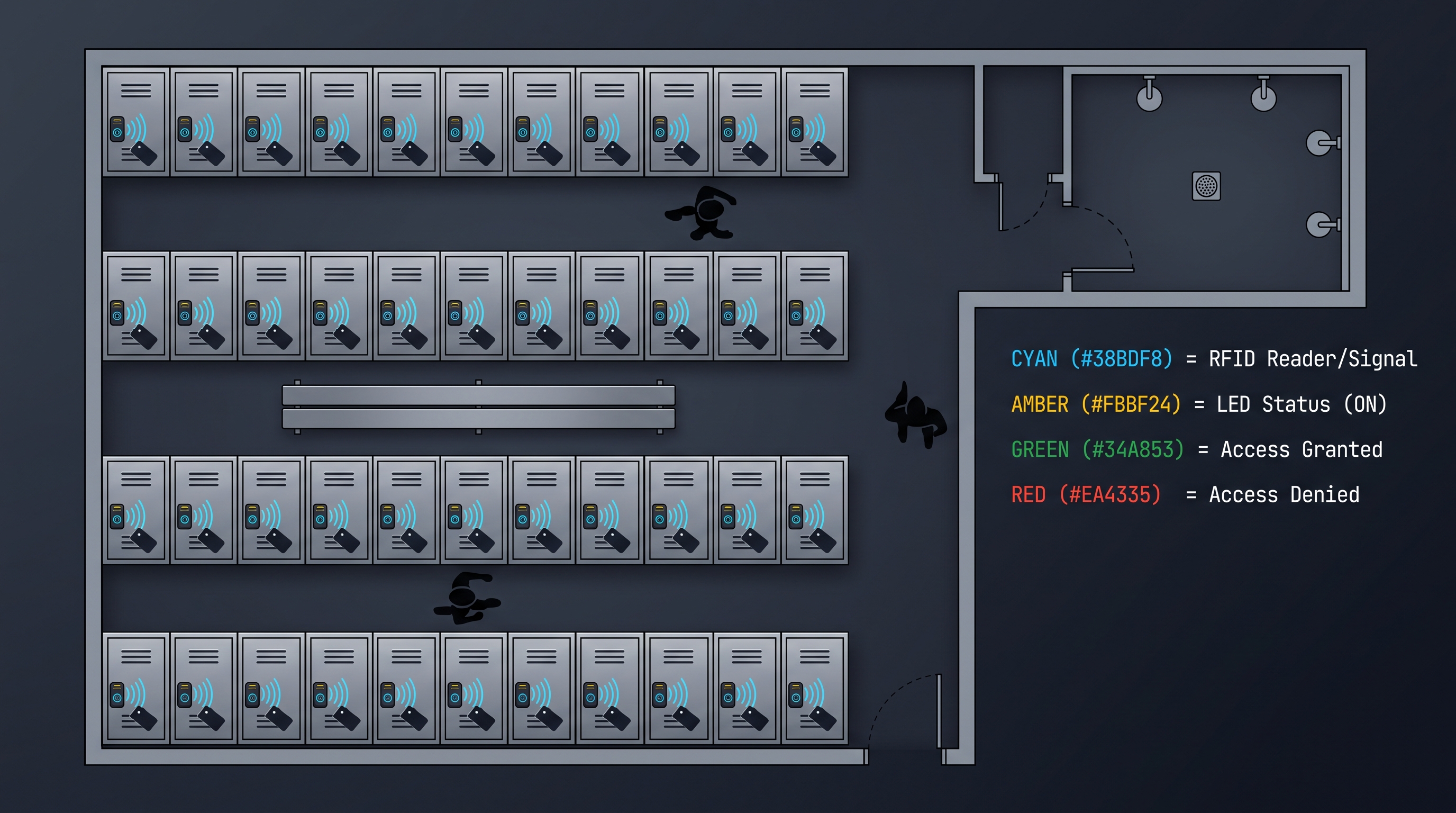
Commercial office and coworking environments present diverse cabinet security requirements that a mobile app cabinet lock addresses through flexible credential management, scalable administration, and integration with building management systems. In traditional office settings, mobile app cabinet lock deployments secure employee personal storage lockers, team equipment cabinets, server room rack enclosures, and executive document storage, replacing master key systems that create security vulnerabilities when keys are lost, not returned by departing employees, or duplicated without authorization. A single IT administrator can provision, modify, and revoke locker access for hundreds of employees through the mobile app cabinet lock web-based management console, automatically synchronizing changes to all affected locks and maintaining complete audit trails for compliance with workplace privacy regulations. Hot-desking and activity-based working environments benefit particularly from mobile app cabinet lock capability, where employees reserve lockers through a workspace management app and receive time-limited digital credentials that automatically expire at the end of their reservation period, eliminating the need for physical key exchange and ensuring clean access transitions between users. Shared equipment cabinets containing IT peripherals, tools, or audiovisual equipment can be secured with mobile app cabinet lock systems that track which employee last accessed the cabinet and when, creating accountability for equipment care and enabling usage analytics that inform purchasing and inventory decisions. The mobile app cabinet lock integrates with office access control systems through open APIs and standard protocols such as OSCIP (Open Security Certificate Identity Protocol) and Webhooks, allowing cabinet unlock events to trigger building automation actions (adjusting lighting when a supply cabinet is opened) or security system events (logging access in the building-wide access control audit system). Coworking spaces with rotating membership require particularly dynamic access management where mobile app cabinet lock credentials are tied to active membership status: when a member's subscription lapses, their access credentials are automatically revoked across all facility cabinets without manual intervention, and when a new member joins, their credentials are provisioned within minutes through automated enrollment workflows.
| Deployment Type | Key Requirements | Mobile App Cabinet Lock Features | Typical ROI Timeline |
|---|---|---|---|
| Enterprise Office Lockers | Scalable, Integration, Compliance | Cloud sync, SSO integration, Audit logs | 12-18 months |
| Hot-Desking Lockers | Dynamic credentials, Auto-expiration | Reservation-linked codes, Auto-revoke | 6-12 months |
| Equipment Cabinets | Accountability, Usage tracking | Activity logging, User attribution | 8-14 months |
| Server Room Racks | High security, Redundancy | Secure element, Override keys, Multi-auth | 18-24 months |
| Coworking Storage | Member management, Billing integration | API-driven provisioning, Status sync | 4-8 months |
Mobile App Cabinet Lock Applications in Healthcare and Medical Settings
Healthcare environments impose stringent security, compliance, and reliability requirements on cabinet locking systems, making the mobile app cabinet lock an increasingly attractive solution for medication storage, supply management, and controlled substance access control. Medication cabinets and automated dispensing cabinets (ADCs) in hospitals, clinics, and pharmacies require access control that satisfies regulatory requirements including DEA controlled substance storage standards, Joint Commission medication management standards, and state-specific pharmacy board regulations. A mobile app cabinet lock provides the granular access control necessary for medication security, enabling two-factor authentication (combining smartphone biometric verification with PIN or proximity-based secondary confirmation) for high-risk medications and detailed audit trails documenting exactly who accessed which medication at what time and in what quantity. The mobile app cabinet lock integration with electronic health record (EHR) systems and medication administration record (MAR) platforms enables workflows where cabinet access is automatically logged in the patient's medical record, supporting medication reconciliation and regulatory audit requirements. Paramedic and emergency medical technician (EMT) equipment bags secured with mobile app cabinet lock devices ensure accountability for controlled substances such as Schedule II narcotics while enabling rapid access during emergencies when traditional key management would create dangerous delays. Long-term care facilities and nursing homes benefit from mobile app cabinet lock deployment on medication carts and resident storage cabinets, with the ability to assign time-limited credentials to agency staff and visiting healthcare professionals that automatically expire at the end of their shift or facility visit. The mobile app cabinet lock offline fallback capability is critical in healthcare settings where network connectivity may be unreliable during emergencies or in remote clinic locations, ensuring that medication access remains possible under all circumstances while maintaining audit logging that synchronizes when connectivity is restored. Healthcare-grade mobile app cabinet lock products often incorporate antimicrobial surfaces, cleanable housing materials designed to withstand hospital-grade disinfectants, and compliance documentation packages that simplify the procurement and credentialing process for healthcare technology procurement teams.
Smart Home Integration with Mobile App Cabinet Lock Systems
Smart home ecosystems transform the mobile app cabinet lock from a standalone security device into an integrated component of an automated living environment where cabinet access interacts with lighting, climate, entertainment, and security systems. The mobile app cabinet lock communicates with smart home hubs and platforms through standardized protocols including Zigbee, Z-Wave, Wi-Fi, and Matter (the new IP-based smart home standard developed by the Connectivity Standards Alliance), enabling interoperability with thousands of compatible devices from multiple manufacturers. When integrated with a smart home system, the mobile app cabinet lock can trigger automation scenarios such as activating task lighting inside a kitchen cabinet when the lock is opened after dark, adjusting thermostat settings based on occupancy detected through cabinet access patterns, or sending household notification alerts when medicine cabinets in bathrooms are accessed by children. Voice assistant integration through Amazon Alexa, Google Assistant, and Apple Siri enables hands-free status queries ("Is the garage storage cabinet locked?") and in some platforms, voice-commanded unlock for authorized users who speak a voice PIN or confirm biometric authentication through the associated smart speaker. The mobile app cabinet lock appears as a controllable device in smart home apps such as Apple Home, Google Home, Samsung SmartThings, and manufacturer-specific apps, displaying real-time lock status, battery level, and recent activity with tap-to-unlock and automation integration capabilities. Geofencing automation triggers the mobile app cabinet lock to automatically lock after all household members leave a designated geographic boundary, providing peace of mind without requiring manual lock verification when leaving for work or travel. Family households with children benefit from mobile app cabinet lock integration that provides parent-controlled access to dangerous item storage (cleaning supplies, tools, medications) while tracking which family members accessed which cabinets and when, supporting parental oversight and child safety objectives. The Matter protocol adoption by leading mobile app cabinet lock manufacturers ensures future compatibility and simplified setup processes where locks can be discovered and provisioned by any Matter-compatible smart home controller without manufacturer-specific setup procedures.
Choosing the Right Mobile App Cabinet Lock: Features, Specifications, and Vendor Evaluation
Selecting the appropriate mobile app cabinet lock requires systematic evaluation of technical specifications, feature requirements, integration capabilities, total cost of ownership, and vendor credibility to ensure the chosen solution meets current needs while remaining viable for long-term operational requirements. Security certifications provide objective validation of mobile app cabinet lock security properties, with essential certifications including ANSI/BHMA Grade 1 or Grade 2 (commercial-grade lock durability and security), UL 294 (access control system performance), and FCC Part 15 (e
| Evaluation Criterion | Minimum Requirement | Recommended | Enterprise Grade |
|---|---|---|---|
| Security Certification | UL 294 Listed | ANSI/BHMA Grade 2 | ANSI/BHMA Grade 1, ioXt |
| Battery Life | 12 months | 18-24 months | 24+ months with indicators |
| Communication Protocol | BLE | BLE + Wi-Fi or Multi-protocol | Multi-protocol + Gateway |
| Credential Capacity | 10 users | 50+ users | 200+ users, unlimited codes |
| Audit Log Retention | 30 days | 1 year cloud | Configurable multi-year |
| API/Integration | None | REST API available | Full SDK, SSO, webhooks |
| Warranty | 1 year | 2 years | 3+ years with support |
| Mobile App Rating | 3.5+ stars | 4.0+ stars | 4.5+ stars (1000+ reviews) |
Installation, Configuration, and Ongoing Maintenance of Mobile App Cabinet Lock
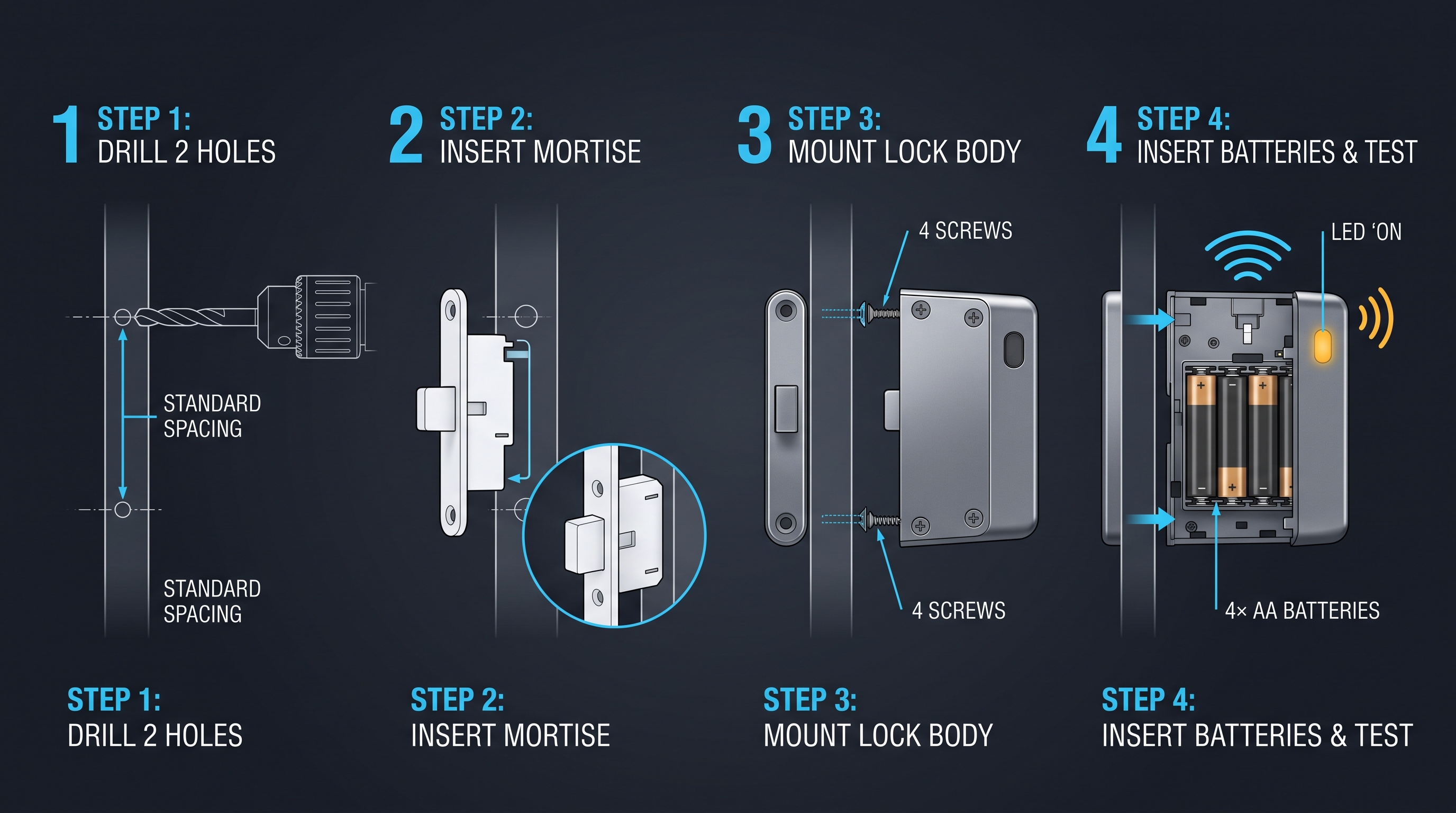
Successful mobile app cabinet lock deployment requires careful attention to installation procedures, configuration workflows, and ongoing maintenance practices that ensure reliable operation and maximize the security benefits of the investment. Physical installation typically involves removing existing lock hardware, mounting the mobile app cabinet lock body using manufacturer-supplied mounting hardware and template guides, installing any required strike plates or mounting brackets, and verifying mechanical operation before proceeding to electronic configuration. Professional installation by certified locksmiths or security integrators is recommended for commercial deployments and any application where incorrect installation could create security vulnerabilities or code compliance violations. The mobile app cabinet lock electronic configuration begins with mobile app download and account creation, followed by hub or gateway setup (if required for the specific model), lock discovery and pairing through QR code scanning or Bluetooth proximity detection, administrative credential assignment, and initial credential provisioning for primary users. Network configuration for Wi-Fi-enabled and hub-connected mobile app cabinet lock devices must address Wi-Fi network selection (ensuring compatibility with 2.4 GHz and 5 GHz bands as required), static IP address assignment for enterprise network integration, firewall and port configuration for outbound connections to manufacturer cloud services, and certificate installation if the deployment requires corporate proxy or certificate-based network authentication. User onboarding represents a significant deployment task for organizations with many users, with best practices including pre-provisioned accounts distributed during employee orientation, self-service enrollment portals where users register their own devices, bulk import of user data from HR systems or directory services, and staged rollouts that validate the mobile app cabinet lock deployment with pilot groups before enterprise-wide expansion. Ongoing maintenance requirements include battery replacement on schedules based on usage patterns and battery voltage monitoring alerts, firmware update application as security patches and feature updates are released (typically monthly to quarterly depending on vendor release cadence), periodic mechanical inspection to verify lock body security and mounting integrity, and annual security audit of user accounts, access permissions, and audit logs to identify and remediate orphaned accounts or anomalous access patterns. The mobile app cabinet lock vendor relationship should include support contract evaluation covering response time guarantees, escalation procedures, firmware support commitments, and end-of-life policies that specify minimum support duration and hardware availability timelines.
Troubleshooting Common Mobile App Cabinet Lock Issues and Support
Effective troubleshooting of mobile app cabinet lock issues requires systematic diagnosis of connectivity, authentication, mechanical, and power-related problems to minimize user disruption and maintain security posture. Connectivity issues represent the most common category of mobile app cabinet lock problems, manifesting as failure to pair, intermittent connection drops, or inability to execute remote unlock commands. Troubleshooting steps include verifying smartphone Bluetooth is enabled and the mobile app has necessary permissions, checking mobile app cabinet lock power and LED status indicators, confirming Wi-Fi network credentials and signal strength at the lock location, restarting the mobile app and lock by removing and reinserting batteries, resetting the mobile app cabinet lock to factory defaults and re-pairing (noting that this erases all local credentials and audit logs), and updating mobile app and lock firmware to the latest versions. Authentication failures occur when the mobile app cabinet lock rejects otherwise valid credentials, often due to clock drift (the lock's internal clock has diverged significantly from the smartphone or cloud server time, causing time-based credential validation to fail), credential database corruption requiring re-provisioning of user credentials, or expired certificates requiring firmware update or re-authentication with the manufacturer's cloud services. Mechanical issues such as sticking bolts, failure to latch, or excessive play in the locking mechanism typically indicate installation problems requiring hardware adjustment or component replacement, as mobile app cabinet lock electronic systems cannot compensate for physical alignment issues. Battery drain faster than specified occurs when unlock frequency exceeds design assumptions, wireless signal conditions cause repeated connection attempts, environmental temperatures affect battery chemistry, or firmware bugs cause excessive radio activity; diagnostic logs accessible through the mobile app or lock's LED error codes can identify the specific cause. The mobile app cabinet lock manufacturer support resources include in-app help documentation, knowledge base articles addressing common issues, community forums where users share solutions, chat and email support channels, and phone support for critical issues, with enterprise customers typically receiving dedicated support contacts and service level agreement guarantees for response and resolution times.
Future Trends and Technology Evolution in Mobile App Cabinet Lock
The mobile app cabinet lock technology landscape continues to evolve rapidly, driven by advances in wireless connectivity, artificial intelligence, biometric authentication, and smart infrastructure integration that will define the next generation of cabinet security solutions. Ultra-wideband (UWB) technology is emerging as a precise ranging mechanism for mobile app cabinet lock applications, enabling sub-centimeter accuracy for presence detection that allows cabinets to automatically unlock when an authorized user approaches within a defined distance threshold while preventing unlock commands from triggering when users simply walk past in a hallway. Artificial intelligence and machine learning capabilities are being integrated into mobile app cabinet lock systems to enable behavioral anomaly detection that identifies unusual access patterns potentially indicating credential compromise or insider threats, predictive maintenance algorithms that forecast battery failure and mechanical degradation before they cause lockouts, and natural language processing interfaces that allow users to query cabinet status and request access through voice assistants with conversational context awareness. Biometric authentication evolution includes in-display fingerprint sensors on smartphones being leveraged for mobile app cabinet lock authentication, facial recognition with liveness detection to prevent spoofing attacks, and emerging wearable device integration where smartwatch or fitness band biometric signals serve as continuous authentication tokens that keep the mobile app cabinet lock unlocked only while the authorized user remains in proximity. The Matter protocol's broad adoption across smart home and building automation devices will simplify mobile app cabinet lock integration with lighting, HVAC, security, and energy management systems, enabling sophisticated automation scenarios where cabinet access context informs building-wide responses. Sustainability considerations are driving development of solar-assisted mobile app cabinet lock models that incorporate small photovoltaic cells to extend battery life in indoor ambient light conditions, rechargeable lithium-polymer battery options reducing disposable battery waste, and modular designs that allow component-level replacement rather than complete lock disposal when electronics become obsolete.
Conclusion: Embracing the App-as-Credential Revolution with Mobile App Cabinet Lock
The mobile app cabinet lock represents a fundamental transformation in how organizations and individuals conceptualize and implement physical security for cabinets, lockers, and enclosed storage, replacing the limitations of mechanical keys and legacy electronic locks with the flexibility, accountability, and intelligence of smartphone-based credential management. Throughout this comprehensive exploration, we have examined the technical foundations including BLE, Wi-Fi, NFC, and emerging UWB wireless protocols that enable reliable communication between smartphones and cabinet locks, the sophisticated credential management systems that support temporary codes, role-based access, and time-limited permissions, and the security architectures incorporating AES-256 encryption, key rotation, replay protection, and secure boot mechanisms that defend against modern attack vectors. The deployment scenarios spanning enterprise offices, coworking spaces, healthcare facilities, and smart homes demonstrate the versatility of mobile app cabinet lock solutions in addressing diverse security requirements while delivering the seamless, app-as-credential experience that contemporary users expect from connected devices. As wireless protocols mature, artificial intelligence capabilities expand, and smart home ecosystems converge around open standards like Matter, mobile app cabinet lock technology will continue advancing toward more intuitive, more secure, and more integrated solutions that disappear into the user experience while maintaining vigilant protection of the assets and information they safeguard. Organizations considering mobile app cabinet lock deployment should approach selection systematically, evaluating security certifications, communication protocols, integration capabilities, total cost of ownership, and vendor viability to ensure their investment delivers lasting value and protection. The transition from traditional locking mechanisms to mobile app cabinet lock systems represents not merely a technology upgrade but a strategic shift toward digital-native security management that enables the visibility, control, and automation capabilities essential for operating effectively in increasingly connected environments.
Not sure which lock fits your lockers?
Talk to our lock engineers about credentials, battery life, and retrofit fit — no obligation.
Related cabinet lock resources
Compare lock types, check installation guides, and download the product catalog
Related products
3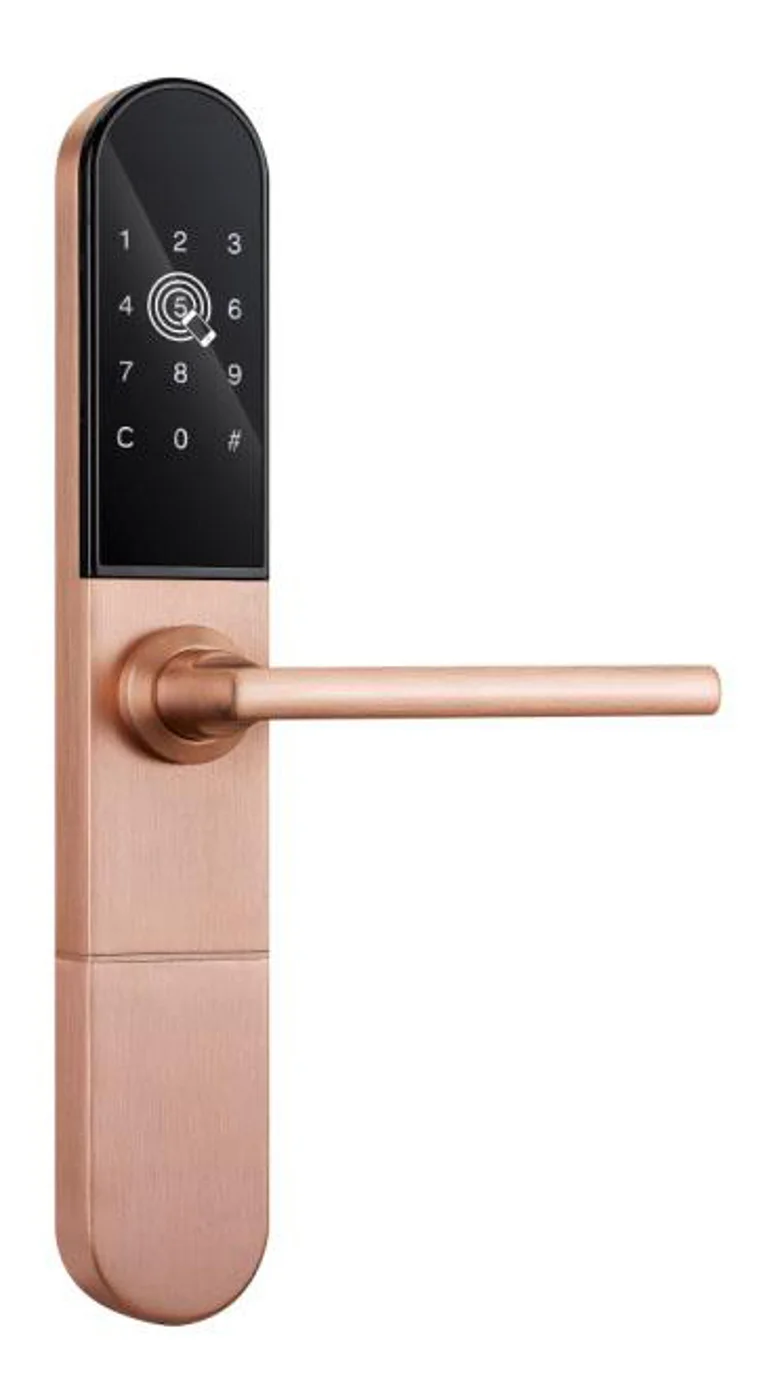
Smart Cabinet Lock — App-Managed, Multi-Site Dashboard
App-managed smart cabinet lock for office, parcel, and multi-site fleets. BLE app dashboard, audit trail, remote unlock, no per-lock server. Higher-tier chassis.
This page already points to it as the next recommended reference.
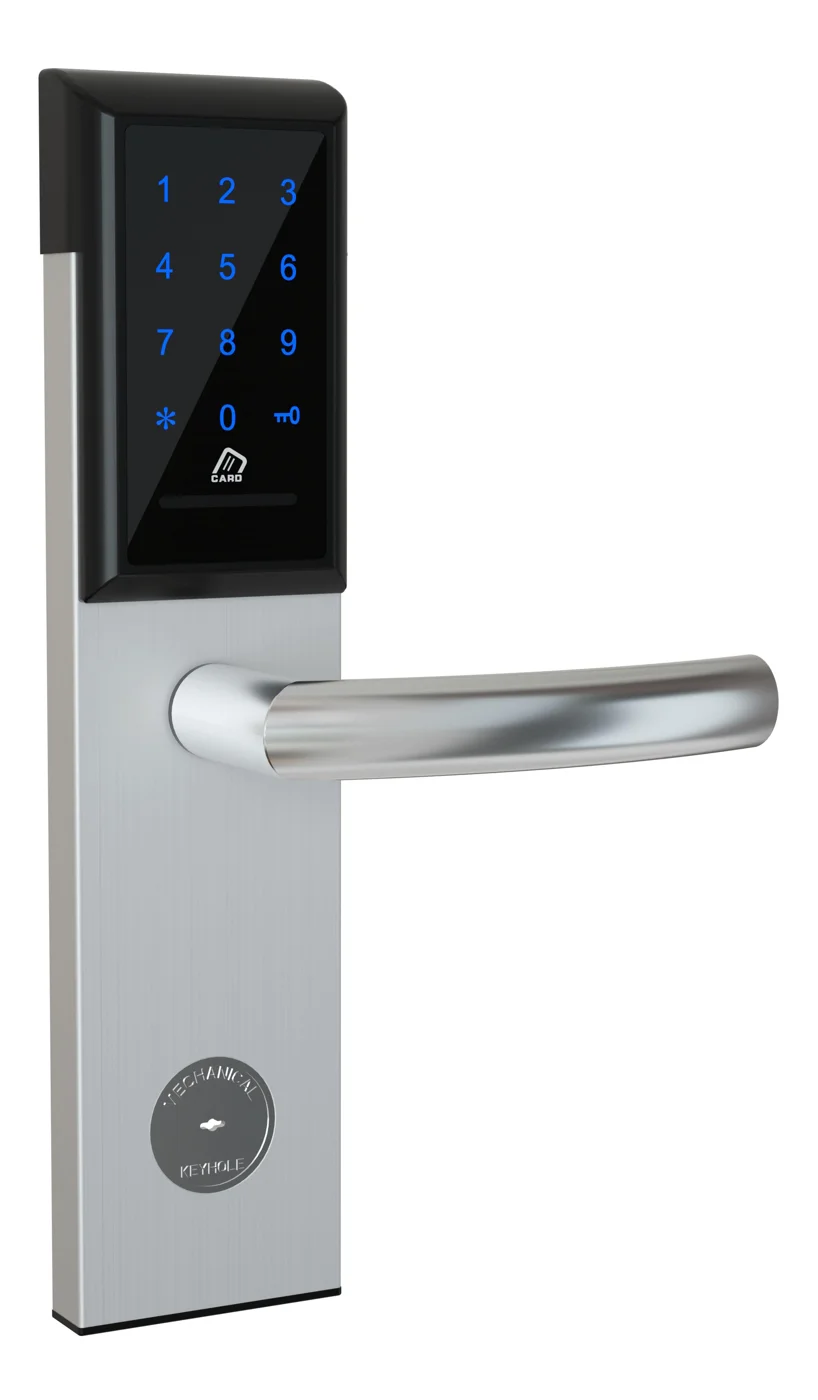
Office Cabinet Lock — PIN + Card for Filing & Pedestals
Offline PIN + card office cabinet lock for filing cabinets, pedestals, and drawers. Battery-powered 5-minute retrofit, no WiFi, no key management. CE/FCC/RoHS.
This page already points to it as the next recommended reference.
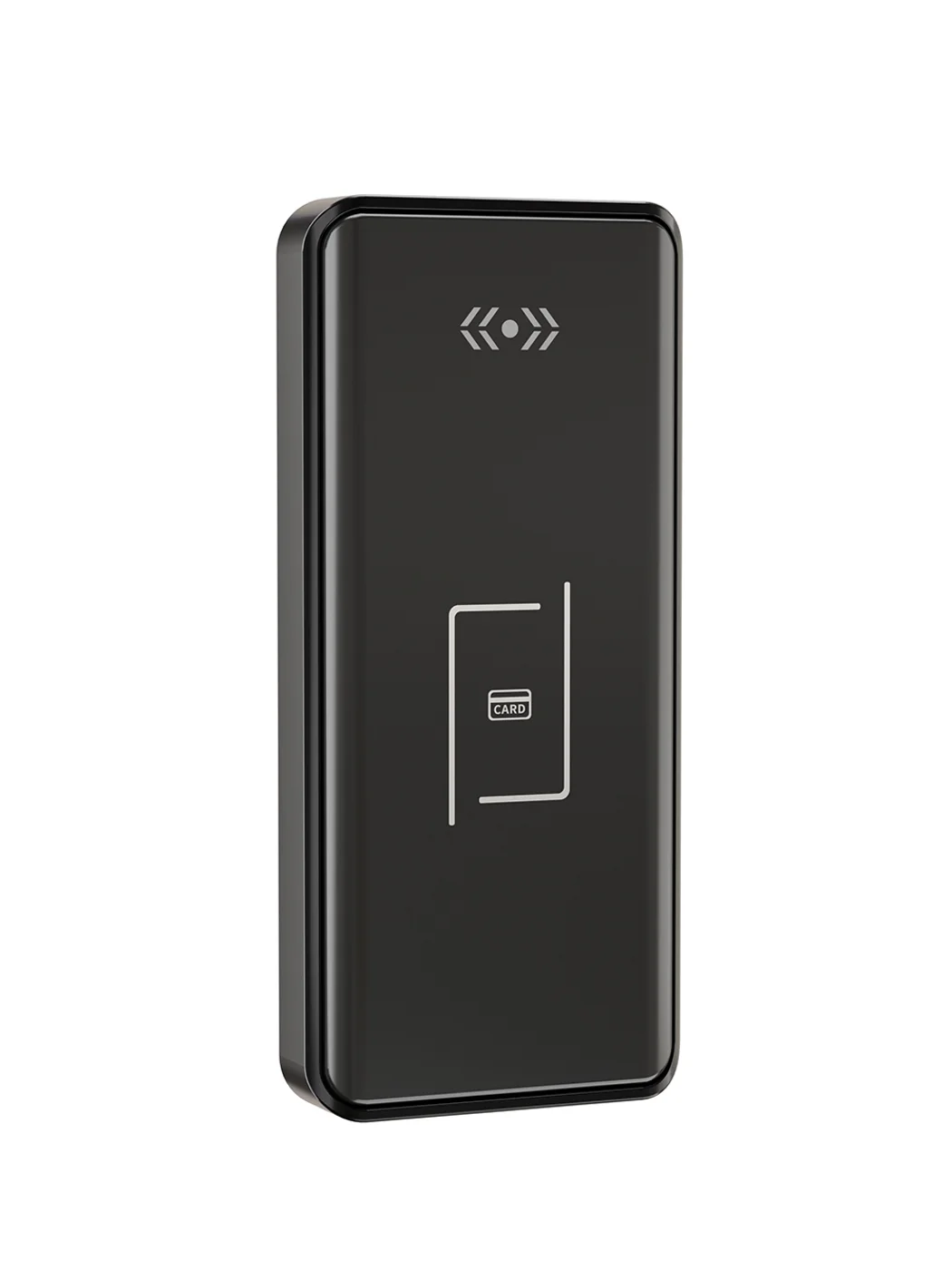
Gym Locker Lock — Offline Card, No WiFi Required
Offline card gym locker lock for fitness and pool lockers. MIFARE card, battery-powered 5-minute retrofit, no WiFi or server. Zinc alloy body, CE/FCC/RoHS.
This page already points to it as the next recommended reference.
Related blog posts
3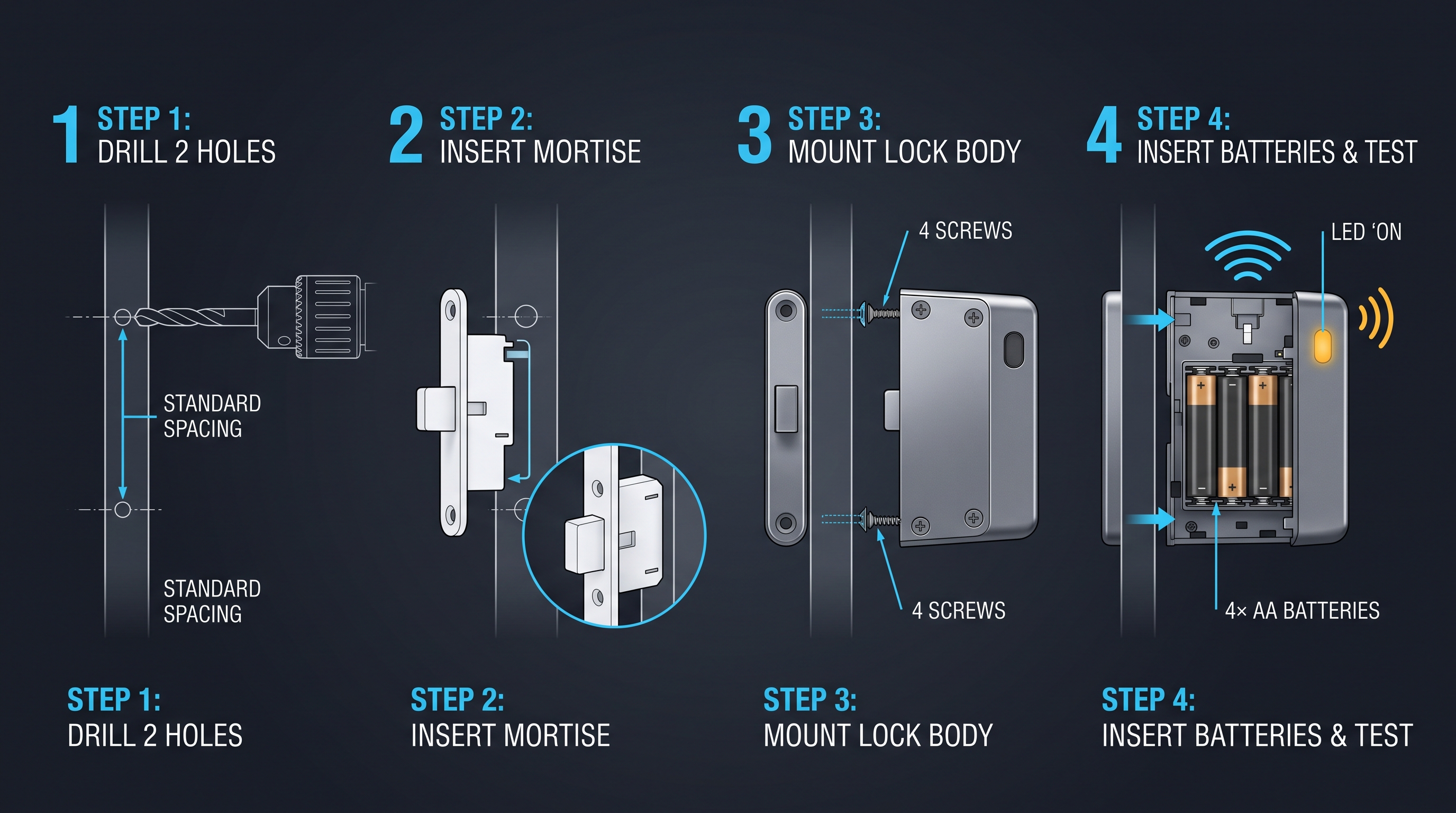
MIFARE Cabinet Lock: Advanced Security Guide for MIFARE-Based Cabinet Access Systems
In-depth technical guide to MIFARE cabinet lock technology covering MIFARE Classic, Plus, DESFire, Ultralight variants, cryptographic security, installation, and multi-application smart card integration for cabinet access control.
It supports the same product context: Smart Cabinet Lock — App-Managed, Multi-Site Dashboard, Office Cabinet Lock — PIN + Card for Filing & Pedestals, Gym Locker Lock — Offline Card, No WiFi Required.
MIFARE Locker Lock: Definitive Guide to MIFARE-Based Smart Locker Security
Complete guide to MIFARE locker lock technology for gyms, schools, offices, and public facilities. Covers MIFARE Classic, Plus, DESFire variants, multi-user management, installation, networking, and smart locker ecosystem integration.
It supports the same product context: Gym Locker Lock — Offline Card, No WiFi Required.
Medicine Cabinet Lock: The Ultimate Guide to Securing Medications and Protecting Your Family
A comprehensive guide to medicine cabinet lock systems covering types, installation, child safety, smart options, and best practices for residential and healthcare settings.
It supports the same product context: Smart Cabinet Lock — App-Managed, Multi-Site Dashboard, Office Cabinet Lock — PIN + Card for Filing & Pedestals, Gym Locker Lock — Offline Card, No WiFi Required.
Specify your cabinet lock project with our engineers
Send your locker count, cabinet type, and credential preference. We will return a sample plan and quote within 24 business hours.
- Move from general guidance into a product or application discussion.
- Use RFQ when pricing, drawings, MOQ, or launch timing needs structure.
- Keep a direct contact path visible for fast clarifications and handoff.