Locker Lock System: The Complete Engineering Guide to Integrated Smart Locker Banks
Complete engineering guide to the integrated locker lock system: hardware architecture, software stack, central controllers, APIs, audit, and real-world use cases.
What Is a Locker Lock System: Definition and Scope
A locker lock system is an integrated stack of electronic locks, sensing hardware, embedded firmware, gateway controllers, and management software that together govern who can open which compartment of a locker bank and when. Where a standalone cam lock or a battery-only smart padlock only authenticates a single door, a locker lock system unifies credential issuance, real-time occupancy, audit logging, reservation, remote unlock, and alerting across every compartment on the network. A typical enterprise locker lock system serves between 200 and 10,000 active users, drives 12 V DC or 24 V DC actuators at 200 to 500 mA peak per lock, returns door-state feedback inside 150 to 400 ms, and exposes RESTful APIs that front desks, mobile apps, and property management systems call dozens of times per minute. Certifications such as CE, FCC, UL 294, RoHS, and IP65 define the safety, EMC, and ingress baselines.
A locker lock system is judged not by any individual lock but by the chain of trust it builds from credential to cabinet door. The scope of a locker lock system extends well beyond mechanical latches and includes every layer shown in the table below.
| Layer | Examples | Function |
|---|---|---|
| Credential | RFID card, PIN, BLE mobile, fingerprint | User identity |
| Lock | 12 V DC solenoid, motor lock, magnet | Physical barrier |
| Sensor | Magnetic reed, optical, Hall effect | Door-state detection |
| Controller | Cabinet controller MCU, PoE hub | Local orchestration |
| Gateway | Ethernet, Wi-Fi, 4G, RS-485 | Network uplink |
| Software | On-prem server, SaaS dashboard | Policy and reporting |
| Integrations | PMS, LMS, access control, mobile SDK | Business workflow |
A locker lock system is therefore closer to an IT asset class than to a piece of furniture hardware, and that distinction shapes every design choice that follows in this guide.
Why a Locker Lock System Beats a Standalone Smart Lock
A standalone smart lock protects a single door and answers only one question — is the presented credential valid? — before granting a brief electrical pulse to the actuator, while a locker lock system answers a much larger set of questions: which compartment is currently free, who reserved it, when does the reservation expire, what should happen if the user does not show up, how is the open event written to a tamper-evident audit log, and how does the property manager revoke a credential instantly across hundreds of doors. In practice the operational gap is decisive. A locker lock system cuts lost-key replacement labor by 70 to 90 percent, reduces front-desk walk-ins by 40 to 60 percent in hotel deployments, and produces a structured audit trail that standalone locks cannot match for compliance frameworks such as SOC 2, HIPAA, and PCI DSS where applicable.
The three structural advantages a locker lock system holds over a collection of independent locks are:
- Centralized policy. A single source of truth defines who can open what, when, and for how long.
- Coordinated hardware. Door sensors, locks, and indicators share a bus, so the system knows whether a door actually opened after an unlock command.
- Software-driven workflow. Reservations, expirations, and integrations with property management, learning management, or membership systems are all native.
A locker lock system is the smallest unit of locker automation that still produces measurable business outcomes, which is why procurement, IT, and operations all need to be involved at the requirements stage rather than at the hardware-only stage.
Hardware Architecture of a Modern Locker Lock System
The physical layer of a locker lock system is built from a few well-defined blocks that repeat across vendors, and each cabinet typically contains a controller board with an ARM Cortex-M or equivalent MCU running between 48 MHz and 180 MHz, one or more lock-driver channels rated 12 V DC to 24 V DC at 300 to 800 mA continuous, a magnetic reed or Hall-effect door sensor that reports open and closed states inside 50 ms, and a multi-drop bus such as RS-485 or CAN that lets a single controller govern 8 to 32 locks. The controller is powered by a central 12 V or 24 V DC supply, by PoE+ at 30 W per cabinet, or by a hybrid where the controller carries battery backup of 4 to 8 hours. Lock actuators include solenoid locks with a 6 mm to 12 mm stroke and 1.5 N to 5 N holding force, motor locks with lower idle current and higher peak, and magnetic locks at 300 to 600 lbf holding force, selected by cabinet material and use case.
Connector discipline is critical. A professional locker lock system uses pluggable Phoenix-style or JST-XH connectors rated for 10,000 mating cycles, RJ-45 for data, and color-coded looms so that field technicians can swap a controller in under 10 minutes. Enclosures are typically IP54 to IP65 to handle gym, pool, and outdoor environments, and operating temperature is rated -10 C to +55 C for commercial indoor use and -25 C to +70 C for outdoor or industrial cabinets.
| Subsystem | Typical Spec | Design Driver |
|---|---|---|
| MCU | ARM Cortex-M4, 180 MHz | Multi-lock polling latency |
| Lock driver | 24 V DC, 500 mA peak | Cable length and voltage drop |
| Door sensor | Reed, 5 V logic, 50 ms | Audit accuracy |
| Cabinet bus | RS-485 or CAN, 1 Mbit/s | Scalability |
| PSU | 12 V/24 V DC, 60 W to 240 W | Number of locks per cabinet |
| Backup | Li-ion or supercap, 4 to 8 h | Power-loss safety |
A locker lock system must be designed so that a single controller failure does not silently strand a cabinet full of users. Lock-side memory caches the last valid credential for 1 to 5 minutes, allowing emergency local unlock even when the controller is offline, and that fail-soft property is one of the strongest reasons to standardize on a locker lock system rather than ad-hoc point locks.
Software Stack Inside a Locker Lock System: Firmware, Gateways, and Cloud
The software stack of a locker lock system has three vertical tiers and two horizontal glue layers. The bottom tier is the firmware on the cabinet MCU, typically written in C or Rust, that handles lock driver PWM, sensor debouncing at 10 to 20 ms windows, watchdog timers, and secure boot with signed images. The middle tier is the gateway, either an embedded Linux appliance or a small x86 box, that aggregates 8 to 64 cabinets, terminates the field bus, and forwards events over TLS 1.3 to the cloud. The top tier is the cloud or on-premises management plane, where policy is stored, audit logs are appended, dashboards are rendered, and APIs are exposed. Horizontally, an event bus such as MQTT, Kafka, or Redis Streams carries lock events with end-to-end latency between 80 ms and 300 ms on a healthy network, and an identity bridge maps physical credentials to user records.
A locker lock system that treats firmware, gateway, and cloud as a single release train avoids the integration drift that plagues mixed-vendor deployments. Versioning, signed updates, and OTA staging are critical — a single bad image pushed to 500 controllers can take a property offline, so staged rollouts with 1 percent, 10 percent, 50 percent, and 100 percent cohorts are standard practice.
Security primitives embedded in the stack include:
- TLS 1.3 for northbound traffic
- AES-128 or AES-256 at rest for credential and audit storage
- Hardware secure element (SE050, ATECC608) for key material
- Signed firmware with rollback protection
- Per-tenant data isolation in multi-property deployments
A locker lock system that lacks even one of these primitives should be flagged during procurement review, and any vendor that cannot produce a software bill of materials within five business days is unlikely to clear an enterprise security questionnaire.
Central Controller and Network Topology in a Locker Lock System
The central controller of a locker lock system is the brain that arbitrates policy, audits events, and serves APIs. In a small deployment the controller can be a single gateway running on a Raspberry Pi-class device or an industrial mini-PC; in an enterprise deployment the controller is a virtualized cluster with database, cache, and message broker nodes behind a load balancer. A mid-sized property of 200 cabinets will typically deploy two redundant controllers in active-passive or active-active mode, with a 5-second failover SLA and RPO under 30 seconds for audit events. Network topologies in the field are dominated by RS-485 daisy chains, CAN bus, or Ethernet star, with PoE+ powering the cabinet and supplying both data and 25.5 W to 60 W of DC power over a single CAT-6 cable.
A well-designed locker lock system separates three networks: an OT network for locks and sensors, an IT network for management stations, and a guest network for end-user Wi-Fi. Air-gapping the OT network from the public internet, while still allowing controlled API egress through a demilitarized zone, dramatically reduces the attack surface. A single VLAN for OT with 802.1X device authentication is the standard minimum.
| Topology | Cable | Locks per segment | Best For |
|---|---|---|---|
| RS-485 daisy | Twisted pair | 32 to 256 | Retrofit, long runs |
| CAN bus | Twisted pair | 64 to 128 | Automotive-grade sites |
| Ethernet star | CAT-6, PoE+ | 1 to 8 per switch port | New builds |
| Hybrid | Mixed | Mixed | Phased rollouts |
A locker lock system also needs deterministic latency on the field bus. Polling cadences of 200 ms to 500 ms per door balance battery life against event freshness, and a watchdog on the gateway restarts the bus driver if no heartbeat is seen for 10 seconds. Without that watchdog, a single noisy cable run can quietly disable an entire wing of a property.
Credential Management in a Locker Lock System
Credential management in a locker lock system is where most projects succeed or fail because the system must accept multiple credential types — 13.56 MHz RFID such as MIFARE DESFire EV2 and EV3 at 4 to 32 KB, 125 kHz proximity, PIN codes of 4 to 8 digits, BLE 5.0 mobile IDs, NFC mobile, and biometric templates for fingerprint or palm — and bind them to a user identity with a defined lifecycle: issue, activate, suspend, expire, revoke. Each credential carries cryptographic keys that are rotated on a 90-day to 365-day schedule, and each issuance writes an audit entry with operator ID, timestamp, and target door. In a 1,000-user property, this means 5,000 to 50,000 credential events per year, all of which must be searchable in under 2 seconds for incident response.
A mature locker lock system supports these credential workflows natively:
- Self-service PIN issuance via kiosk or mobile app
- Bulk credential load from CSV or HRIS feed
- Time-bound credentials for visitors, contractors, and deliveries
- Dual-factor credential (card plus PIN) for high-value compartments
- Biometric template encryption with vendor-side key escrow
The integration with HR, membership, and student information systems is what turns credential management in a locker lock system from a manual chore into an automated workflow. A locker lock system that ingests nightly deltas from Workday, Banner, or Salesforce and auto-revokes leavers reduces administrative overhead by an estimated 60 to 80 percent and removes the most common source of security incidents: orphaned credentials belonging to former staff or students.
Real-Time Status Monitoring Across the Locker Lock System
Real-time status in a locker lock system is the feature that most visibly differentiates it from a smart lock because the dashboard must show every compartment as free, reserved, occupied, overdue, or out-of-service, with the map updating inside 1 to 5 seconds of any event. Behind that dashboard sits a telemetry pipeline that ingests door-open events, sensor transitions, and command acknowledgments at a sustained rate of 5 to 50 events per second across a large property. Operators see not just occupancy but also door-left-open alerts after 30 seconds, forced-entry alerts on Hall-effect tamper lines, and battery-low alerts at 20 percent state of charge for any cabinet on backup power.
A locker lock system exposes real-time status to end users as well, typically through a floor plan in a mobile app or kiosk that shows green for available and red for occupied. Studies from large fitness chains indicate that real-time availability displays reduce locker search time by 35 to 50 percent during peak hours, and increase utilization of back-of-house compartments that would otherwise be forgotten.
Key monitoring metrics to track inside any locker lock system:
- Door-open duration (target average under 15 seconds)
- Sensor health (battery voltage, signal-to-noise ratio)
- Controller CPU and memory headroom
- Network round-trip time and packet loss
- API error rates and 4xx versus 5xx ratios
A locker lock system that surfaces these metrics on a single Grafana-style dashboard saves an estimated 10 to 20 hours of operator time per week in mid-sized deployments and shortens incident response from hours to minutes.
Reservation and Assignment Workflows in a Locker Lock System
Reservation in a locker lock system turns the infrastructure from reactive to proactive because users can reserve a specific compartment for a defined window — 30 minutes for click-and-collect, 8 hours for a gym visit, a semester for a student — and the system holds that compartment against double-booking. The reservation engine is usually a stateless service backed by a relational database with row-level locking, returning confirmation codes of 6 to 10 alphanumeric characters that the user presents at the locker. In a hotel deployment, the reservation can be tied to the PMS so that the room key is also the locker key for the duration of the stay; in a school, it is tied to the SIS so that semester-long assignments are provisioned the night before classes start.
A locker lock system supports four primary reservation modes:
| Mode | Trigger | Duration | Example |
|---|---|---|---|
| Walk-up | User selects at kiosk | 1 to 8 h | Gym locker |
| Scheduled | Booking system | Hours to semester | Student locker |
| Assigned | Operator assigns | Days to months | Employee locker |
| Ad-hoc | Delivery scan | 1 to 72 h | Parcel pickup |
No-show handling is critical inside a locker lock system. A typical configuration releases an unclaimed reservation after 15 to 60 minutes depending on policy and writes a no-show event to audit. Some deployments add a small service fee for no-shows, returned when the user claims the locker within the window, and that single policy change has been observed to reduce no-show rates from 12 to 25 percent down to 3 to 6 percent within a quarter.
Audit Trails and Compliance Reporting in a Locker Lock System
Audit compliance in a locker lock system is the legal and operational record of every interaction with the infrastructure, and each event carries a UTC timestamp, actor identity, target compartment, action code, and outcome, and is appended to a write-once log with cryptographic chaining. In regulated environments, the trail must be tamper-evident — typically implemented as a hash chain or Merkle tree — and retained for 1 to 7 years depending on jurisdiction. A mid-sized property generates 1 to 5 million audit events per year, so the storage layer is usually a partitioned relational table or a time-series database with 30-day hot storage and cold storage in object storage.
Compliance frameworks that a locker lock system commonly supports include:
- SOC 2 Type II for service organizations
- HIPAA for healthcare-adjacent deployments
- GDPR data subject access requests for EU users
- PCI DSS where lockers secure payment-card materials
- ISO 27001 for information security management
A locker lock system should expose an audit query API with filters for user, time window, compartment, and action, returning paginated results inside 2 seconds. Export formats include CSV, JSON, and signed PDF for legal use, and the same API used internally should be available to compliance officers via read-only tokens that can be revoked on departure.
Remote Unlock and Over-the-Air Operations in a Locker Lock System
Remote unlock in a locker lock system is the operator safety valve because when a user is locked out, has forgotten their credential, or has left a valuable behind, an authorized operator can release the lock from the management console inside 1 to 3 seconds. Each remote unlock writes an event with the operator identity, justification code, and optional ticket reference, and may require step-up authentication such as a second operator approval for high-value compartments. Over-the-air operations go further — pushing firmware updates, rotating certificates, adjusting lock timing parameters, and toggling feature flags across the entire fleet without sending a technician on site.
A locker lock system that supports OTA well will:
- Sign and verify every image with hardware root of trust
- Stage rollouts at 1 percent, 10 percent, 50 percent, 100 percent
- Auto-rollback if health checks fail post-update
- Resume interrupted downloads from a 30 percent checkpoint
OTA windows are typically scheduled during low-traffic hours, with a 10 to 15 minute maintenance window per cabinet. Fail-safe behavior must be that the lock stays in its last known state — locked or unlocked — rather than failing open, unless the deployment explicitly configures fail-secure for safety reasons such as fire code, and that override should itself be auditable inside the locker lock system.
API and Integration Surface of a Locker Lock System
The API of a locker lock system is the integration boundary that determines how it fits into the broader software estate because a modern system exposes RESTful endpoints over HTTPS, complemented by WebSocket or Server-Sent Events for push notifications, and an MQTT broker for IoT subscribers. Authentication is OAuth 2.0 with client credentials or authorization code flows, scoped per tenant. Rate limits of 100 to 1,000 requests per minute per client are typical, and p99 latency targets are under 300 ms for status queries and under 800 ms for unlock commands.
Core endpoints inside a locker lock system usually include:
| Endpoint | Method | Purpose |
|---|---|---|
| /v1/lockers | GET | List compartments |
| /v1/lockers/{id}/status | GET | Real-time state |
| /v1/lockers/{id}/unlock | POST | Remote open |
| /v1/reservations | POST, GET, DELETE | Booking |
| /v1/credentials | POST, DELETE | Issue, revoke |
| /v1/audit | GET | Query events |
| /v1/webhooks | POST | Register push target |
A locker lock system with a documented OpenAPI 3.1 specification and SDKs in TypeScript, Python, Java, and C# reduces integration timelines from months to weeks. Sandbox environments with seeded data are non-negotiable for enterprise procurement, and a vendor that treats the sandbox as a marketing afterthought is signaling how it will treat production incidents.
Deployment Architectures: Online, Offline, and Hybrid Locker Lock System Models
Deployment architecture for a locker lock system is one of the most consequential decisions in any project because there are three canonical models. The first is the online locker lock system, where every credential check goes to the central controller, which means policy changes propagate in under 5 seconds and audit is always complete, but the downside is that any network outage takes the system offline unless the locks can fall back to a cached policy. The second is the offline locker lock system, where each lock or cabinet validates credentials locally against a downloaded whitelist, typically refreshed nightly, and operation continues during network outages for days or weeks, but real-time revocation has a 0 to 24 hour lag and reservation is harder. The third is the hybrid locker lock system, where cabinets validate offline against a 24 to 72 hour cache but report back online when connectivity returns, policy pushes are scheduled, and event reconciliation fills gaps. This is the most common enterprise model.
| Architecture | Online Latency | Offline Resilience | Best For |
|---|---|---|---|
| Online | < 5 s | Minutes | Datacenter, corporate |
| Offline | 0 to 24 h | Days to weeks | Remote sites, military |
| Hybrid | 5 to 60 s | 24 to 72 h | Most commercial sites |
A locker lock system should make the architecture choice visible in its documentation and SLA, and should expose the same APIs regardless of mode so that downstream integrations do not have to branch. Customers that commission the same locker lock system across corporate, retail, and field locations will inevitably run all three modes side by side.
Locker Lock System in Gyms and Fitness Centers
A locker lock system in a gym must handle a throughput of 200 to 1,500 unique users per day, with peak entry between 5 a.m. and 9 a.m. when half the daily traffic arrives in a 90-minute window. The system should issue a day-pass credential on membership scan, assign a free compartment from a pool of 80 to 400, and auto-release the locker at the end of the visit or after a 30-minute no-show window. Integration with the gym management software — Mindbody, ClubReady, or Glofox — turns locker assignment into a fully automated extension of the check-in workflow, and a real-time availability map on the wall kiosk shortens the search for a free compartment.
A locker lock system in this segment typically sees:
- 60 to 120 unlock events per locker per day
- 8 to 15 percent of compartments flagged overdue daily
- 2 to 5 percent of compartments requiring remote unlock
Operators should plan for a 24-month refresh on locks because of the high cycle count, and for monthly cleaning of reed sensors in pool-adjacent facilities. Choosing a locker lock system with IP65-rated hardware for the wet areas avoids premature corrosion, and day-pass-only credentials prevent long-term squatting of compartments by non-members.
Locker Lock System in Schools, Colleges, and Universities
A locker lock system in education serves a population of 500 to 50,000 students with a use pattern dominated by semester-long assignments rather than daily turnover. Each student typically receives a single RFID or mobile credential tied to their SIS record, valid for 90 to 120 days, and is assigned one compartment for the duration. Bulk provisioning from the SIS runs nightly, so a new enrollee shows up to a working locker the morning after registration. End-of-term bulk revocation clears the population in a single job that takes 30 seconds to 5 minutes depending on size.
A locker lock system in education should also support:
- Parent-issued guest credentials for after-hours events
- Athletic department sub-pools for team-specific gear
- ADA-compliant lower compartments with extended unlock timing
- Integration with campus card systems such as Blackboard, CBORD, or Atrium
Audit trails are particularly important because student belongings disputes are common, and a tamper-evident log resolves 80 to 90 percent of these disputes without escalation. A locker lock system that runs fully offline during a network maintenance window and reconciles afterward is essential on campuses where infrastructure teams routinely schedule night work.
Locker Lock System in Hotels and Hospitality
A hotel locker lock system is often the most demanding integration environment in the segment because the PMS — Opera, Mews, Cloudbeds, or RoomKey — must issue a credential that works for the guest room door, the gym locker, the pool locker, and the ski locker, all from a single mobile key or RFID card. A four-property resort with 400 keys per property may issue 50,000 credentials per quarter, with a mean time to issue of under 5 seconds. Guest satisfaction surveys consistently rank easy locker access as a top-three amenity in upscale resorts, and a failed credential experience drops satisfaction scores by 12 to 18 points on a 100-point scale.
A locker lock system in hospitality should also:
- Honor late check-out by extending locker access by 4 to 8 hours
- Integrate with minibar and safe systems via the same credential
- Provide housekeeping override credentials with audit logging
- Support multi-language kiosk flows
Hotels with a connected locker lock system report a 15 to 25 percent reduction in front-desk calls related to locker issues, and a 5 to 10 percent lift in ancillary revenue from spa and golf lockers that were previously underutilized. A locker lock system that supports credential reuse across outlets keeps guests from juggling multiple keys and reduces the plastic card budget.
Locker Lock System in Offices and Coworking Spaces
A locker lock system in an office or coworking environment replaces the personal filing cabinet and acts as a hot-desking anchor because employees expect their assigned compartment to follow them across buildings, regions, and even countries, so the credential is typically a mobile ID linked to the corporate SSO. Hot-deskers reserve a compartment for the day from the mobile app, see real-time availability across the building, and release the locker at end of shift. In coworking, the same infrastructure serves a transient population of 50 to 5,000 monthly members with monthly or annual plans.
A locker lock system in this segment should support:
- SSO via SAML or OIDC to Okta, Azure AD, or Google Workspace
- Visitor credentials with a 1 to 5 day validity
- Asset tracking RFID for laptops and tools
- Quiet-hour lock-down to comply with after-hours access policy
The economics favor a locker lock system over assigned desks once the office exceeds 80 people on a hybrid schedule, with break-even typically reached in 12 to 18 months. Facilities teams also value a locker lock system that reports utilization heatmaps, because that data justifies space consolidation and reallocation decisions at the executive level.
Locker Lock System for Delivery, Parcel, and Click-and-Collect
A delivery-oriented locker lock system is essentially a vending machine in reverse because a courier deposits a parcel, the system assigns a compartment, and the recipient retrieves it with a code sent by SMS or app. Throughput peaks at 20 to 60 deposits per hour per site, and each compartment is sized for the dominant parcel profile — 60 percent small, 30 percent medium, 10 percent large. The credential flow is one-time and code-based rather than card-based, with a 24 to 72 hour pickup window and automatic return-to-sender after timeout.
A locker lock system for delivery should include:
- Camera or barcode scanner for proof of deposit
- Refrigerated compartments for grocery and pharmacy
- Multi-carrier integration with FedEx, UPS, DHL, Amazon
- Customer-facing API for tracking page integration
Multi-tenant deployments in residential buildings see 40 to 60 percent of households using the locker within 90 days of launch, and missed-delivery rates drop from 8 to 15 percent to under 1 percent. A locker lock system that keeps 99.5 percent availability during the holiday peak is the difference between a beloved amenity and a support ticket generator.
How to Choose a Locker Lock System: A Buyer's Checklist
Procurement of a locker lock system should follow a structured checklist rather than a feature-by-feature comparison, because most vendors will tick the same boxes superficially. The buying organization should validate at least the following ten items against every candidate before issuing a shortlist.
| Check | What to Ask For | Why It Matters |
|---|---|---|
| References | Three sites of similar size and use case | Proven fit for the segment |
| SLA | 99.9 percent uptime with penalty clauses | Accountability after go-live |
| API | OpenAPI 3.1 spec and active SDK maintenance | Integration cost control |
| Firmware | Signed images, 5-year security update commitment | Longevity of the asset |
| Security audit | Independent pentest report, last 12 months | Real, not claimed, security |
| Compliance | UL 294, CE, FCC, IP65 where relevant | Market and code access |
| Multi-tenancy | Per-tenant data isolation | Multi-property scalability |
| Service | Local partner or certified installer network | Time-to-fix commitments |
| RMA | 48-hour replacement commitment | Downtime minimization |
| TCO model | Hardware, software, and services breakdown | Honest five-year budgeting |
A locker lock system that cannot produce all ten artifacts within two weeks of request is unlikely to clear a serious enterprise procurement, and a vendor that resists the checklist is usually hiding a weakness in one of the rows.
Cost, ROI, and Total Cost of Ownership for a Locker Lock System
Total cost of ownership for a locker lock system breaks into three categories. Hardware is the most visible: $80 to $300 per smart lock, $400 to $1,200 per cabinet controller, $500 to $1,500 per gateway, and $20 to $60 per power supply and cabling. Software is a recurring cost: SaaS subscriptions of $2 to $10 per compartment per month, or perpetual licenses of $50 to $200 per compartment with 18 to 22 percent annual maintenance. Services — installation, training, and integration — typically add 30 to 60 percent to hardware cost in the first year.
A 200-compartment installation might look like this:
| Category | Unit Cost | Quantity | Subtotal |
|---|---|---|---|
| Smart locks | $180 | 200 | $36,000 |
| Controllers | $800 | 8 | $6,400 |
| Gateways | $1,000 | 2 | $2,000 |
| Cabling and PSU | $40 per locker | 200 | $8,000 |
| Software, 5 yr | $5 / locker / mo | 200 x 60 | $60,000 |
| Installation | 40% of HW | — | $17,000 |
| Total 5-yr TCO | $129,400 |
ROI for a locker lock system is driven by labor savings in key management, reduced front-desk calls, increased utilization of ancillary amenities, and lower loss rates. Most mid-sized deployments reach payback in 18 to 36 months, and a locker lock system that lifts locker utilization by 15 percent typically pays for itself within that window even before counting security benefits.
Security, Compliance, and Certification Considerations for a Locker Lock System
Security is not a feature in a locker lock system; it is a baseline, and the minimum set of controls includes encrypted credential storage, signed firmware, network segmentation, audit logging, and incident response runbooks. Higher assurance deployments — defense, finance, healthcare — add hardware security modules, dual-person integrity for high-value compartments, and continuous monitoring via SIEM integration. Compliance certifications to look for include SOC 2 Type II, ISO 27001, UL 294 for access control, CE for Europe, FCC for the United States, and RoHS for material compliance.
A locker lock system vendor should be able to produce a software bill of materials in CycloneDX or SPDX format, and should commit to a coordinated disclosure policy with a 90-day patch window for critical vulnerabilities. Penetration test reports from the last 12 months should be available under NDA.
| Certification | Domain | Why It Matters |
|---|---|---|
| SOC 2 Type II | Service org controls | Customer assurance |
| ISO 27001 | Information security | Global procurement |
| UL 294 | Access control | North American safety |
| CE / RED | EMC and radio | European market |
| FCC | Radio emissions | US market |
| RoHS | Hazardous substances | Global environmental |
| IP65 | Ingress | Wet or dusty sites |
A locker lock system that lacks even a subset of these should be regarded with caution for regulated deployments, and the cost of retrofitting security after a breach is typically ten times the cost of buying it upfront.
Common Pitfalls When Deploying a Locker Lock System
Projects fail for predictable reasons, and the most common pitfalls in a locker lock system rollout are:
- Underestimating network readiness. Cabinets need power and data drops; retrofit sites often lack both and the marginal cost of running cable exceeds the hardware cost.
- Ignoring the credential lifecycle. A system that issues credentials well but cannot revoke them at scale becomes a liability within months.
- Skipping the integration layer. A locker lock system without PMS, SIS, or HRIS integration forces manual data entry and quickly loses executive sponsorship.
- Choosing consumer-grade hardware. Smart padlocks designed for residential use fail at 10 to 50 times the cycle count expected in commercial environments.
- Neglecting cybersecurity. Default passwords, open management ports, and unsigned firmware are common in low-cost systems and have led to publicized breaches.
- Having no rollback plan. A failed rollout without a revert path can leave a property without functional lockers for days.
A locker lock system deployment that addresses these six pitfalls explicitly in the project plan is several times more likely to land on time and on budget, and each pitfall has a named owner in the rollout RACI at the best-run properties.
Future Trends in the Locker Lock System Market
The future of the locker lock system market is being reshaped by several converging trends. AI-driven occupancy prediction uses 30 to 90 days of historical data to forecast demand and dynamically rebalance pools, lifting utilization by 10 to 20 percent. Computer vision adds a second authentication factor to detect tailgating and propped doors. Edge AI on the cabinet controller can run anomaly detection at 10 ms latency without round-tripping to the cloud. Sustainability mandates are pushing PSU efficiency above 90 percent and lock standby current below 1 mA, reducing a 200-compartment site standby draw from 30 W to under 5 W.
Open standards such as OSCRE, OAI for access control, and Matter for IoT are starting to influence locker lock system APIs, which should reduce integration costs over the next 24 to 36 months. Self-healing networks — where controllers automatically reroute around a failed gateway — are emerging in premium deployments.
A locker lock system purchased today will likely receive 5 to 10 years of firmware updates, so the strategic question is not which vendor is cheapest, but which platform will keep absorbing these advances without forcing a forklift upgrade at year three.
Not sure which lock fits your lockers?
Talk to our lock engineers about credentials, battery life, and retrofit fit — no obligation.
Related cabinet lock resources
Compare lock types, check installation guides, and download the product catalog
Related products
3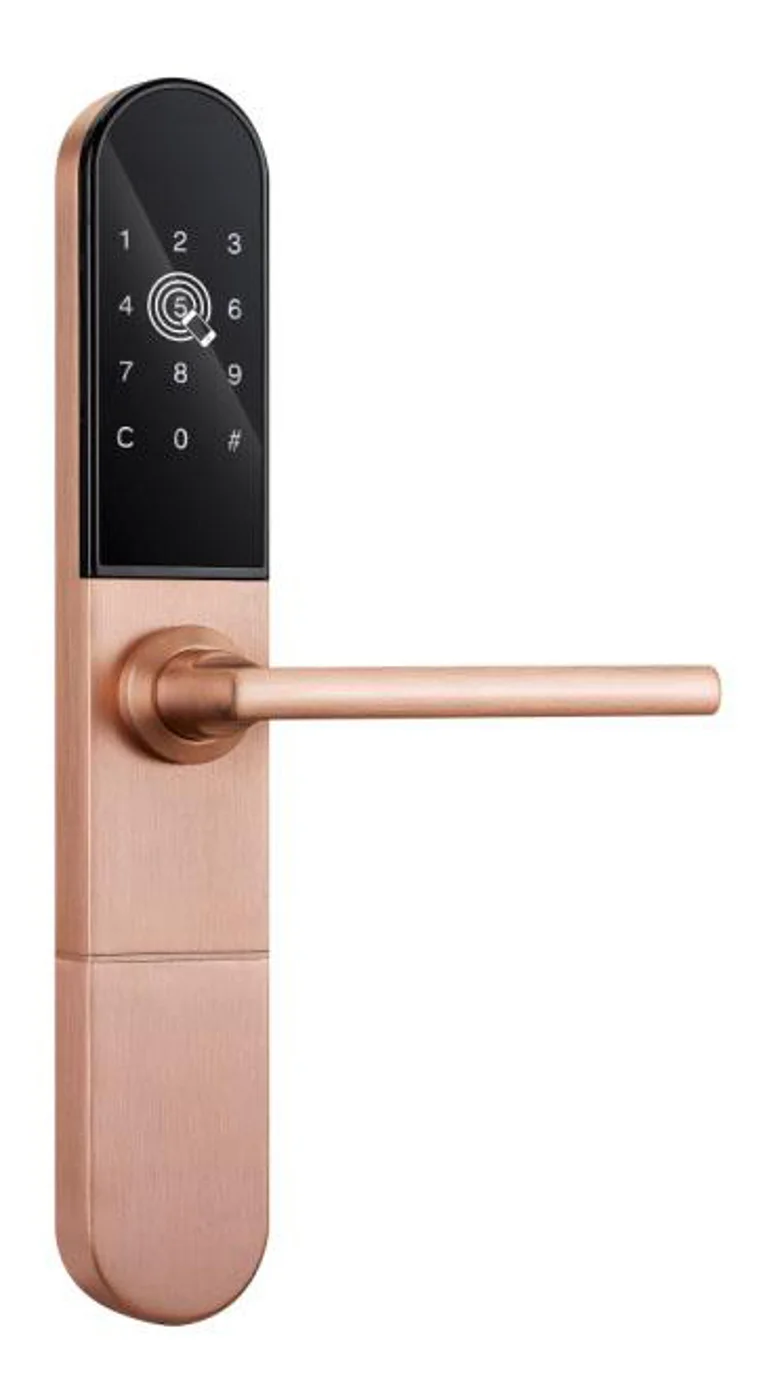
Smart Cabinet Lock — App-Managed, Multi-Site Dashboard
App-managed smart cabinet lock for office, parcel, and multi-site fleets. BLE app dashboard, audit trail, remote unlock, no per-lock server. Higher-tier chassis.
This page already points to it as the next recommended reference.
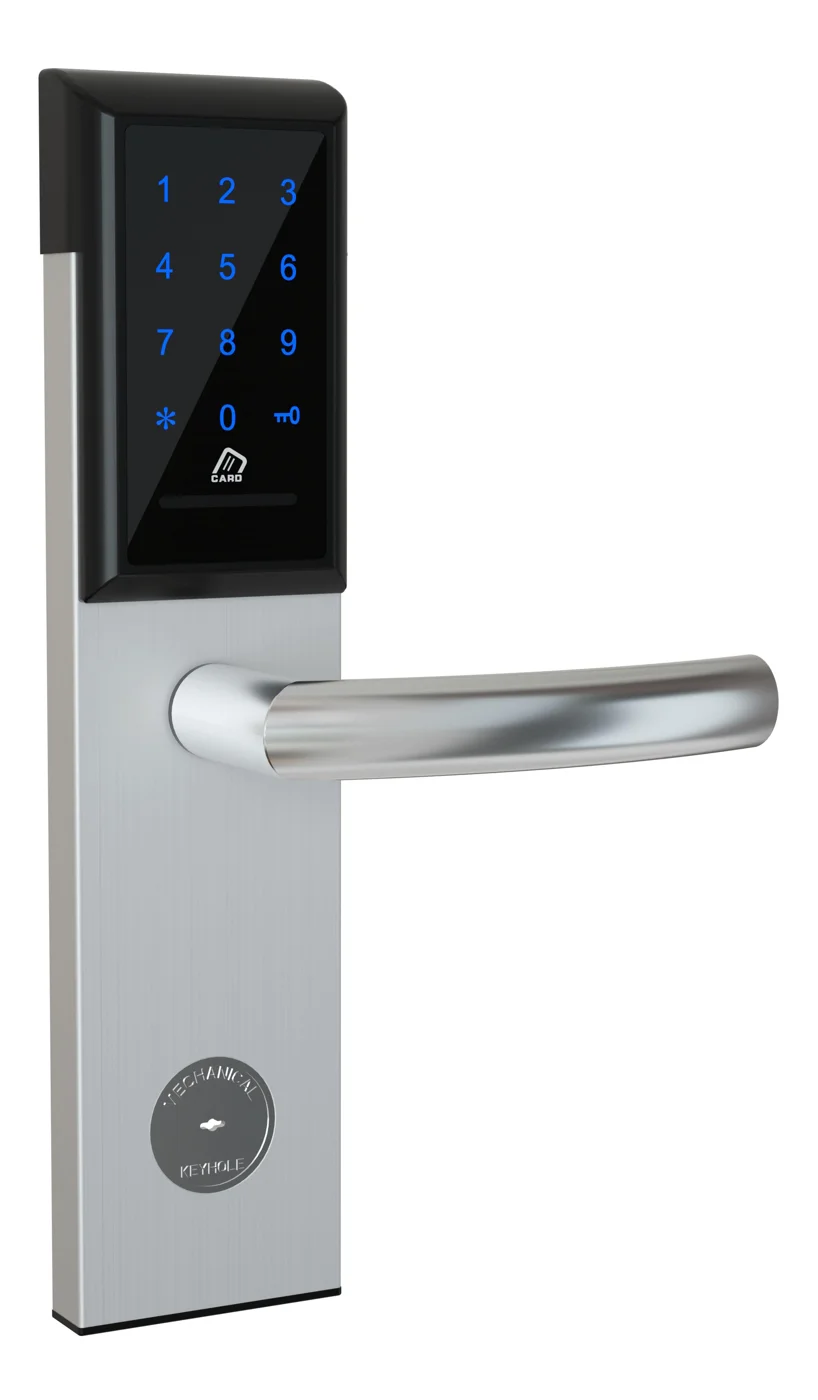
Office Cabinet Lock — PIN + Card for Filing & Pedestals
Offline PIN + card office cabinet lock for filing cabinets, pedestals, and drawers. Battery-powered 5-minute retrofit, no WiFi, no key management. CE/FCC/RoHS.
This page already points to it as the next recommended reference.
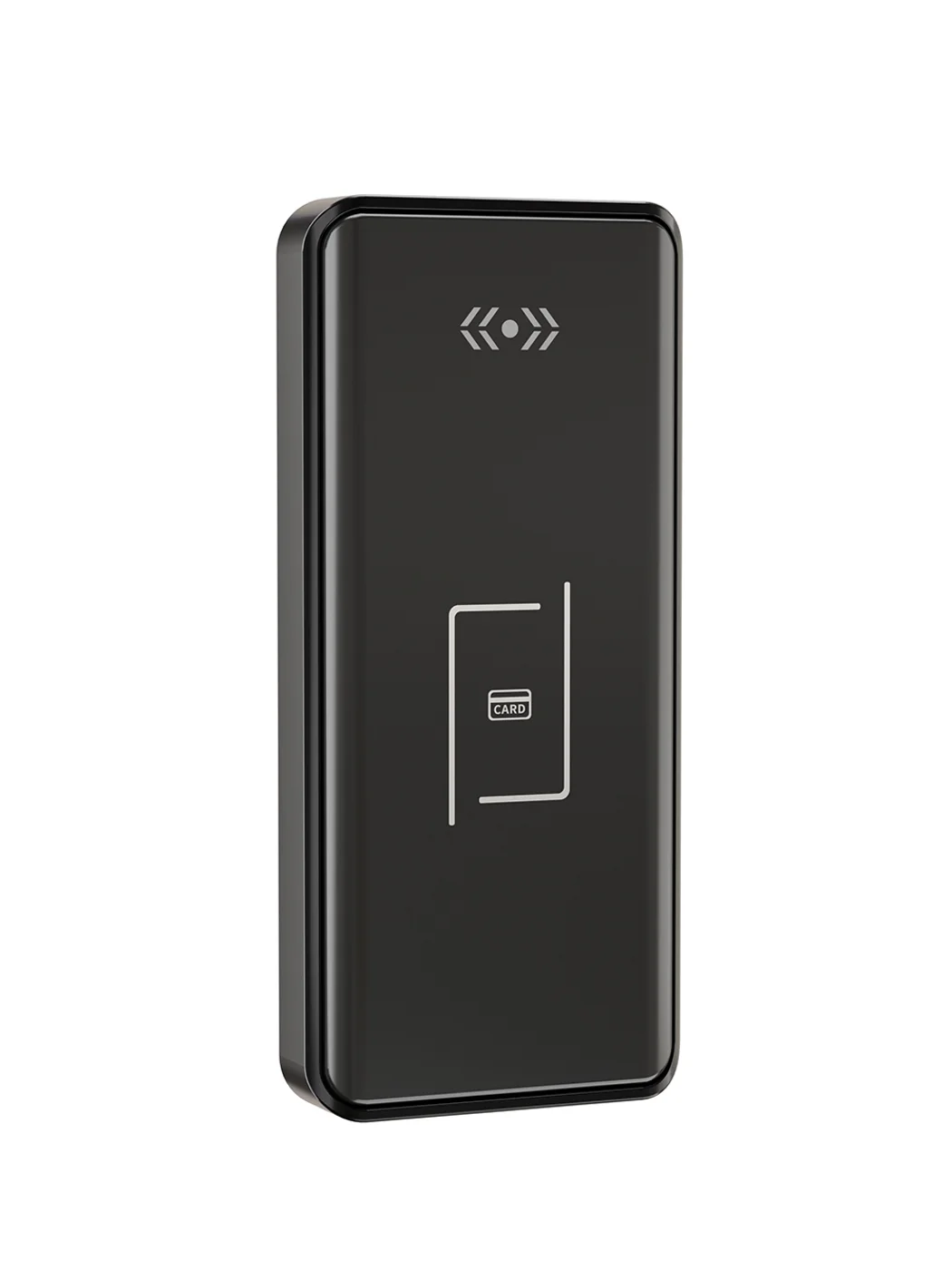
Gym Locker Lock — Offline Card, No WiFi Required
Offline card gym locker lock for fitness and pool lockers. MIFARE card, battery-powered 5-minute retrofit, no WiFi or server. Zinc alloy body, CE/FCC/RoHS.
This page already points to it as the next recommended reference.
Related blog posts
3
Mobile App Cabinet Lock: The Complete Guide to Smartphone-Controlled Cabinet Security
Discover how mobile app cabinet lock systems work. Explore BLE/Wi-Fi/NFC credentials, remote unlock, temporary codes, role-based access, cloud sync, security features, and deployment scenarios.
It supports the same product context: Smart Cabinet Lock — App-Managed, Multi-Site Dashboard, Office Cabinet Lock — PIN + Card for Filing & Pedestals, Gym Locker Lock — Offline Card, No WiFi Required.
MIFARE Cabinet Lock: Advanced Security Guide for MIFARE-Based Cabinet Access Systems
In-depth technical guide to MIFARE cabinet lock technology covering MIFARE Classic, Plus, DESFire, Ultralight variants, cryptographic security, installation, and multi-application smart card integration for cabinet access control.
It supports the same product context: Smart Cabinet Lock — App-Managed, Multi-Site Dashboard, Office Cabinet Lock — PIN + Card for Filing & Pedestals, Gym Locker Lock — Offline Card, No WiFi Required.
MIFARE Locker Lock: Definitive Guide to MIFARE-Based Smart Locker Security
Complete guide to MIFARE locker lock technology for gyms, schools, offices, and public facilities. Covers MIFARE Classic, Plus, DESFire variants, multi-user management, installation, networking, and smart locker ecosystem integration.
It supports the same product context: Gym Locker Lock — Offline Card, No WiFi Required.
Specify your cabinet lock project with our engineers
Send your locker count, cabinet type, and credential preference. We will return a sample plan and quote within 24 business hours.
- Move from general guidance into a product or application discussion.
- Use RFQ when pricing, drawings, MOQ, or launch timing needs structure.
- Keep a direct contact path visible for fast clarifications and handoff.