The Complete Guide to Choosing a Locker Lock for School Deployments
Learn how to select the right locker lock for school environments — durability, RFID, PIN, master key, ADA compliance, and admin audit for K-12 and university campuses.
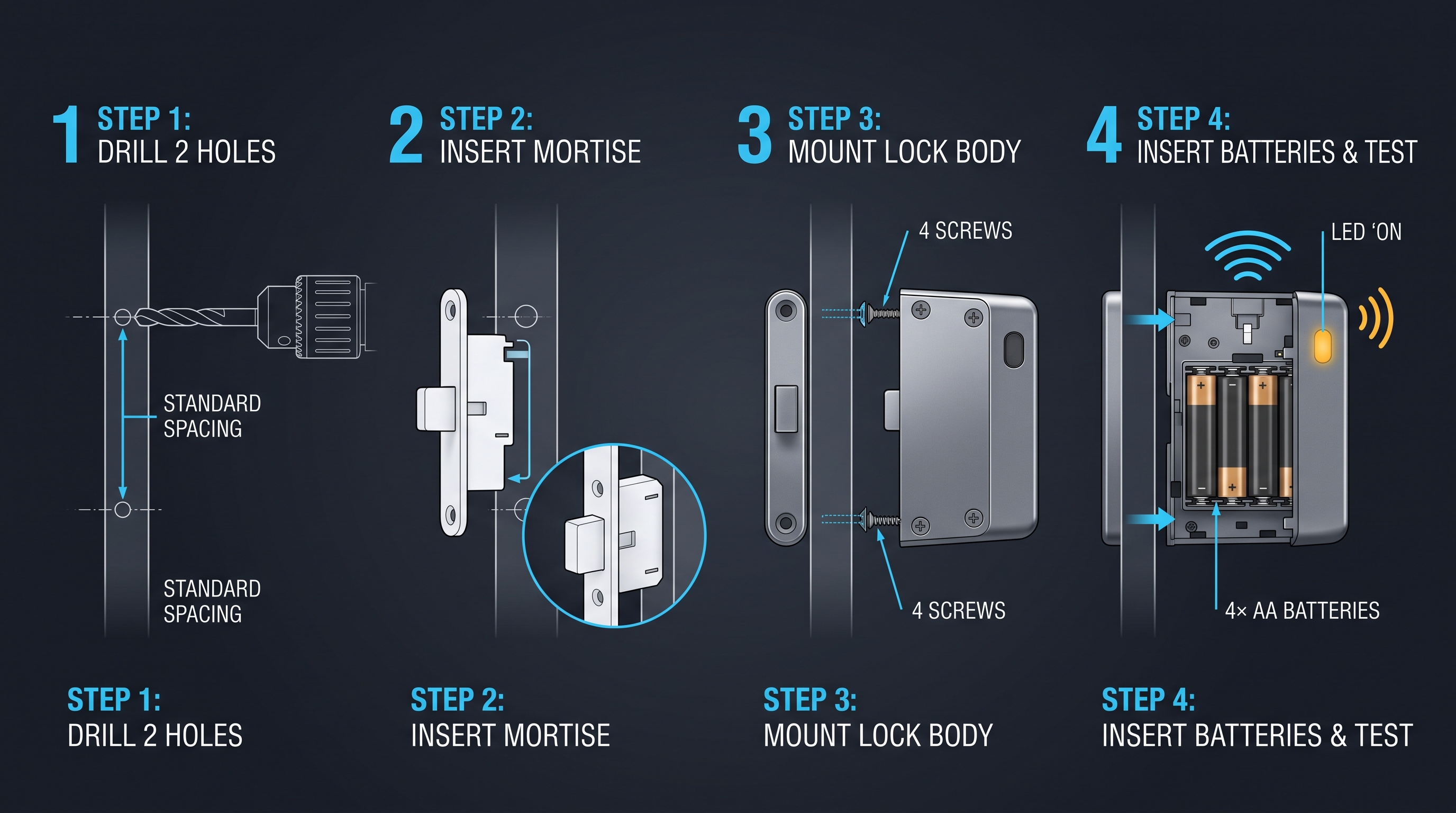
Every year, thousands of school administrators, facility managers, and procurement officers face the same question: which locker lock for school deployment will survive the demands of student traffic, resist vandalism, simplify credential management, and fit the budget — all while keeping student belongings secure? The choice of a locker lock for school matters far more than the modest size of the locker lock for school itself suggests. A poorly chosen locker lock for school creates a cascade of operational headaches: jammed lockers generate help-desk tickets, lost combinations force emergency overrides, battery failures strand students between classes, and a lack of audit trails leaves security gaps that compound across an entire campus. Selecting a locker lock for school is a procurement decision with multi-year consequences.
This guide is written for the people who actually specify, budget for, and maintain these systems — district procurement leads, university housing directors, school facility managers, and security integrators. We cover every dimension that matters when selecting a locker lock for school environments: mechanical durability in high-traffic corridors, vandalism and tamper resistance, credential technology options including RFID student ID cards and PIN pads, master-key hierarchy and sub-user codes, administrative onboarding at scale, audit logging and accountability, ADA compliance requirements, and the seasonal turnover cycle that defines the academic calendar. A locker lock for school must serve multiple constituencies simultaneously, and this guide ensures you evaluate every requirement before issuing an RFP. By the end, you will have a complete decision framework that maps directly to a procurement specification for any locker lock for school.
Why a Dedicated Locker Lock for School Is Different from Consumer Hardware
A consumer combination lock purchased at a big-box retailer is designed for occasional recreational use — think gym locker rooms at a community fitness center where the same lock stays on the same locker for a few hours at a time. A locker lock for school must withstand an entirely different use case. The average K-12 student opens their locker between four and eight times per school day, every day, for nine months straight. At a university, a residence-hall locker may see a similar cycle plus after-hours access during evenings and weekends. Over a four-year high school career, a single locker lock for school can accumulate well over five thousand open-close cycles. Consumer-grade locker lock for school are not engineered for that duty cycle; internal pawls wear, dials drift, and electronic contacts fail. A true locker lock for school is built for this workload from the ground up. That is why a dedicated locker lock for school is a fundamentally different product from a consumer lock, and why procurement teams must treat any locker lock for school as a specialized purchase.
The environmental stresses are equally distinct. School hallways experience temperature swings from near-freezing in unheated corridors during winter to elevated humidity near locker rooms and swimming pools. Dust, chalk dust, and airborne particulates from art rooms and wood shops settle into mechanical works and keyways. Students stack backpacks against lockers, bump them with instrument cases, and occasionally kick or strike them in passing. A residential lock has no expectation of surviving a direct lateral impact from a loaded book bag moving at walking speed — a locker lock for school does, and it must be engineered accordingly. The materials and tolerances of a locker lock for school are specified for this abuse.
Furthermore, the administrative requirements are fundamentally different. A consumer lock serves a single user. A locker lock for school must serve hundreds or thousands of users simultaneously, with a hierarchy of access: the student who owns the locker, the teacher or coach who needs supervised access, the administrator who holds master-key privileges, and the facility team that performs maintenance and turnover. Managing that hierarchy without a dedicated administrative system is impossible at scale. Consumer locker lock for school offer none of this capability, but a purpose-built locker lock for school includes an entire management ecosystem. A locker lock for school is as much a software system as it is a piece of hardware.
Finally, safety and compliance standards diverge. Schools in the United States must comply with the Americans with Disabilities Act (ADA) when locker lock for school are installed in accessible facilities. Consumer locker lock for school rarely carry ADA compliance documentation. Schools also face specific fire-code requirements around egress and emergency access that have no equivalent in residential use. The combination of duty cycle, environmental tolerance, administrative hierarchy, and regulatory compliance makes a locker lock for school a distinct product category that demands careful specification and dedicated procurement attention. Every locker lock for school must be evaluated against these criteria before purchase.
Mechanical Durability: What to Look for in a Locker Lock for School Hallways
The mechanical construction of a locker lock for school is the single most important factor determining total cost of ownership over the life of the installation. A locker lock for school that fails mid-year requires an emergency service call, disrupts the student's day, and often necessitates cutting the locker lock for school off with a grinder — damaging the locker door in the process. Understanding the engineering behind latch mechanisms, materials, and cycle ratings separates a durable locker lock for school from one that will cause recurring headaches and unbudgeted maintenance expenses. A locker lock for school must be judged first on its mechanical integrity.
The latch mechanism is the heart of any locker lock for school. In a school context, the ideal latch is a hardened steel deadbolt with a minimum throw of 0.75 inches (19 mm). Softer zinc or pot-metal latches wear under repeated cycling and are vulnerable to shimming with a thin piece of plastic or metal — a common student bypass technique. Look for latches that have been tested to ANSI/BHMA A156.11 Grade 1 standards, which require 1,000,000 cycles without failure for the latch mechanism. Many consumer-grade locker lock for school carry no cycle rating at all. A quality locker lock for school will document its cycle testing results publicly and offer a warranty that reflects that confidence — typically five years or more for a properly engineered locker lock for school. A locker lock for school with documented cycle testing is a safer investment.
The lock body or chassis must resist both corrosion and impact. Stainless steel or zinc-alloy housings with a powder-coat finish provide the best balance of corrosion resistance and impact strength. Avoid any locker lock for school that uses exposed plastic housings in a structural role. While some electronic locker lock for school units use plastic cosmetic covers over a metal core, the structural load path — the parts that transfer impact energy from the locker door to the latch — must be metallic. Hallway installation means the locker lock for school will be hit, bumped, and scraped daily. A housing that cracks under a 10-foot-pound impact is unsuitable for any school environment. A locker lock for school must survive hallway traffic.
Bolt or hasp strength is another overlooked specification for a locker lock for school. The bolt that connects the locker lock for school body to the locker door must resist prying. A 3/8-inch (9.5 mm) hardened steel bolt is the minimum acceptable diameter. Thinner bolts can be bent or sheared with a pry bar in under 30 seconds. Independent testing from the University of Maryland's Facilities Management department found that locker lock for school with 5/16-inch bolts experienced a 23 percent failure rate under simulated prying attacks, while 3/8-inch bolts showed zero failures in the same test protocol. For any locker lock for school, bolt diameter is a non-negotiable specification. A locker lock for school must be built to resist physical attack.
Weather and moisture resistance matter even in indoor installations. Hallways near pool facilities, locker rooms, and exterior doors experience humidity spikes. An electronic locker lock for school should carry at least an IP54 ingress protection rating, which certifies protection against dust ingress and splashing water from any direction. IP54 is the minimum for school hallway use. For locations directly exposed to weather — outdoor pool lockers or covered walkway installations — IP65 or higher is required. A locker lock for school that lacks an IP rating has no verified protection against the particulate and moisture environment of a school corridor. When evaluating a locker lock for school, always verify the IP rating.
Temperature tolerance is equally important for any locker lock for school. Unheated school hallways in northern climates can drop below 10 degrees Fahrenheit (-12 degrees Celsius) during winter break periods. Batteries lose capacity in cold, and LCD screens may become unreadable or fail entirely. A locker lock for school should specify an operating temperature range of at least -4 degrees Fahrenheit to 140 degrees Fahrenheit (-20 degrees Celsius to 60 degrees Celsius). Locks intended for outdoor or unconditioned indoor spaces should extend that range to -22 degrees Fahrenheit to 158 degrees Fahrenheit (-30 degrees Celsius to 70 degrees Celsius). If the manufacturer does not publish temperature specifications, the locker lock for school has not been tested for those conditions. A locker lock for school in an unheated corridor needs cold-weather validation.
Vandalism Resistance: Protecting a Locker Lock for School from Tampering
Vandalism is not a question of "if" but "when" in a school environment. A 2023 survey by the National Association of School Resource Officers found that 67 percent of secondary schools reported at least one locker vandalism incident per academic year. The nature of the attacks varies, but the patterns are predictable: prying, impacts, adhesive sabotage, electronic tampering, and credential theft. A locker lock for school must be designed to resist all five categories without requiring replacement after an incident, making vandalism resistance a core requirement of any locker lock for school procurement. A locker lock for school in a secondary school will face attempted vandalism.
Prying attacks target the gap between the locker door and the frame. A pry bar, screwdriver, or even a sturdy ruler is inserted to apply leverage against the latch. Resistance begins with latch geometry. A deadbolt-style latch that engages fully into the strike plate is exponentially harder to pry than a spring-loaded latch. The strike plate itself must be reinforced — hardened steel with a minimum thickness of 14 gauge (1.9 mm) and secured with tamper-resistant screws. Many locker strikes are attached with standard Phillips-head screws that can be removed in seconds with a multi-tool. Tamper-resistant Torx or one-way screws eliminate this vulnerability in any well-specified locker lock for school. A locker lock for school must have tamper-resistant fasteners.
Impact attacks involve striking the locker lock for school body with a fist, book, or heavy object in an attempt to dislodge it or break internal components. A locker lock for school must survive a drop test from a height of six feet onto concrete and a pendulum impact test of at least 20 foot-pounds without mechanical or electronic failure. Some manufacturers publish IK (impact protection) ratings per IEC62262. An IK07 rating indicates protection against a 2 kg mass dropped from 40 cm — approximately 8 joules. For school hallways, a locker lock for school should achieve a minimum of IK08 (5 joules, equivalent to a hard impact from a heavy book). Hallways with higher traffic or known vandalism issues should specify IK10 (20 joules) for each locker lock for school in those zones. A locker lock for school must be impact-rated.
Adhesive sabotage is one of the most common nuisance attacks. Students insert glue, epoxy, gum, or sticky tape into the keyway, latch opening, or credential reader. A locker lock for school should incorporate a weatherized keyway with a shutter or dust cover that prevents adhesive ingress. Electronic credential readers — RFID or PIN pads — should have sealed surfaces with no gaps or crevices where adhesives can be introduced. Some modern locker lock for school include a self-cleaning latch mechanism that shears off soft adhesives during the first actuation after the adhesive sets. This feature alone can reduce maintenance calls for a locker lock for school by a measurable margin. A locker lock for school with adhesive-resistant design saves maintenance cost.
Electronic tampering targets the locker lock for school's power supply, control board, or communication interface. Attacks include shorting battery contacts, injecting voltage through exposed connectors, and attempting to read or corrupt the locker lock for school's firmware through exposed programming ports. Quality locker lock for school pot the control board in epoxy or conformal coating to prevent physical probing. Battery compartments should require a tool to open, preventing students from removing batteries to disable the locker lock for school. Communication interfaces should be internal only — no exposed USB or serial ports on the exterior of the locker lock for school. Every layer of electronic protection matters in a locker lock for school. A locker lock for school must defend against electronic attacks.
Credential theft includes cloning RFID cards, observing PIN entry, or stealing physical keys. RFID-based locker lock for school must use encrypted credential formats — not raw card serial numbers, which can be read and cloned with a $20 RFID reader available online. PIN pads must support scrambled keypad entry where the digits are randomly repositioned each use, preventing shoulder-surfing. Mechanical key overrides should use restricted keyway profiles that cannot be duplicated at a commercial locksmith without authorization from the locker lock for school manufacturer. A locker lock for school is only as secure as its weakest credential layer, and all layers must be hardened. A locker lock for school with encrypted credentials is a safer choice.
Credential Options for a Locker Lock for School: RFID, PIN, and Master Key
The credential system is the interface between the student and the locker lock for school — it is what the student touches, taps, or turns every time they access their locker. Selecting the right credential type for a locker lock for school directly affects daily convenience, security posture, administrative workload, and total cost. Three credential families dominate the school market: RFID (radio-frequency identification), PIN (personal identification number), and mechanical master-key override. Each has distinct trade-offs that make it suitable for different deployment scenarios. Choosing the wrong credential type for your locker lock for school can create operational friction that lasts for years. A locker lock for school must match the student population it serves.
RFID credentials use a student ID card or wristband that communicates with the locker lock for school via radio frequency at 13.56 MHz (HF) or 125 kHz (LF). The student taps or waves the credential within 1 to 3 centimeters of the reader, and the locker lock for school authenticates the credential and releases the latch. Modern RFID-based locker lock for school support encrypted credential formats such as MIFARE DESFire, which uses 128-bit AES encryption and prevents cloning. The primary advantage of RFID is speed: a tap-to-open interaction takes approximately 0.3 to0.8 seconds, making it the fastest credential method available for any locker lock for school. For a student moving between classes with a4-minute passing period, every second matters. RF ID also eliminates the need to remember a combination or PIN, which reduces forgotten-credential help-desk calls. A locker lock for school with RFID credentials is the fastest option.
PIN credentials require the student to enter a numeric code on a keypad. The advantage of a PIN-based locker lock for school is simplicity: no cards to issue or replace, no batteries in the credential, and no proximity-reader hardware on the locker lock for school. PIN-based locker lock for school typically cost 15 to25 percent less than their RFID equivalents at the hardware level. The trade-off is speed — PIN entry takes 2 to5 seconds depending on code length — and the cognitive burden of remembering the code. Schools with younger students, special education populations, or high transiency rates may find that forgotten PINs generate a significant support burden. Some PIN locker lock for school mitigate this with scrambled keypad displays that randomize digit positions to prevent shoulder-surfing. When evaluating a PIN-based locker lock for school, consider the age and needs of your student population. A locker lock for school with PIN entry is the most cost-effective.
Master key override provides a mechanical fallback for every credential type. Regardless of whether the primary credential is RFID or PIN, the locker lock for school should include a mechanical keyway that allows an administrator to open any lock with a master key. This is not optional for school deployments — it is required for emergency access, maintenance, end-of-year turnover, and situations where electronic credentials fail due to battery depletion or electronic malfunction. The master key system should use a restricted keyway with a patented key blank that cannot be duplicated without authorization. Master key systems can be structured hierarchically: a grand master key opens every locker lock for school on campus, area master keys open locker lock for school in specific zones, and change keys open individual locker lock for school units. A locker lock for school without master key override is incomplete.
Combination credential locker lock for school combine two or more factors. The most common configuration for a locker lock for school is RFID plus master key override: the student uses their ID card for daily access, and the master key is held by administrators. A more secure configuration adds PIN as a secondary factor for high-value areas such as electronics storage or chemistry prep rooms. Multi-factor locker lock for school increase cost and complexity but may be justified in targeted locations. For general student hallway lockers, single-factor RFID with master-key fallback provides the optimal balance of speed, convenience, and security for any locker lock for school deployment. A locker lock for school in high-security areas may need multi-factor authentication.
The credential ecosystem must also integrate with the school's existing identity infrastructure. If the school already issues RFID student ID cards for library checkout, cafeteria payments, and door access, the locker lock for school should accept the same card format without requiring students to carry a second card. Integration with the school's student information system (SIS) for automated credential provisioning and revocation is a major operational advantage — when a student graduates or transfers, their credential is automatically deactivated across every locker lock for school in the deployment. This integration saves staff time and closes security gaps that would otherwise require manual attention. A locker lock for school that integrates with existing systems reduces administrative burden.
Administration at Scale: Managing a Locker Lock for School Deployment
Managing a locker lock for school across hundreds or thousands of units requires administrative software that goes far beyond the capabilities of a standalone lock. The administrative platform — sometimes called a locker lock for school management system (LMS) or access control platform — is the central nervous system of the deployment. Without it, tasks that should take minutes can consume days of staff time. The administrative system for a locker lock for school must support credential provisioning, lock configuration, event monitoring, audit logging, and system health dashboards from a single interface. A locker lock for school without robust administrative software is a management liability. Every locker lock for school in a large deployment needs centralized management.
Credential provisioning is the process of assigning access rights to students and staff and programming those rights into the locker lock for school. In a well-designed system, this happens automatically through integration with the school's student information system. When a student is enrolled and assigned a locker, the LMS creates a credential record, associates it with the specific lock or lock group, and pushes the configuration to the locker lock for school either over a network connection or via a programming station. When the student graduates or transfers, the credential is revoked automatically. Manual provisioning — where an administrator must touch each lock or each card individually — does not scale beyond approximately 100 locker lock for school units and should be avoided for any deployment larger than a single small building. A locker lock for school at scale demands automated provisioning.
Lock configuration includes setting access schedules, defining master and sub-user hierarchies, configuring lockdown modes, and adjusting lock behavior parameters such as latch hold time, auto-relock delay, and audible feedback settings. The LMS should allow these settings to be applied to individual locker lock for school units, groups of locks, or the entire deployment with a few clicks. The ability to create lock groups that correspond to physical zones (third-floor humanities wing, men's locker room, library research carrels) simplifies management enormously. For example, if the school decides that every locker lock for school in the gymnasium should auto-relock after 10 seconds instead of the standard 5 seconds, that should be a single group-level change, not 200 individual lock configurations. A locker lock for school managed through group policies is more efficient.
Event monitoring provides real-time visibility into lock activity. Each event on a locker lock for school — a successful open, a failed credential attempt, a low-battery alert, a tamper detection event — is timestamped and transmitted to the LMS. The system should support both online (real-time network-connected) and offline (audit collected at regular intervals) lock architectures. Online locker lock for school provide immediate event visibility and support remote unlock, lock, and configuration changes. Offline locker lock for school are lower-cost but require physical proximity or scheduled wireless synchronization to upload audit data. Many school deployments use a hybrid model: online locker lock for school units in high-traffic or high-security areas and offline locker lock for school in general hallway banks. The architecture choice for each locker lock for school should reflect its location.
System health dashboards display aggregate metrics across the deployment. Key metrics include battery status (percentage remaining per locker lock for school, projected replacement date), failed credential attempts (potential indicator of tampering or credential issues), lock utilization (how often each locker is accessed, useful for identifying underutilized lockers for reassignment), and communication status (online or offline, last contact timestamp). Proactive alerts for low battery, communication failure, or repeated failed access attempts allow facility staff to address issues before they affect students. A healthy locker lock for school deployment is one where the administrator sees problems before students report them. A locker lock for school with health monitoring is easier to maintain.
The LMS should support role-based access control for administrative staff. Not every administrator needs the ability to change lock configuration or provision credentials. A tiered permission model typically includes system administrator (full access to all functions), area administrator (management of locker lock for school units within a specific zone), auditor (read-only access to event logs and reports), and help-desk operator (ability to perform emergency unlocks and reset forgotten credentials). Each role logs its actions in the audit trail, creating accountability for administrative actions across every locker lock for school.
Audit Logging and Accountability with a Locker Lock for School
Audit logging is the capability that transforms a locker lock for school from a simple access-control device into a security intelligence tool. Every event on a locker lock for school should be recorded with a precise timestamp, the credential or user that initiated the event, the event type, and the locker lock for school identifier. The aggregate audit trail provides administrators with visibility into who accessed which locker, when, and whether any access attempts were unauthorized or anomalous. Without audit logging, a locker lock for school provides no accountability for access events. A locker lock for school must log every credential attempt.
The minimum audit record for each lock event includes the locker lock for school ID (a unique identifier for the specific locker lock for school unit), the credential ID or user ID that initiated the event, the event type (lock, unlock, failed credential, tamper alert, low battery, forced entry), the timestamp with second-level precision, and the event source (credential reader, mechanical key, admin software command). For failed credential events, the audit record should also capture the number of consecutive failures, which helps distinguish between a student who simply forgot their PIN and a malicious credential-guessing attack. Every event on a locker lock for school should be traceable to a specific person or credential.
Audit data collection architecture depends on whether the locker lock for school units are online or offline. Online locker lock for school transmit each event to the LMS in real time via a wireless network (typically Bluetooth Low Energy mesh, Zigbee, or Wi-Fi). This provides immediate visibility and enables automated alerting. If a locker lock for school at the far end of the science wing records 15 failed access attempts in 3 minutes, the system can alert security personnel immediately. Offline locker lock for school store audit data locally and transmit it during periodic synchronization — either through a handheld programming device carried by facility staff, through a wall-mounted gateway that the locker lock for school communicates with when a student passes nearby, or through a Bluetooth beacon carried by the student's phone. Offline audit has a latency of hours to days but is significantly lower in infrastructure cost.
Legal and liability considerations make audit logging essential for schools. If a theft occurs from a locker, the audit trail from the locker lock for school is the primary investigative tool. It can confirm whether the assigned student accessed the locker during the theft window, whether any other credential was used to open the locker lock for school, and whether the locker lock for school recorded any tampering events. Multiple school districts have resolved theft investigations and parent disputes using lock audit logs. In one documented case from a Texas high school, audit logs from an RFID locker lock for school showed that a student's locker was accessed at 2:47 AM using a master key — leading to the identification of a custodial staff member who was subsequently dismissed. The audit capability of a locker lock for school can be the difference between resolving an incident and leaving it unsolved.
Audit retention policies should align with the school district's records retention schedule. A minimum retention period of one academic year is standard, with three years recommended for secondary schools where investigations may span multiple years. The LMS should support automated audit export in standard formats (CSV, JSON, or direct database integration) for integration with the school's broader security information and event management (SIEM) system if one exists. The audit data from every locker lock for school becomes more valuable over time as patterns emerge across multiple years.
Privacy considerations apply to audit data. The audit trail from a locker lock for school contains personally identifiable information — student names or IDs linked to specific lockers and access times. Schools must ensure that audit data is stored securely, accessed only by authorized personnel, and retained only as long as necessary. The Family Educational Rights and Privacy Act (FERPA) may apply to audit records that are linked to student identities. Schools should consult their legal counsel to ensure audit logging practices for every locker lock for school comply with applicable privacy regulations.
Master Key, Sub-User, and User Code Hierarchy for a Locker Lock for School
Access hierarchy is the architectural blueprint that determines who can open which locker lock for school and under what conditions. A well-designed hierarchy for a locker lock for school serves multiple constituencies: students need reliable access to their assigned locker, teachers and coaches need supervised access during activities, administrators need master access for emergencies, maintenance staff need access for repairs, and security personnel need access for investigations. Each role has different access requirements that must be supported by the locker lock for school's credential system. A locker lock for school without a clear hierarchy creates security gaps and operational confusion.
The user code is the primary credential assigned to the student who owns the locker. This is the credential — whether RFID card or PIN — that the student uses for daily access to their locker lock for school. Each lock stores one or more user credentials in its local memory. The number of user credential slots per lock varies by model; a minimum of 10 slots is recommended to accommodate the primary user plus any authorized secondary users such as a shared-locker partner or a teacher who needs temporary access. The locker lock for school should allow user credentials to be added, changed, or deleted from the administrative software without physical access to the locker lock for school. A locker lock for school with adequate credential slots is more flexible.
The sub-user code provides time-limited or scope-limited access to a locker lock for school. For example, a substitute teacher who needs access to a specific locker for one day to retrieve a student's medication should be issued a sub-user credential that expires after 24 hours. Sub-user codes are typically time-bounded, use-bounded, or schedule-bounded. A time-bounded sub-code is valid only during a specified date range. A use-bounded sub-code is valid for a specific number of opens. A schedule-bounded sub-code is valid only during certain hours or days of the week. Sub-user codes should be independently revocable without affecting the primary user credential on the locker lock for school.
The master key hierarchy operates at multiple levels on a locker lock for school. The grand master key opens every lock in the deployment. Area master keys open locker lock for school within a defined zone — a specific building, floor, or department. Section master keys open a subset within a zone. For a large university housing complex, the hierarchy might include a campus-wide grand master key held by the housing director, building master keys held by each residence hall director, floor master keys held by resident advisors, and individual user keys held by students. Each level of the hierarchy should be independently auditable, so that the system can report which master key was used to open which locker lock for school at what time.
Emergency override capability is distinct from master key access on a locker lock for school. An emergency override allows a locker lock for school to be opened when normal credential verification is impossible — for example, if the student has lost their card and the administrator's master key is not immediately available. Emergency overrides should be logged with special prominence in the audit trail and should require dual authorization in high-security contexts (two administrators must authorize the override). Some systems support one-time emergency codes that are valid for a single open and then expire, providing a balance between emergency access and security for every locker lock for school.
The lock must handle hierarchy conflicts gracefully. For instance, if an administrator uses a master key to open a locker for a legitimate maintenance reason while the student's credential remains active, the locker lock for school should record the master-key open without disabling the student's credential. The hierarchy should be additive — a higher-level credential provides access without affecting the validity of lower-level credentials. The only exception is during a security incident where a specific credential or group of credentials needs to be suspended or revoked. A well-designed locker lock for school handles these interactions automatically.
ADA Compliance and Accessibility in a Locker Lock for School
The Americans with Disabilities Act (ADA) and its 2010 Standards for Accessible Design establish specific requirements for operable parts in facilities that receive federal funding or are open to the public. A locker lock for school falls under these requirements when installed in an accessible facility — which covers virtually all public K-12 schools and universities in the United States. Compliance is not optional; it is a legal requirement, and non-compliance exposes the school to liability under federal disability rights law. Any locker lock for school procured for a public educational institution must be ADA-compliant.
The primary ADA requirement relevant to locker lock for school is Section 309.4, which governs operable parts. The standard requires that operable parts be operable with one hand, not require tight grasping, pinching, or twisting of the wrist, and require no more than 5 pounds of force (22.2 newtons) to operate. This eliminates traditional dial combination locks, which require fine motor control and twisting of the wrist — motions that are difficult or impossible for many students with mobility disabilities, arthritis, or fine-motor impairments. Electronic credential readers — RFID tap pads and push-button PIN pads — generally meet this requirement when designed with appropriately sized buttons and low actuation force. A locker lock for school should be selected with ADA compliance as a primary specification.
Clearance and reach range are governed by Sections 308.2 and 308.3 of the ADA Standards. For a forward approach, the operable part of the locker lock for school must be within 15 to 48 inches (380 to 1220 mm) above the finished floor. For a side approach, the maximum reach is 48 inches but the minimum is reduced for obstructions. Locker lock for school units installed on standard school lockers that sit on the floor must be positioned so that the credential reader or keypad falls within this range. Wall-mounted lockers present additional considerations: if the locker is mounted higher on the wall, the locker lock for school may exceed the maximum reach range and require relocation or an alternative configuration.
Force requirements extend to mechanical key operation. If the locker lock for school includes a mechanical key override, the key must be operable with no more than 5 pounds of force. Many standard pin-tumbler lock cylinders require 8 to 12 pounds of turning force, particularly when new or when installed in outdoor environments where corrosion increases friction. ADA-compliant lock cylinders must be specifically selected for low operating force. Some manufacturers offer ADA-rated cylinders with reduced spring tension and low-friction finishes. When evaluating a locker lock for school, verify the operating force of the mechanical override independently.
Visual indicators are required for students with hearing disabilities. An electronic locker lock for school should provide a visual indication of lock status — typically an LED that changes color (green for unlocked, red for locked) or a symbol on a display screen. Audible feedback alone (beeps or clicks) is insufficient for ADA compliance. The visual indicator must be visible under the lighting conditions of the school hallway, including direct sunlight near exterior walls and dim lighting in corridors where energy-saving LED fixtures have been installed. A locker lock for school that lacks visual status indication is not fully ADA-compliant.
Tactile indicators assist students with visual disabilities. PIN keypads on a locker lock for school should have raised tactile markings on the 5 key (the center key) to provide a positional reference, similar to the F and J keys on a keyboard. Buttons should require intentional pressure to activate — not membrane or capacitive touch surfaces that can be activated by accidental brushing. The lock's overall design should allow a student with limited or no vision to locate the credential reader or keypad through tactile cues such as a raised bezel or a different texture around the active area. Every accessibility feature matters when selecting a locker lock for school.
Compliance documentation is the responsibility of the locker lock for school manufacturer. When evaluating a locker lock for school, request the manufacturer's ADA compliance statement or third-party testing report. The report should specifically address Section 309.4 (operable parts), Section 308.2/308.3 (reach ranges), and any applicable sections of the ADA Accessibility Guidelines (ADAAG) for the specific installation context. Manufacturers that cannot provide this documentation should be eliminated from consideration, as the burden of compliance ultimately falls on the school, not the manufacturer. A locker lock for school without documented ADA compliance is a legal risk.
Battery Life and Power Management for a Locker Lock for School
Every electronic locker lock for school depends on battery power for its daily operation. The reliability of that power source directly determines lock availability — a dead battery means a locked-out student and a service call. Battery life specifications must be evaluated critically, as they vary dramatically based on usage patterns, environmental conditions, and lock architecture. A locker lock for school that claims "one year of battery life" based on 10 operations per day will fail well before that if installed in a high-traffic location that sees 50 operations per day. Battery performance is a make-or-break specification for any locker lock for school.
Battery chemistry matters for every locker lock for school. The most common configuration is four AA alkaline cells, providing a nominal voltage of 6 volts and a capacity of approximately 2000 to 3000 mAh depending on the brand. Lithium primary cells (non-rechargeable) offer superior cold-weather performance, maintaining capacity down to -40 degrees Fahrenheit (-40 degrees Celsius) compared to alkaline batteries that lose 50 percent or more of their capacity below freezing. For schools in northern climates with unheated hallways, lithium cells are strongly recommended for any locker lock for school installed in those conditions. Rechargeable lithium-ion batteries are available in some premium locker lock for school but add cost and require a charging infrastructure that many schools are not prepared to support.
Power consumption for a locker lock for school breaks down into three categories: active (during a locker lock for school or unlock operation), standby (maintaining lock state and listening for credential input), and communication (transmitting audit data or receiving configuration updates). Active power consumption for a typical solenoid-driven latch is 200 to 500 mA for 0.5 to 1 second per operation — approximately 0.03 to 0.14 mAh per open-close cycle. Standby power consumption is the dominant factor for most locker lock for school units, typically 10 to 50 microamps. Communication power varies by protocol: Bluetooth Low Energy transmissions consume approximately 10 to 30 mA for 2 to 5 milliseconds per transmission burst. Understanding the power profile of a locker lock for school helps project realistic battery replacement intervals.
Real-world battery life for a locker lock for school in a typical hallway installation is 12 to 18 months with alkaline batteries and 18 to 24 months with lithium batteries, assuming 10 to 15 operations per day. Locks with RFID readers consume slightly more standby power than PIN-only locker lock for school because the RFID field must be maintained to detect approaching credentials. Some manufacturers offer "motion-activated" wake modes where the RFID reader is powered down until an accelerometer detects movement near the locker lock for school, extending battery life by 30 to 50 percent. This feature is worth evaluating when comparing locker lock for school options.
Low-battery warning systems are essential for any locker lock for school. The lock should provide graduated alerts: a visual warning (flashing LED or on-screen indicator) when battery capacity drops below 20 percent, an audible alert at 10 percent, and a final grace period at 5 percent during which the locker lock for school continues to operate but transmits an urgent low-battery alert to the LMS. The locker lock for school should never enter a state where it accepts credentials but cannot actuate the latch due to insufficient power — a failure mode known as "dead before lockout" that some poorly designed locker lock for school exhibit. This failure mode is unacceptable in a locker lock for school.
Emergency power override is a mandatory feature for any electronic locker lock for school. If the battery is fully depleted, there must be a way to power the locker lock for school temporarily to allow credential verification and latch actuation. The most common approach is a 9-volt battery jump contact on the exterior of the locker lock for school — typically two small metal contacts that accept a standard 9-volt battery pressed against them. The 9-volt battery provides enough power for a single open-close cycle, allowing the student to access their locker and alert the administration. A locker lock for school without this feature requires physical lock cutting when batteries fail, which damages the locker and creates a liability risk.
Seasonal Turnover: Resetting a Locker Lock for School Between Academic Years
The academic calendar imposes a unique operational rhythm on school locker systems. At the end of each school year, every locker must be cleared, cleaned, and reset for the next year's students. For a deployment of 500 to 2000 locker lock for school units, the turnover process is a major logistical event. A locker lock for school must support efficient bulk reset operations that minimize staff time and labor cost during the summer turnover window. The efficiency of seasonal turnover directly affects the total cost of operating a locker lock for school.
Bulk reset capability is the most important turnover feature for a locker lock for school. The LMS should support a "factory reset all" command that clears all user credentials, audit logs, and configuration settings from every lock in a specified group or the entire deployment. This command can be executed over the network for online locker lock for school or via a programming wand that is touched to each lock sequentially for offline locks. The wand-based approach, while requiring physical proximity, is still far faster than resetting each locker lock for school manually through its keypad. A well-trained facility staff member can reset 300 to 400 locker lock for school units per hour using a programming wand, compared to 30 to 50 locker lock for school per hour with manual keypad resets.
Bulk credential provisioning is the counterpart to bulk reset for a locker lock for school. At the start of the new academic year, new student credentials must be loaded into the locks. The LMS should support importing the student-locker assignment roster from the SIS and pushing the new credentials to the locker lock for school in bulk. For online locks, this happens automatically when the roster is published. For offline locks, the programming wand is used again to load credentials into each locker lock for school. Some systems support "pre-provisioning" where credentials are loaded into the locker lock for school before students arrive, so that a student's first tap of their new ID card at the beginning of the school year immediately activates their locker.
Summer storage considerations apply to locker lock for school units in unoccupied buildings. If the school building is not climate-controlled during summer months, a locker lock for school may be exposed to temperature extremes and humidity that accelerate battery drain and electronic degradation. A locker lock for school should include a "storage mode" that reduces power consumption to absolute minimum — typically disabling the credential reader, entering a deep-sleep state, and halting communication broadcasts. Storage mode can extend battery life from months to years. Locks should be placed in storage mode during summer shutdown and reactivated when the facility is prepared for the new academic year. This feature can save significant battery replacement costs over the life of a locker lock for school deployment.
Mechanical inspection is part of the turnover process for every locker lock for school. Each lock should be visually inspected for signs of tampering, physical damage, or corrosion. Latches should be tested for smooth operation. Battery compartments should be opened and inspected for corrosion or leakage. Any lock that shows signs of damage should be replaced before the new school year begins. A proactive replacement program that replaces 5 to 10 percent of locker lock for school units annually — rotating through the oldest or most heavily used units — prevents the sudden failure of large numbers of locker lock for school in a single year.
Audit log archiving must occur before resetting a locker lock for school. The previous year's audit data must be exported and archived in a format that can be queried for at least the duration of the school's records retention policy. The export should include all lock events for the entire academic year, organized by lock ID and timestamp. The LMS should automate this export and archive process, generating a tamper-evident audit package that can be stored on the school's network or in cloud storage. After the audit data is confirmed archived, the bulk reset of each locker lock for school can proceed.
Network Architecture: Online vs. Offline for a Locker Lock for School
The decision between online and offline lock architecture is one of the most consequential choices in a school locker deployment. Each approach has distinct cost, capability, and operational implications. The choice of a locker lock for school must consider the school's existing network infrastructure, IT support capabilities, budget, and security requirements. There is no universally correct answer; the right architecture depends on the specific conditions of each deployment. Understanding the trade-offs is essential before selecting a locker lock for school.
Online locker lock for school maintain a continuous or near-continuous network connection to the LMS. The most common connectivity methods for an online locker lock for school are Bluetooth Low Energy (BLE) mesh, Zigbee, and Wi-Fi. BLE mesh is the most popular for school deployments because it offers a good balance of range, power efficiency, and cost. Each lock acts as a mesh node, relaying data from neighboring locker lock for school to a gateway that connects to the LMS. A single gateway can support 200 to 500 locks, and the mesh topology means that a locker lock for school that is out of direct gateway range can still communicate through intermediate locks. Zigbee offers similar mesh capabilities with slightly longer range but requires a Zigbee coordinator gateway. Wi-Fi is the most expensive and power-hungry option and is typically used only for locker lock for school in high-security areas where real-time communication is non-negotiable.
Online lock advantages include real-time event visibility (administrators see events on a locker lock for school as they happen), remote lock and unlock capability (no physical key needed for emergency access), remote configuration changes (credential updates, schedule changes, firmware updates), and automated low-battery alerts. Online locker lock for school also support "lockdown" mode where every locker lock for school in a specified zone can be locked or unlocked simultaneously from the LMS — a valuable safety feature for emergency response situations.
Online lock disadvantages include higher per-lock hardware cost (typically $30 to $60 more per lock than the offline equivalent), network infrastructure requirements (gateways, network cabling, IT configuration), ongoing network maintenance (firmware updates, gateway management, network security patching), and potential network congestion in large deployments. The total cost of ownership for an online locker lock for school over a five-year period is 20 to 40 percent higher than offline locker lock for school when infrastructure and maintenance are included.
Offline locker lock for school operate without a continuous network connection. Credentials are stored locally on each locker lock for school. Audit data is collected through periodic synchronization — either via a handheld programming device, a wall-mounted gateway that the locker lock for school passes by, or a student's smartphone running a companion app. Offline locker lock for school are simpler, less expensive, and require no IT infrastructure. They are ideal for small deployments (under 200 locks), deployments in buildings with limited or no network coverage, and deployments where the cost of network infrastructure cannot be justified.
Offline lock disadvantages include no real-time event visibility (audit data from a locker lock for school is only available after synchronization), no remote unlock or configuration capability (administrators must physically visit the locker lock for school), no automated low-battery alerts (battery status is checked during synchronization), and no lockdown mode. Offline locker lock for school also require periodic staff time for audit collection — typically one hour per 300 locker lock for school per week for a programming-wand synchronization schedule.
The hybrid approach combines online and offline locker lock for school in a single deployment. High-traffic zones, high-security areas, and locations where real-time visibility is important use online locks. General hallway locker banks use offline locks. The LMS must support both lock types in a unified management interface so that administrators do not need separate systems for online and offline locks. The hybrid approach optimizes cost by spending network infrastructure budget only where it provides the most value for a locker lock for school deployment.
Total Cost of Ownership for a Locker Lock for School
The purchase price of a locker lock for school is only the beginning of the cost story. Total cost of ownership (TCO) over the expected life of the deployment — typically 7 to10 years for electronic locker lock for school — includes hardware acquisition, installation labor, network infrastructure, credential issuance, ongoing administration, battery replacement, maintenance and repairs, and end-of-life decommissioning. Calculating TCO before making a procurement decision prevents budget surprises and ensures that the chosen locker lock for school is financially sustainable over its full lifecycle.
Hardware acquisition cost for a locker lock for school varies by credential type and lock architecture. PIN-only offline locker lock for school are the least expensive option, typically $45 to $75 per lock at institutional pricing. RFID offline locker lock for school range from $70 to $110 per lock. Online locker lock for school add $30 to $60 per lock for the network connectivity hardware. Multi-factor locker lock for school (RFID plus PIN plus mechanical key) with online connectivity are the most expensive, ranging from $120 to $180 per lock. Volume discounts for orders of 500+ locker lock for school typically range from 10 to20 percent. The hardware cost of a locker lock for school is a minority of the total cost picture.
Installation labor is a significant and often underestimated cost for a locker lock for school. Replacing an existing lock on a standard school locker takes 15 to30 minutes for a skilled technician, including removing the old lock, drilling or adapting the mounting holes if the new lock has a different footprint, installing the new lock, and testing operation. At a fully burdened labor rate of $75 to $125 per hour, installation cost per lock is $19 to $63. For a deployment of 1000 locker lock for school units, installation labor alone can range from $19,000 to $63,000. Pre-assembled lockers purchased with locker lock for school pre-installed from the locker manufacturer eliminate on-site installation labor but may limit lock choice to the manufacturer's partnered models.
Network infrastructure costs apply to online and hybrid deployments of a locker lock for school. Each gateway costs $200 to $600 depending on range and capacity. A typical school building with 500 lockers distributed across two floors requires 2 to4 gateways, adding $400 to $2,400 to the project. Network cabling to gateway locations, if not already present, adds $200 to $500 per drop. IT staff time for gateway configuration and network integration adds another $500 to $2,000.
Battery replacement is a recurring operational cost for any electronic locker lock for school. With alkaline batteries lasting 12 to18 months and lithium batteries lasting 18 to24 months, each lock requires a battery change every 1 to2 years. The cost of four AA alkaline batteries is approximately $1.00 to $1.50 in bulk, and four AA lithium cells cost $3.00 to $5.00. Labor for battery replacement is 5 to10 minutes per lock at $75 to $125 per hour, adding $6.25 to $20.83 per lock per battery change. Over a10-year deployment, battery costs for a locker lock for school can total $70 to $200 per lock depending on battery chemistry and labor rates.
Annual software licensing for the LMS is typically $5 to $15 per locker lock for school per year for schools, with volume discounts available. This covers the LMS platform, software updates, technical support, and cloud hosting if applicable. Some manufacturers offer a perpetual license option with an upfront fee equal to 3 to5 years of annual licensing. Perpetual licensing can reduce TCO for deployments expected to last 7 years or more.
Total TCO for a typical 500-lock offline RFID deployment over 10 years breaks down as follows: hardware ($42,500 at $85 per lock), installation labor ($15,750 at $31.50 per lock), battery replacements ($31,250 at $62.50 per lock), and software licensing ($18,750 at $37.50 per lock). Total TCO is approximately $108,250 or $216.50 per locker lock for school over 10 years. An online RFID deployment adds network infrastructure ($3,500) and higher hardware costs ($25,000 additional at $50 more per lock), bringing total TCO to approximately $136,750 or $273.50 per lock. The TCO comparison makes it clear that hardware price is a minority of the total cost — operational costs dominate, and the most expensive locker lock for school is the one that fails prematurely or requires excessive maintenance.
Procurement Checklist: Evaluating a Locker Lock for School
The procurement process for a locker lock for school should follow a structured evaluation framework that covers technical specifications, operational requirements, vendor qualifications, and total cost of ownership. The following checklist provides a template for RFPs and product evaluations. Each item should be addressed in writing by the vendor and verified through reference checks or pilot testing before a procurement decision on a locker lock for school is made.
Technical specifications to verify for any locker lock for school: latch type (deadbolt preferred), latch material (hardened steel), latch throw (minimum 0.75 inches), lock body material (stainless steel or zinc alloy with powder coat), IP rating (minimum IP54), operating temperature range (minimum -4 degrees Fahrenheit to 140 degrees Fahrenheit), impact resistance (minimum IK08), cycle rating (minimum 500,000 cycles for electronic components, 1,000,000 for mechanical latch), battery type (4x AA standard, lithium compatible), battery life (minimum 12 months at 15 operations per day), and low-battery warning (graduated alerts starting at 20 percent capacity).
Credential system specifications to verify for a locker lock for school: credential type (RFID 13.56 MHz with encrypted format, PIN with scrambled display, or both), encryption standard (minimum 128-bit AES for RFID), credential storage capacity per lock (minimum 10 credentials), master key hierarchy levels (minimum 3: grand master, area master, user), restricted keyway for mechanical override, ADA compliance for all operable parts, and visual and tactile indicators for accessibility.
Administrative software specifications to verify for a locker lock for school: centralized LMS with web-based interface, role-based access control (minimum 4 roles), bulk credential provisioning from SIS integration, bulk reset capability, lock group management, real-time event monitoring for online locks, offline audit synchronization support, audit log export (CSV, JSON), automated low-battery alerts, firmware update management, and multi-site support if the school has multiple buildings or campuses.
Vendor qualification questions when selecting a locker lock for school: How many school deployments of over 500 locker lock for school has the vendor completed? Provide three references from similar-sized institutions. What is the warranty period (minimum 5 years for electronic components, lifetime for mechanical latch)? What is the average repair turnaround time (target: under 5 business days)? Does the vendor offer advance replacement for failed units? What training and documentation does the vendor provide for administrative staff? Does the vendor offer on-site installation support? What is the vendor's product lifecycle policy — how long will the current generation of locker lock for school be supported before end-of-life?
Pilot testing recommendations before committing to a full deployment of a locker lock for school: Install 20 to 50 locker lock for school in a representative location — typically a high-traffic hallway in the main academic building. Run the pilot for a minimum of 60 school days. Track the following metrics: lock failure rate (target: zero failures), credential acceptance rate (target: 99.5 percent or higher on first attempt), battery consumption rate, help-desk tickets generated (target: fewer than 2 per 100 locker lock for school per month), administrator time required for management tasks, and student satisfaction (survey after 30 days). The pilot reveals operational issues that no specification sheet for a locker lock for school can capture.
Contract considerations when procuring a locker lock for school: Include service-level agreements for technical support response time (target: 4 hours for critical issues, 24 hours for standard), advance replacement terms, software update frequency, data security and privacy provisions, and a clear end-of-life migration path. The contract should specify that the LMS is compatible with future lock hardware generations, preventing vendor lock-in where a school must replace functional locker lock for school because the management software no longer supports them.
Installation Best Practices for a Locker Lock for School
The quality of installation directly affects the long-term reliability and security of a locker lock for school. Even the most robust lock will perform poorly if improperly installed. Following established best practices during installation prevents common failure modes and extends the operational life of the deployment. Proper installation of a locker lock for school is an investment in long-term reliability.
Locker door preparation is the first critical step when installing a locker lock for school. The locker door must be flat and free of dents or bends that would prevent the locker lock for school from seating properly. Doors that are warped, bowed, or previously damaged by a cut-off lock should be straightened or replaced before installation. The mounting holes must be drilled to the exact specifications provided by the locker lock for school manufacturer — oversized holes allow the locker lock for school to shift under impact, while undersized holes can crack the door material during fastener installation. A template provided by the manufacturer should be used for hole positioning. Freehand drilling is unacceptable and guarantees misalignment of the locker lock for school.
Fastener selection matters more than most installers realize when mounting a locker lock for school. The screws that attach the locker lock for school to the door must be hardened steel, corrosion-resistant, and of the exact length specified by the manufacturer. Screws that are too short do not engage enough threads for secure attachment. Screws that are too long can protrude through the door interior and interfere with locker contents or cause injury. Tamper-resistant drive styles (Torx, hex pin, or one-way) should be used for all exterior fasteners to prevent unauthorized removal. Standard Phillips or slotted screws invite tampering with the locker lock for school.
Alignment between the locker lock for school latch and the strike plate on the locker frame must be checked and adjusted for every single installation of a locker lock for school. Misalignment of even 1/16 inch (1.6 mm) can cause the latch to bind, increasing the force required to operate the locker lock for school and accelerating wear on the latch mechanism and solenoid. The strike plate should be positioned so that the latch enters fully and smoothly without resistance. A simple alignment test — inserting and removing the latch by hand 10 times — should show no friction or catching. If resistance is felt, the strike plate position must be adjusted before the installation of the locker lock for school is considered complete.
Battery installation requires attention to contact cleanliness and spring tension. Battery contacts should be inspected for corrosion before installation in a locker lock for school. If any corrosion is present, the contacts should be cleaned with a contact cleaner and a non-abrasive brush. Battery springs must provide adequate tension to maintain contact through vibration and impact. Loose battery contacts are a leading cause of intermittent lock failures that are difficult to diagnose. After battery installation, the locker lock for school should be tested through 20 complete open-close cycles to verify consistent power delivery.
Network connectivity for online locker lock for school units must be verified at the installation location, not assumed based on general building coverage. BLE mesh and Wi-Fi signals are attenuated by metal locker banks, concrete walls, and floor structures. A signal strength test should be performed at each lock location using a handheld spectrum analyzer or the locker lock for school's own diagnostic tools. If signal strength is below the manufacturer's minimum threshold, a mesh repeater or additional gateway must be installed before the locker lock for school is commissioned. Assuming adequate coverage without verification is the most common cause of online lock communication failures.
Documentation of each installation should include the locker lock for school ID, locker number, installation date, installer name, firmware version installed, battery installation date and battery type, and any notes about the locker condition or installation challenges. This documentation feeds into the LMS asset database and supports maintenance planning, warranty claims, and future firmware updates. A deployment of 1000 locker lock for school units without installation documentation creates an operational blind spot that will cause problems for years.
Common Mistakes When Selecting a Locker Lock for School
Experience from hundreds of school locker deployments reveals recurring mistakes that procurement teams make when selecting a locker lock for school. Understanding these mistakes before making a decision can save significant time, money, and operational disruption. Avoiding these pitfalls is essential when choosing a locker lock for school.
Mistake one: prioritizing lowest hardware price over total cost of ownership. A locker lock for school that costs $40 less per unit but requires battery changes twice as often, generates more help-desk tickets, and has a shorter warranty is not a bargain. As the TCO analysis above demonstrates, hardware cost is typically 30 to 40 percent of 10-year TCO. The remaining 60 to 70 percent is operational. A slightly more expensive locker lock for school with better reliability, longer battery life, and stronger administrative software almost always has a lower TCO over the deployment lifecycle.
Mistake two: choosing a credential type that does not match the student population. RFID is faster and more convenient but requires issuing cards to every student and maintaining a card replacement inventory. PIN codes require no physical credential but generate forgotten-PIN help-desk calls, particularly among younger students. Schools that select RFID for a locker lock for school without considering the cost and logistics of card issuance often find themselves with a system that works well technically but is undermined by students who have lost their cards and cannot access their lockers.
Mistake three: underestimating the importance of administrative software. Some procurement processes focus almost exclusively on the locker lock for school hardware and treat the LMS as an afterthought. The administrative software is what makes a large deployment of a locker lock for school manageable. A lock with excellent hardware but poor software will create more work for administrators, not less. The LMS evaluation should be at least as rigorous as the hardware evaluation, with hands-on testing by the administrators who will use it daily.
Mistake four: ignoring ADA compliance until after installation. Retrofitting an ADA-compliant solution after a non-compliant locker lock for school has been installed is expensive and disruptive. ADA compliance should be verified during the procurement process, not deferred to the installation phase. This includes not just the locker lock for school itself but also the locker configuration — a compliant lock mounted on a non-compliant locker still creates an ADA violation.
Mistake five: selecting a locker lock for school that locker lock for school the school into a single vendor for consumables and support. Some manufacturers use proprietary battery packs, proprietary credential formats, or proprietary programming tools that cannot be sourced from alternative suppliers. This creates a vendor lock-in situation where the school cannot competitively bid battery replacements or additional locks. Open standards — standard AA batteries, standard RFID formats, standard network protocols — preserve procurement flexibility.
Mistake six: failing to involve the facility and IT teams in the selection process. Facility staff understand the physical installation environment and the maintenance realities. IT staff understand the network infrastructure and integration requirements. If these teams are not consulted during the selection process, the chosen locker lock for school may have requirements that the school cannot support — such as network protocols that the school's security policies prohibit, or mounting patterns that do not fit the existing lockers.
Mistake seven: not budgeting for training. A sophisticated LMS with powerful features provides no benefit if the administrative staff does not know how to use it. Training costs — both initial training and ongoing training for staff turnover — should be included in the project budget. The vendor should provide training for system administrators, area administrators, and help-desk operators, with documentation and video resources that can be used for future staff onboarding. A locker lock for school is only as effective as the people managing it.
Future Trends in Locker Lock for School Technology
The locker lock market is evolving rapidly, driven by advances in wireless communication, battery technology, credential security, and integration with broader school technology ecosystems. Understanding these trends helps procurement teams make decisions about a locker lock for school that remain relevant for the full deployment lifecycle of 7 to 10 years. The locker lock for school of tomorrow will look significantly different from today's models.
Smartphone-based credentials are the most significant emerging trend for a locker lock for school. Instead of tapping an RFID card, students unlock their lockers by holding their smartphone near the locker lock for school. The phone communicates via Bluetooth Low Energy and authenticates through a mobile app that integrates with the school's identity system. Smartphone credentials eliminate the need to issue and replace physical ID cards. For the growing number of schools that issue students with tablets or laptops, the smartphone is a credential that students already carry. The challenge is equity: not all students have smartphones, and schools must provide an alternative credential for students who do not. A locker lock for school that supports smartphone credentials must also support traditional credentials for equity.
Biometric credentials — primarily fingerprint readers — are appearing in some school locker deployments. A fingerprint scanner on the locker lock for school authenticates the student by matching their fingerprint against an enrolled template stored on the locker lock for school or in the LMS. Biometric credentials are fast (0.5 to 1.5 seconds) and cannot be lost or forgotten. However, biometrics raise privacy and legal concerns, particularly for minors. Several states have laws restricting the collection of biometric data from students. Schools considering biometric locker lock for school should consult legal counsel and engage with their community before proceeding with any biometric locker lock for school.
Energy harvesting technology promises to eliminate batteries entirely from a locker lock for school. Some experimental locker lock for school use the kinetic energy of the student's tap or twist to generate enough power for a single authentication and latch actuation. Piezoelectric harvesters convert mechanical pressure into electrical current. Solar-assisted locker lock for school use a small photovoltaic cell to trickle-charge a capacitor. While energy-harvesting locker lock for school are not yet commercially mature for high-volume school deployments, they represent the long-term direction of the industry — zero-maintenance locker lock for school units that never require battery changes.
Cloud-based LMS platforms are replacing on-premises software for managing a locker lock for school. Cloud LMS offers automatic updates, no local server hardware, remote access from any internet-connected device, and simplified multi-site management. Schools with limited IT staff benefit particularly from cloud LMS because the vendor manages server maintenance, security patching, and database backups. The trade-off is ongoing subscription cost and dependency on internet connectivity for administrative functions. Most cloud LMS platforms cache credentials locally on the locker lock for school so that lock operation continues even if internet connectivity is temporarily lost.
AI-powered analytics are beginning to appear in lock management systems for the locker lock for school. Machine learning models analyze audit data to identify patterns that may indicate security concerns — such as a credential that is being used at multiple locker lock for school in rapid succession (suggesting it has been cloned) or a locker lock for school that is being accessed at unusual hours. Predictive analytics forecast battery replacement needs and identify locker lock for school with higher-than-normal failure risk based on usage patterns and environmental conditions. These capabilities are early-stage but will become standard features in premium LMS platforms within the next three to five years.
Integration with broader campus safety ecosystems is a growing requirement for any locker lock for school. Schools want their locker lock system to integrate with video management systems (triggering a camera recording when a locker lock for school records a forced-entry event), visitor management systems (issuing temporary locker credentials to visitors), and emergency notification systems (automatically unlocking all lockers during a fire alarm or lockdown evacuation). The LMS API should be open and documented to support these integrations. Proprietary or closed APIs limit the school's ability to build a cohesive safety ecosystem around the locker lock for school.
Making the Final Decision on a Locker Lock for School
The selection of a locker lock for school is a decision that affects students, staff, and administrators every single school day for a decade or more. Getting it right requires a systematic approach that balances security, convenience, accessibility, and budget — not just for the current academic year but for the full lifecycle of the deployment. The right locker lock for school is the one that fits your specific operational reality.
Start with a needs assessment that documents the specific requirements of your school or district. How many locker lock for school units are needed? What is the age range of the students who will use them? What existing credential infrastructure is in place (RFID cards, student information system, network coverage)? What is the physical environment (indoor hallways, outdoor lockers, pool areas)? What is the budget for hardware, installation, and ongoing operations? The needs assessment creates the specification against which every locker lock for school will be evaluated.
Develop a weighted scoring rubric that reflects your priorities for a locker lock for school. Security and durability should typically receive the highest weight (25 to 30 percent each), followed by credential convenience (15 to 20 percent), administrative software capability (15 to 20 percent), and cost (10 to 15 percent). The rubric ensures that the evaluation is objective and that the final decision can be justified to stakeholders, school board members, and budget authorities.
Pilot at least two products from different manufacturers in a real school environment. A pilot of 30 to 50 locker lock for school units running for 60 school days will reveal operational issues that no specification review or demo can uncover. Pay particular attention to how the locker lock for school performs during peak passing periods, how students adapt to the credential system, and how much administrator time the system requires. Survey students and staff after 30 days for qualitative feedback that complements the quantitative metrics.
Engage all stakeholders in the decision about a locker lock for school. The facility team, IT department, school administrators, and — for high school deployments — student representatives should all have input. A locker lock for school that the facility team cannot maintain, the IT team cannot integrate, or the students find frustrating will fail operationally regardless of its technical specifications.
Document the decision rationale, including the alternatives considered, the evaluation results, and the expected TCO. This documentation serves as the basis for the procurement approval process and provides a reference point for future evaluations when the deployment reaches its end of life.
The right locker lock for school is not the cheapest, the most feature-rich, or the most popular brand. It is the locker lock for school that best matches your specific school's operational reality — the one that students use without thinking, that administrators manage without stress, that facility staff maintain without special tools, and that secures student belongings without complaint. That locker lock for school is out there. Use this guide to find it.
Not sure which lock fits your lockers?
Talk to our lock engineers about credentials, battery life, and retrofit fit — no obligation.
Related cabinet lock resources
Compare lock types, check installation guides, and download the product catalog
Related products
3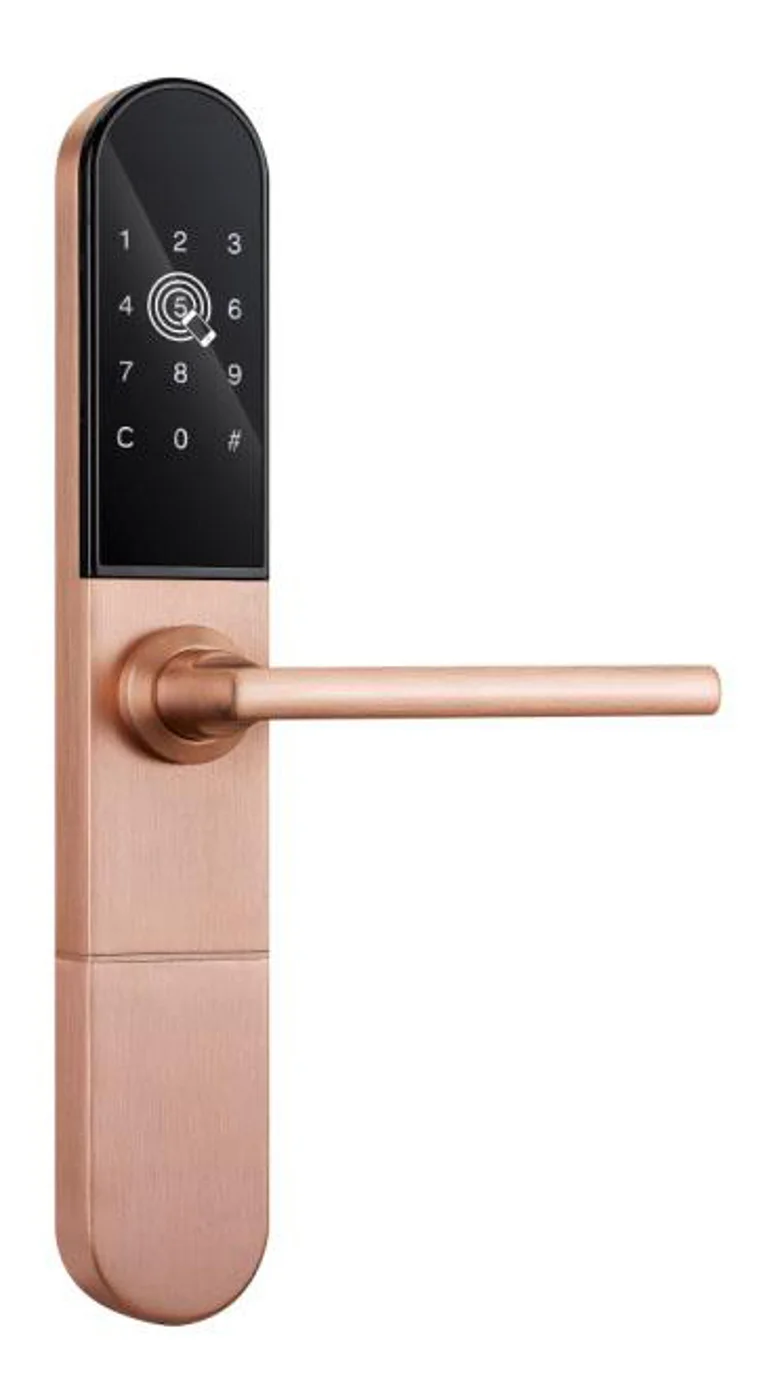
Smart Cabinet Lock — App-Managed, Multi-Site Dashboard
App-managed smart cabinet lock for office, parcel, and multi-site fleets. BLE app dashboard, audit trail, remote unlock, no per-lock server. Higher-tier chassis.
This page already points to it as the next recommended reference.
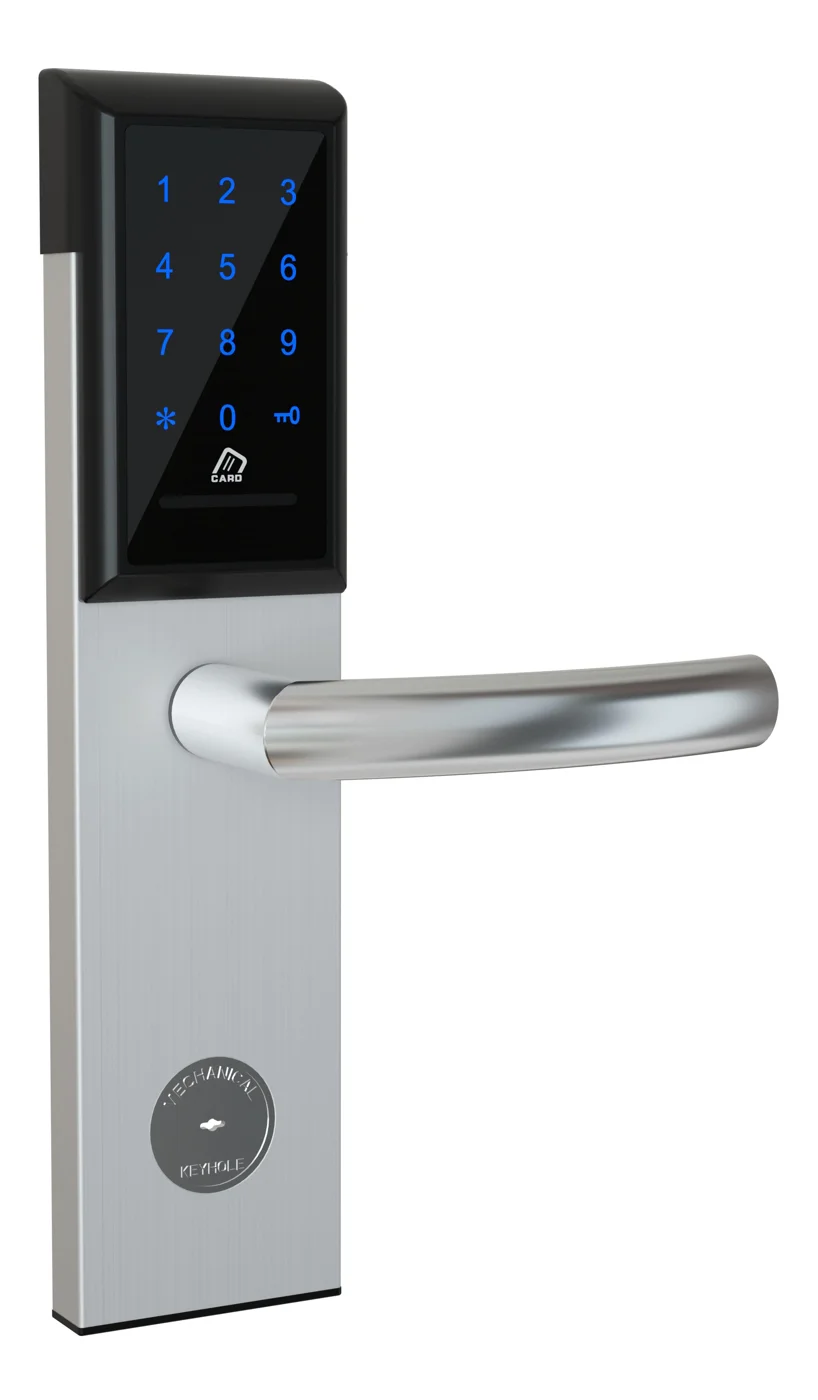
Office Cabinet Lock — PIN + Card for Filing & Pedestals
Offline PIN + card office cabinet lock for filing cabinets, pedestals, and drawers. Battery-powered 5-minute retrofit, no WiFi, no key management. CE/FCC/RoHS.
This page already points to it as the next recommended reference.
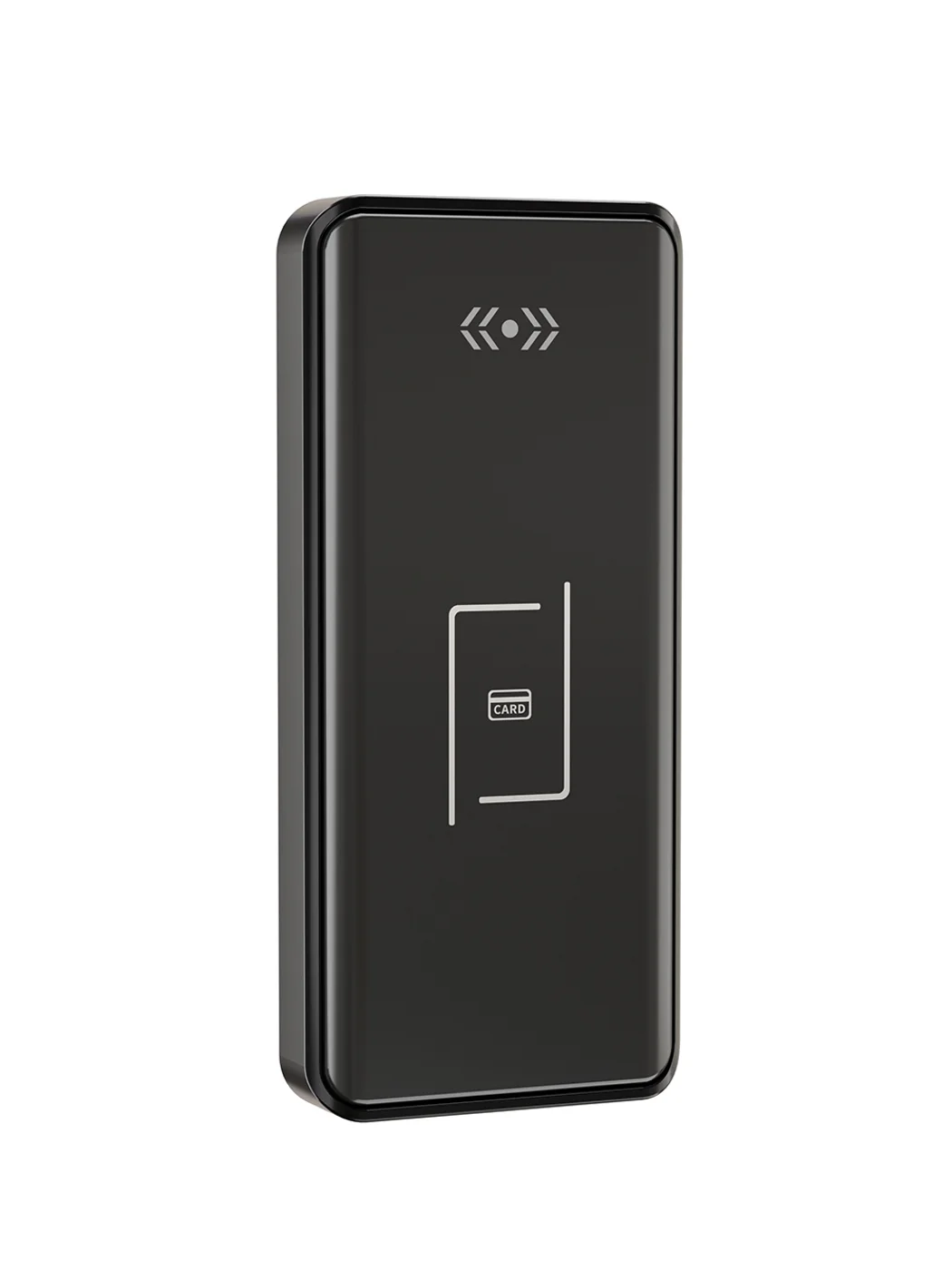
Gym Locker Lock — Offline Card, No WiFi Required
Offline card gym locker lock for fitness and pool lockers. MIFARE card, battery-powered 5-minute retrofit, no WiFi or server. Zinc alloy body, CE/FCC/RoHS.
This page already points to it as the next recommended reference.
Related blog posts
3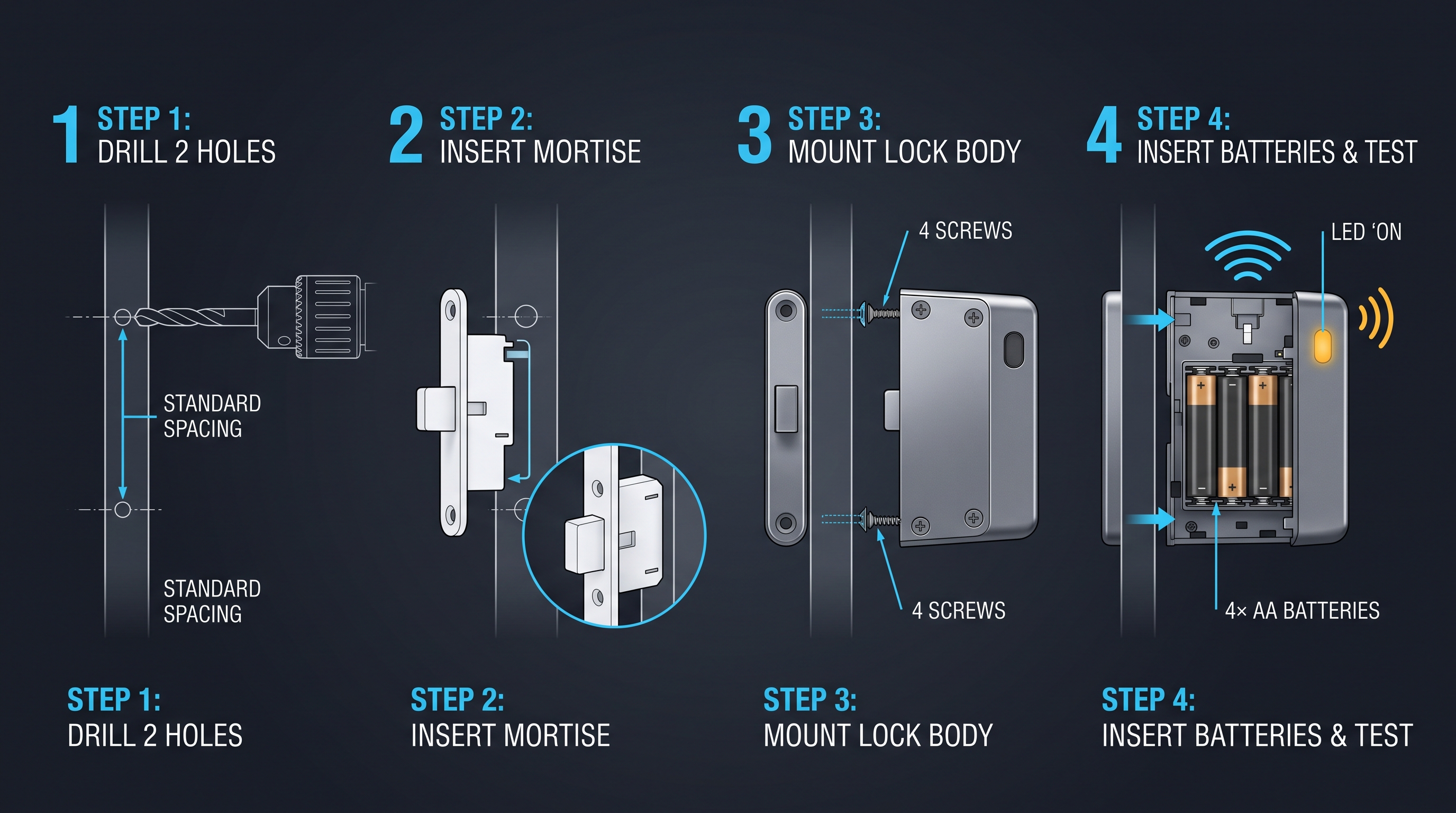
Mobile App Cabinet Lock: The Complete Guide to Smartphone-Controlled Cabinet Security
Discover how mobile app cabinet lock systems work. Explore BLE/Wi-Fi/NFC credentials, remote unlock, temporary codes, role-based access, cloud sync, security features, and deployment scenarios.
It supports the same product context: Smart Cabinet Lock — App-Managed, Multi-Site Dashboard, Office Cabinet Lock — PIN + Card for Filing & Pedestals, Gym Locker Lock — Offline Card, No WiFi Required.
MIFARE Cabinet Lock: Advanced Security Guide for MIFARE-Based Cabinet Access Systems
In-depth technical guide to MIFARE cabinet lock technology covering MIFARE Classic, Plus, DESFire, Ultralight variants, cryptographic security, installation, and multi-application smart card integration for cabinet access control.
It supports the same product context: Smart Cabinet Lock — App-Managed, Multi-Site Dashboard, Office Cabinet Lock — PIN + Card for Filing & Pedestals, Gym Locker Lock — Offline Card, No WiFi Required.
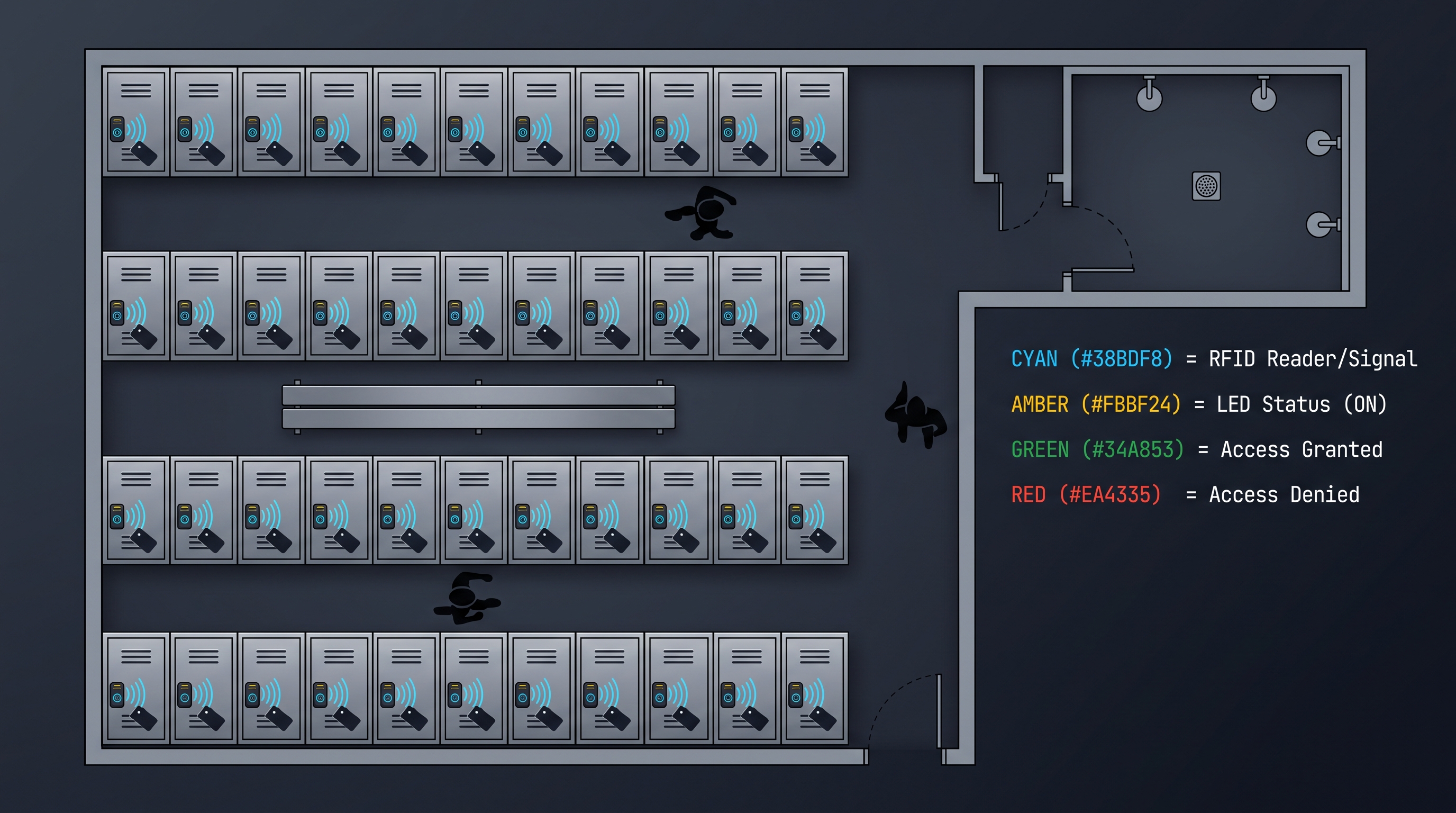
MIFARE Locker Lock: Definitive Guide to MIFARE-Based Smart Locker Security
Complete guide to MIFARE locker lock technology for gyms, schools, offices, and public facilities. Covers MIFARE Classic, Plus, DESFire variants, multi-user management, installation, networking, and smart locker ecosystem integration.
It supports the same product context: Gym Locker Lock — Offline Card, No WiFi Required.
Specify your cabinet lock project with our engineers
Send your locker count, cabinet type, and credential preference. We will return a sample plan and quote within 24 business hours.
- Move from general guidance into a product or application discussion.
- Use RFQ when pricing, drawings, MOQ, or launch timing needs structure.
- Keep a direct contact path visible for fast clarifications and handoff.