Locker Access Control: The Complete 5000+ Word Guide to Intelligent Locker Security Management
A comprehensive guide to locker access control covering electronic locking technologies, credential types, network architectures, management software, and deployment strategies for gyms, schools, offices, and public venues.
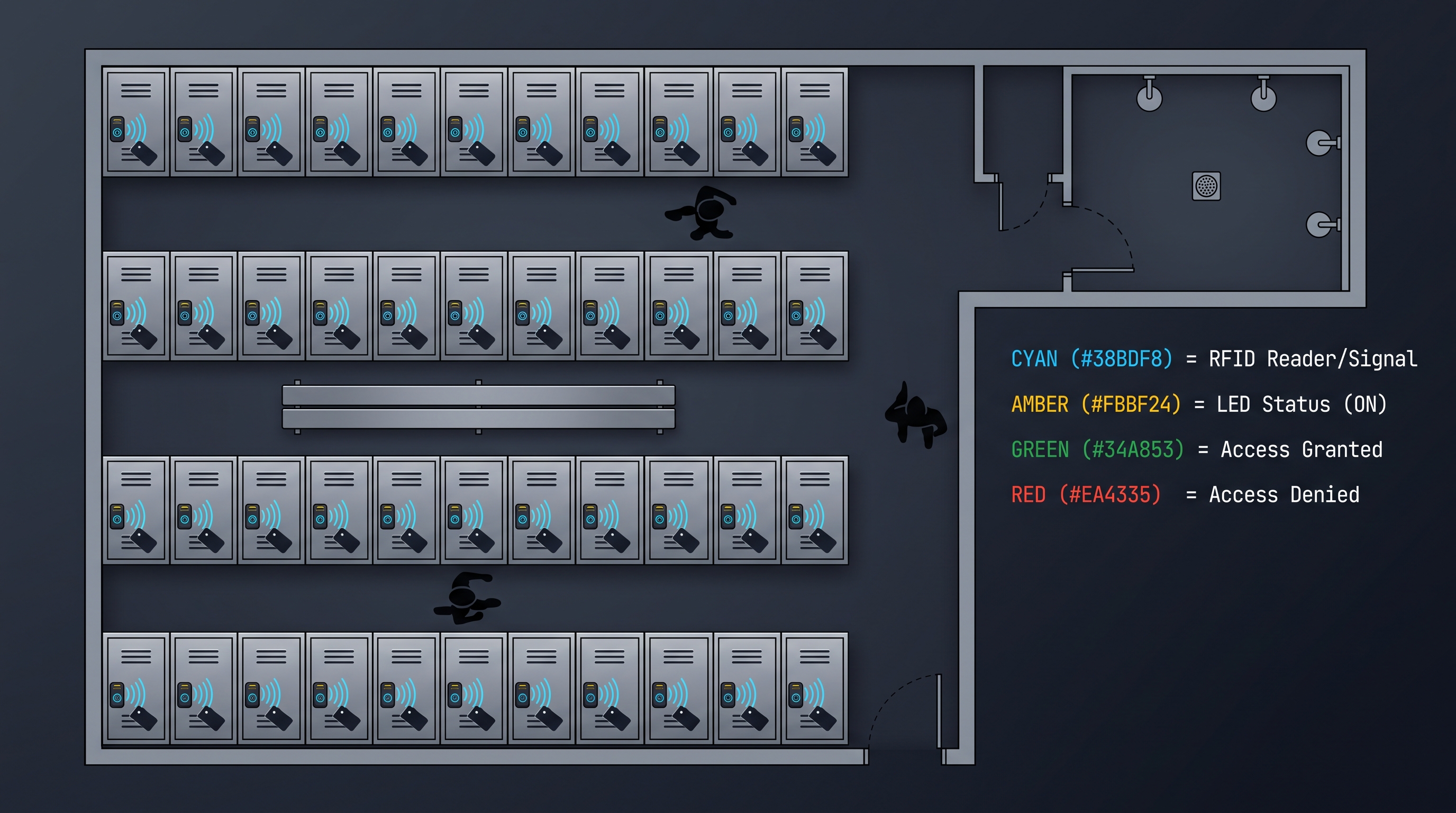
For facility managers, gym operators, school administrators, and corporate security professionals asking "what is locker access control" or searching for "locker access control system installation near me," this comprehensive guide answers every question about modern locker security. Locker access control replaces traditional padlocks and keys with electronic credentials including RFID cards, PIN codes, biometric scans, and mobile credentials that authenticate users before granting entry. Smart locker access control systems log every entry with timestamps, enabling audit trails for compliance investigations, lost-item disputes, and incident reviews. Whether deployed in fitness clubs, employee changing rooms, school hallways, hospital staff areas, or airport baggage storage, a properly configured locker access control system reduces theft, eliminates key-copying risks, simplifies administration, and improves the user experience. This guide covers credential technologies, hardware architectures, network integration, installation planning, management software, maintenance procedures, and industry-specific deployment strategies for organizations planning or upgrading a locker access control investment.
Locker Access Control Fundamentals and Industry Context
Locker access control is the systematic practice of managing who may open a secured locker, when they may do so, and how their entry is recorded for later review. A modern locker access control installation combines electronic locking hardware, credential readers, controller boards, management software, and administrative policy into a single coherent security system. Where a padlock offers only a binary locked or unlocked state, locker access control adds identity, time, accountability, and remote management to every locker in a facility. The result is a locker access control deployment that protects users and operators simultaneously.
The shift from mechanical padlocks to locker access control reflects broader changes in how organizations view physical security. A padlock cannot tell facility management who used the locker last, and a lost padlock key forces costly rekeying. Locker access control eliminates both problems by binding every unlock event to an authenticated identity recorded in a tamper-evident log. For this reason locker access control has become standard equipment in new fitness facilities, corporate campuses, schools, hospitals, and public venues.
Facility stakeholders evaluating locker access control must weigh security goals against operational realities such as maintenance capacity, user demographics, and budget. A well-designed locker access control system matches reader technology to the people who will use it, matches network architecture to the building where it will live, and matches management software to the staff who will administer it. This guide covers every dimension of locker access control so that decisions rest on a complete technical and operational foundation.
Why Locker Access Control Replaces Padlocks in Modern Facilities
Traditional padlocks dominated locker security for decades because they were cheap, simple, and required no infrastructure. However, the operational costs of padlocks accumulate quickly. Facility staff must manage a spare-key inventory, respond to lockouts when users forget combinations, and reassign lockers between shifts without compromising security. Locker access control converts these recurring costs into a managed digital workflow.
A second driver behind locker access control adoption is the elimination of physical key duplication risk. A padlock key can be copied at any hardware store, and there is no record that a duplicate exists. Locker access control credentials, by contrast, can be revoked instantly, rotated on schedule, and individually audited. When an employee leaves an organization, locker access control administrators remove the credential from a single database, and every locker in the facility becomes inaccessible to that person within seconds.
Locker access control also improves the user experience in ways that drive member satisfaction and retention. Gym members who no longer carry a padlock to the club simply approach their assigned locker, present a credential or enter a code, and the door opens automatically. School students who use locker access control never forget a combination and never lose a padlock. The convenience of locker access control translates directly into a better facility experience for every user who interacts with the system on a daily basis.
How Locker Access Control Systems Authenticate Users
At the heart of every locker access control deployment is an authentication decision. When a user presents a credential to a locker, the locker access control system compares that credential against a list of authorized identities and decides whether to release the bolt. The mechanics of that decision vary by architecture, but the underlying principle is identical across standalone and networked locker access control products.
In a standalone locker access control lock, the controller board inside the lock stores a local list of authorized credentials and the access schedule for each. The locker access control decision happens entirely within the lock, with no network communication required. This architecture keeps locker access control installations inexpensive and resilient to network outages, but local lists must be synchronized periodically through a handheld programmer or a wireless update.
In a networked locker access control system, the locker reports each credential presentation to a central controller or cloud platform that holds the master database. The locker access control decision falls to the central platform, which can consider real-time variables such as whether the user's credential has been revoked, whether the locker is currently assigned to them, or whether their current shift is active. Networked locker access control thus enables policies impossible to enforce locally, while standalone locker access control trades flexibility for independence.
Credential Technologies Used in Locker Access Control Deployments
The selection of credential technology shapes the entire locker access control user experience and the operational profile of the deployment. PIN codes entered on a keypad are the simplest credential for locker access control. They require no physical token, which eliminates the cost and logistics of issuing cards or fobs. PIN-based locker access control suits schools and membership gyms where users prefer to memorize a code rather than carry a credential.
RFID cards and fobs remain the most widely deployed credential in locker access control because they are fast, durable, and integrate easily with existing access control systems. A locker access control reader operating at 13.56 megahertz supports MIFARE and DESFire credentials already used at building entrances, allowing locker access control to share the same badge. Many locker access control deployments use dual-frequency readers that accept both 125 kilohertz proximity and 13.56 megahertz smart cards to accommodate credential migration.
Biometric credentials including fingerprint and palm-vein recognition bring an inherence factor to locker access control that cannot be lost or transferred. A fingerprint locker access control reader registers the member once and then authenticates them on each visit without any token. Palm-vein locker access control readers are gaining traction in environments where users' fingers are frequently wet, dirty, or gloved, since the palm can be scanned hygienically at a short distance.
Mobile credentials are the fastest-growing category in locker access control. Instead of issuing a physical card, the locker access control platform provisions a credential into a mobile wallet or facility app. Members then open their locker access control assigned locker by tapping their phone to the reader, often without even waking the device. Mobile locker access control reduces card issuance costs and aligns with the modern expectation that keys live on the phone.
| Credential Type | Read Time | User Convenience | Capital Cost per Locker | Typical Maintenance | Best Fit |
|---|---|---|---|---|---|
| PIN keypad | 2-4 s | Moderate | Low | Keypad cleaning, code rotation | Schools, budget gyms |
| 13.56 MHz RFID card | 0.3 s | High | Medium | Card issuance and revocation | Corporate offices, hospitality |
| Fingerprint | 1 s | High | Medium-High | Sensor cleaning, recalibration | Premium gyms, secure facilities |
| Mobile credential | 0.5 s | Very High | Medium | Wallet provisioning, app updates | Smart offices, member venues |
| Dual-frequency RFID | 0.4 s | High | High | Credential migration planning | Multi-site campuses |
Locker Access Control Hardware Architecture and reader Form Factors
The physical form factor of a locker access control lock determines which lockers it can mount on and how users interact with it. The most common locker access control form factor replaces the recessed padlock hasp with an embedded electronic lock body that fits inside the locker door. This locker access control geometry preserves the look of the locker while concealing the locking mechanism and the credential reader on the exterior face.
A second locker access control form factor is the surface-mounted cabinet lock, where the lock body sits outside the locker door and a bolt engages a strike on the frame. This locker access control arrangement is common on metal lockers with full-height doors because the lock body can be large enough to hold significant battery capacity. The exterior placement of these locker access control readers also makes them easy to service without opening the locker.
A third form factor for locker access control integrates the lock into a lock bar or handle that the user rotates to operate. This locker access control design is frequently used in school and gym lockers where the original handle hardware must be retained. The locker access control reader in such designs often occupies the lock face itself, accepting a card tap or fingerprint scan immediately above the handle.
Locker access control form factor selection must also consider weather and wash-down conditions. Outdoor pool lockers, splash-pad lockers, and ski-resort drying lockers require locker access control hardware rated for water ingress and freeze-thaw cycling. Locker access control products intended for these environments use gasketed housings, marine-grade materials, and drainage paths that keep electronics dry while the locker itself is rinsed between seasons.
Networked Versus Standalone Locker Access Control Platforms
A fundamental architectural choice in any locker access control deployment is whether each locker communicates with a central platform or operates independently. Standalone locker access control locks are programmed through a master card, a handheld programmer, or a temporary Bluetooth connection to a mobile app. Each locker access control lock makes all access decisions internally and stores its events locally until a maintenance visit offloads the logs.
Networked locker access control systems use wired or wireless data pathways to bring every locker into a central management platform. Wired locker access control frequently relies on RS-485 or CAN bus cabling daisy-chained along a row of lockers, while wireless locker access control deployments use Wi-Fi, Bluetooth Low Energy, Zigbee, or sub-gigahertz radio to communicate without trenching cable. Each locker access control medium offers different trade-offs in throughput, latency, power consumption, and resilience.
Hybrid locker access control architectures combine both approaches. A locker access control lock may operate as a standalone device most of the time, syncing to the cloud opportunistically through a gateway, while still making local access decisions during wireless outages. Hybrid locker access control provides the resilience of standalone operation with the manageability of networked control, which is why it dominates new large-scale deployments where neither pure architecture is acceptable.
| Architecture | Installation Cost | Resilience to Network Outage | Management Effort | Best Use Case |
|---|---|---|---|---|
| Standalone keypad | Lowest | Highest | Battery and code management | Small facilities, basic needs |
| Standalone RFID | Low | Highest | Card management, sync visits | Schools, single-site gyms |
| Wired networked | High | Medium | Cabling, gateway maintenance | New construction, hospitals |
| Wireless networked | Medium | Medium-High | Access point placement | Retrofits, large campuses |
| Hybrid with cloud sync | Medium | High | Gateway power, cellular backup | Multi-site operators |
Locker Access Control Management Software and Audit Trail Capabilities
Management software is where the strategic value of locker access control becomes visible. A capable locker access control management platform allows administrators to enroll users, assign lockers, define access schedules, and rotate occupants across the facility from a single dashboard. Locker access control software that supports bulk operations dramatically reduces the time required to manage a locker room of a thousand units compared to legacy padlock administration.
The audit trail generated by locker access control software is among the most valuable outputs of the system. Every locker access control event records who opened which locker, when, and whether the operation succeeded or failed. Locker access control logs answer questions that padlocks never could: who was in a locker when an item was reported stolen, who attempted to open a locker that did not belong to them, and which lockers have not been used in months.
Reporting and analytics built into locker access control software transform raw event logs into operational insight. Locker access control analytics can identify underutilized locker banks that could be redeployed, peak usage windows that justify staffing adjustments, and individual lockers with abnormal usage patterns that may indicate hardware problems or policy abuse. Locker access control reporting also supports compliance demonstrations for audit cycles across regulated industries.
Locker Access Control Installation Planning and Site Survey Procedures
A successful locker access control installation begins long before any hardware is mounted. The site survey phase of locker access control deployment documents locker construction, door material, gap clearances, available power, network coverage, and the location of any civil infrastructure that would obstruct cabling. Without a thorough survey, locker access control projects routinely encounter surprises that delay installation and inflate costs.
Locker construction strongly influences which locker access control product can be used. Laminate lockers commonly accept the same locker access control locks used on metal lockers, while plastic lockers may require specific mounting plates or adhesives. Double-tier and triple-tier locker access control installations must account for door overlap and for the routing of cables along the locker column. The site survey records these constraints so the locker access control vendor can confirm compatibility before delivery.
The site survey also captures wireless conditions that affect locker access control performance. A dense concrete locker room may attenuate the locker access control radio signal and require additional access points or a cabled fallback. Existing Wi-Fi spectrum at a gym may already be saturated by member devices, making a dedicated sub-gigahertz locker access control network more reliable than shared Wi-Fi. The survey ensures the locker access control architecture matches the physical and radio environment.
Locker Access Control Power and Connectivity Considerations
Power planning is one of the most consequential engineering decisions in a locker access control deployment. Battery-powered locker access control locks remain the most common configuration because they avoid the cost and complexity of running low-voltage wiring to every locker. A locker access control battery pack typically delivers one to two years of service before replacement, with low-battery alerts generated weeks in advance through the management software.
Hardwired locker access control eliminates battery maintenance but introduces installation cost. A centralized power supply feeds a row of lockers through low-voltage cabling, often combined with the data bus used for communication. Hardwired locker access control is attractive in new construction where conduit can be installed during framing, and the architecture suits environments where the cost of a battery failure is unacceptable.
Connectivity choices for a locker access control deployment interact with the power architecture. Wireless locker access control requires either battery power or a power pathway separate from the data pathway, while wired locker access control can deliver both power and data over a single cable. Some locker access control products support Power over Ethernet or hybrid data-and-power cabling that simplifies installation while ensuring that a single cable cut does not disable the entire bank of lockers.
Locker Access Control Security Risks and Mitigation Strategies
Credential theft remains a top threat to locker access control. A lost RFID card or shared PIN immediately undermines the integrity of the entire system unless locker access control administrators detect and revoke the credential quickly. Multi-factor locker access control combines a card with a PIN or a card with a biometric sample to reduce the impact of a single compromised credential. Locker access control platforms that support short-lived credentials, such as daily codes issued through a mobile app, further limit the value of a stolen credential.
Tailgating and shared-credential use are subtler risks to locker access control. Two members can enter a facility on a single credential and then attempt to use locker access control to open lockers they did not rent. Locker access control enforcement at the locker itself rather than only at the door is the strongest mitigation, because it ties each unlock to the authenticated individual and records any mismatch in the audit trail.
Cybersecurity of the locker access control management platform is the third major risk category. A compromised locker access control server could expose credentials for the entire facility, while an unpatched lock firmware could allow local bypass of authentication. Locker access control procurement specifications should require encrypted credential databases, signed firmware updates, role-based administrative access, and routine third-party security audits of the platform.
Locker Access Control for Gyms and Fitness Facilities
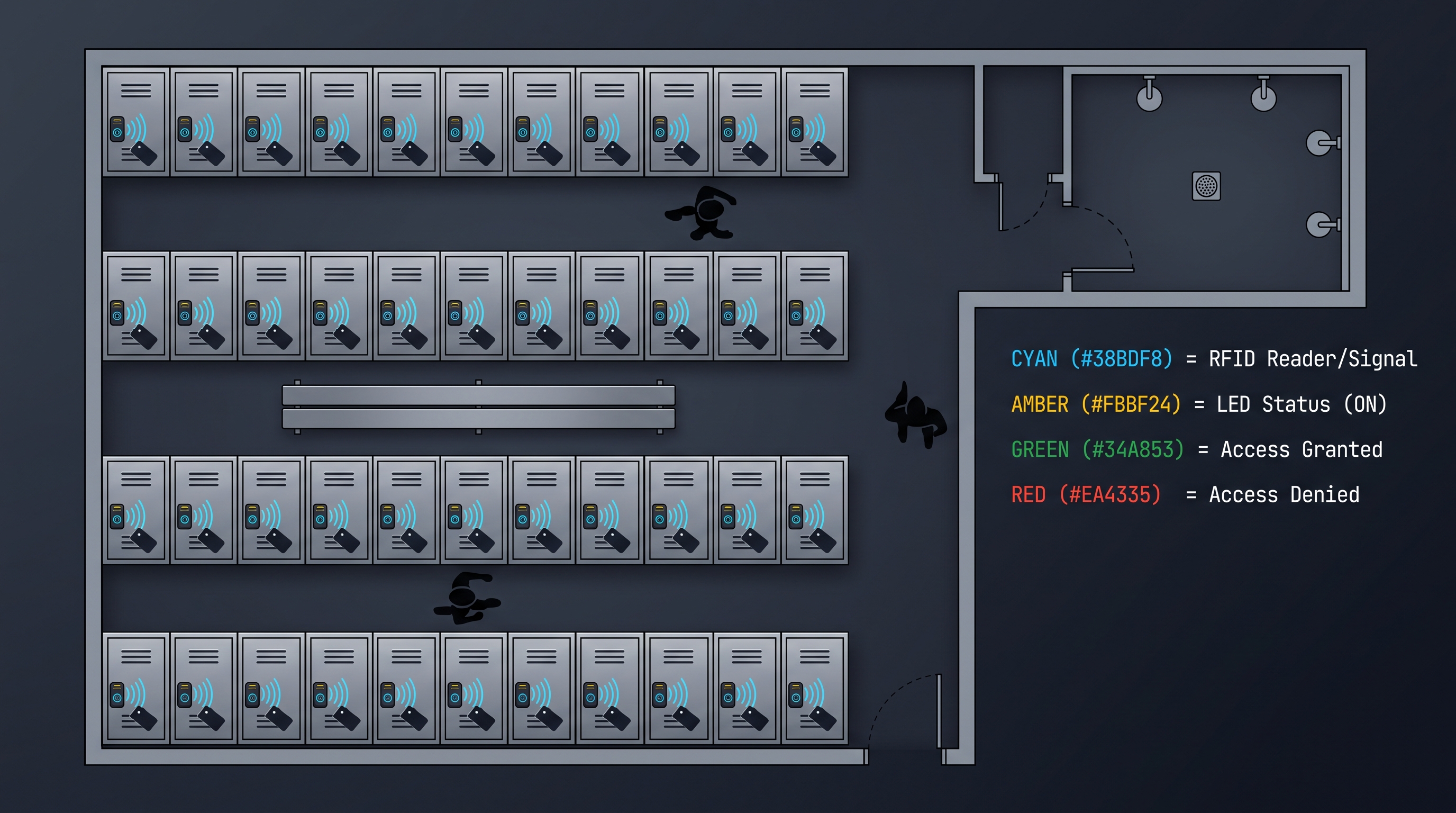
Gyms and fitness facilities were among the earliest adopters of locker access control and remain a primary market. The classic gym problem of lost padlock keys and forgotten combinations disappears entirely under locker access control, replaced by a credential the member already carries or a code they have memorized. Locker access control also supports daily locker rental workflows that generate revenue without staff intervention.
The locker access control experience for a gym member is the moment of truth for the locker room. A reader that responds in under half a second, a bolt that opens cleanly, and a software platform that recognizes the member by name all reinforce the premium feel of the facility. Locker access control failures, conversely, immediately undermine member confidence and generate negative reviews. Gym operators therefore prioritize locker access control products with proven reliability and responsive support.
Locker access control analytics are particularly valuable for fitness operators. Reports showing which lockers are most used at which times of day allow the gym to optimize staffing, cleaning, and locker allocation. Locker access control systems that flag a locker left locked overnight enable staff to identify abandoned items and free the locker for the next day's rental, protecting both revenue and the member experience at the same time.
Locker Access Control for Schools and Educational Campuses
Schools from middle grades through university increasingly rely on locker access control to manage millions of student lockers. Locker access control in schools reduces the time staff spend assigning, opening, and recovering lockers, and it provides an audit trail when disputes arise about locker contents or locker assignment. The elimination of physical padlock distribution also removes a recurring administrative burden at the start of each term.
Student privacy considerations shape how schools deploy locker access control. The locker access control system must allow authorized staff to open any locker in an emergency while still preventing unauthorized access by other students. Locker access control platforms address this requirement through emergency override credentials, time-bounded staff access, and complete logging of every administrative override.
Locker access control deployment in educational settings must also accommodate the realities of student life. The locker access control reader should withstand impact, spills, and tampering attempts typical in school hallways. PIN-pad locker access control readers used in schools should support longer codes to resist shoulder-surfing, while card-based locker access control readers should tolerate the wear that student credentials experience over an academic year.
Locker Access Control for Workplaces and Corporate Offices
Corporate offices have embraced locker access control as part of the broader move toward activity-based work. When employees no longer have an assigned desk, a personal locker secured by locker access control becomes their home base within the office. Locker access control supports hot-desking by allowing employees to claim a locker for the day, store their belongings, and release it when they leave, all authenticated against their corporate badge.
Locker access control in offices must integrate with corporate identity systems so that employee onboarding and offboarding automatically grant and revoke locker access. A locker access control platform that consumes identity from Azure Active Directory or Okta eliminates the manual labor of provisioning credentials and prevents terminated employees from retaining locker access after their last day.
Locker access control reporting in office environments supports facilities management decision-making. Analytics showing locker utilization by floor, by team, and by time of day inform decisions about workspace sizing, locker provisioning, and cleaning schedules. Locker access control data also serves as an indirect signal of office utilization, complementing desk sensors and Wi-Fi analytics in workplace strategy programs across the corporate portfolio.
| Industry | Primary Driver | Credential Preference | Typical Locker Count | Key Maintenance Task |
|---|---|---|---|---|
| Health club | Member experience | RFID card or mobile | 200-2000 | Nightly abandoned-locker reset |
| School | Liability and audit | PIN or card | 500-5000 | Term-cycle code rotation |
| Corporate office | Hot-desking support | Corporate badge | 100-3000 | Identity sync monitoring |
| Hospital | Infection control | Card or biometric | 300-2000 | Hygienic reader wipedown |
| Public venue | Revenue capture | Pay-per-use code | 100-1500 | Transaction reconciliation |
Locker Access Control for Hospitality Leisure and Public Venues
Hotels, spas, water parks, ski resorts, and public attractions deploy locker access control to provide secure temporary storage without the friction of padlock distribution. Locker access control in these venues typically operates on a pay-per-use basis, with the guest purchasing access through a kiosk or mobile app and receiving a credential or code bound to the locker for the duration of their visit.
Locker access control designed for hospitality must handle high transaction volumes, short occupancy periods, and untrained users. Reader interfaces for hospitality locker access control favor large buttons, clear audio prompts, and visual feedback that guides first-time users through the credential step. Locker access control software in these venues supports revenue reporting, refund handling, and abandoned-item workflows that match the operational realities of a busy attraction.
Locker access control also plays a role in staff areas of hospitality venues, where employees need secure storage for uniforms and personal belongings. The same locker access control platform can serve both guest lockers and staff lockers with separate access policies, allowing the venue to manage all locker security through a single system. This dual-use locker access control pattern reduces administrative overhead and unifies reporting across the property.
Locker Access Control Maintenance Diagnostics and Lifecycle Management
The reliability of a locker access control deployment depends on disciplined maintenance. Each locker access control lock contains moving parts, batteries, and sensitive electronics that require periodic inspection. A locker access control maintenance program schedules visits to low-battery lockers, verifies mechanical alignment of bolts and strikes, and cleans reader surfaces that accumulate grime over months of use.
Diagnostics in modern locker access control systems reduce maintenance effort by reporting issues before users notice them. A locker access control platform that forwards low-battery events to the maintenance queue allows staff to replace batteries proactively rather than during a lockout. Locker access control firmware that reports lock cycle counts supports predictive maintenance by identifying locks approaching end-of-life before they fail.
Locker access control lifecycle management extends beyond the locks themselves to include the supporting infrastructure. Cables, power supplies, gateways, and the management server all form part of the locker access control system and require inclusion in maintenance plans. A locker access control deployment that ignores infrastructure maintenance will suffer system-wide outages even when individual locker access control units remain healthy.
Locker Access Control Procurement Specifications and Vendor Evaluation
Writing a procurement specification for locker access control forces an organization to articulate its requirements precisely. The specification should describe the locker construction and quantity, the user population, the credential technologies in use, the network environment, and the integration targets such as identity providers and payment systems. A clear locker access control specification enables vendors to bid comparable solutions and protects the buyer from vague marketing claims.
Vendor evaluation for locker access control should consider the total cost of ownership rather than the unit price of the lock. A cheaper locker access control lock that requires frequent battery replacement or firmware repairs may cost more over a five year period than a premium product with low maintenance. Locker access control vendor references from comparable facilities provide the most reliable predictor of real-world performance.
Integration capabilities are a critical procurement criterion for locker access control. A locker access control platform that exposes a documented application programming interface allows the organization to integrate the system with identity providers, payment systems, and facilities management dashboards. Locker access control vendors that publish open standards for credential formats and event streaming give the buyer the flexibility to change components without re-procuring the entire system.
Locker Access Control Future Trends and Emerging Technologies
The trajectory of locker access control innovation points toward deeper integration with the broader digital ecosystem. Locker access control platforms increasingly accept mobile credentials stored in smartphone wallets, allowing members to open their assigned locker with a tap of their phone. Locker access control readers that support Near Field Communication unlock the convenience of mobile credentials without requiring facility staff to issue physical cards.
Artificial intelligence applications in locker access control focus on anomaly detection and predictive maintenance. A locker access control platform that applies machine learning to event logs can identify unusual access patterns that may indicate credential sharing, locker squatting, or attempted tampering. Locker access control analytics trained on mechanical data can predict which locks are likely to fail within the next quarter and schedule replacement proactively.
Sustainability concerns are reshaping locker access control product design. Manufacturers are reducing battery consumption through more efficient actuators, designing locker access control hardware for recyclability, and offering battery take-back programs. Locker access control products that harvest energy from door motion or ambient light promise to reduce or eliminate disposable batteries, addressing one of the largest operational waste streams in physical security.
Locker Access Control Frequently Asked Questions and Answers
What does locker access control cost per locker? The total installed cost of locker access control ranges widely based on lock type, network architecture, and integration requirements. A standalone keypad locker access control lock may cost between forty and one hundred dollars per unit, while a networked RFID locker access control platform with management software and gateway hardware may cost between one hundred fifty and three hundred fifty dollars per locker fully installed. Organizations should evaluate locker access control costs over a five to seven year horizon that includes battery replacement, support contracts, and software licensing.
How long do locker access control batteries last? Battery life in a locker access control lock depends on usage, lock type, and battery chemistry. A lithium-powered keypad locker access control lock used ten times per day typically delivers eighteen to thirty months of service. A networked locker access control lock with Wi-Fi connectivity consumes more power and may require battery replacement every six to twelve months. Most locker access control platforms generate low-battery alerts weeks before depletion to allow scheduled maintenance.
Can locker access control work without a network? Yes. Standalone locker access control locks store authorized credentials locally and make access decisions without any network connection. Events accumulate in the locker access control lock's local memory and upload to the management platform during a maintenance visit or an opportunistic wireless sync. Standalone locker access control is appropriate for facilities that prefer minimal infrastructure or that experience unreliable connectivity.
What happens if a locker access control lock fails locked? Locker access control locks include mechanical or electronic emergency override features that allow authorized staff to open the locker when the normal credential path fails. Override mechanisms for locker access control include a physical key cylinder, a master override code, or a remote unlock command from the management platform. Fleet operators should document locker access control override procedures and train staff on their use before any failure occurs.
How does locker access control handle shared or pool lockers? Modern locker access control platforms support dynamic assignment where a user authenticates, is assigned any free locker, and releases it when they leave. Locker access control systems with dynamic assignment report occupancy in real time, automate cleaning flags between users, and generate revenue reports for paid locker programs. The flexibility of dynamic locker access control makes it ideal for transient venues such as gyms, airports, and events.
How does locker access control integrate with existing corporate identity? Enterprise locker access control deployments increasingly consume identity data directly from corporate directories such as Azure Active Directory, Okta, or LDAP. When an administrator provisions or revokes a user in the identity provider, the locker access control platform automatically reflects that change within minutes, ensuring that onboarding, role changes, and terminations immediately update locker access control privileges without manual rekeying. This locker access control integration pattern eliminates credential drift, reduces help desk tickets for door and locker mismatches, and aligns locker security with the rest of the corporate identity lifecycle. Locker access control vendors that document this integration openly give buyers the confidence to extend the deployment across multiple sites.
Locker Access Control Glossary and Technical Reference
This glossary defines the most important terms encountered when evaluating, deploying, or maintaining a locker access control system.
Locker access control credential: The data carrier that identifies a user to a locker access control reader. A locker access control credential may be a PIN, a card, a fob, a phone, or a biometric sample, and the platform determines which credentials it accepts.
Locker access control reader: The hardware interface that captures a credential and forwards it to the controller for validation. A locker access control reader typically combines a sensor, a microcontroller, and a communication interface to the management platform.
Locker access control controller: The decision-making element of a locker access control system. The locker access control controller compares a presented credential against an authorized list and commands the bolt to retract when the credential is valid.
Locker access control audit trail: The tamper-evident log of every locker access control event, including credential presentation, decision outcome, timestamp, and locker identifier. The locker access control audit trail supports incident investigation and compliance demonstrations.
Locker access control override: The authorized procedure for opening a locker access control lock when the normal credential path is unavailable. A locker access control override may use a physical key, a master code, or a remote command.
Locker access control dynamic assignment: A mode in which a locker access control platform assigns any free locker to an authenticated user rather than binding a specific locker to a specific user. Locker access control dynamic assignment maximizes utilization in transient venues.
Part of this article content is generated by AI and optimized for professional accuracy and readability.
Not sure which lock fits your lockers?
Talk to our lock engineers about credentials, battery life, and retrofit fit — no obligation.
Related cabinet lock resources
Compare lock types, check installation guides, and download the product catalog
Related products
3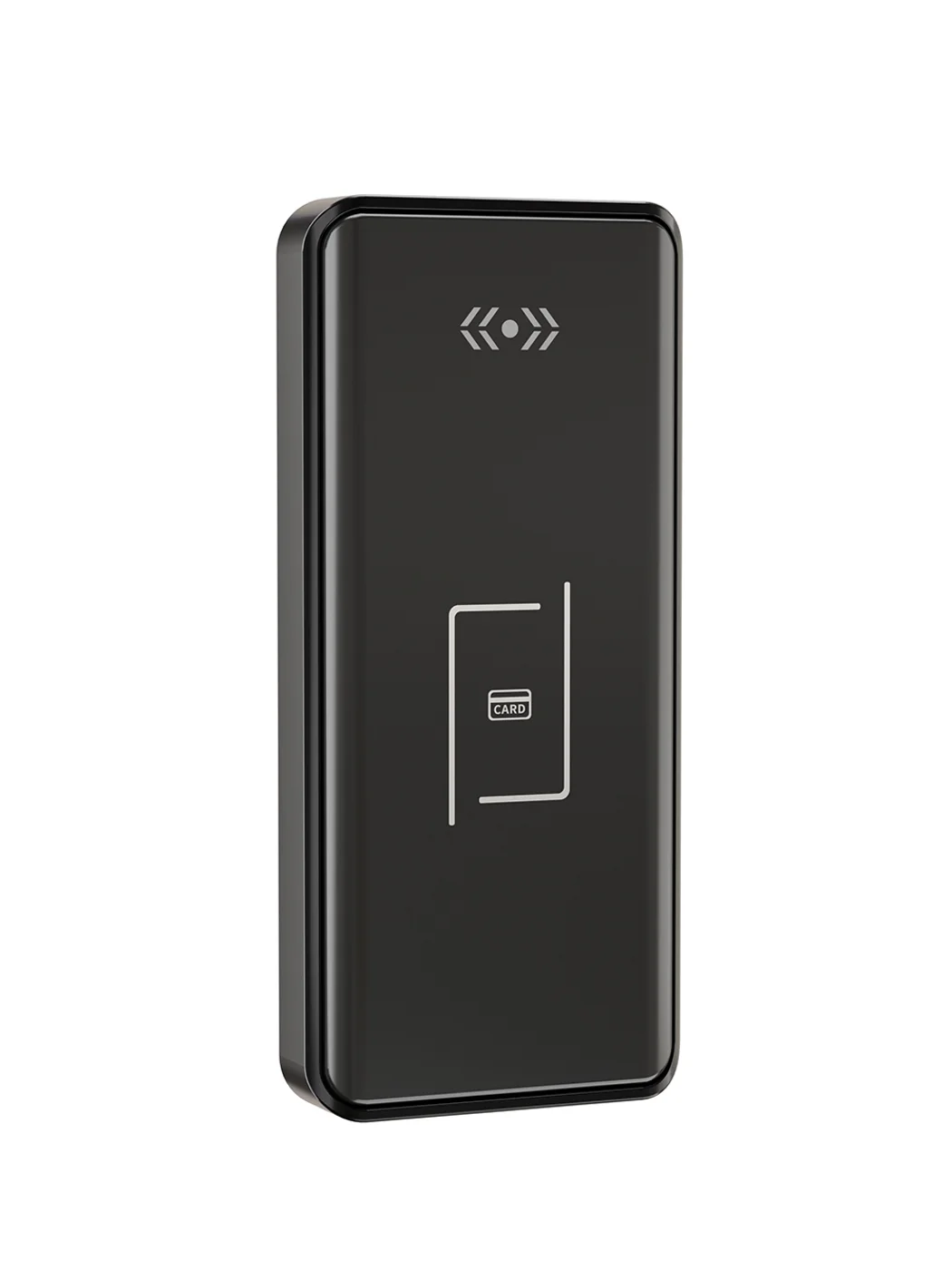
Gym Locker Lock — Offline Card, No WiFi Required
Offline card gym locker lock for fitness and pool lockers. MIFARE card, battery-powered 5-minute retrofit, no WiFi or server. Zinc alloy body, CE/FCC/RoHS.
This page already points to it as the next recommended reference.
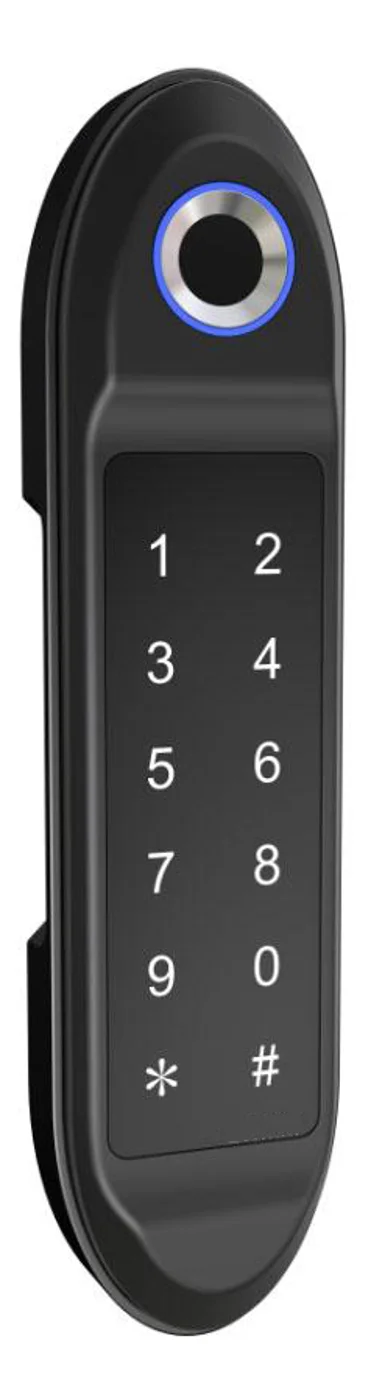
PIN Code Electronic Cabinet Lock — Stand-Alone, No WiFi
Offline keypad cabinet lock for gym, office and parcel lockers. Battery-powered, 5-minute retrofit, audit-free simple deployment. PIN + MIFARE card, DC 6V, 4×AA.
This page already points to it as the next recommended reference.
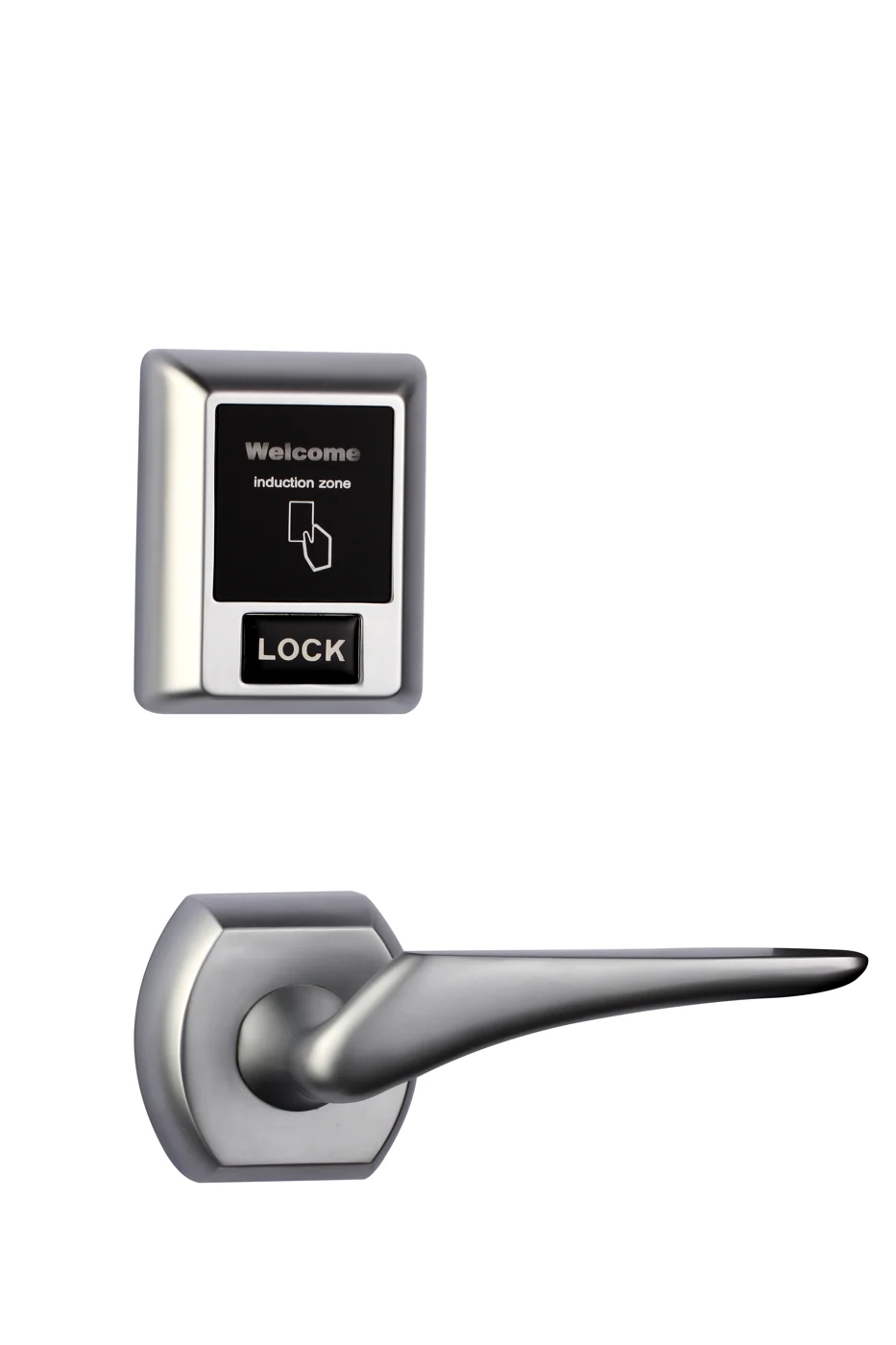
Bluetooth Cabinet Lock — App + PIN + Card, Managed Fleet
Offline BLE app cabinet lock for parcel, office, and managed locker fleets. App + PIN + MIFARE card, remote credential management, no server dependency, battery-powered retrofit.
This page already points to it as the next recommended reference.
Related blog posts
3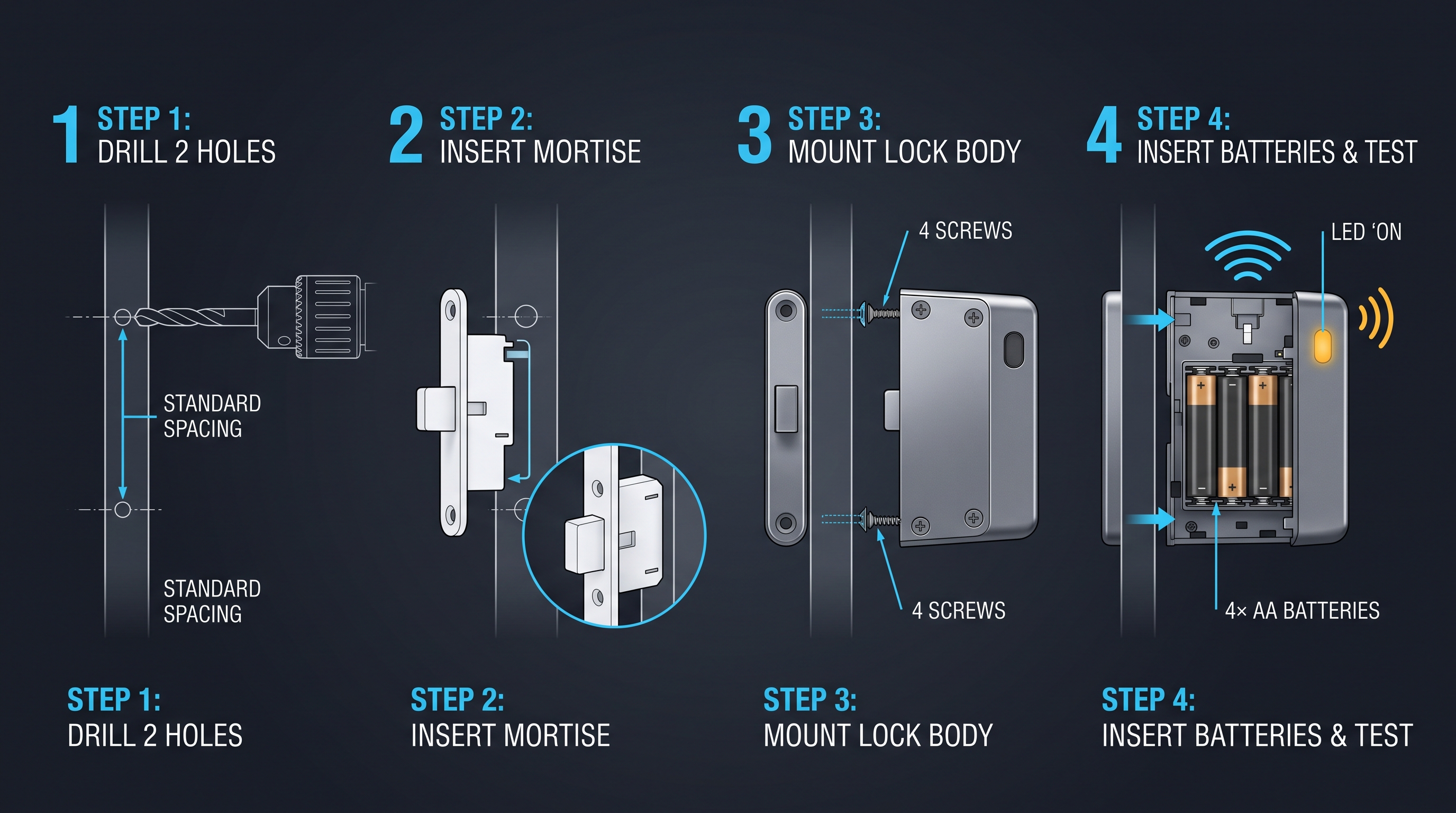
Mobile App Cabinet Lock: The Complete Guide to Smartphone-Controlled Cabinet Security
Discover how mobile app cabinet lock systems work. Explore BLE/Wi-Fi/NFC credentials, remote unlock, temporary codes, role-based access, cloud sync, security features, and deployment scenarios.
It supports the same product context: Gym Locker Lock — Offline Card, No WiFi Required.
MIFARE Cabinet Lock: Advanced Security Guide for MIFARE-Based Cabinet Access Systems
In-depth technical guide to MIFARE cabinet lock technology covering MIFARE Classic, Plus, DESFire, Ultralight variants, cryptographic security, installation, and multi-application smart card integration for cabinet access control.
It supports the same product context: Gym Locker Lock — Offline Card, No WiFi Required.
MIFARE Locker Lock: Definitive Guide to MIFARE-Based Smart Locker Security
Complete guide to MIFARE locker lock technology for gyms, schools, offices, and public facilities. Covers MIFARE Classic, Plus, DESFire variants, multi-user management, installation, networking, and smart locker ecosystem integration.
It supports the same product context: Gym Locker Lock — Offline Card, No WiFi Required, PIN Code Electronic Cabinet Lock — Stand-Alone, No WiFi, Bluetooth Cabinet Lock — App + PIN + Card, Managed Fleet.
Specify your cabinet lock project with our engineers
Send your locker count, cabinet type, and credential preference. We will return a sample plan and quote within 24 business hours.
- Move from general guidance into a product or application discussion.
- Use RFQ when pricing, drawings, MOQ, or launch timing needs structure.
- Keep a direct contact path visible for fast clarifications and handoff.