The Complete Guide to Keypad Locker Lock Systems for Gyms, Schools, Offices, and Spas
Learn how keypad locker lock systems work — PIN entry, SHA-256 hashing, master/sub/user code hierarchy, weather resistance, battery life, audit trails, and deployment at scale.
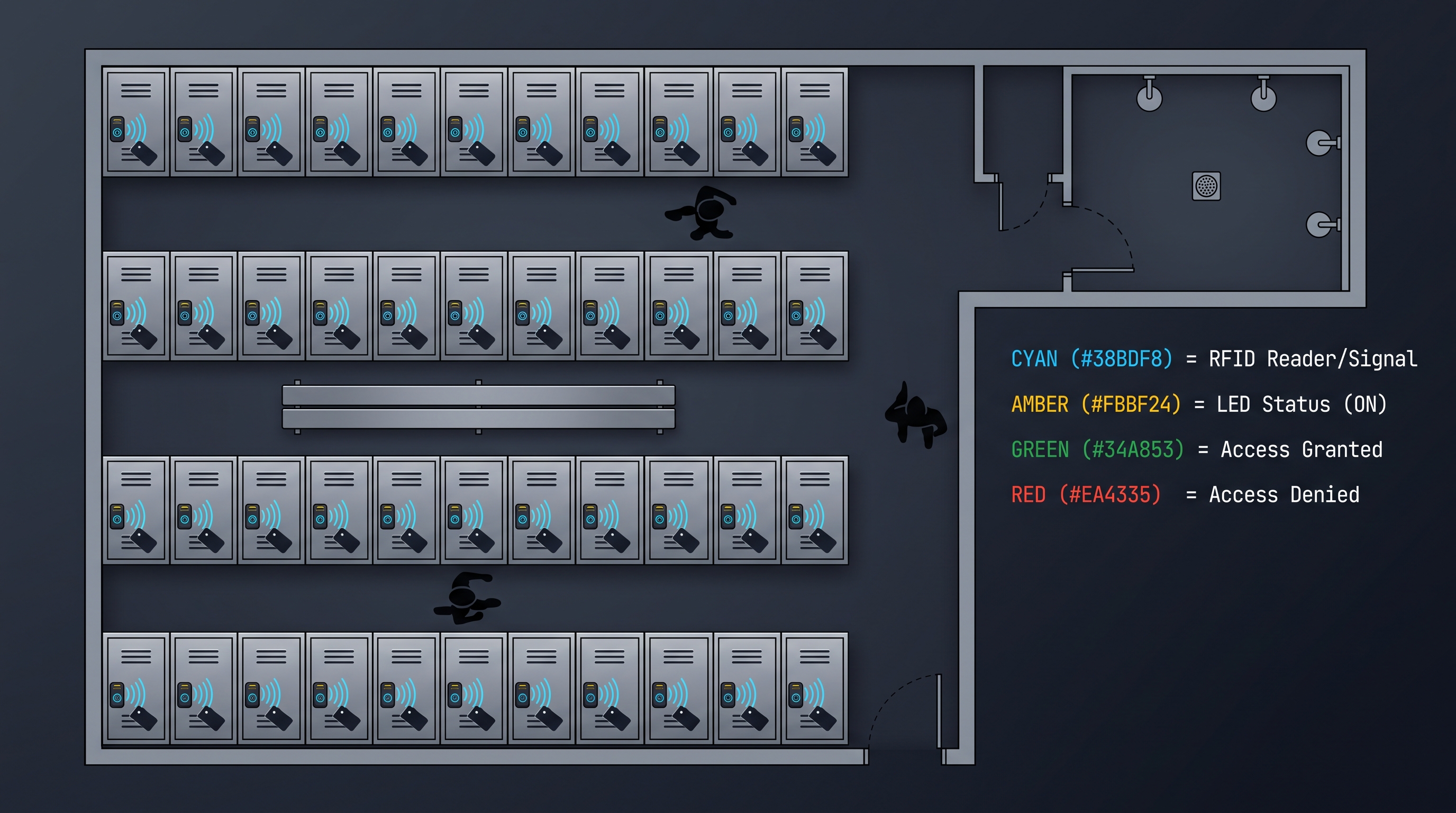
What Is a Keypad Locker Lock and How Does It Work?
A keypad locker lock is an electronic locking device that replaces traditional keyed padlocks or mechanical combination locks on communal lockers, allowing users to secure their belongings by entering a numeric PIN on a built-in or detachable keypad. Unlike a classic combination lock that relies on a rotating dial with physical tumblers, a keypad locker lock uses a microprocessor, a small solenoid or motor, and a battery to verify the entered PIN against stored credentials before retracting the locking mechanism. When a user presses the correct PIN on the membrane or tactile keypad, the microcontroller compares the entered digits against one or more stored codes — which are typically hashed using an algorithm such as SHA-256 to prevent credential extraction even if the lock's memory chip is physically probed. If the match succeeds, the microcontroller energizes a solenoid or turns a small geared motor, which withdraws the latch or releases the shackle, granting access in under one second. The entire process is self-contained within the lock body: no wiring to a central panel, no cloud dependency, and no external power source. This independence makes the keypad locker lock ideal for retrofit installations where existing locker banks have no electrical infrastructure. The lock body is typically machined from zinc alloy or stainless steel to resist cutting, prying, and corrosion, while the keypad is covered with a weather-resistant membrane rated to IP65 or higher for use in humid gym changing rooms, outdoor pool areas, or wet spa environments. Modern keypad locker locks store between 10 and 100 user PINs simultaneously, support a master code hierarchy for facility override, and log the last several hundred opening events with timestamps for audit purposes.
Why Choose a Keypad Locker Lock Over Mechanical or RFID Alternatives?
A keypad locker lock offers a unique balance of security, convenience, and operational simplicity that neither traditional mechanical combination locks nor RFID-based electronic locks fully deliver. Mechanical combination locks are inexpensive and require no batteries, but they suffer from slow dialing, worn markings that reveal the combination over time, and the inability to change codes remotely or quickly for the next user. In a high-turnover setting such as a school gym locker bank where hundreds of students use the same locker each day, managing thousands of mechanical locks becomes a logistical burden: lost keys, forgotten combinations, and jammed dials create constant maintenance calls. RFID locks eliminate the physical key but introduce per-user credential costs, card or fob distribution logistics, lost-card replacement fees, and the need for reader programming infrastructure. A keypad locker lock sidesteps both pain points. Users need nothing but a four- to eight-digit PIN they choose themselves or receive at check-in. There is nothing to carry, nothing to lose, and nothing to distribute. Facility managers retain a master code that opens every lock in the bank for inspection or emergency access, and a sub-master code can be delegated to cleaning staff or security personnel without exposing the master credential. The lock's audit trail records every opening — master, sub-master, or user — so facility operators can review exactly who accessed which locker and when. Battery life typically ranges from 8,000 to 15,000 cycles, which translates to one to three years of daily use before replacement of the readily available AAA or CR123A cells. When the battery does run low, the lock flashes a warning indicator for dozens of cycles before it stops operating, giving ample time for scheduled replacement. For facilities that need to scale from a single locker bank of twelve units to a multi-site deployment of two thousand lockers, the keypad locker lock remains the most cost-effective, user-friendly, and maintenance-light option available today.
Anatomy of a Keypad Locker Lock: Components and Construction
Every keypad locker lock consists of five primary subsystems that work together to deliver reliable access control in a compact, self-contained package. The keypad itself is the user interface — typically a twelve-button membrane keypad with digits 0-9 plus an enter key and a clear or cancel key. Membrane keypads are preferred for their sealed construction: the conductive traces are laminated between layers of polyester or polycarbonate, leaving no gaps for moisture, dust, or salt spray to infiltrate. High-end models use stainless steel dome switches beneath the membrane for tactile feedback, while budget models rely on flat carbon pill contacts. Below the keypad lies the main printed circuit board housing the microcontroller, flash memory, real-time clock, and the power management circuit. The microcontroller runs a lightweight embedded firmware that handles PIN verification using a SHA-256 hash comparison, manages the master/sub/user code hierarchy, and controls the solenoid driver. The memory chip stores up to 100 user PINs alongside their hashed representations and a rolling event log of the last 200 to 500 openings. The real-time clock timestamps every event even when the lock is idle, drawing negligible current from the battery. The locking mechanism is either a solenoid or a miniature geared motor. Solenoid-based locks are simpler and faster — the solenoid pulls a plunger to release the shackle when energized — but they draw a higher instantaneous current and can be vulnerable to shock or magnetic manipulation if poorly designed. Geared motor designs draw less peak current, operate more quietly, and resist brute-force opening attempts, though they take slightly longer (0.5 to 1.0 seconds) to retract. The battery compartment holds two to four AAA alkaline cells or a single CR123A lithium cell, accessed through a tool-required hatch that prevents unauthorized removal. Finally, the shackle and body are machined from hardened steel, zinc alloy, or 304 stainless steel. The shackle diameter ranges from 5 mm to 10 mm, and the body includes a weather-sealed gasket at every seam to achieve an IP65 or IP66 ingress protection rating. Premium models add a rubber boot over the entire keypad face and a drainage channel behind the buttons to route any water ingress safely away from the electronics.
The PIN Entry Process: How a Keypad Locker Lock Verifies Your Code
When a user enters a PIN on a keypad locker lock, the lock does not simply compare the typed digits against a plain-text list stored in memory. Instead, the lock uses a cryptographically secure verification pipeline that protects user credentials even if the device is physically compromised. The process begins when the user presses digits on the keypad. The microcontroller buffers each keystroke and displays an asterisk on the small LED or LCD screen to mask the input. Once the user presses the enter key, the firmware concatenates the entered digits into a string and passes it through a SHA-256 hash function. SHA-256 is a one-way cryptographic hash algorithm standardized by the National Institute of Standards and Technology — it transforms any input into a fixed 256-bit (32-byte) digest that cannot be reversed to recover the original PIN. The lock stores only this hashed digest for each registered user code, never the plain PIN. When the user submits their code, the lock computes the hash of the entered digits on the fly and compares it against the stored hashes. If the digests match, the lock authenticates the user and energizes the solenoid or motor. This design means that even if an attacker desolders the memory chip from the circuit board and reads its contents with a programmer, they recover only a list of 32-byte hash values — not a single usable PIN. To further frustrate brute-force attacks, many keypad locker lock implementations salt the hash with a device-unique random value before hashing, so that the same PIN used on two different locks produces completely different stored hashes. A user typically has three to five seconds to complete entry before the keypad buffer clears, and the lock beeps or flashes to confirm each keystroke. If the entered code is incorrect, the lock displays an error indicator and waits for re-entry. After a configurable number of consecutive failures — usually five to ten attempts — the lock enters a lockout period lasting thirty seconds to five minutes, during which the keypad ignores all input. This lockout mechanism prevents automated PIN guessing tools from cycling through thousands of combinations in a reasonable time frame, even though a four-digit PIN has only 10,000 possible combinations.
Master Code, Sub-Master Code, and User Code Hierarchy Explained
The code hierarchy of a keypad locker lock is its most important administrative feature, enabling a single facility manager to control hundreds of lockers without touching each one. At the top sits the master code — a single, secret PIN known only to the facility owner or manager that opens every lock in the deployment. The master code is programmed at the factory or during initial setup and can be changed on each lock individually or, in advanced models, broadcast to all locks via a programming wand or infrared dongle. Below the master code sits one or more sub-master codes. Sub-master codes open the lock but cannot modify its internal settings — they are designed for delegated access by cleaning crews, security guards, or shift supervisors who need to open any locker for inspection or maintenance but should not be able to reprogram the master code or delete user codes. The sub-master level provides accountability without compromising ultimate control. At the bottom of the hierarchy are the user codes. In a permanent-assignment scenario — such as an employee locker in an office — the user code is set once and used indefinitely by that individual. In a day-use or high-turnover scenario — such as a gym locker or spa changing room — the lock supports a temporary user code mode. When the locker is vacant, the facility sets a default open state or programs a temporary PIN at check-in. The user sets their own private code on first use, and when they open the lock and vacate the locker, the next user cycle clears the previous user code and the process repeats. Some keypad locker lock models support a "public mode" where pressing a button generates a random four-digit code printed on a receipt or displayed at the kiosk, eliminating the need for the user to choose their own PIN. This is common in water parks, amusement parks, and high-traffic gym chains where speed of check-in is critical. Regardless of mode, every code in the hierarchy — master, sub-master, and user — is hashed and stored identically; the lock differentiates them only by a privilege flag stored alongside the hash. This ensures that the same cryptographic protections apply to all credentials equally.
Weather Resistance and IP Ratings for Keypad Locker Locks
Because keypad locker locks are frequently installed in humid, wet, or outdoor environments — pool changing rooms, outdoor fitness areas, spa steam rooms, marine facilities — weather resistance is a critical specification that directly determines the lock's service life. Ingress protection (IP) ratings classify the degree of sealing against solids and moisture. The first digit after "IP" indicates solid particle protection on a scale of 0 to 6, and the second digit indicates liquid ingress protection on a scale of 0 to 9. For a keypad locker lock deployed in a climate-controlled office or school hallway, an IP54 rating is sufficient: the lock is dust-protected and can withstand splashing water from any direction. For gym changing rooms where steam and condensation are constant, IP65 is the baseline recommendation — total dust protection (6) plus protection against low-pressure water jets from any direction (5). For outdoor installations exposed to rain, sprinklers, or pressure washing, IP66 is preferred: protection against powerful water jets. At the top end, IP68-rated locks can be submerged in one meter of water for up to thirty minutes, which is appropriate for pool deck installations where the lock may be fully immersed during cleaning or by accident. Achieving these ratings requires deliberate engineering at every seam. The keypad membrane is the most vulnerable point: it must be a single-piece molded overlay bonded to the housing with waterproof adhesive, with no exposed gaps between buttons. The battery compartment cover must use a captive screw or tool-release latch with a silicone O-ring or gasket that compresses to form a watertight seal when tightened. The shackle hole where the locking bar passes through the body is sealed with an internal wiper gasket that excludes water while allowing smooth shackle movement. The circuit board is coated with a conformal coating — typically acrylic, silicone, or parylene — that protects solder joints and components from corrosion due to humidity condensation inside the lock. Finally, a drain channel and weep hole at the bottom of the lock body allow any moisture that does enter to exit rather than pool around the electronics. A well-sealed keypad locker lock will survive years of daily exposure to steam, chlorinated water, salt spray, and temperature swings from freezing to 60 degrees Celsius without degradation in keypad feel, battery contact integrity, or locking reliability.
Battery Life: 8,000 to 15,000 Cycles and What That Means in Practice
Battery life is one of the most frequently cited specifications for a keypad locker lock, and understanding what an 8,000 to 15,000 cycle rating means in real-world facility operation is essential for budgeting maintenance schedules and avoiding unexpected lockouts. A "cycle" is defined as one complete lock-and-unlock sequence: the user enters their PIN, the solenoid or motor retracts the locking mechanism, the lock remains open for a set period (typically three to ten seconds), and then the user closes the shackle or latch and the lock re-engages. Each cycle consumes battery power during the solenoid actuation, the LED or LCD backlight illumination, and the microcontroller's processing overhead. Standby current draw when the lock is idle — waiting for keypad input — is measured in microamps, so the vast majority of battery consumption occurs during actuation cycles. At 8,000 cycles, a lock in a high-traffic gym where a single locker is opened and closed four times per day (morning arrival, lunch visit, post-workout, evening departure) would need battery replacement approximately every five and a half years. In a school setting where a locker is accessed twice per day (arrival and departure), 8,000 cycles equals about eleven years. At 15,000 cycles, those figures stretch to ten years and twenty years respectively. The practical bottleneck is rarely the cycle count, however — alkaline batteries self-discharge over time, losing roughly 2 to 3 percent of their capacity per year at room temperature. Most manufacturers therefore recommend battery replacement every twelve to eighteen months regardless of cycle usage, to guarantee that the lock never encounters a dead battery situation during operation. Lithium primary cells such as CR123A offer a longer shelf life (ten-year storage) and better performance at low temperatures, making them preferable for outdoor installations or locks that see sporadic use. Low-battery detection is built into the firmware: when the battery voltage drops below a threshold — typically around 2.4 volts for a two-AAA configuration — the lock flashes a red LED or emits a double-beep each time it is operated. This warning begins thirty to fifty cycles before the voltage falls too low to actuate the solenoid, giving the user and facility staff ample notice to replace the batteries. Replacement is straightforward: a small Phillips-head screw or tool-release button opens the battery hatch, the old cells are swapped for fresh ones, and the lock resumes normal operation without losing stored codes or audit logs, thanks to non-volatile flash memory that retains data through power loss.
Audit Trail Capabilities in Modern Keypad Locker Locks
An audit trail is a chronological log of every opening event recorded by the keypad locker lock, storing details such as which credential type was used (master code, sub-master code, or user code), the timestamp of the event, and sometimes a user-specific identifier. This feature transforms the humble locker lock from a simple access barrier into a data-generating security device that facility managers can use for incident investigation, usage analytics, and compliance documentation. Modern keypad locker locks typically store between 100 and 500 events in non-volatile memory, organized as a circular buffer where the oldest entry is overwritten when the log is full. Each entry includes the date and time from the lock's real-time clock, the credential type used, and a result code (successful open, failed attempt, lockout triggered). Higher-end models also record events such as battery replacement, code programming or deletion, and tamper detection triggers. Retrieving the audit trail can be done in several ways. The simplest method is to use a master code to enter an audit mode on the lock itself, scrolling through events on the built-in LCD screen — practical for single-lock inspection but time-consuming for large banks. For multi-lock deployments, a handheld programming wand with an infrared or Bluetooth interface can be touched to each lock to download the log in seconds. At the enterprise level, locks with Bluetooth Low Energy (BLE) or Wi-Fi connectivity upload their audit logs automatically to a cloud-based facility management dashboard, enabling real-time monitoring across all lockers in all locations. The value of the audit trail becomes clear during security incidents. If a user reports that valuables are missing from their locker, the facility manager can review the lock's event log to determine whether the locker was opened by someone other than the assigned user, whether a master code was used during the suspected time window, and whether there were repeated failed attempts that suggest PIN guessing. In schools, the audit trail provides accountability for both students and staff, deterring unauthorized access and providing evidence when disputes arise. In spa and resort settings, the audit log supports guest billing and lost-item claims. For facilities subject to data privacy or security regulations such as GDPR or HIPAA, the audit trail can serve as part of the access control documentation required for compliance audits.
Anti-Tamper Features: Lockout, Alarm, and Physical Resistance
A keypad locker lock that can be bypassed with a magnet, shimmed with a plastic card, or cracked by brute-force PIN guessing is no better than a cheap padlock. Premium keypad locker locks incorporate multiple layers of anti-tamper protection that address both electronic and physical attack vectors. The first and most visible layer is the lockout mechanism triggered by repeated incorrect PIN entries. After a configurable number of failed attempts — typically five to ten — the lock enters a lockout period during which the keypad is completely unresponsive. Lockout durations escalate with continued abuse: a first lockout might last thirty seconds, a second lockout two minutes, a third lockout five minutes, and subsequent lockouts fifteen minutes or until a master code resets the lockout counter. This progressive penalty makes automated PIN brute-forcing impractical because even a fast attacker would need weeks to exhaust a four-digit PIN space with escalating lockout timers. The second layer is solenoid shielding. Some early electronic locks were vulnerable to "solenoid slam" attacks where a strong neodymium magnet held against the lock body could physically pull the solenoid plunger and release the shackle without any PIN entry. Modern designs counter this by using a bi-stable solenoid that requires power in both directions to move, or by adding a magnetic shield — a ferrous metal cup around the solenoid that diverts external magnetic fields away from the plunger. Geared motor designs are inherently immune to magnetic manipulation because the motor drives a reduction gear train that cannot be back-driven by an external magnetic field. The third layer is physical tamper detection. Some keypad locker locks include a microswitch that detects when the lock body is being pried, drilled, or impacted. When triggered, the switch can cause the lock to emit a loud piezoelectric alarm — typically 90 to 110 decibels — that continues until a master code is entered to silence it. This alarm both deters the attacker and alerts nearby staff or users. On the structural side, the lock body is often made from hardened zinc alloy or stainless steel, and the shackle is through-hardened steel with a diameter of at least 8 mm for commercial-grade models. The shackle locking mechanism uses a double-ball locking design where two hardened steel balls seat into notches on the shackle when closed, making it extremely resistant to shimming with a thin blade or lock-picking tools. Together, these anti-tamper features ensure that the keypad locker lock provides security comparable to a Grade 2 or Grade 1 commercial padlock while offering the convenience of keyless PIN access.
Deployment at Scale: Managing Hundreds of Keypad Locker Locks
Scaling a keypad locker lock deployment from a pilot of twelve lockers to a full installation of five hundred or more requires planning across hardware selection, code management, installation logistics, and ongoing maintenance workflows. The first decision is whether to choose standalone locks or network-connected locks. Standalone keypad locker locks are programmed one at a time by walking to each locker and entering the master code followed by configuration commands on the keypad. For a fifty-locker school locker room, this is feasible and takes one person approximately two hours for initial setup. For a five-hundred-locker gym chain or a thousand-locker university recreation center, walking to each lock individually for configuration, code updates, or audit retrieval becomes a significant operational cost. Networked keypad locker locks — those with Bluetooth Low Energy, Zigbee, or Wi-Fi radios — can be configured in bulk from a tablet or smartphone using a facility management app. The app communicates with each lock within radio range, allowing the administrator to set the master code, enable or disable user code modes, download audit logs, and check battery status without touching each lock. For enterprise deployments spanning multiple buildings or geographic locations, cloud-based management platforms aggregate data from all locks into a single dashboard showing real-time status, battery alerts, and usage analytics. Code management at scale introduces its own challenges. In permanent-assignment environments like office lockers, each user receives a unique PIN that stays with them indefinitely. The facility manager creates these PINs in bulk, either by generating random codes or by allowing users to self-register through a web portal that provisions the code to their assigned lock via the network. In day-use environments like gyms and spas, the lock must be cleared after each use. Some facilities handle this by programming locks to auto-clear at a set time each night, while others use a check-in kiosk that assigns a locker number and generates a temporary PIN that expires at the end of the day. The kiosk software communicates with the lock network to program the temporary code, and when the user checks out, the code is invalidated. Installation logistics for large deployments require coordination with locker bank manufacturers or retrofit contractors. Many keypad locker locks are designed to fit standard locker door prep holes — a 19 mm or 22 mm diameter hole with a specific backset distance from the edge. If existing lockers have different prep dimensions, an adapter plate may be needed. For new locker banks, specifying the lock prep at the time of locker manufacturing eliminates retrofitting complexity. Finally, a maintenance workflow should be established before deployment. Battery replacement schedules — every twelve months as standard — are best handled as a calendar-driven event where a maintenance technician visits each locker bank on a rotating schedule. Spare locks (typically 5 percent of the total deployment count) should be kept on hand for rapid replacement if a lock fails. With proper planning, a large-scale keypad locker lock deployment operates with minimal daily overhead and provides reliable access control for years.
Choosing the Right Keypad Locker Lock for Your Facility
Selecting the optimal keypad locker lock for a specific facility requires evaluating the trade-offs between security level, user volume, environmental conditions, administrative overhead, and budget. The following comparison table summarizes the key differentiators across the most common deployment scenarios.
| Feature | School Locker Room | Gym / Fitness Center | Office / Corporate | Spa / Pool / Outdoor |
|---|---|---|---|---|
| Recommended IP Rating | IP54 | IP65 | IP54 | IP66 or IP68 |
| Minimum Shackle Diameter | 6 mm | 8 mm | 6 mm | 8 mm (304 SS) |
| Battery Type | 2x AAA Alkaline | 2x AAA or CR123A | 2x AAA Alkaline | CR123A Lithium |
| User Code Capacity | 10-20 codes | 20-100 codes | 10-20 codes | 10-50 codes |
| Audit Trail Depth | 100 events | 200-500 events | 100-200 events | 200-500 events |
| Connectivity Needed | No (standalone) | Optional (BLE) | Optional (BLE) | Recommended (BLE) |
| Lockout After Failed Attempts | 5 attempts | 5-10 attempts | 5 attempts | 5-10 attempts |
| Master / Sub-Master Codes | Required | Required | Required | Required |
| Temporary / Day-Use Mode | Optional | Required | Not needed | Required |
| Battery Life Target | 10,000+ cycles | 15,000+ cycles | 8,000+ cycles | 10,000+ cycles |
Beyond the specification table, several qualitative factors deserve careful consideration. The first is the lock's user interface. For facilities serving young children, elderly patrons, or individuals with visual impairments, a keypad with large, high-contrast digits, tactile button feedback, and a bright LED or LCD display significantly improves usability. For facilities where speed is critical — such as a busy gym entrance queue at 6:00 PM — a lock with rapid PIN entry (responsive keypad, no perceptible delay between digit press and feedback) reduces frustration. The second factor is the lock's compatibility with existing or planned management software. If the facility already uses a locker rental or access control platform, the lock should integrate with that system through a documented API or a supported communication protocol. Standalone locks that cannot be integrated will create a separate management silo that increases administrative burden over time. The third factor is the lock's warranty and manufacturer support. Commercial-grade keypad locker locks typically carry a one-year to three-year warranty against manufacturing defects, with the best manufacturers offering five-year warranties on the mechanical locking mechanism. Verify that replacement parts — battery covers, keypad overlays, mounting screws — are available and that the manufacturer offers a straightforward return or exchange process for defective units. Finally, consider the total cost of ownership rather than the unit purchase price. A lock that costs $10 less upfront but requires battery changes twice as often, has a 3 mm thinner shackle that corrodes in two years, or lacks audit trail capabilities that force manual incident investigation will cost more over a five-year deployment horizon. Investing in a well-reviewed, appropriately specified keypad locker lock from a reputable manufacturer pays dividends in reduced maintenance calls, fewer user complaints, and longer service life.
Installation and Programming Guide for Keypad Locker Locks
Installing and programming a keypad locker lock is a straightforward process that most facility maintenance staff can complete with basic tools, but attention to detail during installation directly affects long-term reliability. The installation begins with verifying that the locker door prep matches the lock's mounting requirements. Most keypad locker locks designed for locker doors use either a through-bolt mounting system — two machine bolts pass through the door from the inside and thread into the lock body on the outside — or a single-bolt system with an anti-rotation pin. The required hole diameter is typically 19 mm to 22 mm, and the backset — the distance from the edge of the door to the center of the hole — must match the lock's specification, usually 25 mm, 38 mm, or 50 mm. If retrofitting an existing locker that has a different prep, a universal adapter plate bridges the gap, though this adds cost and may slightly compromise the flush fit of the lock against the door. Once the mounting is confirmed, the lock body is positioned on the outside of the door, the bolts are passed through from the inside, and the nuts are tightened to the torque specified in the manufacturer's instructions — typically 2 to 3 Nm for zinc alloy bodies. Over-tightening can crack the lock housing or strip the threaded inserts, while under-tightening leaves the lock loose enough to rotate when the user presses the keypad. After physical installation, the lock must be programmed. The first step is to set the master code. On a standalone lock, this is done by entering a factory-default code (often 0000 or 1234) followed by a programming sequence that prompts for a new master code. The master code should be between six and eight digits for security — shorter codes are too easily guessed, and codes that match common patterns (123456, 111111, the facility address) should be avoided. Once the master code is set, sub-master codes can be programmed if the lock supports them. A sub-master code is entered using the master code to enter programming mode, then selecting the sub-master option and typing the new sub-master PIN. User codes are programmed either individually by the administrator or, on locks with a user-set mode, by the end user on first use. For day-use scenarios, the lock should be placed in "public mode" or "temporary code mode" where the first PIN entered after a vacate cycle becomes the user code for that session. After programming, test every code in the hierarchy — master, sub-master, and user — at least three times to confirm that the lock opens reliably and that the solenoid or motor retracts smoothly. Verify that the lockout mechanism activates after the configured number of failed attempts and that the master code can reset the lockout. Document the master code and sub-master codes in a secure facility log, and store a physical backup key if the lock model includes a key override.
Maintenance Best Practices for Keypad Locker Lock Longevity
A keypad locker lock that is properly maintained will outlast the locker it is mounted on, but neglect of basic maintenance items is the primary cause of premature failure in commercial deployments. The single most important maintenance task is battery replacement on a fixed schedule. Even if the low-battery warning has not yet appeared, replace batteries every twelve months in climate-controlled indoor environments and every nine months in humid or outdoor environments. Alkaline batteries in particular are prone to leakage when left in a device past their useful life — leaked potassium hydroxide electrolyte corrodes battery contacts and can seep into the lock's circuit board, causing irreversible damage. Use branded alkaline cells from manufacturers such as Energizer or Duracell, or lithium primary cells for outdoor installations. Avoid "heavy duty" carbon-zinc batteries, which have lower capacity and a higher leakage risk. The second maintenance priority is keypad and seal inspection. The membrane keypad overlay is the most stressed component of the lock — it is pressed thousands of times, exposed to sunscreen, chlorine, hand oils, and cleaning chemicals, and subjected to temperature cycling that can cause the adhesive to degrade. Inspect the keypad edges every three months for lifting, bubbling, or discoloration. If the overlay begins to separate from the housing at any point, moisture and contaminants will enter, and the lock should be replaced or the overlay should be re-bonded with a compatible adhesive before the electronics are compromised. The third priority is mechanical lubrication of the shackle or latch. The locking mechanism moves against metal surfaces thousands of times, and without lubrication, friction increases, the solenoid or motor must work harder, and battery life decreases. Apply a small amount of dry PTFE lubricant or silicone spray to the shackle shaft every six months. Do not use oil-based lubricants such as WD-40 or lithium grease, as they attract dust and grit that form an abrasive paste over time. The fourth priority is audit log management. If the lock stores a limited number of events in a circular buffer, the oldest events are overwritten when the buffer fills. For facilities that may need to review historical access data — such as schools investigating a theft or gyms responding to a member complaint — the audit log should be downloaded and archived quarterly. Networked locks can upload logs automatically, but standalone locks require a physical visit with a programming wand or a smartphone with a BLE app. Finally, maintain a spare lock inventory equal to approximately 5 percent of the total deployed count. When a lock fails — whether from battery leakage, keypad damage, solenoid burnout, or physical impact — swapping in a spare takes minutes, while ordering a replacement and waiting for shipping can leave a locker out of service for days. The failed lock can be returned to the manufacturer for warranty replacement or repaired in-house and returned to the spare pool.
Comparing Keypad Locker Locks to Other Locker Security Technologies
Facility managers evaluating locker security options must weigh the strengths and weaknesses of keypad locker locks against the alternatives: traditional keyed padlocks, mechanical combination locks, RFID electronic locks, and biometric locks. Each technology occupies a different point on the spectrum of cost, convenience, security, and administrative overhead.
| Feature | Keyed Padlock | Mechanical Combination | Keypad Locker Lock | RFID Lock | Biometric Lock |
|---|---|---|---|---|---|
| User Credential | Physical key | Dial combination | 4-8 digit PIN | Card / Fob / Wristband | Fingerprint / Finger vein |
| Credential Loss Risk | High (lost key) | Medium (forgotten combo) | Low (memorized PIN) | Medium (lost card) | Very Low (biometric) |
| Per-User Cost | $5-15 (key duplication) | $0 | $0 | $2-10 per card | $0 |
| Audit Trail | None | None | 100-500 events | 500-10,000 events | 500-10,000 events |
| Battery Required | No | No | Yes (8K-15K cycles) | Yes (varies) | Yes (varies) |
| Lockout / Anti-Tamper | None | None | Yes | Yes | Yes |
| Weather Resistance | Good | Good | IP54-IP68 | IP54-IP65 | IP54-IP65 |
| Typical Unit Cost | $5-15 | $8-25 | $25-80 | $40-120 | $80-250 |
| Admin Overhead | High (key mgmt) | Medium (combo reset) | Low-Medium | Medium (card issue) | Medium (enrollment) |
| Best For | Low-security, low-budget | Budget schools, low turnover | Gyms, schools, spas, offices | High-volume, resorts, water parks | High-security, staff-only |
The keyed padlock remains the lowest-cost option, but the hidden costs of key management — rekeying after lost keys, emergency lock-cutting, and the inability to audit access — make it the most expensive option over a multi-year deployment for any facility with more than fifty lockers. Mechanical combination locks eliminate the physical key but introduce slow entry, worn dials that betray the combination, and the complete absence of audit capability. The keypad locker lock addresses all of these shortcomings at a moderate per-unit cost and with zero per-user credential expense. RFID locks offer faster entry — a tap of the card or fob versus typing a PIN — and deeper audit trails, but the per-card cost adds up quickly at scale, and lost or forgotten cards create the same support burden as lost keys. Biometric locks provide the highest security and convenience for the authorized user, but they are expensive, require user enrollment (which can be slow at scale), and can be frustrating for users whose fingerprints are worn, wet, or temporarily altered. For the majority of commercial locker deployments — where the goal is to provide secure, convenient, low-overhead access control for dozens to thousands of users in a shared environment — the keypad locker lock represents the best balance of cost, features, and operational simplicity.
Keypad Locker Lock Security: Addressing Common Concerns
Despite the widespread adoption of keypad locker locks in commercial facilities, some facility managers and users express concerns about their security compared to traditional locks. Addressing these concerns with factual analysis helps build confidence in the technology and supports informed purchasing decisions. The most common concern is that a four-digit PIN offers only 10,000 possible combinations, which can be exhaustively searched by a determined attacker. This concern overlooks the lockout mechanism described earlier: after five to ten failed attempts, the lock ignores input for escalating periods. Even a conservative lockout of thirty seconds after five attempts means an attacker can test at most 600 combinations per hour, requiring over sixteen hours of continuous, in-person effort to exhaust a four-digit space — and in practice, the escalating lockout timer extends this to days or weeks. Furthermore, many keypad locker locks support five- to eight-digit PINs, expanding the search space from 10,000 to 100 million combinations for eight digits. The second concern is physical bypass: can the lock be shimmed, bumped, or cut? Commercial-grade keypad locker locks use double-ball locking mechanisms that resist shimming, hardened steel shackles that resist bolt-cutters and hacksaws, and bodies that resist prying. No portable tool can defeat a properly specified keypad locker lock in under several minutes of sustained effort with power tools, and the noise and visibility of such an attack in a busy facility makes it impractical for opportunistic theft. The third concern is electronic hacking — can someone intercept the PIN as it is entered or read it from the lock's memory? The keypad is a direct electrical connection to the microcontroller with no wireless transmission of the PIN during entry. Side-channel attacks using a thermal camera to detect which keys were pressed by residual heat are possible but require close access within seconds of the user's departure and do not reveal the order of digits. The SHA-256 hashing of stored codes ensures that physical extraction of the memory chip yields only irreversible hash digests. The fourth concern is battery failure locking the user out. The low-battery warning system gives thirty to fifty cycles of advance notice, and most keypad locker locks include a mechanical key override or a hidden auxiliary power contact (such as a 9V battery snap) that allows emergency opening even with a dead main battery. When these mitigation measures are understood, the keypad locker lock emerges as a security solution that is significantly more resistant to real-world attack scenarios than the mechanical padlocks and combination locks it replaces, while offering administrative and convenience features that those older technologies cannot match.
The Future of Keypad Locker Locks: Connectivity and Smart Integration
The keypad locker lock market is evolving rapidly as Bluetooth Low Energy, Internet of Things (IoT) platforms, and cloud management become standard expectations rather than premium add-ons. The next generation of keypad locker locks will retain the core PIN-entry interface that users trust and understand while adding connectivity layers that dramatically reduce administrative overhead and open new capabilities for facility operators. Bluetooth Low Energy (BLE) is the connectivity technology of choice for most new keypad locker lock designs because it offers sufficient bandwidth for code provisioning and audit log retrieval, consumes minimal power (a BLE radio adds approximately 10-15 percent to the lock's total power budget), and works with the smartphones and tablets that facility staff already carry. With BLE, a facility manager standing in front of a locker bank can scan for all nearby locks, push a new master code to every lock simultaneously, download audit logs from the entire bank in under a minute, and receive real-time battery level alerts. Some manufacturers are integrating BLE mesh networking, where each lock acts as a relay for its neighbors, allowing a single gateway device to communicate with an entire locker room of hundreds of locks without requiring each lock to have its own Wi-Fi connection. Wi-Fi and LTE-M connectivity are appearing in higher-end models for facilities that want direct cloud integration without a local gateway. These locks appear as individual devices on the facility's network and report their status to a cloud dashboard continuously. The facility manager can view real-time locker occupancy, receive instant alerts for tamper events or low battery, and generate usage reports showing which lockers are most and least utilized. For day-use facilities like gyms and water parks, cloud-connected keypad locker locks integrate with check-in kiosks and mobile apps: the user checks in at the front desk, receives a locker assignment and temporary PIN on their phone, and the lock is provisioned automatically via the cloud. When the user checks out, the lock clears and becomes available for the next guest without any staff intervention. Beyond connectivity, emerging keypad locker lock designs are exploring alternative input methods that address the keypad's few limitations. Models with capacitive touch keypads — like a smartphone screen — eliminate mechanical buttons entirely, improving weather sealing and longevity while adding the ability to scramble the digit positions on the display to prevent shoulder-surfing attacks. Other models combine the keypad with a small NFC reader, allowing users to tap their phone to open the lock in addition to entering a PIN, bridging the gap between keypad convenience and RFID speed. As these technologies mature and costs decrease, the keypad locker lock will remain the most practical and widely deployed electronic locker security solution, enhanced by connectivity that makes it smarter without making it more complex for the end user.
Keypad Locker Lock Use Cases by Industry
Each industry that deploys keypad locker locks has distinct requirements shaped by user demographics, turnover frequency, environmental conditions, and operational workflows. Understanding these use-case nuances helps facility managers select the right lock features and deployment strategy for their specific environment.
Fitness Centers and Gyms. Gyms are the largest market for keypad locker locks, and for good reason. A typical mid-sized gym operates 200 to 600 lockers with a turnover of three to five users per locker per day during peak hours. Members need fast, friction-free access before and after workouts, and they expect not to carry anything extra — no keys, no cards, no fobs. The keypad locker lock's memorized PIN is ideal for this environment. Most gyms use a day-use model where the member selects an available locker at check-in, enters a temporary PIN, and the lock is cleared automatically at closing time or when the member checks out. Audit trails help gym management investigate theft claims — a persistent concern in locker rooms — and the lock's weather resistance handles the humid, steam-filled environment of shower and sauna areas. Gym-specific lock models often feature larger keypad digits for quick entry in low light, a bright backlit display, and a hardened shackle that resists bolt-cutters.
Schools and Universities. School locker rooms present a different set of challenges: hundreds of students assigned to the same locker for a semester or school year, high rates of forgotten PINs, and the need for staff override capability for inspections. Keypad locker locks in schools typically operate in permanent-assignment mode, where each student receives a unique PIN at the start of the term. The master code allows coaches, teachers, and administrators to open any locker for inspection without needing a key ring of dozens of individual keys. The lockout feature is particularly valuable in schools — it prevents students from guessing each other's PINs during the school day, and the audit trail provides evidence when theft or vandalism occurs. School-grade keypad locker locks are often priced competitively to fit tight education budgets, and they prioritize durability over connectivity, though BLE-enabled models are gaining traction for centralized code management across an entire school district.
Corporate Offices. Office locker deployments are typically smaller — 50 to 200 lockers per floor — and serve employees who use the same locker daily for years. The key considerations here are professional appearance (the lock should be sleek and low-profile), silent operation (geared motor designs are preferred over solenoid clicks), and integration with the building's existing access control system if possible. Office keypad locker locks often support permanent PINs that employees set themselves during onboarding, with a sub-master code delegated to the facilities team for maintenance access. The audit trail is less critical for routine use but becomes important during terminations or internal investigations when HR needs to confirm whether a former employee accessed their locker after their departure date.
Spas, Resorts, and Water Parks. These environments combine the highest demands for weather resistance with the highest user turnover. A water park locker may be used by five to ten different guests in a single day, each requiring a new temporary PIN. The lock must survive continuous exposure to chlorinated water, UV radiation, sand, and temperatures above 40 degrees Celsius on the pool deck. IP68-rated keypad locker locks with CR123A lithium batteries and 304 stainless steel shackles are the standard here. Many water park and resort installations pair keypad locker locks with RFID wristbands — the user enters their PIN or taps their wristband at the locker, with the keypad serving as a backup for guests who prefer not to wear a wristband. Cloud-connected locks allow the front desk to remotely clear and reassign lockers as guests arrive and depart, eliminating the need for staff to walk the locker bank with a programming wand.
Healthcare and Senior Living. Hospitals, physical therapy clinics, and senior living facilities use keypad locker locks for staff lockers, patient lockers, and resident lockers. In healthcare, the lock must be easy to operate for users with limited dexterity or visual impairment — large backlit buttons, audible feedback, and a simple two-step open sequence are essential. Antimicrobial keypad overlays are available for infection control. The audit trail supports HIPAA compliance by documenting access to lockers that may contain patient belongings or staff personal items. Sub-master codes allow housekeeping and security staff to access lockers during their shifts without requiring the master code.
Troubleshooting Common Keypad Locker Lock Issues
Even the most reliable keypad locker lock will occasionally present operational issues that facility staff must diagnose and resolve quickly to minimize locker downtime and user frustration. The following table outlines the most common problems, their likely causes, and the recommended corrective actions.
| Symptom | Likely Cause | Corrective Action |
|---|---|---|
| Keypad unresponsive, no lights | Dead battery | Replace batteries; check contact corrosion |
| Keypad lights up but lock won't open | Jammed shackle or failed solenoid | Apply dry lubricant to shackle; if no improvement, replace lock |
| Lock opens slowly or with weak sound | Low battery | Replace batteries immediately |
| Lock beeps but LED is dim | Low battery | Replace batteries within 5-10 cycles |
| Keypad responds but PIN is rejected | User forgot PIN or entered wrong code | Verify PIN; use master code to open; reset user code if needed |
| Master code does not open lock | Master code was changed or corrupted | Perform factory reset using manufacturer procedure |
| Lock enters lockout repeatedly | Failed attempts by user or tampering | Wait for lockout to expire; reset lockout with master code |
| Audit log shows unexpected openings | Master code compromise or sub-master misuse | Change master code immediately; review audit log for patterns |
| Keypad overlay peeling at edges | Adhesive degradation from humidity or chemicals | Replace lock or have overlay re-bonded by manufacturer |
| Battery compartment corroded | Leaked alkaline batteries | Clean contacts with vinegar and brush; replace batteries; if PCB is damaged, replace lock |
| Lock will not accept new user codes | User code memory full | Delete unused codes or perform factory reset |
| Lock works intermittently | Loose battery connection or loose mounting bolts | Tighten battery contacts; check and tighten mounting bolts |
For issues not covered in the troubleshooting table, the first step is always to consult the manufacturer's documentation. Most keypad locker lock manufacturers provide a detailed service manual that includes wiring diagrams, programming sequences, and exploded-view parts diagrams for disassembly and repair. If the lock is under warranty — typically one to three years from the date of purchase — contact the manufacturer for a replacement rather than attempting a repair that may void the warranty. For out-of-warranty locks, the decision to repair or replace depends on the lock's age and the cost of a replacement unit. If the lock is more than five years old or if replacement parts are no longer available, replacement is usually more cost-effective than repair. Facility managers should maintain a relationship with their lock supplier or manufacturer's technical support team, as they can provide firmware updates, programming tools, and compatibility information for new management software versions.
Cost Analysis: Total Cost of Ownership for Keypad Locker Locks
The total cost of ownership (TCO) for a keypad locker lock deployment extends far beyond the per-unit purchase price and includes installation, battery replacement, maintenance labor, and the cost of responding to user issues over the lock's expected service life of five to ten years. A thorough TCO analysis enables facility managers to make budget-justified procurement decisions and compare keypad locker locks fairly against alternative technologies.
For a baseline calculation, consider a mid-sized fitness center with 300 lockers using keypad locker locks at an average unit cost of $50. The initial hardware investment is $15,000. Installation labor, assuming two technicians working for one day at $75 per hour, adds approximately $1,200, bringing the first-year cost to $16,200. Battery replacement every twelve months at $1.50 per lock (two AAA cells) costs $450 per year, and the labor to replace them — one technician for four hours twice per year — adds $600 annually. Annual maintenance labor for seal inspection, shackle lubrication, and audit log download adds another $400. Over a seven-year deployment, the total cost is approximately $16,200 (year one) plus $1,450 per year for years two through seven, totaling $25,900, or approximately $86 per locker over seven years.
Compare this to a keyed padlock deployment. A quality keyed padlock costs $10 per unit, for a hardware investment of $3,000. However, key management costs — cutting replacement keys, rekeying locks after lost keys, and emergency lock-cutting for users who lose both key and backup — typically run $2 to $5 per locker per year in a high-turnover environment. Taking a conservative estimate of $3 per locker per year, key management adds $900 annually. Lost-key incidents requiring emergency cutting or drilling average two to three per month at a cost of $25 per incident, adding $600 to $900 per year. Over seven years, the total for keyed padlocks is approximately $3,000 (year one) plus $1,500 to $1,800 per year for years two through seven, totaling $13,500 to $15,600 — roughly $45 to $52 per locker. While this is lower than the keypad lock TCO, the keyed padlock provides no audit trail, no lockout protection, no master-key hierarchy, and no ability to change credentials without physically replacing or rekeying locks.
For RFID locks at $80 per unit, the 300-locker hardware cost is $24,000. Adding per-user credential costs — 1,500 members at $5 per card — adds $7,500, plus installation at $1,200, for a first-year total of $32,700. Annual costs include battery replacement ($450), credential replacement for lost cards (approximately 5 percent annually: 75 cards at $5 each = $375), and maintenance labor ($1,000), totaling $1,825 per year. Over seven years, the RFID deployment costs approximately $32,700 plus $1,825 per year for years two through seven, totaling $43,650, or roughly $145 per locker. The keypad locker lock thus occupies a clear middle ground: higher upfront cost than keyed padlocks but far lower than RFID, with operational features that neither keyed nor mechanical combination locks can provide.
Regulatory and Compliance Considerations for Keypad Locker Locks
Facility managers deploying keypad locker locks should be aware of the regulatory and compliance frameworks that may apply to their specific industry or region, particularly regarding data privacy, accessibility, and fire safety. While a locker lock may seem like a simple hardware product, its electronic nature and audit trail capabilities bring it within scope of several regulatory regimes.
Data Privacy and the Audit Trail. The audit trail stored in a keypad locker lock records timestamps and credential types associated with locker openings. If the audit trail can be linked to specific individuals — for example, if the facility assigns a unique PIN to each employee and logs that PIN's usage — the audit trail becomes personal data subject to privacy regulations such as the General Data Protection Regulation (GDPR) in the European Union or the California Consumer Privacy Act (CCPA) in the United States. Facility operators must have a lawful basis for collecting this data (typically legitimate interest or consent), must inform users that access events are logged, and must retain audit data only for as long as necessary for the stated purpose. When audit logs are downloaded and stored on a central server or cloud platform, the data must be protected with appropriate technical measures — encryption at rest and in transit, access controls, and a data retention policy that automatically deletes logs after a defined period, typically 90 to 365 days.
Accessibility Requirements. In jurisdictions that have adopted accessibility standards based on the Americans with Disabilities Act (ADA) or the Web Content Accessibility Guidelines (WCAG), keypad locker locks must be usable by individuals with disabilities. Keypads should have tactile differentiation on the 5 key (a raised dot or bump) to help users with visual impairments orient their finger on the keypad without seeing it. Buttons should require no more than 2 Newtons of force to activate, and the lock should provide both visual (LED) and audible (beep) feedback for each keystroke and for the open event. The lock's display, if any, should use high-contrast colors — white or yellow digits on a black background — and the digits should be at least 10 mm tall for readability. For facilities serving the public, at least one locker per bank should be equipped with a lock that can be operated from a seated position or with limited reach range.
Fire Safety and Emergency Egress. In most building codes, locker banks are not considered part of the means of egress, so keypad locker locks are not directly subject to the same emergency exit requirements as doors. However, facility managers should ensure that master codes are posted in a secure but accessible location known to security and fire department personnel in the event that emergency responders need to search lockers during an incident. Some jurisdictions require that electronic locks on lockers in public facilities have a mechanical key override for fire department access. Check local building codes and fire marshal requirements before deployment.
Product Safety Certifications. Keypad locker locks sold in the United States and European Union should carry relevant safety certifications. In the US, UL 1037 (Standard for Antitheft Alarms and Devices) covers electronic locking devices, though compliance is voluntary. In the EU, the CE marking indicates conformity with the Low Voltage Directive (2014/35/EU) and the Electromagnetic Compatibility Directive (2014/30/EU). For outdoor or wet-location installations, look for locks that are UL Listed for outdoor use or carry an IP rating tested by an accredited third-party laboratory.
Conclusion: Is a Keypad Locker Lock Right for Your Facility?
The keypad locker lock has evolved from a niche electronic alternative to mechanical padlocks into the dominant access control solution for communal locker environments across gyms, schools, offices, spas, and healthcare facilities. Its combination of PIN-based convenience, cryptographic credential protection, master/sub/user code hierarchy, weather-resistant construction, and audit trail capabilities addresses the core operational needs of any facility that manages shared lockers at scale. The lock requires no keys to distribute or replace, no cards to issue, no network infrastructure to install, and no specialized training for end users. Battery replacement every twelve months and a brief annual inspection are the extent of routine maintenance for a product that will reliably serve for a decade or more.
The decision to adopt keypad locker locks ultimately depends on the facility's size, budget, and operational priorities. For a small office with twenty lockers used by the same employees every day, a quality keyed padlock or mechanical combination lock may suffice at a lower initial cost. But for any facility where lockers are shared among multiple users, where access needs to be audited, where credentials change frequently, or where the cost of managing keys or cards has become a burden, the keypad locker lock delivers a return on investment that compounds with every avoided lockout, every resolved theft investigation, and every hour of staff time not spent cutting keys or resetting combinations. As connectivity features become standard and prices continue to decrease, the keypad locker lock will only become more accessible and more capable, cementing its position as the default choice for commercial locker security in the coming decade.
Not sure which lock fits your lockers?
Talk to our lock engineers about credentials, battery life, and retrofit fit — no obligation.
Related cabinet lock resources
Compare lock types, check installation guides, and download the product catalog
Related products
3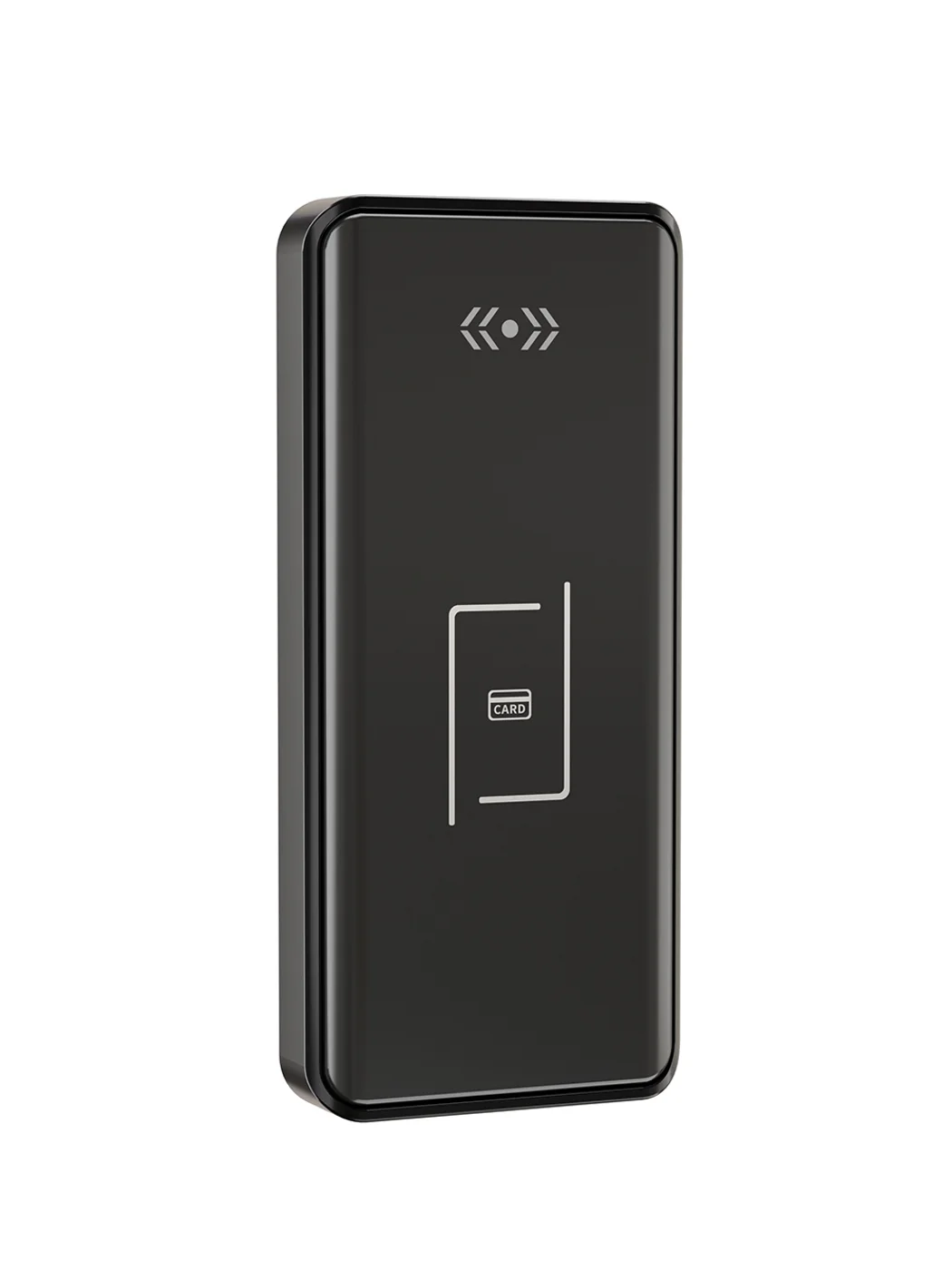
Gym Locker Lock — Offline Card, No WiFi Required
Offline card gym locker lock for fitness and pool lockers. MIFARE card, battery-powered 5-minute retrofit, no WiFi or server. Zinc alloy body, CE/FCC/RoHS.
This page already points to it as the next recommended reference.
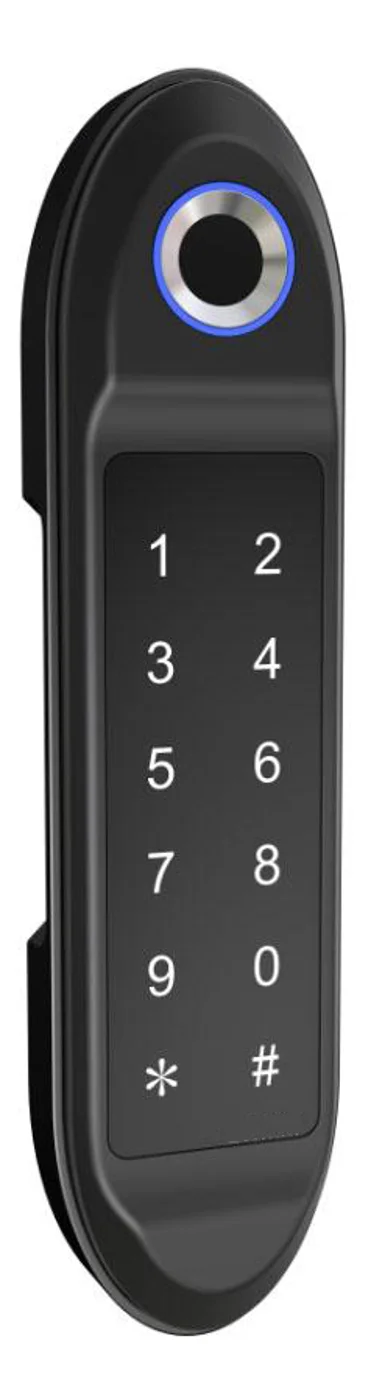
PIN Code Electronic Cabinet Lock — Stand-Alone, No WiFi
Offline keypad cabinet lock for gym, office and parcel lockers. Battery-powered, 5-minute retrofit, audit-free simple deployment. PIN + MIFARE card, DC 6V, 4×AA.
This page already points to it as the next recommended reference.
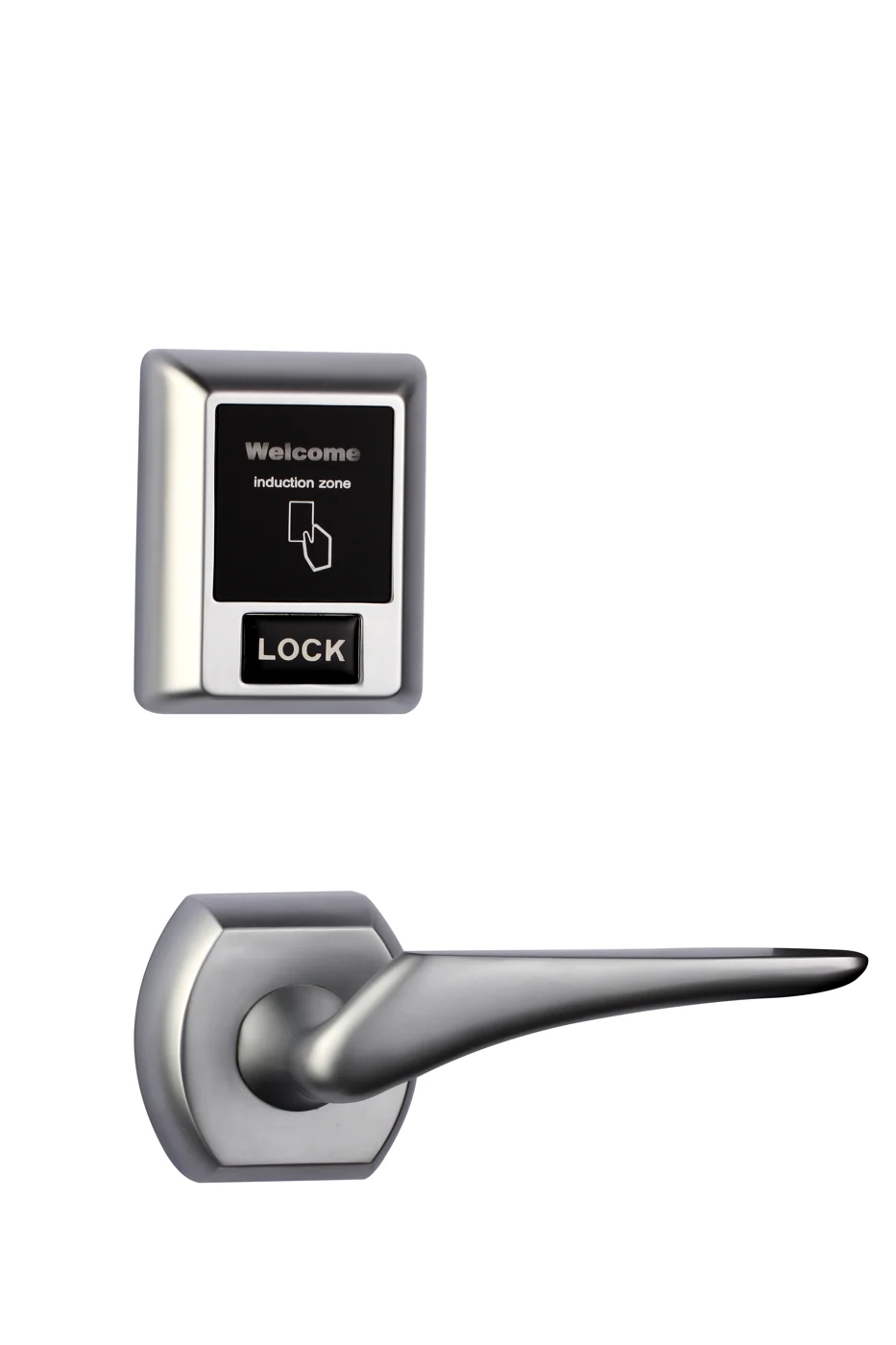
Bluetooth Cabinet Lock — App + PIN + Card, Managed Fleet
Offline BLE app cabinet lock for parcel, office, and managed locker fleets. App + PIN + MIFARE card, remote credential management, no server dependency, battery-powered retrofit.
This page already points to it as the next recommended reference.
Related blog posts
3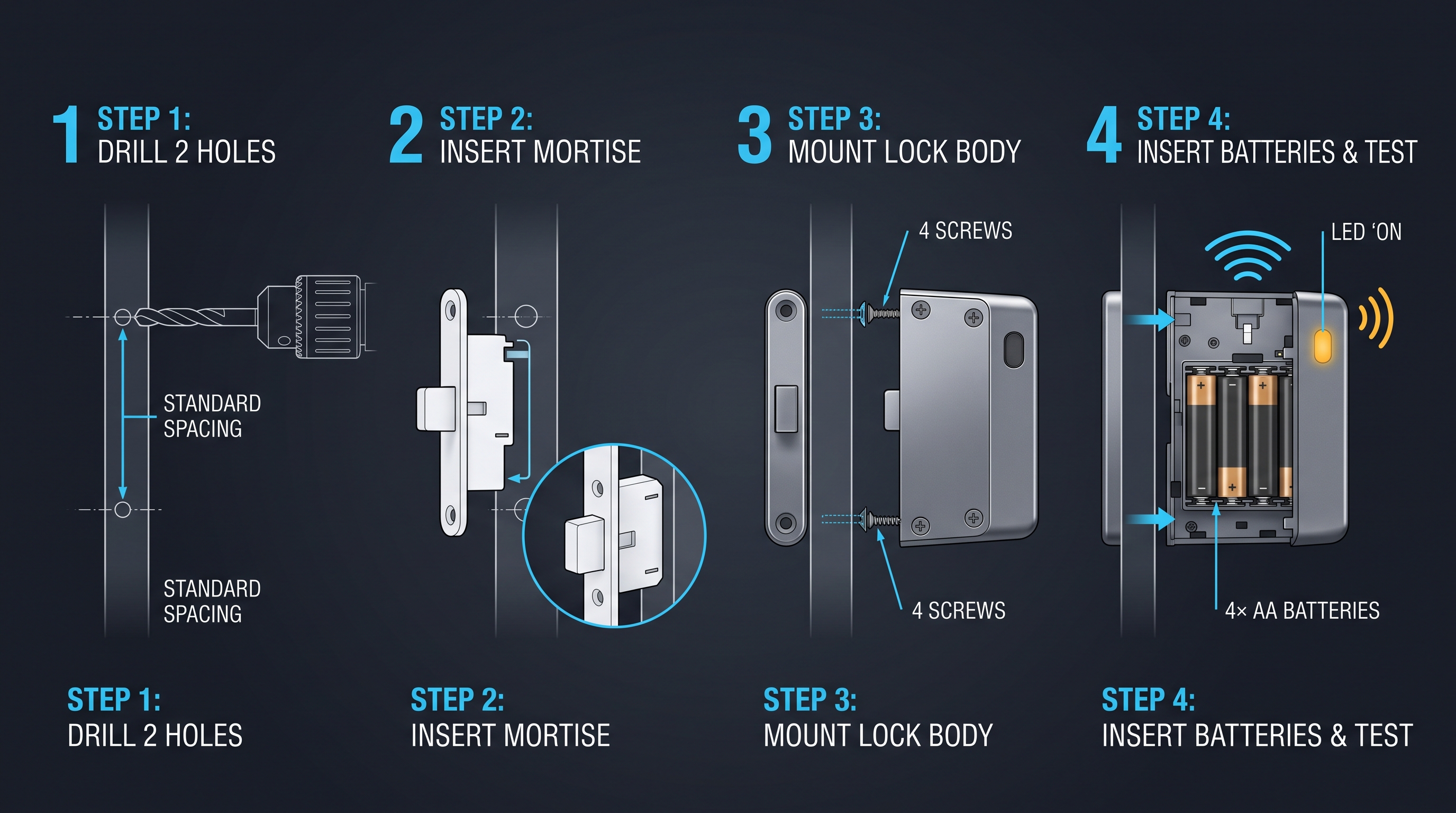
Mobile App Cabinet Lock: The Complete Guide to Smartphone-Controlled Cabinet Security
Discover how mobile app cabinet lock systems work. Explore BLE/Wi-Fi/NFC credentials, remote unlock, temporary codes, role-based access, cloud sync, security features, and deployment scenarios.
It supports the same product context: Gym Locker Lock — Offline Card, No WiFi Required.
MIFARE Cabinet Lock: Advanced Security Guide for MIFARE-Based Cabinet Access Systems
In-depth technical guide to MIFARE cabinet lock technology covering MIFARE Classic, Plus, DESFire, Ultralight variants, cryptographic security, installation, and multi-application smart card integration for cabinet access control.
It supports the same product context: Gym Locker Lock — Offline Card, No WiFi Required.
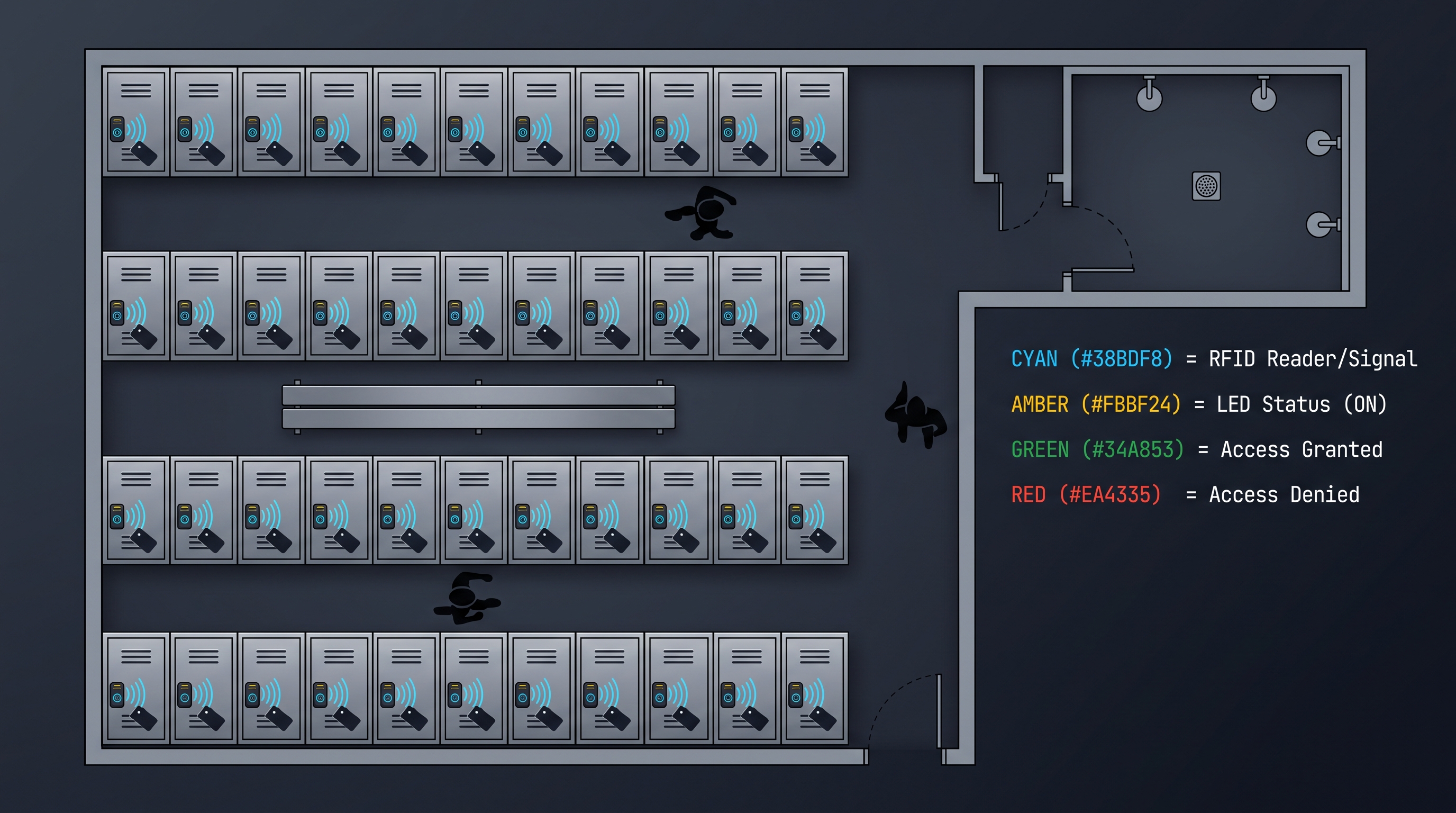
MIFARE Locker Lock: Definitive Guide to MIFARE-Based Smart Locker Security
Complete guide to MIFARE locker lock technology for gyms, schools, offices, and public facilities. Covers MIFARE Classic, Plus, DESFire variants, multi-user management, installation, networking, and smart locker ecosystem integration.
It supports the same product context: Gym Locker Lock — Offline Card, No WiFi Required, PIN Code Electronic Cabinet Lock — Stand-Alone, No WiFi, Bluetooth Cabinet Lock — App + PIN + Card, Managed Fleet.
Specify your cabinet lock project with our engineers
Send your locker count, cabinet type, and credential preference. We will return a sample plan and quote within 24 business hours.
- Move from general guidance into a product or application discussion.
- Use RFQ when pricing, drawings, MOQ, or launch timing needs structure.
- Keep a direct contact path visible for fast clarifications and handoff.