Keyless Locker Lock: Complete Buying Guide for Gym, School, and Workplace Lockers
In-depth technical guide covering keyless locker lock types, mechanical and electronic mechanisms, RFID and combo dials, installation, pricing, durability ratings, and troubleshooting for locker applications.
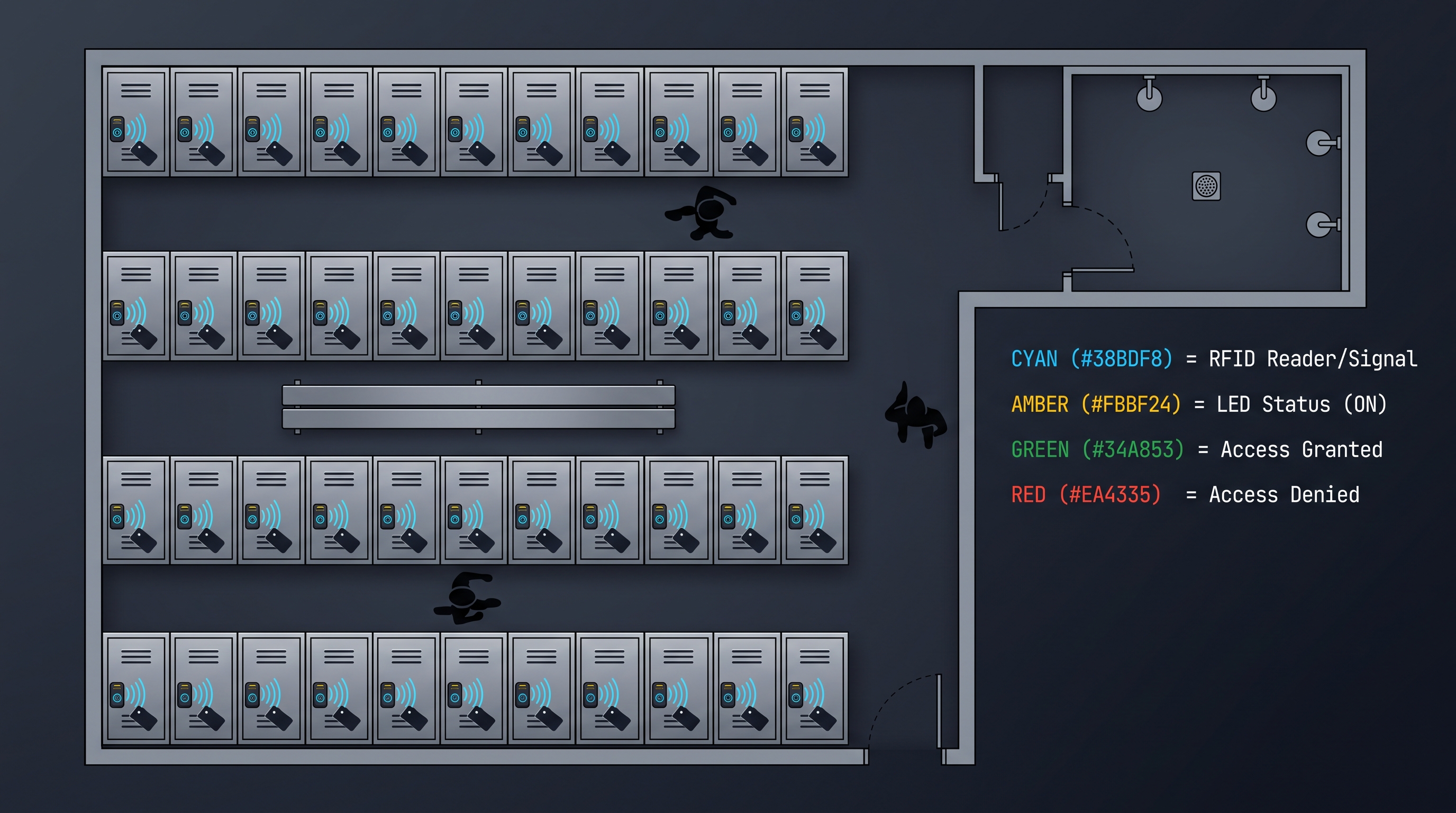
A keyless locker lock is a self-contained locking device designed specifically for locker doors that authenticates users without a physical metal key, using rotating combination dials, mechanical push-buttons, electronic PIN keypads, RFID cards (13.56 MHz MIFARE), or Bluetooth Low Energy (BLE 5.0) smartphone apps. Unlike a keyless cabinet lock which typically mounts on wooden or metal cabinet doors in office and home environments, a keyless locker lock is engineered for the abuse of locker environments — high-frequency daily cycling (5–20 opens per day, 180–365 days per year), moisture exposure (gym showers, pool areas, outdoor lockers), impact and vibration, and low-maintenance expectations. A keyless locker lock must withstand 100,000–500,000 cycles over its service life, resist corrosion (salt-spray rated to 200–500 hours in damp environments), and operate reliably from -20°C to +60°C. The keyless locker lock market spans three primary types: mechanical combination locks (dial or push-button, $12–60, zero power, 15–30 year life, no audit trail), electronic keypad locks (4–8 digit PIN, $25–90, battery powered, audit trail optional, 5–10 year life), and smart electronic locks (RFID or BLE, $50–150, app or card management, cloud integration, 5–8 year life). A keyless locker lock for a school must survive 10 years of student use with zero maintenance beyond battery replacement; a gym keyless locker lock must resist humidity and frequent cycling; a corporate keyless locker lock must integrate with employee badge systems and provide audit trails. Global market data (2024) shows mechanical keyless locker lock models still hold 58% of units shipped, but smart electronic models capture 62% of revenue due to higher ASPs and growing corporate and university demand.
What Is a Keyless Locker Lock? Definition, Design Philosophy, and Market Position
A keyless locker lock is a dedicated locker security device that eliminates keys through mechanical or electronic combination authentication, purpose-engineered for the unique physical and operational demands of lockers in gyms, schools, recreation centers, workplaces, and event venues. Unlike a standard cabinet lock that is optimized for the occasional access of office furniture, a keyless locker lock is designed for relentless daily use by the public — often hundreds of different users over its lifetime who have no loyalty to the facility and no incentive to treat the lock gently. This design philosophy drives every engineering decision: heavy-duty construction (die-cast zinc or stainless steel housings, 1.0–1.5 mm steel cases), corrosion resistance (chrome, nickel, or powder-coat finishes rated for humid environments), hardened mechanical parts (100,000–500,000 cycle ratings), simple user interfaces (large, glove-friendly buttons and dials), and minimal maintenance (battery-powered models with 12–24 month battery life, mechanical models with zero power). The keyless locker lock eliminates the operational burden of key management for facilities with hundreds or thousands of lockers — no master keys to protect, no lost keys to rekey, no locksmith calls to open a forgotten combination. The keyless locker lock market was valued at $420 million in 2024, growing at 9.5% CAGR, with three demand drivers: school infrastructure renewal (replacing failing mechanical combination locks), gym and fitness center expansion (post-pandemic membership growth), and corporate hot-desking (demand for shared, flexible locker solutions). A keyless locker lock is specified by type (mechanical dial, mechanical push-button, electronic keypad, smart RFID/BLE), lock body size (standard 38–45 mm body for North American locker hasps, or integrated flush-mount designs), cycle life, environmental rating, and authentication capacity (single code, multi-user PINs, or RFID card database).
The Locker Environment: Why Keyless Locker Lock Design Differs from Cabinet Locks
The keyless locker lock operates in an environment that is uniquely hostile to locking hardware:
- Moisture and humidity: Gym locker rooms, pool areas, and outdoor facilities subject the lock to constant moisture. Chlorine (from pools), salt (from sweat and coastal air), and humidity cause galvanic corrosion of unpainted steel and oxidation of internal components. A keyless locker lock intended for these environments must use stainless steel springs and shafts, zinc-alloy or brass bodies (which resist corrosion), and sealed electronic compartments.
- Impact and vibration: Locker doors are slammed, kicked, and slammed again. The keyless locker lock is directly in the impact path — the bolt and strike plate absorb repeated shocks. Mechanical components must be hardened (case-hardened steel bolts) and the lock body must resist cracking.
- Temperature extremes: Outdoor lockers (beach, ski resort, amusement park) experience -20°C to +60°C. Electronic keyless locker lock models must use batteries rated for temperature extremes (lithium cells work to -40°C; alkaline cells fail below -10°C). Mechanical models are unaffected by temperature.
- Vandalism and abuse: Lockers in public facilities are subject to intentional abuse — prying, hammering, picking, and "coin key" attacks (some mechanical locks can be opened with a bent coin). A keyless locker lock for public facilities should have anti-pry design (bolt throw ≥5 mm, case-hardened bolt), pick-resistant mechanism (5+ wheels or buttons, no exposed spring), and replaceable parts (the lock body should be field-replaceable without removing the entire locker door).
- High cycling: A school keyless locker lock may be cycled 5–10 times per day for 180 school days = 900–1,800 cycles/year, or 18,000+ cycles over 10 years. A gym keyless locker lock (daily users) may cycle 10–20 times per day, 365 days/year = 7,300 cycles/year. The keyless locker lock must be rated for the expected cycle life, or the facility faces frequent lock replacements.
How a Keyless Locker Lock Differs from a Cabinet Lock
While the keyless cabinet lock and keyless locker lock share authentication technology (combinations, RFID, BLE), their design priorities diverge significantly:
| Design Attribute | Keyless Cabinet Lock | Keyless Locker Lock |
|---|---|---|
| Primary environment | Indoor office/home | Gyms, schools, outdoor |
| User population | Employees, family (small, known) | Public (large, transient) |
| Cycle frequency | 1–5 cycles/day | 5–20 cycles/day |
| Expected life | 5–10 years (electronic) | 10–20 years (mechanical) |
| Mounting | Through-hole cam or keypad | Through-hole (hasp) or integrated |
| Vandalism resistance | Moderate | High (anti-pry, pick-resistant) |
| Corrosion resistance | Standard | Enhanced (stainless, sealed) |
| Audit trail | Common (electronic) | Rare (combo locks have none) |
| Battery life | 12–24 months | 12–24 months (electronic only) |
| Master key option | Common (override cylinder) | Common (facility master reset) |
| Cost | $30–300 | $12–150 |
Types of Keyless Locker Lock: Mechanical vs. Electronic Classification
A keyless locker lock divides into two fundamental families — mechanical (combination dials, push-buttons) and electronic (keypad, RFID, BLE) — with each family optimized for distinct operational priorities. The mechanical keyless locker lock has dominated the category for over 60 years because it requires zero power, zero battery maintenance, and zero credential management — a facility installs 500 combination dial locks, distributes the combinations, and the locks run for decades. The electronic keyless locker lock has gained share since 2010 by adding multi-user PIN management, audit trails, temporary codes, and — in the smart segment — integration with employee badges and smartphone apps. A keyless locker lock buyer must decide between mechanical simplicity (58% of units, but declining) and electronic flexibility (42% of units, growing at 12% CAGR). The decision hinges on six factors: budget, maintenance capacity, user population, security/audit requirements, integration needs, and environmental conditions. A school with 2,000 lockers and a minimal maintenance staff typically chooses mechanical keyless locker lock models for cost and reliability. A corporate headquarters with 500 hot-desking employees and an IT department chooses smart BLE keyless locker lock models for user experience and integration. A gym chooses rugged electronic PIN keyless locker lock models balancing durability and convenience. The table below compares the keyless locker lock types across 12 dimensions.
Comparison Table: Keyless Locker Lock Types
| Feature | Dial Combination | Push-Button (Mechanical) | Electronic Keypad | RFID Card | BLE Smartphone |
|---|---|---|---|---|---|
| Power source | None | None | 4× AA batteries | 4× AA batteries | 4× AA batteries |
| Authentication | 3–4 dial numbers | 4–5 button sequence | 4–8 digit PIN | 13.56 MHz card | BLE 5.0 app |
| Combination count | 1,000–10,000 | 1,024–100,000 | 10,000–100,000,000 | Up to 500 cards | Up to 500 users |
| Multi-user support | No (single code) | No (single code) | Yes (50–500 PINs) | Yes (500 cards) | Yes (500 users) |
| Audit trail | No | No | Optional | Yes | Yes |
| Remote management | No | No | Via controller/app | Via controller/app | Via app |
| Time restrictions | No | No | Yes | Yes | Yes |
| Cycle life | 300,000–500,000 | 100,000–300,000 | 100,000–200,000 | 100,000–200,000 | 100,000–200,000 |
| Battery life | N/A | N/A | 12–24 months | 12–24 months | 12–24 months |
| Weather resistance | IP54 available | IP54 available | IP54–IP65 | IP54–IP65 | IP54–IP65 |
| Vandalism resistance | High | High | Medium | Medium | Medium |
| Cost per lock | $12–40 | $30–60 | $25–90 | $50–150 | $60–150 |
| Best for | Schools, budget | Gyms, industrial | Gyms, schools (multi-user) | Corporate, universities | Corporate, premium gyms |
Mechanical Dial Combination Keyless Locker Lock
The mechanical dial combination keyless locker lock is the classic locker lock — the type with a rotating dial (like a small safe dial) that the user turns left-right-left to the correct numbers. This design has been in continuous production since the 1950s and remains the workhorse of the keyless locker lock category.
How it works: The dial is connected to a spindle that drives a stack of 3 or 4 wheel discs inside the lock body. Each wheel disc has a notch cut at one position. To open, the user dials the first number, then reverses direction to the second number, then reverses to the third number (and fourth for 4-wheel models), aligning all wheel notches. When all notches align, a spring-loaded fence drops into the aligned gates, releasing the bolt. The user then pulls the locking lever or turns the dial to retract the bolt.
Specifications:
- 3-wheel: 1,000 combinations (each wheel 0–9)
- 4-wheel: 10,000 combinations
- Dial types: Free-spinning dial (rotates freely without engaging the wheels) or direct-drive dial (engages wheels in one direction). Free-spinning dials are more secure (spinning the dial doesn't reveal wheel position through dial "feel").
- Cycle life: 300,000–500,000 cycles (Sargent & Greenleaf 8080 series is rated 1,000,000+)
- Combination change: Internal change key (the lock must be opened, and a change tool is inserted) or changeable by a designated master
- Master key: Not available on standard models; facility master reset requires a change key
- Bolt: Case-hardened steel, 5–8 mm throw
- Body: Die-cast zinc or brass, chrome/nickel plated
- Standard body size: 38.5 mm diameter (North American locker standard), 40 mm (European)
- Price: $12–40
Advantages: Zero power, zero maintenance, 15–30 year life, high vandalism resistance, proven reliability, lowest cost. Disadvantages: Slow operation (3–5 seconds to dial), single code (all users share), no audit trail, combination change requires physical access and a change key, 3-wheel models are vulnerable to "dial feel" attacks by experienced safe crackers (a practiced attacker can open a 3-wheel lock in 30–60 minutes).
Mechanical Push-Button Keyless Locker Lock
The mechanical push-button keyless locker lock replaces the rotating dial with push-buttons — 5 buttons (Lockey 1150 style) or 10 buttons (Codelocks CL series). The user enters the code by pressing the correct buttons, usually simultaneously or in any sequence, which mechanically aligns internal cams and releases the bolt.
How it works: Each button is connected to a cam or slide. When the correct combination of buttons is depressed, the internal cams align to create a gate through which a locking fence can pass. The user then pushes the locking lever or knob to retract the bolt. When the door closes and the bolt re-engages, the cams spring back to a scrambled position, requiring the code to be re-entered for the next access.
Specifications:
- 5-button models: Press the correct buttons simultaneously (e.g., buttons 1, 3, and 5). 2^5 = 32 button subsets, but practical combinations (2–4 buttons) yield ~25 usable codes. Non-sequential entry (any order works).
- 10-button models: Enter a 4–6 button sequence in any order (or in sequence, depending on model). 1,024–10,000 combinations.
- Cycle life: 100,000–300,000 cycles
- Combination change: Only when the lock is in the open position (a change lever is accessible)
- No batteries, no electronics
- Body: Die-cast zinc, steel bolt, stainless steel buttons
- Price: $30–60
Advantages: Fast operation (1–2 seconds), no batteries, no power, intuitive, rugged, weather-resistant options (IP54). Disadvantages: Single code (all users share), low combination count (5-button models have only ~25 practical combinations), code change requires open-lock access, no audit trail, no remote management.
Electronic Keypad Keyless Locker Lock
The electronic keypad keyless locker lock uses a 12-key membrane or mechanical keypad and a microcontroller to validate 4–8 digit PINs before energizing a solenoid latch. This type adds multi-user support, optional audit trails, and (with connectivity) remote management to the keyless locker lock category.
Specifications:
- Keypad: 12-key (0–9, *, #) membrane or mechanical. Membrane keypads are cheaper ($2–5) but have a shorter life (100,000–500,000 actuations). Mechanical keypads provide tactile feedback and longer life but cost more.
- Microcontroller: ARM Cortex-M0 (STM32F0, NXP LPC11) or similar, 48 MHz, 64–256 KB flash for firmware and PIN database (50–500 PINs).
- Lock mechanism: 12 V DC solenoid latch (150–300 mA, 5–8 mm throw) or motorized bolt (for heavier doors).
- Battery: 4× AA alkaline (12–24 months at 10 cycles/day) or 4× AA lithium (24–48 months, better cold performance).
- Audit trail: 1,000–10,000 events stored in flash, downloadable via USB or BLE.
- Master code: 8+ digit master code for management (add/remove PINs, change settings).
- Lockout: 3–5 wrong PINs triggers a 30–300 second lockout and optional alarm.
- Price: $25–90
Advantages: Multi-user support (individual PINs), optional audit trail, time-based access, fast entry (1–2 seconds), battery life 12–24 months. Disadvantages: Battery dependency, higher cost than mechanical, electronic components can fail, keypad wear (membrane), vulnerability to shoulder surfing.
Smart RFID and BLE Keyless Locker Lock
The smart keyless locker lock uses RFID cards (13.56 MHz MIFARE DESFire/iCLASS) or BLE smartphone apps for authentication, offering the highest level of management flexibility and integration capability in the keyless locker lock category.
Specifications:
- RFID: 13.56 MHz ISO 14443 reader, MIFARE DESFire EV2/EV3 or iCLASS SE cards, 50–500 card database, 0.2–0.5 second authentication.
- BLE: Nordic nRF52840 or similar, BLE 5.0, ECDH-encrypted GATT communication, hands-free auto-unlock (0.5–3.0 m range), 50–500 user database.
- Connectivity: Standalone (managed via app) or networked (via BLE gateway or Wi-Fi for cloud management).
- Management: Smartphone app for credential issuance, audit log retrieval, remote unlock, and firmware updates.
- Integration: With employee badge systems (corporate), student ID systems (universities), and enterprise platforms (Okta, Azure AD, Workday).
- Price: $50–150
Advantages: Best user experience (hands-free BLE), seamless integration with existing badge/smartphone infrastructure, full audit trail, remote management, temporary credential issuance. Disadvantages: Highest cost, battery dependency, requires smartphone or card issuance, more complex setup.
How a Keyless Locker Lock Works: Mechanical and Electronic Mechanisms in Detail
A keyless locker lock authenticates users through either a purely mechanical alignment process (combination dials and push-buttons) or an electronic validation pipeline (PIN, RFID, BLE), with the choice of mechanism determining the lock's operational characteristics — speed, security, maintenance, and cost. Unlike a keyed lock where the mechanical keyway defines both the security level and the operation, a keyless locker lock mechanism is selected to match the deployment's priorities: mechanical mechanisms for zero-maintenance longevity, electronic mechanisms for flexibility and audit capability. The authentication flow for each keyless locker lock type follows a distinct path, but all share the same goal — to release a mechanical bolt that secures the locker door — and all must accomplish this reliably across tens of thousands of cycles in a hostile environment.
Mechanical Dial Mechanism: Step-by-Step Operation
Dialing: The user rotates the dial clockwise (or counterclockwise) to the first number of the combination. During this rotation, the drive pin on the dial's spindle engages the first wheel disc, rotating it to align its notch with the fence position. When the first number is aligned, the user reverses direction.
Reversal: Rotating in the opposite direction, the spindle's drive pin now engages the next wheel disc, but leaves the first wheel stationary (the drive pin slips past the first wheel's drive slot). The user dials the second number, aligning the second wheel's notch.
Third (and fourth) number: The user reverses direction again, engaging the third wheel (and fourth wheel for 4-wheel models), aligning each notch in turn.
Fence drop: With all wheel notches aligned at the fence position, the spring-loaded fence (a lever or pin on the bolt mechanism) drops into the aligned gates. The fence is now "in the gates," meaning the bolt is free to move.
Bolt retraction: The user pulls the locking lever (or turns the dial, on some models) which retracts the bolt 5–8 mm into the lock body, opening the locker.
Relocking: When the door is closed and the lever is released, the bolt extends back into the strike plate. The user spins the dial to scramble the wheels, disengaging the fence from the gates. The lock is now secured again — the code must be fully re-entered for the next access.
The dial mechanism's security depends on the precision of the wheel notches and the fence. A well-machined lock (Sargent & Greenleaf, CompX) limits "dialing tolerance" to ±0.5 position, meaning the fence will only drop when all wheels are within half a position of the true number. Cheaper locks may have ±1.5 tolerance, effectively reducing a 3-wheel lock's security from 1,000 combinations to ~100.
Mechanical Push-Button Mechanism: Step-by-Step Operation
Button press: The user presses the correct buttons. On 5-button locks (Lockey style), the user presses 2–4 buttons simultaneously (e.g., buttons 2 and 4 together). On 10-button locks, the user presses the buttons sequentially or simultaneously depending on the model.
Cam alignment: Each button is mechanically linked to a cam or slide plate. When the correct buttons are depressed, the cams align to form a gate or opening in the locking plate.
Lever push: The user pushes the locking lever (or knob) inward. The lever's fence passes through the aligned gate, allowing the bolt to retract.
Bolt retraction and opening: The bolt retracts, the door opens.
Reset: Releasing the lever and closing the door re-engages the bolt. The cams spring back to their resting positions, scrambling the code. The full button sequence must be re-entered for the next access.
The push-button mechanism is faster than the dial (1–2 seconds vs. 3–5 seconds) but has lower combination security on 5-button models. The mechanism is also vulnerable to "key wear" analysis: the frequently-pressed buttons develop visible wear patterns, revealing the code digits to an observer. Rotating or replacing the buttons (some models have interchangeable buttons) mitigates this.
Electronic Keypad Mechanism: Step-by-Step Operation
Power management: The lock is in a low-power standby state (5–20 μA). The MCU's watchdog timer and keypad scan interrupt wake the MCU when a keypress is detected.
Keypress capture: The user enters the PIN. Each keypress is debounced (10–50 ms) and buffered. The MCU lights an LED on each press for user feedback.
PIN validation: When the user presses "#" or "Enter," the MCU hashes the entered PIN (SHA-256 with salt) and compares the hash to the stored PIN hash. On match, the MCU proceeds to actuation. On mismatch, the failed-attempt counter increments; after 3–5 failures, the lock enters lockout (30–300 seconds) and may trigger an alarm.
Solenoid actuation: The MCU sends a HIGH signal to the solenoid driver (MOSFET), energizing the 12 V DC solenoid for 0.5–1.0 seconds. The solenoid's plunger retracts the bolt 5–8 mm, releasing the locker.
Door status monitoring: A reed switch (on the lock body) detects the door magnet (on the door). When the door closes, the reed switch closes, and the MCU re-energizes the solenoid briefly to extend the bolt back into the strike plate (auto-relock). If the door remains open beyond a configured timeout (30–120 seconds), the MCU triggers a door-held-open alarm.
Audit logging: The MCU writes an event record (PIN ID, timestamp, result, door status) to the flash-based audit log.
Smart RFID and BLE Mechanism: Step-by-Step Operation
For RFID:
Card presentation: The user holds a MIFARE/iCLASS card within 3–5 cm of the lock's reader antenna. The reader's 13.56 MHz RF field powers the card's passive transponder.
Card authentication: The card and reader perform mutual authentication (DESFire: AES-128 challenge-response). The reader reads the card's UID and (optionally) application data.
UID validation: The lock's MCU looks up the UID in its local card database. On match, the MCU checks the card's assignment to this specific locker and any time-window restrictions.
Solenoid actuation: Same as the electronic keypad mechanism (solenoid energized 0.5–1.0 seconds, bolt retracts).
For BLE:
Smartphone proximity: The user's smartphone (with the facility's locker app) approaches the lock. The lock's BLE module scans for advertising packets.
Connection and authentication: The lock and phone establish a GATT connection, perform ECDH key exchange, and validate the access token (AES-CCM encrypted, nonce-protected against replay).
Unlock: On token validation, the lock actuates the solenoid. Hands-free unlock can trigger automatically at 0.5–3.0 meters range (configurable).
Keyless Locker Lock Applications: Industry-Specific Use Cases
A keyless locker lock serves four primary application verticals — gyms and fitness centers, schools and universities, corporate workplaces, and public facilities (recreation centers, event venues, amusement parks) — each with distinct requirements for user volume, environmental stress, security level, and operational management. Unlike a universal cabinet lock, a keyless locker lock selection must be matched to the vertical's specific abuse profile and management model. A gym keyless locker lock experiences 10–20 daily cycles, humidity and chlorine exposure, and transient users who expect instant, frustration-free access. A school keyless locker lock experiences seasonal cycling (180 school days), adolescent vandalism, and a management model where combination distribution is handled by front office staff. A corporate keyless locker lock experiences badge or smartphone integration, audit requirements, and IT-supported management. The keyless locker lock market share by vertical (2024): gyms/fitness 34%, schools 27%, corporate 22%, public facilities 17%. The growth rates differ sharply: corporate keyless locker lock demand is growing at 18% CAGR (driven by hot-desking and return-to-office mandates), while school demand grows at 4% (budget-constrained, replacement-driven). The following sections detail the keyless locker lock requirements and recommended products for each vertical.
Gym and Fitness Center Keyless Locker Lock
Gym locker environments are the harshest for keyless locker lock hardware:
- Environment: High humidity (showers, saunas, pools), chlorine exposure, sweat, salt, condensation, water splashes.
- User profile: Transient, diverse (members, day-pass users, staff), impatient, sometimes careless (slamming doors, dropping bags on locks).
- Cycling: 10–20 cycles/day per locker (multiple users per day if lockers are day-use).
- Management model: Day-use lockers (free or rental) vs. annual-member lockers (assigned). Day-use lockers need a keyless locker lock that issues a temporary code or key per visit; assigned lockers use a member-chosen or facility-set code.
Recommended keyless locker lock types for gyms:
- Day-use lockers: Electronic keypad keyless locker lock models with a facility-set day code (the front desk assigns a locker and gives the member a code valid for the visit). Or smart BLE models with temporary digital keys issued via app. Some gyms use mechanical push-button locks with a rotating code schedule (the code changes daily, posted at the front desk).
- Annual-member lockers: Mechanical dial or push-button keyless locker lock models with a code chosen by the member at enrollment. Zero maintenance, zero battery replacement.
- Premium gyms (Equinox-style): Smart BLE keyless locker lock models with app-based access, adding a premium "frictionless" experience.
Environmental requirements for gym keyless locker lock models: corrosion-resistant construction (stainless steel bolt and springs, sealed electronics), IP54 minimum rating (splash-resistant), battery life ≥12 months (lithium batteries recommended for humid environments), and vandalism-resistant bolt (≥5 mm throw).
School and University Keyless Locker Lock
School locker environments present different challenges:
- Environment: Indoor, climate-controlled (mostly), but subject to adolescent abuse — hanging on doors, kicking, intentional jamming, and picking attempts.
- User profile: Students (grades 6–12), seasonal (school year), assigned to a specific locker for a term or year.
- Cycling: 5–10 cycles/day, 180 school days.
- Management model: Assignment by front office; combination distribution at term start; combination change at term end (if lockers are reassigned).
Recommended keyless locker lock types for schools:
- Standard student lockers: Mechanical dial combination keyless locker lock models ($12–40). The classic choice — zero maintenance, 10+ year life, no battery replacement, proven vandalism resistance. The front office distributes combinations (the lock ships with a default combo like 0-0-0-0, which the student or staff changes via the change key).
- PE/locker room lockers: Mechanical push-button keyless locker lock models ($30–60). Faster entry for gym class transitions (1–2 seconds vs. 3–5 seconds for dials). Some schools prefer 10-button models for higher combination security.
- Library and 24-hour lockers: Electronic keypad keyless locker lock models with time-based access (lockers that automatically release at closing time). Audit trail allows the library to track which student accessed which locker.
- University residence halls: Smart RFID keyless locker lock models integrated with the student ID card. One card opens the dorm door, mailbox, and locker — a unified campus access ecosystem.
Corporate Workplace Keyless Locker Lock
Corporate locker environments are the fastest-growing keyless locker lock segment:
- Environment: Indoor, climate-controlled, professional.
- User profile: Employees (hot-desking, remote, hybrid), contractors, visitors.
- Cycling: 1–3 cycles/day (permanent assignment) or 2–4 cycles/day (hot-desking, multiple users per day).
- Management model: IT-supported, integrated with HR systems. Permanent assignment (same employee uses the same locker) or hot-desking (any employee claims any available locker for the day).
Recommended keyless locker lock types for corporate:
- Hot-desking lockers: Smart BLE keyless locker lock models ($60–150) with app-based claiming. The employee uses their corporate SSO (Okta, Azure AD) to claim a locker, and the lock auto-assigns a compartment. At end-of-day, the locker releases for the next user. No cards, no codes, no front-desk involvement.
- Permanent employee lockers: RFID keyless locker lock models integrated with the employee badge. The employee's building access card opens their assigned locker — no separate credential.
- Visitor and contractor lockers: Electronic keypad keyless locker lock models with one-time codes issued by the front desk (valid for the visit duration).
- Secure document storage: Electronic keypad or RFID keyless locker lock models with audit trail for SOC 2 compliance.
Public Facility Keyless Locker Lock
Public facilities (recreation centers, amusement parks, event venues, ski resorts, beaches) deploy keyless locker lock systems at scale:
- Environment: Highly variable — outdoor, humid, cold, salty (coastal).
- User profile: High volume, transient, diverse (children to elderly).
- Cycling: Extremely high (day-use, 10–30 cycles/day per locker).
- Management model: Paid day-use (rental) or free day-use with a facility code.
Recommended keyless locker lock types for public facilities:
- High-traffic day-use: Electronic keypad keyless locker lock models with a facility-set daily code (the code is posted or printed on a receipt). The front desk resets the code daily or per-rental.
- Outdoor facilities: Mechanical push-button or dial keyless locker lock models (zero battery, temperature-tolerant) in weatherproof (IP54+) enclosures.
- Amusement parks: Smart BLE or RFID keyless locker lock models with rental via a kiosk or app. The guest scans a QR code or uses a wristband (RFID) to access their rented locker.
Keyless Locker Lock Installation: Step-by-Step Guide
A keyless locker lock installation is simpler than cabinet lock installation because lockers have standardized mounting dimensions — but it varies by lock type and locker style. The three installation scenarios are: (1) replacing a padlock-style keyless locker lock on a hasp, (2) replacing a mechanical dial keyless locker lock (through-hole, 38.5 mm), and (3) retrofitting an electronic or smart keyless locker lock (through-hole with interior lock body). Most keyless locker lock models install in 10–30 minutes per lock with basic tools (drill, 38.5 mm hole saw, Phillips screwdriver, tape measure). Replacement of an existing keyless locker lock of the same type is even faster (5–15 minutes). The keyless locker lock installation must account for the locker door material (steel, aluminum, wood), the existing hole pattern (some lockers have prepunched holes for a specific lock brand), and the lock body clearance inside the locker. Professional installation cost for keyless locker lock deployment is $10–30 per lock for high-volume retrofits. The following guide covers installation of the three main keyless locker lock types.
Installing a Mechanical Dial Keyless Locker Lock
Removal of old lock: If replacing a dial combination keyless locker lock, remove the two (or three) mounting screws from the back of the existing lock (from inside the locker). Pull the lock out of the door. The dial and inner assembly separate from the body.
Hole verification: The standard keyless locker lock mounting hole is 38.5 mm (1.516 in) diameter, with a mounting plate of 57–64 mm. If the existing hole is compatible, proceed. If installing on a locker without a hole, drill a 38.5 mm hole (using a hole saw) at the standard position: 90–120 mm below the top edge of the door, centered horizontally (for single-hook lockers), or at the manufacturer's template position.
Mounting: Insert the lock body from the outside of the door. The mounting plate (provided with the lock) is placed on the inside, and the mounting screws (2–3) are threaded through the plate into the lock body. Tighten to spec (do not over-tighten, which can strip the zinc threads).
Bolt alignment: Verify the bolt (on the lock body) aligns with the strike plate or latch hole on the locker frame. The bolt must enter the strike plate by at least 5 mm when the door is closed. If alignment is off by 1–2 mm, adjust the strike plate position (most have slotted holes) or shim the mounting plate.
Door closure test: Close the locker door and confirm the bolt engages the strike plate cleanly. Open using the default combination (usually 0-0-0-0) and confirm smooth operation.
Combination setting: With the lock open, insert the change key (provided) into the change keyhole, rotate it, and dial the new combination. Remove the change key. Close the door, scramble the dial, and test the new combination several times.
Installing an Electronic Keypad or Smart Keyless Locker Lock
Removal of old lock: Remove the old lock (if replacing). For electronic keyless locker lock models, the interior lock body (solenoid/motor, battery compartment) mounts inside the locker, while the keypad mounts outside — connected by a cable routed through the mounting hole.
Keypad cutout: The keypad module may require a larger cutout than a dial lock (e.g., 45×70 mm rectangular, or a 25 mm hole for the reader post plus mounting screws). Use the manufacturer's template to mark and cut.
Cable routing: Route the keypad cable through the mounting hole, from outside to inside. Ensure the cable is not pinched by the mounting hardware.
Interior lock body mounting: Mount the interior lock body (solenoid, controller, battery compartment) inside the locker, aligned with the keypad module. Connect the keypad cable to the lock body PCB (observe pin 1 orientation). The lock body is secured with screws to the door interior (or to the mounting plate).
Strike plate: Verify the bolt aligns with the strike plate on the locker frame. Adjust as needed.
Battery installation and programming: Insert 4× AA batteries. Enter the factory default master code, program the initial user PINs or enroll cards, and configure settings (lockout threshold, door-open timeout, low-battery warning).
Functional test: Test all enrolled credentials, lockout behavior, and auto-relock.
Retrofitting Existing Lockers
For facilities converting from keyed or padlock lockers to keyless locker lock systems:
Inventory: Survey all lockers and identify the existing hardware type (padlock hasps, keyed cam locks, dial combination locks). Determine which can be retrofitted with keyless locker lock models and which need door replacement (some very old lockers have incompatible hole patterns).
Hole pattern compatibility: Many keyless locker lock models offer multiple mounting configurations (38.5 mm dial, 25 mm cam, 45×70 mm keypad) to match existing prepunched holes. Choose a lock model that matches the existing hole pattern to avoid drilling new holes in steel doors.
Pilot deployment: Retrofit 5–10 lockers first as a pilot. Monitor for installation issues, user feedback, and lock performance for 30 days. Adjust the installation process and lock selection before rolling out to the full facility.
Full rollout: Schedule the rollout to minimize disruption (summer break for schools, off-season for gyms). For 500+ lockers, a 2-person team can install 50–100 locks per day.
Master code management: Establish a master code or facility key management protocol. The facility master should be able to open any locker (for forgotten combinations, suspected contraband, or emergency) while maintaining an audit trail of master access.
Keyless Locker Lock Pricing and Cost Analysis
A keyless locker lock ranges from $12 for a basic 3-wheel dial model to $150 for a smart BLE model, with pricing driven by mechanism type, durability, feature set, and brand. Unlike padlocks (which cost $5–20 and are perpetually lost and replaced), a keyless locker lock is typically a one-time purchase that stays with the locker for years — making quality and durability more important than absolute price. A $15 dial keyless locker lock that lasts 15 years costs $1/year; a $40 electronic keyless locker lock that lasts 7 years with $4/year battery costs $9.70/year. The keyless locker lock market has a strong price-volume relationship: high-volume institutional purchases (500–5,000 locks) command 20–50% discounts off single-unit prices. A school purchasing 2,000 dial combination keyless locker lock models at $15 each = $30,000 hardware, versus $60,000 for electronic keypad models. The keyless locker lock buying decision must account for the total cost of ownership including installation ($10–30 per lock), battery replacement ($3–8/year for electronic models), combination distribution and reset labor, and replacement of failed units (1–3% annual failure rate for mechanical, 3–8% for electronic). The table below shows representative keyless locker lock pricing by type.
Keyless Locker Lock Price Ranges by Type
| Type | Sub-Type | Price Range | Typical Life | Best For |
|---|---|---|---|---|
| Dial combination | 3-wheel | $12–20 | 15–25 years | Budget school lockers |
| Dial combination | 4-wheel | $20–40 | 20–30 years | Schools, gyms (higher security) |
| Dial combination | High-security (S&G 8088) | $35–70 | 30+ years | High-abuse public facilities |
| Push-button (mechanical) | 5-button | $30–45 | 10–20 years | Gyms, industrial |
| Push-button (mechanical) | 10-button | $40–60 | 10–20 years | Gyms, schools |
| Electronic keypad | Membrane | $25–50 | 5–7 years | Gyms (day-use), schools |
| Electronic keypad | Mechanical keypad | $40–90 | 7–10 years | Premium gyms, corporate |
| RFID smart | MIFARE card | $50–120 | 5–8 years | Corporate, universities |
| BLE smart | Smartphone app | $60–150 | 5–8 years | Corporate, premium gyms |
Total Cost of Ownership Comparison
| Cost Component | Dial (3-wheel) | Push-Button | Electronic Keypad | RFID/BLE Smart |
|---|---|---|---|---|
| Lock hardware | $12–20 | $30–45 | $25–50 | $50–150 |
| Installation (volume, per lock) | $10–15 | $10–15 | $15–25 | $15–25 |
| Batteries per year | $0 | $0 | $3–8 | $3–8 |
| Combination/card distribution | $0.10–0.50/locker | $0.10–0.50/locker | $0.10–0.50/locker | $0 (app) or $1–3/card |
| Annual replacement (3–5%) | $0.50–1.00 | $1–2 | $1–4 | $2–8 |
| Software subscription | $0 | $0 | $0–3/lock/month | $0–5/lock/month |
| 10-year TCO (per lock) | $13–35 | $32–65 | $55–130 | $120–300 |
| 500-locker 10-year TCO | $6,500–17,500 | $16,000–32,500 | $27,500–65,000 | $60,000–150,000 |
Keyless Locker Lock Buying Guide: Selection Criteria
Selecting a keyless locker lock requires evaluating six criteria — durability (cycle life, vandalism resistance), environmental suitability (moisture, temperature), user experience (entry speed, intuitiveness), management model (combination distribution, code reset, master access), integration needs (badge, app, cloud), and budget — in the context of your specific locker environment. Unlike a cabinet lock buyer who prioritizes security and audit capability, a keyless locker lock buyer prioritizes durability and management simplicity because the lock serves a transient public population in a hostile environment. A keyless locker lock that is secure but finicky (complex entry, battery failure, user confusion) will generate endless helpdesk calls and user complaints — far more costly than the lock's purchase price. The buying process should start with a locker audit: how many lockers, what door material and hole pattern, what environment (indoor/outdoor, humid/dry), how many daily cycles, and who manages the lockers (front office, IT, maintenance). From this audit, the keyless locker lock type, durability rating, and management features follow. The buyer should request sample locks for hands-on testing: install on a representative locker door, cycle 1,000 times, expose to humidity (a damp towel left on the lock overnight), and test entry speed and intuitiveness with naive users. A keyless locker lock that passes these tests will serve the facility well.
Durability and Reliability Assessment
The keyless locker lock durability specification is the single most important buying criterion for institutional deployments:
- Cycle life: Verify the stated cycle life (dial: 300,000–500,000; push-button: 100,000–300,000; electronic: 100,000–200,000). Multiply by your daily cycle rate to estimate life in years. A gym locker with 15 cycles/day on a 300,000-cycle lock = 55 years — adequate. A school locker with 8 cycles/day on a 100,000-cycle electronic lock = 34 years — adequate. But a gym day-use locker with 30 cycles/day on a 100,000-cycle lock = 9 years — marginal, requiring planned replacement.
- Vandalism resistance: For public facilities, verify anti-pry design (bolt throw ≥5 mm, case-hardened bolt), pick resistance (no exposed mechanism), and impact resistance (body withstands a 1-meter drop of a 5 kg weight — check for UL/EN rating).
- Corrosion resistance: For humid environments, verify salt-spray rating (ASTM B117: 200–500 hours for gym lockers, 500+ hours for outdoor) and materials (stainless steel springs/shafts, zinc or brass body, sealed electronics).
- Failure rate: Request the vendor's field failure rate (typically 1–3% annually for mechanical, 3–8% for electronic). Budget replacement inventory accordingly.
User Experience Assessment
The keyless locker lock user experience determines helpdesk load and user satisfaction:
- Entry speed: Dial: 3–5 seconds. Push-button: 1–2 seconds. Electronic keypad: 1–2 seconds. RFID: 0.3–0.5 seconds. BLE: 1–3 seconds. For high-traffic day-use lockers, fast entry (push-button or electronic) reduces queue times.
- Entry intuitiveness: Can a first-time user figure it out without instructions? Dial locks are intuitive (numbers are clearly labeled). Push-button locks are intuitive (press the buttons). Electronic keypad locks are intuitive (enter a PIN). BLE locks require app download and onboarding — a significant friction point for transient users.
- Error recovery: What happens when a user enters the wrong code? Dial locks: restart (3–5 seconds). Push-button: press the correct buttons (fast). Electronic: wait for lockout (up to 5 minutes). RFID/BLE: tap again / re-approach. Long lockouts frustrate users and generate helpdesk calls.
- Visibility: Dial numbers and keypad digits must be visible in low-light locker rooms. Backlit keypads and high-contrast dials improve usability.
- Glove compatibility: In cold environments (ski resorts, outdoor gyms), users wear gloves. Large buttons and dials are glove-friendly; small keypads and fingerprint sensors are not.
Management Model Assessment
The keyless locker lock management model determines operational overhead:
- Combination distribution: Dial and push-button locks require physical distribution of combinations (paper cards, front office). Electronic and smart locks can distribute codes via app or web portal. Consider the cost of combination distribution and reset for your facility.
- Master access: All keyless locker lock models should provide facility master access (a master key, master code, or management app) for forgotten combinations, contraband checks, and emergency. Verify the master access method and audit capability (does master access get logged?).
- Combination reset: Dial locks require the change key (internal change). Push-button locks require open-lock access. Electronic locks allow master-code reset. Smart locks allow remote reset via app. Choose the reset model that matches your operational capacity.
- Staff training: Electronic and smart keyless locker lock models require staff training for code distribution, lockout resolution, and troubleshooting. Budget for training time.
Keyless Locker Lock Troubleshooting: Common Issues and Solutions
A keyless locker lock experiences failures across three categories — mechanical (worn dial, stuck bolt, broken change mechanism), electronic (dead battery, failed solenoid, keypad failure), and operational (forgotten combinations, jammed lockouts, lost cards) — each requiring different resolution approaches. Unlike cabinet locks where a single facility manager handles occasional failures, a keyless locker lock failure in a public facility affects users immediately and can generate complaints, lockout delays, and security incidents. The most common keyless locker lock issues by frequency are: forgotten combinations (35% of incidents — resolved by master reset), dead batteries in electronic models (20% — resolved by replacement), mechanical binding (15% — resolved by adjustment/lubrication), keypad or reader failure (10% — resolved by replacement), vandalism or impact damage (8% — resolved by replacement), and user error (12% — resolved by re-instruction). A keyless locker lock maintenance program should include: quarterly inspection (check bolt throw, dial smoothness, battery voltage), annual combination rotation (for shared-code lockers), and a spares inventory (5% of installed locks as replacement units). Mean Time To Repair (MTTR) for common keyless locker lock issues is 5–20 minutes if a facility has a master reset tool and spare locks on hand.
Problem: Forgotten Combination
The most common keyless locker lock incident. Resolution:
- For dial combination locks: Use the facility master key or change key to open the lock. The change key, when rotated to the change position, allows the dial to be turned to 0-0-0-0 (or the facility master combination), opening the lock. After opening, reset the combination and provide the new combination to the user (or reassign the locker).
- For push-button locks: Open using the facility master code (some models have a factory master code) or by removing the lock (two mounting screws from inside). If the lock is removed, it can be opened and the code reset. Reinstall.
- For electronic keypad locks: Enter the master code (8+ digits) to open the lock and reset the user PIN. If the master code is forgotten, use the factory reset procedure (usually an internal button on the PCB, requiring the lock to be opened — catch-22; some models have an external emergency power port that can power the lock without opening the door).
- For RFID/BLE smart locks: Use the management app to remotely unlock and reassign the locker.
Prevention: Distribute combinations on printed cards with the locker number and combination; retain a master list in the front office; post the master reset procedure for staff.
Problem: Dead Battery in an Electronic Keyless Locker Lock
Electronic keyless locker lock models are battery-dependent, and battery failure is inevitable:
- Low-battery warning: Most models warn with LED flashes and beeps during unlock for 1–2 weeks before complete failure. Train staff to recognize the warning and replace batteries proactively.
- Emergency power: Many electronic keyless locker lock models have an emergency power port (micro-USB, 9 V battery contacts, or a standard 2-pin connector). A facility can apply temporary power to open the lock without removing it.
- Master key override: Some electronic keyless locker lock models include a mechanical key override (for the facility master). Use the key to open the lock if the battery is dead.
- Battery replacement: Remove the lock's battery compartment (from inside the locker), replace all 4 batteries (mix old and new leads to rapid failure), and test the lock.
- Prevention: Schedule battery replacement every 12 months (alkaline) or 24 months (lithium) regardless of warning status. For high-traffic locks, replace batteries semi-annually.
Problem: Dial Won't Turn or Feels Sticky
Mechanical dial keyless locker lock models develop dial friction over time (dust, corrosion, dried lubricant):
- Do not force the dial — forcing can break the internal drive pin.
- Clean the dial area: Wipe the dial and spindle area with a dry cloth. Remove any visible dust or debris.
- Apply a small amount of dry graphite lubricant to the dial spindle (do not use oil, which attracts dust and will worsen the problem). Use a graphite pen or powdered graphite.
- If the dial still won't turn, the internal mechanism may be corroded or a wheel may be stuck. Remove the lock (two mounting screws) and inspect. If the internal wheels are corroded, the lock requires replacement (internal parts are not field-repairable).
- In humid environments, prevent dial corrosion by choosing stainless-steel or sealed-body keyless locker lock models at installation time.
Problem: Bolt Won't Retract (Lock Won't Open with Correct Code)
- Apply gentle inward pressure to the locker door while operating the lock. Pressure relief can help the bolt disengage from a misaligned strike plate.
- Check the strike plate: If the locker door has sagged or shifted, the bolt may bind against the strike plate edge. Sight along the door edge and check alignment. Adjust the strike plate (slotted holes) or hinges.
- Check the bolt mechanism: With the lock open (via master access), inspect the bolt for debris, corrosion, or a bent shaft. Clean and lubricate with dry graphite.
- If the bolt still won't retract, the solenoid (electronic models) may be weak (low battery) or failed (needs replacement), or the mechanical spring may be broken (needs replacement).
Problem: Keypad/Reader Not Responding (Electronic/Smart Locks)
- Check the battery: Low battery is the most common cause of keypad non-response in electronic keyless locker lock models. Replace batteries.
- Check for water ingress: Moisture in the keypad or electronics can cause short circuits. In gym environments, check the gasket for damage and dry the unit thoroughly.
- Check the cable connection: For two-piece locks (keypad + interior lock body), the cable connector may be loose. Open the locker and reseat the connector.
- Check the reader (RFID): If the reader doesn't recognize cards, verify the cards are enrolled in this specific lock, the card type is compatible (MIFARE Classic vs. DESFire), and the reader antenna is not damaged.
- Power cycle: Remove batteries for 60 seconds, reinsert, and test.
Keyless Locker Lock Security Considerations
A keyless locker lock security assessment must consider both physical attack resistance and — for electronic and smart models — the credential and data security of the authentication method. Unlike a cabinet lock securing confidential documents or controlled substances, a keyless locker lock typically secures personal items (clothing, books, personal electronics) in a semi-public facility — the threat model is opportunistic theft, not targeted espionage. However, the security bar is still meaningful: a keyless locker lock that can be opened in seconds by a practiced attacker (or a $10 tool) fails its purpose. The keyless locker lock physical security depends on the bolt (case-hardened steel, ≥5 mm throw, proper strike plate engagement), the body (resists prying and impact), and the mounting (screws not easily removed). The electronic keyless locker lock credential security depends on the PIN (length, lockout policy, shoulder-surf resistance) or the card/phone credential (encryption, anti-clone, anti-replay). A 2024 security assessment of common keyless locker lock models found: 3-wheel dial models can be opened by an experienced attacker in 30–60 minutes (dial feel); 5-button push-button models have only ~25 practical combinations (trivially brute-forced by hand, but slow); 4-digit PIN electronic models resist casual theft but are vulnerable to shoulder surfing and button-wear analysis; and MIFARE Classic RFID models are clonable with a $50 Proxmark3 in minutes. Facilities should match the keyless locker lock security level to the value of locker contents and the facility's risk profile.
Physical Attack Resistance
- Bolt: Case-hardened steel, minimum 5 mm throw. Verify the bolt engages the strike plate fully (no "slop" that allows shimming with a credit card or feeler gauge).
- Strike plate: The strike plate must be secured with hardened screws (one-way or Torx pin) to prevent removal. A loose strike plate allows the door to be pried open.
- Body: Die-cast zinc or steel body resists impact. Verify the lock body is not cracked or deformed by a hammer strike (vandalism testing).
- Mounting: The lock must be mounted with tamper-resistant screws from the interior side of the locker. Exposed exterior screws invite removal.
- Picking resistance: Dial locks should use free-spinning dials (direct-drive dials are easier to feel). Push-button locks should have no exposed springs or cams. Electronic locks should have no accessible test points or serial ports.
Credential and Data Security (Electronic/Smart Models)
- PIN security: Enforce 4+ digit PINs (6+ for higher-value lockers). Enable lockout after 3–5 wrong attempts. For public facilities, consider randomized keypad layouts (OLED overlay) to defeat shoulder surfing and button-wear analysis.
- RFID card security: Use MIFARE DESFire EV2/EV3 or iCLASS SE (AES/HMAC authenticated) rather than MIFARE Classic or 125 kHz Prox (clonable). Enable mutual authentication. Protect the master keys (diversified keys per card).
- BLE security: ECDH key exchange with AES-CCM session encryption. Anti-replay nonce. App keys stored in the phone's secure enclave.
- Firmware: Apply security updates promptly. Verify the manufacturer has a security vulnerability disclosure process.
- Audit trail: For facilities requiring accountability, verify the keyless locker lock audit log records user ID, timestamp, and event type — and that the log is tamper-evident (cryptographic chaining).
Keyless Locker Lock Future Trends
The keyless locker lock market is evolving toward smarter, more connected, and more sustainable products, while the mechanical dial remains the default for cost-constrained institutional deployments. The key trends shaping the keyless locker lock category through 2031 are: smartphone-first access (BLE and NFC smartphone keys), integration with facility management platforms (locker rental, occupancy, maintenance), AI-powered predictive maintenance (analyzing lock usage and battery data to predict failures), sustainable materials (recycled zinc, bio-based plastics, reduced packaging), and the persistence of mechanical models for budget-driven schools. A keyless locker lock purchased in 2026 should balance today's needs with the facility's 5–15 year investment horizon. For gyms and corporate facilities with IT budgets, smart BLE keyless locker lock models with app management and analytics provide the best long-term value. For schools and budget-constrained facilities, the mechanical dial keyless locker lock remains the most reliable and cost-effective choice. The smart keyless locker lock segment is projected to grow from 42% of revenue in 2024 to 65% by 2031, driven by corporate hot-desking, premium gyms, and university campuses — while unit volume remains dominated by mechanical models for schools and public facilities.
Conclusion: Selecting the Right Keyless Locker Lock
The keyless locker lock is a mature product category with a clear decision framework: mechanical dial models for cost-constrained, high-durability institutional deployments; mechanical push-button models for fast, no-maintenance gym access; electronic keypad models for multi-user management and audit trails; and smart RFID/BLE models for corporate integration and premium user experience. By auditing your locker environment (count, door type, cycling rate, moisture, management model) and applying the selection criteria in this guide (durability, environmental suitability, user experience, management model, integration needs, budget), you can select a keyless locker lock that serves your facility reliably for years or decades. The keyless locker lock eliminates the key management burden that has plagued locker facilities since the first padlock — no lost keys, no rekeying, no locksmith calls for forgotten keys, and no unprotected lockers. For most facilities, the keyless locker lock is not merely an upgrade but a necessity for efficient, secure locker management.
Not sure which lock fits your lockers?
Talk to our lock engineers about credentials, battery life, and retrofit fit — no obligation.
Related cabinet lock resources
Compare lock types, check installation guides, and download the product catalog
Related products
3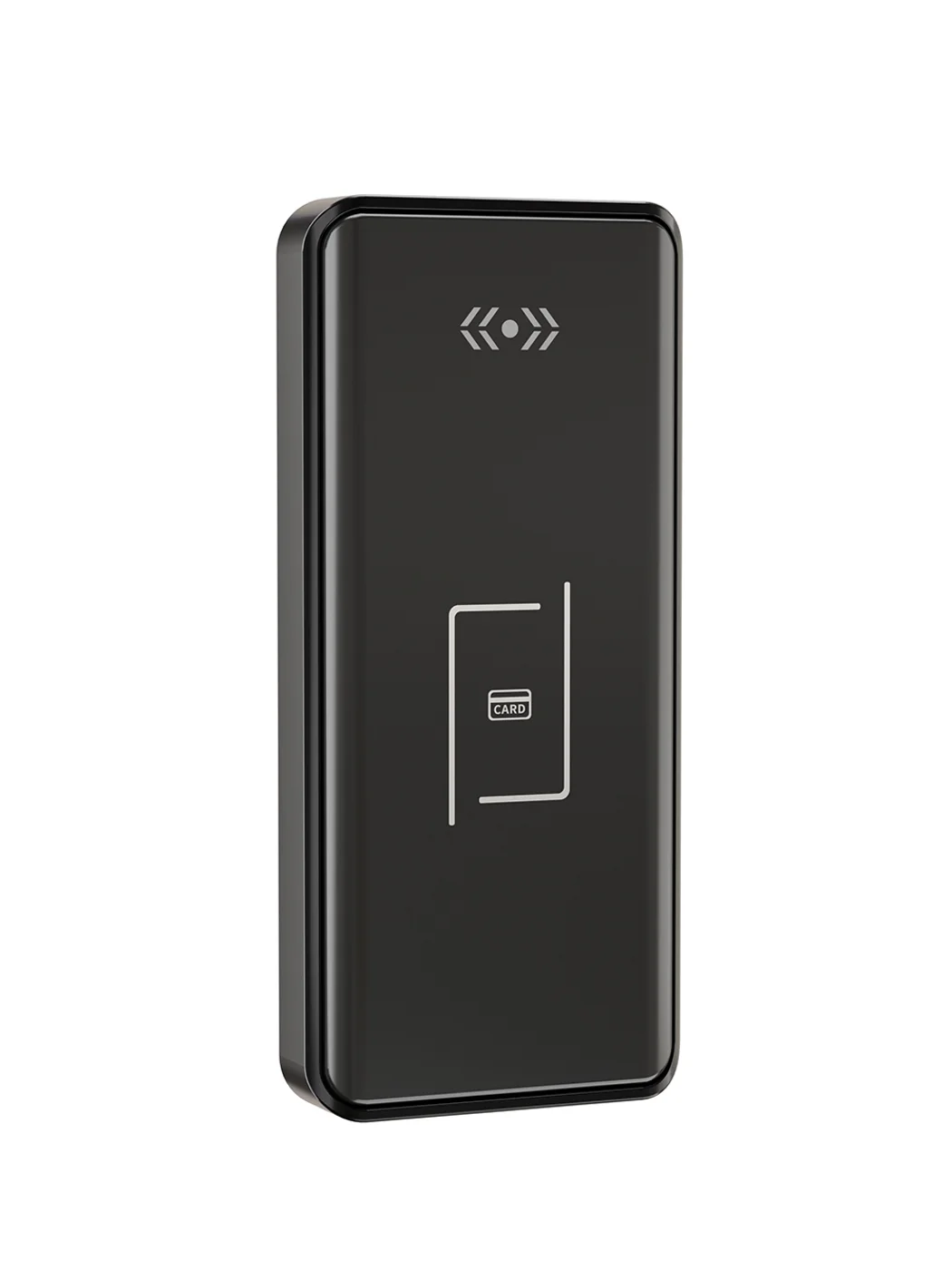
Gym Locker Lock — Offline Card, No WiFi Required
Offline card gym locker lock for fitness and pool lockers. MIFARE card, battery-powered 5-minute retrofit, no WiFi or server. Zinc alloy body, CE/FCC/RoHS.
This page already points to it as the next recommended reference.
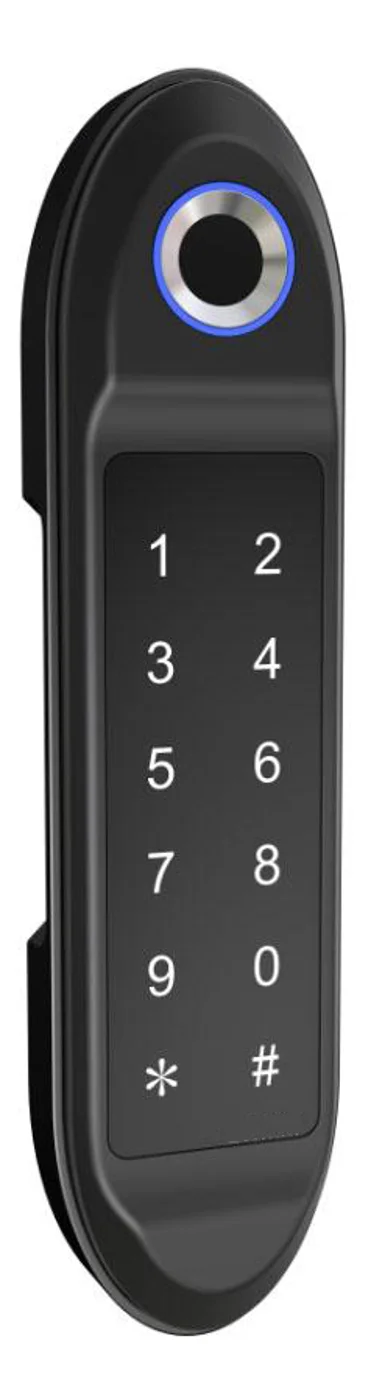
PIN Code Electronic Cabinet Lock — Stand-Alone, No WiFi
Offline keypad cabinet lock for gym, office and parcel lockers. Battery-powered, 5-minute retrofit, audit-free simple deployment. PIN + MIFARE card, DC 6V, 4×AA.
This page already points to it as the next recommended reference.
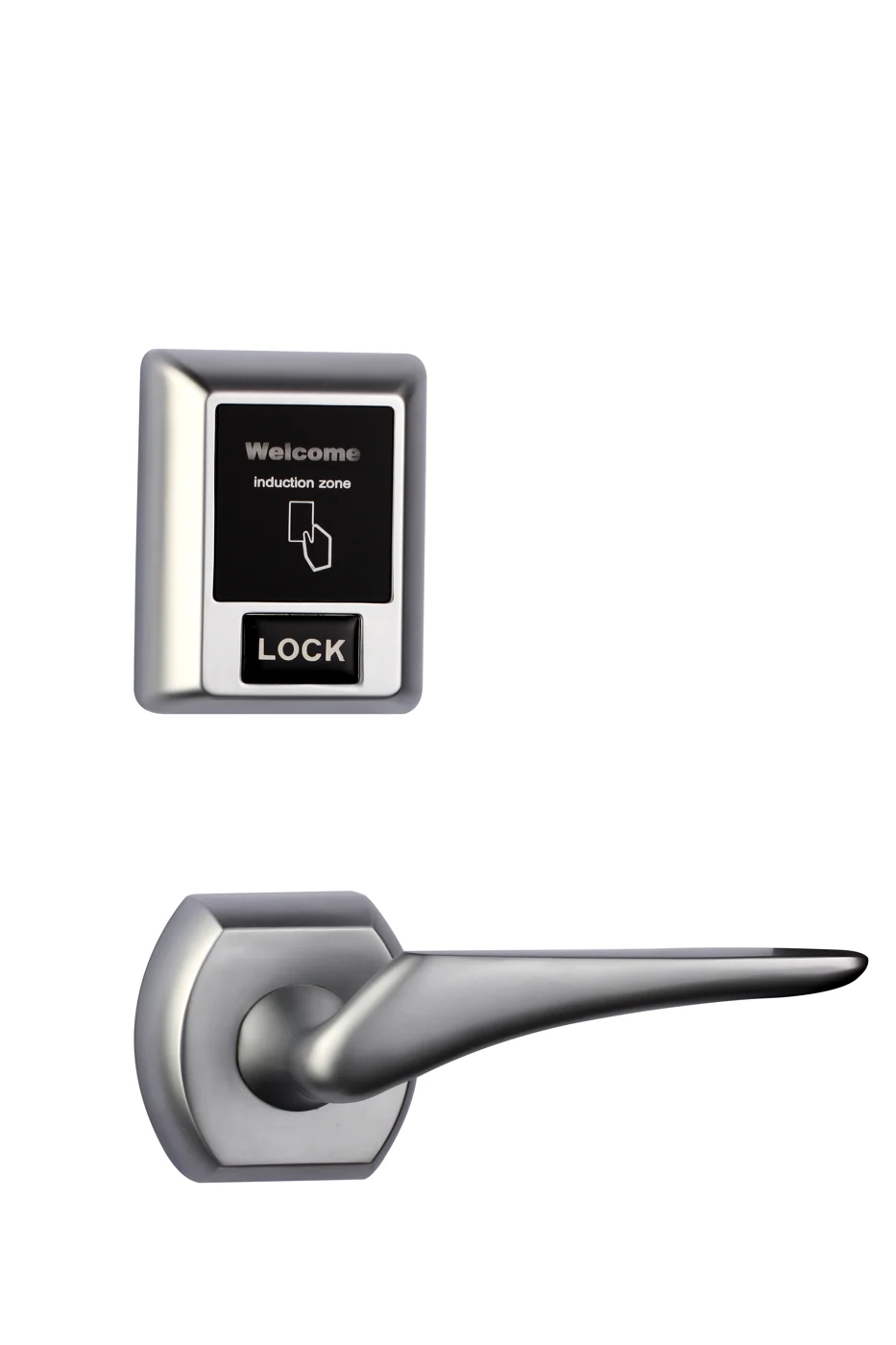
Bluetooth Cabinet Lock — App + PIN + Card, Managed Fleet
Offline BLE app cabinet lock for parcel, office, and managed locker fleets. App + PIN + MIFARE card, remote credential management, no server dependency, battery-powered retrofit.
This page already points to it as the next recommended reference.
Related blog posts
3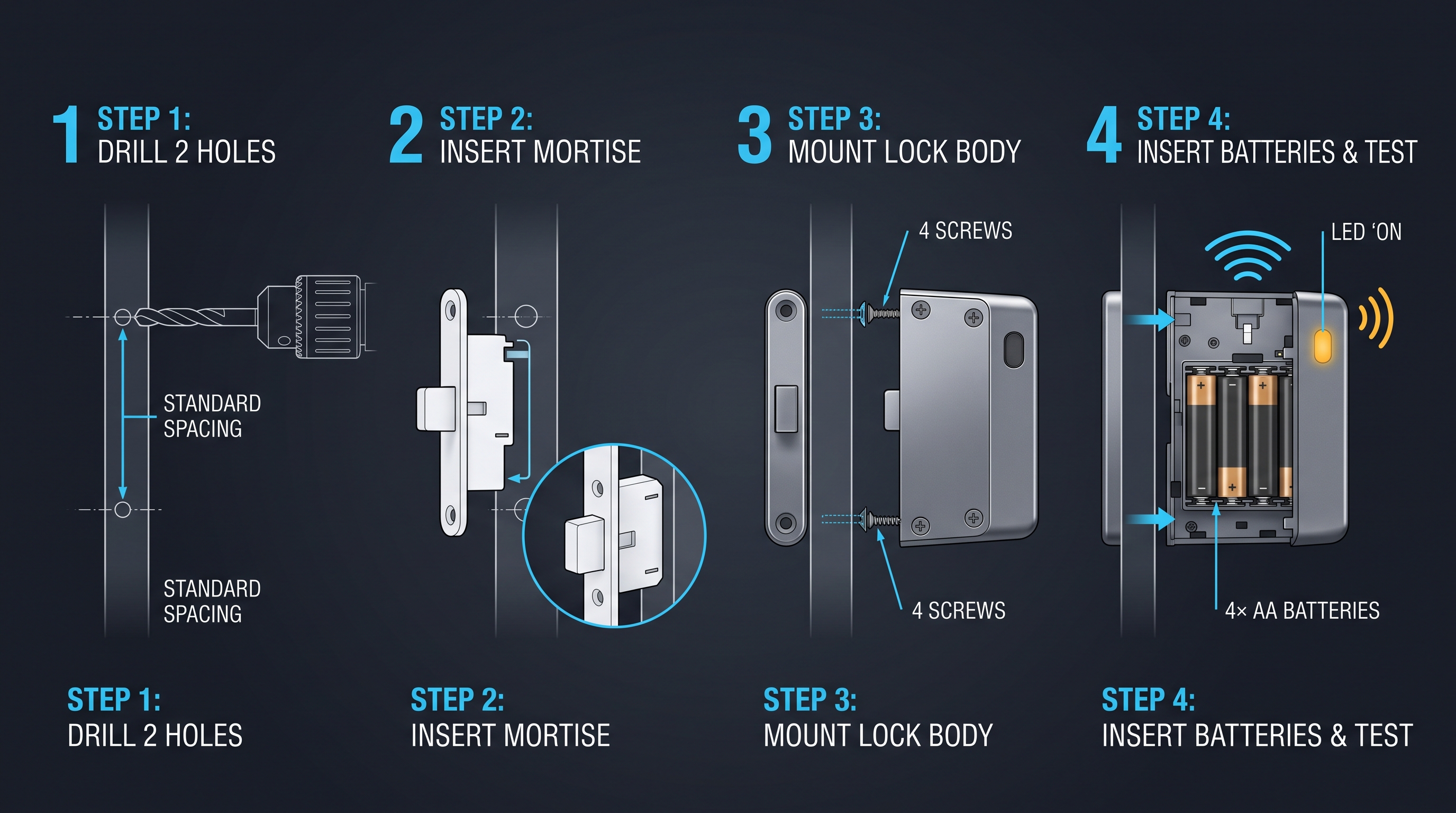
Mobile App Cabinet Lock: The Complete Guide to Smartphone-Controlled Cabinet Security
Discover how mobile app cabinet lock systems work. Explore BLE/Wi-Fi/NFC credentials, remote unlock, temporary codes, role-based access, cloud sync, security features, and deployment scenarios.
It supports the same product context: Gym Locker Lock — Offline Card, No WiFi Required.
MIFARE Cabinet Lock: Advanced Security Guide for MIFARE-Based Cabinet Access Systems
In-depth technical guide to MIFARE cabinet lock technology covering MIFARE Classic, Plus, DESFire, Ultralight variants, cryptographic security, installation, and multi-application smart card integration for cabinet access control.
It supports the same product context: Gym Locker Lock — Offline Card, No WiFi Required.
MIFARE Locker Lock: Definitive Guide to MIFARE-Based Smart Locker Security
Complete guide to MIFARE locker lock technology for gyms, schools, offices, and public facilities. Covers MIFARE Classic, Plus, DESFire variants, multi-user management, installation, networking, and smart locker ecosystem integration.
It supports the same product context: Gym Locker Lock — Offline Card, No WiFi Required, PIN Code Electronic Cabinet Lock — Stand-Alone, No WiFi, Bluetooth Cabinet Lock — App + PIN + Card, Managed Fleet.
Specify your cabinet lock project with our engineers
Send your locker count, cabinet type, and credential preference. We will return a sample plan and quote within 24 business hours.
- Move from general guidance into a product or application discussion.
- Use RFQ when pricing, drawings, MOQ, or launch timing needs structure.
- Keep a direct contact path visible for fast clarifications and handoff.