Keyless Cabinet Lock: Complete 2026 Guide to RFID, BLE, Biometric, and Code-Based Access
In-depth technical buying guide covering keyless cabinet lock types, RFID and BLE access protocols, biometric and PIN variants, installation, pricing, and security best practices for 2026.
A keyless cabinet lock is an electronic or mechanical access control device that eliminates the physical key from the authentication process, using instead RFID cards (13.56 MHz, ISO 14443), Bluetooth Low Energy (BLE 5.0+), fingerprint biometrics (500 DPI capacitive sensors), PIN codes (4–8 digits), or smartphone apps to identify and grant access to authorized users. Unlike a traditional keyed cam lock that uses a mechanical key blank matched to pin tumblers, a keyless cabinet lock stores digital credentials — card UIDs, hashed PINs, biometric templates, or BLE pairing keys — in encrypted flash memory and authenticates users through a microcontroller (ARM Cortex-M0/M3 at 48–80 MHz) that validates the credential against the stored database before energizing a 12 V DC solenoid latch or motorized bolt. A keyless cabinet lock eliminates the key distribution problem (no physical keys to copy, lose, or collect from departing employees), provides an immutable audit trail of every access event (timestamped to the second, stored in 1,000–10,000 event logs), and enables remote credential revocation — an employee's RFID card or PIN can be deactivated instantly from a web dashboard or smartphone app. The keyless cabinet lock market segments by credential type: RFID (45% of deployments, driven by existing employee badge infrastructure), PIN code (30%, preferred for simplicity), BLE/smartphone (15%, fastest-growing segment at 18% CAGR), and biometric (10%, highest security). A keyless cabinet lock operates on 4× AA batteries (6 V, 12–24 month life at 10 cycles/day) or external 12 V DC, supports 50–500 user credentials, and carries BHMA Grade 2–3, UL 768, and FCC/CE certifications. Selection criteria include credential type, user capacity, power source, connectivity, audit trail, and physical lock form factor.
What Is a Keyless Cabinet Lock? Definition, Evolution, and Core Architecture
A keyless cabinet lock is any cabinet access control device that authenticates users without a physical metal key, substituting electronic or mechanical credential verification for the traditional key-and-cylinder mechanism. Unlike the conventional pin-tumbler cam lock that has dominated cabinet security for over a century, a keyless cabinet lock replaces the keyway entirely with an RFID antenna, BLE radio, capacitive keypad, fingerprint sensor, or smartphone app interface, and replaces the mechanical tumbler with a microcontroller-driven solenoid latch or motorized deadbolt. The keyless cabinet lock architecture consists of three layers: the credential interface (the reader, keypad, or sensor that captures the user's authentication factor), the control module (the microcontroller and firmware that validate credentials, enforce access policies, manage the credential database, and log events), and the locking mechanism (the solenoid, motor, or mechanical catch that physically secures the cabinet). This layered design enables a keyless cabinet lock to provide capabilities impossible with a mechanical key: multi-user access with per-user audit trails, time-window restrictions (e.g., cleaning staff can only unlock between 20:00–22:00), remote credential management (add or revoke access from a web dashboard), tamper detection and alarm, and integration with enterprise systems (SSO, HR, building management). The keyless cabinet lock market has grown from $600 million in 2018 to $1.6 billion in 2024 (16.8% CAGR), driven by corporate return-to-office mandates (hot-desking creates demand for flexible, multi-user cabinet access), regulatory compliance requirements (HIPAA, DEA, PCI-DSS mandate access logging), and consumer adoption of smart home technology. A keyless cabinet lock is specified by credential type, user capacity, lock form factor (cam, deadbolt, or rim), power source, connectivity, and certification level.
Core Components of a Keyless Cabinet Lock
Every keyless cabinet lock contains these essential components:
- Credential reader: An RFID antenna coil (13.56 MHz, wound on a ferrite core, typical read range 3–5 cm), BLE module (Nordic nRF52840 or TI CC2640R2, PCB antenna), capacitive keypad (12-key, I2C interface), or fingerprint sensor (capacitive, 500 DPI, 160×160 pixel array) that captures the user's credential.
- Microcontroller (MCU): The lock's brain — typically an ARM Cortex-M0, M3, or M4 running at 48–80 MHz (e.g., STM32L4, NXP LPC11, Ambiq Apollo3) with 128–512 KB flash for firmware and credential storage, 32–128 KB SRAM, and hardware crypto accelerator (AES-128/256, SHA-256). The MCU runs a real-time operating system (FreeRTOS or bare-metal) that manages credential validation, lock actuation, audit logging, and optional BLE/Wi-Fi communication.
- Lock actuator: A 12 V DC solenoid latch (5–8 mm throw, 150–300 mA peak current, 0.5–1.0 second pulse) for light-to-medium duty, or a 12 V DC motorized deadbolt (8–12 mm throw, 300–500 mA peak, 1–3 second actuation) for high-security applications. The actuator is driven by a MOSFET or relay controlled by the MCU.
- Power management: A buck-boost converter (e.g., TI TPS63070) that regulates the 4× AA battery voltage (4.0–6.5 V range over battery life) to a stable 3.3 V for the MCU and 12 V boost for the solenoid. Standby current is 5–20 μA; active current during unlock is 150–500 mA.
- Door sensor: A reed switch or Hall-effect sensor that detects whether the door is open or closed. The MCU monitors this sensor for door-forced, door-held-open, and auto-relock events.
- Buzzer and LED: An audible buzzer (piezoelectric, 2.4 kHz) and RGB LED for user feedback (green = access granted, red = denied, yellow = low battery).
- Battery compartment: Holds 4× AA cells, accessible from inside the cabinet.
How a Keyless Cabinet Lock Differs from Traditional Locks
The fundamental difference is the authentication factor: a traditional lock authenticates based on possession of a physical object (the key), while a keyless cabinet lock authenticates based on what you carry (RFID card, smartphone), what you know (PIN code), or who you are (fingerprint, face). This shift from possession-based to knowledge-based or biometric authentication eliminates the key management lifecycle — there is no key blank to cut, no key to distribute, no key to collect when an employee leaves, and no key to copy at a hardware store. A keyless cabinet lock also provides accountability: every access event is logged with a user identifier and timestamp, creating an audit trail that a mechanical key cannot provide. This audit trail is critical for regulatory compliance (HIPAA for healthcare, DEA for controlled substances, PCI-DSS for payment data, SOC 2 for service organizations) and for internal accountability in shared environments. Another key difference is the ability to grant and revoke access dynamically: an RFID card can be activated or deactivated with a single database change, a PIN can be reassigned, and a biometric template can be deleted — all without modifying the lock hardware. This makes a keyless cabinet lock ideal for environments with high staff turnover (retail, hospitality, temporary workers) or shared access (multiple departments using the same cabinet).
Evolution of Keyless Cabinet Lock Technology
The keyless cabinet lock has evolved through four generations:
- Generation 1 (1990s–2005): Standalone electronic PIN locks. Basic 4–6 digit PIN keypad locks with shared codes, no audit trail, no connectivity. Solenoid latch powered by AA batteries. Example: early Kaba Simplex and Codelocks CL100.
- Generation 2 (2005–2015): RFID card locks with offline audit trail. MIFARE-based (13.56 MHz) card readers supporting 50–500 cards. Internal audit log (1,000–10,000 events) downloadable via USB. Still predominantly standalone; a few RS-485 networked models appeared for industrial applications.
- Generation 3 (2015–2023): BLE-connected locks with smartphone app management. Bluetooth Low Energy 4.2 enabled smartphone-based credential delivery and remote management. Audit logs accessible via the app. Introduction of fingerprint biometric keyless cabinet lock models ($80–150). Cloud platforms emerged for multi-lock management.
- Generation 4 (2023–present): Wi-Fi-connected, AI-enhanced, multi-modal locks. Direct Wi-Fi connectivity (ESP32-based) eliminated the need for a separate BLE gateway or smartphone. Multi-modal authentication (RFID + fingerprint, BLE + PIN) became standard in high-security models. AI-powered anomaly detection and predictive maintenance. Matter/Thread compatibility announced for residential models. Biometric keyless cabinet lock models using palm-vein and facial recognition entered the market.
Types of Keyless Cabinet Lock: A Comprehensive Classification
A keyless cabinet lock is classified by its authentication method — each type optimized for different use cases, user populations, and security requirements. Unlike a keyed lock where the only meaningful distinction is keyway profile and cylinder length, a keyless cabinet lock type fundamentally determines the user experience, management workflow, and security posture. RFID card-based keyless cabinet lock models (45% of deployments) leverage existing employee badge infrastructure at 13.56 MHz, enabling frictionless single-badge access to cabinets, doors, and parking — a unified access ecosystem. PIN code-based keyless cabinet lock models (30%) require no credential issuance, making them ideal for high-turnover environments or budget-constrained deployments. BLE/smartphone-based keyless cabinet lock models (15% and growing fastest at 18% CAGR) deliver a premium user experience with remote credential management and zero physical tokens. Biometric keyless cabinet lock models — fingerprint, palm-vein, and facial recognition — provide the highest security (FAR ≤0.0001%) and are required for controlled substance storage in healthcare and high-value item storage in jewelry and defense. A keyless cabinet lock selection must weigh credential cost ($0 for PIN, $1–3 for RFID card, $0 for BLE but requires smartphone, $0 for biometric but adds lock cost), user convenience, management overhead, and security level. The table below compares the four primary keyless cabinet lock types across 12 dimensions that matter for real-world deployments.
Comparison Table: Keyless Cabinet Lock Types
| Feature | RFID Card | PIN Code | BLE/Smartphone | Biometric (Fingerprint) |
|---|---|---|---|---|
| Authentication factor | Possession (card) | Knowledge (code) | Possession (phone) | Inherence (fingerprint) |
| Credential cost | $1–3 per card | $0 (no physical token) | $0 (uses user's phone) | $0 (biometric data) |
| Lock cost | $40–120 | $30–100 | $60–200 | $100–300 |
| User capacity | 50–500 | 50–500 PINs | 50–500 | 50–200 fingerprints |
| Best for | Corporate, campus | Schools, industrial | Premium corporate, retail | Healthcare, jewelry, defense |
| Audit trail | Yes (card UID logged) | Yes (PIN ID logged) | Yes (user account logged) | Yes (biometric ID logged) |
| Time restrictions | Yes | Yes | Yes | Yes |
| Remote management | Via controller/cloud | Via controller/cloud | Via smartphone app | Via controller/cloud |
| Hands-free possible | No (tap required) | No (keypress required) | Yes (proximity auto-unlock) | No (touch required) |
| Lost token risk | Yes (lost card = lost access) | No (code in memory) | Yes (lost phone or dead battery) | No (always present) |
| Hygiene concern | Low (contactless tap) | Medium (shared keypad) | Very low (contactless) | Medium (shared sensor) |
| Security level | Medium–High (cloning risk for MIFARE Classic) | Medium (shoulder surfing) | High (ECDH encrypted) | Very High (liveness detection) |
RFID Card Keyless Cabinet Lock
The RFID keyless cabinet lock uses an ISO 14443 (13.56 MHz) or ISO 15693 reader to authenticate proximity cards, key fobs, or NFC-capable smartphones. This is the most widely deployed keyless cabinet lock type in corporate environments because it integrates with existing physical access control systems (PACS) — the same employee badge that opens the building door also opens the employee's assigned cabinet, creating a seamless user experience with no additional credential to carry.
The RFID keyless cabinet lock reader emits a 13.56 MHz RF carrier that powers the passive transponder in the card. The card modulates this carrier to transmit its UID (4, 7, or 10-byte unique identifier) and optionally reads/writes to encrypted data sectors. The keyless cabinet lock controller then validates the UID against its local database or forwards it to a central access controller for validation. Authentication latency is 0.2–0.5 seconds for a locally-cached UID and 0.5–2.0 seconds for a network-validated transaction.
Card types supported by modern RFID keyless cabinet lock models:
- MIFARE Classic (1K/4K): 13.56 MHz, proprietary Crypto-1 cipher (broken in 2008, clonable with a Proxmark3 in minutes). Not recommended for security-sensitive applications but still prevalent in legacy installations. Transitioning to DESFire is recommended.
- MIFARE DESFire EV2/EV3 (2K/4K/8K): 13.56 MHz, AES-128 mutual authentication, secure application isolation, transaction MAC. The gold standard for RFID keyless cabinet lock deployments. Cards cost $1.50–3.00 each.
- HID iCLASS SE (2K/16K): 13.56 MHz, HMAC-SHA1 authentication, SIO (Secure Identity Object) data model, diversified keys. Popular in enterprise environments with existing HID infrastructure.
- NFC (smartphone): NDEF-formatted credentials on the phone's secure element. Supports both HCE (Host Card Emulation, Android) and Apple VAS (Apple Value Added Services, iOS). Allows employees to use their smartphone as the card for the keyless cabinet lock, eliminating the physical card entirely.
- EM4100 / HID Prox (125 kHz): Legacy low-frequency, no encryption, UID transmitted in plaintext. Trivially clonable. Should not be used in any new keyless cabinet lock deployment.
PIN Code Keyless Cabinet Lock
The PIN code keyless cabinet lock is the simplest and most affordable keyless cabinet lock type. The user enters a 4–8 digit code on a keypad (membrane, capacitive, or mechanical push-button), and the lock's microcontroller validates the code against stored PINs before energizing the solenoid. This type requires no physical credential issuance or management, making it ideal for budget-constrained deployments, high-turnover environments, and applications where carrying a card or smartphone is impractical (e.g., industrial workers wearing gloves, pool/gym lockers).
The PIN Code keyless cabinet lock offers several sub-variants:
- Shared-code (single PIN): All users share one code. Simplest management, no individual accountability. Suitable for family cabinets, supply closets, or tool cribs where individual logging is unnecessary.
- Multi-PIN (per-user codes): Each user has a unique PIN. Each access event is logged to that user's account, providing individual accountability. Requires the lock to store 10–500 user PINs and a master code for management.
- One-time codes: The lock generates or accepts single-use PINs that expire after one unlock or after a time window. Used for temporary access (guest, contractor, delivery).
- Two-factor (PIN + card or PIN + biometric): The lock requires both a PIN and a second factor for high-security applications.
PIN keyless cabinet lock security considerations: PINs are susceptible to shoulder surfing (an observer learns the code by watching), button-wear analysis (wear patterns on frequently-pressed buttons reveal the digits), and brute-force guessing (though lockout policies after 3–5 wrong attempts mitigate this). High-security PIN keyless cabinet lock models mitigate these risks with randomized keypad layouts (OLED display overlay), shroud or hood over the keypad, and duress codes (a secondary PIN that opens the lock but triggers a silent alarm).
BLE Smartphone Keyless Cabinet Lock
The BLE keyless cabinet lock uses Bluetooth Low Energy (5.0 or later) to pair with a user's smartphone, enabling proximity-based unlock, remote credential management, and a frictionless user experience. This is the fastest-growing segment of the keyless cabinet lock market, driven by smartphone ubiquity (97% of adults ages 18–49 own a smartphone in developed markets) and user preference for a single device for all access functions.
The BLE keyless cabinet lock architecture:
- The lock's BLE module (Nordic nRF52840, TI CC2640R2, or Cypress CYW20719) continuously scans for advertising packets from registered smartphones.
- A smartphone app (iOS 14+ or Android 8+) generates rotating BLE advertisement payloads using the Privacy Resolving Address scheme. The lock resolves these to identify the phone's permanent identity.
- When the phone is within 0.5–3.0 meters (configurable), the lock initiates a secure GATT connection, performs an ECDH key exchange (P-256 curve) to establish a session key, and validates the access token encrypted with AES-CCM.
- If authentication succeeds, the lock unlocks with 1.0–3.0 seconds latency (longer if the phone's app must wake from background state).
Key features of BLE keyless cabinet lock models:
- Hands-free auto-unlock: The lock detects the authorized phone in proximity and unlocks automatically — no need to take the phone out of the pocket or bag.
- Remote credential issuance: An administrator can issue a digital key to a new user's phone instantly, with no physical card to mail or hand over.
- Time-limited access: Temporary keys can be set to expire after a specific time window or after one use.
- Smartphone app management: The app serves as both the user's key and the administrator's management console, replacing a separate keypad or USB connection.
- Cloud sync (with Wi-Fi gateway or app relay): Credential changes, time-window updates, and firmware updates are pushed to the lock via the user's smartphone connection or an optional Wi-Fi gateway.
Biometric Keyless Cabinet Lock
The biometric keyless cabinet lock authenticates users based on a unique biological characteristic — most commonly a fingerprint, but increasingly also palm-vein pattern or facial geometry. This type provides the highest security level among keyless cabinet lock options because biometric data is extremely difficult to forge, transfer, or share. A fingerprint keyless cabinet lock with liveness detection (capacitive or ultrasonic sensing of live skin, plus analysis of sweat pores and pulse) achieves a False Acceptance Rate (FAR) of ≤0.0001% — meaning an impostor has at most a 1 in 1,000,000 chance of authenticating.
Fingerprint keyless cabinet lock specifications:
- Sensor: Capacitive, 500 DPI minimum (FBI PIV standard is 500 DPI), 160×160 to 256×360 pixel active area. Common sensor vendors: FPC (Fingerprint Cards), Goodix, CMOS Sensor Inc.
- Template storage: A fingerprint template is 256–512 bytes (minutiae-based, not the full fingerprint image). The keyless cabinet lock MCU flash typically stores 50–200 templates.
- Matching algorithm: Performed locally on the MCU (or a dedicated sensor SoC) in 100–500 ms. Matching uses advanced minutiae-based algorithms (NIST MINEX III certified) that are tolerant of rotation, translation, and skin condition (dry, wet, cut).
- FAR/FRR: Commercial-grade sensors achieve FAR ≤0.0001% and FRR (False Rejection Rate) ≤1.0%. Healthcare and defense models aim for FAR ≤0.00001% (1 in 10,000,000).
- Liveness detection: Capacitive sensors detect the electrical properties of live skin (impedance, capacitance) and can reject silicone or gelatin spoofs. Ultrasonic sensors (e.g., Qualcomm 3D Sonic Sensor) image the 3D structure of the friction ridge, defeating 2D photo spoofs.
- Multi-finger enrollment: Users typically enroll 2–3 fingers per person to provide redundancy if one finger is injured or contaminated.
Palm-vein and facial recognition biometric keyless cabinet lock models are emerging for high-security and healthcare applications, offering contactless operation (important for sterile environments) and even lower FAR (≤0.00008% for palm-vein).
How a Keyless Cabinet Lock Works: Detailed Authentication Flow
A keyless cabinet lock authenticates a user through a four-stage pipeline — credential capture, credential validation, access policy enforcement, and lock actuation — with each stage optimized for speed (total latency 0.3–3.0 seconds), security (encrypted credential data, anti-replay protection), and reliability (offline fallback, fail-secure behavior). Unlike a mechanical lock where turning the key directly moves the bolt, a keyless cabinet lock interposes a decision-making layer: the microcontroller captures the credential, determines whether access should be granted based on the stored credential database and access policies, and only then energizes the lock mechanism. This intermediate decision layer is what enables multi-user access, audit logging, and time-based access control. A keyless cabinet lock using OSDP v2 Secure Channel protocol encrypts all credential data between the reader and the controller with AES-128, preventing the "Wiegand sniffing" attack that plagues traditional access control. The authentication flow for each credential type follows a distinct protocol, but all share the same fundamental architecture: credential in, validation, decision, actuation, event log. The lock's firmware manages this flow using a state machine with defined states (locked, authentication pending, unlocked, door open, door held open, tamper alarm, lockout) and transitions triggered by credential events, sensor inputs, and timers. A well-designed keyless cabinet lock firmware has been penetration-tested against OWASP IoT Top 10 vulnerabilities and reviewed for race conditions, buffer overflows, and side-channel information leakage.
RFID Keyless Cabinet Lock Authentication Flow
When a user presents an RFID card to a keyless cabinet lock:
- Carrier generation: The reader emits a 13.56 MHz sinusoidal carrier (ISO 14443A, 106 kbps) that provides power to the passive card transponder via inductive coupling.
- Anti-collision and UID read: The reader selects the card from any field-colliding cards and reads the UID (A single-length UID takes 4 bytes; double-length takes 7 bytes; triple-length takes 10 bytes). This takes approximately 3–10 ms.
- Secure authentication (optional): For security-enhanced cards (DESFire EV2/EV3, iCLASS SE), the reader and card perform mutual authentication. The reader sends a random challenge; the card encrypts it with its AES key and returns the response; the reader verifies and optionally also authenticates to the card. This takes 20–50 ms.
- UID lookup: The keyless cabinet lock MCU performs a local flash lookup or sends the UID to the central controller. A local lookup against 500 stored UIDs takes <1 ms using a hash table. A network round-trip takes 50–500 ms depending on network latency.
- Access policy check: The lock verifies the card is assigned to this cabinet, the current time is within the permitted access window, and the card is not on a revocation list. An optional anti-passback check prevents the card from being used for two successive accesses without a proper exit event.
- Lock actuation: If all checks pass, the MCU energizes the solenoid for 0.5–1.0 seconds. The lock emits a short beep (green LED). Total latency from card presentation to door release: 0.3–0.5 seconds (local UID cache) or 0.5–2.0 seconds (network validation).
- Event logging: The MCU writes an event record (UID, timestamp, result, door status after event) to the audit log in flash.
BLE Keyless Cabinet Lock Authentication Flow
When a user's smartphone approaches a BLE keyless cabinet lock:
- Background scanning: The lock's BLE module scans for advertisement packets from registered smartphones. BLE advertising interval is 20 ms–10.24 seconds (shorter for faster connection, longer for battery life). The lock uses a duty-cycle scan (100 ms scan, 900 ms sleep) to balance responsiveness and power consumption.
- Privacy Resolving Address (PRA) resolution: The smartphone advertises a rotating random address (changes every 15 minutes for privacy). The lock resolves this to the phone's permanent identity using the Identity Resolving Key (IRK) exchanged during initial pairing. This step prevents tracking the phone across different locations.
- Connection establishment: If the phone is within the configured range (0.5–3.0 meters, estimated from RSSI), the lock sends a BLE connection request. Connection interval is 7.5–50 ms (trade-off between latency and power). The GATT connection is established in 20–50 ms.
- Secure handshake: The lock and phone perform an ECDH key exchange over the P-256 curve (Elliptic Curve Diffie-Hellman). The shared secret is derived and used as the AES-CCM session key. This step takes 50–100 ms.
- Token exchange: The phone sends a signed access token (JWT or custom binary format) encrypted with the session key. The token includes the user ID, the lock ID, a nonce, and a timestamp. The lock verifies the signature and checks that the token has not been replayed.
- Access policy check and actuation: Same as the RFID flow. Total end-to-end latency from the phone entering range to door release: 1.0–3.0 seconds. iOS devices add 1–2 seconds if the companion app needs to wake from a suspended background state.
- Audit sync: The lock pushes new audit events to the phone's app, which forwards them to the cloud platform.
PIN Keyless Cabinet Lock Authentication Flow
- Keypress buffering: The MCU debounces each keypress (10–50 ms) and buffers the entered digit. A 10–30 second timeout resets the buffer if the entry is too slow.
- PIN hashing and comparison: When the user presses "#" or "Enter," the MCU hashes the entered PIN (SHA-256 with salt) and compares the hash to the stored hash in flash. Comparing hashes (not plaintext PINs) prevents PIN theft if the flash is dumped.
- Failed attempt handling: If the PIN is incorrect, the failed-attempt counter increments. After 3–5 failed attempts, the lock enters a lockout period (30–300 seconds) and optionally triggers a tamper alarm. The failed-attempt counter resets after a successful unlock.
- Actuation and logging: Same as the RFID flow. Total latency: 0.3–1.0 seconds from last keypress.
Biometric Keyless Cabinet Lock Authentication Flow
- Fingerprint capture: The capacitive sensor captures a 256×360 or 160×160 pixel image at 500 DPI in 100–200 ms. The sensor performs local liveness detection (capacitive impedance measurement).
- Minutiae extraction: The sensor's SoC or the lock's MCU extracts minutiae points (ridge endings, bifurcations) from the captured image, creating a template of 256–512 bytes. The fingerprint image is discarded after template extraction (for privacy).
- Matching: The extracted template is compared against all stored templates in the lock's database using a minutiae-based matching algorithm. The algorithm returns a similarity score (0–100), and access is granted if the score exceeds the configured threshold (typically 80–85% for commercial, 85–90% for high-security).
- Liveness verification: The sensor re-checks the capacitive signature to confirm the finger is still present and is live tissue (not a silicone fake). This step takes 50–100 ms.
- Actuation and logging: Same as the RFID flow. Total latency: 0.5–1.5 seconds from finger placement to door release.
Keyless Cabinet Lock Applications: Use Cases by Industry
A keyless cabinet lock is deployed across every major industry, each with distinct requirements for security level, access frequency, user population, regulatory compliance, and environmental conditions. Unlike a one-size-fits-all padlock, a keyless cabinet lock selection is application-specific: a healthcare controlled-substance cabinet needs biometric dual-factor authentication and HIPAA-compliant audit logging; a school locker needs rapid PIN entry by hundreds of students with minimal maintenance; a corporate filing cabinet needs RFID integration with the employee badge system and SOC 2 audit trail. The keyless cabinet lock market is driven by industry-specific compliance mandates — HIPAA and DEA in healthcare, FERPA in education, PCI-DSS in retail, SOC 2 in technology companies, OSHA in manufacturing — that increasingly require electronic access logging rather than undocumented mechanical key access. A 2024 survey of 500 facilities managers found that 72% planned to replace mechanical cabinet locks with keyless cabinet lock systems within 3 years, citing audit trail (41%), reduced key management cost (33%), and compliance (18%) as the top drivers. The following sections detail keyless cabinet lock applications across the five highest-adoption industries.
Healthcare Keyless Cabinet Lock Applications
Healthcare is the fastest-growing vertical for keyless cabinet lock deployments, driven by DEA 21 CFR 1301.72 and hospital accreditation (Joint Commission) requirements:
- Medication cabinets: Controlled substances (DEA Schedules II–V) require a keyless cabinet lock with dual-factor authentication (biometric + PIN or two-person authentication). The keyless cabinet lock must log every access with user ID, timestamp, medication accessed, and quantity dispensed. Audit logs must be retained for a minimum of 2 years and be tamper-evident (cryptographic chaining).
- Anesthesia workstations: Controlled substances in operating rooms require rapid access (single-factor during surgery, dual-factor for restocking) with an audit trail integrated into the anesthesia information management system (AIMS).
- Patient belonging cabinets: Each patient room has a cabinet secured by a keyless cabinet lock (PIN code, 4 digits, set by the patient). This secures valuables without burdening nursing staff.
- Crash cart cabinets: Emergency crash carts need a keyless cabinet lock that opens quickly (break-glass cover or single-factor during emergency) but logs the access for inventory reconciliation when the cart is restocked.
- Pharmacy bulk storage: High-capacity cabinets with networked keyless cabinet lock systems that integrate with the pharmacy information system (Epic, Cerner) for automated dispense tracking and inventory management.
Healthcare keyless cabinet lock requirements: Biometric authentication (fingerprint or palm-vein), dual-factor mode, HIPAA-compliant audit trail, seamless glove compatibility (capacitive fingerprint sensors must work with nitrile/latex gloves), disinfectant resistance (IPA 70% wipe-safe housings), and no crevices for pathogen accumulation (smooth, sealed design).
Corporate and Office Keyless Cabinet Lock Applications
Corporate deployments leverage existing employee badge infrastructure:
- HR filing cabinets: Employee personnel files, compensation records, and medical information require restricted access and audit logging. A keyless cabinet lock integrated with the HR system (Workday, SAP SuccessFactors) provisions access automatically — HR team members' badges open the cabinet, and when they transfer or leave, access is automatically revoked.
- IT asset cabinets: Laptops, tablets, and accessories stored in cabinets require tracking of who accessed which device. A keyless cabinet lock with asset tracking integration (ServiceNow, Jira Service Management) logs each access, enabling accountability and asset lifecycle management.
- Hot-desk personal lockers: In open-plan offices with hot-desking, employees need temporary personal storage. A keyless cabinet lock with RFID badge access enables any locker to be claimed by any employee for the day, with automatic release at end-of-day.
- Secure document cabinets: Contracts, financial records, and legal documents require a keyless cabinet lock with SOC 2-compliant audit trail and restricted access (by role or by department).
- Supply cabinets: Office supplies, PPE, and consumables in shared cabinets are secured by a keyless cabinet lock with multi-user access. The audit trail deters hoarding and enables usage analytics.
Education Keyless Cabinet Lock Applications
Schools and universities deploy keyless cabinet lock systems at scale:
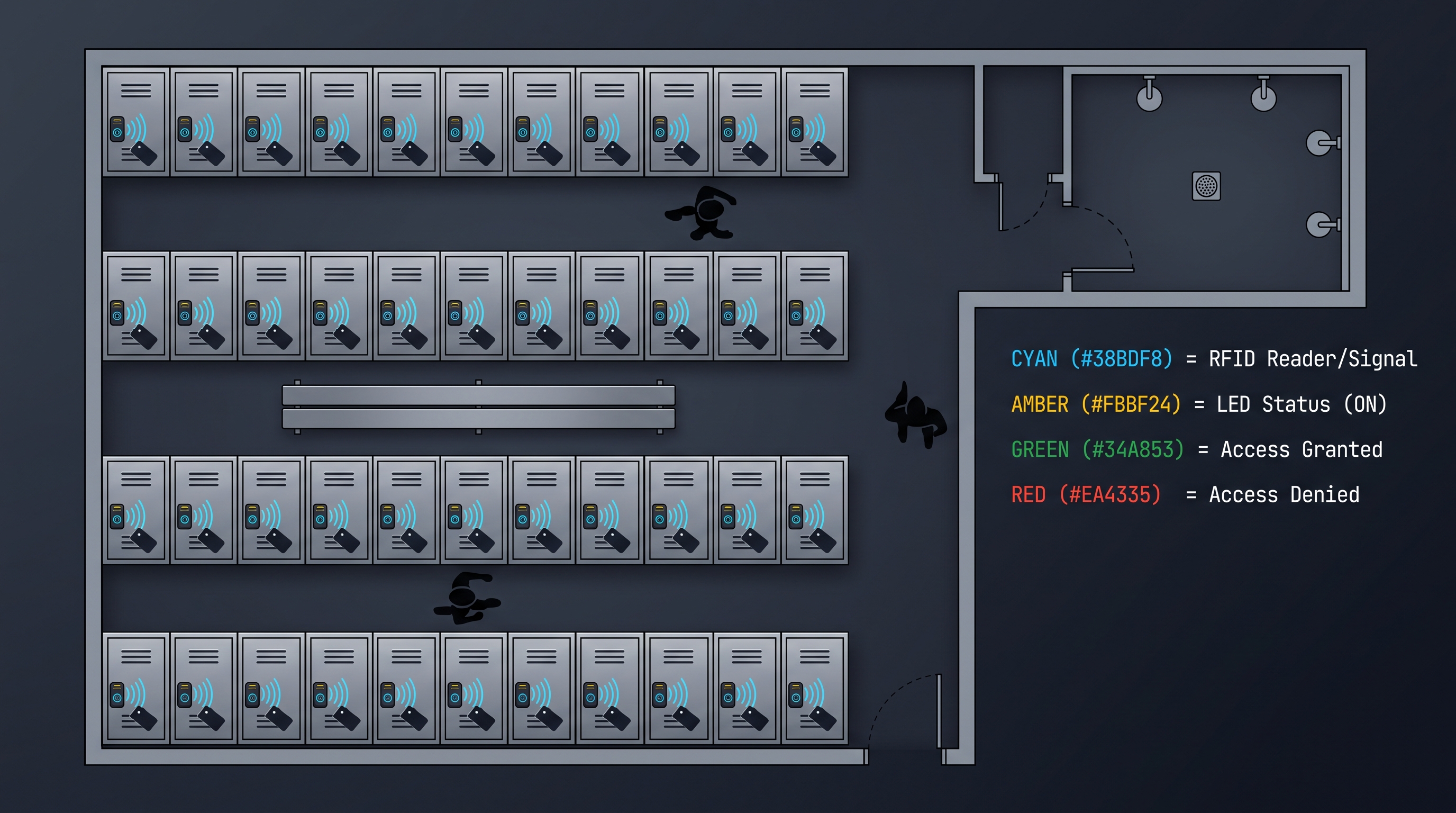
- Student lockers: Daily-use lockers in corridors and locker rooms require a keyless cabinet lock that handles high-frequency access (5–10 cycles per day per locker, 180 school days), resists vandalism (hardened steel bolt, reinforced mounting), and operates reliably for years. PIN code keyless cabinet lock models are most common, with RFID (student ID card) gaining adoption in newer installations.
- Library lockers: Universities deploy 24-hour self-service lockers for book holds and interlibrary loan retrieval. A keyless cabinet lock with PIN or student ID card access and time-limited reservations integrates with the library management system (Alma, Koha).
- Lab equipment cabinets: Science labs store expensive equipment and chemicals in cabinets secured by a keyless cabinet lock. RFID access restricts access to trained lab staff, and the audit trail supports chemical inventory compliance.
- Faculty filing cabinets: Instructor offices store exams, grade records, and research data in cabinets secured by a keyless cabinet lock with RFID (faculty ID card) or PIN access.
- Athletic lockers: Gymnasium and field-house lockers require a keyless cabinet lock resistant to moisture, impact, and frequent cycling. Mechanical push-button PIN locks are preferred for simplicity and zero battery maintenance.
Retail Keyless Cabinet Lock Applications
Retail environments use keyless cabinet lock systems for both security and operational efficiency:
- Display cabinets (jewelry, electronics, luxury goods): Glass-front display cabinets secured by a keyless cabinet lock allow sales staff to quickly access merchandise for customers while preventing customer theft. RFID (staff badge) or PIN access logs each opening, deterring employee theft.
- Backroom storage: Inventory in stockrooms is secured by a keyless cabinet lock with multi-staff access. The audit trail supports shrink analysis (comparing access logs with inventory discrepancies).
- Pharmacy OTC cabinets: Behind-the-counter medications (regulated by state law) require a keyless cabinet lock with restricted access and audit logging for pharmacist oversight.
- Dressing room lockers: In high-end retail, dressing room cabinets store customer selections prior to try-on. A keyless cabinet lock with BLE or RFID ensures only the assigned sales associate and the customer can access these items.
Industrial and Manufacturing Keyless Cabinet Lock Applications
Factory floors and warehouses deploy rugged keyless cabinet lock systems:
- Tool cribs: A keyless cabinet lock secures valuable tools and gauges. RFID (worker badge) access logs check-out and return times, integrating with the CMMS (IBM Maximo, Fiix) for tool utilization tracking and maintenance scheduling.
- PPE distribution cabinets: Workers access safety glasses, gloves, and respirators from a keyless cabinet lock-controlled cabinet. The audit trail supports OSHA compliance and usage tracking for replenishment.
- Chemical storage: Hazardous chemicals (OSHA 29 CFR 1910.1200) require restricted access. A keyless cabinet lock with intrinsically safe electronics (ATEX/IECEx Zone 2 certified) is required in flammable storage areas.
- Maintenance parts cabinets: Spare parts and calibration standards are stored in a keyless cabinet lock cabinet. Access is restricted to maintenance personnel, and the audit trail supports predictive maintenance programs.
- QA sample cabinets: Quality assurance retains sample cabinets lock with a keyless cabinet lock for chain-of-custody tracking. Audit logs demonstrate sample integrity for audits and litigation.
Keyless Cabinet Lock Installation: Step-by-Step for Each Type
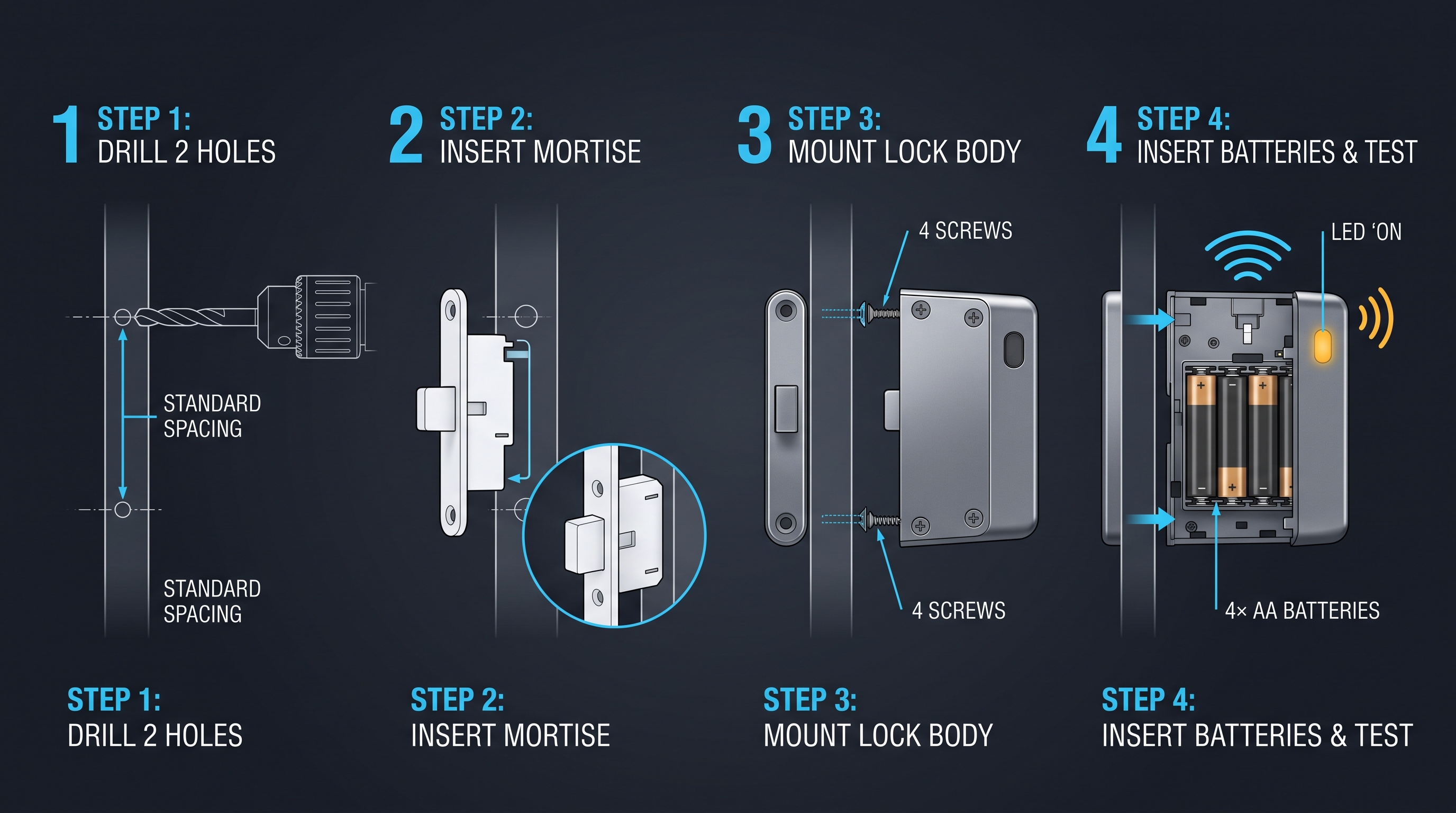
A keyless cabinet lock installation varies by lock type and cabinet construction but follows a universal sequence — cabinet assessment, hole preparation, lock mounting, battery installation, credential programming, and functional testing — taking 15–45 minutes per lock for experienced installers. Unlike a simple cam lock installation that requires a single 16-mm hole, a keyless cabinet lock with a keypad, fingerprint sensor, or BLE module may require a larger cutout (25–60 mm rectangular or oval) and cable routing between the outside reader and the inside lock body. The installation process is critical to security and reliability: a misaligned keyless cabinet lock bolt will bind, a loose mounting plate will allow prying, and a pinched cable will cause intermittent electrical failure. Professional installation cost is $40–100 per lock for standalone models and $80–200 per lock for networked models requiring cabling and network configuration. However, most standalone keyless cabinet lock models are designed for DIY installation with common tools (drill, hole saw, screwdriver, tape measure) and ship with a printed template and illustrated instructions. The following step-by-step guide covers the installation of the four main keyless cabinet lock types: mechanical combination (requires only drilling), electronic PIN/RFID (requires drilling + battery), biometric (requires drilling + sensor positioning), and BLE/Wi-Fi (requires drilling + smartphone setup). Always power off or remove batteries before working on any electronic keyless cabinet lock.
General Preparation for All Keyless Cabinet Lock Types
Before starting any keyless cabinet lock installation:
Read the manufacturer's installation manual completely. Note special requirements: minimum door thickness (typically 12–25 mm), maximum door overhang, interior clearance for the lock body (typically 30–60 mm), and handedness (some locks are reversible; some are specific left or right).
Verify the lock contents: lock body (outside reader), inside lock module, mounting hardware (screws, washers, nut, strike plate, alignment template), batteries (if included), installation template, and user manual.
Assess the cabinet: Mark the proposed lock location with a pencil. Verify that the lock body will not interfere with shelves, cabinet contents, or drawer slides inside. Verify that the door closes flush against the frame where the strike plate will mount. For wooden cabinets, check for knots or grain irregularities at the drill point — drilling through a knot can cause splitting.
Choose lock height: For cabinets that are at desk or counter height, mount the lock at 50–80 mm from the top edge of the door (aligned with the natural hand position of a standing adult). For low cabinets, mount at 30–50 mm from the top. For tall cabinets, consider the reach of the shortest authorized user.
Installing an RFID Card Keyless Cabinet Lock
Template positioning: Tape the manufacturer's paper template to the outside of the cabinet door at the chosen location. Use a level to ensure the template is straight. Mark the center of all drill holes by pressing a sharp pencil through the template.
Hole drilling: For a cylindrical RFID reader (16–20 mm diameter), use a hole saw of the specified diameter. Drill from the outside of the door to avoid tear-out. For wood doors, use a backing board (clamp a scrap piece behind the door) to prevent blow-out. For metal doors, use a center punch and cutting oil.
Deburring: File or sand the hole edges smooth. Remove any metal burrs or wood splinters that could interfere with the lock body.
Reader insertion: Insert the RFID reader cylinder from the outside of the door through the hole. The reader's RFID antenna coil must face outward (toward the user). Some models have a keying slot that ensures correct orientation.
Inside lock body mounting: From inside the cabinet, slide the mounting plate or washer over the reader's threaded post. Hand-tighten the hex nut. Connect the 4-pin or 6-pin cable from the reader to the lock body PCB (JST connector, observe pin 1 marking). Do not crush the cable between the lock body and the door.
Strike plate installation: Close the door and mark the bolt centerline on the cabinet frame. Drill pilot holes for the strike plate screws (1.5 mm for wood screws, 2.5 mm for machine screws). Mount the strike plate, verifying that the bolt enters the strike plate smoothly without binding. The bolt should engage the strike plate by 5–8 mm.
Battery installation: Insert 4× AA batteries, observing polarity (+ and -). The lock should beep once and flash an LED, confirming power-on.
Programming: Read the first RFID card: Enter the master code (from the manual or reset sticker), press the programming function key, present the card to the reader. The lock beeps to confirm enrollment. Repeat for additional cards. For RFID-only locks without a keypad, programming is via a separate programming card or via BLE app.
Installing a Biometric Keyless Cabinet Lock
Sensor positioning: The fingerprint sensor must be at a natural reach angle for the primary user population. For a cabinet at counter height (900–1100 mm), mount the sensor centered on the door, aligned with the user's index finger when they reach forward. For low cabinets, angle the sensor slightly upward (some models have a beveled bezel).
Fingerprint sensor cutout: Biometric keyless cabinet lock models have either an integrated sensor (in the same module as the lock body) or a separate sensor module. If integrated, the entire lock module cutout includes the sensor window. If separate, the sensor module mounts through a dedicated hole (typically 12–16 mm for a cylindrical sensor post). Follow the template precisely: even 1–2 mm of misalignment will make the sensor look crooked.
Fingerprint enrollment: After powering on the lock, enter the master code, select "enroll fingerprint," and place the user's finger on the sensor. The lock captures 3–4 impressions (varying angle and position) and extracts minutiae to create a robust template. Enroll 2–3 fingers per user (index, middle, ring) for redundancy if one finger is injured or contaminated. Test the enrollment by locking and unlocking with each enrolled finger.
Installing a BLE/Wi-Fi Keyless Cabinet Lock
Physical installation: Same as the RFID lock installation (hole drilling, reader insertion, lock body mounting, strike plate).
Smartphone app installation: Install the manufacturer's app (iOS 14+ or Android 8+). Create an administrator account. The app may require Bluetooth and Location permissions (Android requires Location for BLE scanning due to BLE beacon privacy protections — this is an Android OS requirement, not the lock manufacturer).
Pairing: With the lock powered on and the smartphone's Bluetooth enabled, open the app and select "Add lock." The app scans for nearby BLE devices. Press the pairing button on the inside of the lock body (a small button, typically held for 3 seconds until the LED flashes blue). The app discovers the lock and completes pairing.
Wi-Fi configuration (for Wi-Fi-connected models): In the app, select "Connect to Wi-Fi" and enter the SSID and password for the 2.4 GHz Wi-Fi network (most keyless cabinet lock models use 2.4 GHz only; ESP32-based locks support both 2.4 GHz and 5 GHz). The app sends the credentials to the lock over BLE. The lock connects to Wi-Fi and appears online in the app.
User enrollment: Via the app, create user accounts (email or phone number) and assign access. For BLE locks, the app sends an invitation link to each user; the user installs the app and pairs with the lock. For RFID/PIN locks with BLE management, use the app to assign PINs or enroll cards.
Functional Testing for All Keyless Cabinet Lock Types
After any keyless cabinet lock installation, perform these tests:
- Valid credential test: Unlock the cabinet with each enrolled credential (card, PIN, fingerprint, BLE phone). Verify the bolt retracts fully and the door opens smoothly.
- Invalid credential test: Attempt to unlock with an unenrolled card, wrong PIN, or wrong fingerprint. Verify access is denied.
- Lockout test: Enter the wrong PIN 3–5 times. Verify the lock enters lockout mode (beeps, LED flash, no response for the configured period).
- Door sensor test: If the lock has a door sensor, open the door and leave it open beyond the configured timeout (typically 30–120 seconds). Verify the door-held-open alarm fires.
- Battery test: Verify the low-battery warning works by checking the battery voltage display in the app or looking for LED/buzzer warnings during unlock.
- Emergency override test: If the lock has a mechanical key override, test it. If it has a backup battery port (micro-USB or 9 V contact), test it by removing the main batteries and powering via the backup port.
Keyless Cabinet Lock Pricing and Cost Breakdown
A keyless cabinet lock spans a wide price range — from $30 for a basic shared-PIN mechanical lock to $300+ for a networked biometric lock with cloud management — driven primarily by authentication technology, connectivity, and software platform costs. Unlike a mechanical cam lock where the $5–15 cost is almost entirely materials and manufacturing, a keyless cabinet lock cost is distributed across the credential reader (30–50% of BOM cost), the microcontroller and firmware (15–25%), the locking mechanism (10–20%), and the battery/power system (5–15%). Volume pricing for deployment-scale purchases (50+ locks) delivers 15–40% discounts off MSRP. The keyless cabinet lock Total Cost of Ownership (TCO) must account for hardware, installation ($0 for DIY, $40–200 per lock for professional), batteries ($3–8 per lock per year for AA cells), credential issuance ($1–3 per RFID card, $0 for PIN/BLE/biometric), software platform ($0–5 per lock per month for cloud-managed solutions), and maintenance ($5–30 per lock per year for lock repairs and credential changes). A 10-year TCO analysis reveals that a $50 RFID keyless cabinet lock costs $80–120 over 10 years (hardware + batteries + cards + occasional replacement), while a $200 networked biometric keyless cabinet lock costs $350–500 (hardware + batteries + software + replacement). Budget planning should consider the lock's expected lifecycle (5–10 years for electronic, 15–30 years for mechanical) and the cost of a lock failure (replacement lock + locksmith if contents are trapped).
Keyless Cabinet Lock Hardware Price Ranges
| Type | Features | Price Range (per lock) | Example Products |
|---|---|---|---|
| Mechanical combination | 3–5 wheels, no power, single code | $15–55 | CompX, Southco, Lockey 1150 |
| Electronic PIN (standalone) | 50–100 PINs, basic audit log | $30–80 | Codelocks CL500, Igloohome |
| Electronic RFID (standalone) | 50–200 cards, USB audit export | $40–120 | Kaba, Dormakaba mini |
| Electronic BLE (smartphone) | BLE 5.0, app management, 50–200 users | $60–200 | Igloohome Smart, Yale |
| Electronic Wi-Fi | Direct Wi-Fi, cloud dashboard | $80–250 | Schlage Encode, Yale |
| Biometric (fingerprint) | 50–200 fingerprints, liveness detection | $100–300 | Ultraloq, Fingerbot |
| Biometric (palm-vein) | Contactless, FAR ≤0.00008% | $300–800 | Fujitsu, Mofiria (industrial) |
Ongoing Cost Comparison by Keyless Cabinet Lock Type
| Cost Item | Mechanical PIN | RFID Card | BLE Smartphone | Biometric |
|---|---|---|---|---|
| Hardware | $15–55 | $40–120 | $60–200 | $100–300 |
| Batteries/year | $0 | $3–8 | $3–8 | $3–8 |
| Credentials | $0 (shared code) | $1–3 per card × 50 users | $0 (user's phone) | $0 |
| Software (cloud)/year | $0 | $0–60 ($0–5/lock/month) | $0–60 | $0–60 |
| Installation (DIY) | $0 | $0 | $0 | $0 |
| Installation (pro) | $25–50 | $40–80 | $50–100 | $60–120 |
| Maintenance/year | $0 | $5–15 | $10–20 | $10–25 |
| Expected lifecycle | 15–30 years | 5–8 years | 5–8 years | 5–10 years |
| 10-year TCO (pro install) | $40–130 | $160–380 | $220–550 | $310–750 |
Keyless Cabinet Lock Buying Guide: Decision Framework
Selecting a keyless cabinet lock requires evaluating seven axes — authentication method, security level, user population, physical compatibility, power and maintenance, connectivity and management, and budget — simultaneously to identify the optimal product for a specific deployment. Unlike selecting a keyed lock (where the decision is essentially "which keyway and cam length"), a keyless cabinet lock selection is a multi-variable optimization with trade-offs that must be made explicit. The keyless cabinet lock buying process begins with answering three foundational questions: Who needs access? (single user, small team, or hundreds of users — determines user capacity and credential distribution model). What are they accessing? (personal items, confidential documents, controlled substances, high-value inventory — determines security level and audit requirements). What constraints exist? (no power near the cabinet, no network connectivity, extreme temperature/humidity, cost-sensitive, existing badge or smartphone ecosystem — determines lock type and connectivity). From these answers, the keyless cabinet lock type, features, and budget naturally follow. The buyer should request a sample lock from 2–3 shortlisted vendors for hands-on evaluation: test the keypad feel, the reader response time, the lock mechanism noise, the app user experience, and the overall build quality. A keyless cabinet lock that looks good on a spec sheet may feel cheap and unreliable in person. Always verify the manufacturer's warranty (1–5 years), spare parts availability, and technical support responsiveness (email response time, phone support hours) before purchasing.
Decision Framework: Keyless Cabinet Lock Selection Matrix
| Your Situation | Recommended Keyless Cabinet Lock Type |
|---|---|
| Single-user home cabinet, want no keys | Mechanical combination ($15–40) |
| Family cabinet with 4–6 users | Electronic PIN, shared code ($30–50) |
| Corporate filing cabinet, badge-based | RFID (MIFARE DESFire) ($60–120) |
| Small team, no badge system, audit needed | Electronic PIN, multi-PIN ($40–80) |
| Premium corporate, mobile-first culture | BLE smartphone ($80–200) |
| Healthcare controlled substance cabinet | Biometric (fingerprint) + PIN ($150–300) |
| Multiple cabinets, centralized management | Wi-Fi or RS-485 networked ($100–300 per lock + controller) |
| School locker, 500+ students, simple | Mechanical push-button PIN ($30–60) |
| Retail display cabinet, many staff | RFID (staff badge) or PIN ($40–100) |
| Outdoor storage cabinet | Mechanical PIN or IP65-rated electronic ($50–150) |
| Temporary pop-up, need fast deployment | BLE smartphone (no wiring needed) ($60–150) |
| Gun cabinet or safe | High-security biometric, 6+ PIN backup ($150–300) |
Vendor Evaluation Criteria
When evaluating keyless cabinet lock vendors, assess:
- Product maturity: How long has the vendor been selling this keyless cabinet lock model? Has it gone through multiple hardware revisions? (First-gen products ship with bugs; v3 products are typically stable.)
- Firmware update track record: Does the vendor release firmware updates? How frequently? Do updates address security vulnerabilities? (A keyless cabinet lock with no firmware update mechanism in 2026 is a security liability.)
- Over-the-air (OTA) update capability: Can firmware be updated wirelessly (BLE, Wi-Fi) or is a physical USB connection required? (OTA is critical for large deployments.)
- Warranty: What is the warranty period and what does it cover? Electronic keyless cabinet lock warranties typically range from 1 year (consumer) to 5 years (commercial/enterprise).
- Spare parts: Are spare mechanical parts (solenoids, bolt assemblies, battery covers) available for purchase? Can you replace just the failed part, or must you replace the entire lock?
- Technical support: What is the support model (email, phone, chat, ticket)? Are support hours 24/7 or business hours only? What is the average response time?
- Reference customers: Can the vendor provide references for deployments similar to yours (same industry, similar lock count)? Speak to the references.
- API and integration: For networked keyless cabinet lock systems, is the API well-documented (Swagger/OpenAPI)? Are SDKs available? Does the vendor offer integration support?
- Company stability: Is the vendor a stable company that will be around in 5–10 years? A keyless cabinet lock is a long-term infrastructure investment; buying from a startup that may not survive is risky.
- Data privacy: Where is the cloud platform hosted? For EU deployments, is GDPR compliance demonstrated (EU data center, Data Processing Agreement)? For healthcare, is a Business Associate Agreement (BAA) available?
Keyless Cabinet Lock Troubleshooting: Common Issues and Resolutions
A keyless cabinet lock, like any electromechanical system, experiences failures in three domains — power (dead batteries, power supply failure, corroded contacts), mechanical (stuck bolt, misaligned strike plate, worn solenoid), and electronic (firmware freeze, corrupted credential database, RF interference) — each requiring different diagnostic approaches. Unlike a mechanical lock where the symptoms are simple (key won't turn, key won't insert, bolt won't move), a keyless cabinet lock can exhibit complex failure modes (lock opens for some users but not others, app shows lock online but door doesn't open, fingerprint rejected for known user). The most common keyless cabinet lock issues by frequency are: dead batteries (28% of service tickets, easily resolved), credential database out of sync (22%, require reprogramming or cloud sync), mechanical bolt binding (18%, require alignment adjustment or lubrication), keypad/sensor failure (12%, require replacement), firmware bug (8%, require firmware update or reboot), RF interference (5%, require reorientation or relocation), and unknown/no fault found (7%, often resolved by power cycle). A keyless cabinet lock troubleshooting workflow should always start with the simplest checks: power (are the batteries fresh? Is the LED blinking?), then credential (is the credential enrolled? Has it expired?), then physical (is the bolt moving freely? Is the door aligned?), and finally electronic (power cycle, firmware update, factory reset). Mean Time To Repair (MTTR) for the most common issues (batteries, credential desync) is 5–15 minutes; for hardware failures requiring part replacement, MTTR is 1–4 hours (assuming spare parts are on site).
Problem: Keyless Cabinet Lock Is Completely Unresponsive
If the keyless cabinet lock shows no LED, no beep, and no response to any credential:
- Check the batteries: This is the cause in 70% of "completely dead" cases. Remove the batteries and measure the voltage with a multimeter. Four fresh AA alkaline batteries should read 6.0–6.4 V. If any cell reads <1.2 V, replace all four batteries. Even if only one battery is weak, replace the full set — mixing old and new batteries leads to rapid discharge.
- Check battery contacts: Corroded or dirty contacts prevent power delivery. Clean the contacts with a cotton swab and isopropyl alcohol (90%+). For severe corrosion (blue/green deposits), use a small brass brush and vinegar, then clean with alcohol.
- Check for water damage: If the keyless cabinet lock has been exposed to water (leak, condensation, cleaning), the PCB may be short-circuited. Remove the batteries. Disassemble the lock (within warranty guidelines) and inspect the PCB for water residue or corrosion. Dry the PCB thoroughly (24–48 hours in a warm, dry environment with desiccant packs). Reassemble and test. If it still doesn't power on, the PCB is damaged and requires replacement.
- Check the battery compartment for debris: A small piece of packaging material or a bent contact tab can prevent battery contact. Inspect and clean.
- Power cycle: Remove the batteries for 60 seconds to discharge any residual capacitance in the power supply circuit. Reinsert fresh batteries and test.
Problem: Valid Credential Rejected
If a known-good credential (card, PIN, fingerprint) is repeatedly rejected:
- For RFID cards: Verify the card is enrolled in this specific keyless cabinet lock. (The same card might work on another cabinet but not this one — each lock maintains its own credential database unless they're part of the same networked system.) Re-enroll the card: enter the master code, select "enroll card," and present the card.
- For RFID cards: Check for physical card damage. A cracked antenna coil (invisible under the label) prevents the card from being read. Test the card on a known-good RFID reader. If the card is damaged, issue a replacement card and deactivate the old one.
- For PINs: Verify the PIN has not been changed by another administrator. Check the audit log for recent credential management events. Re-enter the PIN carefully (rate of 1–2 digits per second; entering too fast can cause the debounce circuit to miss digits).
- For PINs: Check for lockout. If multiple wrong PINs have been entered recently, the lock may be in a lockout period (flashing red LED, beeping). Wait for the lockout period to expire (30–300 seconds) and retry.
- For fingerprints: Re-enroll the fingerprint. Fingerprint recognition degrades over time as the fingerprint pattern changes (minor cuts, calluses, aging). Re-enrolling every 12–18 months is recommended for high-security environments.
- For fingerprints: Clean the sensor. A fingerprint sensor contaminated with oil, dirt, or residue has dramatically degraded recognition performance. Clean with a microfiber cloth (dampened with water, no solvents). Do not use glass cleaner, which leaves a residue that degrades sensor performance.
- For BLE smartphone: Verify the phone's Bluetooth is enabled. Verify the app is running (or "background refresh" is enabled). On Android, verify Location services are enabled (Android requires Location permission for BLE scanning). On iOS, check Settings > App > Background App Refresh is enabled. Verify the phone's date and time are set automatically (TOTP tokens require accurate time).
- For BLE smartphone: Try toggling Bluetooth off and on. Try force-quitting and relaunching the app. Try rebooting the phone. If these don't help, re-pair the phone from the lock's management menu.
Problem: Lock Opens But Door Won't Open
If the keyless cabinet lock mechanism audibly actuates (click sound) but the door remains stuck:
- Check for physical obstruction: Something inside the cabinet may be blocking the door. Apply gentle pressure to the door in the opening direction while re-entering the valid credential.
- Check the strike plate: If the door has shifted (sagging hinges, seasonal wood expansion), the bolt may be binding against the strike plate edge. Close the door and sight along the cabinet edge: is the door aligned with the frame? If not, adjust the hinges or strike plate position.
- Check the bolt: The solenoid or motor may have retracted the bolt, but if the bolt is sticky (corrosion, debris, bent), it may not fully retract. Open the cabinet via the override key and inspect the bolt. Clean and lubricate with dry graphite.
- Check the bolt throw: The bolt should retract 5–8 mm into the lock body when the solenoid energizes. If the retraction distance is less (weak solenoid, low battery voltage, or worn solenoid plunger), the bolt may not clear the strike plate. Measure the retraction distance and compare to the specification. Replace the solenoid if retraction is inadequate.
Problem: False Alarms (Door-Forced, Door-Held-Open)
If the keyless cabinet lock triggers alarms when no tampering has occurred:
- Check the door sensor alignment: The reed switch (on the lock body or frame) and the magnet (on the door) must be within 5 mm of each other when the door is closed. If the door shifts by even 2–3 mm (e.g., from someone leaning on the cabinet), the sensor may momentarily read "open." Increase the debounce time (typically 500–2000 ms) in the lock's configuration.
- Check for EMI: Nearby electronic equipment (motors, fluorescent lights with electronic ballasts, large power transformers, radio transmitters) can induce EMI that falsely triggers the door sensor. Move the source of interference or reroute the sensor cable away from power lines. Add a ferrite choke to the sensor cable.
- Check the door closure: If the door bounces when closed (doesn't latch firmly), the door sensor may detect a brief open-close-open sequence. Adjust the door closer or add a magnetic catch to ensure the door stays firmly closed.
Keyless Cabinet Lock Security Best Practices
A keyless cabinet lock is only as secure as the system of policies, procedures, and complementary physical security measures that surround it. Unlike a mechanical key lock where security is purely physical, a keyless cabinet lock security posture depends on credential management discipline, physical resistance, software security (firmware, encryption, cloud platform), and environmental security (camera coverage, alarm integration, cabinet anchoring). A $300 biometric keyless cabinet lock provides minimal security if the master code is "1-2-3-4," the override key is taped to the cabinet back, and the bolt engages by only 2 mm. Conversely, a $40 PIN keyless cabinet lock with a strong code policy and physical security layers can provide adequate security for non-regulated environments. The keyless cabinet lock security assessment should cover the five pillars: credential security (strength of authentication, resistance to cloning/spoofing/guessing), physical security (resistance to prying, drilling, and physical attack on the lock and cabinet), electronic security (resistance to network attack, firmware exploitation, side-channel analysis), administrative security (code policies, access reviews, audit log reviews, incident response), and environmental security (camera coverage, alarm integration, physical location of the cabinet). An annual security review should test each pillar and address any deficiencies.
Credential Security Best Practices
- RFID: Use MIFARE DESFire EV3 or iCLASS SE cards — never MIFARE Classic or 125 kHz Prox. Enable mutual authentication. Use diversified keys (each card has a unique key derived from a master key using the card's UID).
- PIN: Enforce a minimum 6-digit PIN for security-sensitive applications. Prohibit common patterns (sequential, repeated, personal dates). Enforce PIN rotation every 90–180 days. Use randomized keypad layouts (OLED overlay) for high-security environments.
- BLE: Use ECDH key exchange and AES-CCM encryption. Enable anti-replay protection (nonce in the token). Ensure the app stores keys in the phone's secure enclave (iOS Secure Enclave, Android Keystore). Issue temporary keys with explicit expiration times.
- Biometric: Use sensors with hardware liveness detection (capacitive or ultrasonic). Enroll multiple fingers per user (for redundancy). Re-enroll fingerprints every 12–18 months. Store templates in the lock's secure storage (not exported or transmitted).
- Master codes: Use 8+ digit master codes. Change master codes immediately upon installation (from factory default). Store master codes in a secure location (password manager, sealed envelope in a safe). Limit master code knowledge to 1–3 authorized administrators.
Physical Security Best Practices
- The keyless cabinet lock is one layer; the cabinet itself must resist physical attack. Steel cabinets (1.0–1.5 mm) provide far more resistance than particleboard (which can be kicked open).
- Mount the lock with tamper-resistant screws (Torx pin, one-way) to prevent removal from the outside.
- Ensure the lock bolt engages the strike plate by at least 5 mm. A bolt that engages by 1–2 mm can be shimmed open.
- Hinges should be internal. External hinges should have non-removable pins (set-screw or welded).
- The cabinet should be anchored to the wall or floor if it contains high-value items (prevents the entire cabinet from being carried off).
- For wood cabinets, install a metal reinforcement plate behind the lock body to resist prying.
Software Security Best Practices
- Apply firmware updates promptly, especially security patches. Subscribe to the manufacturer's security bulletin mailing list.
- Audit cloud platform access: review which administrators have access, ensure MFA is enforced, and remove inactive accounts.
- Review audit logs regularly: look for patterns of failed access attempts (may indicate an attempted breach), unusual access times (outside work hours), and rapid repeated access (may indicate an automated attack).
- Segment the network: If the keyless cabinet lock is on a network, place it on a dedicated VLAN with restricted access to only authorized management servers.
- For Wi-Fi-connected locks: Use WPA2-Enterprise (802.1X) with RADIUS authentication rather than WPA2-PSK (pre-shared key). If the SSID is compromised, an attacker with the PSK can intercept lock traffic.
Keyless Cabinet Lock Future Trends and Emerging Technologies
The keyless cabinet lock market is undergoing rapid transformation driven by convergence with the broader smart home and IoT ecosystems, AI-enhanced security analytics, sustainable manufacturing practices, and contactless biometrics. Unlike the steady, incremental improvement of keyed locks (better cylinders, more key combinations), the keyless cabinet lock product category is experiencing discontinuous innovation — entirely new modes of authentication, management, and integration that redefine what a cabinet lock can do. The next five years (2026–2031) will see: AI-powered anomaly detection (identifying suspicious access patterns in real time across fleets of keyless cabinet lock devices), ultra-wideband (UWB) precise ranging for hands-free unlock with sub-meter accuracy, contactless biometrics (facial recognition and iris scan replacing fingerprint touch), energy-harvesting locks (powered by the kinetic energy of door motion, eliminating battery replacement), and native Matter protocol support (making the keyless cabinet lock a first-class citizen in smart home and smart building ecosystems). The global keyless cabinet lock market is projected to reach $4.5 billion by 2030 (16.2% CAGR from 2024), with AI-enabled and contactless-biometric models accounting for 45% of new deployments by 2029. Buyers planning long-term deployments should evaluate vendor roadmaps for UWB, Matter, AI analytics, and sustainability features, and prefer platforms with OTA firmware update capability that can receive future feature enhancements without hardware replacement. A keyless cabinet lock purchased in 2026 should have the architectural headroom to grow with its deployment over the next 7–10 years.
Ultra-Wideband (UWB) for Precise Hands-Free Unlock
Ultra-Wideband (UWB) technology (IEEE 802.15.4z) is poised to replace Bluetooth for hands-free keyless cabinet lock applications. UWB uses time-of-flight measurement with picosecond-level accuracy to determine the distance between the lock and the user's smartphone to within ±10 cm. This is far more precise than BLE RSSI (RSSI-based distance estimation, which has ±2–3 meter accuracy and is easily spoofed by signal amplification). A UWB-enabled keyless cabinet lock can:
- Determine which side of the door the user is on (inside vs. outside the cabinet), preventing "relay attacks" where an attacker amplifies the BLE signal to make the phone appear closer than it is.
- Auto-unlock only when the user is within 0.3–0.5 meters and approaching the cabinet (not just walking past).
- Auto-lock when the user walks away beyond 1–2 meters.
- Provide angle-of-arrival information for multi-user scenarios (two people at the same cabinet — which one is authorized?).
UWB chipsets (e.g., NXP Trimension, Qorvo DW3000) are available in low-power variants suitable for battery-powered keyless cabinet lock applications, with a cost premium of $8–15 over a BLE-only solution. UWB-enabled keyless cabinet lock products are expected to reach the market in 2027–2028, initially targeting premium corporate and healthcare segments.
Contactless Biometrics: Face and Iris Recognition
Contactless biometric keyless cabinet lock models — using facial recognition or iris scanning instead of touch-based fingerprint sensors — address two limitations of capacitive fingerprint sensors: hygiene (shared fingerprint sensors in healthcare and food processing) and glove compatibility (industrial and healthcare workers wearing gloves). Facial recognition for a keyless cabinet lock uses an infrared camera (with flood illuminator and dot projector, similar to Apple Face ID) to create a 3D depth map of the user's face, from which a neural network extracts a 512-point embedding for comparison. Iris recognition uses a near-infrared camera to image the unique pattern of the iris, providing even higher accuracy (FAR <1 in 1,000,000) but slower recognition and a narrower field of view. Contactless biometric keyless cabinet lock models eliminate the physical touch point, reducing cross-contamination risk in healthcare settings and eliminating sensor wear. The trade-off is higher cost ($50–150 premium over fingerprint-based models) and larger size (camera module instead of a small fingerprint sensor). Contactless biometric keyless cabinet lock products are emerging in 2026 for healthcare and pharmaceutical applications, with broader commercial release expected in 2027.
Energy Harvesting and Battery-Free Operation
Battery replacement is the most common maintenance task for electronic keyless cabinet lock deployments. Energy-harvesting locks eliminate this by generating power from the user's interaction with the lock:
- Piezoelectric energy from keypress: Each keypress on a piezoelectric keypad generates a small voltage pulse. A supercapacitor accumulates energy from multiple keypresses to power the MCU for authentication and the solenoid for unlock. This requires the user to press the lock's buttons with firm force (not a gentle tap).
- Kinetic energy from door motion: A magnetic induction generator (magnet passing through a coil) mounted on the door generates a voltage pulse each time the door opens and closes. This energy is stored in a supercapacitor and used to power the lock's electronics. This approach requires the door to be opened/closed regularly — not suitable for cabinets that remain locked for long periods.
- Indoor solar (indoor photovoltaic): Amorphous silicon solar cells optimized for indoor light (300–500 lux office lighting) produce 100–200 μW per cm². A 25 cm² panel produces 2.5–5 mW, sufficient to power the MCU in standby and trickle-charge a battery or supercapacitor. The solenoid still requires a stored energy reserve. This approach extends battery life to 5–10 years rather than eliminating batteries entirely.
Energy-harvesting keyless cabinet lock products are in the R&D phase, with commercial products expected in 2027–2028. The first generation will likely be hybrid (energy-harvesting for the MCU, a small low-self-discharge lithium battery for the solenoid), achieving battery life of 5–10 years.
Conclusion: Securing Your Cabinets with the Right Keyless Cabinet Lock
The keyless cabinet lock represents a fundamental upgrade from mechanical key-based security — replacing a primitive possession-based authentication model with flexible, auditable, and revocable digital access control. Whether you choose a $30 mechanical PIN lock for a home medicine cabinet, a $80 RFID lock integrated with your employee badge system for a corporate filing cabinet, or a $300 biometric lock for a healthcare controlled-substance cabinet, the keyless cabinet lock eliminates the key management problem that has plagued cabinet security for over a century. By following the selection framework in this guide — matching the authentication method to your user population and security requirements, installing correctly with proper alignment and power, budgeting for the full 10-year TCO not just the hardware price, maintaining a proactive troubleshooting and battery replacement schedule, and enforcing strong credential security policies — you can deploy a keyless cabinet lock system that provides reliable, secure, and auditable access for many years. As the market advances toward UWB precise ranging, contactless biometrics, AI-powered anomaly detection, and energy-harvesting designs, the keyless cabinet lock of 2030 will be as different from today's models as today's models are from a 1950s keyed cam lock. Invest in a platform with OTA updates and a strong vendor roadmap to participate in that evolution.
Not sure which lock fits your lockers?
Talk to our lock engineers about credentials, battery life, and retrofit fit — no obligation.
Related cabinet lock resources
Compare lock types, check installation guides, and download the product catalog
Related products
3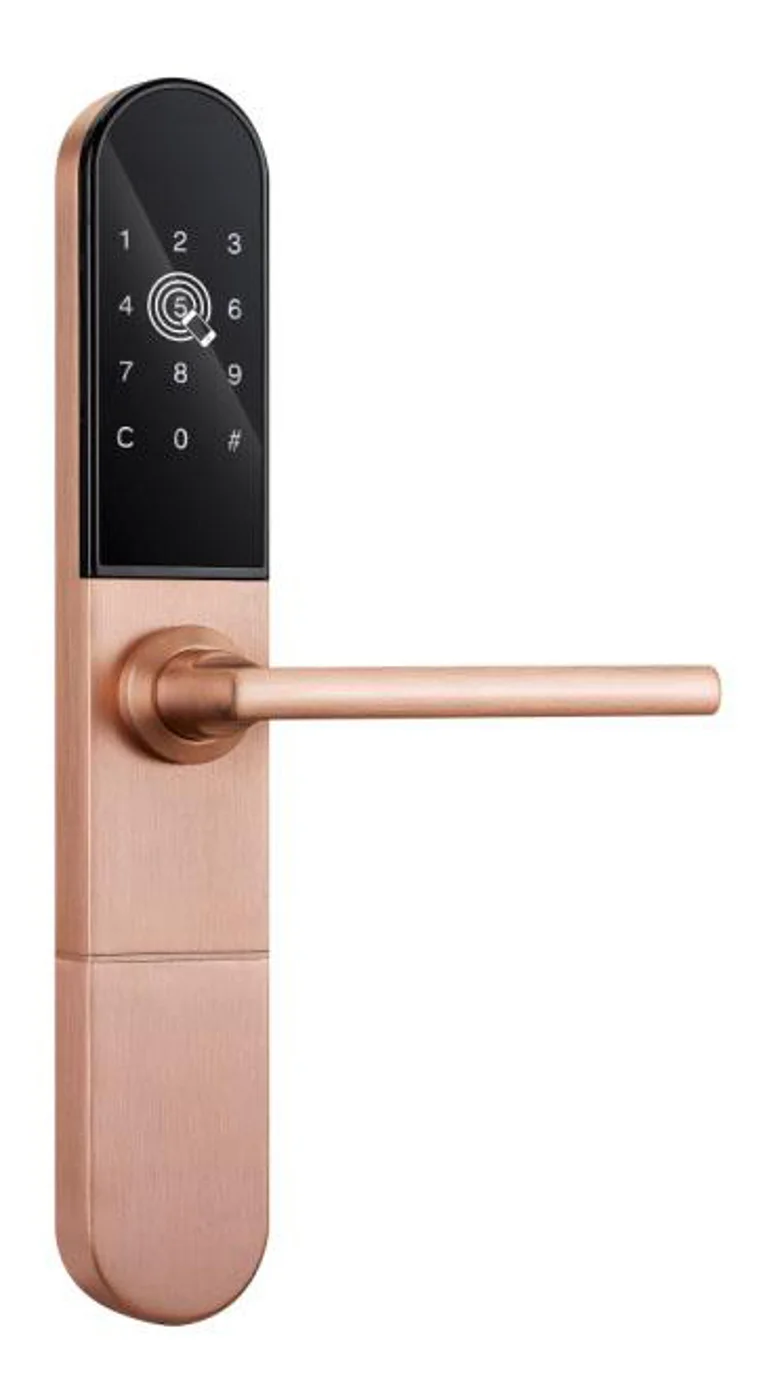
Smart Cabinet Lock — App-Managed, Multi-Site Dashboard
App-managed smart cabinet lock for office, parcel, and multi-site fleets. BLE app dashboard, audit trail, remote unlock, no per-lock server. Higher-tier chassis.
This page already points to it as the next recommended reference.
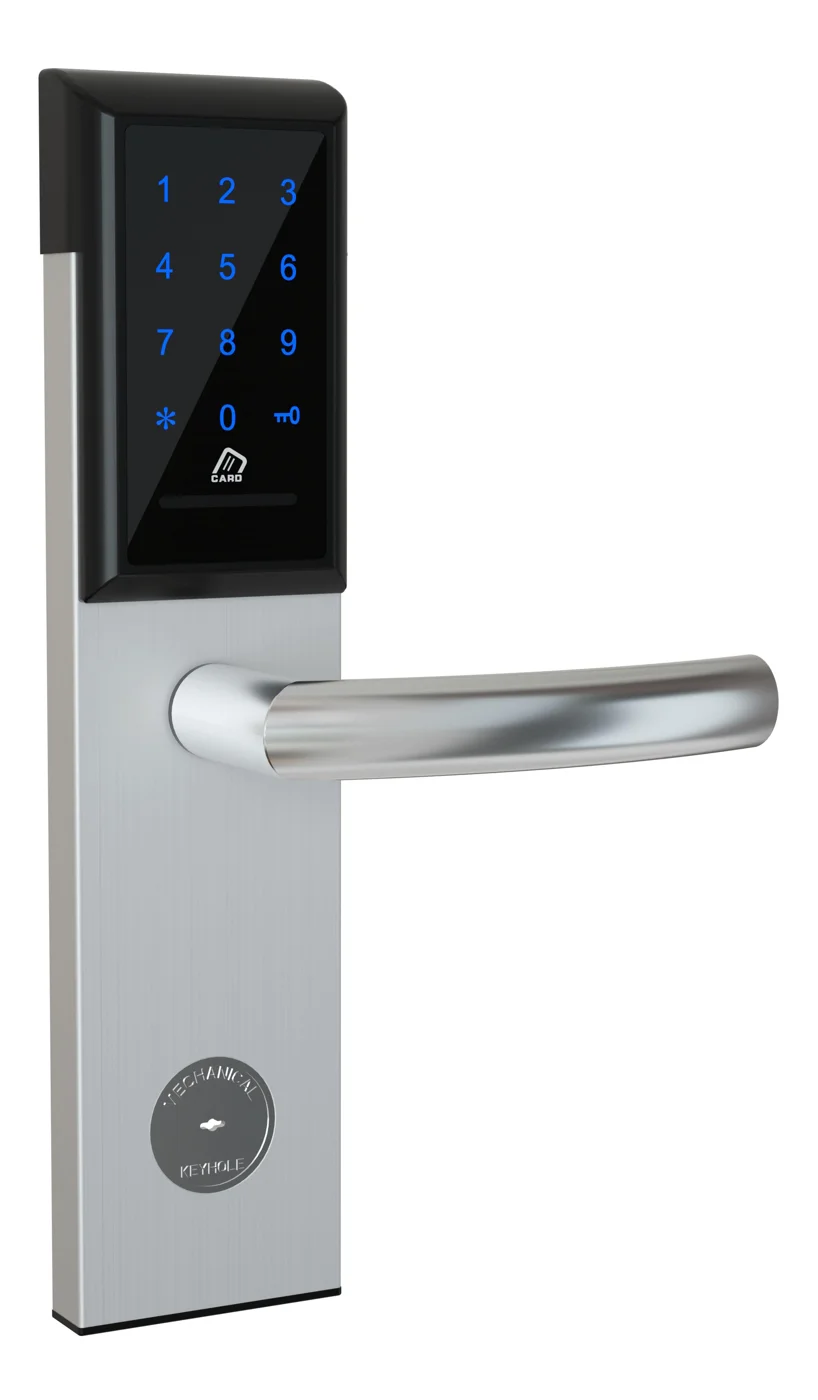
Office Cabinet Lock — PIN + Card for Filing & Pedestals
Offline PIN + card office cabinet lock for filing cabinets, pedestals, and drawers. Battery-powered 5-minute retrofit, no WiFi, no key management. CE/FCC/RoHS.
This page already points to it as the next recommended reference.
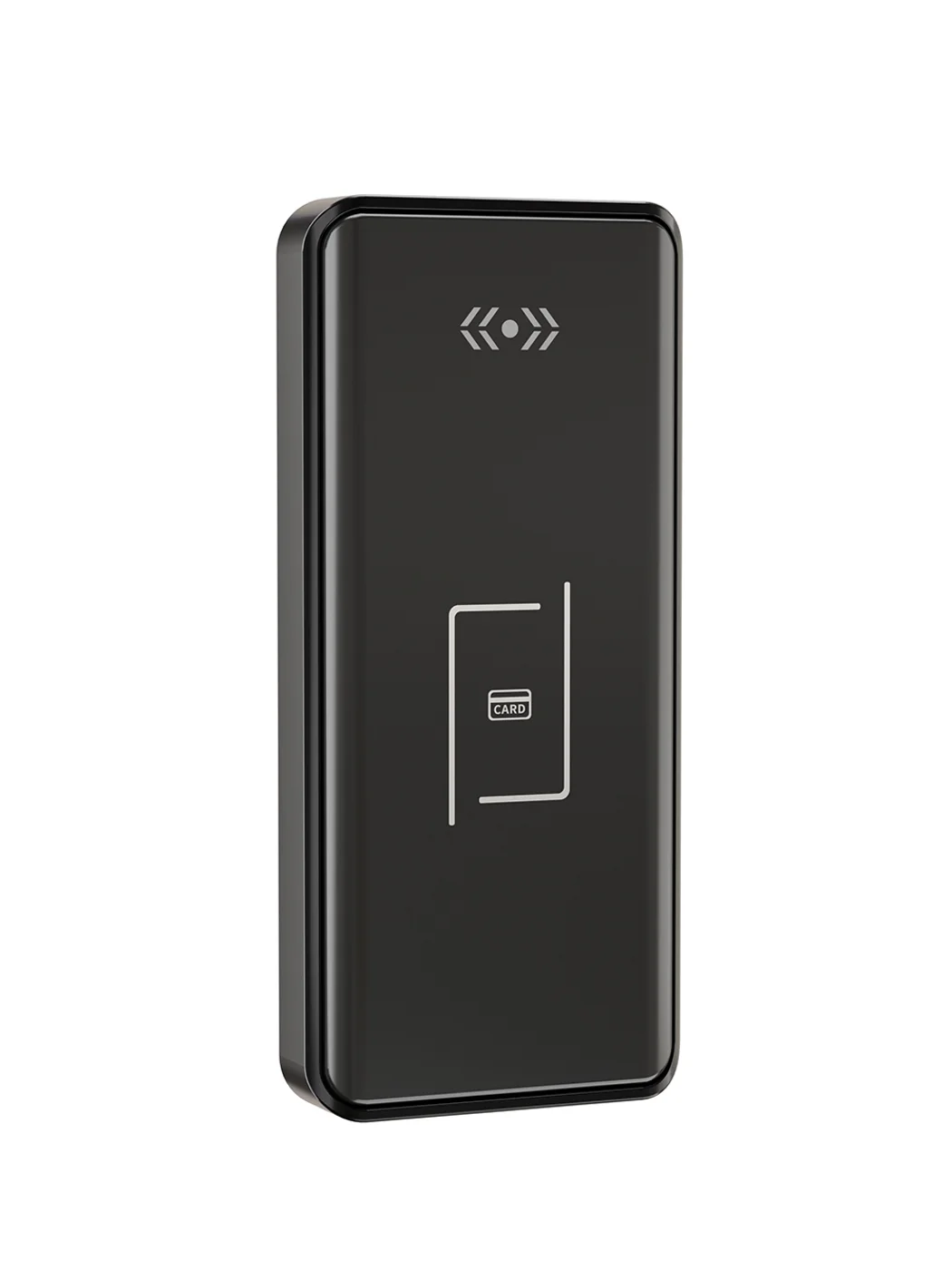
Gym Locker Lock — Offline Card, No WiFi Required
Offline card gym locker lock for fitness and pool lockers. MIFARE card, battery-powered 5-minute retrofit, no WiFi or server. Zinc alloy body, CE/FCC/RoHS.
This page already points to it as the next recommended reference.
Related blog posts
3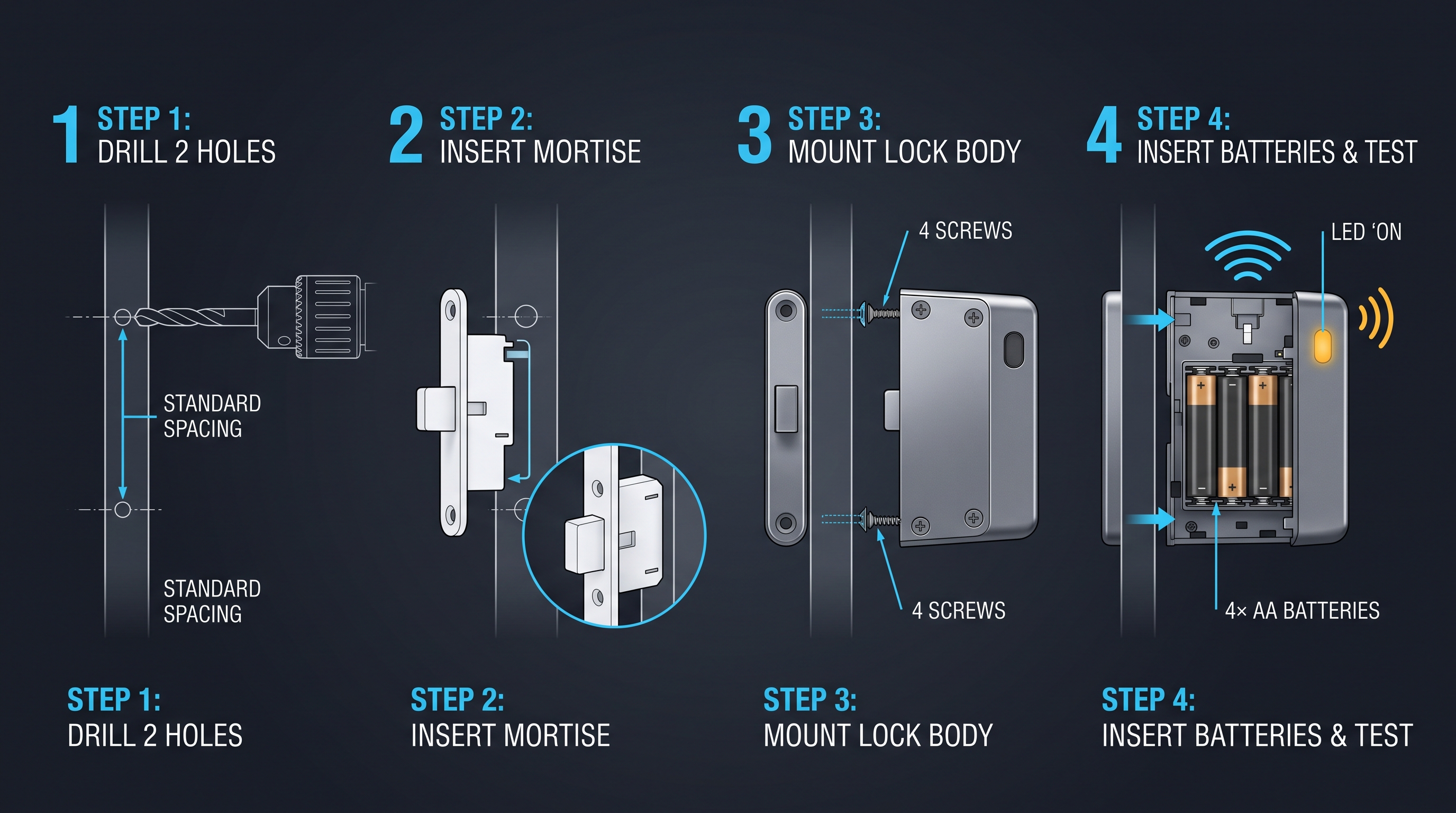
Mobile App Cabinet Lock: The Complete Guide to Smartphone-Controlled Cabinet Security
Discover how mobile app cabinet lock systems work. Explore BLE/Wi-Fi/NFC credentials, remote unlock, temporary codes, role-based access, cloud sync, security features, and deployment scenarios.
It supports the same product context: Smart Cabinet Lock — App-Managed, Multi-Site Dashboard, Office Cabinet Lock — PIN + Card for Filing & Pedestals, Gym Locker Lock — Offline Card, No WiFi Required.
MIFARE Cabinet Lock: Advanced Security Guide for MIFARE-Based Cabinet Access Systems
In-depth technical guide to MIFARE cabinet lock technology covering MIFARE Classic, Plus, DESFire, Ultralight variants, cryptographic security, installation, and multi-application smart card integration for cabinet access control.
It supports the same product context: Smart Cabinet Lock — App-Managed, Multi-Site Dashboard, Office Cabinet Lock — PIN + Card for Filing & Pedestals, Gym Locker Lock — Offline Card, No WiFi Required.
MIFARE Locker Lock: Definitive Guide to MIFARE-Based Smart Locker Security
Complete guide to MIFARE locker lock technology for gyms, schools, offices, and public facilities. Covers MIFARE Classic, Plus, DESFire variants, multi-user management, installation, networking, and smart locker ecosystem integration.
It supports the same product context: Gym Locker Lock — Offline Card, No WiFi Required.
Specify your cabinet lock project with our engineers
Send your locker count, cabinet type, and credential preference. We will return a sample plan and quote within 24 business hours.
- Move from general guidance into a product or application discussion.
- Use RFQ when pricing, drawings, MOQ, or launch timing needs structure.
- Keep a direct contact path visible for fast clarifications and handoff.