The Complete Guide to Digital Locker Management System Platforms in 2026
Explore how a digital locker management system transforms locker fleet operations with real-time monitoring, API integration, multi-site dashboards, and deployment flexibility for gyms, hotels, schools, and offices.
What Is a Digital Locker Management System?
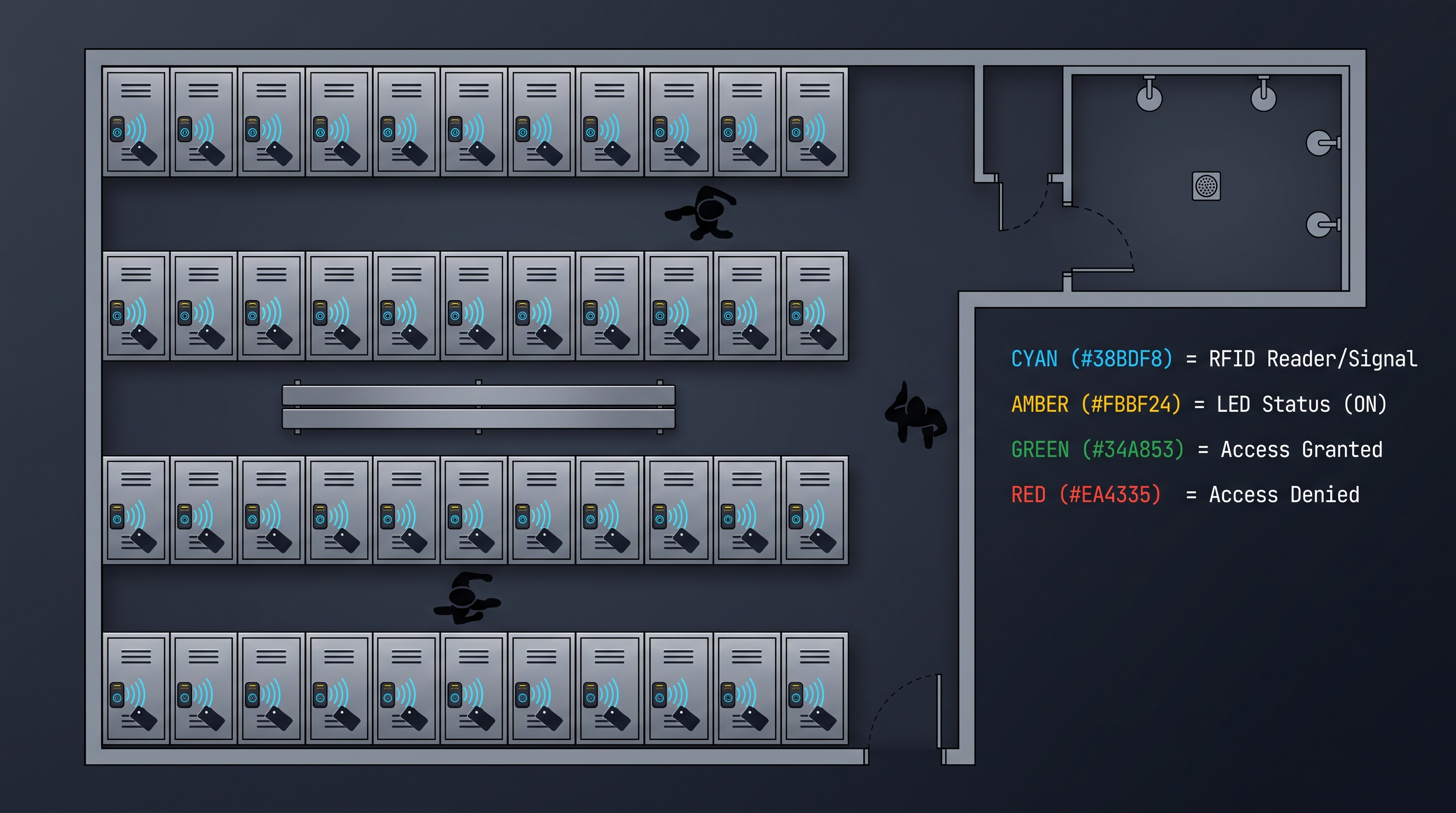
A digital locker management system is a cloud-based or on-premises software platform purpose-built to monitor, control, and optimize fleets of electronic lockers in real time. These systems unify every operational layer — credential provisioning, occupancy tracking, remote unlock, audit logging, and maintenance alerts — into a single pane of glass accessible from any browser or mobile device. Modern enterprise-grade platforms support up to 50,000+ locker units across 500+ sites simultaneously, with real-time status refreshes every 500 milliseconds and remote unlock commands completing in under 200 milliseconds over standard TLS-encrypted connections. Typical deployment costs range from $2,500 to $15,000 per site for the software layer of a digital locker management system, plus $200 to $800 per electronic locker endpoint depending on lock type and IoT module. The global smart locker market, driven largely by digital locker management system adoption, is projected to reach $6.8 billion by 2030 according to Grand View Research, with compound annual growth of 18.4 percent from 2024 to 2030. Industry-certified platforms carry SOC 2 Type II attestation, GDPR compliance documentation, and often UL 294 or EN 14846 hardware certifications. Unlike standalone electronic locks that require manual per-unit configuration, a true digital locker management system provides centralized policy engines, role-based administration, and programmable automation that eliminates the operational overhead of managing hundreds or thousands of lockers individually.
Core Capabilities of a Digital Locker Management System
A digital locker management system delivers real-time visibility into locker states — available, occupied, reserved, out of service, or undergoing maintenance — with dashboard latency of under one second from physical state change to UI update. The best platforms aggregate this data from IoT-enabled lock controllers using protocols such as MQTT, CoAP, or WebSocket. This real-time feed powers occupancy heat maps, utilization trend lines, and instant vacancy detection that can trigger automated cleaning schedules or rebalancing workflows. For hotel environments, front-desk staff can see exactly which lockers are free without dispatching a bellhop. In gym settings, members can check availability on a mobile app before leaving home. Large deployments of 10,000-plus lockers typically push 2,000 to 5,000 state-change messages per hour, and enterprise-grade systems handle this volume without degradation. The status layer also feeds downstream analytics — average dwell time, peak usage hours, abandonment rate — which in turn informs capacity planning and pricing models. A digital locker management system also processes credential assignments in under 150 milliseconds and handles 500 to 2,000 concurrent assignment requests per minute without queuing. The credential engine supports PIN codes, RFID cards, NFC tags, mobile Bluetooth, QR codes, and biometric readers, and integrates with existing identity providers including PMS, SIS, and HRIS. Every credential issuance, validation attempt, and revocation event is recorded in immutable append-only logs for compliance purposes.
Remote Unlock and Override as a Digital Locker Management System Feature
When a user forgets their code, loses their badge, or a locker jams, remote unlock transforms what would be a support ticket into a two-click resolution. Authorized administrators — front-desk staff, facility managers, security personnel — can trigger an unlock from the dashboard or mobile app. The command travels from the cloud or on-premises server to the specific locker controller via encrypted channel and executes within 200 to 400 milliseconds. Detailed audit entries capture who authorized the unlock, at what time, from which IP address or device, and whether the unlock was successful. Many jurisdictions and enterprise security policies require that every override be recorded with timestamped, non-repudiable audit records, making this logging feature a compliance necessity rather than a convenience. Remote unlock also supports batch operations: unlocking an entire row for cleaning staff, opening every locker in a section after a fire alarm, or releasing all assignments at semester end. The best implementations of a digital locker management system include rate limiting and geofencing to prevent abuse — for example, requiring that the administrator be on-site or within a defined network range to execute unlocks above a certain threshold.
Audit Logging and Compliance Analytics in a Digital Locker Management System
A comprehensive audit trail is the backbone of security and operational accountability in any digital locker management system. Every event — credential issue, access attempt (granted or denied), remote unlock, configuration change, user enrollment — is captured with a cryptographic hash linking it to the previous event, forming an immutable chain. These logs include user ID, locker ID, timestamp with millisecond precision, action type, result code, and the initiating IP or device fingerprint. The retention period varies by industry: hospitality typically retains logs for 90 days, educational institutions for one year, healthcare for seven years under HIPAA, and government facilities indefinitely. Compliance analytics dashboards provide pre-built reports for SOC 2 audits, GDPR data subject requests, PCI DSS access reviews, and internal security reviews. Export formats include CSV, JSON, and syslog-compatible streams for ingestion into SIEM platforms such as Splunk, Sentinel, or Elastic. A digital locker management system should also detect anomalous patterns — a single credential attempting access to dozens of lockers in under a minute, unlock commands originating from unrecognized IPs, or repeated failed PIN entries — and generate real-time alerts or automated lockout actions.
API and SIEM Integration with a Digital Locker Management System
A modern digital locker management system exposes a RESTful or GraphQL API that enables deep integration with the broader technology ecosystem. Typical API endpoints cover locker status queries, credential management, unlock commands, event stream subscriptions, and bulk configuration. Response times for read endpoints average 50 to 100 milliseconds, while write operations complete in 100 to 300 milliseconds. API rate limits commonly allow 1,000 to 10,000 requests per minute per tenant, with burst capabilities for synchronization events. SIEM integration sends structured log data via syslog, HTTPS webhooks, or cloud-native event buses (AWS EventBridge, Azure Event Grid). This enables security operations centers to correlate locker access events with badge swipes, video management systems, and building access logs. Many enterprises require that the digital locker management system support the Common Event Format or JSON schemas compatible with their existing SIEM pipeline. API-first architecture also enables custom front-end development, mobile app white-labeling, and workflow automation through tools like Zapier, Make, or custom Python scripts using the platform SDK. A well-documented API with OpenAPI 3.0 specification and sandbox environment is now considered table stakes for enterprise procurement.
Multi-Site Dashboard Capabilities of a Digital Locker Management System
For organizations operating lockers across multiple locations — a hotel chain with 200 properties, a university with 15 campus buildings, a gym franchise with 80 clubs — the multi-site dashboard is the most visible differentiator of a digital locker management system. The dashboard aggregates fleet-wide metrics: total lockers, current occupancy percentage, active users, pending maintenance tickets, and credential utilization rate. Site-level drill-down reveals per-location heat maps, peak usage patterns, and individual locker event histories. Global configuration management allows administrators to push policy changes — time limits, authentication methods, cleaning schedules — to all sites simultaneously or to targeted groups. Role-based access ensures that regional managers see only their assigned locations, corporate administrators see everything, and front-line staff see only their immediate site. Performance metrics for multi-site deployments show that a centralized digital locker management system reduces per-site administrative overhead by 60 to 75 percent compared to siloed deployments. Data synchronization between sites and the central server uses delta replication to minimize bandwidth, typically consuming 10 to 50 MB per site per day for a 200-locker installation.
Digital Locker Management System Deployment Architecture: On-Premises, SaaS, and Hybrid
The architectural choice for a digital locker management system carries long-term implications for cost, security, latency, and operational complexity. Each deployment model addresses different organizational priorities, and understanding the trade-offs is essential before committing to a platform.
On-Premises Digital Locker Management System
An on-premises digital locker management system runs entirely within the organization's own data center or server room. The server software — typically packaged as a virtual appliance or containerized application — communicates directly with locker controllers over the local network, eliminating internet dependency for core operations. This model is preferred by government agencies, defense contractors, healthcare institutions, and enterprises with strict data residency requirements. Latency is minimal because the control path stays within the LAN: unlock commands execute in 50 to 100 milliseconds versus 200 to 400 milliseconds for cloud-dependent systems. The trade-off is higher upfront cost and ongoing maintenance burden. Organizations must budget for server hardware ($5,000 to $25,000 depending on scale), operating system licensing, database administration, backup infrastructure, and IT staff time for patching and updates. Annual maintenance costs for an on-premises digital locker management system typically run 18 to 22 percent of the initial software license. Disaster recovery and high availability require additional investment in redundant servers, off-site backups, and failover procedures that the organization must design and test independently.
SaaS / Cloud Digital Locker Management System
The SaaS model delivers the digital locker management system as a fully managed cloud service, typically hosted on AWS, Azure, or GCP. The vendor handles infrastructure provisioning, database management, security patching, backup and recovery, and feature updates. Organizations pay a predictable monthly or annual subscription fee — typically $200 to $800 per site per month for enterprise plans, with per-locker pricing alternatives of $1 to $4 per locker per month. The cloud model excels in multi-site deployments because new locations can be onboarded by simply installing IoT controllers and configuring them through the vendor's portal — no server setup required. Automatic updates ensure that every site runs the latest version of the digital locker management system with the newest features and security fixes. Data encryption is managed end-to-end: TLS 1.3 in transit, AES-256 at rest, with customer-managed encryption key options available on enterprise plans. The primary concern with SaaS is internet dependency. While most platforms cache credentials and locker states locally on the controller to survive brief outages, extended connectivity loss can prevent new credential assignments and remote unlocks. Many vendors now offer hybrid architectures that address this limitation.
Hybrid Digital Locker Management System
A hybrid digital locker management system combines a cloud-based management plane with local edge processing for latency-sensitive and offline-critical operations. An edge gateway — a small form-factor computer or industrial IoT gateway running the vendor's software stack — sits on the local network and communicates directly with locker controllers. This gateway handles real-time state management, credential validation, and unlock commands locally, then synchronizes events and analytics to the cloud when connectivity is available. From the administrator's perspective, the experience is identical to the SaaS model: a cloud dashboard for multi-site management, reporting, and configuration. But from the user's perspective, every action — entering a PIN, tapping an RFID badge, receiving a remote unlock — works instantaneously regardless of internet quality. The hybrid model has become the preferred architecture for hospitality chains, campus deployments, and large corporate offices where reliability is critical and network conditions vary. The edge gateway for a hybrid digital locker management system typically costs $500 to $2,000 per site and requires minimal IT involvement — plug it into the network, register it with the cloud portal, and the vendor manages updates remotely.
Deployment Architecture Comparison Table for a Digital Locker Management System
| Feature | On-Premises | SaaS / Cloud | Hybrid |
|---|---|---|---|
| Unlock latency | 50-100 ms | 200-400 ms | 50-100 ms local |
| Internet dependency | None | Full | Dashboard only |
| Upfront cost | $15K-$75K+ | $0 | $500-$2K/site |
| Monthly cost | N/A | $200-$800/site | $200-$800/site |
| IT maintenance burden | High | None | Low |
| Multi-site management | Custom VPN | Built-in | Built-in |
| Offline operation | Full | Limited | Full |
| Data residency control | Full | Vendor-dependent | Full edge, cloud analytics |
| Update management | Self-managed | Auto-pushed | Auto-pushed edge |
| Best for | Gov, defense, healthcare | Franchises, SMBs | Hotels, campuses, enterprise |
Digital Locker Management System Industry Applications and Use Cases
A digital locker management system adapts to vastly different operational contexts while maintaining a consistent core architecture. Each industry imposes unique requirements around authentication speed, credential lifecycle, integration depth, and compliance.
Digital Locker Management System for Hospitality and Hotels
Hotels were among the earliest adopters of a digital locker management system, deploying them for luggage storage, beach locker rentals, spa lockers, and employee break-room storage. The typical hotel installation ranges from 50 to 500 lockers per property, often spread across multiple amenity areas. Integration with the property management system (PMS) is the most critical requirement — when a guest checks in, the PMS sends a webhook to the locker system to provision a temporary code for the guest's selected locker. At check-out, the code expires automatically. This eliminates front-desk intervention for locker management, saving an estimated three to eight minutes per guest interaction. Hotel chains with 50-plus properties report annual labor savings of $120,000 to $400,000 after deploying a centralized digital locker management system. Spa operations benefit from timed locker assignments that align with treatment durations — a 60-minute massage reservation automatically assigns a locker for 75 minutes, then releases it when the session ends. Employee lockers for housekeeping and kitchen staff use recurring credentials tied to employment status in the HRIS, deactivating automatically upon termination. Security requirements include PCI DSS compliance for any locker near point-of-sale systems and GDPR or CCPA compliance for guest data handling.
Digital Locker Management System for Fitness and Gyms
Gym operators face one of the highest-velocity locker environments in any industry. A busy fitness club can cycle through 200 to 800 locker assignments per day during peak hours, with average dwell times of 45 to 90 minutes. A digital locker management system for this context must handle burst credential assignment — 50 to 100 concurrent assignments during the 6:00 to 7:00 AM rush — without latency spikes. Mobile credentialing is table stakes: members prefer to receive a locker assignment on their phone via the gym's branded app rather than stopping at a kiosk. The system links to the club management platform (ClubReady, Zen Planner, ABC Fitness) so that only active members with current memberships receive credentials. Day-pass and trial members get limited-duration access. Gym-specific analytics include peak occupancy by hour, average locker turnover rate, and conversion tracking — how many day-pass users who used a locker upgraded to a membership. Large franchise operators with 100-plus locations demand the multi-site dashboard and global policy engine described earlier, enabling them to set time limits, authentication methods, and maintenance schedules centrally. The most advanced implementations of a digital locker management system in fitness integrate with access control systems so that a member's locker assignment is tied to their gym entry scan, releasing the locker automatically when they exit.
Digital Locker Management System for Educational Institutions
Schools, universities, and training centers deploy a digital locker management system for student lockers, library storage, lab equipment lockers, and staff storage. The educational environment introduces unique constraints: student privacy laws (FERPA in the US, GDPR for European institutions), academic calendar-based scheduling, and integration with student information systems (SIS). A typical high school installation manages 500 to 2,000 lockers assigned to students for the academic year, with locker reassignments at semester boundaries. University installations can reach 5,000 to 15,000 lockers across multiple buildings — dormitories, libraries, recreation centers, and academic buildings. The digital locker management system must support both permanent assignments (semester-long locker rentals) and transient assignments (day-use lockers at the library or gym). Integration with the SIS enables automated assignment based on enrollment: when a student registers for fall semester courses, the system provisions a locker in their designated building. FERPA compliance requires that locker assignment data be protected as part of the student record and not exposed through insecure API endpoints or admin interfaces. Many universities also use the system for campus mail and package lockers, integrating with package tracking systems so students receive a notification and temporary code when a delivery arrives.
Digital Locker Management System for Corporate Offices and Coworking
Modern offices use a digital locker management system for hot-desking support, equipment storage, visitor lockers, and bicycle storage. In a hot-desk environment, an employee books a desk through the workspace management platform (Envoy, Robin, OfficeSpace), which triggers the locker system to assign a nearby personal locker for the day. This creates a seamless arrival experience: the employee sits at their booked desk and their locker credential arrives via Slack, Teams, or email. Coworking operators with multiple locations — WeWork, Regus, Industrious — deploy the multi-site variant of the system to manage locker fleets across their entire portfolio, offering members the ability to use any location's lockers with their single membership credential. Visitor lockers provide temporary storage for guests, automatically provisioning a code at check-in and expiring it when the visitor badge is returned. Bicycle storage lockers integrate with employee commute benefit programs. SSO integration through SAML, OAuth, or OpenID Connect is essential for the office environment — employees should authenticate using their existing corporate identity (Okta, Azure AD, OneLogin) rather than creating yet another account. Security teams require SIEM integration so that locker access events feed into the corporate security operations center alongside badge reads, VPN connections, and door access logs.
Digital Locker Management System for Healthcare
Hospitals and clinics deploy a digital locker management system for staff storage, patient valuables, mobile equipment lockers, and pharmaceutical delivery lockers. Healthcare installations demand the highest level of compliance: HIPAA for any locker storing patient belongings or medical records, FDA guidance for lockers used in medication storage, and Joint Commission standards for security and access control. Staff lockers in surgical wings and emergency departments require instant-access credentialing — a nurse moving between units should be able to open any available locker in their authorized zone without pre-assignment. Patient valuables lockers in emergency departments and imaging suites use temporary codes printed on admission wristbands, with automatic expiry at discharge. Mobile equipment lockers for infusion pumps, ventilators, and wheelchairs use RFID asset tracking integrated with the locker system, so staff can see in real time which equipment is available and which is checked out. A healthcare digital locker management system must integrate with the hospital's HRIS to ensure that credential assignments for traveling nurses and temporary staff expire automatically when their contract ends. Audit logging in healthcare must meet evidentiary standards for potential litigation — every access event must include the user's full identity, not just a locker number or PIN.
Digital Locker Management System Reporting and Analytics
The reporting engine of a digital locker management system transforms raw operational data into actionable business intelligence. The depth and flexibility of reporting capabilities often determine whether the system pays for itself through operational efficiencies or remains a cost center.
Operational Reports from a Digital Locker Management System
Standard operational reports from a digital locker management system cover utilization rates, peak occupancy periods, average dwell time, turnover frequency, and maintenance incidents. Utilization rate is the most commonly tracked metric: what percentage of lockers are occupied at any given time, and how does that vary by hour, day, week, or season. A gym that sees 85 percent utilization during the 5:00 to 8:00 PM peak but only 20 percent utilization from 9:00 AM to 11:00 AM can make data-driven decisions about locker inventory rebalancing. Average dwell time reports reveal whether users are exceeding time limits — a problem that causes artificial scarcity in high-traffic environments. Turnover frequency measures how many times each locker is used per day, identifying underperforming lockers that may be in undesirable locations or have mechanical issues. Maintenance incident reports track the frequency and type of repairs per locker model, per building, or per controller, enabling procurement teams to make evidence-based purchasing decisions.
Financial Analytics in a Digital Locker Management System
For revenue-generating locker deployments — hotel luggage storage, gym locker rentals, university semester lockers — financial analytics are essential. A digital locker management system tracks revenue per locker, per site, and per pricing tier. Revenue leakage detection flags discrepancies: a locker that shows as occupied but has no associated payment transaction, or a credential that was issued outside the standard pricing workflow. Utilization-based pricing models — where users pay per hour of locker use — require accurate dwell time tracking down to the minute, with billing feeds sent to the PMS, ERP, or billing platform. Break-even analysis helps operators determine how many lockers they need to rent at a given price point to recover the system investment. Churn analysis correlates locker usage with membership retention: do members who use lockers regularly renew at higher rates? The analytics layer of a digital locker management system can answer this question with a simple cohort analysis report.
Compliance Reports from a Digital Locker Management System
Compliance reporting converts the raw audit log into formatted, exportable documents suitable for auditors, regulators, and internal security reviews. Standard compliance reports from a digital locker management system include: access history by user, access history by locker, failed access attempt summary, administrative action log, credential lifecycle report, and system configuration change log. Each report includes the cryptographic chain hashes that prove the log has not been tampered with since creation. SOC 2 auditors typically request reports covering user access reviews, security event logs, and change management records. GDPR compliance requires the ability to produce a complete data export for any individual upon request — every locker they accessed, every credential assigned to them, and every time their data was viewed by an administrator. The reporting engine should support both scheduled delivery (weekly PDF emailed to the compliance team) and on-demand generation through the dashboard.
Custom and Programmatic Reporting with a Digital Locker Management System
Enterprise-grade platforms allow administrators to build custom reports using a drag-and-drop report builder or by writing SQL-like queries against the event store. Custom dimensions include any metadata field attached to lockers, users, or events: building, floor, zone, locker type, user department, authentication method, and so on. The most advanced digital locker management system platforms offer a data warehouse export — nightly or real-time replication of all locker events to the organization's data lake or analytics platform (Snowflake, BigQuery, Redshift, Databricks). This enables data science teams to build predictive models for occupancy forecasting, maintenance prediction, and user behavior analysis. For organizations without dedicated analytics teams, pre-built dashboard templates for Tableau, Power BI, and Looker provide visualization of key metrics without requiring custom development.
Choosing a Digital Locker Management System
Selecting the right digital locker management system requires a structured evaluation process that maps vendor capabilities to organizational requirements across seven dimensions.
Step 1: Define Scale and Growth Trajectory for Your Digital Locker Management System
Begin by documenting current locker count and projected growth over three to five years. A system that works well for 200 lockers at a single site may break operationally at 2,000 lockers across 10 sites. The platform's architecture — database engine, API throughput, event processing pipeline — must scale linearly with fleet size. Ask vendors for reference customers at your scale or larger. Request performance benchmarks: maximum concurrent users, peak credential assignments per minute, and dashboard load times under production load. Avoid platforms that cannot demonstrate sub-second dashboard performance at your target scale. The right digital locker management system will grow with your organization without requiring a replatform.
Step 2: Map Integration Requirements for a Digital Locker Management System
Document every system that must connect to the digital locker management system. Common integration targets include:
| Integration | Typical Use Case | Protocol |
|---|---|---|
| Property Management System (PMS) | Guest locker assignment at check-in | REST API, webhook |
| Student Information System (SIS) | Semester locker assignments | REST API, SFTP |
| HRIS / Active Directory | Employee credential provisioning | SCIM, LDAP, SAML |
| Club Management Platform | Member locker access | REST API, webhook |
| Access Control System | Tie locker use to building entry | REST, BACnet |
| SIEM (Splunk, Sentinel) | Security event ingestion | Syslog, HTTPS |
| SSO (Okta, Azure AD) | Admin authentication | SAML, OIDC |
| Billing / ERP | Revenue tracking, invoicing | REST API, CSV |
Prioritize vendors with proven, documented integration adapters rather than custom development. Each custom integration adds $5,000 to $25,000 in upfront cost and ongoing maintenance liability.
Step 3: Evaluate Hardware Compatibility for Your Digital Locker Management System
Not all lockers are created equal, and not every digital locker management system supports every lock type. Determine whether the system works with your existing lock hardware or requires vendor-specific lockers. The most common electronic lock interfaces are:
- Wiegand — Legacy protocol, 26 to 40 bits, still common in RFID readers
- OSDP — Modern secure access protocol, preferred for new installations
- RS-485 / Modbus — Industrial protocol for daisy-chained lock controllers
- BLE / Bluetooth — Wireless protocol for retrofit smart locks
- Zigbee / Z-Wave — Mesh networking for retrofit installations
- PoE+ — Power-over-Ethernet locks that combine power and data over a single cable
If you are retrofitting an existing locker fleet, the digital locker management system must support your lock protocol. If purchasing new lockers, consider PoE+ locks for the simplest installation and lowest total cost of ownership.
Step 4: Assess Deployment Model Fit for a Digital Locker Management System
Return to the deployment architecture comparison table earlier in this guide. Match your organization's IT capabilities, security requirements, and reliability needs against the three deployment models. Key questions: Does your organization have IT staff to maintain an on-premises server? Are you comfortable with internet dependency for cloud operation? Do you need offline operation during internet outages? Is there a data residency regulation that mandates on-premises storage? The hybrid model increasingly emerges as the best answer for organizations that want cloud convenience without cloud dependency. Your chosen digital locker management system deployment model will affect every aspect of ongoing operations.
Step 5: Verify Security and Compliance Posture of a Digital Locker Management System
Request the vendor's SOC 2 Type II report, penetration testing results (performed within the last 12 months by an independent firm), and compliance documentation for your industry's relevant standards. For healthcare: HIPAA Business Associate Agreement and HITRUST certification. For education: FERPA compliance attestation. For hospitality: PCI DSS Attestation of Compliance if lockers are near payment terminals. For government: FedRAMP authorization or StateRAMP equivalency. Verify data encryption standards: TLS 1.2 or 1.3 in transit, AES-256 at rest. Ask about key management: does the vendor of the digital locker management system support customer-managed encryption keys (CMEK) through AWS KMS or Azure Key Vault? Review the incident response plan and ask for historical uptime data — enterprise SLAs should guarantee 99.9 percent uptime or better.
Step 6: Evaluate Total Cost of Ownership for a Digital Locker Management System
TCO for a digital locker management system includes five cost categories:
- Software licensing: Upfront license or recurring SaaS subscription
- Hardware: Lock controllers, edge gateways, network infrastructure
- Installation: Physical installation, network cabling, system configuration
- Integration: Custom API development, adapter configuration, data migration
- Ongoing operations: IT maintenance (on-premises), subscription fees (SaaS), support contracts
A common mistake is comparing only the software subscription price without accounting for integration and installation costs. Request a detailed TCO worksheet from each vendor with your specific locker count and site configuration. Run the TCO calculation over a five-year horizon to capture the full cost picture of the digital locker management system.
Step 7: Request a Proof of Concept for a Digital Locker Management System
Before signing a multi-year contract, run a proof of concept with 10 to 50 lockers in a production-representative environment. Test credential assignment workflows, remote unlock, mobile app experience, dashboard performance, API integration with your existing systems, and reporting capabilities. Invite end users — front-desk staff, facility managers, security team members — to evaluate the system from their perspective. Measure response times under realistic load. Verify that the vendor's support team responds to test incidents within the contracted SLA. A 30-to-60-day proof of concept for a digital locker management system costs time and attention but prevents a five-year mistake.
Vendor Evaluation Checklist for a Digital Locker Management System
| Criteria | Weight | Vendor A | Vendor B | Vendor C |
|---|---|---|---|---|
| Max lockers supported | 10% | 50,000 | 25,000 | 100,000 |
| API response time (P99) | 10% | 120 ms | 200 ms | 90 ms |
| Supported lock protocols | 10% | 6 | 4 | 5 |
| Deployment options | 10% | SaaS + Hybrid | SaaS only | On-prem + SaaS |
| SOC 2 Type II | 5% | Yes | Yes | Yes |
| HIPAA BAA available | 5% | Yes | No | Yes |
| SIEM integrations | 10% | 5 platforms | 2 platforms | 4 platforms |
| SSO protocols | 5% | SAML, OIDC, LDAP | SAML only | SAML, OIDC |
| PMS integration adapters | 10% | 8 adapters | 3 adapters | 6 adapters |
| Multi-site dashboard | 10% | Native | Add-on | Native |
| Average support response | 5% | 2 hours | 4 hours | 1 hour |
| Per-site subscription cost | 10% | $400/mo | $300/mo | $500/mo |
Digital Locker Management System Implementation Best Practices
Deploying a digital locker management system successfully requires more than installing hardware and configuring software. Organizations that follow structured implementation methodology achieve faster adoption, higher user satisfaction, and lower ongoing support costs.
Pre-Deployment Planning for a Digital Locker Management System
Conduct a site survey before writing a single line of configuration. Document locker locations, network topology, power availability, and environmental conditions (temperature, humidity, exposure to water or chemicals). Verify that Wi-Fi coverage reaches every locker location or plan for wired Ethernet connections to controllers. Identify which lockers will be grouped into zones — by floor, by wing, by usage type (staff versus guest, short-term versus long-term). Define credential policies: maximum PIN length, PIN expiry duration, number of concurrent lockers per user, allowed authentication methods per zone. Map user roles: who can assign credentials, who can remote unlock, who can view reports, who can change system configuration. The role hierarchy should align with your organizational structure, not the vendor's default. Prepare a naming convention for lockers, zones, and sites that will remain consistent as the fleet grows. A thoughtful naming convention for your digital locker management system prevents confusion when reading reports or troubleshooting issues two years post-deployment.
Network and Infrastructure Requirements for a Digital Locker Management System
A reliable network is the single most important infrastructure dependency for a digital locker management system. Each locker controller requires a stable connection to the server — whether local or cloud — with latency under 50 milliseconds and packet loss under 0.5 percent. For wired installations, Category 6 or higher Ethernet cabling is recommended. For wireless installations, deploy dedicated SSIDs with QoS prioritization for locker traffic. Calculate bandwidth requirements: a 200-locker site typically consumes 50 to 150 KB per second during normal operation, with bursts up to 500 KB per second during peak credential assignment periods. For SaaS deployments, ensure outbound internet access from the locker network to the vendor's cloud endpoints — typically a small set of IP addresses and domains that should be allow-listed on the firewall. For hybrid deployments, the edge gateway needs outbound access to the cloud management plane but locker controllers communicate only with the local gateway, not directly with the internet. Document the vendor's network requirements during procurement and validate them during the proof of concept for your digital locker management system.
User Onboarding and Training for a Digital Locker Management System
A digital locker management system is only as effective as the people using it. Develop role-specific training materials: front-desk staff need to know how to assign a locker, perform a remote unlock, and handle a forgotten code. Facility managers need to know how to view occupancy reports, run maintenance diagnostics, and configure time limits. Security team members need to know how to run audit reports, configure SIEM forwarding, and review access logs. System administrators need to know how to manage user roles, configure SSO, and perform system backups. Deliver training in multiple formats: live sessions for hands-on practice, video recordings for reference, and written documentation for troubleshooting. Plan for a 30-day go-live support period where vendor support or internal IT provides enhanced coverage for user questions and issues related to the digital locker management system.
Ongoing Operations and Maintenance for a Digital Locker Management System
After go-live, the digital locker management system requires ongoing attention to maintain performance and security. Establish a regular maintenance cadence:
- Daily: Review system health dashboard for offline controllers, error logs, and anomaly alerts
- Weekly: Review credential utilization trends, identify lockers approaching capacity, check for software update availability
- Monthly: Run compliance audit reports, review failed access attempt patterns, verify SIEM data flow, test remote unlock from the administrator account
- Quarterly: Conduct a user role review to remove inactive administrators, verify SSO integration, test backup and restore procedures
- Annually: Review SOC 2 report or equivalent, perform penetration testing, evaluate feature roadmap for upgrades, reassess deployment model fit
Document standard operating procedures for common scenarios: credential reset, lost and found process, locker jam troubleshooting, network outage response, and vendor escalation contacts. Keep the vendor support contract current and know the SLA terms for severity levels — a system outage at a hotel front desk during check-in hours requires a different response time than a non-critical reporting issue.
Future Trends in Digital Locker Management Systems
The digital locker management system landscape continues to evolve rapidly, driven by advances in IoT hardware, artificial intelligence, edge computing, and user experience design. Several trends will shape the next generation of platforms.
AI-Powered Predictive Management in a Digital Locker Management System
Machine learning models trained on historical locker usage data will predict demand patterns with increasing accuracy. A digital locker management system that knows — based on weather, day of week, local events, and historical patterns — that the downtown gym location will see 94 percent locker occupancy between 5:00 and 7:00 PM can proactively suggest that members reserve lockers in advance or direct them to a nearby location with available capacity. Predictive maintenance models analyze lock controller telemetry — motor current draw, latch position sensor drift, communication error rates — to identify lockers likely to fail within the next 30 days, enabling proactive repair before the locker becomes unavailable.
Frictionless Authentication in a Digital Locker Management System
Authentication methods in a digital locker management system are moving toward zero-interaction models. Bluetooth Low Energy (BLE) presence detection can assign a locker to a user automatically when they approach within a defined proximity. Ultra-wideband (UWB) technology provides precise indoor positioning — within 10 to 30 centimeters — enabling a locker to open as a user walks toward it. Facial recognition and palm-vein scanning eliminate the need for any physical credential. These frictionless methods improve throughput in high-traffic environments and enhance the user experience in premium settings like luxury hotels and executive fitness centers.
Unified Ecosystem Integration for a Digital Locker Management System
The standalone digital locker management system is giving way to platforms that function as part of a broader building management ecosystem. Integration with HVAC and lighting systems enables energy optimization — lockers in unoccupied zones trigger reduced HVAC and lighting. Integration with wayfinding apps guides users to their assigned locker with turn-by-turn indoor navigation. Integration with digital signage displays occupancy status at zone entrances. Integration with visitor management systems creates a seamless experience: a visitor registers at the lobby kiosk, receives a visitor badge, and gets assigned a locker — all from a single check-in workflow.
Edge AI and Local Processing in a Digital Locker Management System
Edge computing capabilities in a digital locker management system are expanding beyond basic offline operation to include local AI inference. Edge gateways running machine learning models can detect anomalous access patterns in real time without sending data to the cloud, enabling immediate lockout of suspicious credentials while maintaining privacy. Local natural language processing enables voice-activated locker assignment: "Assign me a locker near the pool for two hours" spoken to a kiosk or mobile app triggers the full workflow without cloud dependency. As edge hardware costs decline — capable edge gateways are now available for under $300 — this local intelligence will become standard rather than premium.
Sustainability and Energy Management in a Digital Locker Management System
Organizations increasingly include sustainability criteria in procurement decisions for a digital locker management system. Look for platforms that provide energy consumption analytics per locker, per zone, and per site. PoE+ locks that draw power only during actuation — consuming under 0.5 watts in standby — reduce energy costs compared to battery-powered locks that require regular battery replacement. A digital locker management system that can put entire zones into low-power mode during off-hours, waking individual lockers on demand when a credential is presented, further reduces the environmental footprint. Carbon reporting features that calculate the emissions impact of locker fleet operations help organizations meet ESG reporting requirements.
Conclusion on Choosing a Digital Locker Management System
A digital locker management system has evolved from a convenience tool into an operational necessity for any organization managing more than a handful of electronic lockers. The right platform delivers real-time visibility into fleet status, automates credential lifecycle management, enforces security policies consistently across all sites, and provides the analytics foundation for data-driven operational decisions. The deployment architecture decision — on-premises, SaaS, or hybrid — must be driven by your organization's IT capabilities, security requirements, reliability needs, and growth trajectory. The hybrid model increasingly represents the sweet spot for most enterprises: cloud convenience for multi-site management with local processing for reliable offline operation. When evaluating any digital locker management system, prioritize platforms with proven scale at your deployment size, documented API integration capabilities for your existing technology stack, verified security certifications relevant to your industry, and a clear path to the emerging capabilities — AI-powered management, frictionless authentication, and ecosystem integration — that will define the next generation of intelligent locker management. Invest the time in a structured proof of concept, calculate total cost of ownership over a five-year horizon, and involve end users in the evaluation process. The organizations that implement their digital locker management system thoughtfully — with proper network infrastructure, role-based training, and ongoing operational processes — realize measurable returns: reduced front-desk workload, higher user satisfaction, improved security posture, and actionable data that drives continuous improvement. As locker fleets grow larger and user expectations rise, the gap between organizations with a modern, well-deployed system and those still managing lockers manually will only widen. The question is not whether to adopt a digital locker management system, but which one, deployed how, and with what level of organizational commitment to making it successful.
Not sure which sensor fits your project?
Talk to our mmWave application engineers for a free consultation.
Find the right presence sensor for your hotel project
Compare the 3 protocols, check hotel-specific case studies, and download the installation guide
Related products
3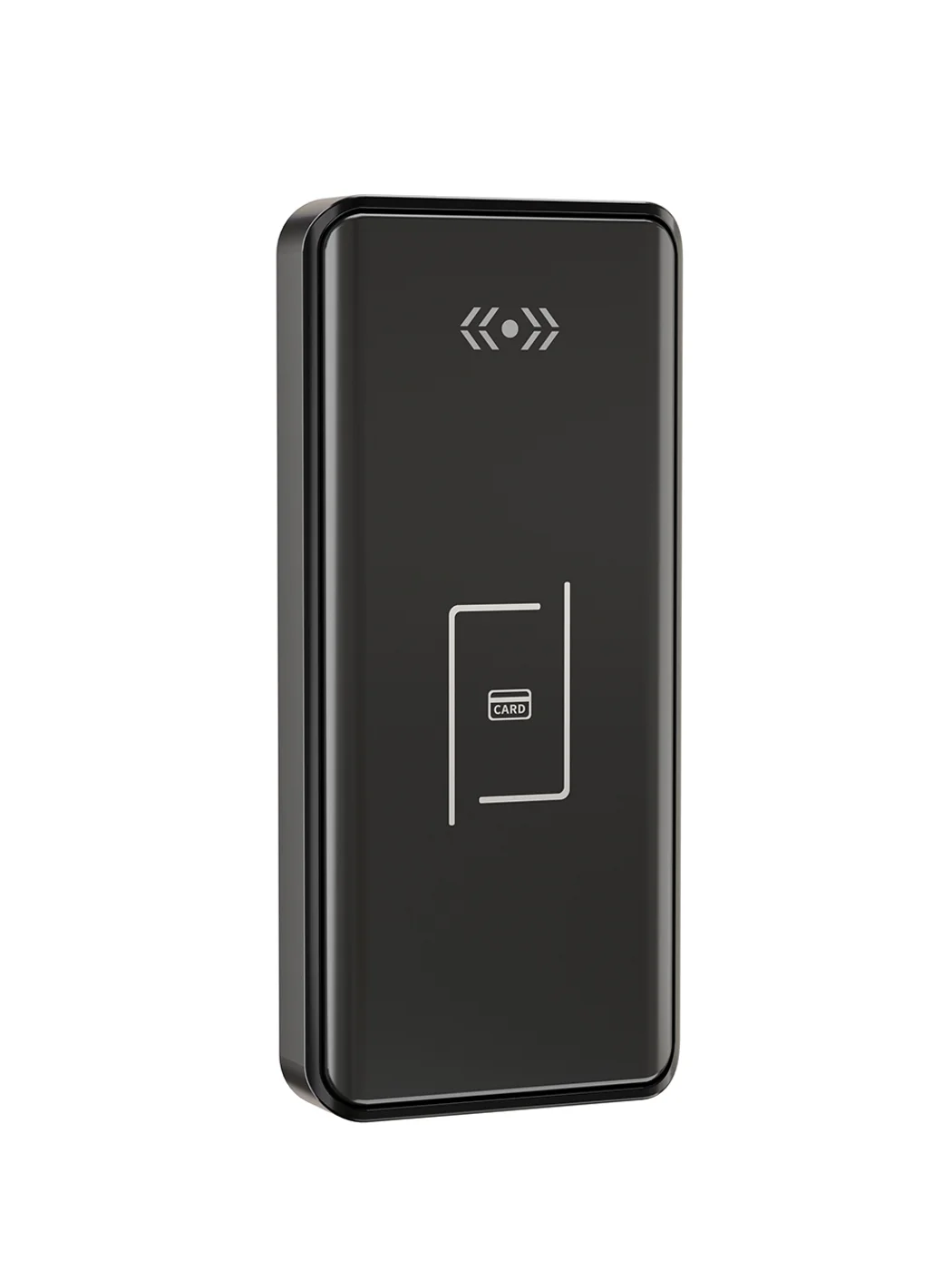
Gym Locker Lock — Offline Card, No WiFi Required
Offline card gym locker lock for fitness and pool lockers. MIFARE card, battery-powered 5-minute retrofit, no WiFi or server. Zinc alloy body, CE/FCC/RoHS.
This page already points to it as the next recommended reference.
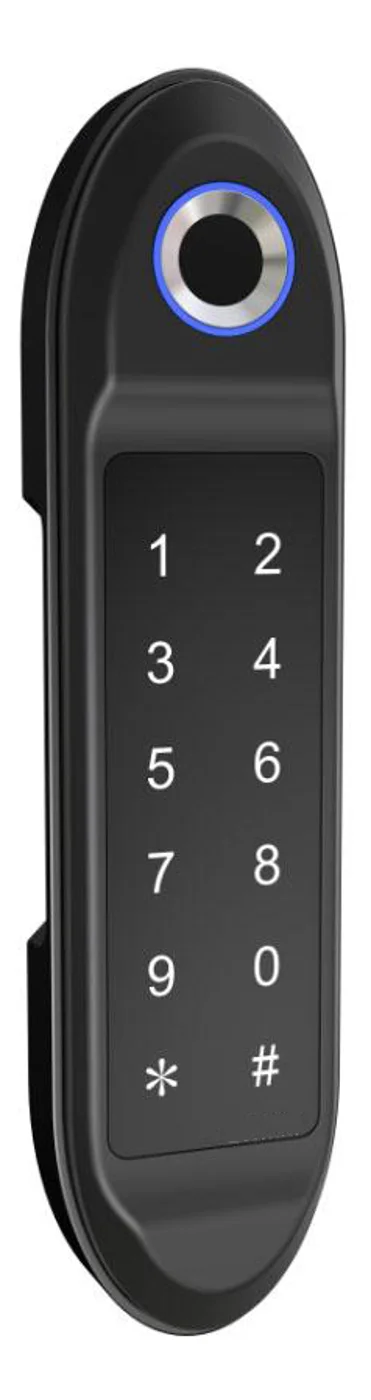
PIN Code Electronic Cabinet Lock — Stand-Alone, No WiFi
Offline keypad cabinet lock for gym, office and parcel lockers. Battery-powered, 5-minute retrofit, audit-free simple deployment. PIN + MIFARE card, DC 6V, 4×AA.
This page already points to it as the next recommended reference.
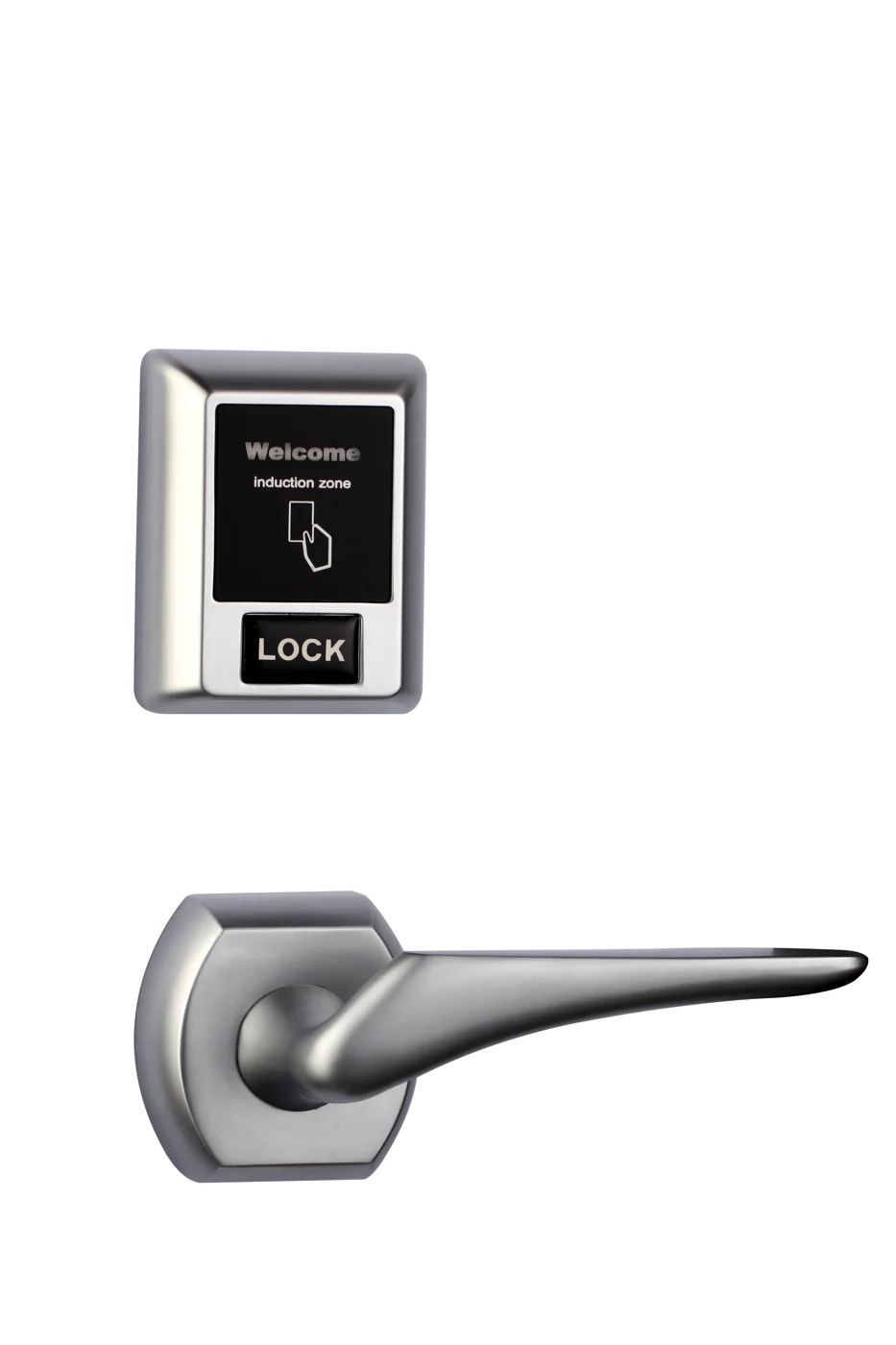
Bluetooth Cabinet Lock — App + PIN + Card, Managed Fleet
Offline BLE app cabinet lock for parcel, office, and managed locker fleets. App + PIN + MIFARE card, remote credential management, no server dependency, battery-powered retrofit.
This page already points to it as the next recommended reference.
Related blog posts
3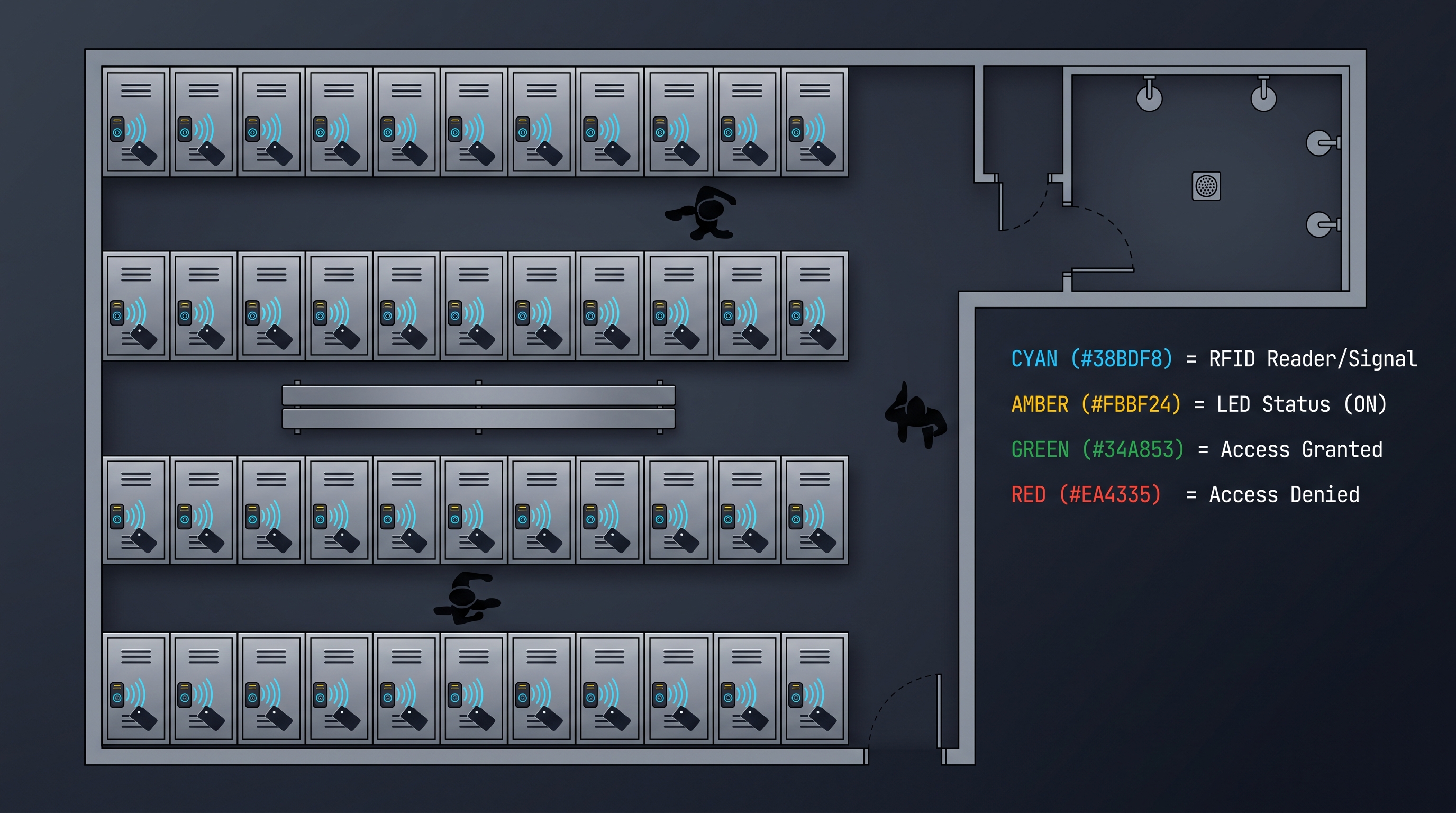
Digital Locker Lock: The Complete 2026 Guide to Smart, Keyless Gym, Office, and Parcel Storage Access Control
Complete guide to digital locker lock selection covering RFID, Bluetooth, PIN, QR code, and biometric access technologies for gyms, offices, parcel delivery, schools, hospitals, and commercial locker banks with installation, battery life, and ROI data.
It supports the same product context: Gym Locker Lock — Offline Card, No WiFi Required, PIN Code Electronic Cabinet Lock — Stand-Alone, No WiFi, Bluetooth Cabinet Lock — App + PIN + Card, Managed Fleet.
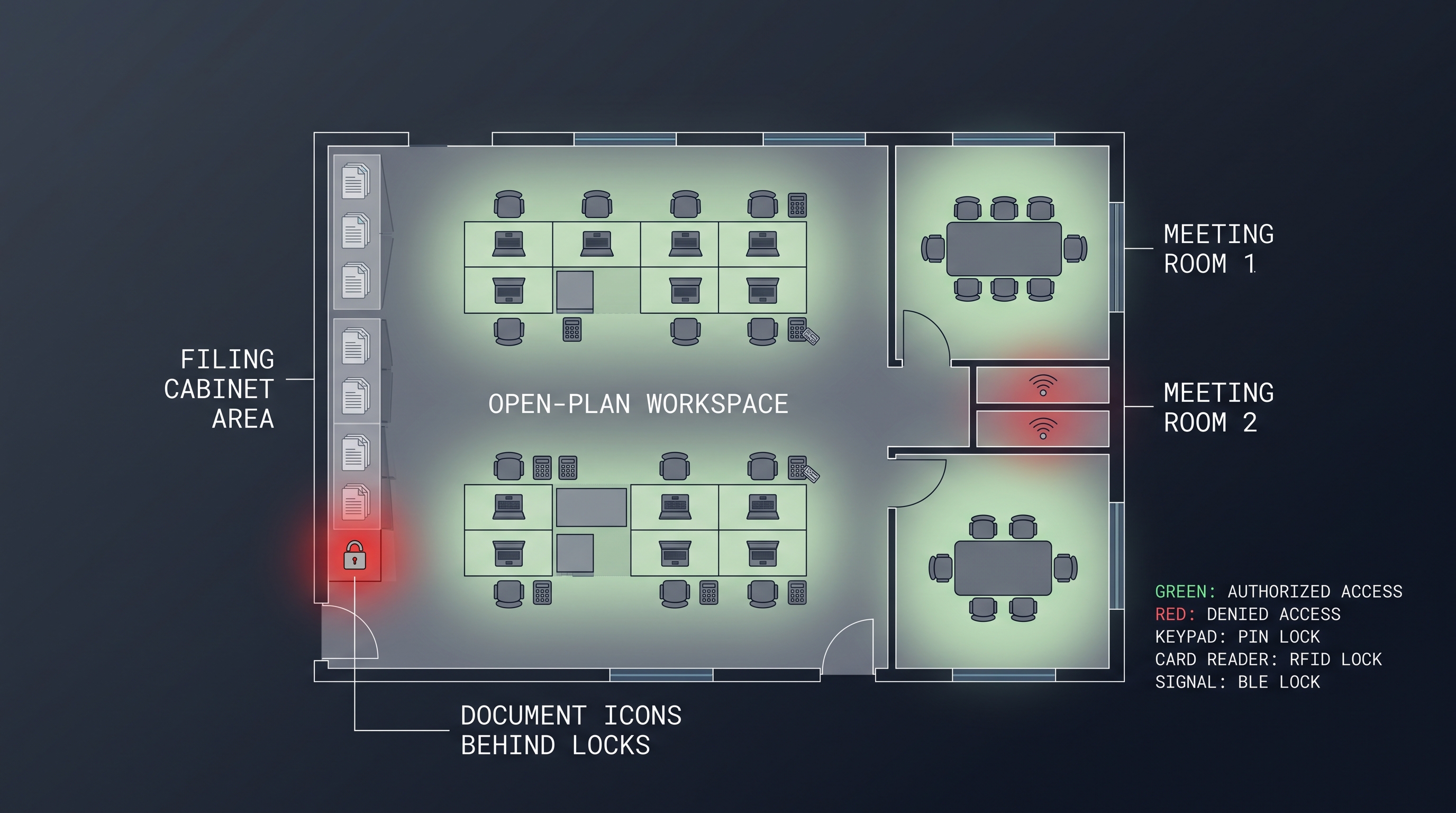
Digital Drawer Lock Guide 2026: Complete Buying & Technology Overview for Modern Security
Comprehensive digital drawer lock guide covering PIN keypad, fingerprint, RFID card, and Bluetooth app options. Detailed technical comparisons, installation tips, and buying advice for homes and businesses.
It supports the same product context: PIN Code Electronic Cabinet Lock — Stand-Alone, No WiFi.
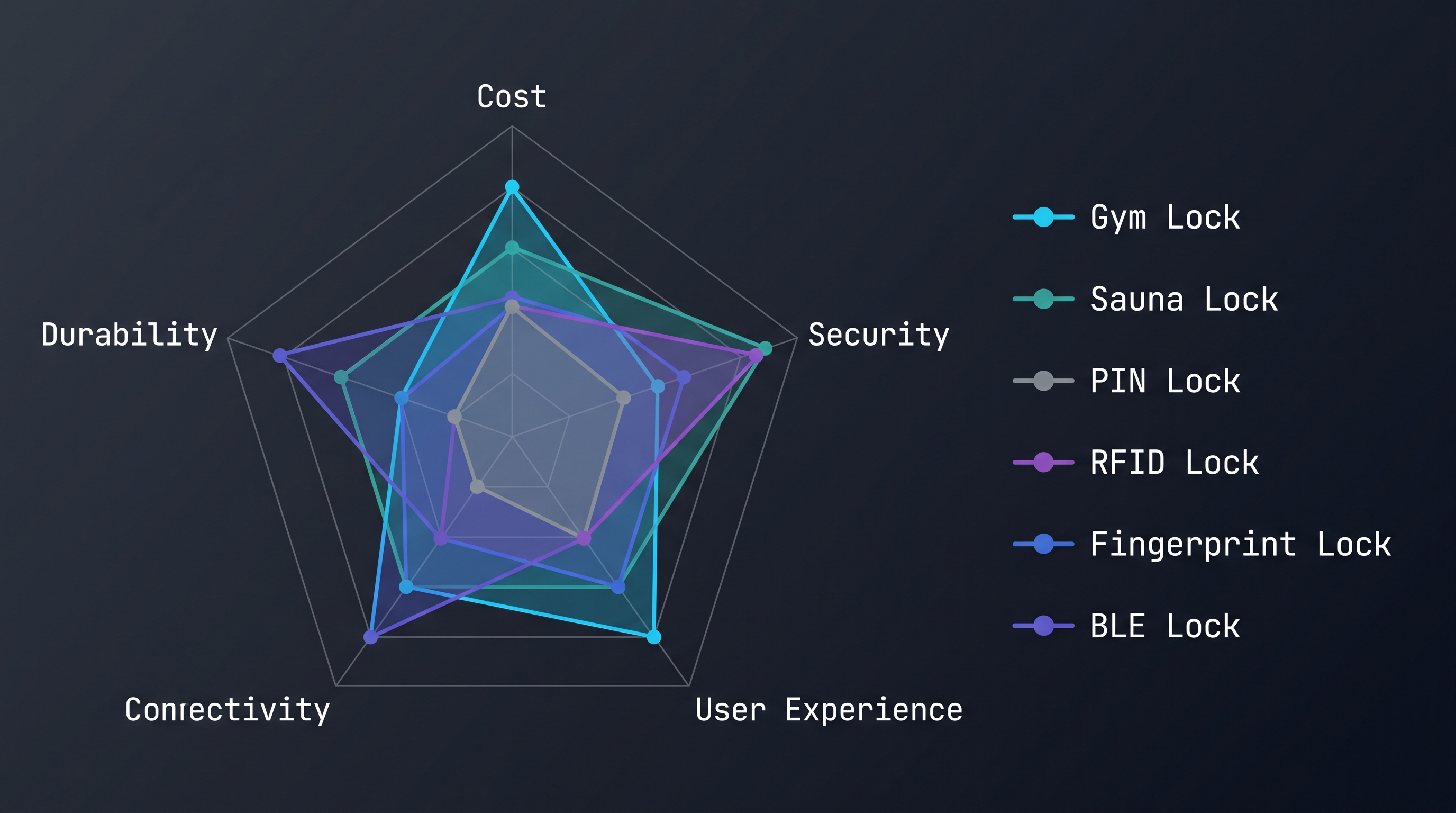
How to Choose a Defibrillator Cabinet Lock: Security vs. Emergency Access
Learn how a defibrillator cabinet lock balances theft protection with sub-5-second emergency access. Compare break-glass, electronic solenoid, and motorized latch with compliance data.
It supports the same product context: Gym Locker Lock — Offline Card, No WiFi Required.
Specify your hotel project with our engineers
Send your room count, ceiling type, and protocol preference. We will return a sample plan and quote within 24 business hours.
- Move from general guidance into a product or application discussion.
- Use RFQ when pricing, drawings, MOQ, or launch timing needs structure.
- Keep a direct contact path visible for fast clarifications and handoff.