Cabinet Smart Lock: The Complete Guide to Connected Cabinet Security and Access Control
A comprehensive guide to cabinet smart lock systems covering WiFi, Zigbee, biometric, RFID types, installation, integration, and best practices for homes and businesses.
A cabinet smart lock is transforming how homes and businesses secure cabinets, drawers, and storage spaces by replacing traditional keyed and combination locks with connected, app-controlled, and biometric access systems. The cabinet smart lock market has grown explosively as smart home adoption accelerates, with industry analysts projecting a 25 percent compound annual growth rate through 2030. A modern cabinet smart lock integrates wireless connectivity via WiFi, Zigbee, Z-Wave, or Matter with cloud-based access management, real-time notifications, audit trail logging, and integration with broader smart home and security ecosystems. Whether you are securing a medicine cabinet, a gun cabinet, office file cabinets, retail display cases, or kitchen cabinets, a cabinet smart lock provides convenience, security, and monitoring capabilities that mechanical locks cannot match. This comprehensive guide examines every aspect of the cabinet smart lock, from underlying technology to installation, integration, and best practices, helping you select and deploy the optimal cabinet smart lock solution for your specific needs.
Why a Cabinet Smart Lock Is the Future of Cabinet Security
A cabinet smart lock is a connected security device that combines electronic locking mechanisms with wireless communication, cloud-based access management, and mobile app control to provide security and convenience beyond what mechanical locks can offer. According to market research by Statista, the smart lock market including cabinet smart lock systems is projected to reach 4.5 billion dollars by 2028, with residential applications accounting for 62 percent of demand. A cabinet smart lock differs from a traditional electronic lock by adding wireless connectivity, enabling remote access management, real-time notifications, audit trail logging, and integration with smart home platforms including Apple HomeKit, Google Home, Amazon Alexa, and Samsung SmartThings. Typical cabinet smart lock applications include residential kitchens and bathrooms for child safety, home offices for document security, retail displays for loss prevention, and healthcare facilities for medication storage compliance. A cabinet smart lock typically supports 50 to 200 enrolled users, logs 10,000-plus access events, and sends push notifications within 2 to 5 seconds of any access event.
The Limitations of Mechanical Cabinet Locks
Mechanical cabinet locks, including keyed cam locks and combination rotary locks, have served homes and businesses for decades, but they have inherent limitations that a cabinet smart lock addresses. Mechanical locks require physical keys that can be lost, stolen, or duplicated, creating ongoing key management challenges. Combinations can be observed and memorized by unauthorized individuals. Mechanical locks provide no record of who accessed the cabinet and when, making it impossible to investigate discrepancies or verify compliance. And mechanical locks cannot be managed remotely, requiring physical presence to grant or revoke access.
A cabinet smart lock solves each of these problems. Access is granted via digital credentials including smartphone apps, PIN codes, RFID fobs, and biometric fingerprints, eliminating physical keys. Credentials can be added, modified, or revoked remotely through a mobile app or web interface. Every access event is logged with timestamp and user identity, creating a complete audit trail. And the cabinet smart lock can be monitored and controlled from anywhere, with real-time notifications keeping owners informed of all activity. For any application where access management, monitoring, or audit trails are important, a cabinet smart lock is a significant upgrade over mechanical alternatives.
The Smart Home Revolution and Cabinet Security
The smart home revolution has driven demand for connected security devices, and the cabinet smart lock is a natural extension of this trend. Homeowners who have adopted smart door locks, smart security cameras, and smart alarm systems increasingly expect the same connectivity and control for their cabinets. A cabinet smart lock integrates with existing smart home platforms, allowing the cabinet lock to participate in automation routines alongside other devices. For example, when a smart door lock is unlocked, the cabinet smart lock can be programmed to disarm, allowing the homeowner to access secured cabinets without separate authentication.
The Matter standard, launched in 2022 and supported by Apple, Google, Amazon, and Samsung, is accelerating smart home adoption by providing a unified, interoperable protocol for smart devices including the cabinet smart lock. A Matter-compatible cabinet smart lock works with any smart home platform, eliminating the lock-in to a single manufacturer's ecosystem. As Matter adoption grows, the cabinet smart lock market is expected to consolidate around this standard, simplifying product selection and integration for consumers and businesses.
Applications Across Residential and Commercial Settings
A cabinet smart lock serves a wide range of applications across residential and commercial settings. In homes, a cabinet smart lock secures medicine cabinets to prevent child access, kitchen cabinets to protect young children from hazardous materials, home office cabinets to secure sensitive documents, and entertainment cabinets to control access to electronics. In businesses, a cabinet smart lock secures retail display cases for loss prevention, office file cabinets for document security, healthcare medication cabinets for regulatory compliance, and shared workspace storage for employee convenience.
Each application has specific requirements that influence cabinet smart lock selection. A medicine cabinet smart lock must support regulatory compliance features including audit trails and access control. A kitchen cabinet smart lock must balance child safety with convenient adult access, often using magnetic or RFID credentials that can be tapped quickly. A retail display cabinet smart lock must integrate with point-of-sale systems for transaction-based access. A healthcare medication cabinet smart lock must meet DEA and Joint Commission requirements for controlled substance storage. Understanding your specific application is the first step in selecting the right cabinet smart lock.
Types of Cabinet Smart Lock: Connectivity and Authentication
A cabinet smart lock is available in several configurations defined by two dimensions: the wireless connectivity protocol and the authentication method. The primary cabinet smart lock connectivity options include WiFi (direct router connection, no hub required, 3 to 6 month battery life), Zigbee (low-power mesh, requires hub, 12 to 24 month battery life), Z-Wave (low-power mesh, requires hub, 12 to 24 month battery life), and Matter (cross-platform interoperability, supports WiFi and Thread). The primary cabinet smart lock authentication methods include smartphone app (Bluetooth or WiFi), PIN keypad, RFID credential (13.56 MHz fob or card), and biometric fingerprint (capacitive sensor with false acceptance rate below 0.001 percent). A cabinet smart lock is selected based on factors including existing smart home platform, desired access speed, user population, and budget, with prices ranging from 40 dollars for basic WiFi cabinet smart lock models to 300 dollars for premium biometric cabinet smart lock systems. The table below summarizes the most common cabinet smart lock configurations.
WiFi Cabinet Smart Lock Systems
A WiFi cabinet smart lock connects directly to a home or business WiFi router, enabling remote access from anywhere via a smartphone app without requiring a separate smart home hub. This makes the WiFi cabinet smart lock the simplest option for users without an existing smart home ecosystem, as installation requires only WiFi credentials and a smartphone. The cabinet smart lock app provides remote lock and unlock, access logs, notification configuration, and user management. Most WiFi cabinet smart lock systems also support voice control via Amazon Alexa and Google Assistant, allowing hands-free operation.
The primary disadvantage of a WiFi cabinet smart lock is power consumption. WiFi communication requires significant power, typically reducing battery life to 3 to 6 months compared to 12 to 24 months for Zigbee and Z-Wave cabinet smart lock systems. This means more frequent battery replacement, which can be inconvenient for cabinets in hard-to-reach locations. Some WiFi cabinet smart lock models address this with low-power WiFi protocols or by using WiFi only for periodic check-ins, relying on Bluetooth for routine access. For users who prioritize simplicity and do not mind frequent battery changes, a WiFi cabinet smart lock is an excellent choice. For users with existing smart home hubs, Zigbee or Z-Wave cabinet smart lock systems offer better battery life and more reliable communication.
Zigbee Cabinet Smart Lock Systems
A Zigbee cabinet smart lock uses the Zigbee mesh networking protocol, which requires a compatible hub such as Samsung SmartThings, Amazon Echo with Zigbee, or a dedicated Zigbee coordinator. Zigbee is a low-power, low-bandwidth protocol optimized for smart home devices including the cabinet smart lock, with battery life typically 12 to 24 months. The mesh network topology means that each Zigbee device, including the cabinet smart lock, can relay signals from other devices, extending network range and improving reliability.
The key advantage of a Zigbee cabinet smart lock is power efficiency, with batteries lasting 2 to 4 times longer than WiFi cabinet smart lock models. Zigbee also supports more advanced automation than basic WiFi cabinet smart lock systems, as the hub can coordinate complex routines involving multiple devices. For example, a Zigbee cabinet smart lock can be programmed to lock automatically when the smart door lock is engaged, or to send a notification if the cabinet is opened after a specific time. The main disadvantage of a Zigbee cabinet smart lock is the hub requirement, which adds cost and complexity. For users with an existing Zigbee smart home, a Zigbee cabinet smart lock is the natural choice. For users without a hub, the additional cost and setup effort may make a WiFi cabinet smart lock more appropriate.
Z-Wave Cabinet Smart Lock Systems
A Z-Wave cabinet smart lock uses the Z-Wave mesh networking protocol, which operates at 908 MHz in the United States and requires a compatible Z-Wave hub. Z-Wave is similar to Zigbee in offering low-power mesh networking with 12 to 24 month battery life, but uses a different radio frequency, reducing interference with WiFi and Bluetooth devices. Z-Wave cabinet smart lock systems are popular in homes with extensive Z-Wave ecosystems, including smart door locks, sensors, and lighting.
The advantages of a Z-Wave cabinet smart lock mirror those of Zigbee: long battery life, reliable mesh networking, and support for advanced automation through the hub. Z-Wave has historically had stronger interoperability certification than Zigbee, with all Z-Wave devices required to pass certification testing for compatibility. This means a Z-Wave cabinet smart lock from one manufacturer is more likely to work seamlessly with a Z-Wave hub from another manufacturer. The main disadvantage is the same as Zigbee: the hub requirement adds cost and complexity. For users with existing Z-Wave smart homes, a Z-Wave cabinet smart lock is an excellent choice.
Matter Cabinet Smart Lock Systems
A Matter cabinet smart lock uses the Matter protocol, launched in 2022 and supported by Apple, Google, Amazon, Samsung, and the Connectivity Standards Alliance. Matter promises unified interoperability across smart home platforms, allowing a Matter cabinet smart lock to work with Apple HomeKit, Google Home, Amazon Alexa, and Samsung SmartThings without proprietary lock-in. Matter supports both WiFi and Thread (a low-power mesh protocol similar to Zigbee) for communication, providing flexibility in deployment.
The key advantage of a Matter cabinet smart lock is platform flexibility. A Matter cabinet smart lock can be controlled from any Matter-compatible app or voice assistant, and can participate in cross-platform automations. This eliminates the lock-in that has historically plagued smart lock buyers, who had to choose a lock compatible with their specific smart home platform. As Matter adoption grows, the Matter cabinet smart lock is expected to become the dominant category, with manufacturers increasingly standardizing on Matter for new products. For users purchasing a cabinet smart lock in 2026 and beyond, a Matter-compatible model provides the best long-term flexibility and compatibility.
Cabinet Smart Lock Comparison Table
| Connectivity | Hub Required | Battery Life | Authentication Methods | Cost Range | Best Application | Voice Control |
|---|---|---|---|---|---|---|
| WiFi | No | 3-6 months | App, PIN, RFID, Biometric | $40-$200 | Simple setup, no hub | Alexa, Google |
| Zigbee | Yes | 12-24 months | App, PIN, RFID, Biometric | $60-$250 | Smart home with Zigbee hub | Via hub |
| Z-Wave | Yes | 12-24 months | App, PIN, RFID, Biometric | $60-$250 | Smart home with Z-Wave hub | Via hub |
| Matter | Optional | 6-18 months | App, PIN, RFID, Biometric | $70-$300 | Cross-platform flexibility | Native |
| Bluetooth | No | 6-12 months | App only | $30-$120 | Single-user, proximity access | Limited |
Cabinet Smart Lock Authentication Methods Compared
A cabinet smart lock authenticates users through one or more methods, each with distinct security, convenience, and cost characteristics. The primary cabinet smart lock authentication methods include smartphone app (Bluetooth or WiFi, convenient for single users), PIN keypad (4 to 8 digit codes, supports multiple users), RFID credential (13.56 MHz fob or card, fast tap access), and biometric fingerprint (capacitive sensor, false acceptance rate below 0.001 percent). A cabinet smart lock may support multiple authentication methods, providing redundancy and flexibility. The most secure cabinet smart lock configurations use multi-factor authentication, requiring two or more methods to be presented sequentially. Industry data shows that 45 percent of cabinet smart lock buyers prioritize app-based access, 28 percent prioritize biometric authentication, 17 percent prefer RFID, and 10 percent prefer PIN keypad. The comparison below examines each cabinet smart lock authentication method in detail.
Smartphone App Authentication
Smartphone app authentication is the most common cabinet smart lock access method, with the user's smartphone serving as the credential. The cabinet smart lock communicates with the smartphone via Bluetooth Low Energy (BLE) for proximity-based access or via WiFi for remote access. When the smartphone is within range, the cabinet smart lock can be unlocked with a tap in the app, or automatically via geofencing when the phone approaches the cabinet. App-based cabinet smart lock authentication is convenient for the primary user, who always has their smartphone nearby, and supports remote access from anywhere.
The main disadvantage of app-based cabinet smart lock authentication is that it requires each user to have a smartphone with the app installed and configured. This is impractical for children, elderly users without smartphones, and short-term visitors. Most cabinet smart lock systems address this by supporting additional authentication methods, such as PIN codes or RFID credentials, for users without smartphones. App-based authentication also depends on smartphone battery life, and a dead smartphone means no cabinet access unless a backup method is configured. For multi-user households and businesses, a cabinet smart lock with multiple authentication methods is preferable to app-only models.
PIN Keypad Authentication
A PIN keypad cabinet smart lock allows users to enter a numeric code on a keypad mounted on or near the cabinet. The cabinet smart lock verifies the entered code against stored codes and releases if the code matches. PIN keypad cabinet smart lock systems typically support multiple user codes, allowing each authorized user to have a unique code that can be added, modified, or revoked through the app. This makes PIN keypad authentication suitable for multi-user environments including offices, retail stores, and shared households.
The main advantage of a PIN keypad cabinet smart lock is that it does not require users to have a smartphone or physical credential, only memorization of a code. This makes it accessible to children, elderly users, and temporary visitors. The main disadvantage is that codes can be observed and memorized by unauthorized individuals, particularly in high-traffic areas. PIN keypad cabinet smart lock systems mitigate this through features including scramble codes (random digits displayed before the keypad activates to prevent pattern recognition) and temporary codes that expire after a set period. For applications requiring multi-user access without credential distribution, a PIN keypad cabinet smart lock is an excellent choice.
RFID Credential Authentication
An RFID cabinet smart lock uses wireless credentials including key fobs, cards, or wristbands containing an RFID chip. When the credential is presented to the cabinet smart lock reader, the lock verifies the chip's unique identifier and releases if the credential is authorized. RFID cabinet smart lock systems typically operate at 13.56 MHz (high frequency, Mifare) or 125 kHz (low frequency), with high-frequency systems offering better security through encryption and mutual authentication.
The key advantage of an RFID cabinet smart lock is access speed, with credentials typically authenticated in 1 to 2 seconds. RFID credentials are also easy to use, requiring only a proximity tap rather than precise insertion or entry. This makes RFID cabinet smart lock systems popular in healthcare, retail, and office environments where frequent access is required. The main disadvantage is credential management, as physical credentials can be lost, stolen, or loaned. Most RFID cabinet smart lock systems address this through easy credential revocation via the app, with lost credentials disabled instantly. For applications requiring rapid, multi-user access, an RFID cabinet smart lock is an excellent choice.
Biometric Fingerprint Authentication
A biometric cabinet smart lock uses a capacitive or optical fingerprint sensor to authenticate users based on their unique fingerprint. The cabinet smart lock stores fingerprint templates for authorized users, and when a finger is placed on the sensor, the lock compares the captured print to stored templates and releases if a match is found. Modern biometric cabinet smart lock systems achieve false acceptance rates below 0.001 percent and false rejection rates below 1 percent, providing both security and convenience.
The defining advantage of a biometric cabinet smart lock is that access requires the authorized user's physical presence. There is no key to lose, no code to forget, and no credential to steal. This makes a biometric cabinet smart lock the most secure option for sensitive applications including medicine cabinets, gun cabinets, and document storage. The main disadvantages are cost (biometric cabinet smart lock systems typically range from 100 to 300 dollars) and potential reliability issues in extreme conditions. For users who prioritize security and convenience, a biometric cabinet smart lock is the optimal choice.
How to Choose the Right Cabinet Smart Lock for Your Needs
A cabinet smart lock is selected through evaluation of five primary factors: the connectivity protocol (WiFi, Zigbee, Z-Wave, Matter, or Bluetooth), the authentication method (app, PIN, RFID, or biometric), the cabinet construction (wood, metal, glass, door thickness), the user population (single user, family, or staff), and budget constraints spanning 30 to 300 dollars. A cabinet smart lock for a kitchen cabinet securing cleaning chemicals differs fundamentally from a cabinet smart lock for a pharmacy storing controlled substances, with the former prioritizing child safety and convenience and the latter requiring audit trails and regulatory compliance. Industry data shows that 52 percent of cabinet smart lock buyers cite convenience as the primary motivation, 28 percent cite child safety, and 20 percent cite regulatory compliance or document security. The selection guidance below walks through each factor with specific recommendations for common cabinet smart lock scenarios.
Matching the Cabinet Smart Lock to Your Cabinet
Not every cabinet smart lock fits every cabinet, and cabinet construction is a critical factor in cabinet smart lock selection. Wooden cabinets are the most versatile, accepting surface-mounted, recessed, and magnetic cabinet smart lock models with equal ease. The cabinet smart lock must be sized to the cabinet door thickness, with most models accommodating doors 0.5 to 1.5 inches thick. Metal cabinets, common in offices and commercial settings, require a cabinet smart lock rated for metal installation, with appropriate mounting hardware and corrosion-resistant components for humid environments.
Glass-front cabinets present a unique challenge for a cabinet smart lock, as traditional drilled installation is impossible. For glass cabinets, a surface-mounted cabinet smart lock that adheres to the cabinet exterior, or a magnetic cabinet smart lock installed inside the cabinet, provides a non-destructive mounting option. The cabinet smart lock must be compatible with the glass thickness and frame design, and the adhesive or magnetic mounting must provide sufficient holding force for the lock's operation. Measure the cabinet door thickness, material, and frame design before purchasing a cabinet smart lock, and verify compatibility with the manufacturer's specifications.
Evaluating User Population and Access Patterns
The number of authorized users and their access patterns significantly influence cabinet smart lock selection. For a single user accessing a cabinet smart lock primarily via their smartphone, a simple Bluetooth or WiFi cabinet smart lock with app authentication may be sufficient. For a family with multiple users including children who do not have smartphones, a cabinet smart lock with RFID key fobs provides fast, credential-based access without requiring each user to have a smartphone. For an office environment with frequent staff turnover, a PIN keypad cabinet smart lock with individual user codes that can be easily added and revoked provides efficient access management.
Access frequency is another consideration. For a cabinet smart lock accessed dozens of times per day, such as a retail display case, battery life becomes critical. A Zigbee or Z-Wave cabinet smart lock with 12 to 24 month battery life is preferable to a WiFi cabinet smart lock with 3 to 6 month battery life in high-frequency applications. For a cabinet smart lock accessed infrequently, such as a seasonal storage cabinet, battery life is less critical but battery self-discharge and low-battery detection become important to prevent lockout upon the next access. A cabinet smart lock for infrequent access should include a mechanical override key or external power contact for emergency access if the batteries have drained.
Integration with Existing Smart Home Systems
If you have an existing smart home ecosystem, a cabinet smart lock compatible with that ecosystem is strongly recommended. For Apple HomeKit users, look for a cabinet smart lock with native HomeKit support or Matter compatibility, enabling control via Siri and the Apple Home app. For Google Home and Amazon Alexa users, a cabinet smart lock with native support or Matter compatibility enables voice control and app-based management. For Samsung SmartThings users, a Zigbee cabinet smart lock integrates natively into the SmartThings mesh network and automation platform.
For users without an existing smart home hub, a WiFi cabinet smart lock provides the simplest setup with direct router connection and no hub requirement. However, consider your long-term smart home plans. If you expect to adopt a smart home hub in the future, a Matter cabinet smart lock provides the best future-proofing, as Matter is supported by all major platforms and does not lock you into a specific ecosystem. The cabinet smart lock market is moving rapidly toward Matter standardization, and investing in a Matter cabinet smart lock today ensures compatibility with future smart home platforms.
Budget Considerations
A cabinet smart lock ranges in price from 30 dollars for a basic Bluetooth cabinet smart lock to 300 dollars for a premium biometric cabinet smart lock with Matter connectivity. When budgeting, consider not just the cabinet smart lock purchase price but also the total cost of ownership, including any required hub (50 to 150 dollars for Zigbee, Z-Wave, or Matter), battery replacement costs (typically 5 to 10 dollars per year), and potential professional installation for complex installations (100 to 300 dollars).
For residential convenience applications, a 40 to 80 dollar WiFi cabinet smart lock provides good value with remote access and basic automation capabilities. For family safety applications, an 80 to 150 dollar cabinet smart lock with multiple authentication methods (app plus RFID or PIN) provides flexibility for different user types. For commercial and regulatory applications, a 150 to 300 dollar cabinet smart lock with biometric authentication and comprehensive audit trail capability is a necessary investment in security and compliance. The cabinet smart lock budget should align with the security requirements and user population, with higher budgets justified by higher stakes.
Cabinet Smart Lock Installation: A Step-by-Step Guide
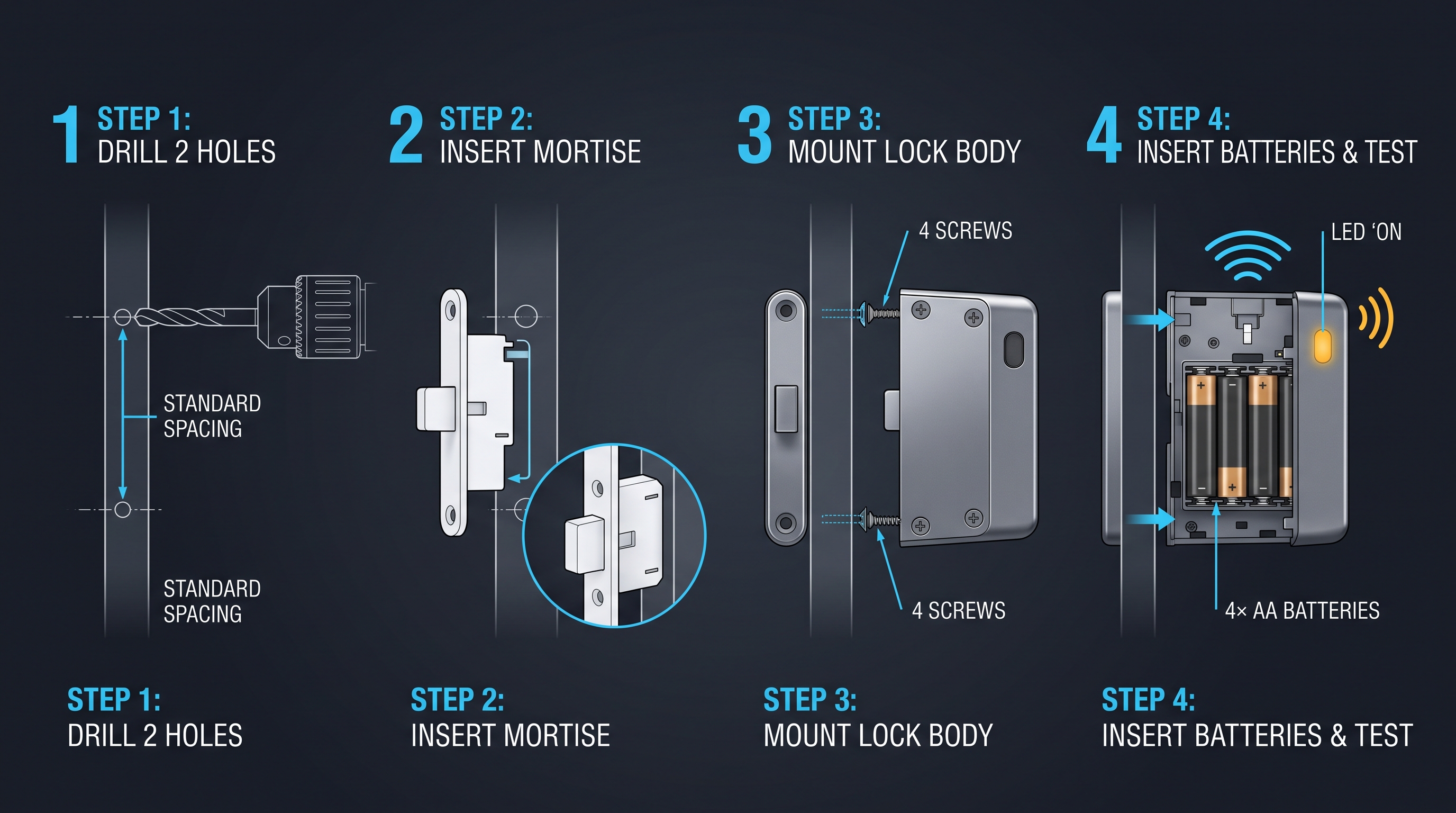
A cabinet smart lock is installed through a process that varies by lock type and cabinet construction, ranging from a 10-minute adhesive-surface-mount installation for a magnetic cabinet smart lock to a 60-minute drilled installation for a recessed electronic cabinet smart lock. Most cabinet smart lock systems include detailed installation instructions, mounting templates, and all necessary hardware. Industry data shows that 72 percent of cabinet smart lock installations are performed by the owner, with the remaining 28 percent using professional installation for complex or commercial applications. The cabinet smart lock installation procedures below cover the three most common cabinet smart lock mounting types: surface-mount, recessed, and magnetic, addressing both wooden and metal cabinet installations.
Tools and Materials for Cabinet Smart Lock Installation
Before beginning any cabinet smart lock installation, gather the necessary tools and materials. For a surface-mounted cabinet smart lock on a wooden cabinet, you will need a drill with drill bits, a screwdriver (Phillips and flat-head), a measuring tape, a pencil, a level, and possibly a small file for smoothing drilled edges. For a recessed cabinet smart lock, you will additionally need a hole saw or spade bit of the size specified by the lock manufacturer, typically 0.75 to 1 inch. For a metal cabinet, add a bi-metal hole saw, cutting oil, a center punch, and a deburring tool. For a magnetic cabinet smart lock, you typically need only a screwdriver and the included adhesive, as no drilling is required. Always read the manufacturer's installation instructions before starting, as specific cabinet smart lock models may have unique requirements.
Surface-Mount Cabinet Smart Lock Installation
A surface-mounted cabinet smart lock attaches to the exterior of the cabinet door with screws or bolts, with the locking bolt extending through the door or through a drilled hole to engage the cabinet frame. This is the most common cabinet smart lock installation type for retrofits on existing cabinets. Begin by selecting a mounting location that provides clearance for the cabinet smart lock body, allows the locking bolt to engage the frame securely, and is accessible to authorized users. Use a level to ensure the cabinet smart lock will be mounted straight, and mark the mounting hole locations with a pencil.
For a wooden cabinet, drill pilot holes for the mounting screws using a drill bit slightly smaller than the screw diameter. This prevents the wood from splitting when the screws are driven. If the cabinet smart lock requires a bolt hole, drill the bolt hole using a spade bit or hole saw of the specified diameter. Position the cabinet smart lock over the marked locations, insert the mounting screws through the lock body, and tighten securely. Avoid over-tightening, which can strip the wood and reduce holding strength. Test the cabinet smart lock operation, verifying that the bolt extends and retracts smoothly and engages the frame securely. Install the battery, configure the app, and enroll user credentials according to the manufacturer's instructions.
Recessed Cabinet Smart Lock Installation
A recessed cabinet smart lock is installed into a hole drilled in the cabinet door, with the lock body flush with or slightly recessed into the door surface. This provides a cleaner appearance than surface-mounting and is more resistant to tampering. Begin by marking the drill point on the cabinet door using the manufacturer's template. The hole should be centered and positioned so the locking bolt or cam engages the cabinet frame when the door is closed. Use a center punch to create a starting dimple, which prevents the drill bit from wandering.
Drill the cylinder hole using a hole saw or spade bit of the size specified by the cabinet smart lock manufacturer, typically 0.75 to 1 inch. For a wooden cabinet, drill slowly and straight to avoid splintering. For a metal cabinet, use a bi-metal hole saw with cutting oil to lubricate the cut and prevent overheating. Deburr the hole edges with a file or deburring tool. Insert the cabinet smart lock body through the hole from the outside. Install the locking washer, cam, and any spacers according to the manufacturer's instructions. Tighten the mounting nut or screws, and test the lock operation thoroughly. For recessed cabinet smart lock installations, the lock must sit flush or slightly recessed in the door to prevent binding and ensure smooth operation.
Magnetic and Adhesive Cabinet Smart Lock Installation
A magnetic cabinet smart lock is installed entirely inside the cabinet, with no visible exterior hardware. This is ideal for situations where the cabinet's aesthetic appearance must be preserved, where drilling is not desired, or where a hidden cabinet smart lock provides security through obscurity. Begin by cleaning the inside of the cabinet door and frame with isopropyl alcohol to ensure good adhesive bond. Allow the surfaces to dry completely. Position the magnetic cabinet smart lock body so that the latch or bolt engages the cabinet frame when the door is closed, and so the magnetic key position on the exterior is in a convenient location for the user.
Most magnetic cabinet smart lock systems use strong double-sided adhesive tape for mounting, supplemented with screws for additional security. Test the position with the door closed to verify that the lock engages correctly before committing to the final placement. Once positioned, press firmly for 30 to 60 seconds to activate the adhesive, and install any screws if included. Wait the recommended time (typically 24 hours) before subjecting the cabinet smart lock to regular use, to allow the adhesive to cure fully. Test the cabinet smart lock by closing the door and swiping the magnetic key over the exterior at the lock location. The lock should release audibly and allow the door to open.
After installing any cabinet smart lock, test all functions thoroughly before relying on it for security. Test each authentication method, the mechanical override key, and the remote access and notification features. Verify that the cabinet smart lock engages securely every time and that no jiggling, pulling, or prying can open the cabinet without proper authentication. A correctly installed cabinet smart lock provides years of reliable security with minimal maintenance beyond periodic battery replacement.
Cabinet Smart Lock for Child Safety and Family Use
A cabinet smart lock is a powerful tool for child safety, providing a reliable barrier between curious children and potentially dangerous cabinet contents including medications, cleaning chemicals, knives, alcohol, and other hazardous materials. According to the Consumer Product Safety Commission, over 300,000 children under five are treated in emergency rooms each year for injuries involving household products accessed through unsecured cabinets. A cabinet smart lock addresses this risk with features including remote locking verification (no more wondering if you remembered to lock the cabinet), real-time unlock notifications (alerting parents when a child has managed to open a cabinet), and access logging (providing a record of every access event for investigation). A cabinet smart lock for child safety typically uses magnetic hidden mounting for aesthetic considerations, RFID key fobs for children's ease of use when authorized, and smartphone app control for parents.
Childproofing with Cabinet Smart Lock Technology
Traditional childproofing with mechanical latches and locks is effective for younger toddlers but often fails as children grow and develop. A two-year-old may be unable to defeat a simple magnetic latch, but a four-year-old who has watched the parent use a magnetic key will quickly learn to find and use it. A cabinet smart lock addresses this developmental progression with multiple authentication methods that are more difficult for children to bypass. A PIN code known only to parents, an RFID fob kept on the parent's person, or a biometric fingerprint that a child cannot replicate all provide better security than a magnetic key that can be found and used.
Remote monitoring is a key advantage of a cabinet smart lock for child safety. Parents receive real-time notifications when a cabinet smart lock is opened, allowing immediate intervention if a child has accessed a dangerous cabinet. The notification arrives within 2 to 5 seconds of the access event, fast enough for a parent to respond before a child can ingest a dangerous substance. For parents who have ever wondered, halfway to work, whether they remembered to lock a cabinet, a cabinet smart lock provides peace of mind through the ability to check lock status and engage the lock remotely from the smartphone app.
Kitchen Cabinet Smart Lock Applications
Kitchen cabinets contain many hazards for children, including cleaning chemicals, knives, glass items, and heavy cookware that can cause injury if pulled down. A cabinet smart lock on kitchen cabinets provides a barrier that parents can control and monitor. For under-sink cabinets containing cleaning chemicals, a magnetic cabinet smart lock with a hidden installation provides security without degrading the kitchen's appearance. For cutlery drawers, an electronic cabinet smart lock with PIN keypad allows authorized family members to access knives while preventing children from doing so.
For families that use kitchen cabinets for medication storage, a cabinet smart lock with biometric authentication provides the highest level of security for both child safety and medical privacy. A biometric cabinet smart lock ensures that only enrolled adults can access medications, with an audit trail providing a record of every access. For kitchens that serve multiple purposes and see frequent cabinet access by different family members, an RFID cabinet smart lock with key fobs for each authorized adult provides fast, convenient access for authorized users while maintaining a robust barrier against children.
Entertainment and Home Office Cabinet Smart Lock Applications
Entertainment cabinets containing expensive electronics, home theater equipment, and media collections benefit from a cabinet smart lock that prevents child access to valuable items. A cabinet smart lock on an entertainment center can be controlled remotely, allowing parents to unlock the cabinet for family movie night and lock it afterward from their smartphone. For home office cabinets containing sensitive documents, tax records, and personal information, a cabinet smart lock provides document security and identity theft protection. A biometric cabinet smart lock ensures that only the homeowner can access these sensitive documents, with an audit trail providing a record of all access events.
For families with teenagers, a cabinet smart lock on liquor cabinets or cabinets containing valuables provides accountability and deterrence. An audit trail records every access event with timestamp and user identity, eliminating the question of who accessed the cabinet. For families working from home, a cabinet smart lock on office supply cabinets can be configured for employee access during work hours and locked at other times, providing security without constant supervision. The cabinet smart lock's scheduling and remote management capabilities make it a versatile tool for family cabinet security across multiple applications.
Cabinet Smart Lock for Business and Commercial Applications
A cabinet smart lock in business and commercial settings provides security, accountability, and operational efficiency for file cabinets, retail display cases, supply cabinets, and shared storage. Unlike residential cabinet smart lock applications, commercial cabinet smart lock deployments must address higher access volumes, tighter regulatory requirements, broader user populations with varying authorization levels, and integration with existing business systems. A commercial cabinet smart lock typically supports 200 to 500 enrolled users, logs 50,000-plus access events, supports integration with access control and inventory management systems, and meets applicable compliance standards including HIPAA for healthcare and PCI DSS for retail environments. The sections below examine cabinet smart lock applications across key commercial sectors.
Healthcare Cabinet Smart Lock Compliance
Healthcare facilities face stringent medication storage requirements under DEA regulations (21 CFR 1301.72 for controlled substances), Joint Commission standards (MM.03.01.01 for medication storage), and CMS conditions of participation. A healthcare cabinet smart lock must support individual user authentication with unique credentials, a tamper-resistant audit trail logging every access event with timestamp and user identity, integration with medication administration records for automated documentation, and compliance with HIPAA for protecting patient information related to medication access.
A biometric cabinet smart lock is the ideal healthcare solution, providing the highest level of user authentication with the lowest risk of credential sharing. A nurse's fingerprint is unique and cannot be borrowed, and every access to the medication cabinet is logged with a timestamp and user identity that is verifiable and tamper-resistant. For controlled substance storage, a cabinet smart lock with biometric authentication and two-person verification (requiring two authorized users to authenticate for high-risk access) satisfies DEA requirements and significantly reduces the risk of diversion. Healthcare facilities that deploy biometric cabinet smart lock systems report up to 80 percent reduction in controlled substance discrepancies and 50 percent reduction in medication administration documentation time.
Retail Display Cabinet Smart Lock Solutions
Retail display cabinets containing high-value merchandise, electronics, jewelry, or controlled products require a cabinet smart lock that balances security with customer and staff convenience. A retail cabinet smart lock must be operable quickly by sales staff to retrieve products for customers while preventing customer access and deterring theft. RFID cabinet smart lock systems with key fobs or wristband credentials provide fast, tap-based access for staff, with the audit trail logging every cabinet opening for loss prevention analysis.
Integration with point-of-sale systems enables advanced retail cabinet smart lock functionality. When a customer purchases an item, the POS system can send a signal to unlock the associated display cabinet smart lock, allowing the staff member to retrieve the product without manual authentication. When the product is returned to the cabinet and the cabinet smart lock engages, the POS system updates inventory. This integration streamlines the sales process and provides real-time inventory tracking for high-value merchandise. For products requiring age verification, the cabinet smart lock can be integrated with ID scanning systems, releasing the lock only after a valid age-verified ID is scanned.
Office File Cabinet Smart Lock Implementation
Office file cabinets containing sensitive documents, personnel records, financial data, and intellectual property require a cabinet smart lock for document security and access control. A file cabinet smart lock with individual user credentials allows each employee to access only the cabinets authorized for their role, with the cabinet smart lock audit trail providing a record of every access for compliance and investigation. For shared office environments and coworking spaces, a cabinet smart lock enables temporary access for visiting employees or clients without creating physical keys that must be recovered.
Integration with office access control systems extends the cabinet smart lock's utility. When an employee's building access badge is deactivated upon termination, the associated cabinet smart lock credentials can be automatically revoked through the integration, eliminating the risk of terminated employees accessing sensitive documents. For law firms, accounting firms, and other professional services with strict confidentiality requirements, a cabinet smart lock with biometric authentication provides the highest level of document security and the strongest legal protection for client information.
Smart Home Integration: Cabinet Smart Lock in the Connected Ecosystem
A cabinet smart lock integrates with smart home platforms to participate in automation routines, respond to voice commands, and coordinate with other smart devices for comprehensive home security and convenience. The major smart home platforms supporting cabinet smart lock integration include Apple HomeKit, Google Home, Amazon Alexa, Samsung SmartThings, and open-source platforms including Home Assistant and openHAB. A cabinet smart lock with Matter certification provides the broadest platform compatibility, working with all major ecosystems without proprietary lock-in. Smart home integration transforms the cabinet smart lock from an isolated security device into a coordinated component of a connected home.
Voice Control for Cabinet Smart Lock Access
Voice control through Amazon Alexa, Google Assistant, and Apple Siri enables hands-free cabinet smart lock operation. A homeowner can say "Alexa, unlock the kitchen cabinet" to access cooking supplies without putting down ingredients, or "Hey Google, is the medicine cabinet locked" to verify security remotely. Voice-controlled cabinet smart lock access is convenient but raises security considerations, as a voice-activated unlock could be triggered by an unauthorized person or by a television or audio playback. Most cabinet smart lock systems address this with PIN verification for voice commands, requiring the user to speak a PIN code after the voice command to authenticate.
For child safety, voice control of a cabinet smart lock should be used carefully. Voice-controlled cabinet smart lock operation should be limited to cabinets with low-risk contents, such as storage cabinets containing dishes or non-hazardous items, not medicine cabinets or cabinets containing hazardous materials. Many cabinet smart lock apps allow voice control to be selectively enabled or disabled per cabinet, providing granular control over which cabinets respond to voice commands. For maximum security, voice control can be disabled entirely for high-security cabinets, requiring manual authentication through the app or a credential.
Automation Routines with Cabinet Smart Lock Integration
A cabinet smart lock participates in smart home automation routines alongside other devices, creating scenarios that enhance security and convenience. Common cabinet smart lock automations include locking all cabinets when the smart door lock is engaged (securing the home upon departure), unlocking a designated cabinet when the security system is disarmed (allowing authorized access without separate authentication), and sending a notification if a cabinet smart lock is opened after a specific time (alerting the owner to potential unauthorized access during sleeping hours).
More advanced cabinet smart lock automations coordinate with security cameras, lighting, and alarm systems. When a cabinet smart lock is opened, a nearby security camera can begin recording, providing video documentation of the access event. If a cabinet smart lock is opened during an armed alarm state, the alarm system can trigger a siren and notify the homeowner, police, or a monitoring service. For families, a cabinet smart lock can be programmed to lock automatically at a set time each night, ensuring that all cabinets are secured before bedtime. These automations transform the cabinet smart lock from a passive barrier into an active security component.
Remote Monitoring and Access Logging
Remote monitoring is one of the most valuable features of a cabinet smart lock integrated with a smart home platform. The homeowner can check the status of every cabinet smart lock in the home from a single dashboard, verify that all cabinets are locked when away, and receive real-time notifications of any access events. For parents, remote monitoring provides peace of mind that medications, chemicals, and other hazardous materials are secured while children are home with a babysitter. For business owners, remote monitoring provides visibility into cabinet access during and outside operating hours.
The cabinet smart lock access log provides a complete history of every access event, including timestamp, user identity, and authentication method. For families, this creates accountability for medication access and confirms that daily medications were taken on schedule. For businesses, the access log supports compliance audits and provides evidence for loss prevention investigations. The access log is typically stored in the cabinet smart lock app and in the manufacturer's cloud service, with retention periods ranging from 30 days to indefinite. For applications subject to regulatory retention requirements, verify that the cabinet smart lock cloud storage meets the applicable retention period and data security standards.
Cabinet Smart Lock Security: Privacy and Cybersecurity Considerations
A cabinet smart lock, like any internet-connected device, introduces cybersecurity and privacy considerations that mechanical and traditional electronic locks do not. A compromised cabinet smart lock could allow unauthorized access to secured cabinets, potentially exposing medications, firearms, documents, or other sensitive contents to theft or misuse. Privacy concerns arise from the cabinet smart lock's collection of detailed access data, including when and by whom cabinets are accessed, which could be accessed by third parties or exposed in a data breach. When evaluating a cabinet smart lock, look for end-to-end encryption for all communication, two-factor authentication for app access, regular firmware updates with documented security patches, and a transparent privacy policy. Avoid cabinet smart lock products from unknown manufacturers with no track record of security updates or no published privacy policy. The security and privacy guidance below covers threat models, mitigation strategies, and best practices for secure cabinet smart lock deployment.
Understanding Cabinet Smart Lock Threat Models
A cabinet smart lock faces threats across multiple attack surfaces. The most common cabinet smart lock threats include wireless eavesdropping (intercepting Bluetooth, WiFi, or Zigbee communication to capture credentials or unlock commands), physical tampering (forced entry by prying the lock body or drilling the lock mechanism), credential theft (stealing an RFID fob or smartphone with stored credentials), and cloud service compromise (hacking the manufacturer's servers to access lock data or issue unauthorized unlock commands). Each threat model requires specific mitigation strategies for a secure cabinet smart lock deployment.
Wireless eavesdropping is mitigated by encryption. A cabinet smart lock should use AES-128 or AES-256 encryption for all wireless communication, with TLS for cloud communication. The Bluetooth pairing for a cabinet smart lock should use secure pairing with authentication to prevent unauthorized devices from connecting. Physical tampering is mitigated by lock construction, with hardened steel components, anti-pry plates, and tamper detection sensors that trigger alerts if the cabinet smart lock is attacked. Credential theft is mitigated by biometric authentication, which cannot be stolen, and by the ability to revoke digital credentials remotely through the app. Cloud service compromise is mitigated by selecting cabinet smart lock manufacturers with robust security practices, including SOC 2 certification, regular penetration testing, and bug bounty programs.
Data Privacy and Access Log Management
A cabinet smart lock collects detailed data about access events, including timestamps, user identities, and in some cases the specific authentication method used. This data is valuable for security and compliance but also represents a privacy concern if accessed by unauthorized parties. The cabinet smart lock's privacy policy should clearly state what data is collected, how it is used, whether it is shared with third parties, and how long it is retained. Choose cabinet smart lock manufacturers with transparent privacy policies that allow you to control your data, including the ability to delete access logs.
For businesses, the cabinet smart lock data may be subject to data protection regulations including GDPR in Europe, CCPA and state laws in the United States, and PIPEDA in Canada. The cabinet smart lock manufacturer must provide data processing agreements and demonstrate compliance with applicable regulations. For healthcare applications subject to HIPAA, the cabinet smart lock manufacturer must provide a business associate agreement and demonstrate HIPAA compliance for protected health information. Before deploying a cabinet smart lock in a regulated environment, verify with the manufacturer that the product and their data handling practices meet applicable regulatory requirements.
Firmware Updates and Security Maintenance
A cabinet smart lock, like any computing device, requires regular firmware updates to maintain security. Manufacturers release firmware updates to fix security vulnerabilities, improve performance, and add features. A cabinet smart lock should receive updates at least quarterly, with critical security patches released as needed within 30 days of vulnerability disclosure. The cabinet smart lock update process should be secure, with signed firmware images that prevent unauthorized modification and with notifications through the app when updates are available.
For business deployments, firmware update management is critical. Cabinet smart lock systems in a business should be inventoried, with each cabinet smart lock tracked by model, firmware version, and last update date. Updates should be tested in a non-production environment before deployment to verify compatibility with other systems. For regulated environments, firmware updates should be documented with change control procedures, providing an audit trail for compliance inspectors. A cabinet smart lock with a documented firmware update capability and responsive manufacturer support is essential for long-term security.
Cabinet Smart Lock Maintenance and Troubleshooting
A cabinet smart lock requires regular maintenance to ensure reliable operation and security over its service life, which typically ranges from 3 to 8 years for electronic components with proper care. A cabinet smart lock failure usually manifests as an authentication failure (fingerprint, RFID, PIN, or app not recognized), a battery failure (lock unresponsive despite credential acceptance), a connectivity failure (lock offline in app), or a physical failure (sticking bolt, jammed lock body). Preventive maintenance including quarterly battery status checks, annual firmware updates, and bi-annual lock function tests prevents approximately 80 percent of cabinet smart lock failures according to manufacturer warranty data. A cabinet smart lock in a high-humidity environment such as a bathroom or kitchen may experience accelerated component degradation, requiring more frequent inspection. The maintenance and troubleshooting procedures below cover common cabinet smart lock issues.
Routine Maintenance for Cabinet Smart Lock Systems
A cabinet smart lock requires several routine maintenance activities to ensure reliable operation. Check the battery status quarterly through the app, even if the low-battery indicator has not activated. Replace batteries in the cabinet smart lock every 6 to 12 months, using high-quality alkaline or lithium batteries. Lithium batteries provide better performance in temperature extremes and are recommended for cabinet smart lock systems in unconditioned spaces. Keep spare batteries on hand, as a dead battery renders the cabinet smart lock inoperable electronically without a mechanical override.
Clean the cabinet smart lock exterior periodically with a soft, dry cloth. For a cabinet smart lock with a fingerprint sensor, clean the sensor surface gently to remove dirt and oils that can reduce recognition accuracy. For a cabinet smart lock with a keypad, clean the keypad surface to remove fingerprints that could reveal the code pattern. Check the cabinet smart lock mounting hardware annually for tightness, as cabinet vibration can loosen screws over time. Tighten any loose screws, and replace any missing or corroded hardware. For a cabinet smart lock exposed to moisture, inspect for corrosion and replace the lock if corrosion is affecting operation.
Firmware updates should be installed promptly when available. Check the cabinet smart lock app quarterly for available updates, and install them with fresh batteries to prevent interruption during the update process. After updating firmware, test all cabinet smart lock functions including all authentication methods, remote access, and notifications. If a firmware update causes issues, contact the manufacturer for rollback instructions or replacement under warranty.
Common Cabinet Smart Lock Problems and Solutions
Battery-related problems are the most common cabinet smart lock issue. If the cabinet smart lock does not respond to any credential, replace the batteries with fresh ones and test operation. If the lock still does not respond, check the battery contacts for corrosion, cleaning them with a cotton swab and isopropyl alcohol if necessary. If fresh batteries do not restore operation, use the mechanical override key to open the cabinet smart lock. If the override key is lost, contact a locksmith or the manufacturer for manual access options.
Authentication failures affect biometric, RFID, PIN, and app-based cabinet smart lock systems. For a biometric cabinet smart lock, clean the fingerprint sensor with a soft, dry cloth. If cleaning does not resolve the issue, delete and re-enroll the fingerprint, scanning the finger in multiple positions to create a robust template. For an RFID cabinet smart lock, verify that the credential is properly enrolled and not damaged, and replace the batteries, as low power reduces RFID reader range. For a PIN cabinet smart lock, verify that the entered code is correct and that the keypad is clean. For an app-based cabinet smart lock, ensure that the smartphone's Bluetooth or WiFi is enabled and that the app has the necessary permissions.
Connectivity failures prevent the cabinet smart lock from communicating with the smartphone app or smart home hub. If a cabinet smart lock is offline in the app, check that the hub or router is functioning, that the cabinet smart lock is within range, and that the batteries are charged. A cabinet smart lock that is too far from the hub or router may need a signal extender or mesh node placed between the lock and the network. Resetting the cabinet smart lock and re-pairing it with the hub often resolves persistent connectivity issues. For a Zigbee or Z-Wave cabinet smart lock, check the hub's network status to verify that the mesh network is operational and the cabinet smart lock has not been dropped from the network.
When to Replace Your Cabinet Smart Lock
A cabinet smart lock reaches the end of its service life when it can no longer be reliably maintained. Signs that a cabinet smart lock needs replacement include persistent battery problems (batteries drain within weeks despite fresh replacements), recurrent authentication failures despite cleaning and re-enrollment, connectivity failures that cannot be resolved through troubleshooting, physical damage including cracks, corrosion, or loose components, and manufacturer end-of-life announcement with discontinued firmware updates. A cabinet smart lock that no longer receives security updates from the manufacturer should be replaced even if it is otherwise functional, as unpatched security vulnerabilities present an increasing risk over time.
The typical cabinet smart lock service life is 5 to 10 years for the lock body and 3 to 7 years for the electronics. Smart home protocols evolve over time, and a cabinet smart lock based on an older protocol may not integrate with newer smart home platforms. When replacing a cabinet smart lock, consider whether your needs have changed since the original installation. New authentication methods, improved battery life, and Matter compatibility are compelling reasons to upgrade a cabinet smart lock even if the existing lock is functional. Dispose of the old cabinet smart lock responsibly through electronic waste recycling, and ensure that all credentials are deleted from the lock and the app before disposal.
Cabinet Smart Lock Best Practices: A Comprehensive Checklist
A cabinet smart lock is most effective when deployed as part of a comprehensive cabinet security strategy that combines physical security, digital security, and regular review. Best practices distilled from smart home security experts, commercial facility managers, and healthcare compliance professionals include installing a cabinet smart lock on every cabinet requiring security (100 percent coverage), enabling all available authentication methods for redundancy, configuring multi-factor authentication for high-security cabinets, reviewing access logs weekly, replacing batteries on schedule, and updating firmware promptly. A cabinet smart lock strategy should be documented in writing for business deployments and reviewed verbally with all household members in residential deployments. The checklist below covers residential, business, and emergency scenarios, providing actionable steps for each environment to maximize cabinet smart lock effectiveness.
Residential Cabinet Smart Lock Best Practices
In a home with cabinet smart lock systems, implement the following best practices. Install a cabinet smart lock on every cabinet containing hazardous materials, medications, firearms, or valuables. Use cabinet smart lock types appropriate for the contents: a biometric cabinet smart lock for medicine and firearm cabinets, an RFID cabinet smart lock for kitchen cabinets, and a PIN keypad cabinet smart lock for entertainment cabinets. Configure notifications for all cabinet smart lock systems, so you receive real-time alerts for any access event.
Review the cabinet smart lock access log weekly to verify that all access events are legitimate and authorized. For families with teenagers, the access log provides accountability and deters unauthorized access. Test all authentication methods monthly to ensure reliable operation, and practice accessing the cabinet smart lock under realistic conditions, including in low light. Replace batteries on schedule every 6 to 12 months, and keep spare batteries in a known location. Discuss cabinet smart lock security with all family members, including the importance of not sharing credentials and the consequences of unauthorized cabinet access. A well-maintained cabinet smart lock provides years of reliable security and peace of mind.
Business Cabinet Smart Lock Best Practices
In business environments, cabinet smart lock best practices are driven by security requirements and regulatory compliance. Conduct a monthly audit of all cabinet smart lock systems, verifying that each lock is functional, that access is limited to authorized personnel, and that access logs are being reviewed for anomalies. Maintain a written access control policy listing every individual authorized to access each cabinet, and update the policy whenever staff changes occur.
For electronic cabinet smart lock systems, review the access logs weekly to detect patterns including access outside business hours, repeated access failures suggesting credential problems, or access by individuals whose authorization had been revoked. Investigate any anomaly promptly and document the resolution. Conduct quarterly cabinet smart lock function tests, with scheduled battery replacement and firmware updates. Train all staff on cabinet smart lock procedures during orientation and annually thereafter, including what to do if a cabinet smart lock fails and how to report a suspected security breach.
Emergency Access and Redundancy Planning
A cabinet smart lock strategy should account for emergencies including power outages, network failures, and medical emergencies. Every cabinet smart lock should have a mechanical override key stored in a secure, documented location accessible to authorized personnel in an emergency. For business deployments, maintain a documented emergency access procedure that allows authorized personnel to bypass the cabinet smart lock in an emergency while maintaining audit trail documentation.
In a power outage, determine which cabinet smart lock systems would be affected. Battery-powered cabinet smart lock systems will continue to operate on battery power, typically for days or weeks depending on battery condition. WiFi-connected cabinet smart lock systems may lose connectivity if the router loses power, but local access via Bluetooth or credentials should still function. If an extended power outage affects a critical cabinet smart lock, the mechanical override key provides access without power or connectivity. After a power outage, test all cabinet smart lock systems to verify full functionality and replace any drained batteries.
Cabinet Smart Lock FAQ: Common Questions Answered
A cabinet smart lock raises practical questions for consumers and businesses evaluating connected cabinet security. The most common questions address whether a cabinet smart lock is compatible with existing cabinets (most cabinet smart lock systems are designed for retrofitting on standard cabinets, with models available for wood, metal, and glass), how long batteries last (3 to 6 months for WiFi cabinet smart lock, 12 to 24 months for Zigbee and Z-Wave cabinet smart lock), and whether a cabinet smart lock works without internet (local access via Bluetooth, credentials, or keypad works without internet; remote access and notifications require connectivity). A cabinet smart lock typically costs between 30 and 300 dollars depending on features, with installation taking 10 to 60 minutes. The frequently asked questions below provide detailed answers to the most common cabinet smart lock inquiries.
Can I install a cabinet smart lock on my existing cabinets?
Yes, most cabinet smart lock systems are designed for retrofitting on existing cabinets. Surface-mounted cabinet smart lock models attach to the exterior of the cabinet door with screws and require only a bolt hole drilled through the door. Magnetic cabinet smart lock models install inside the cabinet with adhesive or screws, requiring no drilling or visible hardware. Recessed cabinet smart lock models require a cylinder hole drilled in the cabinet door, similar to a traditional cam lock installation. For glass-front or unusual cabinet constructions, surface-mount or magnetic cabinet smart lock models are the best retrofit option.
Does a cabinet smart lock work without WiFi or internet?
A cabinet smart lock provides local access without internet connectivity. Bluetooth cabinet smart lock systems work with the smartphone app in proximity even without WiFi, and PIN keypad, RFID, and biometric cabinet smart lock systems provide local access without any external connectivity. Remote access through the app and push notifications require internet connectivity. If the internet goes down, the cabinet smart lock continues to function for local access, but remote management and monitoring are unavailable until connectivity is restored.
What happens if the batteries die in my cabinet smart lock?
If the batteries die in a cabinet smart lock, the lock will not respond to electronic credentials. Most cabinet smart lock systems include a low-battery warning that activates days or weeks before the batteries fail, providing time for replacement. If the batteries are dead, the cabinet smart lock can typically be opened using a mechanical override key stored separately. Some cabinet smart lock systems include an external power contact that allows a 9-volt battery to be held against the lock to provide temporary power for credential entry. To avoid lockout, replace batteries proactively on schedule and keep the override key accessible.
How secure is a cabinet smart lock compared to a mechanical lock?
A cabinet smart lock provides different security characteristics than a mechanical lock, with advantages and disadvantages. A cabinet smart lock cannot be defeated by lock picking in the traditional sense, as there is no key cylinder to pick. A cabinet smart lock provides audit trail logging, alerting the owner to unauthorized access attempts, which a mechanical lock cannot do. A cabinet smart lock allows credentials to be revoked remotely, eliminating the risk of lost or stolen keys. However, a cabinet smart lock introduces cybersecurity risks including wireless eavesdropping and cloud service compromise that mechanical locks do not have. For most applications, the combination of physical security, audit trail, and remote credential management makes a cabinet smart lock more secure in practice than a mechanical lock.
Can I share access to a cabinet smart lock with family members or employees?
Yes, cabinet smart lock systems are designed for multi-user access. A cabinet smart lock typically supports 50 to 200 enrolled users, with each user receiving unique credentials. Users can be added or removed through the app, and access can be restricted to specific times or days for employees and temporary users. For families, each family member can have a unique PIN code, key fob, or enrolled fingerprint. For businesses, access can be managed centrally with employee onboarding adding cabinet smart lock access and offboarding removing it. The audit trail logs every access event with user identity, providing accountability for all cabinet smart lock activity.
Does a cabinet smart lock require a smart home hub?
A WiFi cabinet smart lock connects directly to a home router without requiring a hub. This is the simplest setup for users without an existing smart home ecosystem. A Zigbee or Z-Wave cabinet smart lock requires a compatible hub to communicate and integrate with other smart home devices. A Matter cabinet smart lock may work with Matter-compatible hubs from any manufacturer, providing the broadest platform compatibility. Some cabinet smart lock systems include a Bluetooth connection for local smartphone access, supplemented by WiFi for remote access, providing flexibility in connectivity options. For users with an existing smart home hub, a Zigbee, Z-Wave, or Matter cabinet smart lock integrates seamlessly. For users without a hub, a WiFi cabinet smart lock is the simplest option.
The Future of the Cabinet Smart Lock: Trends and Innovations
A cabinet smart lock is evolving rapidly as smart home technology advances and consumer demand for connected security grows. Emerging trends include AI-powered anomaly detection that flags unusual access patterns and potential security threats, integration with voice assistants and ambient computing platforms, advanced biometric modalities including palm vein and facial recognition, and blockchain-based audit trails for tamper-proof compliance records. The cabinet smart lock market is projected to reach 3.2 billion dollars by 2030, growing at 25 percent CAGR, driven by smart home adoption, aging-in-place initiatives, healthcare compliance, and the growing prevalence of valuable goods stored in home cabinets. A next-generation cabinet smart lock will likely combine multi-factor biometric authentication, AI-driven security analytics, predictive maintenance alerts, and seamless integration with smart home ecosystems, transforming the cabinet smart lock from a security device into an intelligent, connected component of the modern home and business. The innovations below represent the leading edge of cabinet smart lock technology.
AI and Machine Learning Integration
The integration of artificial intelligence and machine learning is the most significant trend shaping the cabinet smart lock market. An AI-powered cabinet smart lock can learn the access patterns of authorized users, including typical times, frequency, and methods, and detect anomalies that may indicate unauthorized access attempts or security threats. For example, if a cabinet smart lock detects access attempts at unusual times or by an unfamiliar credential pattern, the AI can trigger enhanced authentication, send priority alerts, or engage additional security measures. AI can also predict maintenance needs, such as battery replacement or sensor cleaning, before a failure occurs, improving cabinet smart lock reliability.
In commercial applications, AI-powered cabinet smart lock systems can analyze access logs to identify operational inefficiencies, detect potential security threats, and provide insights into cabinet usage patterns. For healthcare facilities, AI can detect patterns that may indicate controlled substance diversion, such as unusual access frequency or after-hours access by specific users. For retail environments, AI can analyze display cabinet access patterns to optimize staffing and improve loss prevention. As AI capabilities mature, the cabinet smart lock will become an intelligent security asset that actively protects rather than passively secures.
Advanced Biometric Modalities
Beyond fingerprint recognition, future cabinet smart lock systems will incorporate additional biometric modalities for enhanced security, convenience, and reliability. Palm vein recognition uses near-infrared light to image the unique vein pattern beneath the skin, providing higher accuracy than fingerprint recognition and working reliably even with dirty, wet, or damaged fingers. Iris recognition uses a camera to image the unique pattern of the iris, providing extremely high accuracy and working from several inches away. Facial recognition, already common in smartphones, may be adapted for cabinet smart lock systems, allowing hands-free access as the user approaches the cabinet.
Multi-modal biometric cabinet smart lock systems, requiring two or more biometric authentications, provide the highest level of security for sensitive applications. For example, a cabinet smart lock might require both a fingerprint and an iris scan to release, making spoofing virtually impossible. Multi-factor biometric cabinet smart lock systems are expected to become more affordable as the underlying technology matures, making them accessible to residential and small business users as well as high-security commercial applications.
Ambient Computing and Voice-First Interfaces
The trend toward ambient computing, where technology is embedded in the environment and accessed through natural interactions, will reshape the cabinet smart lock interface. Voice-first interfaces, already common in smart home platforms, will become more sophisticated in cabinet smart lock systems, allowing natural language commands like "open the medicine cabinet for 30 seconds" or "lock all cabinets before bedtime." Voice control combined with biometric authentication will provide hands-free, secure access for situations where hands are occupied or the user has mobility limitations.
Beyond voice, the cabinet smart lock will integrate with ambient computing sensors including presence detectors, motion sensors, and cameras to provide context-aware security. A cabinet smart lock connected to a presence detector can verify that the user accessing the cabinet is the authorized individual, even without explicit authentication. This contextual authentication, combined with traditional credential-based authentication, provides both convenience and security. The cabinet smart lock will become more intelligent and less visible, embedding security into the ambient computing environment rather than requiring explicit interaction for every access event.
Sustainability and Eco-Friendly Design
Sustainability is becoming a priority for consumers and businesses, and cabinet smart lock manufacturers are responding with eco-friendly materials and designs. Mechanical components made from recycled zinc and aluminum reduce environmental impact without sacrificing durability. Electronics designed for repairability and component replacement extend product life and reduce electronic waste. Battery-powered cabinet smart lock systems designed for low power consumption, including energy-harvesting locks that generate power from door motion or ambient light, reduce battery replacement frequency and environmental impact.
Packaging is another area of focus, with manufacturers reducing plastic packaging and using recycled and recyclable materials. As sustainability becomes a purchasing criterion for more consumers and businesses, expect to see more cabinet smart lock products with environmental certifications and transparent supply chain documentation. The cabinet smart lock market will increasingly compete on sustainability as well as security and convenience.
Standardization and Interoperability
The cabinet smart lock market has historically suffered from fragmentation, with each manufacturer using proprietary apps, protocols, and ecosystems. The Matter standard is addressing this by providing a unified, interoperable protocol for smart home devices including cabinet smart lock systems. A Matter cabinet smart lock works with any Matter-compatible platform, including Apple HomeKit, Google Home, Amazon Alexa, and Samsung SmartThings, without proprietary lock-in. As Matter adoption grows, the cabinet smart lock market will consolidate around this standard, simplifying product selection and integration for consumers and businesses.
Beyond Matter, other standardization efforts are shaping the cabinet smart lock market. Industry working groups are developing standards for cabinet smart lock security testing, ensuring that products meet minimum security and reliability criteria. Government agencies including the National Institute of Standards and Technology (NIST) are publishing guidance for smart lock security, providing a benchmark for evaluating cabinet smart lock products. As the market matures, standardization will simplify procurement and ensure consistent quality across cabinet smart lock products.
Conclusion: Choosing the Right Cabinet Smart Lock
A cabinet smart lock is far more than a simple security upgrade. It is a transformative technology that brings cabinet security into the connected age, providing convenience, control, and monitoring capabilities that mechanical locks cannot match. A cabinet smart lock solves the limitations of mechanical locks including lost keys, observed codes, and lack of access records, while adding features including remote management, real-time notifications, and integration with smart home platforms. Whether you are securing a medicine cabinet, a kitchen cabinet, an office file cabinet, or a retail display case, a cabinet smart lock provides the right combination of security and convenience for the application.
The key takeaways from this guide are clear. First, evaluate your specific application and requirements, considering the contents of the cabinet, the user population, and the regulatory environment. Second, select a cabinet smart lock appropriate for your existing smart home ecosystem, choosing Matter compatibility for the broadest future-proofing. Third, install the cabinet smart lock correctly, following manufacturer instructions and verifying all functions. Fourth, maintain the cabinet smart lock through regular battery replacement, firmware updates, and function testing. Fifth, adopt comprehensive cabinet security practices that complement the cabinet smart lock, including layered security for high-value contents and documented procedures for credential management.
Whether you choose a 40-dollar WiFi cabinet smart lock for a kitchen cabinet or a 300-dollar biometric cabinet smart lock with Matter connectivity for a medicine cabinet, the most important step is taking action. An unsecured cabinet is a risk that grows every day it remains unaddressed, whether the risk is child access to hazardous materials, theft of valuable items, or unauthorized access to sensitive documents. By installing a cabinet smart lock today, you take a concrete step toward modernizing your cabinet security, improving convenience, and protecting what matters most. The right cabinet smart lock, properly selected and deployed, is an investment in security, convenience, and peace of mind that pays dividends every day for years to come.
Part of this article content is generated by AI and optimized for professional accuracy and readability.
Not sure which sensor fits your project?
Talk to our mmWave application engineers for a free consultation.
Find the right presence sensor for your hotel project
Compare the 3 protocols, check hotel-specific case studies, and download the installation guide
Related products
3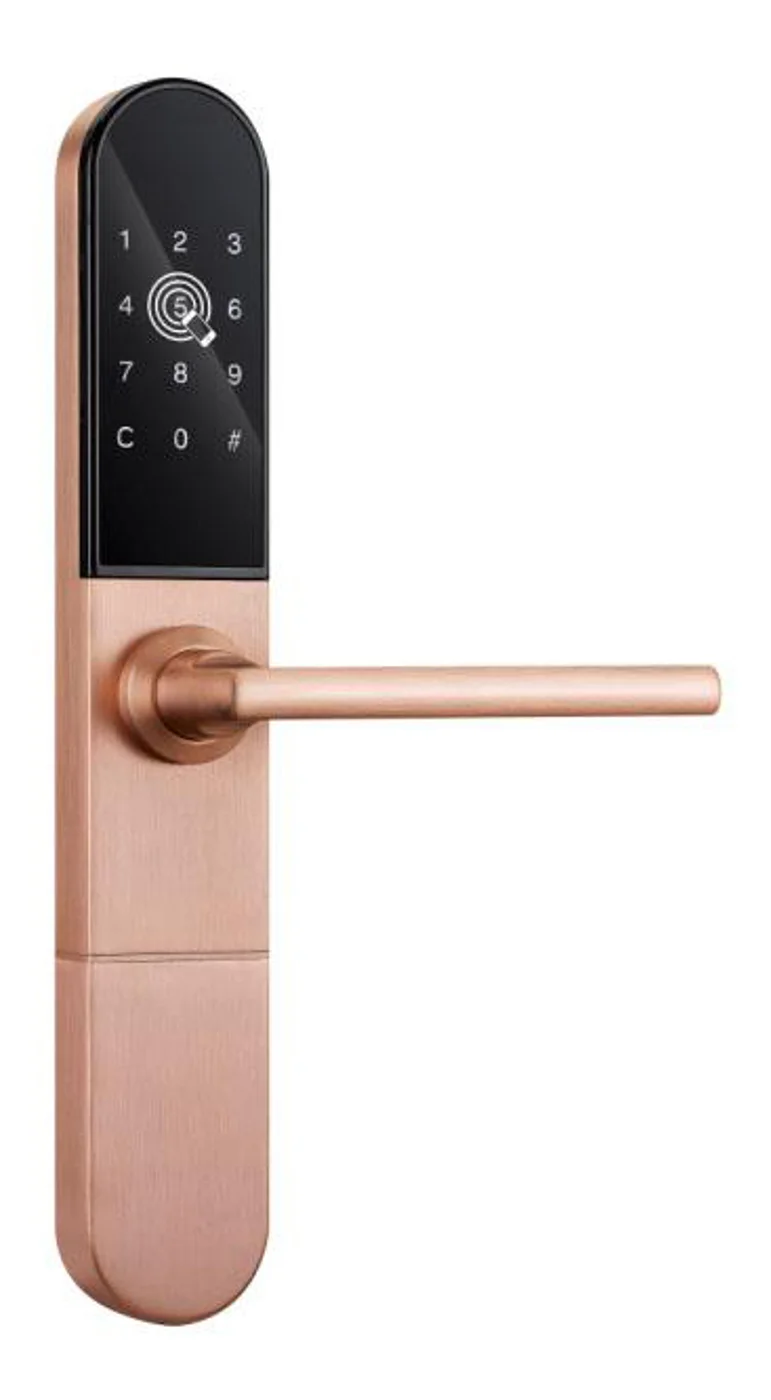
Smart Cabinet Lock — App-Managed, Multi-Site Dashboard
App-managed smart cabinet lock for office, parcel, and multi-site fleets. BLE app dashboard, audit trail, remote unlock, no per-lock server. Higher-tier chassis.
This page already points to it as the next recommended reference.
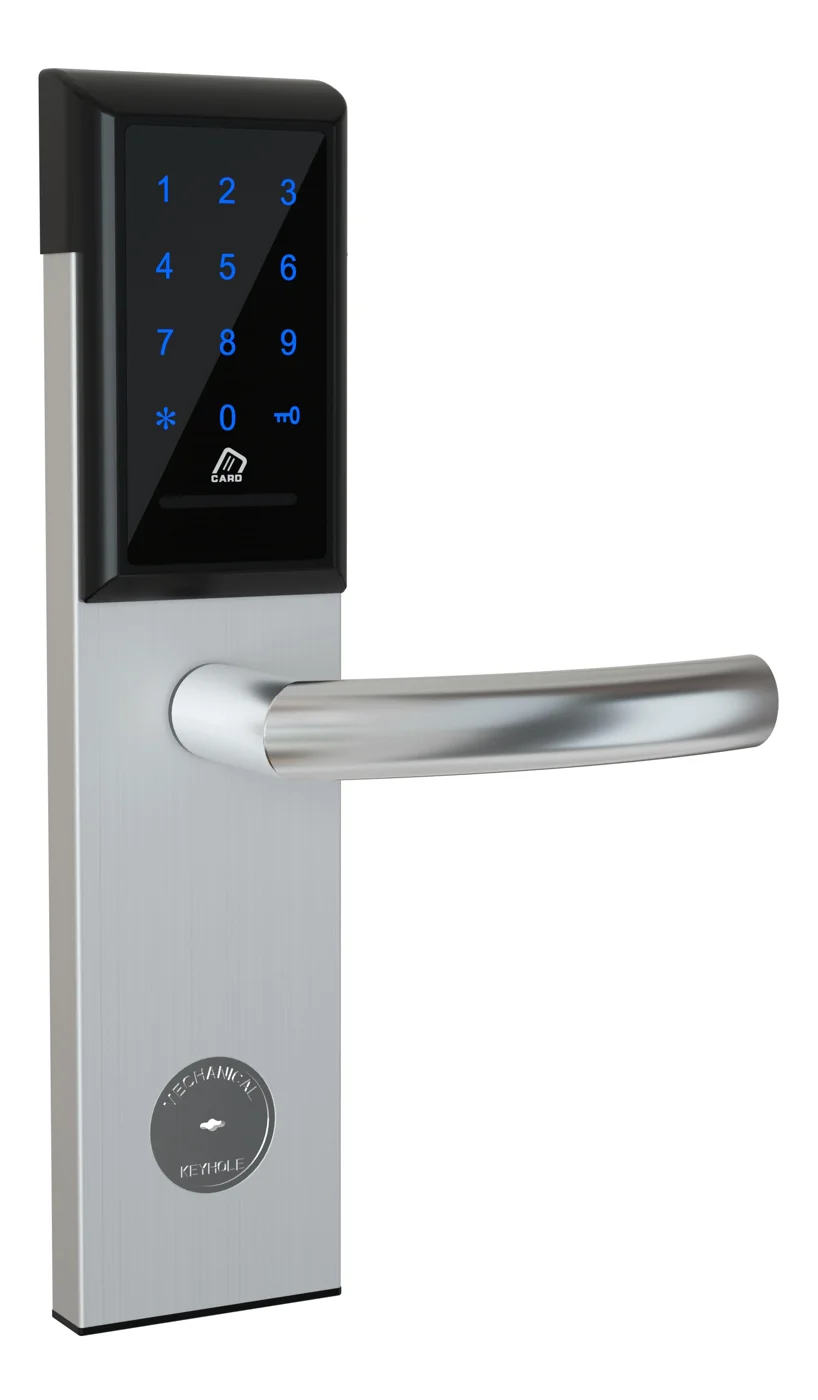
Office Cabinet Lock — PIN + Card for Filing & Pedestals
Offline PIN + card office cabinet lock for filing cabinets, pedestals, and drawers. Battery-powered 5-minute retrofit, no WiFi, no key management. CE/FCC/RoHS.
This page already points to it as the next recommended reference.
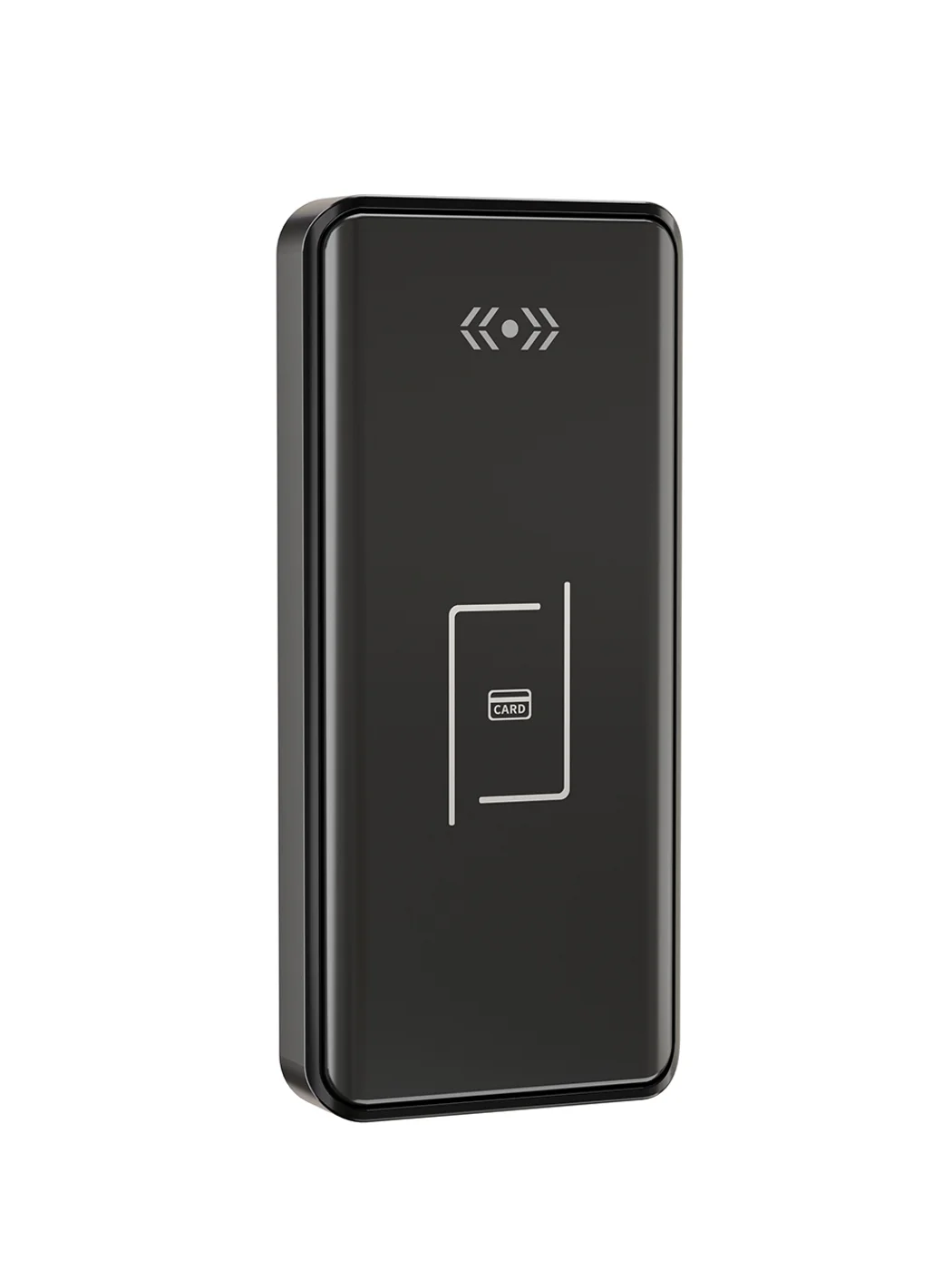
Gym Locker Lock — Offline Card, No WiFi Required
Offline card gym locker lock for fitness and pool lockers. MIFARE card, battery-powered 5-minute retrofit, no WiFi or server. Zinc alloy body, CE/FCC/RoHS.
This page already points to it as the next recommended reference.
Related blog posts
3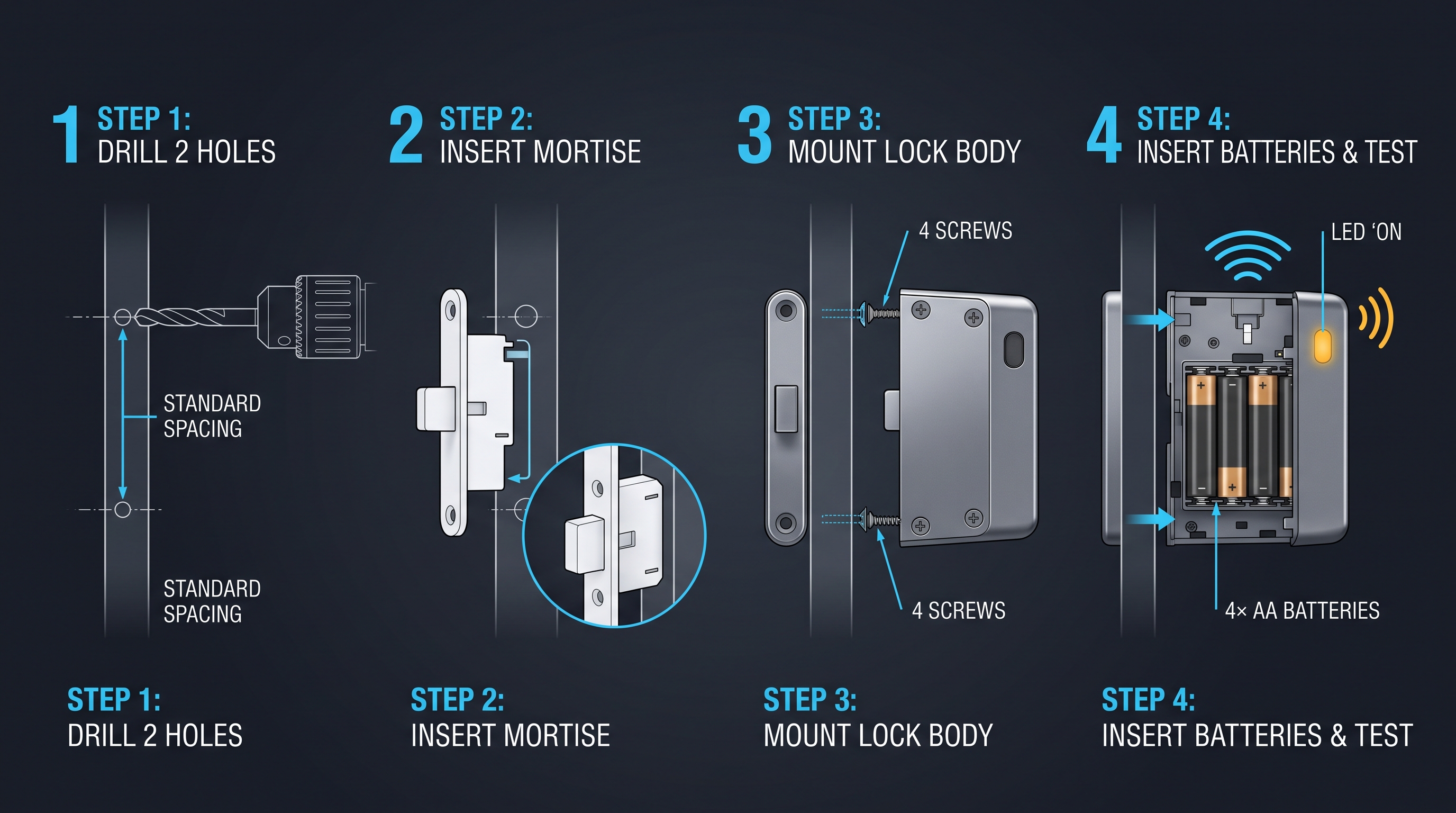
Cloud Cabinet Lock: Ultimate Guide to Cloud-Connected Cabinet Access Control
A comprehensive guide to cloud cabinet lock technology covering remote management, real-time audit trails, and multi-site cabinet access control for enterprises.
It supports the same product context: Smart Cabinet Lock — App-Managed, Multi-Site Dashboard, Office Cabinet Lock — PIN + Card for Filing & Pedestals, Gym Locker Lock — Offline Card, No WiFi Required.
Cam Lock Electronic: Modernizing the Workhorse Cabinet Lock
Cam lock electronic combines the classic cam lock form factor with RFID, keypad, and BLE credentials. Retrofit compatible with standard cylinder bores. Complete guide.
It supports the same product context: Smart Cabinet Lock — App-Managed, Multi-Site Dashboard, Office Cabinet Lock — PIN + Card for Filing & Pedestals, Gym Locker Lock — Offline Card, No WiFi Required.
Card Cabinet Lock: Ultimate Guide to Smart Card-Activated Cabinet Security Systems
Complete exploration of card cabinet lock technology including MIFARE, DESFire, NFC smartphone credentials, installation guides, security protocols, and enterprise integration strategies for card-based cabinet access.
It supports the same product context: Smart Cabinet Lock — App-Managed, Multi-Site Dashboard, Office Cabinet Lock — PIN + Card for Filing & Pedestals, Gym Locker Lock — Offline Card, No WiFi Required.
Specify your hotel project with our engineers
Send your room count, ceiling type, and protocol preference. We will return a sample plan and quote within 24 business hours.
- Move from general guidance into a product or application discussion.
- Use RFQ when pricing, drawings, MOQ, or launch timing needs structure.
- Keep a direct contact path visible for fast clarifications and handoff.