Cabinet Lock vs Keypad Lock: Which Access System Fits Your Cabinets?
Compare cabinet lock vs keypad lock for cabinets: mechanical vs electronic access, key management, security, battery life, cost, and use cases in depth.
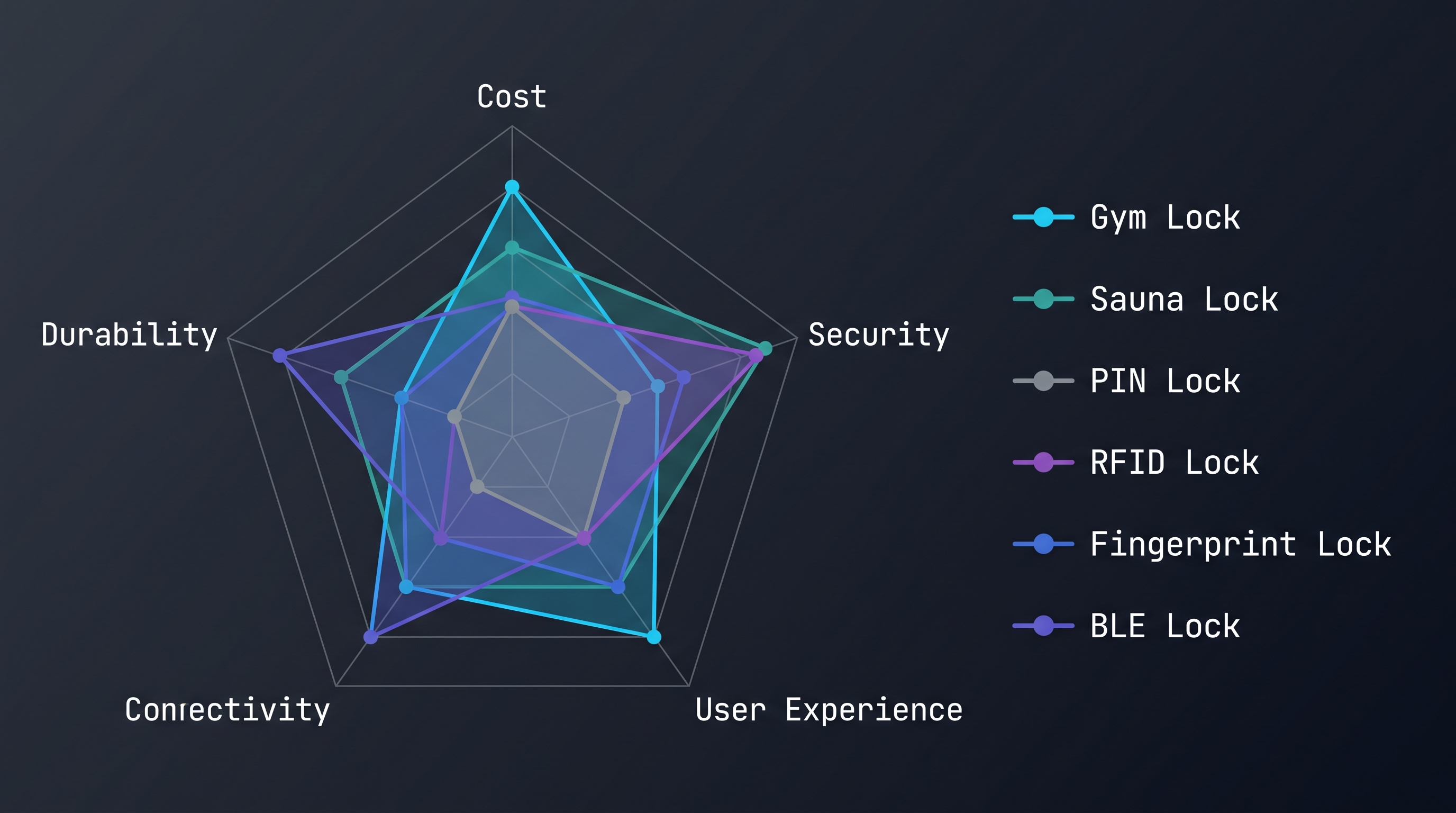
Cabinet lock vs keypad lock is a practical comparison between traditional mechanical locking devices for cabinets and electronic locks that open with a numeric code. A mechanical cabinet lock typically uses a cam, deadbolt, or sliding latch operated by a metal key, while a keypad lock embeds a 12-button or 16-button membrane keypad, a microcontroller, and a solenoid or motor bolt inside the same cabinet footprint. Across the furniture hardware industry, roughly 70-80% of installed cabinet locks remain mechanical, but electronic keypad models now account for a fast-growing share of new commercial installations in hotels, offices, clinics, and schools. The comparison matters because it determines access control, key management workload, audit capability, and total cost of ownership over a 5-10 year service life. This guide breaks down types, mechanisms, security, convenience, cost, and use cases so you can decide which lock family fits your cabinet application.
Cabinet Lock vs Keypad Lock: Types and Classifications
Cabinet lock vs keypad lock types and classifications start with the two broad families you are choosing between. The mechanical family covers cam locks, deadbolts, sliding locks, barrel bolts, and push-button combination locks, all of which operate without electricity and authenticate through a physical key or mechanical code wheel. The electronic family covers standalone keypad locks, connected keypad locks, and hybrid units that combine a keypad with an RFID card reader, a fingerprint sensor, or a physical key override. Mechanical locks are further divided by cylinder type into wafer, disc-tumbler, and pin-tumbler designs, while electronic locks are divided by actuation into solenoid and geared-motor designs and by communication into offline and networked models. Understanding this taxonomy matters because the cabinet lock vs keypad lock decision is rarely a single choice: many facilities deploy a mix of families by zone, matching each lock type to its cabinet duty cycle, security level, and user pool.
Mechanical Cabinet Lock Families
When you compare the cabinet lock vs keypad lock market from the mechanical side, the cam lock is the workhorse of the category. A cam lock fits into a standard 19 mm or 22.2 mm drilled bore, and the key rotates a cam 90 or 180 degrees to hook behind the drawer frame or cabinet door edge. Deadbolt cabinet locks push a rectangular bolt into a strike plate and are preferred on tall doors where a cam does not reach deep enough. Sliding locks, also called barrel bolts, move a horizontal rod into a keeper and are common on double-door hutches and display furniture. Inside each mechanical cabinet lock you will find wafer tumblers, disc tumblers, or pin tumblers, and the security grade scales with tumbler count and keyway restriction. In a cabinet lock vs keypad lock evaluation, the defining trait of the mechanical family is the metal key: every mechanical cabinet lock needs a key blank, a keyway, and a locking cylinder, which is exactly what keypad models eliminate.
The operational strength of mechanical cabinet lock families lies in keyed-alike and master-keyed setups. A keyed-alike system lets one key open every cabinet in a run, which drastically simplifies a multi-drawer cabinet lock vs keypad lock rollout because a janitor or facility manager carries a single key. Master-keyed systems add a hierarchy where individual keys open one cabinet but a master key opens all, a structure that is hard to replicate cheaply on entry-level keypad locks. The trade-off is custody: once a key is lost, the mechanical cabinet lock must be rekeyed or replaced, and if the key is not restricted, anyone with a blank can duplicate it. For low-traffic furniture, file cabinets, and gun cabinets, these mechanical families remain the most economical cabinet lock vs keypad lock option, with wholesale pricing of $2-$8 per unit and service lives above 10 years.
Electronic Keypad Lock Families
The electronic side of the cabinet lock vs keypad lock comparison splits into standalone and connected keypad lock families. A standalone keypad lock stores its codes locally in EEPROM or flash, runs on 3-4 AA, AAA, or CR123A batteries, and actuates a solenoid or motor bolt when the correct code is entered. Its keypad is typically a 3x4 or 4x4 membrane or capacitive touch face, and it supports anywhere from 1 to 50 user codes, auto-relock timers, and a low-battery warning. The key advantage over a mechanical cabinet lock is credential agility: you change codes in seconds without removing hardware, and you can issue individual codes to each user so access can be revoked instantly. Standalone keypad lock families dominate hotel safes, office lockers, and clinic cabinets because they need no infrastructure. In a cabinet lock vs keypad lock comparison, standalone units cost $25-$50 and install in roughly 15-40 minutes per lock including programming.
Connected keypad lock families add a radio so locks report to a central hub or facility dashboard. Common radios are BLE 5.2 at 2.4 GHz, Zigbee 3.0, WiFi 802.11 b/g/n, and Z-Wave at 908 or 868 MHz, with newer models supporting Matter over Thread or WiFi. A connected keypad lock enables remote lock and unlock, scheduled access, user provisioning from a software panel, and audit logs pulled without walking to the cabinet. This turns a physical cabinet into a managed access point, which is why connected keypad models are the fastest-growing family in the cabinet lock vs keypad lock market, projected to expand 15-20% annually through 2030. The cost premium is real, typically $60-$150 per unit plus hub or subscription fees, but for multi-site operations the remote credential management often pays for itself within the first year.
Hybrid and Smart Variants
Hybrid variants deliberately blur the cabinet lock vs keypad lock boundary by combining credential types on one device. The most common hybrid is a keypad lock with a mechanical key override, which keeps a physical keyway for emergency entry when the battery dies. Others pair a 13.56 MHz MIFARE or 125 kHz EM RFID card reader with the keypad, letting users choose card tap or code entry, which is popular in staff lockers and hotel back-of-house cabinets. Biometric hybrids add a fingerprint sensor alongside the keypad and support 20-100 enrolled fingers. Smart variants add app control over BLE 5.2 or WiFi, letting a phone open the cabinet, share virtual keys, and receive low-battery notifications. When you evaluate cabinet lock vs keypad lock hybrids, the added credential options raise both convenience and unit cost, but they also add failure points: a card reader, a fingerprint module, or a radio can each fail independently, so buy from manufacturers with proven firmware and warranty support.
| Lock Type | Authentication | Power | Typical Price | Best For |
|---|---|---|---|---|
| Mechanical cam lock | Metal key | None | $2-$15 | Low-traffic furniture, file cabinets |
| Mechanical deadbolt | Metal key | None | $5-$25 | Tall cabinet doors, higher-security furniture |
| Standalone keypad lock | Numeric code | Battery 3-4 cells | $25-$50 | Shared lockers, hotel safes, clinic cabinets |
| Connected keypad lock | Code + BLE/Zigbee/WiFi | Battery + radio | $60-$150 | Managed facilities, audit-required sites |
| Hybrid keypad + key | Code + key override | Battery | $30-$70 | Emergency-entry-sensitive cabinets |
| Hybrid keypad + RFID | Code or card | Battery | $35-$80 | Staff lockers, hotels, gyms |
Cabinet Lock vs Keypad Lock: Working Principles and Mechanisms
Cabinet lock vs keypad lock mechanisms differ at the physical layer. A mechanical cabinet lock converts key rotation into cam or bolt movement: the key enters a plug, lifts wafers or pins against spring tension, and rotates the plug 90-180 degrees to swing a cam behind the drawer frame or door edge. A keypad lock replaces the key path with an electronic verification loop: the microcontroller scans the 4x4 keypad matrix for a valid code, compares it against stored credentials in EEPROM or flash, and then drives a solenoid or geared motor bolt to unlock. Typical actuation forces are 3-5 N for a solenoid and 5-8 N for a motor bolt, at 4.5-12 V supply. In the cabinet lock vs keypad lock comparison, mechanical systems fail to a static locked state when untouched, while electronic systems add a timing window, auto-relock delay, and battery dependency that changes the failure model.
How a Mechanical Cabinet Lock Works
Understanding how a mechanical cabinet lock works clarifies the cabinet lock vs keypad lock reliability story. When you insert the key, the wafers or pins in the cylinder align along the shear line, allowing the plug to rotate freely inside the housing. As the plug turns, a cam attached to the rear of the plug rotates and either clears the door frame, allowing the door to open, or re-engages to lock. On a deadbolt, the plug drives a follower that extends a bolt into the strike plate, and the bolt throw is typically 15-25 mm. Mechanical cabinet locks use spring-loaded tumblers, and wear shows up as a key that turns loosely or sticks partway. Because there is no electronics, the mechanical cabinet lock is immune to battery failure, firmware bugs, and RF interference, which is the core reliability advantage in the cabinet lock vs keypad lock debate. The entire mechanism is usually zinc-alloy or brass, with a hardened faceplate on higher-security versions.
The failure mode of a mechanical cabinet lock is gradual and predictable, which makes maintenance simple. Wafers wear down after 200,000-500,000 cycles, springs lose tension, and the cam can bend if forced. When a key jams, a small spray of dry lubricant and a cylinder cleaning usually restore function. The key itself is the weak point of the mechanical mechanism: keys bend, break off in the plug, and get lost, and every lost key in a cabinet lock vs keypad lock deployment means a rekey or replacement. Rekeying a wafer lock costs $3-$15 in parts, while a locksmith visit can add $50-$150. Because the mechanism is fully mechanical, there is no audit trail: you cannot know who opened the cabinet or when. That is the fundamental operational difference that drives many buyers toward keypad electronics.
How an Electronic Keypad Lock Works
The electronic keypad lock works through a verification loop that starts when a user presses keys. The microcontroller polls the keypad matrix row by row and column by column to detect key presses, builds the entered sequence in memory, and compares it to stored user codes. On a match, the controller drives the actuator: a solenoid pulls a spring-loaded bolt out of the strike for 3-5 N of pull force, while a geared motor rotates a cam or drives a bolt with 5-8 N of force over 0.5-2 seconds. After the door opens, the auto-relock timer (typically 3-10 seconds) commands the actuator back to the locked position. Standby current is only 10-50 microamps because the electronics sleep between entries, which is what makes a 1-3 year battery life possible. In the cabinet lock vs keypad lock comparison, this electronic loop adds entry delay of roughly 1-4 seconds per opening, but it also adds credential flexibility that mechanical locks cannot match.
Because the microcontroller stores credentials in non-volatile memory, a keypad lock survives power loss without forgetting its codes, and a factory reset restores default codes for reconfiguration. Higher-end keypad locks encrypt the code comparison and add anti-tamper lockout after 5-10 failed attempts, locking the keypad for 30-60 seconds. Connected models send an event message over BLE 5.2, Zigbee 3.0, or WiFi 802.11 b/g/n to the hub after each unlock. The electronic mechanism's main vulnerability is power and moisture: a dead battery stops the lock entirely, and moisture corroding the membrane contacts causes phantom key presses. This is why the cabinet lock vs keypad lock choice for wet environments, such as outdoor cabinets or washrooms, should favor units with sealed keypads rated IP54 or higher.
Actuation and Power Transmission
Actuation and power transmission define the feel and reliability of a keypad lock, and they matter in the cabinet lock vs keypad lock trade-off. Solenoid-based keypad locks are fast, unlocking in 100-300 ms, and consume current only during the actuation pulse, which preserves battery life, but a solenoid that is misaligned can be defeated with a strong magnet or held back with pressure on the bolt. Motor-based keypad locks are slower, taking 0.5-2 seconds, but they hold the bolt position mechanically through gears, so they are harder to force open and consume no current while holding. A geared motor draws 100-300 mA during actuation, which shortens battery life versus a solenoid but improves reliability and resistance to vibration. Mechanical cabinet locks transmit force directly from key to cam or bolt, so there is no power transmission at all, which is why they can last decades. In a cabinet lock vs keypad lock evaluation, think about how many actuations per day your cabinet will see: a high-traffic drawer that opens 50 times a day will drain batteries faster and wear a solenoid sooner than a once-a-week cabinet.
Cabinet Lock vs Keypad Lock: Security and Threat Comparison
Cabinet lock vs keypad lock security differs in attack surface and credential handling. A mechanical cam lock is usually a disc-tumbler or wafer device with a small keyhole; it can be raked, picked, or bypassed with a tension wrench in seconds, and spare keys can be cut from any hardware store photo or by code. A keypad lock replaces the keyhole with a code entry face, which eliminates physical lockpicking but introduces code theft, shoulder surfing, brute-force attempts, and factory-default code risks. Field tests of low-cost electronic cabinet locks show 10,000-100,000 entry cycles before button failure, while mechanical locks routinely last 200,000-500,000 cycles. Drill resistance also matters: most mechanical cabinet locks use zinc-alloy bodies, while mid-range keypad models add hardened steel plates. When evaluating cabinet lock vs keypad lock, the real security ceiling depends on rekeyability, anti-drill plating, auto-relock, and whether credentials can be revoked instantly.
Physical Attack Resistance
Physical attack resistance is where the mechanical cabinet lock both wins and loses in the cabinet lock vs keypad lock security comparison. Mechanical locks are vulnerable to lockpicking because the keyhole exposes the tumblers; a trained person can rake most wafer locks in under 30 seconds. Disc-tumbler locks resist picking better but can still be impressioned. On the positive side, a mechanical cabinet lock has no electronics to short out, and a solid brass or zinc-alloy body resists prying and drilling reasonably well, especially with a hardened insert. Keypad locks remove the keyhole entirely, so there is no plug to pick, but the lock body is often plastic or light alloy, and an attacker can drill through the bolt or force the door frame. Higher-end keypad cabinet locks add a hardened steel bolt and anti-drill plate. In a cabinet lock vs keypad lock physical attack scenario, both families rely on the cabinet itself: a thin particle-board drawer face is weak regardless of which lock you choose, so reinforce the strike area.
Impact resistance and vandalism also favor different families. A mechanical cam lock has no exposed keypad to vandalize, and its key can be pulled out after locking, leaving a flush face. A keypad lock exposes buttons that can be punched, glued, or scratched, and the keypad can be torn off entirely. This is why the cabinet lock vs keypad lock choice for public-facing lockers, such as gym lockers or transit station storage, should factor in vandal resistance: surface-mount keypad locks with recessed, tamper-resistant buttons survive better than protruding membrane faces. For industrial tool cabinets that take heavy abuse, many operators still choose mechanical padlocks or cam locks precisely because there is nothing electronic to destroy.
Credential Security and Bypass Risks
Credential security is the decisive difference in the cabinet lock vs keypad lock security analysis. A mechanical key can be duplicated by code, by impression, or by photograph, and key control is almost impossible on commodity locks because blanks are sold everywhere. Once a key is copied, the compromise is permanent and invisible until you notice missing inventory. A keypad lock replaces the key with a code, and its risks are shoulder surfing, code sharing, and brute force. Entry-level keypad locks accept fixed codes with no lockout, allowing an attacker to try common defaults like 0000 or 1234, while better models enforce lockout after 5-10 failed attempts, support 4-8 digit codes, and let you rotate codes on a schedule. In the cabinet lock vs keypad lock bypass comparison, a keypad lock's codes can be changed instantly when an employee leaves, whereas a mechanical lock's key is out there until you rekey.
Bypass risks also differ. Some keypad locks have a mechanical key override, and if the override cylinder is a commodity wafer lock, an attacker can pick the override in seconds, negating the electronic security. Other bypass vectors include tapping the power terminals to jolt a solenoid, using a strong neodymium magnet on exposed solenoids, and exploiting the reset button to wipe codes. When you compare cabinet lock vs keypad lock bypass resistance, check whether the solenoid is shielded, whether the override keyway is restricted, and whether the reset procedure requires an inside tool. For medication cabinets, firearms storage, and cash drawers, look for keypad locks with hardened steel construction, encrypted code storage, and no exposed mechanical override, and always change the factory default code before deployment.
Security Comparison Table
| Security Dimension | Mechanical Cabinet Lock | Keypad Lock |
|---|---|---|
| Lockpicking risk | High on wafer/disc cylinders | None on the keyhole; override keyway may be pickable |
| Key duplication | Trivial on commodity blanks | Not applicable, no physical key |
| Code guessing / brute force | Not applicable | Risk on fixed codes; mitigated by lockout |
| Shoulder surfing | Low | Medium, mitigate with hidden-entry or longer codes |
| Lost-key / lost-code impact | Rekey or replace cylinder | Change code in seconds, no hardware removal |
| Audit trail | None | Event log on connected models |
| Drill resistance | Zinc-alloy; add hardened insert | Steel bolt and anti-drill plate on mid-range models |
| Vandal resistance | High, flush face | Medium, exposed keypad |
| Default credential risk | None | Factory codes must be changed |
Cabinet Lock vs Keypad Lock: Convenience, Access, and Key Management
Cabinet lock vs keypad lock convenience pivots on how many people need access and how often. With a mechanical cabinet lock, each authorized person carries a physical key, and any lost key means rekeying or replacing the cylinder; a 30-drawer bank can require managing 30 separate keys. With a keypad lock, a shared code or individual user codes let dozens of users open the same cabinet without keys, and access can be changed in seconds without touching hardware. Data from commercial fit-out projects shows that switching from cabinet lock vs keypad lock at scale cuts key-related admin time by 80-90% because there are no blanks to cut, no locksmith visits for rekeys, and no duplicate inventories. The convenience trade-off is entry speed: a key entry takes 1-3 seconds, while code entry plus solenoid actuation takes 2-6 seconds. For high-frequency drawers, that added second per opening accumulates across thousands of operations.
Daily Use Convenience
Daily use convenience is where the cabinet lock vs keypad lock difference is felt most acutely by end users. A mechanical lock requires users to carry, find, and insert a key every time, which is friction for a shared cabinet: keys get left in the lock, borrowed without return, or lost in a pocket. A keypad lock lets a user type a code and open, and on touch-capacitive models the entry is nearly instantaneous. For staff who open many cabinets in sequence, such as nurses retrieving supplies or warehouse pickers collecting tools, the keypad lock removes the key-locating step entirely. In a cabinet lock vs keypad lock speed test, a trained user opens a keypad lock in about 3 seconds versus 4-6 seconds to fumble for a key, and over 200 openings a day that saves roughly 5-10 minutes per person. Hands-free convenience also matters: when a user's hands are full of boxes or tools, a code entered with an elbow or a fingertip beats a key that needs to be drawn from a pocket.
The flip side of convenience is cognitive load. A keypad lock asks users to remember a code, and codes are often shared verbally, which spreads the credential across everyone who hears it. Mechanical locks have no memory requirement beyond carrying the key. In a cabinet lock vs keypad lock usability assessment, code memory becomes a real problem in facilities with multiple keypad-protected areas: if users must remember five different codes, they will either write them down, which is a security leak, or use the same code everywhere, which defeats segregation. The practical mitigation is to use fewer, longer codes, or to issue individual codes and display them on a label inside the cabinet. For low-frequency access where remembering a code is a burden, a mechanical lock with a key kept in a known place can actually be more convenient.
Key Management and Credential Administration
Key management and credential administration are the strongest arguments for the keypad side of the cabinet lock vs keypad lock comparison. With mechanical locks, key management is a physical process: cut blanks, distribute keys, track custody, collect keys from departing staff, and rekey when a key is lost. A facility with 100 mechanical cabinet locks might hold 150-300 keys in circulation, and reconciling them is a manual spreadsheet exercise. With keypad locks, credential administration is digital: you add a user code, delete a user code, or rotate the master code from a master code menu, and on connected models you do it remotely from a dashboard for 10 or 1,000 locks at once. The cabinet lock vs keypad lock admin time delta is striking: changing one mechanical lock's key takes a locksmith visit, while changing a keypad lock's code takes 10-30 seconds on-site or seconds remotely.
Churn rate determines how much that delta matters. In a stable residential setting, keys are handed out once and never change, so mechanical key management is nearly free. In a hotel, office, clinic, or gym, staff turnover means credentials must be revoked constantly, and that is where the cabinet lock vs keypad lock decision becomes clear. Industry data suggests that facilities with annual staff churn above 20% recover the keypad price premium within 12-24 months purely from avoided rekeying and locksmith calls. Master-keyed mechanical systems can reduce the pain, but they do not solve revocation: a departed employee who kept a master key still has it. Only electronic credentials can be revoked instantly and irrevocably, which is why high-churn organizations standardize on keypad locks for their shared cabinets.
Audit Trails and Accountability
Audit trails are a capability that the mechanical cabinet lock cannot offer at all, which makes the cabinet lock vs keypad lock decision one-sided for regulated environments. A mechanical lock records nothing; if cash disappears from a cash drawer, medication goes missing from a clinic cabinet, or a tool walks out of a workshop, there is no data to review. A keypad lock can log the last 100-1,000 unlock events, including which user code, at what timestamp, and on connected models, whether the event was an unlock, a failed attempt, or a low-battery warning. These logs satisfy audit and compliance workflows for HIPAA-protected medication storage, cash handling, and sensitive document cabinets. When you compare cabinet lock vs keypad lock accountability, the electronic event log transforms a cabinet from a passive container into a verifiable access record that HR, compliance, and loss-prevention teams can review.
The depth of the audit trail varies with lock tier. Entry-level standalone keypad locks store a rolling buffer of recent events in local memory, which is enough to answer who opened the cabinet last but not to build a full history. Connected keypad locks push events to a central system, giving you a complete, exportable timeline across all cabinets, and they can generate alerts for after-hours access or repeated failures. Mechanical locks, in contrast, provide no accountability at all, and the only way to audit them is to assign physical keys and maintain a sign-out log, which is unreliable. In the cabinet lock vs keypad lock accountability hierarchy, keypad locks with event logs are the minimum for any cabinet that holds controlled, valuable, or sensitive items, and connected models are the gold standard for multi-site operators.
Cabinet Lock vs Keypad Lock: Applications and Use Cases
Cabinet lock vs keypad lock use cases track the operating environment and user pool. Mechanical cabinet locks dominate furniture that rarely changes hands: residential kitchens, TV consoles, display cases, gun safes, toolboxes, and storage cabinets where one owner keeps the key. Electronic keypad locks win in shared or managed environments: hotel in-room safes and staff cabinets, office supply and document lockers, school and lab cabinets, clinic medication drawers, warehouse lockers, and rental facilities where credentials rotate. Industry data suggests that hospitality and healthcare account for roughly 40-45% of new keypad cabinet lock deployments, driven by audit and accountability requirements. The cabinet lock vs keypad lock fit rule is simple: choose mechanical when access frequency is low and key custody is stable, and choose keypad when many users need controlled, revocable access to the same cabinet. Applications with wet or dusty exposure also push the choice because sealed keypads can outlast exposed keyholes.
Home and Furniture Applications
In the home and furniture segment, the cabinet lock vs keypad lock choice is mostly about simplicity and aesthetics. Mechanical cam locks secure TV consoles, sideboards, display cabinets, and children's-safety cabinets, where a small key tucked out of sight is all the protection needed. Toolboxes and gun cabinets in a garage or workshop typically use mechanical deadbolts or padlocks because they are dependable, quiet, and immune to power loss. For residential buyers, the keypad lock makes sense on a shared cabinet that the whole family accesses, such as a home office cabinet holding passports and documents, a medicine cabinet that should be child-resistant but adult-accessible, or a liquor cabinet where you want code control. A keypad lock in the home avoids the classic cabinet lock vs keypad lock problem of the lost key: when the drawer with the spare key is locked and the key is inside it, a code lock would have saved the day.
Home applications also highlight the durability question. A mechanical cabinet lock in a piece of furniture may be operated only a few times a week, so its 200,000-cycle life is effectively indefinite. A keypad lock in the same furniture has a battery that must be changed every 1-3 years, and a dead battery in a seldom-used cabinet is always discovered at the worst moment. Home buyers weighing cabinet lock vs keypad lock often prefer mechanical locks for furniture that will sit untouched for months, and keypad locks for daily-use cabinets. One emerging residential pattern is the kitchen or pantry cabinet with a keypad lock to keep small children out of cleaning supplies, where the code is easy for parents and impossible for toddlers, and the lock is mounted high enough to protect the keypad from sticky fingers.
Commercial, Hotel, and Workplace Applications
Commercial and workplace settings are where the cabinet lock vs keypad lock decision has the clearest economic logic. Office supply cabinets, IT equipment cabinets, print rooms, and server cabinets in workplaces are shared by many employees, so a keypad lock with a rotating code removes the key-chasing that slows everyone down. Hotel back-of-house cabinets, housekeeping carts, and in-room safes use keypad locks heavily: housekeeping supervisors change codes between shifts, and guests get a temporary code for the safe, all without hardware work. In a hotel context, the cabinet lock vs keypad lock choice for maids' carts and supply closets directly affects shift efficiency, and connected keypad locks let the front desk revoke a departing employee's codes remotely. Retail environments use keypad locks on cash drawers and back-office cabinets, where audit trails protect against internal shrinkage and where the lockout feature deters code guessing.
Gyms, fitness centers, schools, and co-working spaces deploy keypad locks on member lockers and shared cabinets. A member locker with a mechanical padlock invites bolt-cutters and lost-key complaints, while a keypad locker lets each user set a personal code for the visit, which the facility can wipe when the locker is reassigned. The cabinet lock vs keypad lock volume math in a 500-locker gym is decisive: managing 500 mechanical padlocks and their keys is a permanent job, while 500 keypad locks with user-set codes manage themselves. Workplace regulations and insurance also matter: a keypad lock on a first-aid cabinet or an AED cabinet must open fast and log access, which a mechanical lock cannot do. Facilities that already run a building access system find that connected keypad cabinet locks integrate into the same dashboard, giving them uniform control across doors, lockers, and cabinets.
Healthcare, Education, and Industrial Applications
Healthcare, education, and industrial applications push the cabinet lock vs keypad lock decision toward electronics because of regulation and safety. Clinics and pharmacies must control medication drawers, and regulators look for controlled access plus accountability; a keypad lock with an audit log satisfies both, while a mechanical lock does not. Narcotic cabinets in particular benefit from keypad locks with lockout, event logs, and tamper alerts, and connected models can alert a supervisor the moment a drawer opens after hours. In schools, keypad locks secure science lab chemical cabinets and staff files, where you want to know who accessed hazardous materials and when. The cabinet lock vs keypad lock choice in a school is often driven by the fact that faculty are not guaranteed to be present to manage keys, so codes that can be changed from the front office are operationally safer.
Industrial and warehouse environments favor whichever cabinet lock vs keypad lock option tolerates the environment. Tool cabinets on a factory floor face oil, dust, and vibration; a sealed keypad lock with an IP54 or higher rating keeps contamination out of the electronics, while a mechanical lock's exposed keyhole lets grit jam the wafers. Maintenance and spare-part cabinets in plants are shared across shifts, and a keypad lock with per-shift codes identifies who took the last part. However, extreme cold, where batteries lose capacity, and explosive atmospheres, where electronics cannot be used, still favor mechanical locks. Agricultural and outdoor equipment cabinets also lean mechanical because there is no battery to freeze. In short, the cabinet lock vs keypad lock fit in industrial sites depends on environment class, shift structure, and whether the facility wants an electronic tool-crib audit trail.
Cabinet Lock vs Keypad Lock: Installation and Deployment Guide
Cabinet lock vs keypad lock installation differs mainly in cutout compatibility and power. Most mechanical cabinet locks fit standard holes: 19 mm or 22.2 mm drilled bores for cam locks, with a 16 mm spindle length typical for 16-19 mm doors and drawers. A keypad lock needs a slightly larger cutout for the electronics, often 30-45 mm, plus clearance behind the door for the bolt module; surface-mount keypad versions avoid cutouts entirely by replacing a padlock hasp. Because electronic models are usually self-contained battery units, the cabinet lock vs keypad lock wiring question disappears for standalone units, but connected keypad locks that report to a hub may need an antenna clearance and Zigbee, WiFi 802.11 b/g/n, BLE 5.2, or Z-Wave coverage. Typical install time is 5-15 minutes per mechanical lock and 15-40 minutes per keypad lock including programming. Retrofit factors include door thickness, edge gaps, drawer material, and whether you must preserve the existing cylinder.
Retrofit and Cutout Considerations
Retrofit and cutout compatibility is the first practical question in any cabinet lock vs keypad lock deployment. Mechanical cam locks drop into existing 19 mm or 22.2 mm bores with almost no rework, and many furniture pieces already have the hole drilled for a cam lock, so swapping one mechanical lock for another is a 5-minute job. Moving to a keypad lock usually means enlarging the bore to 30-45 mm for the electronics module, which requires a hole saw or step drill, and you must confirm the drawer or door is thick enough to mount the keypad bezel and the rear bolt module without interference. On thin 12-16 mm doors, the electronics may not fit flush, so check the manufacturer's recommended door thickness. In the cabinet lock vs keypad lock retrofit comparison, surface-mount keypad locks are the easiest path because they bolt over an existing hasp or staple and need no hole at all, at the cost of protruding hardware.
Cutout location also matters for alignment. A cam lock's cam must clear the cabinet frame or drawer rail as it rotates, and an electronic bolt module must line up with the strike plate with a consistent gap, typically 2-4 mm. Misalignment is the most common cause of a keypad lock that sticks, and it is also why the cabinet lock vs keypad lock install checklist should include a strike plate adjustment. When retrofitting drawers, watch for the drawer slide rails: a rear-mounted bolt module can collide with a side-mounted slide. For metal cabinets, you may need self-tapping screws and grounding considerations, and for glass doors, only surface-mount units work. Measure the door thickness, the bore diameter, the backset, and the strike gap before ordering, because those four numbers determine which locks in the cabinet lock vs keypad lock catalog will actually fit.
Mounting and Hardware
Mounting hardware decides whether a keypad lock lasts in the cabinet lock vs keypad lock installation. Mechanical cam locks fasten with a single nut on the back of the cylinder, and the cam attaches with a screw, so hardware is minimal and standardized. Keypad locks typically secure with a mounting plate, screws through the bezel, and sometimes an adhesive gasket between the keypad and the door surface. The gasket is important: a proper IP-rated seal keeps moisture out of the electronics, and an unsealed keypad in a humid cabinet will corrode its membrane contacts within a year. In the cabinet lock vs keypad lock mounting comparison, the electronic unit has more screws, more seals, and more alignment requirements, so installation quality directly affects reliability. Use the provided torque and thread-locker on high-vibration cabinets, and run a foam gasket around the cutout on metal doors to prevent condensation wicking into the electronics.
Door and drawer construction affects which mounting style works. Wood doors accept screws easily, while laminate or MDF doors may need dowels or threaded inserts to hold a keypad bezel under repeated use. Metal doors need sheet-metal screws, and thin aluminum frames may require backer plates. In a cabinet lock vs keypad lock deployment across mixed furniture, standardize on a lock family that fits your dominant cabinet type, and buy spare mounting kits for the outliers. Also consider the bolt and strike: a keypad lock's motor bolt should engage a steel strike, not bite into particle board, or the door will gradually stop closing and the lock will report misalignment. For high-traffic cabinets, reinforce the strike area with a steel plate during the cabinet lock vs keypad lock install, because both lock families are only as strong as the strike they latch into.
Wiring, Battery, and Networking
Wiring, battery, and networking determine whether the electronics are a liability in the cabinet lock vs keypad lock installation. Standalone keypad locks need no wiring at all, which is their biggest install advantage: install the batteries, set the master code, and the lock is live. This makes them drop-in replacements for mechanical locks on existing furniture. Connected keypad locks introduce networking: Zigbee 3.0 and BLE 5.2 models join an existing hub or mesh, while WiFi 802.11 b/g/n models need a usable signal at the cabinet, which can be weak inside a metal locker bank. When you plan a cabinet lock vs keypad lock rollout with connected locks, check the radio coverage with a site survey and add repeaters for metal enclosures, which attenuate 2.4 GHz signals significantly. Battery access is a planning factor too: choose locks where the battery compartment is on the front or side so you do not have to uninstall the lock to change cells.
Battery selection and orientation are often overlooked in the cabinet lock vs keypad lock install. Alkaline cells last longest but leak when drained, so high-quality lithium cells are safer for seldom-serviced cabinets. Note the required cell count and polarity, and keep a low-battery warning visible on the keypad. For connected locks, the radio draws extra current, so battery life may drop from 1-3 years on a standalone unit to 6-18 months on a chatty WiFi unit. Some models accept an external DC jack at 5 V or a hardwired 12 V supply for always-on operation, which removes battery anxiety but adds wiring. In a cabinet lock vs keypad lock deployment, standardize on one battery type across all units, keep spare cells on hand, and set a quarterly battery inspection for critical cabinets so a dead lock never blocks a shift.
Cabinet Lock vs Keypad Lock: Buying Considerations and Selection Criteria
Cabinet lock vs keypad lock selection starts with a security and usage audit rather than brand preference. Define the asset value inside the cabinet, the number of authorized users, churn rate, and whether you need an audit trail. For low-value storage with one or two users, a $2-$8 mechanical cam lock is usually the correct cabinet lock vs keypad lock answer because it is cheap, silent, and maintenance-free. For shared cabinets with 5-100 users, a $25-$80 keypad lock with 10-50 user codes, auto-relock, and low-battery warning justifies the premium. Also score environmental factors: temperature range, humidity, IP rating, and mounting material. Verify real certifications rather than marketing claims: CE, FCC, RoHS, and for medication or firearm cabinets, HIPAA or lock-specific standards. Finally, consider total cost of ownership over 5 years, because a keypad lock that requires one battery change per year still beats a mechanical lock that demands rekeying after every lost key.
Security Requirement Assessment
The security requirement assessment is the first step of any cabinet lock vs keypad lock purchase because it sets the budget and feature floor. Start by classifying what the cabinet protects: public convenience items need only deterrence, while cash, medications, tools, and firearms need verified access control. For deterrence-only cabinets, the cheapest mechanical cam lock is enough, and a keypad lock would be overspending. For controlled-access cabinets, define how many users need entry, whether access must be revoked quickly, and whether an audit trail is required by policy or regulation. In the cabinet lock vs keypad lock risk matrix, high-value and high-liability cabinets demand keypad locks with lockout, event logs, and tamper alerts, while low-value cabinets can stay mechanical. Also assess the environment: outdoor, wet, dusty, or explosive conditions eliminate some electronics and point back to mechanical hardware with a sealed construction.
Compliance requirements often decide the cabinet lock vs keypad lock outcome before price is discussed. Medication cabinets in the US may need to demonstrate HIPAA-aligned access control, and controlled substance storage frequently requires tamper evidence and audit logs, which only electronic locks provide. Firearm cabinets benefit from quick user access plus strong resistance to break-in, a mix that keypad locks with steel bolts serve well. Some standards bodies and facility insurers now expect electronic access records for sensitive storage, which effectively mandates keypad locks on certain cabinets. When you compare cabinet lock vs keypad lock options for a regulated facility, confirm the lock carries CE, FCC, and RoHS marks, and for connected models, check that data is encrypted in transit and at rest so audit logs are admissible and secure.
User Count, Traffic, and Churn
User count, traffic, and churn shape the cabinet lock vs keypad lock economic model more than any other variable. Count the distinct people who need access, how often they open the cabinet, and how often that set changes. A cabinet accessed by one owner a few times a month is a mechanical lock case: key custody is trivial, and the keypad premium has no payback. A cabinet opened by 20 staff members across three shifts, with annual turnover of 30%, is a keypad lock case: individual codes or a rotating shared code eliminate key tracking, and revoked access for departed staff is instantaneous. In a cabinet lock vs keypad lock traffic analysis, also count openings per day because that drives battery life and actuator wear: a solenoid lock at 10 cycles per day will outlive one at 200 cycles per day by years.
High churn is the killer of mechanical key systems. Every departed employee who returns a key creates uncertainty about copies, and every unreturned key is a live credential that you cannot revoke. Facilities with high churn that stay on mechanical locks spend continuously on rekeying, which makes the cabinet lock vs keypad lock total cost comparison favorable to electronics despite the higher unit price. Conversely, a small team with stable membership gains almost nothing from keypad locks, so mechanical locks remain the rational buy. When you build the usage profile for your cabinet lock vs keypad lock decision, include projected churn for the full service life, not just today's roster, because a system chosen for today's users must still be manageable three years from now.
Budget and Total Cost of Ownership
Budget and total cost of ownership are the final filters in the cabinet lock vs keypad lock selection. The purchase price gap is large: mechanical locks at $2-$15 versus keypad locks at $25-$150. But the operating cost curves cross. A mechanical lock costs almost nothing to run until a key is lost, and then rekeying costs $3-$15 in parts plus $50-$150 in labor if you use a locksmith. A keypad lock costs $5-$20 per year in batteries and negligible labor to change codes. Over a 5-year horizon, a facility with 50 shared cabinets and moderate churn often finds that the cabinet lock vs keypad lock difference in total cost of ownership is much smaller than the sticker price suggests, and connected models add software fees that must be included in the model. Bulk pricing changes the math too: keyed-alike mechanical packs and keypad lock project pricing both drop 10-40% at volume.
Hidden costs deserve equal weight in the cabinet lock vs keypad lock analysis. Connected keypad locks may require a hub, a bridge, or a subscription, adding $5-$30 per month per site. Battery disposal, firmware update labor, and the risk of a lock failing closed on a critical cabinet are electronic-only costs. Mechanical locks carry the hidden cost of key tracking time, duplicate cutting, and the security exposure of unreturned keys. When you compute total cost of ownership, use a 5-year horizon, include installation labor (mechanical is 5-15 minutes, keypad 15-40 minutes), include admin labor for code changes versus key changes, and assign a value to audit capability. In many real-world projects, the cabinet lock vs keypad lock decision returns to budget only after this full cost model is built.
Cabinet Lock vs Keypad Lock: Battery, Power, and Maintenance
Cabinet lock vs keypad lock power management is the biggest operational difference. Mechanical locks consume zero energy and never run out of power, while a keypad lock depends on 3-4 AA, AAA, CR123A, or CR2032 cells typically rated for 8,000-40,000 cycles or 1-3 years depending on motor draw. Because a solenoid lock only draws current during actuation, standby current stays below 10-50 microamps, but a motor-bolt lock can spike to 100-300 mA per actuation. In the cabinet lock vs keypad lock maintenance comparison, mechanical locks need only occasional lubrication and cylinder cleaning, while electronic units require battery replacement, contact cleaning, and firmware updates on connected models. Fail-state design matters most in critical cabinets: fail-secure units stay locked on power loss, while fail-safe units unlock, which is dangerous for medicine or firearm storage. Low-battery warning thresholds at 20% remaining charge give 2-4 weeks of warning at normal use.
Battery Life and Power Consumption
Battery life and power consumption drive the keypad lock's real-world usability in the cabinet lock vs keypad lock comparison. Standby power is tiny: a keypad lock sleeping between entries draws 10-50 microamps, so most of the battery budget goes to actuation and backlighting. A solenoid lock that pulses 100-300 mA for 100-300 ms per opening may deliver 30,000-40,000 openings from a set of four AA cells, which at 10 openings per day is several years. A motor-bolt lock that draws 100-300 mA for 1-2 seconds per opening halves that figure. Battery chemistry matters: alkaline cells leak when depleted, lithium cells hold capacity in cold, and rechargeable cells have higher self-discharge. When you compare cabinet lock vs keypad lock power requirements, match the cell type to the duty cycle: high-traffic cabinets justify lithium cells and an annual replacement schedule, while low-traffic cabinets can run alkaline cells for years.
Backlighting and radio activity are the hidden power draws in the cabinet lock vs keypad lock battery equation. A backlit keypad that lights up on every key press consumes a few milliamps per second of illumination, which adds up on high-traffic locks. A connected keypad lock that checks in with its hub every few minutes, or maintains a WiFi link, burns extra milliamps continuously, which is why WiFi keypad locks often need battery changes every 6-18 months while Zigbee or BLE models last longer on mesh-optimized duty cycles. Low-battery warnings are essential: most keypad locks flash a warning icon at 20-30% remaining capacity, giving 2-4 weeks of normal-use runway, and connected models can push a low-battery notification to the dashboard. In a cabinet lock vs keypad lock rollout, build a battery replacement calendar by traffic zone so no lock fails silently.
Emergency Power and Fail-State Design
Emergency power and fail-state design decide what happens when the power runs out, and they are critical in the cabinet lock vs keypad lock choice for essential cabinets. Fail-secure keypad locks stay locked when power is lost, which is the right behavior for medication, firearms, cash, and sensitive document cabinets because a power failure must not open them. Fail-safe keypad locks unlock on power loss, which suits exit-critical and life-safety cabinets where occupants must not be trapped, but it is wrong for security storage. Mechanical locks are inherently fail-secure: they stay exactly where you left them, locked or unlocked, with no power dependency at all. When you specify a cabinet lock vs keypad lock solution for a clinic or armory, always select the fail-secure variant and document the fail state in the maintenance plan.
Emergency access routes matter when batteries die on a fail-secure keypad lock. The common solutions are a mechanical key override, an external 9 V emergency battery terminal, or a capacitive charging pad that powers the lock temporarily. A key override keeps the key problem alive, so weigh the cabinet lock vs keypad lock trade-off carefully: the override is a pickable keyway, but it guarantees entry in an emergency. An external battery terminal lets anyone with a standard 9 V battery open the lock, which is convenient but can be exploited by an attacker with a battery. Some connected keypad locks allow a supervisor to remotely unlock or unlock via a hub. For critical cabinets, choose a keypad lock with at least two independent emergency access methods and test them quarterly, because a fail-secure lock with no emergency path can trap inventory or patients behind a dead battery.
Maintenance Regimes
Maintenance regimes are simple for mechanical locks and periodic for electronic ones in the cabinet lock vs keypad lock comparison. A mechanical cabinet lock needs an occasional wipe, a small amount of dry graphite or PTFE lubricant every 6-12 months, and cylinder cleaning if keys start sticking; a well-maintained cam lock can run for decades. A keypad lock needs battery replacement on schedule, cleaning of the keypad face to keep membrane contacts responsive, and, on connected models, firmware updates that add features or fix security issues. Humidity is the shared enemy: moisture corrodes mechanical cylinders and shorts electronic boards, so keep both families in dry environments or choose sealed, gasketed models. In the cabinet lock vs keypad lock maintenance workload, a facility with 100 keypad locks should budget a few hours per month for battery and firmware care, versus nearly zero for mechanical locks.
Preventive maintenance reduces unplanned failures for both families. For mechanical locks, verify the cam and bolt alignment annually, because a bent cam is the usual cause of a cabinet that stops closing flush. For keypad locks, test every unit's battery level and emergency entry method quarterly, and replace batteries at 50% remaining charge in critical cabinets rather than waiting for the warning. Document the maintenance in a log, especially for HIPAA and controlled-substance environments where audit trails extend to the lock itself. In the cabinet lock vs keypad lock maintenance cost model, plan on $1-$3 per keypad lock per year in battery cost and 2-5 minutes of technician time per lock per year, versus essentially zero recurring cost for mechanical locks, but remember that a mechanical lock's unplanned rekey can cost more than two years of keypad lock maintenance.
| Power and Maintenance Factor | Mechanical Cabinet Lock | Keypad Lock |
|---|---|---|
| Energy consumption | Zero | 10-50 uA standby; 100-300 mA per actuation |
| Battery life | Not applicable | 8,000-40,000 cycles or 1-3 years |
| Fail state on power loss | Stays as left | Fail-secure or fail-safe, model dependent |
| Emergency entry | Always by key | Key override, 9 V terminal, or remote unlock |
| Routine maintenance | Lubrication and cleaning | Battery changes, contact cleaning, firmware |
| Moisture sensitivity | Corrosion of cylinder | Corrosion of board and membrane contacts |
| Mean time to first failure | 200,000-500,000 cycles | 10,000-100,000 presses for budget keypads |
Cabinet Lock vs Keypad Lock: Common Issues and Troubleshooting
Cabinet lock vs keypad lock failure modes map to different components. Mechanical locks fail through key jamming, broken wafers, seized cams, bent spindles, and lost keys; the fix usually means rekeying or replacing a $3-$15 cylinder. Keypad locks fail through dead batteries, corroded membrane contacts, code memory loss, stuck solenoids, and motor gear wear; most of these reset with a new battery pack or a factory reset, but a flooded membrane often requires full module replacement. Statistical service data on cabinet lock vs keypad lock reliability shows mechanical units reaching 500,000+ cycles, while budget keypad units can fail after 10,000-50,000 presses if the keypad is not sealed. Environmental moisture is the common enemy of both: rust seizes mechanical parts and shorts electronic boards. A practical cabinet lock vs keypad lock troubleshooting rule is to first test with fresh batteries, then check for contact contamination, and only then replace hardware.
Mechanical Failure Modes
Mechanical failure modes are slow, predictable, and usually repairable in the cabinet lock vs keypad lock comparison. The most common mechanical problem is a key that will not turn, caused by worn wafers, a bent key, or debris in the keyway; the fix is to clean the keyway, try a spare key, and lubricate with graphite. A cam that will not swing means the cam screw has loosened or the cam has bent, and a few minutes with a screwdriver resolves it. A deadbolt that binds means the strike is misaligned, which is corrected by filing or repositioning the strike plate. Broken wafers cause the key to spin without rotating the plug, and that requires a new cylinder, typically $3-$15. Lost keys are the operational failure that matters most: a lost key with no spare forces a rekey, which is the cabinet lock vs keypad lock scenario that makes mechanical locks expensive at scale.
Mechanical troubleshooting is mostly about recognizing that a jammed lock is rarely destroyed. Spray a tiny amount of dry lubricant into the keyway, insert and remove the key several times to distribute it, and check the cam and bolt alignment before replacing anything. The classic mistake is forcing a stuck key, which snaps it off in the plug and turns a $5 repair into a cylinder extraction. In a cabinet lock vs keypad lock failure analysis, mechanical locks fail gracefully and locally, and a technician with a few spare cylinders and cams can restore almost any unit in minutes. The weakness is that mechanical locks give no warning before failure: a wafer can crack during a normal turn, so you may discover the problem when you cannot open the cabinet. That lack of diagnostic data is the reason many facilities move high-priority cabinets to keypad locks that report low battery and misalignment.
Electronic Failure Modes
Electronic failure modes on keypad locks cluster around power, contacts, and firmware, and they fail faster but are easier to diagnose than mechanical jams. Dead batteries are the number one keypad lock failure, and the fix is simply fresh cells; a keypad lock that responds to nothing usually has a drained pack, so test that first. Corroded membrane contacts cause phantom key presses or dead rows of buttons, which a contact cleaner and a cotton swab can often restore on a sealed unit, though a flooded membrane usually needs module replacement. A solenoid that buzzes but does not retract means the bolt is bound against the strike or the solenoid is worn, so check alignment before swapping the actuator. Motor-bolt locks that run but do not unlatch often have stripped plastic gear teeth, which is a factory-repair item. Firmware issues on connected models can freeze the radio; a power cycle and firmware update usually clears it.
The keypad lock diagnostic path is more methodical than mechanical because the electronics give clues. In the cabinet lock vs keypad lock troubleshooting flow, check the battery voltage first, then test the keypad with a known code, then check the strike alignment, then reset the lock to factory defaults and reprogram codes. Connected models add a diagnostic step: check the hub logs to see whether the lock is reporting events or has dropped off the network, which distinguishes a radio problem from a mechanical one. Event logs also reveal attack patterns: a lockout triggered by 5 failed attempts points to code guessing, and a history of low-battery warnings tells you the replacement cycle. When you compare cabinet lock vs keypad lock serviceability, keypad locks cost more to replace when they fail, but they fail loudly and predictably, which is easier to manage than a silent mechanical jam.
Troubleshooting Reference Table
| Symptom | Likely Cause | Fix | Lock Type |
|---|---|---|---|
| Key will not turn | Debris, worn wafers, bent key | Clean keyway, lubricate, use spare key | Mechanical |
| Key spins freely, no unlock | Broken wafers | Replace cylinder | Mechanical |
| Cam will not swing | Loose or bent cam | Tighten or replace cam screw | Mechanical |
| No response to any keypress | Dead batteries | Install fresh cells | Keypad |
| Buzzing, bolt does not retract | Bound bolt or worn solenoid | Align strike, replace actuator | Keypad |
| Phantom key presses | Corroded membrane contacts | Contact cleaner or replace keypad | Keypad |
| Codes accepted, no unlock | Misaligned motor bolt or gear wear | Check alignment, service motor module | Keypad |
| Lock dropped off network | Radio interference, dead battery | Check hub logs, move or add repeater | Connected keypad |
| Low-battery warning shows | Cells nearing end of life | Replace batteries, schedule next change | Keypad |
Cabinet Lock vs Keypad Lock: Pricing, Market Outlook, and Compliance
Cabinet lock vs keypad lock pricing spans roughly an order of magnitude. Mechanical cam locks sell for $2-$15 wholesale and $5-$30 retail, with keyed-alike packs lowering per-unit cost; electronic keypad cabinet locks range from $25-$50 for standalone models to $60-$150 for connected versions with BLE 5.2, Zigbee 3.0, or WiFi management. The price gap narrows when you add rekeying labor, key duplication, and lost-key replacement, which is why many facility managers see the cabinet lock vs keypad lock cost curve flatten over a 3-5 year horizon. Certification adds cost too: CE, FCC, RoHS, and UL-listed electronics command 10-30% premiums. Market outlook is strong for electronic models: the smart lock segment is projected to grow 15-20% annually through 2030, and keypad cabinet locks increasingly ship with Matter or Z-Wave 908/868 MHz radios for facility dashboards. Entry-level mechanical locks remain the default for furniture OEMs, but specifiers in hospitality, healthcare, and education are migrating new projects to keypad platforms.
Price Comparison
The cabinet lock vs keypad lock price comparison starts at the unit level but should be read across the service life. A basic mechanical cam lock is $2-$8 at wholesale and $5-$15 retail, and keyed-alike packs of 20-50 units push the per-lock cost toward the bottom of the range. Upgraded mechanical locks with better cylinders, hardened faces, or longer cams run $10-$30. Standalone keypad cabinet locks are $25-$50, and connected keypad locks with BLE 5.2, Zigbee 3.0, WiFi 802.11 b/g/n, or Matter radios are $60-$150, with Z-Wave models in the same band. Installation labor widens the gap: mechanical locks take 5-15 minutes each, while keypad locks take 15-40 minutes including code programming, so at $75-$150 per hour labor, each keypad lock adds $15-$50 in install cost versus mechanical. For a 100-locker project, the cabinet lock vs keypad lock price delta at purchase can exceed $5,000, which is why the operating-cost case must carry the justification.
The operating-cost picture changes the cabinet lock vs keypad lock price narrative. Mechanical locks incur rekeying costs on every lost key, key duplication for new staff, and periodic cylinder replacement, while keypad locks incur battery replacement at $5-$20 per unit per year and, on connected models, hub or subscription fees of $5-$30 per month per site. When you amortize both families over 5 years, a 30-locker gym often finds keypad locks cheaper than managing 30 mechanical keys with constant turnover, while a 10-cabinet home with stable owners finds mechanical locks far cheaper. The price analysis should also include inventory: spare keys and cylinders versus spare battery packs, and the cost of a failed lock's downtime. In a cabinet lock vs keypad lock pricing model, the breakeven point typically arrives in 1-3 years for high-churn facilities and never arrives for stable, low-traffic sites.
Standards and Compliance
Standards and compliance shape which cabinet lock vs keypad lock products are legally and contractually acceptable. At the baseline, locks sold in the EU need CE marking and RoHS compliance for materials, and products sold in the US need FCC certification for any radio in connected models. UL listings matter for fire-rated or high-security applications, and ANSI/BHMA grading, though more common on door locks, is increasingly applied to higher-end cabinet hardware. For medication cabinets, HIPAA in the US sets expectations for access control and audit trails, and controlled substance storage often requires tamper evidence and locked, logged access that only electronic keypad locks provide. Firearm storage in many US states requires a locking mechanism, and keypad locks with quick code entry are explicitly recognized for authorized-user access. In the cabinet lock vs keypad lock compliance check, request the CE/FCC/RoHS certificates and the IP rating before you buy, because counterfeit or unapproved electronics can void insurance coverage.
Fire and safety codes add another compliance layer. Some facilities require that cabinet locks fail in a way that does not trap occupants or block emergency equipment, which directs the cabinet lock vs keypad lock choice toward fail-secure units on security cabinets and carefully selected fail states near exits. Battery-powered locks that contain lithium cells may need transport and disposal compliance, and facilities should recycle cells according to local e-waste rules. For government or defense contracts, mechanical locks with restricted keyways, or electronic locks with FIPS-validated encryption on connected models, may be mandatory. When you evaluate cabinet lock vs keypad lock products for a regulated vertical, ask the vendor for a compliance matrix covering CE, FCC, RoHS, IP rating, battery chemistry, and any vertical-specific standards, and keep the certificates on file for audits.
Market Outlook and Trends
The market outlook for the cabinet lock vs keypad lock segment favors electronics in commercial channels while mechanical locks hold their ground in residential furniture. The global smart lock market, which includes keypad cabinet locks, is projected to grow 15-20% annually through 2030, driven by hospitality, healthcare, and office fit-out projects that standardize on electronic access. Keypad cabinet locks are absorbing features from door locks: Matter support over Thread or WiFi, Z-Wave 908/868 MHz radios, BLE 5.2 proximity unlock, and app-based virtual keys. Vendors are also pushing battery life through energy-harvesting keypads and low-power radios, with some connected models targeting 2-3 years on four AA cells. On the mechanical side, furniture OEMs continue to buy cam locks in bulk because they are cheap, reliable, and require no firmware, but specifiers increasingly ask for keypad-ready cutouts so cabinets can be upgraded later.
Several trends are bending the cabinet lock vs keypad lock curve toward hybrid designs. Keypad locks with mechanical key override remain the most popular commercial form factor because they satisfy both electronic management and emergency access. RFID-plus-keypad locks are growing in hospitality and gym lockers, and fingerprint-plus-code models are appearing on premium office and residential cabinets. Facility software is another driver: when a building already runs a BLE or Zigbee access platform, adding connected keypad cabinet locks to the same dashboard is a small incremental cost that delivers audit and automation value. The longer-term direction is clear: for shared, managed, or regulated cabinets, keypad electronics are becoming the default, while mechanical locks remain the rational choice for private, low-traffic, and extreme-environment storage. A balanced cabinet lock vs keypad lock strategy keeps both families in the catalog.
Cabinet Lock vs Keypad Lock: Decision Guide, Hybrid Options, and Final Verdict
Cabinet lock vs keypad lock is ultimately a decision matrix, not a one-size answer. Choose a mechanical cabinet lock when you need absolute simplicity, zero power, vandal-resistant bulk, and a 10+ year life for low-traffic private storage. Choose a keypad lock when you need shared codes, fast credential changes, audit logs, and remote management for staff cabinets, hotel rooms, clinics, and offices. Hybrid options now blur the cabinet lock vs keypad lock boundary: keypad locks with mechanical key override for emergency entry, RFID card plus keypad models, fingerprint-plus-code units, and connected locks that keep a physical keyway as backup. Industry surveys indicate 60-70% of commercial specifiers still deploy mechanical locks for perimeter cabinets while reserving keypad electronics for high-churn, high-accountability drawers. The optimal strategy is often a tiered cabinet lock vs keypad lock deployment that mixes both families by zone, rather than standardizing one technology building-wide.
Decision Matrix
A decision matrix turns the cabinet lock vs keypad lock comparison into a scored selection. Build columns for security level required, number of users, credential churn, audit need, environment, budget, and maintenance capacity, then score each lock family against those criteria. Mechanical locks score high on cost, reliability, zero power, vandal resistance, and simplicity, and low on credential flexibility, audit, and revocation speed. Keypad locks score high on shared access, instant code changes, audit trails, and remote management, and low on unit price, battery dependency, and exposure of the keypad to abuse. In the cabinet lock vs keypad lock scoring, any criterion that is mandatory, such as an audit trail or fail-secure behavior, can decide the choice regardless of total score. Weight the criteria by your actual operating context: a school weights revocation and audit heavily, while a home weights price and simplicity.
| Decision Factor | Choose Mechanical Cabinet Lock When | Choose Keypad Lock When |
|---|---|---|
| Users per cabinet | 1-2 stable owners | 5-100 rotating users |
| Credential churn | Very low | High, frequent revocations |
| Audit trail needed | No | Yes, for compliance or loss prevention |
| Access frequency | Low, a few times per week | High, many openings per day |
| Environment | Extreme cold, explosive, wet | Normal indoor, dry |
| Budget | Minimal unit cost | Willing to pay for admin savings |
| Maintenance capacity | No ongoing service | Can do battery and firmware care |
| Power dependency | Must be zero | Battery acceptable, change schedule set |
| Emergency entry | Key always available | Key override or 9 V terminal needed |
Hybrid Options
Hybrid options give you a third path in the cabinet lock vs keypad lock choice, combining the strengths of both families. The most useful hybrid is the keypad lock with a mechanical key override: routine access is key-free and audited, while a supervisor key guarantees entry when the battery dies or a code is forgotten. This configuration is the safest cabinet lock vs keypad lock answer for medication, firearms, and cash cabinets because it preserves electronic management without creating a single point of failure. Another hybrid pattern is the keypad lock with an RFID card reader, which suits staff lockers where employees already carry 13.56 MHz MIFARE or 125 kHz EM badges: they tap the badge instead of typing a code, and the keypad remains a fallback. Fingerprint-plus-code hybrids add biometric speed for premium installations, though they raise cost and require enrollment management.
Hybrids also appear at the system level rather than inside a single lock. A facility might standardize on keyed-alike mechanical locks for perimeter furniture and deploy connected keypad locks only on high-value or high-churn cabinets, creating a tiered cabinet lock vs keypad lock architecture. Some vendors sell a mechanical cam lock whose cylinder is upgradeable to a keypad module later, letting furniture OEMs ship mechanical now and customers upgrade in the field. When you plan a hybrid deployment, keep the credential model consistent: one master code hierarchy, one badge format, and one dashboard for connected devices. The best cabinet lock vs keypad lock strategy is rarely 100% of one family; it is a deliberate mix where each cabinet gets the lock whose failure modes, cost, and access model match the cabinet's role.
Final Recommendation Framework
The final recommendation framework for cabinet lock vs keypad lock rests on four questions. First, who needs access and how fast must credentials change: if users rotate or leave often, choose keypad locks. Second, do you need an audit trail: if regulators, insurers, or loss-prevention demand one, keypad locks are the only compliant choice. Third, what does the environment tolerate: if the cabinet sits in extreme cold, an explosive zone, or a high-vandalism public area, mechanical locks or heavily sealed keypad units are the candidates. Fourth, what is the 5-year total cost: build the model with rekeying, batteries, firmware, and labor, and let the breakeven point, not the sticker price, decide. For a typical home or low-traffic private cabinet, the mechanical cabinet lock wins on price and reliability; for a typical shared commercial cabinet, the keypad lock wins on management and accountability.
In practice, the strongest cabinet lock vs keypad lock strategy for a mixed facility is to standardize the purchase with a small catalog: one mechanical cam lock for private furniture, one standalone keypad lock for shared cabinets, and one connected keypad lock for regulated or high-value cabinets. Stock common batteries, spare cylinders, and mounting kits, and train one technician on both families. Review the deployment annually, moving cabinets between tiers as their user pools or compliance requirements change. Whichever family you lead with, buy from a vendor that documents CE, FCC, RoHS, and IP ratings, offers spares for 5+ years, and provides a warranty that covers actuator and electronics failures. The cabinet lock vs keypad lock decision is not permanent, and a tiered, reviewable plan lets you capture the best of both worlds.
Part of this article content is generated by AI and optimized for professional accuracy and readability.
Not sure which sensor fits your project?
Talk to our mmWave application engineers for a free consultation.
Find the right presence sensor for your hotel project
Compare the 3 protocols, check hotel-specific case studies, and download the installation guide
Related products
3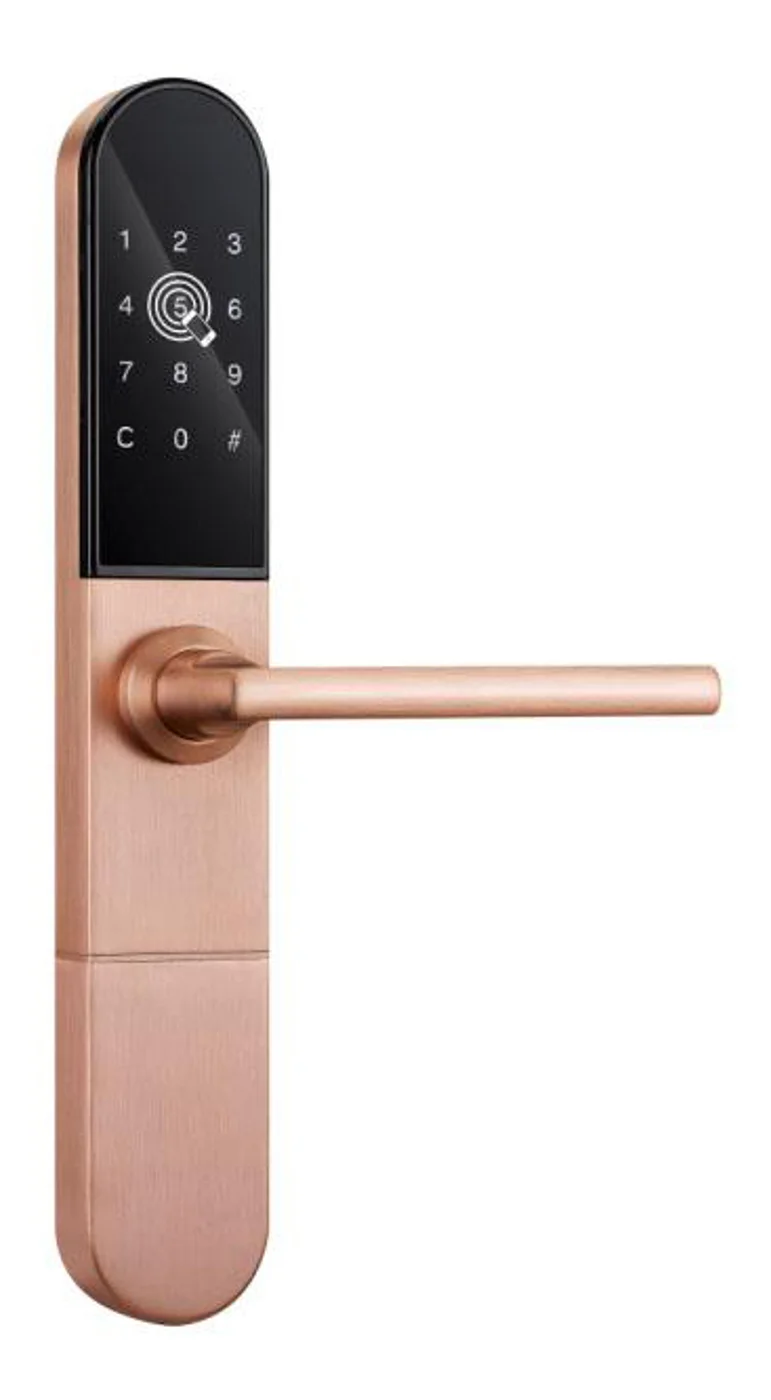
Smart Cabinet Lock — App-Managed, Multi-Site Dashboard
App-managed smart cabinet lock for office, parcel, and multi-site fleets. BLE app dashboard, audit trail, remote unlock, no per-lock server. Higher-tier chassis.
This page already points to it as the next recommended reference.
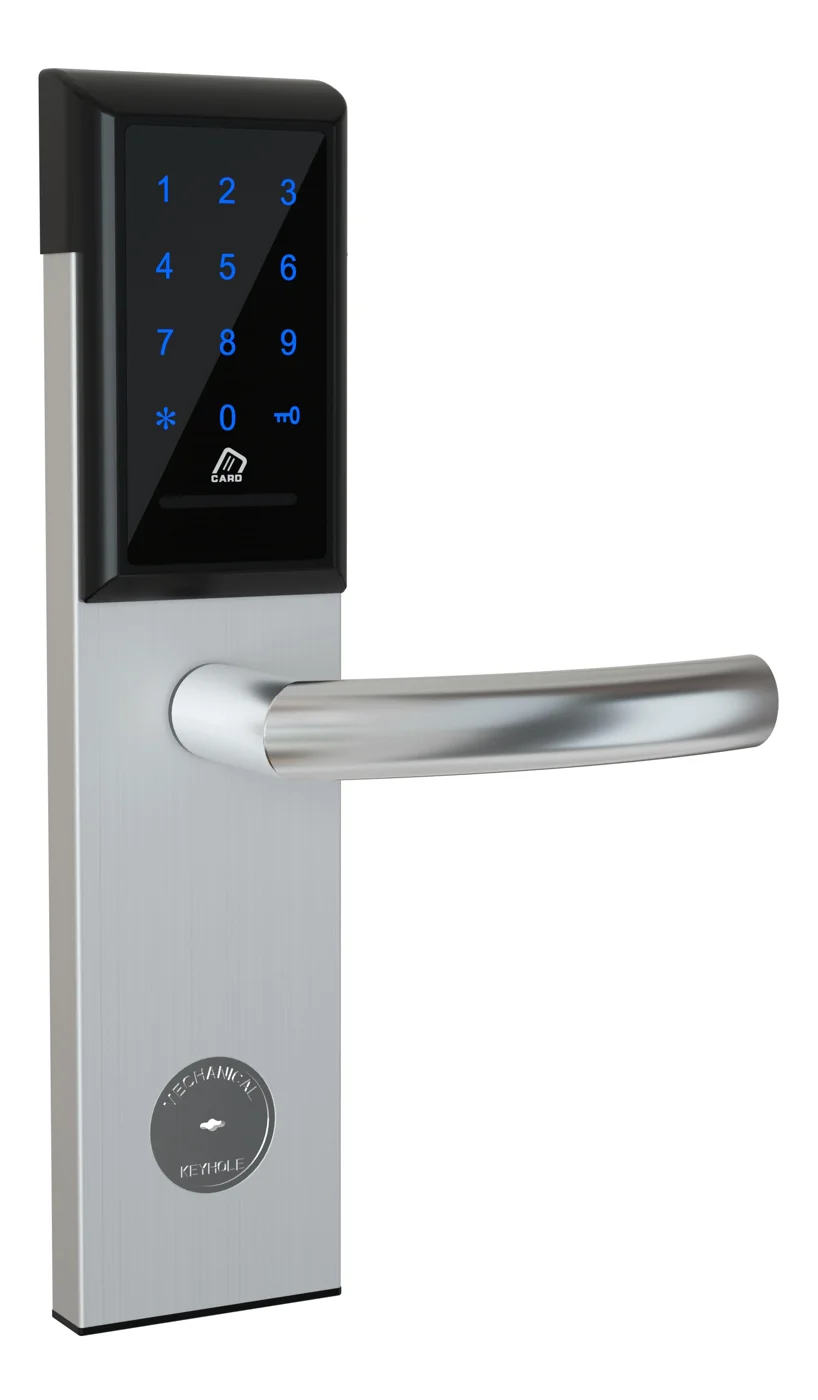
Office Cabinet Lock — PIN + Card for Filing & Pedestals
Offline PIN + card office cabinet lock for filing cabinets, pedestals, and drawers. Battery-powered 5-minute retrofit, no WiFi, no key management. CE/FCC/RoHS.
This page already points to it as the next recommended reference.
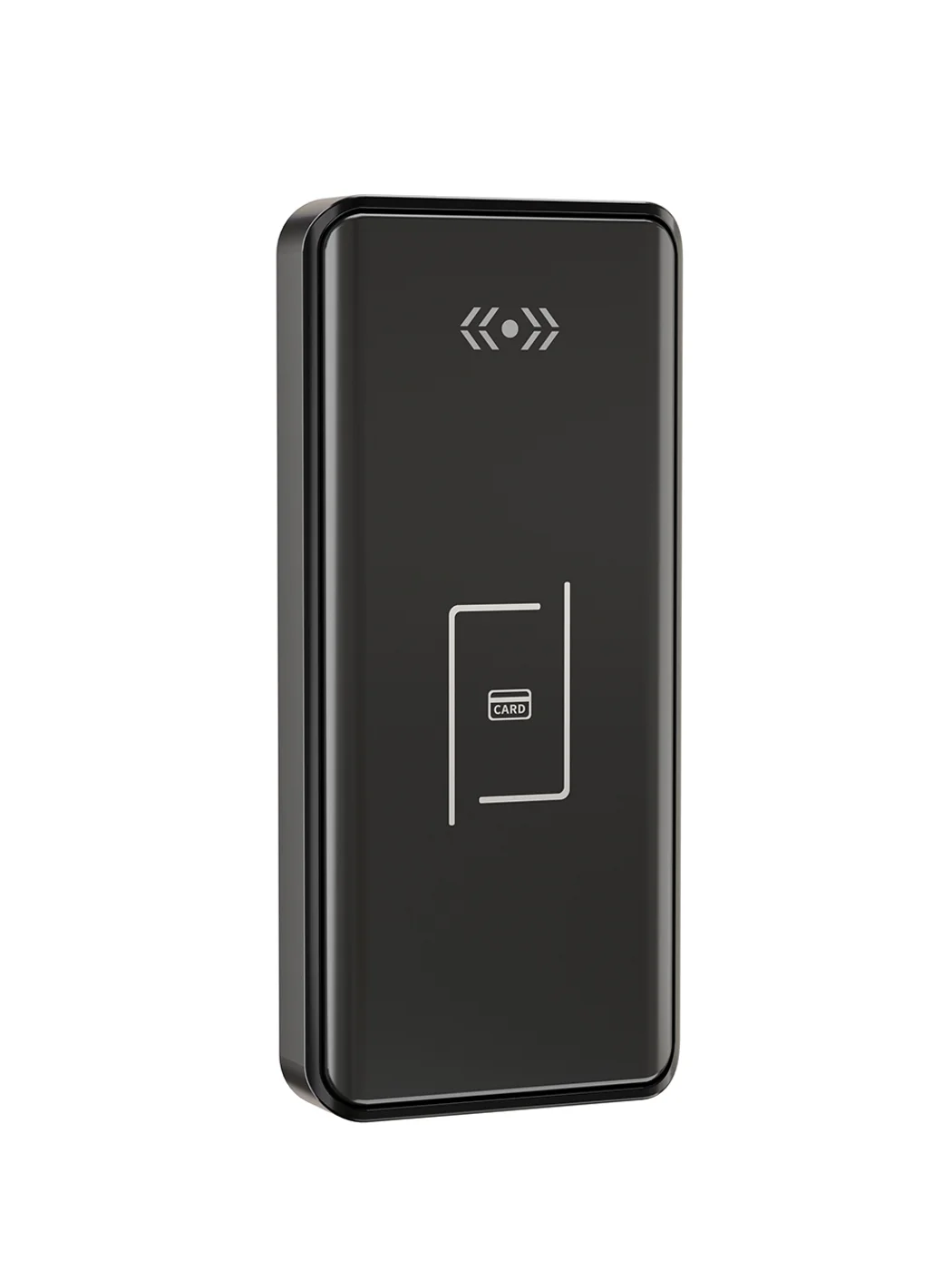
Gym Locker Lock — Offline Card, No WiFi Required
Offline card gym locker lock for fitness and pool lockers. MIFARE card, battery-powered 5-minute retrofit, no WiFi or server. Zinc alloy body, CE/FCC/RoHS.
This page already points to it as the next recommended reference.
Related blog posts
3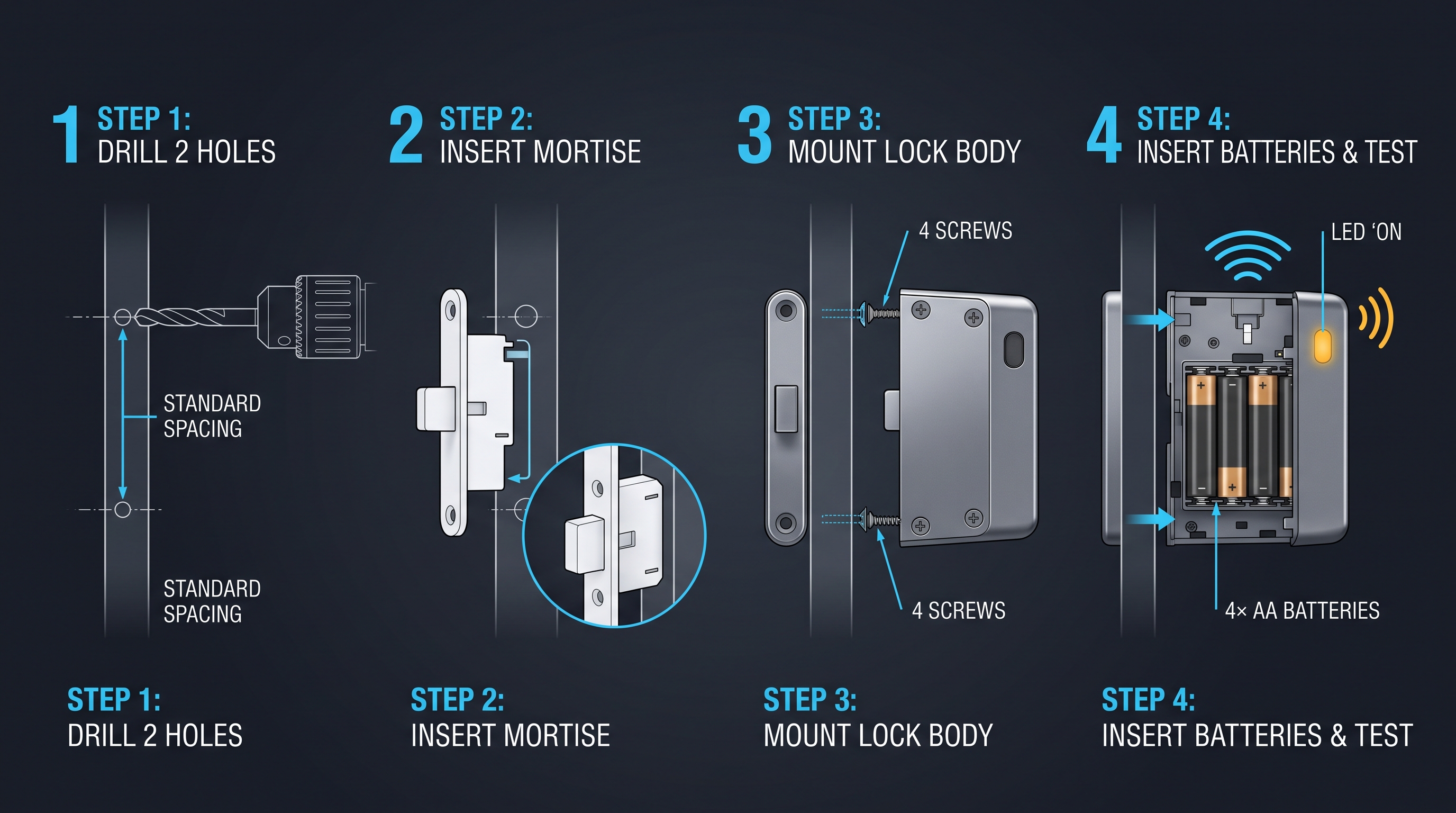
Cloud Cabinet Lock: Ultimate Guide to Cloud-Connected Cabinet Access Control
A comprehensive guide to cloud cabinet lock technology covering remote management, real-time audit trails, and multi-site cabinet access control for enterprises.
It supports the same product context: Smart Cabinet Lock — App-Managed, Multi-Site Dashboard, Office Cabinet Lock — PIN + Card for Filing & Pedestals, Gym Locker Lock — Offline Card, No WiFi Required.
Cam Lock Electronic: Modernizing the Workhorse Cabinet Lock
Cam lock electronic combines the classic cam lock form factor with RFID, keypad, and BLE credentials. Retrofit compatible with standard cylinder bores. Complete guide.
It supports the same product context: Smart Cabinet Lock — App-Managed, Multi-Site Dashboard, Office Cabinet Lock — PIN + Card for Filing & Pedestals, Gym Locker Lock — Offline Card, No WiFi Required.
Card Cabinet Lock: Ultimate Guide to Smart Card-Activated Cabinet Security Systems
Complete exploration of card cabinet lock technology including MIFARE, DESFire, NFC smartphone credentials, installation guides, security protocols, and enterprise integration strategies for card-based cabinet access.
It supports the same product context: Smart Cabinet Lock — App-Managed, Multi-Site Dashboard, Office Cabinet Lock — PIN + Card for Filing & Pedestals, Gym Locker Lock — Offline Card, No WiFi Required.
Specify your hotel project with our engineers
Send your room count, ceiling type, and protocol preference. We will return a sample plan and quote within 24 business hours.
- Move from general guidance into a product or application discussion.
- Use RFQ when pricing, drawings, MOQ, or launch timing needs structure.
- Keep a direct contact path visible for fast clarifications and handoff.