How to Buy Smart Locker Lock in 2026: IoT, Cloud, and Connected Locker Lock Purchasing Guide
Complete guide on how to buy smart locker lock systems for gyms, offices, delivery, and retail. Compare WiFi, Bluetooth, LoRaWAN, and NB-IoT smart locker locks with vendor selection, pricing, and deployment planning.
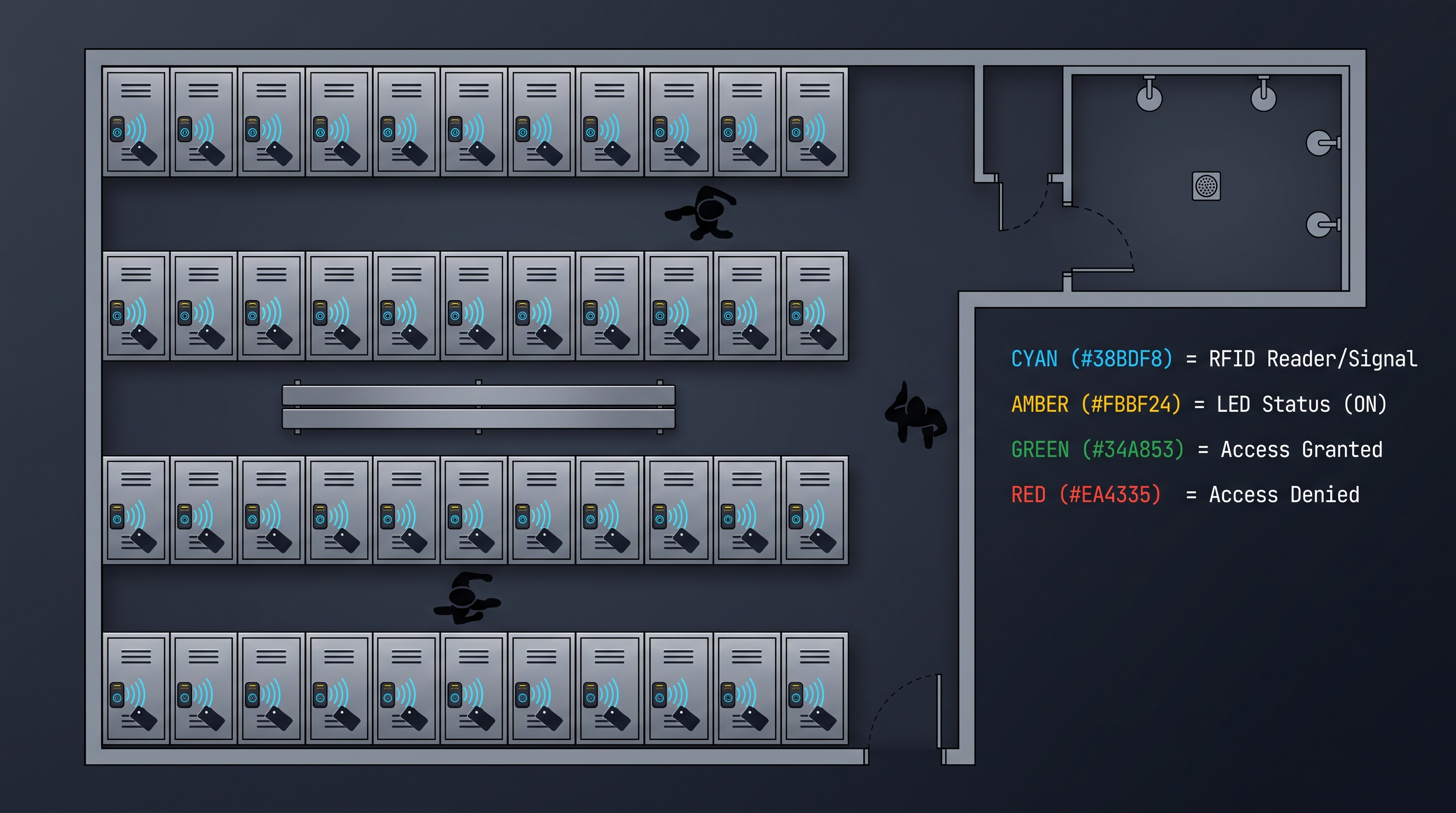
Smart locker locks — IoT-connected, cloud-managed locking devices that transform standalone locker access into a programmable, remotely controllable, data-generating access control system — represent the fastest-growing segment of the locker security market, with global adoption increasing 22% annually driven by the explosive growth of e-commerce parcel delivery (requiring secure, remotely accessible delivery lockers), the normalization of hybrid work models (requiring flexible, hot-desking-compatible locker management), and the broader smart building trend toward digitizing and connecting every facility asset. The decision to buy smart locker lock systems is fundamentally different from purchasing traditional mechanical or standalone electronic locks: it involves selecting an IoT platform, a cloud management ecosystem, and an API integration architecture that will interact with the organization's identity management, parcel management, workspace booking, and security monitoring software for 5-10 years. Organizations that approach the decision to buy smart locker lock systems with a narrow focus on lock hardware specifications — while underweighting platform capabilities, API design quality, security architecture, and vendor stability — inevitably encounter integration friction, platform limitations, and vendor lock-in that erode the operational benefits the smart lock was intended to deliver. This comprehensive purchasing guide covers every dimension of the decision to buy smart locker lock systems — from IoT connectivity protocol selection and cloud platform evaluation through API assessment, security review, vendor vetting, pricing negotiation, and deployment planning — providing the structured framework that facility managers, IT architects, logistics operators, and procurement specialists need to make informed purchasing decisions for deployments ranging from a 20-locker boutique fitness studio to a 2,000-locker multi-site delivery network.
Why Buy Smart Locker Lock Systems: The Connected Locker Business Case
The business case to buy smart locker lock systems extends beyond the eliminated key management labor and audit trail benefits of standalone electronic locks to encompass capabilities that only network connectivity and cloud management can deliver: remote access management eliminates the physical presence requirement for credential changes — when a gym member reports a lost RFID wristband at 6:00 PM, the facility staff can deactivate the lost credential and activate a replacement within seconds via the cloud platform, rather than requiring the member to wait until a facility administrator can physically visit the affected locker with a master card to reprogram it (a process that, in standalone systems, often takes hours or requires the member to return the next day). Real-time monitoring and alerting provides immediate notification of security events — tamper detection (someone attempting to pry the lock), door-held-open (a locker left unsecured after access), after-hours access (a credential presented outside the user's authorized time window), or repeated authentication failures (potential brute-force attack) — delivered via push notification, email, or webhook to security operations, enabling response within minutes rather than discovering the incident during the next periodic audit. API integration enables the smart locker lock system to participate in automated workflows that eliminate manual administration: when the parcel delivery system identifies an incoming package for a building resident, it queries the smart locker lock API to find an available locker of appropriate size, remotely unlocks it for the delivery driver, logs the occupancy event, sends a pickup code to the recipient, and when the recipient enters the code at the locker, the system verifies and unlocks — all without human intervention in locker selection or key management. When the workspace booking system assigns desk 42 to an employee for Tuesday, the pedestal locker under desk 42 is automatically assigned to the employee's credentials for Tuesday's duration, reverting to unassigned at end of day. These automated workflows, impossible with standalone electronic or mechanical locks, are the transformative value proposition that justifies the decision to buy smart locker lock systems for organizations with the IT infrastructure and integration appetite to leverage them.
The financial ROI of the decision to buy smart locker lock systems combines operational savings from standalone electronic locks (eliminated key management labor estimated at $3,900-$16,600 annually for a 50-locker deployment, eliminated rekeying costs at $1,500-$4,000 annually at 15% turnover, reduced theft from audit trail deterrence at $700-$3,500 annually) with additional savings and revenue unique to smart connected systems: automated credential lifecycle management eliminates 2-5 hours per week of administrator time on manual credential provisioning/deprovisioning (estimated $2,600-$10,400 annually), remote diagnostics and predictive maintenance reduce the 1-3% annual lock failure rate's operational impact by enabling proactive battery replacement and issue resolution before member-facing failures occur (estimated $500-$2,000 annually in avoided emergency service calls), usage analytics from locker access data inform facility optimization (right-sizing locker capacity, optimizing placement, identifying underutilized banks for relocation) that can defer capital expenditure on additional locker capacity (estimated $5,000-$20,000 one-time savings), and premium locker pricing enabled by smart platform features (dynamic pricing, premium location surcharges) generates incremental revenue at facilities implementing the Locker-as-a-Service model (estimated $3,000-$15,000 annually for a 200-locker facility with 20% premium allocation).
| Business Case Factor | Mechanical Keyed Lock | Standalone Electronic Lock | Smart Locker Lock |
|---|---|---|---|
| Key Management Labor (50 lockers, annual) | $3,900-$16,600 | $250-$1,000 | $0 (automated) |
| Rekeying Cost (annual, 15% turnover) | $1,500-$4,000 | $0 | $0 |
| Credential Administration (annual) | $2,600-$10,400 | $1,500-$5,000 | $0 (automated via IdP) |
| Remote Diagnostics Value (annual) | $0 | $0 | $500-$2,000 |
| Facility Optimization Savings (one-time) | $0 | $0 | $5,000-$20,000 |
| Premium Locker Revenue (annual) | $0 | $0 | $3,000-$15,000 |
| Total Annual Value | Baseline | $8,000-$25,000 savings | $15,000-$55,000 savings + revenue |
| Hardware Investment (50 lockers) | $500-$1,250 | $2,500-$4,000 | $4,000-$7,500 |
| Platform Subscription (annual) | $0 | $0 | $600-$3,000 |
| Payback Period | N/A | 1-3 months | 2-6 months |
| 5-Year Net Value | Baseline | $35,000-$120,000 | $60,000-$250,000 |
Buy Smart Locker Lock: IoT Connectivity Protocol Selection
When organizations buy smart locker lock systems, the IoT connectivity protocol selection determines network reach, power consumption, latency, installation complexity, and recurring data costs — and must be matched to the specific deployment environment: WiFi (IEEE 802.11 b/g/n at 2.4 GHz, supporting WPA2/WPA3 Enterprise security with 802.1x EAP-TLS certificate-based authentication, 50-200 mA active current draw, 50-150 ms API command latency, zero data subscription cost beyond existing internet service) is the most common connectivity choice for indoor smart locker lock deployments in offices, apartment buildings, and retail environments because it leverages existing WiFi infrastructure, provides low latency suitable for responsive remote unlock, and supports high data rates (1-72 Mbps) for OTA firmware updates and audit log uploads. The trade-off is relatively high power consumption (reducing battery life to 8-18 months in daily-use scenarios vs 12-36 months for lower-power protocols) and signal attenuation in metal locker environments (metal locker bodies act as Faraday cages, attenuating 2.4 GHz WiFi signals by 10-25 dB and potentially requiring additional WiFi access points or external antennas). Bluetooth Low Energy plus gateway architecture (BLE 5.0/5.2 at 2.4 GHz, 0.5-5 mA active current, direct smartphone-to-lock range of 10-50 meters extended to facility-wide via BLE-to-WiFi gateway hubs costing $50-$200 each and supporting 20-50 locks per gateway) is the preferred alternative when organizations buy smart locker lock systems for environments where WiFi coverage is inadequate or where the value proposition includes direct smartphone interaction (BLE proximity unlock). The gateway approach reduces per-lock cost by $10-$20 compared to integrated WiFi modules while adding gateway hardware cost and creating potential single points of failure (a gateway serving 30-50 locks represents a concentration of failure risk requiring redundancy or rapid replacement procedures). LoRaWAN (868 MHz EU/915 MHz US ISM bands, Class C always-listening mode for downlink unlock commands within 1-5 seconds, AES-128 end-to-end encryption, -137 dBm receiver sensitivity enabling 2-10 km outdoor range or 5-10 floors of indoor penetration) is the connectivity choice when organizations buy smart locker lock systems for geographically distributed deployments across large campuses, multi-building facilities, or outdoor installations where WiFi coverage would require hundreds of access points — a single $200-$1,000 LoRaWAN gateway serves thousands of locks across an entire campus, dramatically reducing network infrastructure cost. The trade-off is higher lock response latency (1-5 seconds, acceptable for parcel lockers and library lockers but borderline for high-traffic gym scenarios) and very low data rates (250 bps to 50 kbps, insufficient for OTA firmware updates which must be delivered via alternative means). NB-IoT (LTE Cat-NB1/NB2, 3GPP Release 13/14, 180 kHz bandwidth, 20 dB coverage extension meaning 7x greater in-building penetration than standard LTE, data rates 20-250 kbps, latency 1.5-10 seconds) provides cellular connectivity through existing mobile network infrastructure — the smart locker lock using NB-IoT can be deployed anywhere with mobile coverage without any on-site gateway or network configuration, making it ideal for distributed outdoor locker networks, mobile lockers on vehicles, and temporary installations. The trade-off is ongoing data subscription fees ($0.50-$2.00 per device per month) and higher per-lock hardware cost ($15-$30 premium for the NB-IoT module and SIM or eSIM).
| Protocol | Frequency | Indoor Range | Power (Active/Idle) | Latency | Data Rate | Per-Lock Cost Premium | Recurring Cost | Best Deployment |
|---|---|---|---|---|---|---|---|---|
| WiFi (802.11 b/g/n) | 2.4 GHz | 30-100 m | 50-200 mA / 5-15 mA | 50-150 ms | 1-72 Mbps | $3-$8 (ESP32) | $0 (existing LAN) | Indoor office, retail, residential |
| BLE + Gateway | 2.4 GHz | 10-50 m (direct), facility (gateway) | 0.5-5 mA / <1 uA | 100-500 ms (via gateway) | 125 kbps-2 Mbps | $2-$5 + $50-$200 gateway/20-50 locks | $0 | Smartphone interaction, WiFi inadequate |
| LoRaWAN (Class C) | 868/915 MHz | 2-10 km outdoor, 5-10 floors | 30-50 mA TX / <2 uA idle | 1-5 seconds (downlink) | 250 bps-50 kbps | $5-$15 + $200-$1,000 gateway/500+ locks | $0 (private) or $0.01-$0.10/device/month | Large campus, multi-building, outdoor |
| NB-IoT (Cat-NB1/NB2) | Licensed LTE | Anywhere with cellular | 120-240 mA TX / 3-5 uA PSM | 1.5-10 seconds | 20-250 kbps | $10-$25 (Quectel BC66/77) | $0.50-$2/device/month | Distributed outdoor, mobile, temporary |
WiFi signal attenuation in metal locker environments is a critical consideration when organizations buy smart locker lock systems with WiFi connectivity. Metal locker bodies act as Faraday cages, reducing 2.4 GHz WiFi signal strength by 10-25 dB. The best smart locker lock designs address this by placing the antenna on the lock's exterior faceplate, using external antenna connectors, or incorporating directional antenna designs. Site surveys with actual locker installations — not just pre-deployment WiFi heat maps of open space — should be conducted before finalizing a WiFi-based deployment, measuring RSSI at each planned lock position with lockers installed and doors closed, targeting RSSI above -65 dBm for reliable operation.
Buy Smart Locker Lock: Cloud Platform and API Evaluation
When organizations buy smart locker lock systems, the cloud management platform is as important as the lock hardware — it is the software layer through which all management, monitoring, integration, and reporting occurs. Platform evaluation should assess: multi-tenant architecture (separate logical environments for different departments, client organizations, or facility locations, each with isolated administrators, users, access policies, and lock inventory — essential for multi-site deployments and managed service providers), real-time monitoring (lock status displayed on a floor plan or list view, updating on event push rather than page refresh, showing online/offline, battery level, locked/unlocked, door open/closed for every lock), role-based access control (super administrator, tenant administrator, facility manager, support staff with distinct permissions), API-first architecture (every dashboard function available through documented REST endpoints and webhook notifications, enabling integration with parcel management, workspace booking, access control, and custom applications), and fleet management (firmware version distribution, battery level histograms, online status tracking with automated alerts when locks miss heartbeat windows, enabling proactive maintenance).
Event-driven architecture is the technical foundation that distinguishes the best smart locker lock platforms: each lock state change generates an event (JSON payload with lock ID, event type, timestamp) published to an internal event bus (Kafka, AWS Kinesis, Azure Event Hubs) feeding subscribers including the dashboard UI (real-time status), webhook notification system (customer integrations via HTTP POST), analytics pipeline (usage reporting and anomaly detection), and alerting system (email, SMS, push notifications on defined conditions). This architecture supports diverse integration patterns: push (webhooks), pull (REST API queries), and stream (Kafka/Kinesis for high-volume real-time integrations with SIEM or data lakes).
| Platform Feature | Basic Tier | Professional Tier | Enterprise Tier |
|---|---|---|---|
| Multi-Tenant Architecture | No | Yes, up to 10 tenants | Yes, unlimited, isolated instances |
| Real-Time Dashboard | Manual refresh | Push-based, floor plan | Push-based, multi-site, custom |
| Role-Based Access Control | Admin only | Admin + Manager + Staff | Custom roles, attribute-based |
| API (REST) | No API, app only | REST + webhooks, API key | REST + GraphQL + MQTT, OAuth 2.0, SSO |
| Webhook Notifications | None | Basic (5-10 event types) | Full catalog, custom payload, retry |
| Analytics | None | Basic usage counts | Advanced analytics, custom reports |
| Audit Trail | Local only | Cloud, 90-day retention | Cloud, 1-7 year, SIEM export |
| Identity Provider Integration | None | Manual CSV import | SAML 2.0, SCIM 2.0, Azure AD, Okta |
| Uptime SLA | Best effort | 99.5% | 99.9%+ with financial penalties |
API design quality is the most important platform evaluation criterion when organizations buy smart locker lock systems for integration-heavy deployments. A well-designed API follows REST conventions (resource-oriented URLs: /api/v2/lockers/{id}/unlock), provides comprehensive documentation (OpenAPI 3.0 specification, SDK libraries in Python/JavaScript/Java/C#/Go), implements consistent error handling (structured error responses with error code, message, details), and respects rate limits (HTTP 429 with Retry-After and X-RateLimit-Remaining headers). The API should provide idempotency keys for state-changing operations (allowing safe retry of unlock commands without double-execution) and optimistic concurrency control for configuration updates. Evaluate the API by having a developer attempt to build a simple integration during the trial period: authenticate, list lockers, unlock a specific locker, retrieve audit events, subscribe to webhooks. This hands-on evaluation reveals API quality issues invisible in marketing documentation.
Identity provider integration via SAML 2.0, OpenID Connect, or SCIM 2.0 is essential for enterprise deployments. When an employee joins, the HR system triggers user creation in the identity provider (Azure AD, Okta), which automatically provisions the user in the smart locker lock platform with appropriate access levels derived from department/role/group membership. When the employee departs, access is revoked instantly across all systems. The best smart locker lock platforms with SCIM 2.0 support provide this automated user lifecycle synchronization, reducing administrative overhead by 80-90% compared to manual management.
Buy Smart Locker Lock: Security Architecture Review
When organizations buy smart locker lock systems, the security architecture review must evaluate data protection in transit, data at rest, and the lock device itself: data in transit from lock to cloud is protected by TLS 1.2 minimum (TLS 1.3 preferred, with cipher suites excluding known-weak algorithms — AES-256-GCM, ECDHE P-256/P-384, RSA-2048 or ECDSA). WiFi connections should support WPA2-Enterprise with 802.1X EAP-TLS (certificate-based mutual authentication). BLE connections should implement LE Secure Connections with ECDH P-256 and application-layer AES-128-CCM encryption. The cloud platform must encrypt data at rest using AES-256 with per-tenant key isolation, manage keys through a dedicated KMS with HSM backing where compliance requires, and enforce key rotation (every 90-365 days). On the lock device, firmware must implement secure boot (bootloader verifies firmware signature against hardware-rooted public key before execution), encrypted firmware update delivery (AES-256-GCM encrypted, ECDSA or Ed25519 signed, with version rollback protection), and tamper-evident logging (audit events stored with SHA-256 hash chaining so any modification is detectable). Physical tamper detection (microswitch or Hall effect sensor triggered by lock body removal) with alert generation provides additional security for unattended locker locations.
Penetration testing is a critical validation step. A comprehensive test should evaluate: (1) network attack surface — scanning endpoints, testing TLS, attempting MITM; (2) API security — testing for OWASP API Security Top 10 vulnerabilities (BOLA, excessive data exposure, rate limiting, injection); (3) physical attacks — side-channel analysis, debug interface extraction, tamper detection testing; (4) mobile app security — static/dynamic analysis, credential storage, certificate pinning. The best smart locker lock vendors commission annual penetration tests from accredited third-party firms (CREST, ISO 17025) and share executive summaries with enterprise customers under NDA.
| Security Layer | Implementation Requirement | Verification Method |
|---|---|---|
| Transport Encryption | TLS 1.3, restricted cipher suites | Protocol analysis, cipher scan |
| WiFi Authentication | WPA2-Enterprise 802.1X EAP-TLS | RADIUS log verification |
| BLE Link Layer | LE Secure Connections, ECDH P-256 | Protocol analyzer, key exchange verification |
| Data at Rest (Cloud) | AES-256, per-tenant keys, KMS | Encryption verification, key rotation audit |
| Secure Boot | Hardware-rooted trust, signed firmware | Attempt unsigned firmware, verify rejection |
| Firmware Signature | ECDSA P-256 or Ed25519 | Verify signature chain, test rollback |
| Tamper-Evident Logging | SHA-256 hash chaining | Attempt log modification, verify detection |
| Physical Tamper Detection | Switch/sensor, alert on removal | Physical disassembly, verify alert |
Buy Smart Locker Lock: Vendor Evaluation and Selection
When organizations buy smart locker lock systems, vendor evaluation must assess factors beyond the specification sheet because a smart locker lock platform is a 7-10 year commitment: vendor market longevity (5+ years minimum, 10+ preferred for enterprise — the smart lock market has seen numerous entrants since 2018, and not all will survive consolidation), financial stability (public company or well-funded private with transparent financials), and product line commitment (recent investment, active firmware development, visible roadmap). A vendor that exits the market leaves customers with unsupported hardware requiring complete replacement. Customer references are essential: request at least three references from deployments of similar scale and application, and contact them directly — how many lock failures per 100 locks per year? Actual battery life vs manufacturer claims? Technical support responsiveness to P1 issues? What surprised you after deployment? API integration experience — did documentation match reality?
Trial deployment is the most effective evaluation tool. Request 5-10 evaluation units from each short-listed vendor, deploy in the actual environment for 30-90 days, testing with actual users, credentials, access patterns, and environmental conditions. The trial reveals real-world performance that spec sheets obscure: WiFi/BLE signal reliability at actual locker positions (metal attenuation), battery performance under actual usage, user acceptance, platform usability, and API integration friction. The best vendors facilitate trials at no cost (or refundable deposit) with technical support and structured evaluation plans. Vendors that resist or charge for trials — particularly for large opportunities — should be scrutinized.
| Vendor Evaluation Factor | What to Verify | How to Verify | Red Flags |
|---|---|---|---|
| Company Stability | Years in market, financial health | Public records, industry reputation | Startup, opaque financials, recent pivot |
| Product Track Record | Deployment scale, reliability | References, case studies | No similar-scale references |
| Technical Support | Response time, expertise, escalation | Test with inquiry during trial | No phone support, no escalation |
| API Quality | Documentation, SDK, sandbox | Developer evaluates during trial | No public docs, no sandbox, no SDK |
| Firmware Update Cadence | Security patches, feature updates | Review release history | No updates in 12+ months |
| Platform SLA | Uptime commitment, penalties | Read SLA document | "Best effort" only, no remedy |
| Data Portability | Export capability, migration | Test data export during trial | No export, proprietary format |
| Supply Chain | Lead times, inventory, manufacturing | Place small order | 6+ week lead time, single factory |
Supply chain reliability is critical following the 2020-2023 electronics disruptions. When you buy smart locker lock systems for 200+ locks, verify lead times (under 4 weeks for professional tier), manufacturing redundancy (multiple locations), inventory practices (local/regional vs build-to-order), and component sourcing (diversified semiconductor sourcing). Place a small order (10-20 locks) before committing to 200+ to validate lead time claims.
Contract terms to negotiate when you buy smart locker lock systems: price protection (lock current pricing for phased deployments), warranty (2-3 years standard, extendable to 5; cross-ship replacement with prepaid return; coverage including battery leakage damage), platform subscription (multi-year commitment discount 20-30% for 3-year; cap annual increases at CPI or 5%; data portability clause requiring export and API access for migration), and termination assistance (90-180 days continued platform access after notice for migration without disruption).
Buy Smart Locker Lock: Pricing and Total Cost of Ownership
When organizations buy smart locker lock systems, the TCO framework spans seven cost dimensions: hardware acquisition ($50-$180 per lock depending on connectivity and tier), network infrastructure ($5-$30 per lock for WiFi APs, BLE gateways, LoRaWAN gateways amortized), installation labor ($5-$20 per lock), cloud platform subscription ($1-$5 per lock per month — this recurring cost compounds over 5-7 year lifecycle and often exceeds hardware cost), cellular data for NB-IoT ($0.50-$2.00 per lock per month), ongoing maintenance (battery replacement $0.50-$3.00 per lock per year, firmware updates via staff time, 1-3% annual failure replacement), and integration development ($5,000-$25,000 for API integration with existing systems). For a 200-lock WiFi smart locker deployment, 5-year TCO typically falls at $30,000-$55,000 ($30-$55 per lock per year), with hardware and platform each representing 35-45% and the remainder split across installation, maintenance, and integration.
Platform subscription cost requires particular scrutiny because it recurs for the lock's entire service life. Subscription models: per-lock ($1-$5/lock/month), tiered ($99/month for 50 locks, $299 for 200, $599 for 1,000), and unlimited ($1,000-$5,000/month regardless of count). Over 5 years, platform cost for 200 locks ranges from $12,000 (at $1/lock/month) to $60,000 (at $5/lock/month) — potentially exceeding hardware cost. Evaluate whether operational efficiency gains (remote management, automated lifecycle, fleet monitoring, integrated audit) justify the ongoing spend.
| Cost Dimension | WiFi Smart Lock | BLE + Gateway | LoRaWAN | NB-IoT |
|---|---|---|---|---|
| Hardware per Lock | $50-$100 | $40-$80 (+ gateway) | $60-$120 (+ gateway) | $80-$150 |
| Network Infrastructure (per lock) | $5-$15 | $5-$15 | $1-$3 | $0 (cellular) |
| Installation Labor (per lock) | $5-$15 | $5-$15 | $5-$15 | $5-$15 |
| Platform Subscription (per lock/month) | $1-$5 | $1-$5 | $1-$5 | $1-$5 + $0.50-$2 cellular |
| Annual Maintenance (per lock) | $1-$3 | $1-$3 | $1-$3 | $1-$3 (+ cellular) |
| 5-Year TCO (200 locks) | $30K-$55K | $25K-$48K | $30K-$55K | $35K-$65K |
| TCO per Lock per Year | $30-$55 | $25-$48 | $30-$55 | $35-$65 |
Volume pricing when you buy smart locker lock systems at scale: 1-10 locks at 0-5% discount, 10-50 at 10-20%, 50-200 at 20-30%, 200-500 at 30-40%, 500+ at 35-50%. Platform subscription also benefits from volume — per-lock rates decrease at higher counts, and tiered/unlimited models become cost-effective at 200+ locks. Obtain 3+ competitive quotes and be transparent about the evaluation process for the most favorable pricing. Integration development cost is often underestimated: a simple API integration (single workflow, well-documented API, experienced team) may take 40-80 hours ($4,000-$16,000); a complex integration (multiple workflows, multiple systems, legacy consuming application) may take 200-500 hours ($20,000-$100,000). The best smart locker lock platforms reduce integration cost through pre-built connectors, SDK libraries, interactive documentation, and sandbox environments.
Buy Smart Locker Lock: Deployment Planning and Installation
When organizations buy smart locker lock systems, deployment planning must coordinate physical installation, network commissioning, software configuration, and user training: pre-deployment site survey verifies WiFi/BLE/LoRaWAN signal strength at each planned locker position (targeting RSSI above -65 dBm for WiFi, above -75 dBm for BLE — metal locker bodies attenuate 2.4 GHz signals by 10-25 dB; surveys with actual lockers installed are essential, not just open-space heat maps). Cabinet/locker survey measures existing lock cutout (19 mm or 21 mm standard), material and thickness, door swing, clearance depth, and cam reach distance — producing a spreadsheet mapping each locker to installation requirements and identifying the 10-25% needing modification. Lock pre-provisioning (registering serial numbers in the platform, assigning to specific locker locations, pre-loading user access) reduces per-locker installation to 5-8 minutes of mechanical work vs 15-20 minutes including software configuration. Physical installation (removing existing locks, mounting smart locks, inserting batteries, testing) is performed during facility closure or off-hours — a 200-locker installation by a 2-person team at 15 minutes per locker requires approximately 50 hours, or 5-7 overnight shifts.
Network commissioning follows physical installation: verify each lock connects to its designated network and reports status to the cloud. Locks failing connectivity verification require remediation (antenna repositioning, additional access point or gateway, or in extreme cases, protocol change). Software configuration (importing users via CSV or identity provider sync, assigning access policies and schedules, configuring alerts, testing API integrations) completes deployment. Acceptance testing (testing with actual users, verifying all access scenarios, confirming API integrations, validating alert delivery) provides formal sign-off.
| Deployment Phase | Activity | Duration (200 locks) | Responsible Team |
|---|---|---|---|
| Pre-Deployment Survey | Signal measurement at each locker position | 2-3 days | IT network team |
| Locker Survey | Measure every locker: cutout, thickness, clearance | 1-2 days | Facility maintenance |
| Lock Pre-Provisioning | Register in platform, assign locations, pre-load config | 1-2 days | IT/security admin |
| Physical Installation | Remove old locks, mount new, insert batteries, test | 3-5 days (2-person) | Facility maintenance |
| Network Commissioning | Verify connectivity, troubleshoot dead zones | 1-2 days | IT network team |
| Software Configuration | Import users, policies, schedules, test API | 2-3 days | Security admin + IT |
| Acceptance Testing | Test with actual users, verify scenarios, alerts | 1-2 days | All stakeholders |
| User Training | Distribute credentials, instructions, expectations | 1 day + ongoing | Facility manager, HR |
Buy Smart Locker Lock: Warranty, Support, and After-Sale Service
When organizations buy smart locker lock systems, warranty and support quality is as important as hardware — smart locks are complex and failures are more disruptive than mechanical lock failures: warranty duration should be 2-3 years for professional tier (1-2 years for standard), covering manufacturing defects, electronic component failure, motor/solenoid failure, and battery leakage damage. The replacement process should be cross-shipment with prepaid return label (vendor ships replacement immediately upon claim, not requiring defective unit return first which leaves the locker unsecured for 3-7 days). Technical support should be available 8/5 minimum (24/7 for healthcare and critical deployments), with P1 response under 4 hours (lock inoperable, locker cannot be accessed), phone support for urgent issues, and defined escalation to senior engineering. Verify support quality during trial by placing a test inquiry and measuring response time and resolution.
Firmware update commitment is critical. When you buy smart locker lock systems, verify: update frequency (monthly security patches, quarterly features is baseline), post-EOL support duration (minimum 2 years security patches after end-of-sale, 3-5 preferred for 7-10 year lifecycles), update delivery (OTA for connected locks, USB for standalone), and rollback procedure if updates introduce issues. Vendors with published vulnerability disclosure programs and security bulletins demonstrate mature security posture.
Buy Smart Locker Lock: Bulk Ordering and Multi-Site Deployment Strategy
When organizations buy smart locker lock systems for multi-site deployments, additional procurement complexity arises beyond the single-site scenario: standardization across sites simplifies procurement (single lock model and platform for all sites), reduces training costs (facility staff trained on one system can support any site), and enables bulk purchasing discounts that increase with total corporate volume — but standardization requires selecting a lock and platform that meets the most demanding site's requirements (which may be a humid coastal warehouse while other sites are climate-controlled offices, driving a higher per-lock cost to satisfy the worst-case environment). The standardized versus localized purchasing decision evaluates whether the operational efficiency of a single lock model and platform across all sites justifies the potentially higher per-lock cost for sites with less demanding requirements. In most cases, the answer is yes — the training, support, and procurement efficiency gains of standardization outweigh the hardware cost premium, particularly when the standardized model is selected from a vendor offering multiple tiers within the same platform (allowing budget-tier locks for low-security supply cabinets while using professional-tier locks for high-security document cabinets, all managed through the same platform with a unified credential and management approach).
Staged deployment phasing is recommended when organizations buy smart locker lock systems for multi-site rollouts: deploy Phase 1 at a single representative site (or 2-3 sites for large organizations), operate for 60-90 days to identify and resolve the issues that inevitably emerge during real-world use (installation challenges, user adoption barriers, integration friction, battery life surprises, WiFi coverage gaps in metal locker environments), incorporate lessons learned into revised installation procedures, training materials, and support processes, and then roll out Phase 2 across the remaining sites using the refined approach. Phase 1 typically surfaces 5-10 significant ecosystem improvements that, when applied to the broader rollout, reduce Phase 2 deployment time by 20-30% and post-deployment support requests by 40-60% compared to a simultaneous all-site deployment. The Phase 1 investment (extra time and attention at 1-3 sites) pays for itself many times over in avoided Phase 2 friction — organizations that skip Phase 1 and deploy simultaneously across all sites invariably encounter the same issues at every site simultaneously, multiplying the support burden and eroding user confidence in the new system.
Centralized versus distributed management architecture is a key decision when organizations buy smart locker lock systems for multi-site deployment: a fully cloud-based management platform (all locks connect to a single cloud instance, managed through a central dashboard with site-level views and role-based access control) provides the simplest multi-site management but requires internet connectivity at every site and centralizes the failure domain (a cloud platform outage affects all sites simultaneously). A hybrid architecture (local controllers at each site manage real-time lock operations with sub-100ms latency, synchronizing audit logs and configuration to a central cloud platform for multi-site visibility and reporting) provides local resilience — each site operates independently during internet outages — and centralizes management for cross-site analytics and policy enforcement. A fully decentralized architecture (each site operates independently with its own on-premises server, and central visibility is achieved through periodic data exports or API integration) maximizes local resilience but fragments management and complicates cross-site reporting. The best architecture balances the organization's tolerance for centralized failure, the reliability of internet connectivity across sites, the responsiveness requirements for local lock operation, and the need for cross-site visibility and unified policy management.
International deployment considerations apply when organizations buy smart locker lock systems for deployment outside the lock brand's country of origin: verify country-specific certifications (CE marking for EU, FCC for US, ISED for Canada, ACMA for Australia, MIC for Japan, SRRC for China — each jurisdiction has specific electromagnetic compatibility, radio frequency, and safety certification requirements), wireless frequency band compliance (a lock designed for the US market using 915 MHz LoRaWAN may not be legal in countries with different frequency allocations), import duties (typically 0-5% for electronic locks but varies by trade agreements), and international shipping lead times (2-6 weeks for international shipping vs 3-7 days for domestic). Local-language documentation and support availability should be verified for sites in non-English-speaking countries — a cloud platform dashboard available only in English creates usability barriers for non-English-speaking facility staff that erode adoption and increase support costs.
| Multi-Site Deployment Phase | Activity | Duration | Key Deliverables |
|---|---|---|---|
| Pre-Deployment | Site surveys, lock specification, vendor selection, bulk pricing negotiation | 4-8 weeks | Standardized equipment list, installation procedures, training materials |
| Phase 1 (Pilot) | Deploy at 1-3 representative sites, operate 60-90 days | 10-16 weeks | Lessons learned, refined procedures, support playbook |
| Phase 1 Review | Analyze Phase 1 data, revise procedures and materials | 2-4 weeks | Updated installation guide, training materials, support processes |
| Phase 2 (Rollout) | Deploy at all remaining sites using refined approach | 4-12 weeks per site group | Operational deployment across all locations |
| Post-Deployment Support | Monitor, optimize, support | Ongoing | Usage analytics, maintenance scheduling, continuous improvement |
Buy Smart Locker Lock: Purchasing Checklist and Final Recommendations
Organizations that buy smart locker lock systems following this structured process avoid common errors — wrong connectivity protocol, underestimated platform costs, unverified WiFi coverage in metal locker environments, immature API — that undermine smart security projects. The process spans approximately 12-20 weeks for a typical 50-200 lock deployment.
(1) Requirements Definition (Weeks 1-2): Document scope, user population, environment, integration requirements, budget. (2) Site and Locker Survey (Weeks 2-3): Signal survey at each locker position, locker measurement and compatibility assessment. (3) Technology Selection (Weeks 3-4): Connectivity protocol, lock tier, management model. (4) Vendor Evaluation (Weeks 4-12): Trial deployment 30-90 days, references, API evaluation, security review. (5) Pricing and Negotiation (Weeks 10-14): Competitive quotes, TCO model, commercial terms. (6) Purchase and Deployment (Weeks 14-20): PO, installation, commissioning, configuration, testing, training.
For the typical 50-200 lock indoor deployment with existing WiFi infrastructure, the recommendation when organizations buy smart locker lock systems is WiFi-connected locks (802.11 b/g/n, 2.4 GHz, WPA2-Enterprise 802.1X EAP-TLS) in the professional tier ($70-$120 per lock) with a cloud platform offering multi-tenant architecture, REST API, and identity provider integration. For multi-building campus deployments, LoRaWAN with a private network server provides extended range at lower infrastructure cost. For distributed delivery locker networks across multiple locations, NB-IoT cellular-connected locks provide zero-touch deployment without on-site network configuration.
| Deployment Scenario | Recommended Connectivity | Lock Tier | Platform Tier | 5-Year TCO (200 locks) |
|---|---|---|---|---|
| Office Smart Lockers (200+) | WiFi (existing infrastructure) | Professional ($70-$120) | Enterprise | $30K-$55K |
| Multi-Building Campus (500+) | LoRaWAN (private network) | Professional ($80-$130) | Enterprise | $30K-$55K |
| Distributed Delivery Network | NB-IoT (cellular) | Professional ($100-$150) | Enterprise + carrier | $35K-$65K |
| Indoor BLE Proximity Use Case | BLE + Gateway | Standard ($50-$80) | Professional | $25K-$48K |
| Consumer/Small Business | BLE (smartphone only) | Budget-Standard ($40-$80) | Basic (free tier) | $8K-$16K (50 locks) |
Not sure which sensor fits your project?
Talk to our mmWave application engineers for a free consultation.
Find the right presence sensor for your hotel project
Compare the 3 protocols, check hotel-specific case studies, and download the installation guide
Related products
3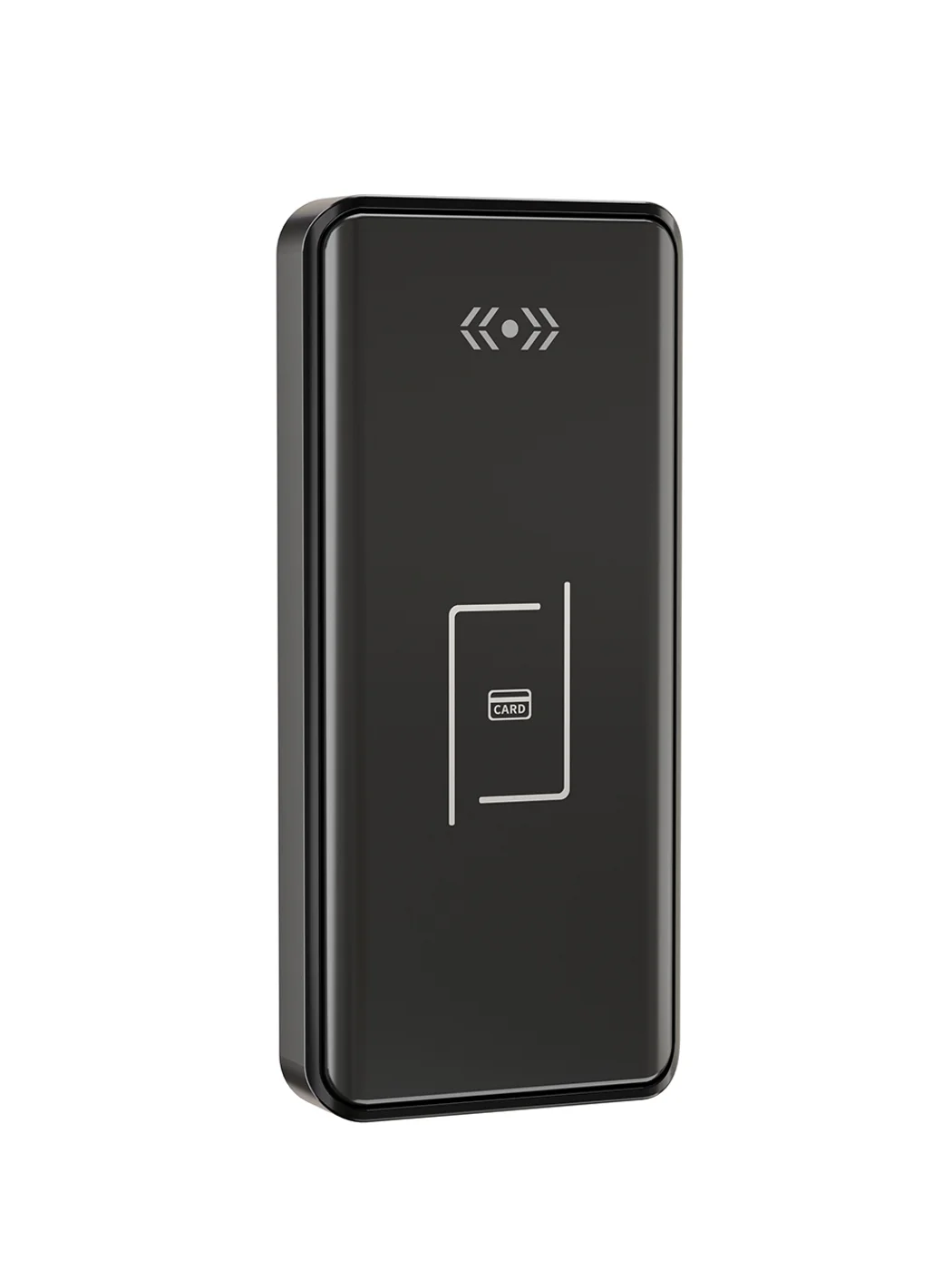
Gym Locker Lock — Offline Card, No WiFi Required
Offline card gym locker lock for fitness and pool lockers. MIFARE card, battery-powered 5-minute retrofit, no WiFi or server. Zinc alloy body, CE/FCC/RoHS.
This page already points to it as the next recommended reference.
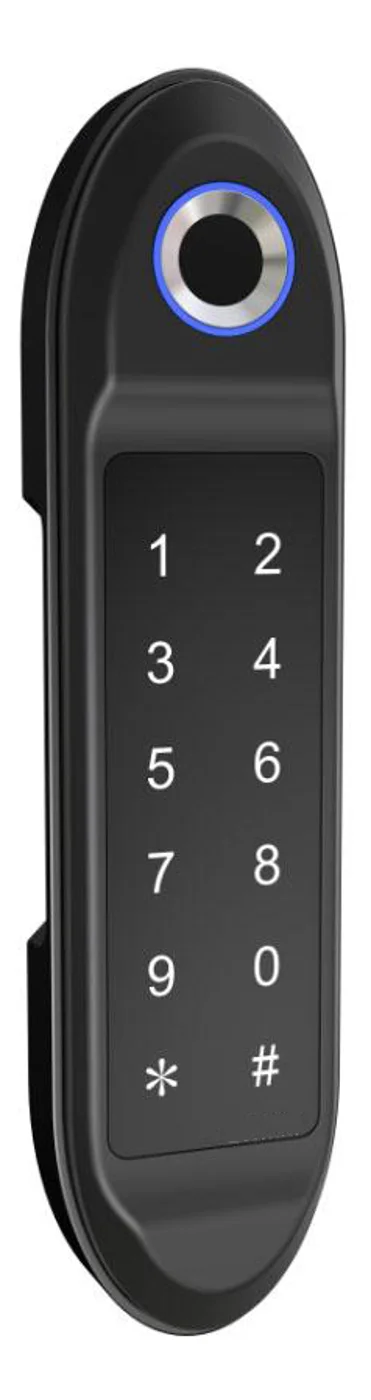
PIN Code Electronic Cabinet Lock — Stand-Alone, No WiFi
Offline keypad cabinet lock for gym, office and parcel lockers. Battery-powered, 5-minute retrofit, audit-free simple deployment. PIN + MIFARE card, DC 6V, 4×AA.
This page already points to it as the next recommended reference.
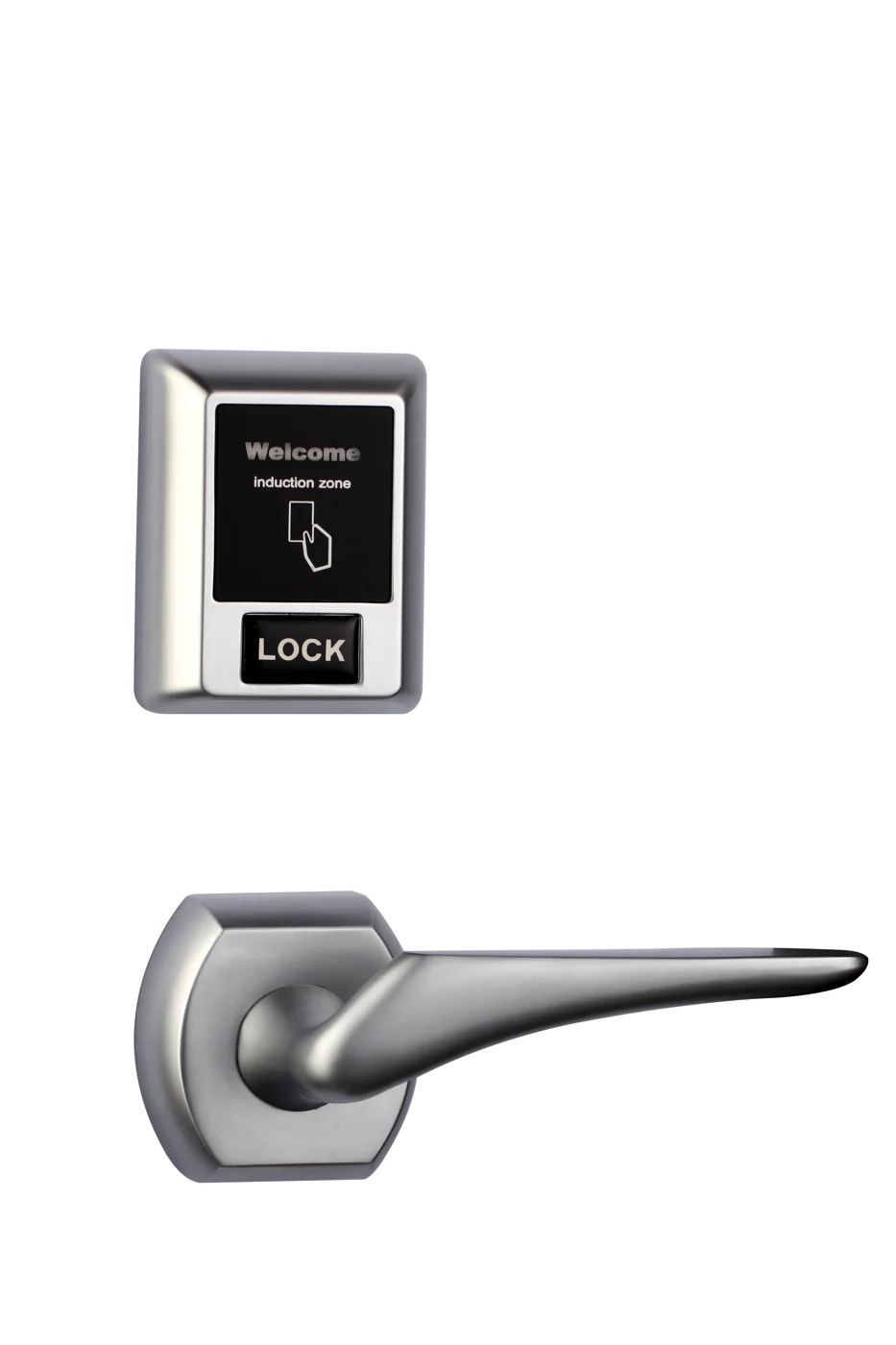
Bluetooth Cabinet Lock — App + PIN + Card, Managed Fleet
Offline BLE app cabinet lock for parcel, office, and managed locker fleets. App + PIN + MIFARE card, remote credential management, no server dependency, battery-powered retrofit.
This page already points to it as the next recommended reference.
Related blog posts
3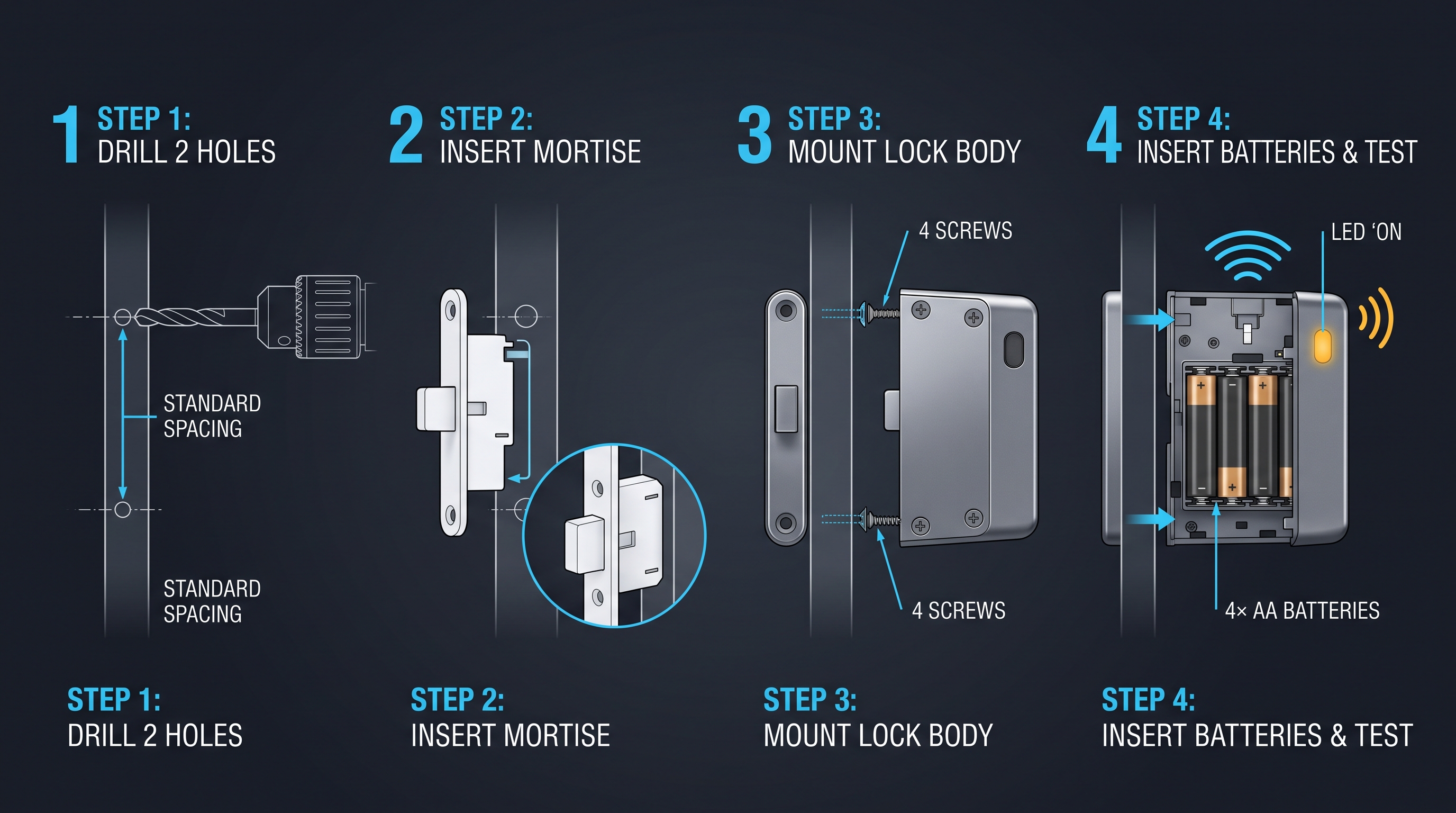
IoT Cabinet Lock: The Complete Guide to Smart, Connected Cabinet Security
Discover how IoT cabinet lock technology works with Wi-Fi, BLE, Zigbee, MQTT, and cloud dashboards. Covers telemetry, fleet management, OTA, edge vs cloud, and security.
It supports the same product context: Gym Locker Lock — Offline Card, No WiFi Required.
The Complete Guide to the IoT Locker Lock: Hardware, Cloud, and Fleet Management for Smart Locker Banks
Discover how an IoT locker lock powers delivery locker banks, shared-office cabinets, and smart gym storage. Wi-Fi, BLE, Zigbee, NB-IoT, LoRaWAN protocols, OTA firmware, telemetry, and procurement criteria.
It supports the same product context: Gym Locker Lock — Offline Card, No WiFi Required, PIN Code Electronic Cabinet Lock — Stand-Alone, No WiFi, Bluetooth Cabinet Lock — App + PIN + Card, Managed Fleet.
Invisible Cabinet Lock: The Complete 2026 Guide to Concealed, Undetectable Furniture and Cabinetry Security
Complete guide to invisible cabinet lock systems covering magnetic touch, RFID, electromagnetic, and Bluetooth concealed locks for luxury furniture, medical cabinets, retail displays, and office storage with installation, power, and selection criteria.
It supports the same product context: PIN Code Electronic Cabinet Lock — Stand-Alone, No WiFi.
Specify your hotel project with our engineers
Send your room count, ceiling type, and protocol preference. We will return a sample plan and quote within 24 business hours.
- Move from general guidance into a product or application discussion.
- Use RFQ when pricing, drawings, MOQ, or launch timing needs structure.
- Keep a direct contact path visible for fast clarifications and handoff.