How to Buy Electronic Cabinet Lock in 2026: Complete Purchasing Guide for Offices, Gyms, and Healthcare
Expert guide on where and how to buy electronic cabinet lock systems. Compare RFID, keypad, Bluetooth, and fingerprint electronic cabinet locks with vendor selection tips, pricing tiers, and installation planning.
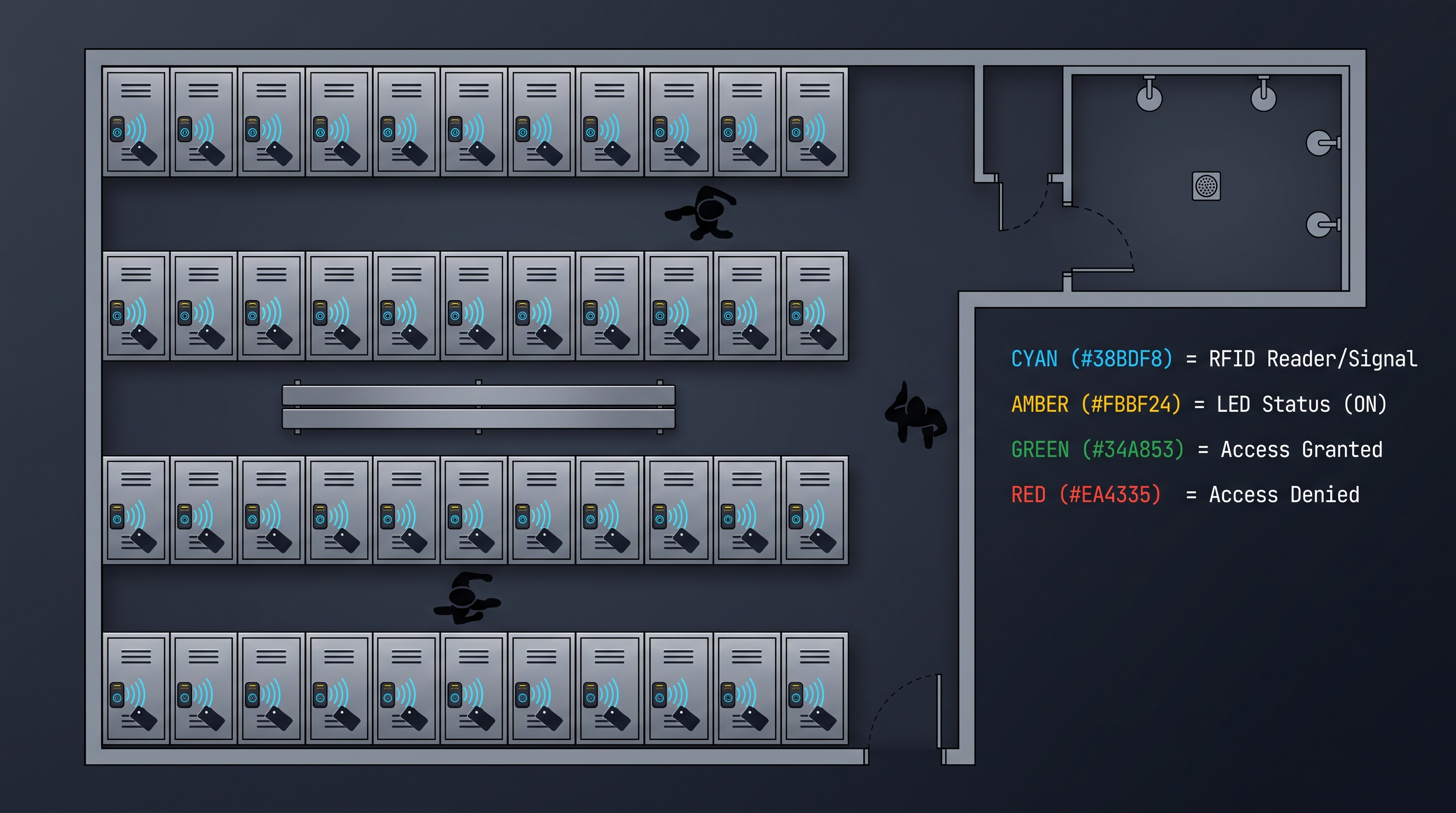
Purchasing electronic cabinet locks is fundamentally different from buying mechanical locks — it is an investment in an access control system that involves technology selection, vendor evaluation, total cost of ownership analysis, installation planning, and long-term maintenance strategy rather than a simple hardware transaction. Organizations that approach the decision to buy electronic cabinet lock systems with the same procurement checklist used for mechanical locks inevitably make costly mistakes: selecting the wrong access technology for their user population (requiring premature replacement), underestimating total lifecycle costs (particularly battery management and credential replacement), or failing to verify installation compatibility with existing cabinet hardware (causing retrofit delays and budget overruns). This comprehensive purchasing guide covers every phase of the decision to buy electronic cabinet lock systems — from requirements definition and technology selection through vendor evaluation, pricing negotiation, bulk ordering, installation planning, and post-purchase support — providing the structured framework and quantitative benchmarks that facility managers, procurement specialists, and security administrators need to make informed purchasing decisions. Whether you are outfitting a 20-cabinet office, a 200-locker gym, a hospital nursing station, or a multi-site retail chain, the methodology presented here will guide you to the right electronic cabinet lock purchase at the right total cost.
Why Buy Electronic Cabinet Lock Systems: Business Case and ROI
The decision to buy electronic cabinet lock systems should be driven by a documented business case quantifying the operational savings, security improvements, and compliance benefits relative to the capital and operational expenditure: the primary operational savings from adopting electronic cabinet locks derive from eliminated key management labor — an organization maintaining 100 mechanical keyed cabinets typically spends 3-8 hours per week on key-related activities (issuing keys, tracking key holders, investigating lost or unreturned keys, escorting employees who have forgotten their keys) at a staff cost of $25-$40 per hour, translating to $3,900-$16,600 annually — and eliminated rekeying costs when employees with key access depart (15-25% annual turnover rate in typical organizations, 10-25 cabinets per departing employee requiring rekeying at $15-$40 per cabinet per rekey event via locksmith or at $8-$15 in parts plus facility labor for DIY rekeying). When organizations buy electronic cabinet lock systems, they replace these ongoing operational costs with a one-time hardware investment plus annual battery replacement ($0.50-$2.00 per lock per year) and minimal ongoing administration (credential changes take 30-60 seconds in software vs 15-30 minutes for a physical key reissue). Secondary benefits that are harder to quantify but equally real include reduced theft and loss (audit trail capability deterring internal theft and resolving disputes over missing items — facilities that buy electronic cabinet lock systems report 30-50% reductions in reported cabinet theft incidents within the first year of deployment), improved compliance posture (audit trails satisfying SOX, HIPAA, GDPR, and internal audit requirements with documented access records rather than relying on key holder interview testimony), and improved operational efficiency (employees spending an estimated 15-30 minutes per week searching for keys, requesting key reissues, or waiting for facility staff to unlock cabinets — time that is redirected to productive work when organizations buy electronic cabinet lock systems). The financial break-even analysis for a typical 50-cabinet office deployment shows that electronic RFID cabinet locks ($50-$80 per lock, $2,500-$4,000 hardware) achieve break-even against mechanical keyed locks ($10-$25 per lock, $500-$1,250 hardware) at approximately 18-30 months, driven by eliminated key management labor and rekeying costs — and deliver net savings of $5,000-$15,000 over a 5-year lifecycle.
The compliance dimension of the business case to buy electronic cabinet lock systems is particularly compelling for regulated industries. Financial services organizations subject to SOX 404 must demonstrate documented access controls for physical assets that could impact financial reporting integrity — mechanical key systems rely on key holder memory and trust ("who has the filing cabinet key?") which fail audit scrutiny, while electronic cabinet locks provide immutable audit trails showing exactly who accessed which cabinet and when, satisfying auditor requirements with objective evidence. Healthcare organizations subject to HIPAA security rule must implement unique user identification and automatic logoff for workstations and storage containing protected health information — electronic cabinet locks provide per-user RFID badge access with automatic relock meeting these requirements, while mechanical keys are inherently non-compliant (shared, duplicable, no audit trail). The cost of non-compliance — fines, legal liability, reputational damage — vastly exceeds the incremental cost of electronic cabinet locks, making the decision to buy electronic cabinet lock systems a compliance imperative rather than a discretionary security upgrade.
| Business Case Factor | Mechanical Keyed Lock | Electronic Cabinet Lock | Financial Impact of Switching |
|---|---|---|---|
| Annual Key Management Labor (50 cabinets) | 156-416 hours ($3,900-$16,600) | 10-25 hours ($250-$1,000) | $3,650-$15,600 annual savings |
| Annual Rekeying Cost (15% turnover) | $1,500-$4,000 | $0 (software-based revocation) | $1,500-$4,000 annual savings |
| Lost/Stolen Item Value (annual) | $1,000-$5,000 (estimated) | $300-$1,500 (reduced by audit trail) | $700-$3,500 annual savings |
| Employee Time Searching for Keys (50 people) | 375-1,250 hours ($9,375-$50,000) | 0 hours (credential always on person) | $9,375-$50,000 annual savings |
| Compliance Audit Preparation (annual) | 40-80 hours ($1,000-$3,200) | 10-20 hours ($250-$800) | $750-$2,400 annual savings |
| Total Annual Savings | $15,975-$75,400 | ||
| Hardware Investment (50 cabinets) | $500-$1,250 (one-time) | $2,500-$4,000 (one-time) | $1,250-$3,500 one-time premium |
| Annual Battery Replacement | $0 | $25-$100 | $25-$100 annual cost |
| Payback Period | 1-3 months | ||
| 5-Year Net Savings | $78,000-$370,000 |
Buy Electronic Cabinet Lock: Technology Selection Criteria
When organizations decide to buy electronic cabinet lock systems, the technology selection process must match the authentication method to the specific user population, access patterns, environment, and integration requirements: RFID card-based electronic cabinet locks operating at 13.56 MHz (MIFARE Classic, MIFARE DESFire EV2/EV3 with AES-128 encryption, ISO/IEC 14443 Type A) or 125 kHz (EM4100, HID Prox, Indala) are the industry standard for offices, healthcare facilities, and institutional deployments where employees already carry access badges — buying electronic cabinet lock systems that read the existing employee badge eliminates credential issuance costs (no separate cabinet key or fob needed), simplifies user onboarding (the badge that opens the building door also opens the assigned cabinet), and provides the administrative efficiency of managing all access through a single credential system. The best value when organizations buy electronic cabinet lock systems with RFID is achieved by selecting models that support both 125 kHz and 13.56 MHz in a single reader (dual-frequency), providing backward compatibility with legacy access badges while supporting the migration to more secure MIFARE DESFire credentials over time — the per-lock premium for dual-frequency capability is $5-$10, a fraction of the cost of replacing single-frequency locks when the organization upgrades its badge technology. PIN keypad electronic cabinet locks offer the lowest upfront cost when organizations buy electronic cabinet lock systems ($15-$35 per lock vs $30-$80 for RFID) and require zero credential procurement or distribution, making them attractive for small deployments (under 20 cabinets), temporary installations, or environments where users do not carry compatible access badges. The trade-off is the hidden cost of PIN management: forgotten codes (generating 5-15 staff support calls per month per 50 locks), code sharing between users (undermining the per-user accountability that is a primary benefit of electronic locks), and keypad membrane wear in humid or high-use environments (requiring lock replacement after 2-3 years, effectively doubling the upfront cost advantage when replacement costs are included).
Bluetooth Low Energy (BLE) electronic cabinet locks provide smartphone-based access, eliminating physical credentials entirely — when organizations buy electronic cabinet lock systems with BLE, users access cabinets via a mobile app (iOS and Android) that communicates with the lock over BLE 5.0/5.2 (2.4 GHz, AES-128-CCM encrypted link) and either unlocks on command (user taps "unlock" in the app) or automatically when the phone's proximity is detected within 1-3 meters. BLE electronic cabinet locks are the best choice when organizations buy electronic cabinet lock systems for co-working spaces, technology companies, and modern offices where employees prefer phone-based interaction and app-based digital key sharing (granting a contractor or visitor temporary access to a specific cabinet via the app, with access automatically expiring after the defined time window). The BLE premium adds $10-$20 to the per-lock cost relative to standalone RFID, and BLE locks require either a BLE-to-WiFi gateway for remote management or reliance on user smartphones for connectivity — a consideration when planning the deployment. Fingerprint biometric electronic cabinet locks provide the highest security and convenience for fixed-user cabinets (executive offices, medical supply cabinets, evidence storage) — when organizations buy electronic cabinet lock systems with fingerprint capability, users access cabinets with a simple finger press (enrollment of 4-6 presses, authentication under 0.5 seconds, capacitive sensor with FAR below 0.0001%), eliminating the risk of credential sharing or theft. The fingerprint premium adds $25-$50 per lock, and user capacity is limited to 20-100 stored fingerprints (depending on model), making fingerprint electronic cabinet locks best suited for low-user-count, high-security applications rather than general-purpose cabinet security.
| Technology | Cost per Lock | Credential Cost | User Capacity | Best Application | When to Buy |
|---|---|---|---|---|---|
| RFID (13.56 MHz) | $30-$80 | $0.50-$2.00 per card (or $0 if using existing badge) | Unlimited (card-based) | Offices, healthcare, education | Existing employee badge program in place |
| RFID (125 kHz) | $25-$60 | $0.50-$1.00 per card | Unlimited (card-based) | Legacy badge compatibility | Budget-constrained, low-security applications |
| PIN Keypad | $15-$35 | $0 (memorized) | 20-200 codes | Budget, small deployments, temporary | Under 20 locks, short credential lifecycle |
| Bluetooth (BLE) | $45-$110 | $0 (user smartphone) | 50-500 users (app-based) | Co-working, tech offices, modern workplaces | Smartphone-native user population |
| Fingerprint Biometric | $50-$120 | $0 (biometric) | 20-100 fingerprints | Executive, medical, high-security | Low user count, high security required |
| Multi-Protocol (RFID+BLE+PIN) | $70-$150 | $0-$2.00 (per credential type) | Unlimited (card) + 50-500 (BLE) + 20-200 (PIN) | Diverse user populations | Mixed credential preferences, future-proofing |
Environmental durability is a critical technology selection criterion when organizations buy electronic cabinet lock systems for demanding environments: hospital medication cabinets exposed to daily disinfectant cleaning (quaternary ammonium, hydrogen peroxide, bleach) require chemical-resistant housings and sealed electronics — specifying IP65 or higher ingress protection and verifying the lock manufacturer's chemical compatibility testing for the specific disinfectants used in the facility prevents premature lock failure from chemical degradation. Gym and aquatic center lockers exposed to humidity, chlorine, and water splash require IP65-IP67 rated locks with 316 stainless steel construction (containing 2-3% molybdenum for enhanced chloride resistance) — specifying outdoor/marine-grade locks rather than standard office-grade locks when organizations buy electronic cabinet lock systems for these environments avoids the 12-18 month failure rate experienced by standard locks in humid conditions. Outdoor storage cabinets (equipment storage, meter cabinets, site facilities) require IP66-IP67 ingress protection, UV-resistant housing materials, and extended temperature range (-20 C to +60 C) — specifying locks designed and tested for outdoor deployment rather than hoping indoor-rated locks will survive.
Buy Electronic Cabinet Lock: Vendor Evaluation and Selection
When organizations buy electronic cabinet lock systems, vendor evaluation must assess factors beyond the product specification sheet: vendor stability and market longevity — an electronic cabinet lock platform is a 7-10 year commitment (lock hardware service life plus spare parts availability plus firmware security updates), and a vendor that exits the market leaves customers with unsupported hardware requiring complete replacement at full cost. Evaluate the vendor's years in the electronic lock market (5+ years is the minimum for confidence; 10+ years preferred for enterprise deployments), financial stability (public company or well-funded private company with transparent financials, not a startup with uncertain runway), and commitment to the product line (recent investment in new products, active firmware development, visible roadmap). Customer references are the most valuable evaluation tool when organizations buy electronic cabinet lock systems: request at least three references from deployments of similar scale, industry, and application to yours, and contact those references directly with specific questions — how many lock failures have you experienced per 100 locks per year? What is the actual battery life you are achieving (vs the manufacturer's claim)? How responsive is technical support to P1 (critical) issues? What surprised you after deployment that you wish you had known during evaluation? Reference feedback typically reveals 2-3 significant considerations that are absent from vendor sales presentations and product brochures, and these considerations often differentiate otherwise technically similar products.
Trial deployment is the most effective way to evaluate electronic cabinet lock systems before committing to a full purchase. Request a trial kit of 5-10 locks from each short-listed vendor and deploy them in the actual environment for 30-90 days, testing with actual users, actual credentials, actual access patterns, and actual environmental conditions. The trial period reveals real-world performance differences that specification sheets obscure: card read reliability with actual employee badges (which may be worn, scratched, or carried in badge holders that attenuate the RFID signal), battery performance under actual usage patterns (which rarely match the laboratory conditions used for marketing claims), user acceptance (the technically superior lock may confuse users, generating support calls that cancel its technical advantage), and integration friction (the API documentation may look clean but real-world integration reveals edge cases and limitations). The best vendors facilitate trial deployments by providing trial units at no cost (or refundable deposit), technical support during the trial, and a structured evaluation plan with defined success criteria. Vendors that resist or charge for trial deployments — particularly for large purchase opportunities — should be scrutinized carefully, as this often indicates a product that does not perform as expected when tested in real conditions.
| Vendor Evaluation Factor | What to Verify | How to Verify | Red Flags |
|---|---|---|---|
| Company Stability | Years in electronic lock market, financial health | Public records, industry reputation, direct inquiry | Startup with no track record, opaque financials |
| Product Track Record | Deployment scale, reliability statistics | Customer references, case studies, industry reports | No references of similar scale or industry |
| Technical Support | Response time, expertise, escalation path | Test with support inquiry during trial; reference feedback | No phone support, overseas-only support team |
| Warranty Terms | Duration, coverage, replacement process | Read warranty document carefully; test replacement process | Short warranty (under 1 year), restrictive replacement process |
| Firmware Update Cadence | Frequency of security patches, feature updates | Review release history; ask about vulnerability disclosure policy | No updates in 12+ months, no security disclosure process |
| Supply Chain Reliability | Lead times, inventory availability, shipping from where | Place a small order before committing to large order; verify ship-from location | 6+ week lead time, single manufacturing location, no local inventory |
| API and Integration | Documentation quality, SDK availability, sandbox environment | Developer evaluates API during trial; test authentication and error handling | No public API documentation, no sandbox, no SDK |
| Total Addressable Cost | Hardware + platform + credential + battery + support | Build 5-year TCO model with vendor-provided pricing and your operational assumptions | Hidden fees discovered only during contracting, annual price increases not disclosed |
Supply chain reliability has emerged as a critical vendor evaluation criterion following the global electronics supply disruptions of 2020-2023. When organizations buy electronic cabinet lock systems for a deployment of 200+ locks, a vendor's inability to deliver on schedule can delay the project by months and create cascading impacts on facility opening timelines, staff training, and budget utilization. Evaluate lead times for standard orders (should be under 4 weeks for professional-tier locks), the vendor's manufacturing redundancy (multiple manufacturing locations or contract manufacturers provide resilience against single-factory disruptions), inventory practices (do they maintain local or regional inventory of standard models, or is everything built-to-order from a single factory?), and component sourcing strategies (particularly for semiconductors, which were the primary bottleneck during 2020-2023 — vendors with diversified chip sourcing fared better than those dependent on a single supplier). Place a small order (10-20 locks) before committing to a 200+ lock purchase — this both validates lead time claims and provides additional trial units for extended testing.
Contract and commercial terms warrant careful review when organizations buy electronic cabinet lock systems. Key contract provisions to negotiate include: price protection (locking in current pricing for the planned purchase quantity, particularly important for phased deployments spanning 6-18 months where component price increases could inflate Phase 2 costs), warranty terms (2-3 years standard, with the option to extend to 5 years for enterprise deployments at a modest premium — the warranty should cover both hardware defects and battery leakage damage, and the replacement process should be cross-ship with prepaid return label rather than requiring the defective unit to be returned before a replacement is shipped), software/platform pricing (where applicable, negotiate multi-year commitment discounts — 20-30% off annual pricing for a 3-year commitment is typical — and cap annual price increases at CPI or 5%, whichever is lower), and termination assistance (requirement that the vendor provide data export, API access for migration, and transition support should the contractual relationship end — preventing vendor lock-in where changing platforms requires starting from scratch because access data cannot be exported).
Buy Electronic Cabinet Lock: Pricing and Budget Planning
When organizations buy electronic cabinet lock systems, the purchasing budget must account for the complete deployment cost — not just the per-lock hardware price that dominates initial procurement discussions: hardware acquisition cost (the lock itself, at $15-$150 per lock depending on technology and tier) typically represents 40-60% of the total deployment cost, with the remaining 40-60% distributed across installation labor ($5-$20 per lock for mounting, battery insertion, and programming — 2-5x higher for new construction requiring cutout drilling vs retrofit of existing standard cutouts), networking infrastructure for smart connected locks (WiFi access points, BLE gateways, LoRaWAN gateways, cabling — $5-$30 per lock when amortized across the lock fleet), credential procurement for RFID systems (cards, wristbands, or keyfobs at $0.50-$3.00 per user for initial issuance, plus 5-15% annual replacement for lost/damaged credentials), cloud platform subscription for smart managed locks ($1-$5 per lock per month, representing $12-$60 per lock per year and often exceeding the hardware cost over a 5-year lifecycle), software integration development if integrating with existing access control, workspace booking, or custom applications ($5,000-$25,000 for custom API integration depending on complexity), and ongoing maintenance budget (battery replacement at $0.50-$3.00 per lock per year, firmware updates via IT staff time, lock repair or replacement for the 1-3% annual failure rate). Organizations that budget only for the hardware cost when they buy electronic cabinet lock systems consistently experience 30-50% budget overruns when the hidden costs of installation, credentials, platforms, and maintenance materialize — a comprehensive budget following the framework below prevents this common but avoidable outcome.
Volume pricing is a significant factor when organizations buy electronic cabinet lock systems at scale. The following table provides representative volume discount tiers observed across multiple electronic cabinet lock vendors, though actual pricing varies by vendor, model, and competitive dynamics — obtaining quotes from 3+ vendors and being transparent about the competitive evaluation process typically yields the most favorable pricing.
| Purchase Quantity | Typical Discount from List Price | Negotiation Leverage | Additional Concessions Available |
|---|---|---|---|
| 1-10 locks | 0-5% | Minimal — pay list price or close to it | Free shipping, expedited delivery |
| 10-50 locks | 10-20% | Moderate — competitive comparison quotes help | Free trial units, extended payment terms |
| 50-200 locks | 20-30% | Significant — competitive process yields results | Platform fee discount, free installation training |
| 200-500 locks | 30-40% | Strong — preferred-customer treatment begins | Dedicated support contact, priority feature requests |
| 500-1,000+ locks | 35-50% | Very strong — vendor invests in relationship | Custom engineering, white-label options, SLA enhancements |
Platform subscription cost negotiation is as important as hardware price negotiation when organizations buy electronic cabinet lock systems with cloud management. Subscription pricing is recurring and compounds over the lock lifecycle, making even small per-lock monthly fee differences significant: $1 per lock per month over 5 years costs $60 per lock — often more than the hardware acquisition cost. Negotiate multi-year commitment discounts (20-30% off the month-to-month rate for a 3-year prepaid or committed contract), volume tier pricing (ensuring the per-lock rate decreases as lock count increases, not just as total platform spend increases), and price-increase caps (limiting annual price increases to the lesser of CPI or 5%, with the option to terminate without penalty if increases exceed this cap). Some vendors offer perpetual license alternatives to subscription — a one-time payment for on-premises server software that is owned rather than rented — which provides long-term cost certainty but requires in-house IT resources for server maintenance and lacks the vendor-managed infrastructure, updates, and support included in subscription pricing.
Total cost of ownership modeling is the essential financial tool when organizations buy electronic cabinet lock systems. The TCO model should project costs over the lock's expected service life (5-7 years for professional tier, 3-5 years for standard tier, 2-3 years for budget tier) and include all cost dimensions: hardware acquisition (with volume discount applied), installation labor (including any retrofit modifications for non-standard cutouts), networking infrastructure (for smart locks), credential procurement (initial issuance plus annual replacement), platform subscription (for smart locks, with annual price increase assumption), battery replacement (annual cost, with battery type specified — lithium for outdoor/long-life, alkaline for standard indoor), maintenance and repair (annual lock replacement at the expected failure rate plus maintenance labor), integration development (one-time cost for API integration with existing systems), and decommissioning/replacement reserve (setting aside funds for end-of-life lock replacement, typically 15-20% of initial hardware cost per year after year 5). The TCO model enables apples-to-apples comparison between vendors with different pricing structures (hardware-heavy vs subscription-heavy, low-hardware-cost/high-credential-cost vs the reverse) and reveals the true cost of ownership that initial hardware price comparisons obscure.
Buy Electronic Cabinet Lock: Installation Planning and Preparation
Preparation before you buy electronic cabinet lock systems determines installation success: cabinet survey and measurement is the essential first step — physically inspect every cabinet to be secured, measuring the existing lock cutout diameter with a caliper (19 mm or 21 mm standard, but non-standard sizes exist and must be identified), the cabinet material and thickness (wood, metal, laminate, glass — each requires specific mounting hardware included in professional installation kits), the door swing direction (left-hand or right-hand, determining the cam orientation), the clearance depth behind the lock mounting surface (accounting for drawer slides, cabinet frame members, and adjacent hardware that might interfere with the lock body), and the distance from the lock cylinder axis to the locking bar or strike plate contact point (determining the required cam length and shape). This survey produces a spreadsheet mapping each cabinet to its specific installation requirements and identifying the 10-25% of cabinets that will require modification (oversized or undersized cutouts, double-layer construction, drawer slide interference, or non-standard strike configurations). Organizations that skip the pre-purchase cabinet survey and assume all cabinets are "standard" — a surprisingly common procurement error — discover during installation that 15-30% of cabinets require modification or alternative lock models, causing project delays, budget overruns, and the frustration of partially installed systems awaiting custom components.
The purchasing plan when organizations buy electronic cabinet lock systems should include spare locks and components to account for installation damage, defective units, and future expansion. A recommended spare allocation is 5% of the planned deployment quantity (e.g., 10 spare locks for a 200-lock deployment), plus at least 2 spare locks of each model variant (different cam lengths, different reader types, different finishes) to cover immediate replacement needs without waiting for vendor shipment. Spare batteries (one full set per 20 locks, replaced annually from the spare stock to keep them fresh), spare mounting hardware (an assortment of screws, retaining nuts, spacers, and cams representing the variety used in the deployment), and spare credentials (10% over the planned initial issuance quantity, to cover immediate replacement needs for lost or damaged cards/wristbands) complete the spare parts plan. The incremental cost of spares (approximately 5-8% of the hardware procurement budget) is trivial compared to the operational impact of a failed lock that cannot be immediately replaced because no spares are on site — the cost of a staff member being unable to access a critical cabinet for hours or days while awaiting a replacement lock shipment dwarfs the spare parts investment.
| Installation Planning Item | Activity | Timeline | Responsible Party |
|---|---|---|---|
| Pre-Purchase Cabinet Survey | Measure every cabinet: cutout, thickness, clearance, cam reach | 1-2 days for 50 cabinets | Facility maintenance or contractor |
| Compatibility Assessment | Identify cabinets requiring modification or alternative lock models | 1 day (following survey) | Lock vendor application engineer |
| Spare Parts Procurement | 5% spare locks, batteries, hardware, credentials | Included in main order | Procurement |
| Installation Training | Hands-on training on lock installation, programming, and testing | 0.5-1 day | Lock vendor trainer, facility team |
| Pre-Staging | Label locks with cabinet numbers, pre-load configuration (smart locks) | 1-2 days for 200 locks | Facility or IT team |
| Physical Installation | Remove old locks, install new locks, insert batteries, test | 2-5 days for 200 locks (2-person) | Facility maintenance or contractor |
| Network Commissioning | Verify connectivity for each smart lock, troubleshoot dead zones | 1-2 days | IT network team |
| Software Configuration | Import users, assign access policies, configure schedules | 1-3 days | Security administrator |
| Acceptance Testing | Test representative sample with actual users and credentials | 1-2 days | All stakeholders |
| User Training and Communication | Distribute credentials, provide usage instructions, set expectations | 1 day + ongoing | Facility manager, HR, department heads |
User training and communication is an often-overlooked phase when organizations buy electronic cabinet lock systems, but it is critical to adoption success. Provide clear, simple usage instructions — a one-page card showing how to present an RFID badge (flat against the reader, hold for 1 second, wait for green light and beep), how to change a PIN code (step-by-step with visuals), how to enroll a fingerprint (proper finger placement, multiple angles), and what to do if the lock does not respond (check battery warning indicators, try again, contact help desk). Send the instructions by email before installation, post them near the cabinets after installation, and conduct brief in-person demonstrations during the first week after deployment. Anticipate common user errors — presenting the badge at an angle instead of flat, holding the badge too briefly, entering a PIN with the wrong timing, presenting a wet or damaged badge — and pre-emptively address them in the training materials. The first week after deployment will generate a spike in support requests regardless of training quality (5-15 requests per 50 users is typical), and having trained staff available to respond quickly during this period prevents user frustration from hardening into resistance to the new system.
Buy Electronic Cabinet Lock: Warranty, Support, and After-Sale Service
When organizations buy electronic cabinet lock systems, the warranty and support package is as important as the hardware itself because electronic locks are more complex than mechanical locks and failures are more disruptive (a mechanical key still works; a dead electronic lock creates an immediate access emergency): warranty duration and coverage should be clearly documented in the purchase agreement — the industry standard is 2-3 years for professional-tier electronic cabinet locks, 1-2 years for standard and budget tiers, with optional extended warranty (typically 2-3 additional years at 5-15% of the lock's purchase price per year of extension). The warranty should explicitly cover manufacturing defects in materials and workmanship, electronic component failure, motor or solenoid failure, and battery leakage damage (a leading cause of field failures that some manufacturers attempt to exclude as "customer misuse" rather than covering under warranty). The warranty replacement process is a critical operational consideration: the gold standard is cross-shipment with prepaid return label — the vendor ships a replacement lock immediately upon receiving a warranty claim (ideally same-day or next-day for P1 critical failures) and includes a prepaid return label for the defective unit. Inferior practices include requiring the defective unit to be shipped back before a replacement is sent (leaving the cabinet unsecured for 3-7 days during shipping transit) and requiring the customer to pay return shipping costs (adding $5-$15 to the cost of each warranty claim). Organizations that buy electronic cabinet lock systems from vendors with restrictive warranty replacement processes suffer extended cabinet downtime and operational disruption for every warranty event — a false economy when the per-lock cost difference between vendors is $5-$10 but the operational cost of a week of cabinet unavailability is far higher.
Technical support quality and responsiveness should be evaluated during the vendor selection process (by placing a test support inquiry and timing the response) and documented in the support SLA as part of the purchase agreement: the support SLA should specify support availability hours (8/5 business hours minimum, 24/7 for enterprise and healthcare deployments where cabinet access emergencies occur outside business hours), response time for P1 critical issues (lock inoperable, cabinet cannot be accessed — target under 4 hours with resolution or workaround within 8 hours), response time for P2 high issues (lock intermittently functional, authentication degraded — target under 8 hours with resolution within 24 hours), support channel availability (phone, email, web portal — phone support is essential for P1 issues where the lock failure may prevent a staff member from accessing critical materials), and escalation procedures (when the initial support contact cannot resolve the issue, a defined escalation path to senior engineering within specified timeframes). The support SLA should include a remedy for persistent failure to meet response or resolution targets — typically service credits against the platform subscription fee or hardware credit — to ensure the vendor has financial incentive to maintain support quality.
| Warranty and Support Element | Minimum Acceptable | Best Practice | How to Verify |
|---|---|---|---|
| Warranty Duration | 1 year | 2-3 years (professional tier), 5 years (enterprise) | Read warranty document; negotiate if under 2 years |
| Warranty Coverage | Manufacturing defects only | Defects + electronic failure + battery leakage damage | Request explicit coverage list in contract |
| Replacement Process | Return first, receive replacement | Cross-ship same-day, prepaid return | Test with a warranty claim during trial period |
| Support Hours | 8/5 business hours | 24/7 for P1 (healthcare, enterprise deployments) | Specify in SLA; test with evening/weekend inquiry |
| P1 Response Time | Under 8 hours | Under 4 hours with resolution within 8 hours | Specify in SLA; verify with customer references |
| Phone Support | Available (P1 issues need voice) | Dedicated support engineer for enterprise accounts | Verify number is answered by a human, not voicemail |
| Escalation Path | Defined in support documentation | Named contacts at each escalation level | Request escalation procedure document during evaluation |
| Firmware Update Commitment | Security patches for 2 years post-EOL | Security + feature updates for 3-5 years post-EOL | Ask about published EOL policy; review firmware release history |
Firmware update commitment is an increasingly important support dimension because cybersecurity threats evolve continuously and an electronic cabinet lock with outdated firmware represents an attack vector in the facility's overall security posture. When organizations buy electronic cabinet lock systems, they should verify the vendor's firmware update policy: how often are updates released? (monthly for security patches, quarterly for feature updates is the industry baseline); how long are updates provided after a product reaches end-of-sale or end-of-life? (minimum 2 years of security patches after end-of-sale is standard, with 3-5 years preferred for enterprise deployments with 7-10 year lock lifecycles); is the update process over-the-air (wireless, for connected smart locks) or via USB (for standalone locks) and how much staff time does it require?; what is the rollback procedure if an update introduces issues? Vendors with published vulnerability disclosure programs and security bulletins (similar to ICS-CERT advisories for industrial equipment) demonstrate a mature security posture that inspires confidence for enterprise deployments.
Spare parts availability over the lock's service life is a support consideration that is easy to overlook when organizations buy electronic cabinet lock systems but critical for long-term operational sustainability. Electronic cabinet locks deployed in 2026 may remain in service until 2031-2033, and the ability to obtain replacement batteries (standard formats mitigate this concern), replacement cams, replacement keypads or reader faceplates, and replacement retaining nuts and hardware over that 5-7 year horizon must be verified. Ask about the vendor's parts availability commitment — do they guarantee parts availability for 5 years after end-of-sale? — and about cross-compatibility with newer models (can a lock purchased in 2026 be replaced with a current model in 2029 without changing the cabinet cutout or the management platform?). Vendors with backward-compatible mounting dimensions and forward-compatible management platforms across product generations provide the longest-term value when organizations buy electronic cabinet lock systems for long-life deployments.
Buy Electronic Cabinet Lock: Bulk Ordering and Multi-Site Deployment
Organizations that buy electronic cabinet lock systems for multi-site deployments (a retail chain with 200 stores, a hospital network with 15 facilities, a university with 10 campus libraries) face additional procurement complexity beyond the single-site scenario: standardization across sites simplifies procurement, reduces training costs (facility staff trained on one lock system can support any site), and enables bulk purchasing discounts that increase with total corporate volume — but standardization requires selecting a lock and platform that meets the most demanding site's requirements (which may be in a humid coastal warehouse while other sites are climate-controlled offices, driving a higher per-lock cost to satisfy the worst-case environment). The standardized vs localized purchasing decision evaluates whether the operational efficiency of a single lock model and platform across all sites justifies the potentially higher per-lock cost for sites with less demanding requirements. In most cases, the answer is yes — the training, support, and procurement efficiency gains of standardization outweigh the hardware cost premium, particularly when the standardized model is selected from a vendor offering multiple tiers within the same platform (allowing budget-tier locks for low-security supply cabinets while using professional-tier locks for high-security document cabinets, all managed through the same platform).
Staged deployment phasing is recommended when organizations buy electronic cabinet lock systems for multi-site rollouts: deploy Phase 1 at a single representative site (or 2-3 sites for large organizations), operate for 60-90 days to identify and resolve the issues that inevitably emerge during real-world use (installation challenges, user adoption barriers, integration friction, battery life surprises), incorporate lessons learned into revised installation procedures, training materials, and support processes, and then roll out Phase 2 across the remaining sites using the refined approach. Phase 1 typically surfaces 5-10 significant ecosystem improvements that, when applied to the broader rollout, reduce Phase 2 deployment time by 20-30% and post-deployment support requests by 40-60% compared to a simultaneous all-site deployment. The Phase 1 investment (extra time and attention at 1-3 sites) pays for itself many times over in avoided Phase 2 friction.
| Multi-Site Deployment Phase | Activity | Duration | Key Deliverables |
|---|---|---|---|
| Pre-Deployment | Site surveys, lock specification, vendor selection, bulk pricing negotiation | 4-8 weeks | Standardized equipment list, installation procedures, training materials |
| Phase 1 (Pilot) | Deploy at 1-3 representative sites, operate 60-90 days | 10-16 weeks | Lessons learned, refined procedures, support playbook |
| Phase 1 Review | Analyze Phase 1 data, revise procedures and materials | 2-4 weeks | Updated installation guide, training materials, support processes |
| Phase 2 (Rollout) | Deploy at all remaining sites using refined approach | 4-12 weeks per site group | Operational deployment across all locations |
| Post-Deployment Support | Monitor, optimize, support | Ongoing | Usage analytics, maintenance scheduling, continuous improvement |
Centralized vs distributed management architecture is a key decision when organizations buy electronic cabinet lock systems for multi-site deployment: a fully cloud-based management platform (all locks connect to a single cloud instance, managed through a central dashboard with site-level views and role-based access control) provides the simplest multi-site management but requires internet connectivity at every site and centralizes the failure domain (a cloud platform outage affects all sites). A hybrid architecture (local controllers at each site manage real-time lock operations with sub-100ms latency, synchronizing audit logs and configuration to a central cloud platform for multi-site visibility and reporting) provides local resilience — each site operates independently during internet outages — and centralizes management for cross-site analytics and policy enforcement. A fully decentralized architecture (each site operates independently with its own on-premises server, and central visibility is achieved through periodic data exports or API integration) maximizes local resilience but fragments management and complicates cross-site reporting. The best architecture balances the organization's tolerance for centralized failure, the reliability of internet connectivity across sites, the responsiveness requirements for local lock operation, and the need for cross-site visibility and unified policy management.
When organizations buy electronic cabinet lock systems for multi-site deployment, supply chain and logistics planning must account for the geographic distribution of sites: determine whether the vendor can ship directly to each site (avoiding the cost and delay of shipping to a central warehouse and redistributing), whether international sites require country-specific certifications (CE for EU, FCC for US, ISED for Canada, ACMA for Australia — verifying that the lock model holds all required certifications for each deployment country), and whether the vendor provides local-language documentation and support for sites in non-English-speaking countries. International deployments add customs clearance, import duties (typically 0-5% for electronic locks but vary by country and trade agreements), and lead-time extension (2-6 weeks for international shipping vs 3-7 days for domestic) to the procurement timeline.
Buy Electronic Cabinet Lock: Step-by-Step Purchasing Checklist
Organizations that buy electronic cabinet lock systems following this structured purchasing process avoid the common errors — selecting the wrong technology, underestimating total cost, failing to verify cabinet compatibility, choosing a vendor that exits the market — that mar otherwise well-intentioned security upgrade projects. The purchasing process spans approximately 12-16 weeks from initial requirements definition to purchase order issuance for a typical 50-200 lock deployment, with the timeline driven primarily by the trial deployment period (which should not be rushed) and the competitive vendor evaluation process (which generates better pricing when vendors understand they are being compared).
(1) Requirements Definition (Weeks 1-2): Document the scope — number of cabinets, cabinet types, locations, environmental conditions, user population size and characteristics, existing credential infrastructure (employee badges, student IDs, membership cards), integration requirements (access control, workspace booking, custom application, regulatory compliance), and budget constraints. This documented requirements document ensures that subsequent technology and vendor evaluations are anchored to actual operational needs rather than vendor sales presentations that may emphasize features irrelevant to your deployment.
(2) Cabinet Survey (Weeks 2-3): Physically inspect and measure every cabinet to be secured — cutout diameter, material, thickness, door swing, clearance depth, cam reach distance — creating a spreadsheet that maps each cabinet to its installation requirements and identifies cabinets needing modification. This survey prevents the very common procurement error of ordering locks that do not fit the cabinets they are intended to secure.
(3) Technology Selection (Weeks 3-4): Based on the requirements document and cabinet survey, identify the appropriate access technology (RFID, BLE, keypad, fingerprint, or multi-protocol), lock tier (budget, standard, professional, enterprise), and management model (standalone vs cloud-managed). Create a shortlist of 3-5 lock models from 2-4 vendors that meet the technical requirements.
(4) Vendor Evaluation (Weeks 4-8): Request evaluation units (5-10 locks per short-listed vendor) and deploy them in the actual environment for a 30-90 day trial. Evaluate real-world performance: card/wristband read reliability with actual user credentials, battery performance under actual usage patterns, user acceptance and ease of use, management platform usability, API documentation quality, and technical support responsiveness. Contact customer references and ask specific questions about reliability, support, and surprises.
(5) Pricing and Commercial Terms (Weeks 8-10): Obtain competitive quotes from short-listed vendors (3+ vendors ensures competitive pressure). Build a 5-year TCO model for each vendor including hardware, installation, credentials, platform, batteries, maintenance, and decommissioning. Negotiate pricing (volume discounts of 20-40% for 200+ locks), platform subscription terms (multi-year commitment discount, price increase cap), warranty terms (2-3 years minimum, cross-ship replacement), and support SLA.
(6) Purchase and Deployment Planning (Weeks 10-16): Issue purchase order. Order spares (5% of lock quantity plus batteries, hardware, and credentials). Schedule installation (during facility closure or off-hours to minimize disruption). Conduct installation training for facility staff. Pre-stage lock configuration (label locks with cabinet numbers, pre-load in management platform). Execute installation following the structured workflow (remove old lock, install new lock, test). Network commission smart locks with connectivity verification at each position. Software configure user access policies, schedules, and integrations. Conduct acceptance testing with representative users. Distribute user training materials and credentials.
| Purchasing Milestone | Activities | Key Deliverables | Typical Duration |
|---|---|---|---|
| Requirements Definition | Scope, user population, environment, integration, budget | Requirements document, stakeholder alignment | 1-2 weeks |
| Cabinet Survey | Measure every cabinet, create compatibility spreadsheet | Cabinet survey spreadsheet, compatibility assessment | 1-2 weeks |
| Technology Selection | Match requirements to technology/tier, shortlist 3-5 models | Technology selection document, shortlist | 1-2 weeks |
| Vendor Evaluation | Trial deployment (30-90 days), reference calls, support testing | Trial evaluation report, reference feedback, vendor scorecard | 4-8 weeks (trial-driven) |
| Pricing and Negotiation | Competitive quotes, TCO model, commercial term negotiation | Final quotes, TCO comparison, negotiated contract | 2-4 weeks |
| Purchase and Planning | PO issuance, spares procurement, installation scheduling | PO, project plan, installation schedule | 2-4 weeks |
| Installation and Commissioning | Physical install, network setup, software config, training | Operational system, trained users, documentation | 1-3 weeks |
Buy Electronic Cabinet Lock: Final Summary and Common Mistakes to Avoid
When organizations finalize the decision to buy electronic cabinet lock systems, several common mistakes undermine the project's success and should be explicitly guarded against during the purchasing process: failing to verify cabinet compatibility before ordering (assuming all cabinets use the standard 19 mm or 21 mm cutout when in fact 15-30% may have non-standard or worn cutouts requiring modification — always complete the physical cabinet survey before placing the order); underestimating credential lifecycle costs (calculating only the initial credential issuance cost while ignoring the 5-15% annual replacement rate for lost, damaged, or unreturned cards and wristbands); selecting the cheapest vendor without evaluating total cost of ownership (a vendor with $10-per-lock lower hardware cost but $2-per-lock-per-month higher platform subscription and inferior support quality will cost more over 5 years despite the apparent upfront savings); skipping the trial deployment to save 4-8 weeks (the trial period surfaces 2-3 significant issues per vendor that would otherwise emerge during full deployment, costing far more than the time saved); neglecting to plan for user training and the first-week support surge (5-15 support requests per 50 users is typical in the first week — staff must be available to respond quickly or user frustration hardens into resistance); and failing to negotiate data portability and termination assistance provisions in the contract (organizations that want to change platforms after 3-5 years discover they cannot export access data, requiring the new system to be built from scratch).
Before you buy electronic cabinet lock systems, ensure the security requirements are documented. After you buy electronic cabinet lock systems, train facility staff on the operational procedures. When you buy electronic cabinet lock systems for regulated industries, verify the audit trail capability meets compliance requirements. Organizations that buy electronic cabinet lock systems following this comprehensive guide will avoid the common errors, achieve the security and operational benefits the technology delivers, and realize the full return on investment that justifies the decision to upgrade from mechanical keys to electronic access control.
Part of this article content is generated by AI and optimized for professional accuracy and readability.
Not sure which sensor fits your project?
Talk to our mmWave application engineers for a free consultation.
Find the right presence sensor for your hotel project
Compare the 3 protocols, check hotel-specific case studies, and download the installation guide
Related products
3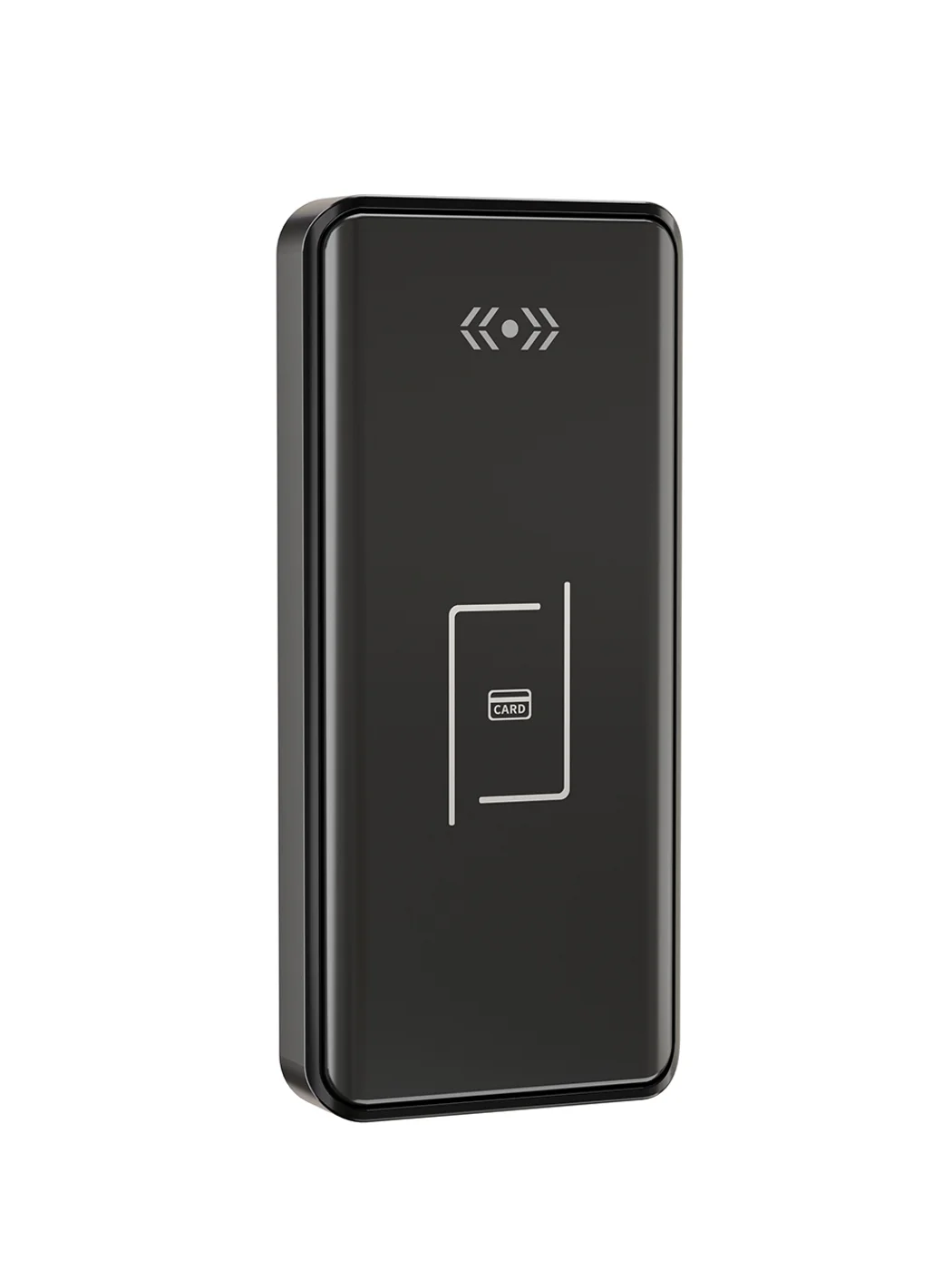
Gym Locker Lock — Offline Card, No WiFi Required
Offline card gym locker lock for fitness and pool lockers. MIFARE card, battery-powered 5-minute retrofit, no WiFi or server. Zinc alloy body, CE/FCC/RoHS.
This page already points to it as the next recommended reference.
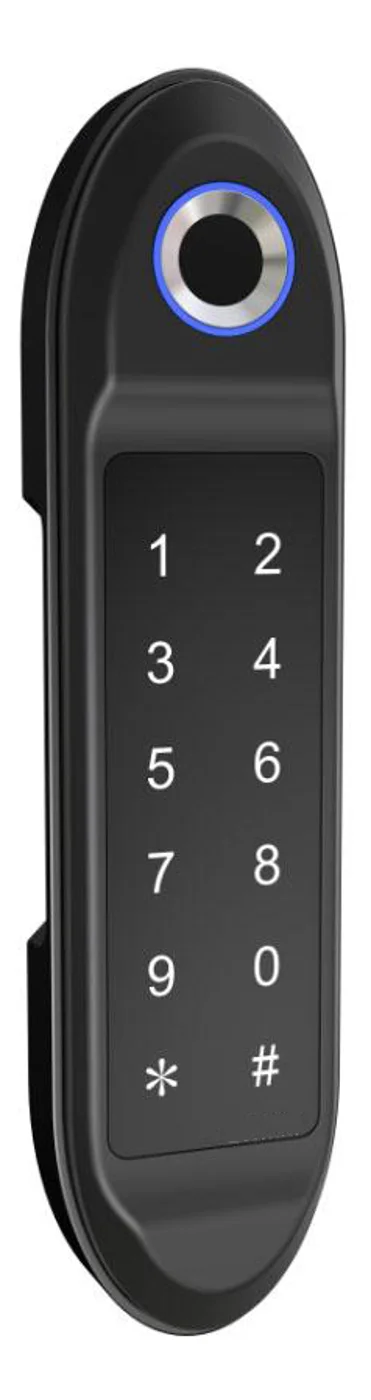
PIN Code Electronic Cabinet Lock — Stand-Alone, No WiFi
Offline keypad cabinet lock for gym, office and parcel lockers. Battery-powered, 5-minute retrofit, audit-free simple deployment. PIN + MIFARE card, DC 6V, 4×AA.
This page already points to it as the next recommended reference.
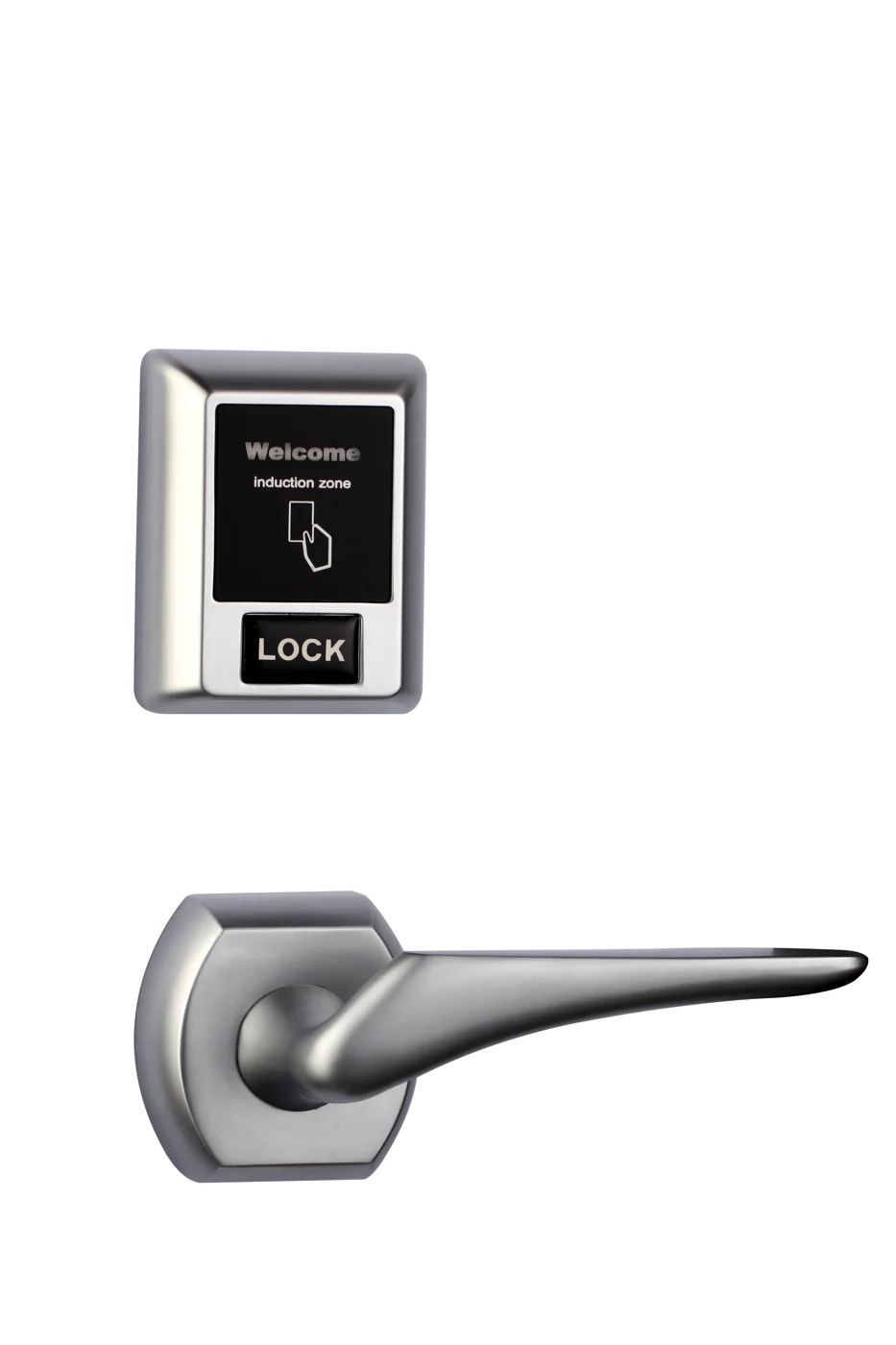
Bluetooth Cabinet Lock — App + PIN + Card, Managed Fleet
Offline BLE app cabinet lock for parcel, office, and managed locker fleets. App + PIN + MIFARE card, remote credential management, no server dependency, battery-powered retrofit.
This page already points to it as the next recommended reference.
Related blog posts
3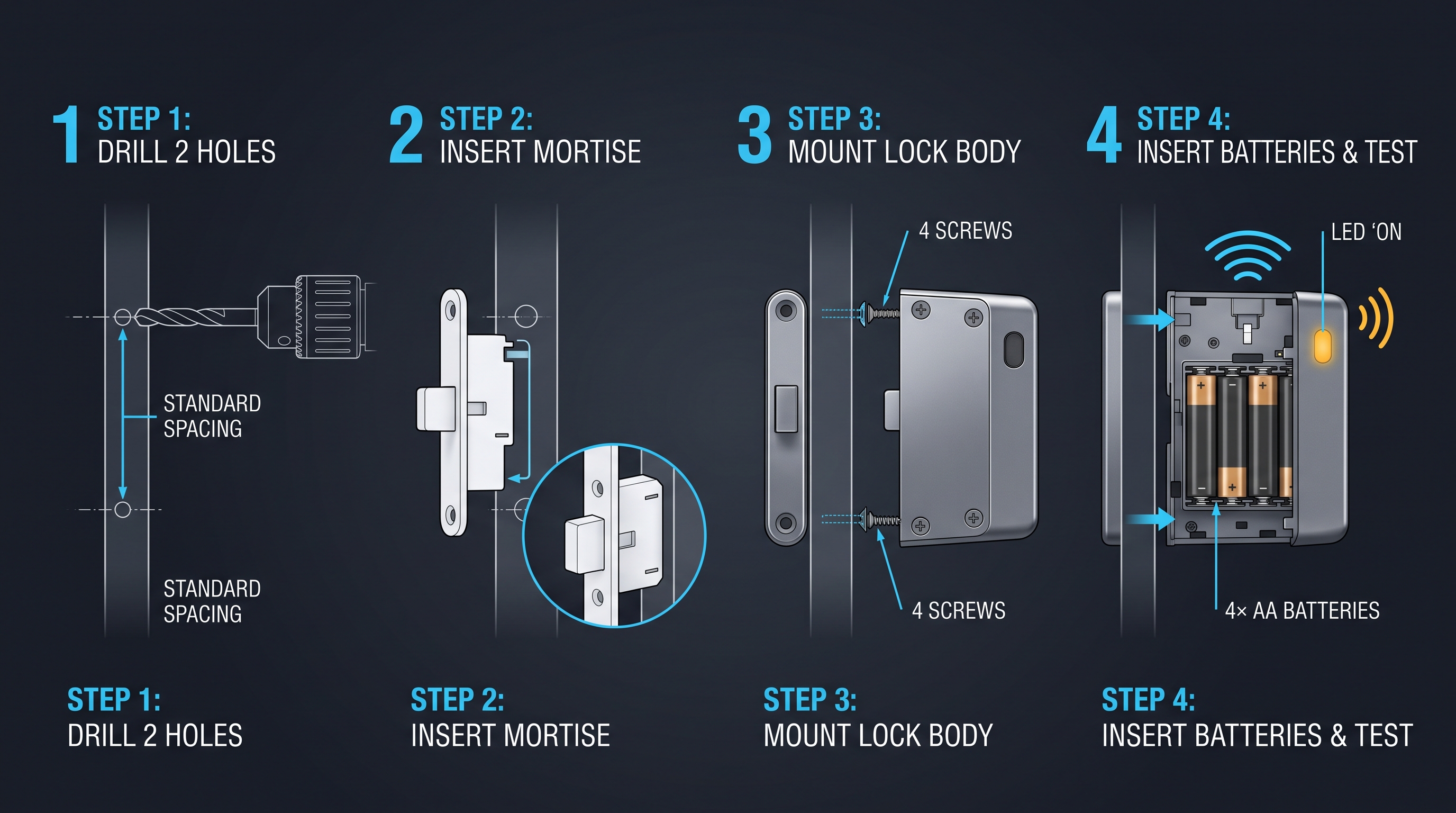
Cabinet Lock Electronic: Complete Technical Guide for 2026 Buyers and Integrators
Comprehensive guide to cabinet lock electronic systems covering types, working principles, installation, pricing, and buying criteria for commercial applications.
It supports the same product context: Gym Locker Lock — Offline Card, No WiFi Required.
Cabinet Digital Lock: Complete Technical Guide for 2026 Buyers and Integrators
Comprehensive guide to cabinet digital lock systems covering types, working principles, installation, pricing, and buying criteria for commercial and residential applications.
It supports the same product context: Gym Locker Lock — Offline Card, No WiFi Required.
cabinet latch electronic: The Complete Guide to Electronic Latches for Cabinets, Furniture, and Enclosures
Learn what a cabinet latch electronic is, how solenoid, motor, electromagnetic strike, and push-to-open electronic latches work, plus 12V/24V wiring, fail-secure vs fail-safe, relay and app control, use cases, installation, pricing, and troubleshooting.
It supports the same product context: Gym Locker Lock — Offline Card, No WiFi Required.
Specify your hotel project with our engineers
Send your room count, ceiling type, and protocol preference. We will return a sample plan and quote within 24 business hours.
- Move from general guidance into a product or application discussion.
- Use RFQ when pricing, drawings, MOQ, or launch timing needs structure.
- Keep a direct contact path visible for fast clarifications and handoff.