The Best Smart Locker Lock Guide for 2026: IoT, Cloud, and Connected Locking Solutions
Comprehensive guide to the best smart locker lock solutions. Compare WiFi, Bluetooth, LoRaWAN, and NB-IoT connected locker locks with cloud platforms, API integration, and remote management for smart offices, delivery, and retail.
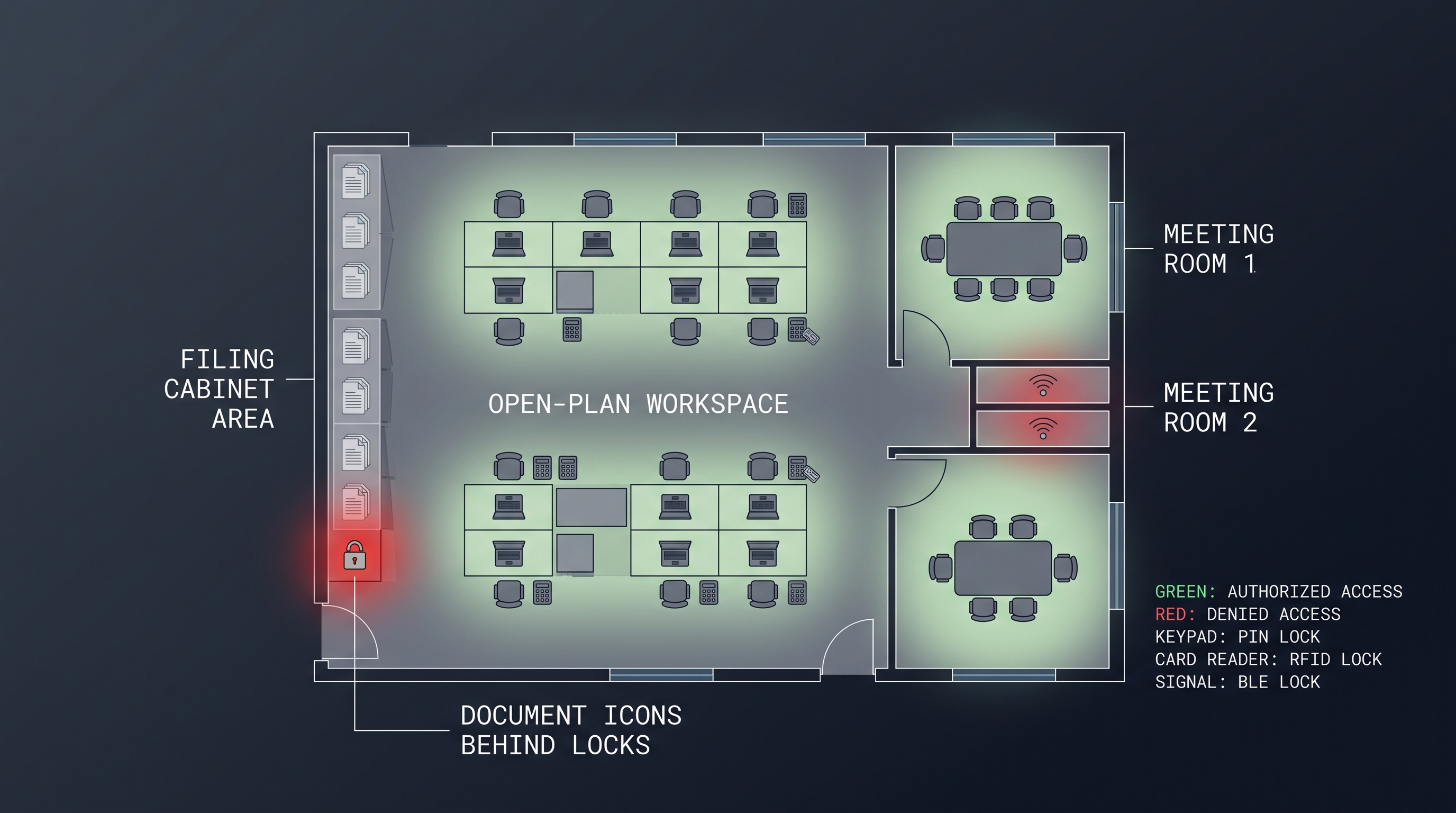
Smart locker locks represent the convergence of physical security hardware with IoT networking, cloud computing, and API-driven automation — transforming what was once a simple mechanical key or standalone digital lock into a connected access point that can be controlled, monitored, and integrated with enterprise software systems from anywhere in the world. The global market for connected locker solutions has grown at a compound annual rate of 18.5% from 2023 to 2026, driven by the exponential growth of e-commerce last-mile delivery (which requires secure, remotely accessible parcel lockers), the normalization of hybrid work models (which requires flexible, hot-desking-compatible storage), and the broader smart building trend toward digitizing and connecting every facility asset. Selecting the best smart locker lock for a specific deployment — whether for an apartment building package room, a corporate office's shared lockers, a university campus's library lockers, or a retail chain's click-and-collect stations — requires understanding the connectivity protocol landscape (WiFi, Bluetooth LE, LoRaWAN, NB-IoT, Zigbee, and emerging Thread/Matter), the cloud platform and API ecosystem, the security architecture (encryption, authentication, over-the-air updates), and the total cost of ownership including connectivity fees, platform subscriptions, and IT infrastructure. This comprehensive guide examines the best smart locker lock options across ten evaluation dimensions, providing the technical depth and comparative data necessary for facility managers, IT architects, and procurement specialists to make informed decisions in 2026.
What Defines the Best Smart Locker Lock in 2026
A best smart locker lock is an electronically actuated, network-connected locking mechanism for lockers, cabinets, and storage compartments that communicates bidirectionally with a cloud management platform or local controller via a wireless protocol — typically WiFi (IEEE 802.11 b/g/n at 2.4 GHz, supporting WPA2/WPA3 Enterprise security with 802.1x EAP-TLS certificate-based authentication), Bluetooth Low Energy (BLE 5.0/5.2 at 2.4 GHz with AES-128-CCM link-layer encryption and LE Secure Connections using ECDH P-256 key exchange), LoRaWAN (868 MHz EU/915 MHz US ISM bands, Class C always-listening mode, AES-128 end-to-end encryption between end-device and application server), NB-IoT (LTE Cat-NB1/NB2, 3GPP Release 13/14, 180 kHz bandwidth, 20 dB coverage extension beyond standard LTE), or a local gateway-based protocol (Zigbee 3.0 at 2.4 GHz 802.15.4 with AES-128-CCM, or Thread at 2.4 GHz with IPv6 mesh and Matter 1.3+ application layer) — and exposes control and monitoring functions through a RESTful API (typically documented in OpenAPI 3.0 specification, supporting OAuth 2.0 token-based or API key authentication, returning JSON payloads) or MQTT messaging (TCP-based publish/subscribe protocol with QoS levels 0/1/2, TLS 1.2/1.3 transport security, and topic-based message routing). Unlike a standalone digital lock, which can only be managed by physically visiting the lock to present a programming card or enter administrator codes, the best smart locker lock enables remote unlock, real-time status monitoring (locked/unlocked, door open/closed, battery level, signal strength), over-the-air firmware updates, access schedule configuration, and integration with third-party software — parcel management systems, workspace booking platforms, library management systems, access control systems — all from a central dashboard or via API calls. The best smart locker lock for enterprise deployments must support 1,000+ concurrent lock connections (with lock state polling or event-driven updates), provide 99.9%+ cloud platform uptime (with local caching or offline authentication fallback to survive internet connectivity interruptions), and maintain sub-second lock/unlock response time (targeting under 500 ms from API call to bolt retraction, accounting for cloud-to-device latency).
The defining characteristic of the best smart locker lock category is the software-defined nature of the access experience. A standard digital lock authenticates a credential and actuates a mechanism — useful but fixed in its behavior. A smart locker lock exposes an API endpoint that other software can call, enabling workflows such as: when a parcel delivery driver scans a package barcode, the delivery management system queries the locker management API to find the nearest available locker of appropriate size, remotely unlocks that specific locker, logs the occupancy event, sends a notification with a pickup code to the recipient, and when the recipient presents that code at the locker, the system verifies the code, unlocks the locker, and marks the delivery complete. This workflow — entirely software-driven, with no human intermediary selecting the locker or managing keys — is possible only with the best smart locker lock platforms that provide the connectivity, API, and event-driven architecture enabling full automation.
| Smart Lock Evaluation Factor | Enterprise Requirement | Consumer/Prosumer Requirement |
|---|---|---|
| Connectivity Protocol | WiFi + BLE + LoRaWAN or NB-IoT option | WiFi or BLE only |
| Cloud Platform Uptime SLA | 99.9%+ with financial penalties | 99% best-effort |
| Concurrent Lock Capacity | 1,000-10,000+ locks per platform instance | 10-50 locks |
| API Capability | REST + GraphQL, MQTT, webhooks, SSO | Basic REST or mobile app only |
| Offline Authentication | Local cache with 24-72 hour offline window | Basic offline PIN or card |
| OTA Firmware Updates | Staged rollout, rollback, signed images | Basic update, no rollback |
| Security Certifications | SOC 2 Type II, ISO 27001, penetration tested | Basic TLS, no formal cert |
| Multi-Tenant Architecture | Separate logical instances per client org | Single-account only |
Best Smart Locker Lock: Connectivity Protocols Compared
A best smart locker lock evaluation begins with the connectivity protocol, which determines network reach, power consumption, latency, installation complexity, and recurring data costs — WiFi (2.4 GHz 802.11 b/g/n, 20/40 MHz channels, up to 100 meters indoor range through walls, 50-200 mA active current draw, zero data subscription cost beyond the facility's existing internet service) is the most common connectivity choice for indoor smart locker deployments in offices, apartment buildings, and retail environments because it leverages existing WiFi infrastructure, provides low latency (50-150 ms round-trip for API commands), and supports high data rates (1-72 Mbps effective depending on signal quality) suitable for OTA firmware updates and audit log uploads. Bluetooth Low Energy + gateway architecture (BLE 5.0/5.2 at 2.4 GHz, 40 channels of 2 MHz bandwidth, 1 Mbps or 2 Mbps PHY, 0.5-5 mA active current, direct smartphone-to-lock range of 10-50 meters, extended to facility-wide via BLE-to-WiFi gateway hubs costing $50-$200 each and supporting 20-50 locks per gateway) is the preferred alternative for deployments where WiFi coverage is inadequate and the value proposition includes direct smartphone interaction (BLE proximity unlock) — the gateway approach reduces per-lock cost by $10-$20 compared to integrated WiFi modules while adding gateway hardware cost and a potential single point of failure. LoRaWAN (868 MHz EU/915 MHz US, 125-500 kHz bandwidth, spreading factor 7-12, -137 dBm receiver sensitivity enabling 2-10 km outdoor range or 5-10 floors of indoor penetration, Class C always-listening mode for downlink unlock commands within 1-5 seconds, AES-128 end-to-end encryption with device-specific AppKey and network-specific NwkSKey) is the best smart locker lock connectivity option for geographically distributed deployments across large campuses, multi-building facilities, or outdoor installations where WiFi coverage would require hundreds of access points — the trade-off is very low data rates (250 bps to 50 kbps depending on spreading factor, insufficient for OTA firmware updates which must be delivered via alternative means) and dependency on a LoRaWAN network server (deployed on-premises via ChirpStack or The Things Network, or subscribed via a public network operator at $0.01-$0.10 per device per month). NB-IoT (3GPP Release 13/14, LTE Cat-NB1/NB2, 180 kHz bandwidth within an LTE carrier, 20 dB coverage extension meaning 7x greater in-building penetration than standard LTE, power-saving mode and extended discontinuous reception for battery life optimization, data rates 20-250 kbps, latency 1.5-10 seconds) provides cellular connectivity through existing mobile network infrastructure — the best smart locker lock using NB-IoT can be deployed anywhere with mobile coverage without any on-site gateway or network configuration, making it ideal for distributed outdoor locker networks, mobile lockers on vehicles, and temporary installations, at the cost of ongoing data subscription fees ($0.50-$2.00 per device per month) and higher per-lock hardware cost ($15-$30 premium for the NB-IoT module and SIM or eSIM).
The connectivity protocol selection for the best smart locker lock deployment involves trade-offs across range, power consumption, latency, data capacity, deployment complexity, and recurring cost. The following table provides a quantitative comparison across these dimensions for the five primary protocols used in smart locker lock applications.
| Protocol | Frequency | Indoor Range | Power (Active/Idle) | Latency (Cmd-Response) | Data Rate | Per-Lock Module Cost | Recurring Cost |
|---|---|---|---|---|---|---|---|
| WiFi (802.11 b/g/n) | 2.4 GHz | 30-100 m | 50-200 mA / 5-15 mA | 50-150 ms | 1-72 Mbps | $3-$8 (ESP32/BCM) | $0 (existing LAN) |
| BLE 5.0/5.2 + Gateway | 2.4 GHz | 10-50 m (direct), facility (gateway) | 0.5-5 mA / <1 uA | 100-500 ms (via gateway) | 125 kbps-2 Mbps | $2-$5 (nRF52) + $50-$200 gateway/20-50 locks | $0 (no data plan) |
| LoRaWAN (Class C) | 868/915 MHz | 2-10 km outdoor, 5-10 floors indoor | 30-50 mA TX / <2 uA idle | 1-5 seconds (downlink) | 250 bps-50 kbps | $5-$15 (SX1262) + gateway $200-$1,000 | $0 (private) or $0.01-$0.10/device/month |
| NB-IoT (Cat-NB1/NB2) | Licensed LTE bands | Anywhere with cellular | 120-240 mA TX / 3-5 uA PSM | 1.5-10 seconds | 20-250 kbps | $10-$25 (Quectel BC66/77) | $0.50-$2/device/month |
| Zigbee/Thread (802.15.4) | 2.4 GHz | 10-100 m mesh | 15-30 mA TX / <1 uA idle | 50-200 ms (mesh) | 20-250 kbps | $2-$6 (EFR32MG) + $30-$80 border router | $0 (local) |
WiFi-based best smart locker lock solutions dominate indoor deployments because the infrastructure is already in place, the module cost is lowest, latency is best, and data throughput supports feature-rich applications. However, WiFi in metal-locker environments presents a significant challenge: metal locker bodies act as Faraday cages, attenuating 2.4 GHz signals by 10-25 dB depending on locker construction and antenna placement. The best smart locker lock designs address this by placing the antenna on the lock's exterior faceplate (where the reader surface already faces outward), using an external antenna connector for installations where the lock body is entirely within a metal enclosure, or incorporating a phased antenna design with directional gain toward the expected WiFi access point location. Site surveys with actual locker installations — not just pre-deployment WiFi heat maps of open space — should be conducted before finalizing a WiFi-based deployment, as metal locker signal attenuation can transform a "good coverage" area into a "no coverage" dead zone.
LoRaWAN's rise as a connectivity option for the best smart locker lock market has been driven by the success of the decentralized network model — facilities can deploy their own private LoRaWAN gateways (using open-source ChirpStack software on a Raspberry Pi or industrial gateway hardware at $200-$1,000 for a 4-8 channel gateway) and avoid ongoing cloud subscription or cellular data costs. The extended range (5 km outdoor, 10 floors indoor penetration) means a single gateway can serve thousands of lockers across an entire campus or multi-building complex. The trade-off is the downlink latency constraint: LoRaWAN Class C devices listen for downlink messages after every uplink, limiting the unlock command response time to the duty cycle of the gateway (typically 1% in EU868, meaning 36 seconds of TX time per hour) — for a 1-second downlink slot, the effective unlock response time is 1-5 seconds, which is acceptable for parcel lockers and library lockers but borderline for high-traffic gym or office locker scenarios where members expect instant response.
Best Smart Locker Lock: Cloud Platform and Software Features
The best smart locker lock is defined as much by its cloud management platform as by its physical hardware: the platform must provide a multi-tenant architecture enabling separate logical environments for different departments, client organizations, or facility locations — each with its own administrators, users, access policies, and lock inventory visible only within that tenant boundary while sharing the same physical cloud infrastructure. The platform dashboard must present real-time lock status across the fleet (online/offline/battery/status icons on a floor plan or list view, updating on event push rather than page refresh), with drill-down to individual lock level for remote unlock, status history, and configuration. Role-based access control for platform users — distinguishing between super administrators (configure platform settings, add/remove tenants), tenant administrators (manage locks and users within their tenant, configure access policies), facility managers (operational control: unlock lockers, view logs, manage maintenance), and support staff (limited view and unlock capability for troubleshooting) — ensures that appropriate access is granted to each role and that privilege escalation is prevented. The best smart locker lock platform provides an API-first architecture where every dashboard function is available through documented REST endpoints and webhook notifications, enabling integration with external systems: parcel management software (Pitney Bowes, Notifii, PackageX) for automated locker assignment and customer notification, workspace booking platforms (Condeco, Robin, Teem) for associating lockers with desk bookings, access control systems (Lenel, Genetec, CCure) for unified credential management, and custom enterprise applications for specialized workflows.
Event-driven architecture is the technical foundation of the best smart locker lock platforms: each lock state change — locked, unlocked, door opened, door closed, battery level crossing a threshold, tamper detected — generates an event (JSON payload with lock ID, event type, timestamp, relevant data fields) published to an internal event bus (Kafka, AWS Kinesis, Azure Event Hubs) that feeds subscribers including the dashboard UI (for real-time status updates), the webhook notification system (for customer integrations), the analytics pipeline (for usage reporting and anomaly detection), and the alerting system (for triggering email, SMS, or push notifications on defined conditions). This architecture decouples the lock hardware from the consuming applications, enabling the best smart locker lock platform to support diverse integration patterns — push (webhooks delivering events to customer endpoints), pull (REST API queries for current status), and stream (Kafka or Kinesis streaming for high-volume real-time integrations).
| Platform Feature | Basic Tier | Professional Tier | Enterprise Tier |
|---|---|---|---|
| Multi-Tenant Architecture | No (single-account only) | Yes, up to 10 tenants | Yes, unlimited tenants, isolated instances |
| Real-Time Dashboard | Basic, manual refresh | Push-based, floor plan view | Push-based, multi-site, custom dashboards |
| Role-Based Access Control | Admin only | Admin + Manager + Staff | Custom roles, attribute-based access |
| API (REST) | No API, mobile app only | REST + webhooks, API key auth | REST + GraphQL + MQTT, OAuth 2.0, SSO |
| Webhook Notifications | None | Basic (5-10 event types) | Full event catalog, custom payload, retry |
| Analytics and Reporting | None | Basic usage counts | Advanced analytics, custom reports, export |
| Audit Trail | Local only (lock) | Cloud, 90-day retention | Cloud, 1-7 year retention, SIEM export |
| Identity Provider Integration | None | Manual CSV import | SAML 2.0, SCIM 2.0, Azure AD, Okta |
| Uptime SLA | Best effort | 99.5% | 99.9%+ with financial penalty |
API design quality differentiates the best smart locker lock platforms from those that merely offer connectivity. A well-designed API follows REST conventions (resource-oriented URLs: /api/v2/lockers/{id}/unlock, HTTP methods mapped to operations, meaningful status codes), provides comprehensive documentation (OpenAPI 3.0 specification, interactive documentation with try-it-now capability, SDK libraries in Python, JavaScript, Java, C#, and Go), implements consistent error handling (structured error responses with error code, message, and details enabling programmatic handling), and respects rate limits (with HTTP 429 responses including Retry-After headers and X-RateLimit-Remaining headers for transparent pacing). The best smart locker lock API provides idempotency keys for state-changing operations — allowing clients to safely retry an unlock command without risk of executing it twice — and optimistic concurrency control (ETag or version-based locking) for configuration updates to prevent conflicting changes from multiple administrators.
Identity provider integration via SAML 2.0, OpenID Connect, or SCIM 2.0 is essential for enterprise best smart locker lock deployments where user lifecycle management must be automated. When an employee joins the organization, the HR system triggers user creation in the identity provider (Azure AD, Okta, OneLogin), which should automatically provision the user in the smart locker lock platform (with appropriate access levels and locker assignments derived from department, role, or group membership) without any manual administrator action. When the employee changes roles, their locker access should update automatically. When the employee departs, their access should be revoked instantly — avoiding the security gap where a departed employee's account may remain active in the locker platform for days or weeks until an administrator manually deactivates it.
Best Smart Locker Lock: Security and Encryption Standards
The best smart locker lock must implement a multi-layered security architecture protecting data in transit (between lock and cloud, between cloud and API consumers), data at rest (on the lock device, in cloud storage), and the lock device itself (physical tamper resistance, secure boot, firmware integrity): data in transit from lock to cloud is protected by TLS 1.2 minimum (TLS 1.3 preferred, with cipher suites excluding known-weak algorithms: AES-256-GCM for symmetric encryption, ECDHE with P-256 or P-384 for key exchange, RSA-2048 minimum or ECDSA for server certificate authentication) — BLE direct connections optionally implement LE Secure Connections with ECDH P-256 for the link layer and application-layer AES-128-CCM encryption for lock-specific data. WiFi connections should support WPA2-Enterprise with 802.1X EAP-TLS (certificate-based mutual authentication, where the lock presents a client certificate and the RADIUS server verifies it against the organization's PKI) or WPA3-Personal with Simultaneous Authentication of Equals (SAE) for environments without RADIUS infrastructure. The best smart locker lock cloud platform must encrypt data at rest using AES-256 (database encryption with per-tenant key isolation, file system or object store encryption), manage encryption keys through a dedicated Key Management Service (KMS) with hardware security module (HSM) backing where compliance requires it, and enforce encryption key rotation (every 90-365 days, with previous keys retained for decryption of existing data). On the lock device itself, the firmware must implement secure boot (the bootloader verifies a digital signature on the firmware image against a hardware-rooted public key — typically embedded in one-time-programmable eFuses or a secure element — before executing it, preventing unauthorized firmware from being loaded), encrypted firmware update delivery (AES-256-GCM encrypted firmware images signed with ECDSA or Ed25519, with version rollback protection preventing downgrade to vulnerable firmware versions), and tamper-evident logging (audit events stored with sequential hash chaining so that any log modification is detectable — SHA-256 chaining: each log entry includes the hash of the previous entry plus its own data, making retroactive alteration computationally infeasible without detection).
Penetration testing is a critical validation step for the best smart locker lock security architecture. A comprehensive penetration test should evaluate: (1) network attack surface — scanning lock and platform endpoints, testing TLS configuration, attempting man-in-the-middle position, evaluating certificate validation; (2) API security — testing for OWASP API Security Top 10 vulnerabilities including broken object-level authorization (BO/LA), excessive data exposure, lack of rate limiting, and injection flaws; (3) physical attacks — attempting to bypass the lock through side-channel analysis of power consumption or electromagnetic emissions, attempting to extract cryptographic keys through debug interfaces (JTAG/SWD) or fault injection, testing tamper detection mechanisms; (4) mobile app security — static and dynamic analysis of companion apps, credential storage review, certificate pinning validation. The best smart locker lock vendors commission annual penetration tests from accredited third-party firms (CREST, ISO 17025) and share executive summaries of findings with enterprise customers under NDA.
| Security Layer | Implementation Requirement | Verification Method |
|---|---|---|
| Transport Encryption | TLS 1.3, cipher suite restrictions | Protocol analysis, cipher scan |
| WiFi Authentication | WPA2-Enterprise 802.1X EAP-TLS | RADIUS log verification, certificate validation |
| BLE Link Layer | LE Secure Connections, ECDH P-256 | Protocol analyzer, key exchange verification |
| Data at Rest (Cloud) | AES-256, per-tenant keys, KMS | Encryption verification, key rotation audit |
| Secure Boot | Hardware-rooted trust, signed firmware | Attempt unsigned firmware load, verify rejection |
| Firmware Signature | ECDSA P-256 or Ed25519 | Verify signature chain, test rollback protection |
| Tamper-Evident Logging | SHA-256 hash chaining | Attempt log modification, verify detection |
| Physical Tamper Detection | Switch/sensor, alert on lock removal | Physical disassembly, verify alert generation |
Multi-factor authentication for the management platform is increasingly mandatory for the best smart locker lock deployments in regulated industries and large enterprises. Administrator access to the lock management dashboard should require MFA — TOTP (time-based one-time password via authenticator app), FIDO2 security key (WebAuthn, using hardware tokens from Yubico, Feitian, or platform authenticators like Windows Hello), or SSO integration with the organization's identity provider which enforces its own MFA policies. Privileged operations — creating API keys, deleting audit logs, factory-resetting locks, modifying tenant boundaries — should require step-up authentication even within an already-authenticated session, preventing an attacker who has hijacked an administrator's session from performing destructive actions.
Data privacy compliance (GDPR, CCPA, LGPD) for the best smart locker lock platform requires careful data classification and handling: access logs contain personally identifiable information (user ID, locker number, timestamp, IP address if relevant) and must be treated as personal data subject to data subject access requests (DSAR), right to erasure, and data portability requirements. The best smart locker lock platform provides automated workflows for fulfilling DSARs — searching all data stores for records matching a specified user identifier, exporting matching records in a machine-readable format (JSON or CSV) for portability requests, and securely deleting matching records for erasure requests (within the timeframe specified by the applicable regulation). Data retention policies (configurable per tenant: 90-day default for access logs, with option to extend for compliance requirements) should be enforced automatically, with logs beyond the retention period securely purged.
Best Smart Locker Lock: Installation and Deployment
The best smart locker lock deployment is an IT infrastructure project as much as a physical installation project: before a single lock is mounted, the network infrastructure must be validated — for WiFi deployments, each locker location must achieve RSSI above -65 dBm (verified with a WiFi survey tool at each locker position, not estimated from coverage maps), with the WiFi access point infrastructure sized for the additional 20-100 kB per lock of periodic keep-alive traffic plus 10-50 kB per lock-day for audit log uploads and firmware updates. For BLE + gateway deployments, gateway placement must achieve BLE signal strength above -75 dBm at each lock position (with 20-50 locks per gateway depending on physical layout and construction materials), and the gateways themselves need wired Ethernet or WiFi connectivity to the cloud. For LoRaWAN deployments, gateway placement must achieve spreading factor 7-9 for optimal balance of range and airtime at each lock location (verified with a site survey using a LoRaWAN mapper device), with a single 8-channel gateway typically serving 500-2,000 locks in a single building depending on construction materials and lock density. The best smart locker lock platform must provide a streamlined lock provisioning workflow: unbox the lock, insert batteries, power on — the lock boots, connects to its pre-configured network (WiFi credentials or LoRaWAN OTAA keys provisioned during manufacturing or via QR code scan), registers with the cloud platform, and appears in the administrator dashboard as "unassigned" ready for logical association with a physical locker location. Lock enrollment should be batch-scalable — scanning a list of lock serial numbers or MAC addresses and assigning them to specific locker locations via CSV upload or API call — rather than requiring per-lock setup interactions that consume 5-10 minutes each for a 500-lock deployment.
The commissioning workflow for the best smart locker lock deployment requires careful orchestration across physical installation, network provisioning, and software configuration. The following phases represent a typical 500-lock deployment in an office or retail environment:
| Deployment Phase | Activity | Duration (500 locks) | Responsible Team |
|---|---|---|---|
| Site Survey | WiFi/BLE/LoRa RSSI measurement at each locker location | 2-3 days | IT network team |
| Lock Pre-Provisioning | Register lock serial numbers in platform, assign to locations | 1-2 days | Facility/security admin |
| Physical Installation | Remove old locks, mount new locks, insert batteries | 3-5 days (2-person team) | Facility maintenance |
| Network Commissioning | Verify each lock connects, reports status, responds to commands | 1-2 days | IT network + facility |
| Software Configuration | Set access policies, import users, configure schedules | 2-3 days | Security admin |
| Acceptance Testing | Test unlock with representative users, verify API integration | 1-2 days | All stakeholders |
Network security architecture for the best smart locker lock deployment must address the expanded attack surface that connected devices introduce to the facility's IT network. Best practice is to isolate smart locker locks on a dedicated VLAN (IEEE 802.1Q tagged, with access control lists limiting lock traffic to specific cloud platform IP addresses and protocols — TCP 443/8883 for MQTT, TCP 443 for HTTPS API, UDP 123 for NTP time synchronization — and blocking all other traffic, particularly inter-lock communication and traffic to internal corporate subnets). For organizations with strict network security policies, an on-premises controller architecture (where locks communicate with a local appliance via BLE or proprietary RF, and only the appliance connects to the internet cloud platform) provides an additional air gap between the lock network and the corporate LAN. The best smart locker lock platforms support both cloud-direct and on-premises-controller architectures to accommodate varying IT security policies.
Device management at scale — tracking firmware versions, battery levels, online status, and lock health across a 500+ lock deployment — requires the platform to provide fleet-level dashboards and alerts. The best smart locker lock platforms include: firmware version distribution charts showing how many locks are on each version, with the ability to initiate staged rollouts (update 10% of locks, verify stability for 24 hours, update next 20%, and so on). Battery level histograms showing the distribution of lock batteries across 100-80%, 80-60%, 60-40%, 40-20%, and below 20% (critical) thresholds. Online status tracking with automated alerts when a lock that should be online has not reported within its expected heartbeat window (configurable per deployment: 15 minutes to 4 hours depending on criticality). These fleet health dashboards enable proactive maintenance that prevents member-facing failures.
Best Smart Locker Lock: Price and Cost Analysis
The best smart locker lock total cost of ownership framework spans seven cost dimensions: hardware acquisition (the lock itself, $40-$180 per lock depending on connectivity and feature tier), network infrastructure (WiFi access points, BLE gateways, LoRaWAN gateways, cabling — amortized across all connected devices, $5-$30 per lock for incremental network infrastructure capacity), installation labor (physical mounting and cabling, $5-$15 per lock at contract rates), cloud platform subscription ($0-$5 per lock per month depending on feature tier), cellular data costs (for NB-IoT or LTE-M models, $0.50-$2.00 per lock per month), ongoing maintenance (battery replacement $0.50-$2.00 per lock per year, firmware updates via IT staff time at 1-3 hours per fleet update), and integration development (API integration with existing systems, $5,000-$25,000 custom development depending on integration complexity and number of systems). For a 200-lock smart office locker deployment using WiFi-connected locks, the 5-year TCO typically falls in the range of $25,000-$50,000 (or $25-$50 per lock per year), with the hardware and platform subscription each representing approximately 35-45% of the total and the remaining 10-20% split across installation, maintenance, and integration. For a distributed delivery locker network using NB-IoT connectivity (no on-site network infrastructure required, but $1-$2 per lock per month in cellular data), the 5-year TCO is typically $30,000-$55,000 for 200 locks, with the higher hardware cost (NB-IoT module premium) and recurring cellular fees offsetting the eliminated network infrastructure cost.
The platform subscription cost deserves particular scrutiny in the best smart locker lock TCO analysis because it recurs for the lock's entire service life (5-7 years typically) and can exceed the one-time hardware cost. Subscription models include per-lock pricing ($1-$5 per lock per month), tiered pricing ($99/month for up to 50 locks, $199/month for up to 200 locks, $499/month for up to 1,000 locks), and unlimited pricing ($1,000-$5,000 per month for the entire platform). The best pricing model depends on the number of locks and the growth trajectory: per-lock pricing is most cost-effective for small deployments (under 50 locks) and for deployments that grow slowly (no pre-paying for unused capacity). Tiered pricing is most cost-effective for medium deployments (50-500 locks) that grow within the tier. Unlimited pricing is cost-effective for large deployments (500+ locks) and for deployments that subsidize smaller installations through large-site economics.
| Cost Dimension | WiFi Smart Lock | BLE + Gateway Smart Lock | LoRaWAN Smart Lock | NB-IoT Smart Lock |
|---|---|---|---|---|
| Hardware per Lock | $50-$100 | $40-$80 (+ $50-$200 gateway per 20-50 locks) | $60-$120 (+ $200-$1,000 gateway per 500-2,000 locks) | $80-$150 |
| Network Infrastructure (per lock) | $5-$15 (WiFi APs amortized) | $5-$15 (gateway amortized) | $1-$3 (gateway amortized) | $0 (cellular) |
| Installation Labor (per lock) | $5-$15 | $5-$15 | $5-$15 | $5-$15 |
| Platform Subscription (per lock/month) | $1-$5 | $1-$5 | $1-$5 | $1-$5 + $0.50-$2 cellular |
| Annual Maintenance (per lock) | $1-$3 | $1-$3 | $1-$3 | $1-$3 (plus $0.50-$2 cellular/month) |
| 5-Year TCO (200 locks) | $30K-$55K | $25K-$48K | $30K-$55K | $35K-$65K |
| TCO per Lock per Year | $30-$55 | $25-$48 | $30-$55 | $35-$65 |
Integration development cost is often underestimated in the best smart locker lock TCO analysis. While the lock platform provides APIs, the consuming application — whether it is a parcel management system, a workspace booking platform, a library circulation system, or a custom application — requires development to consume those APIs: authentication setup (OAuth 2.0 client registration, key management), endpoint integration (mapping application workflows to API calls), error handling and retry logic, and testing (unit, integration, load). A simple integration (single workflow, well-documented API, experienced development team) may take 40-80 hours at $100-$200/hour ($4,000-$16,000). A complex integration (multiple workflows, multiple systems, legacy consuming application, regulatory validation for healthcare or financial applications) may take 200-500 hours ($20,000-$100,000). The best smart locker lock platforms reduce integration cost by providing pre-built connectors for common systems (parcel management, workspace booking, access control), SDK libraries in multiple languages, interactive API documentation, and sandbox environments for development testing.
Best Smart Locker Lock: Real-World Use Cases
Smart parcel delivery lockers represent the largest and fastest-growing use case for the best smart locker lock, driven by the 27% year-over-year growth in e-commerce delivery volumes since 2023 and the corresponding need for secure, unattended package reception at multi-tenant residential buildings, corporate mailrooms, and university campuses: the best smart locker lock for parcel delivery integrates with the property's electronic parcel management system — when a delivery carrier scans a package barcode, the system identifies the recipient, checks parcel dimensions against available locker sizes (small: 15x15x30 cm, medium: 30x30x50 cm, large: 45x60x80 cm), selects and unlocks the best-fit available locker via API call, logs the occupancy, sends an automated notification (SMS, email, or resident app push) with a unique pickup code or QR code, and when the recipient arrives at the locker bank and enters or scans the code, the system verifies the code, unlocks the locker, and closes out the delivery transaction — all with zero interaction required by building staff. Corporate smart locker deployments for hot-desking environments use the best smart locker lock integrated with the workspace booking platform: when an employee books a desk for Tuesday, the bookable pedestal cabinet under that desk is automatically assigned to the employee's credentials for Tuesday only, with automatic reassignment at end of day — this dynamic assignment model increases locker utilization from 40-60% (permanent assignment) to 80-95% (dynamic), enabling the same number of lockers to serve 1.5-2x as many employees and eliminating the wasted real estate of permanently assigned but rarely used lockers. University campus libraries deploy the best smart locker lock for book reservation pickup lockers and device loan lockers: students reserve a book through the library catalog website, library staff retrieves the book, places it in an assigned locker, and the student receives a notification with a pickup code; when the student arrives, they enter the code at the locker bank kiosk or via their university mobile app, the locker opens, and the library circulation system updates the book status to checked out — reducing circulation desk workload by 15-30% and enabling 24/7 pickup without staffing the desk.
Healthcare and laboratory environments represent a growing but distinct segment for the best smart locker lock: in hospital settings, smart lockers secure scrubs (through scrub dispensing systems from vendors like Cintas and ImageFirst), controlled medical supplies, medications, and employee personal items — with the best smart locker lock for healthcare integrating with the hospital's badge system (HID or MIFARE, typically 13.56 MHz DESFire for encrypted secure access) and the hospital's nurse scheduling system so locker access is automatically provisioned at shift start and revoked at shift end. In pharmaceutical and research laboratories, the best smart locker lock secures controlled substances, research materials, and intellectual property with multi-factor authentication (badge + PIN or badge + biometric), chain-of-custody audit trails for regulatory compliance (FDA 21 CFR Part 11 for electronic records and electronic signatures, or DEA controlled substance security requirements), and integration with the laboratory information management system (LIMS) for sample tracking.
| Use Case | Lock Type Recommendation | Platform Requirements | Key Integrations | Typical Scale |
|---|---|---|---|---|
| Parcel Delivery Lockers | WiFi or BLE + gateway | Multi-locker bank management, pickup code generation | Parcel management, carrier API | 20-200 lockers per building |
| Corporate Hot-Desking | BLE + gateway or WiFi | Dynamic assignment, workspace booking integration | Condeco, Teem, Robin, custom app | 50-500 lockers per office |
| University Library Pickup | BLE + gateway | 24/7 operation, student ID integration, pickup code | Library ILS (Alma, Sierra, Folio) | 50-200 lockers per library |
| Hospital Scrub/Supply | RFID + WiFi or BLE | Shift-based access, hospital badge integration | Nurse scheduling, scrub dispensing | 100-500 lockers per hospital |
| Retail Click-and-Collect | BLE + gateway, outdoor rated | Customer-facing UI, order integration | e-commerce platform, POS | 10-100 lockers per store |
| Fitness Facility Locker | RFID wristband + BLE + gateway | Member app, dynamic assignment | Gym management (Mindbody) | 100-500 lockers per facility |
Retail click-and-collect (buy online, pick up in store) is driving adoption of the best smart locker lock for external-facing customer applications: lockers installed outside retail stores (or in-store for grocery pickup) enable 24/7 order pickup without staffing a service desk. The customer places an order online, selects "locker pickup" at checkout, receives an email/SMS notification when the order is placed in a locker (with a pickup code or QR code), and retrieves their order at their convenience. The best smart locker lock for retail must be rated for outdoor installation where applicable (IP65 minimum, UV-resistant housing, -20 C to +50 C operating temperature range), support a customer-friendly user interface (large display or touchscreen integrated with the locker bank), and integrate with the retailer's e-commerce and POS systems for real-time order status. Retail locker networks typically number 10-50 lockers per store across hundreds or thousands of store locations, making centralized multi-site management essential.
Best Smart Locker Lock: Maintenance and Monitoring
Maintaining the best smart locker lock fleet requires a shift from reactive (responding to reported failures) to proactive (predicting and preventing failures) maintenance enabled by the connectivity that defines the smart lock category: continuous health monitoring — each lock reports its battery voltage, WiFi or BLE signal strength, lock/unlock cycle count, motor current draw (an indicator of mechanical binding or debris), and temperature at configurable intervals (every 15-60 minutes for online locks, aggregated daily for LoRaWAN with data rate constraints) — feeds predictive models that identify deteriorating lock health before the lock fails. A lock whose motor current draw has increased 30% over the past month relative to its historical baseline likely has accumulating debris in the cam mechanism that will cause a motor stall within 2-4 weeks — the maintenance team can schedule preventive cleaning before the lock fails. A lock whose WiFi signal strength has dropped from -55 dBm to -70 dBm may indicate a repositioned access point, a new piece of metal furniture blocking the signal path, or water infiltration degrading the antenna — investigation before the lock drops offline prevents a member-facing failure. The best smart locker lock platform provides automated anomaly detection with configurable alert thresholds and integration with the facility's computerized maintenance management system (CMMS) for automatic work order generation.
Remote diagnostic capability is a core value proposition of the best smart locker lock: when a user reports a lock issue ("locker won't unlock," "locker says it is empty but my package is inside"), the facility staff or help desk can remotely query the lock's current status, recent event history, battery level, and lock/unlock count without physically visiting the locker — resolving 40-60% of user-reported issues remotely (dead battery confirmed via voltage reading, dispatch battery replacement; user error where locker number was misread, confirm lock is operating correctly; locker already unlocked, advise user to check). Staff are dispatched to the locker only when remote diagnostics indicate a physical issue requiring on-site intervention, reducing the average resolution time from 30-60 minutes (including travel to the locker) to 5-10 minutes (remote diagnosis) for remotely resolvable issues.
| Maintenance Activity | Traditional Lock (Reactive) | Best Smart Locker Lock (Proactive) |
|---|---|---|
| Battery Replacement | Replace when lock fails (reactive) | Replace at 20% charge (platform alert, scheduled) |
| Motor/Cam Inspection | Inspect when jam reported | Trend motor current, predict binding 2-4 weeks ahead |
| Connectivity Verification | Report from user when lock offline | Continuous heartbeat monitoring, alert on missed heartbeats |
| Firmware Updates | Not applicable (no connectivity) | Staged OTA rollout, version monitoring, rollback capability |
| Physical Tamper Check | Manual inspection, if performed | Tamper sensor alerts platform instantly |
| Usage Analytics | Not possible (no data) | Automated usage reports, peak time analysis, optimization |
Over-the-air (OTA) firmware updates are a critical capability unique to the best smart locker lock category: security vulnerabilities discovered in TLS libraries, BLE stacks, WiFi drivers, or application code can be patched across the entire fleet from the cloud dashboard without physically visiting each lock. The OTA update process should be designed for reliability in the constrained environment of a battery-powered device: the new firmware image (typically 200-500 KB for an embedded application, compressed and encrypted) is downloaded to the lock in the background during idle periods (utilizing spare bandwidth without impacting lock response time); the download is checksummed (CRC-32 or SHA-256) to verify integrity; the lock verifies the digital signature against its hardware-rooted public key; and only then does it commit the update, specifying the boot partition containing the new image and triggering a reboot into the new firmware. If the new firmware fails to boot (watchdog timer expiration, crash loop detection), the lock must automatically roll back to the previous known-good firmware partition and report the failure to the cloud platform — this failsafe mechanism prevents bricked locks that can occur when a firmware update is corrupted or incompatible with a specific hardware revision. The best smart locker lock platforms support staged rollouts: update 5% of the fleet, monitor for 24-48 hours for any increase in failure reports or anomalous behavior, expand to 25%, monitor, then roll to 100% — with the ability to halt or roll back at any stage.
Fleet-wide lock management at the hardware lifecycle level requires tracking each lock's serial number, manufacturing date, hardware revision, installed firmware version, deployment date, location history, maintenance history, and warranty status. The best smart locker lock platform provides this asset management view per lock, enabling fleet managers to identify locks approaching end of warranty, locks running outdated firmware, locks with above-average maintenance events (indicating a lemon or an environmental issue at that locker location), and locks due for technology refresh based on age and hardware revision. This asset-level visibility, impossible with mechanical or standalone digital locks, enables optimized capital planning and procurement.
Best Smart Locker Lock: Industry Trends and Future Direction
The best smart locker lock ecosystem is being reshaped by several transformative technology and market trends: universal credential convergence — the smartphone becoming the single access credential for building entry, elevator, office door, locker, printer, and vending machine — is being enabled by NFC (with Apple VAS and Google Smart Tap for value-added services over ISO 14443 Type A/B), Bluetooth (with Fast Pair and nearby device APIs for proximity-based identity assertion), and UWB (with FiRa Consortium-certified precise ranging for hands-free unlock) — the best smart locker lock supporting all three protocols in a single device eliminates the fragmentation of separate credentials for different facility systems, with NFC for tap-to-unlock, BLE for app-initiated unlock and key sharing, and UWB for walk-up auto-unlock. Matter protocol adoption (Matter 1.3 released in May 2024, with lock cluster support including lock/unlock, user management, PIN code programming, and door sensor status) is extending multi-platform smart home ecosystem compatibility to locker locks, enabling a Matter-certified smart locker lock to be controlled simultaneously by Apple Home, Google Home, Amazon Alexa, and Samsung SmartThings — while Matter adoption in commercial locker applications is currently limited (Matter's focus is residential), its momentum suggests commercial-grade Matter profiles for lockers will emerge by 2027-2028, creating a standardized integration layer that reduces the fragmentation and proprietary lock-in of today's platform landscape. Edge computing architectures are shifting processing from cloud to on-site: a local edge controller (industrial PC or embedded gateway running Linux with containerized lock management software) handles real-time authentication decisions and local lock control with sub-50ms latency (vs 100-500ms cloud round-trip), synchronizes audit logs and configuration to cloud asynchronously, and provides offline resilience — the entire locker system continues operating during internet outages with full functionality (authentication, unlock, logging) except for remote management and API integrations that require cloud connectivity. The best smart locker lock platforms are adopting hybrid cloud-edge architectures that provide the best of both worlds: local low-latency operation with cloud-based management, analytics, and integration.
The threat of quantum computing to current public-key cryptography has prompted the best smart locker lock industry to begin planning for post-quantum migration. While cryptographically relevant quantum computers remain 5-15 years away by consensus estimates, lockers deployed in 2026 may still be in service when the threat materializes. NIST's 2024 standardization of post-quantum algorithms — CRYSTALS-Kyber (FIPS 203, Module-Lattice-Based KEM) for key encapsulation and CRYSTALS-Dilithium (FIPS 204, Module-Lattice-Based Signature) for digital signatures — provides the cryptographic primitives for quantum-resistant lock security. The best smart locker lock hardware platforms shipping in 2028-2030 will incorporate microcontrollers with sufficient processing power and memory (ARM Cortex-M33 with TrustZone, 512 KB+ flash, 64 KB+ RAM) to implement hybrid classical+PQC protocols during the transition period.
| Future Trend | Technology | Timeline | Impact on Best Smart Locker Lock |
|---|---|---|---|
| Universal Smartphone Credential | NFC + BLE + UWB tri-mode | 2025-2028 | Single credential for entire facility access ecosystem |
| Matter Protocol Support | Matter 1.3+, Thread mesh | 2027-2029 | Standardized multi-platform integration |
| Edge-First Architecture | Local controller, containerized software | 2025-2028 | Sub-50ms latency, offline resilience |
| Post-Quantum Cryptography | NIST PQC (Kyber, Dilithium) | 2028-2032 | Quantum-resistant key exchange and signatures |
| AI-Powered Occupancy Optimization | ML on usage patterns | 2025-2028 | Automated locker sizing, pricing, placement |
| Energy Harvesting | Indoor solar, NFC field power | 2026-2030 | Battery-free or battery-extended operation |
| Digital Twin Integration | Real-time 3D visualization, BIM | 2026-2029 | Facility-wide locker status in building digital twin |
Digital twin integration is an emerging capability for the best smart locker lock platforms in smart building deployments: the building information model (BIM or digital twin) displays real-time locker status on a 3D visualization of the facility — lockers glow green (available), red (occupied), yellow (needs maintenance), or gray (offline) — enabling facility managers to see the entire locker ecosystem at a glance and correlate locker issues with environmental conditions (HVAC zone temperature, humidity, nearby equipment) visible in the same digital twin. This integration, typically implemented via MQTT or WebSocket streaming from the lock platform to the digital twin platform (Autodesk Tandem, Azure Digital Twins, AWS IoT TwinMaker, Siemens Building X), provides a level of spatial awareness and situational context impossible with traditional list-based or dashboard-based lock management.
AI-powered occupancy optimization brings data-driven decision-making to locker sizing and placement. The best smart locker lock platforms accumulate usage data over months and years: which lockers are used most frequently, during which hours, by which user segments; which locker sizes are in highest demand; which locker locations are preferred (eye-level vs floor-level, near entrance vs deep in the facility). Machine learning models trained on this data can recommend optimal locker bank configurations for new construction or renovation: increase the proportion of medium lockers from 40% to 55% based on parcel size distribution data, relocate 10 underutilized lockers from the third-floor hallway to the first-floor mailroom, open 20% more lockers in the 11 AM - 2 PM window to accommodate lunchtime delivery peaks. These recommendations, validated by the management platform's own data, transform locker deployment from guesswork to evidence-based facility optimization.
Best Smart Locker Lock: Final Recommendations
Selecting the best smart locker lock requires methodically evaluating the connectivity protocol, cloud platform, security architecture, integration capability, and total cost of ownership against the specific deployment context — indoor vs outdoor, fixed vs mobile, data-sensitive vs latency-sensitive, single-building vs multi-site, IT-managed vs facility-managed: for indoor smart office and corporate deployments where existing WiFi infrastructure is available, the best smart locker lock recommendation is WiFi-connected (802.11 b/g/n at 2.4 GHz with WPA2-Enterprise 802.1X EAP-TLS) locks in the professional tier ($70-$120 per lock) with a cloud management platform offering multi-tenant architecture, REST API, and identity provider integration — this configuration provides the lowest latency, highest data throughput, and lowest per-lock connectivity cost by leveraging existing infrastructure. For distributed deployments across large campuses, multi-building facilities, or outdoor locations where WiFi coverage gaps require dozens of additional access points, the best smart locker lock recommendation shifts to LoRaWAN (Class C, 868/915 MHz) with a private LoRaWAN network server — the extended range (5 km outdoor, 10 floors indoor penetration) dramatically reduces network infrastructure cost at the expense of higher lock response latency (1-5 seconds) and limited data capacity. For parcel delivery locker networks spanning multiple physical locations where on-site network configuration is impractical and rapid deployment is valued, the best smart locker lock recommendation is NB-IoT cellular-connected locks — the carrier-managed network provides connectivity anywhere with cellular coverage without any on-site gateway or configuration, but at the cost of ongoing cellular data fees ($1-$2 per lock per month) and the higher per-lock hardware cost of the cellular module. For consumer or small-business locker deployments (1-20 lockers) where IT infrastructure and API integration are not needed, the best smart locker lock recommendation shifts to BLE smartphone-controlled locks without cloud platform dependency — the simplicity of smartphone-as-key and the elimination of platform subscription costs provide the best fit for this use case.
Vendor evaluation criteria for the best smart locker lock should extend beyond the standard request-for-proposal checklist: schedule a hands-on evaluation with 5-10 locks connected to the platform, testing the full operational workflow — lock provisioning, user enrollment, access policy configuration, remote unlock, audit log review, firmware update, API integration — with your actual facility team rather than the vendor's demonstration specialist. This hands-on evaluation reveals usability issues, platform performance characteristics, and integration friction that are invisible in slide-deck demonstrations. Request the platform's API documentation and evaluate it through the lens of your integration requirements — does the API provide the endpoints, authentication model, error handling, and rate limits your consuming application requires? Contact 2-3 existing customers of similar scale and use case, and ask specific questions about reliability (how many lock failures per year per 100 locks), support responsiveness (time to resolution for P1 issues), and any unexpected costs or limitations discovered after deployment.
| Deployment Scenario | Recommended Connectivity | Lock Tier | Platform Tier | Key Consideration |
|---|---|---|---|---|
| Office Smart Lockers (200+) | WiFi (existing infrastructure) | Professional ($70-$120) | Enterprise | IdP integration, dynamic assignment |
| Multi-Building Campus (500+) | LoRaWAN (private network) | Professional ($80-$130) | Enterprise | Gateway placement, latency tolerance |
| Distributed Delivery Network | NB-IoT (cellular) | Professional ($100-$150) | Enterprise + carrier | Zero-touch deployment, ongoing data costs |
| Indoor BLE Proximity Use Case | BLE + Gateway | Standard ($50-$80) | Professional | Gateway cost amortization, offline fallback |
| Consumer/Small Business | BLE (smartphone only) | Budget-Standard ($40-$80) | Basic (free tier) | No recurring cost, easy setup |
Not sure which sensor fits your project?
Talk to our mmWave application engineers for a free consultation.
Find the right presence sensor for your hotel project
Compare the 3 protocols, check hotel-specific case studies, and download the installation guide
Related products
3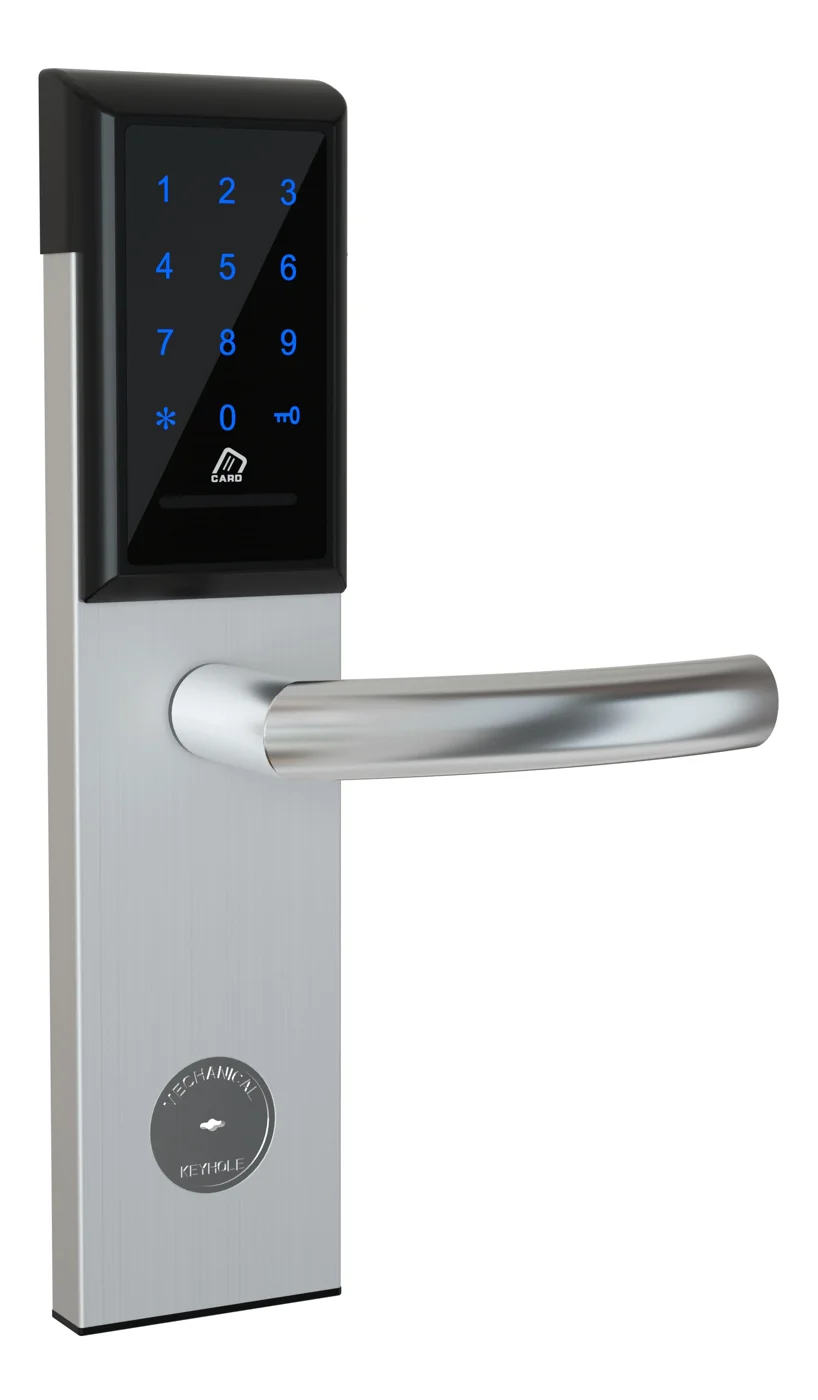
Office Cabinet Lock — PIN + Card for Filing & Pedestals
Offline PIN + card office cabinet lock for filing cabinets, pedestals, and drawers. Battery-powered 5-minute retrofit, no WiFi, no key management. CE/FCC/RoHS.
This page already points to it as the next recommended reference.
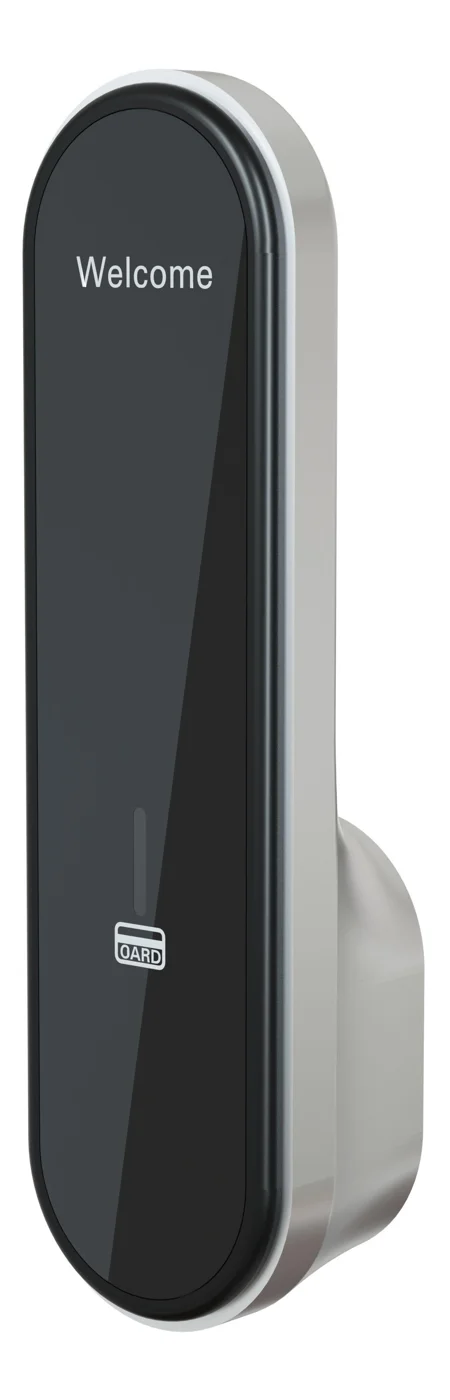
RFID Cabinet Lock — MIFARE Card, Offline Authentication
Offline MIFARE RFID cabinet lock for gym, spa, and office lockers. Tap-to-unlock 13.56 MHz, no WiFi needed, 5-minute retrofit. Zinc alloy body, battery-powered.
This page already points to it as the next recommended reference.
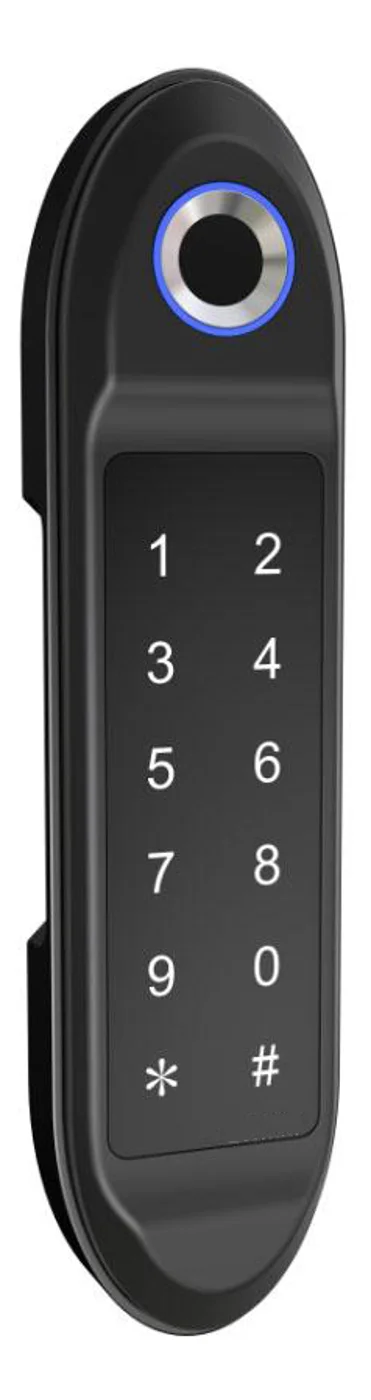
PIN Code Electronic Cabinet Lock — Stand-Alone, No WiFi
Offline keypad cabinet lock for gym, office and parcel lockers. Battery-powered, 5-minute retrofit, audit-free simple deployment. PIN + MIFARE card, DC 6V, 4×AA.
This page already points to it as the next recommended reference.
Related blog posts
3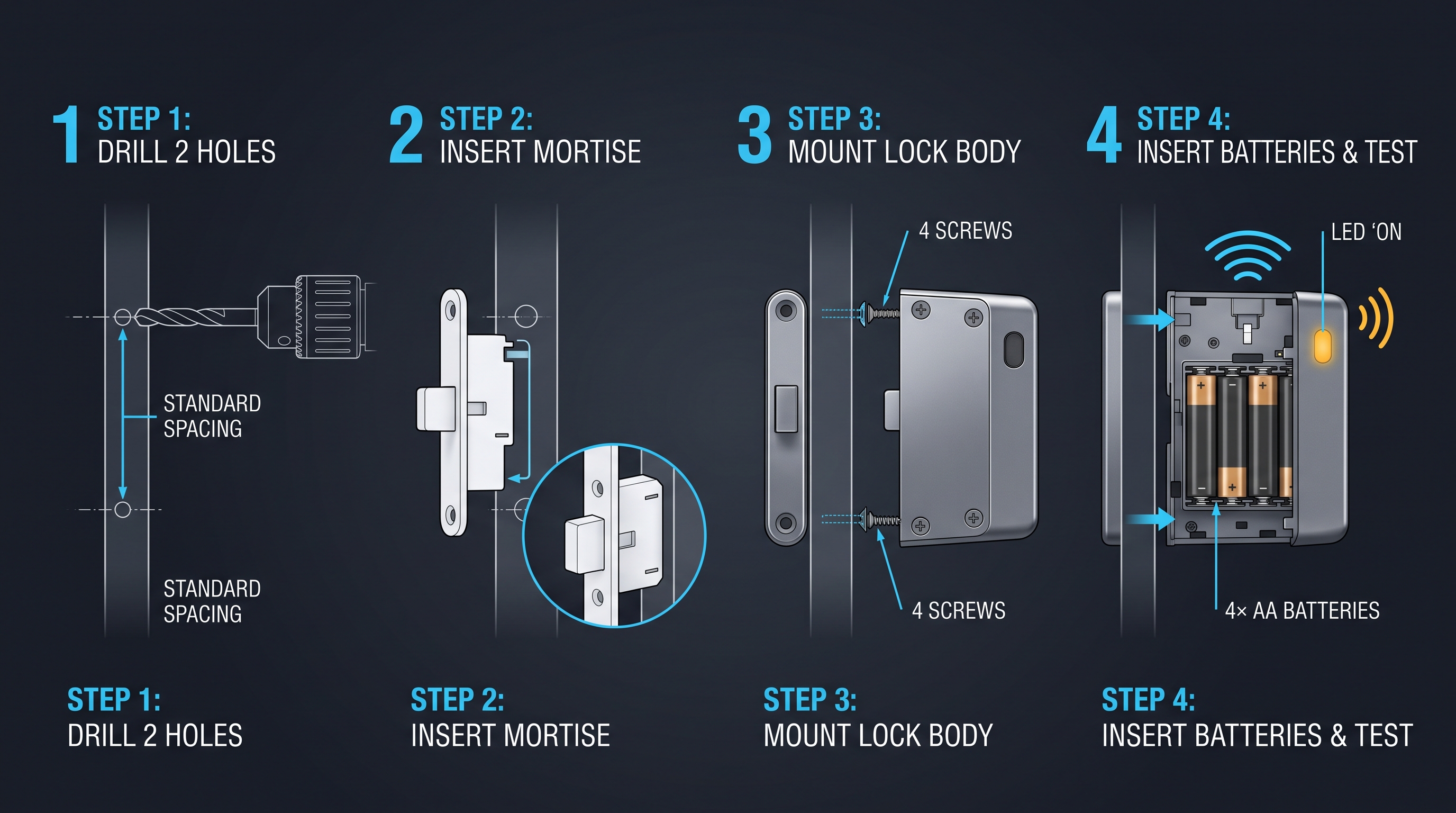
Gun Cabinet Lock: The Complete Guide to Firearm Security and Storage Compliance
Comprehensive gun cabinet lock guide covering types, biometric options, ATF compliance, installation, brand comparison, and best practices. Also covers firearm and weapon cabinet lock requirements.
It supports the same product context: Office Cabinet Lock — PIN + Card for Filing & Pedestals.
Gym Cabinet Lock: The Ultimate Guide to Secure Locker Room Storage
A gym cabinet lock provides keyless, electronic or smart access to gym lockers and fitness center storage. Compare credential types, connectivity, and installation for secure locker rooms.
It supports the same product context: PIN Code Electronic Cabinet Lock — Stand-Alone, No WiFi.
Glass Cabinet Lock: Complete 2026 Guide to Securing Glass-Front Cabinets and Display Cases
Technical buying guide covering glass cabinet lock types, magnetic and adhesive-mount locks, frameless glass locks, RFID and electronic locks for glass doors, installation, pricing, and security for 2026.
It supports the same product context: Office Cabinet Lock — PIN + Card for Filing & Pedestals.
Specify your hotel project with our engineers
Send your room count, ceiling type, and protocol preference. We will return a sample plan and quote within 24 business hours.
- Move from general guidance into a product or application discussion.
- Use RFQ when pricing, drawings, MOQ, or launch timing needs structure.
- Keep a direct contact path visible for fast clarifications and handoff.