Smart Locker Connectivity and Integration: LDAP & SSO Guide
A technical guide to smart locker connectivity and integration covering RS-485, Wiegand, OSDP, BLE, Wi-Fi, LDAP/AD, SSO, HID and multi-site rollout planning.
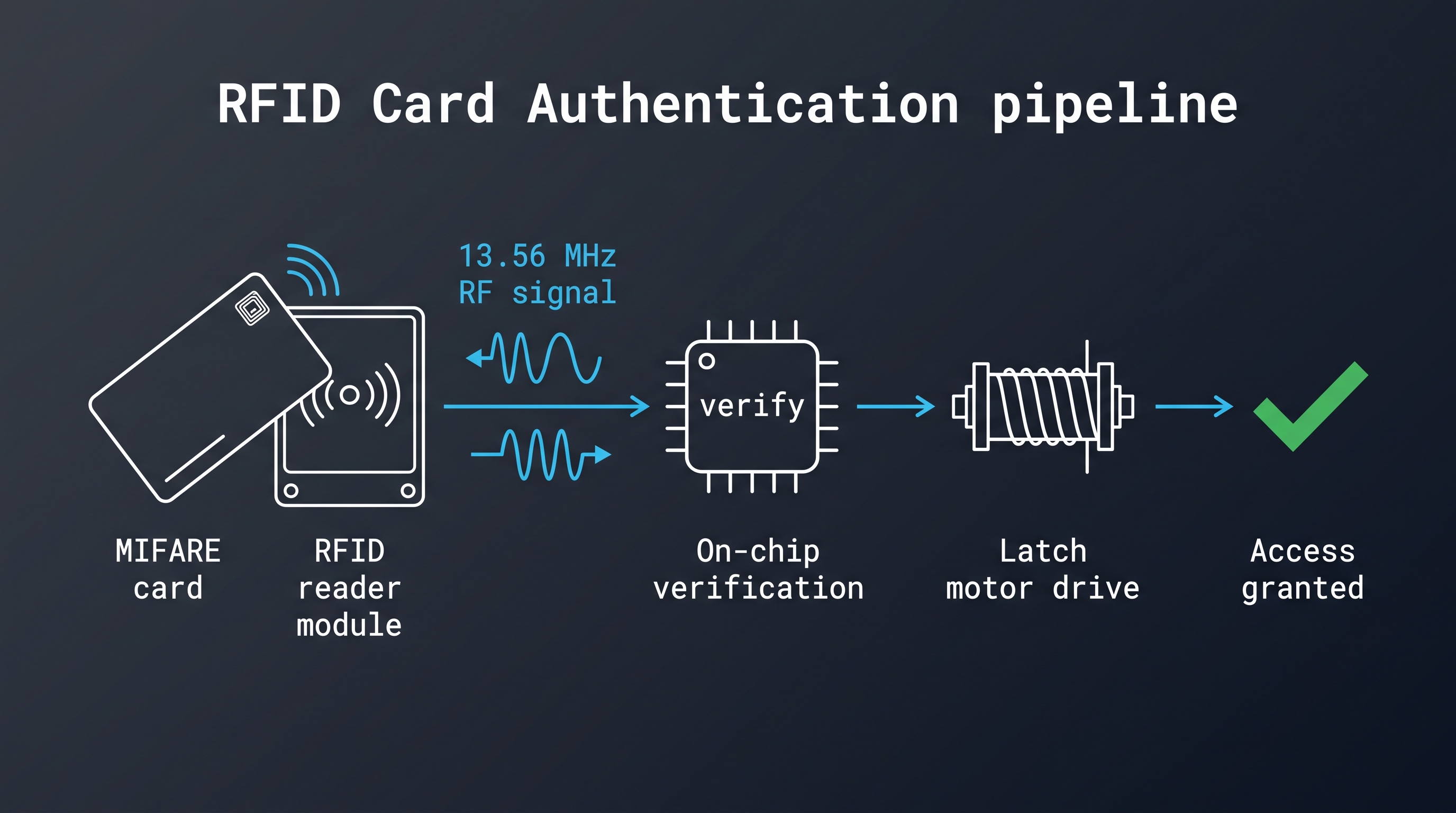
Smart locker connectivity and integration is the discipline of making an electronic locker lock behave as a managed device rather than a standalone keypad. It sits at the intersection of three worlds that rarely share a vocabulary: lock hardware with its battery budgets and mechanical tolerances, building networks with their switches, gateways and VLANs, and enterprise identity systems where users are records in a directory rather than faces at a counter. A locker fleet that works perfectly in a showroom can still fail silently in a real building because the lock speaks RS-485 while the integrator planned Wi-Fi, or because the directory sync writes a display name where the controller expects an immutable user ID.
This guide is written for the people who have to make those three worlds line up: locker manufacturers building a platform for their customers, system integrators wiring lockers into an access control or building management system, and facility or IT teams who inherit a fleet and need to explain to management why it should talk to Active Directory. Every section begins with a self-contained answer, then works through the engineering detail behind it. The final sections give a procurement checklist, a troubleshooting sequence, and the questions worth asking a supplier before a pilot rather than after a thousand locks are installed.
What Smart Locker Connectivity and Integration Actually Covers
Smart locker connectivity and integration is the combination of physical data links, protocol translation, identity mapping and management software that allows electronic locker locks to be provisioned, monitored and audited centrally. It covers the wiring or radio link between lock and controller, the gateway or edge device that aggregates a bank of lockers, the application programming interfaces that connect that edge layer to a management platform, and the directory or access control system that decides who may open which locker at which time. A complete integration also includes firmware distribution, credential lifecycle, event retention and the recovery procedure used when a link drops. Connectivity without integration produces telemetry nobody acts on, while integration without connectivity produces a design that cannot be deployed in a real building with real furniture and real network constraints. The practical test is simple: can an administrator revoke one person's access, and prove that it happened, without leaving their desk?
Most projects underestimate the identity layer. Hardware vendors usually document cable lengths and radio ranges well, but the mapping between a person in Active Directory and a locker in a building is where integrations quietly break. A useful way to scope the work is to list four things for every locker: who may open it, how that person proves identity, which system holds the authoritative record, and how the proof is revoked when the person leaves. If those four answers exist in one document, the connectivity and integration design almost writes itself.
The Four Layers Every Deployment Needs
The first layer is the lock itself, which contains a motor or solenoid, a reader or keypad, a controller board, firmware, and a power source. The second layer is the local link, which is either a wired bus such as RS-485 or a radio link such as Bluetooth Low Energy. The third layer is aggregation, where a gateway, network controller or edge server turns many individual lock conversations into a single managed data stream. The fourth layer is the platform, where users, lockers, schedules and events live in a database that other systems can query.
Each layer has its own failure modes and its own security assumptions. A lock that caches credentials locally survives a network outage but keeps a stale authorization list until it next syncs. A gateway that terminates TLS to the cloud protects the wide area link but must still authenticate each lock on the local link. A platform that supports SCIM provisioning removes manual user creation but needs a stable external identifier to avoid duplicate accounts. Designing one layer at a time is usually how projects acquire a fleet that is technically connected and operationally unusable.
Who Owns Which Part of the Integration
Ownership is the most common source of delay in locker projects. The lock supplier owns the lock firmware, reader compatibility and the local protocol documentation. The integrator owns cabling, network segmentation and gateway installation. The building owner or IT department owns directory groups, single sign-on configuration and firewall rules. The platform vendor owns APIs and data retention.
When those boundaries are not written down, each party assumes another has configured DHCP reservations, tested directory bind accounts, or validated that the gateway can reach the cloud endpoint through a proxy. A simple responsibility matrix, agreed before the pilot, prevents weeks of finger pointing. It should name who supplies the certificate authority, who approves firmware updates, who holds the administrative credentials for the locker platform, and who is called at 2 a.m. when a bank of lockers stops reporting.
The Smart Locker Connectivity and Integration Stack: Lock, Controller, Gateway and Platform
The smart locker connectivity and integration stack is a four-tier architecture in which locks handle local authentication and actuation, controllers or concentrators aggregate a locker bank, gateways or edge servers translate between field protocols and IP networks, and a platform manages identity, policy and reporting. Typical deployments use one concentrator per 16 to 64 locks, one gateway per floor or room cluster, and one platform tenant per building or operator. This tiering keeps field cabling short, limits the blast radius of a single failure, and lets each tier be replaced without touching the others. It also defines where to look when something breaks: a single unresponsive locker is a tier-one fault, a silent bank is a tier-two fault, and a site that stops reporting is a tier-three fault. The architecture is deliberately boring, and that is the point. Each tier has one job, one interface and one owner, which is what makes a thousand-lock fleet supportable by a small operations team.
The stack matters because most vendor literature describes a single product while real projects need a system. A lock that supports MIFARE cards is useful only if the concentrator can pass its events upward in a format the platform understands, and only if the platform can return an authorization decision fast enough for a user standing at the door. Latency budgets differ by tier: a local authentication decision should complete in well under a second, while a cloud authorization round trip may take one to three seconds depending on geography and mobile network quality.
Where the Decision Actually Happens
Authentication can happen at three places, and each choice has consequences. In offline locks the decision is made inside the lock against a locally stored credential list. In online locks the decision is made by the concentrator or platform, with the lock acting as a reader and actuator. In hybrid designs the lock decides locally using a cached policy that the platform refreshes on a schedule or on demand.
Offline decisions are fast and resilient but cannot respond to a revocation that happened one minute ago. Online decisions are authoritative but depend on network availability and add latency to every unlock. Hybrid designs are usually the right answer for hotel and workplace deployments, where a locked-out guest or employee is far more damaging than a few minutes of stale authorization. The design question to settle early is how long a stale credential may remain valid when the link is down; fifteen minutes is a common compromise, one shift is common in industrial sites, and zero tolerance forces a fully online design.
What the Concentrator Must Handle
A concentrator is more than a junction box. It must poll or subscribe to each lock, translate between field protocols, buffer events during upstream outages, enforce local schedules, and often supply or monitor power. It should also detect and isolate a faulty lock so one shorted device does not take down the whole segment. In RS-485 deployments the concentrator frequently provides the only realistic place to put surge protection and isolation, since lock rows are long cable runs through metal furniture.
Specify concentrator capacity in locks, not in ports. A unit rated for 32 devices may only sustain that count when polling slowly; a bank of 64 lockers that must respond within half a second may need two concentrators. Ask for the polling interval and event delivery time under full load, and test the figures during the pilot rather than trusting the datasheet.
Standalone or Networked: Choosing the Smart Locker Connectivity and Integration Architecture
Choosing between standalone and networked smart locker connectivity and integration is a decision about authority rather than budget alone. Standalone locks store credentials and logs locally and are managed through a master card, a handheld programmer, a mobile app over Bluetooth, or a periodic sync. Networked locks report every event to a central system and receive policy from it. Most production fleets mix the two: networked locks in high-traffic or compliance-sensitive areas, standalone locks in overflow banks and temporary installations. The question to answer first is who is allowed to say no. If revocation must take effect within minutes, the lock cannot be the final authority. If the site changes occupants once a season and carries no audit obligation, local authority is cheaper and more resilient. Getting that question wrong is expensive in both directions, because retrofitting connectivity into finished lockers costs more than choosing it at purchase.
The cost comparison is frequently misunderstood. Networked hardware costs more per lock and adds cabling, gateways and switch ports, but it removes recurring labour for credential reprogramming and log collection. Standalone hardware is cheaper at purchase and cheaper to install, but every change of occupant or policy becomes a manual visit. Sites that change occupants weekly usually find networked hardware cheaper within two to three years, while sites that assign lockers once a season can run standalone equipment for a decade.
| Architecture | Relative hardware cost | Deployment effort | Authority for access decisions | Best fit |
|---|---|---|---|---|
| Standalone keypad or RFID | Low | Minimal wiring | The lock | Seasonal staff lockers, small gyms |
| Standalone with Bluetooth sync | Low to medium | Minimal wiring, app-based administration | The lock, refreshed by app | Retrofit sites without network access |
| Wired networked over RS-485 | Medium | Cabling, concentrators, surge protection | Concentrator or platform | New build, hospitals, schools |
| Wireless networked over BLE or Wi-Fi | Medium to high | Gateway placement, radio survey | Gateway or platform | Retrofits, heritage buildings |
| Hybrid networked with offline cache | Medium to high | Cabling or gateways plus policy design | Configurable per locker bank | Hotels, multi-site operators |
Hidden Costs of Standalone Fleets
The recurring cost that rarely appears in a capital budget is administration. Every locker that must be reassigned, every lost card that must be blocked, and every audit request becomes a site visit. In a 600-locker facility with monthly occupant churn, that is hundreds of visits per year, each one a chance to introduce a transcription error.
Standalone fleets also lose history. When an incident occurs, the lock may hold a few hundred events that were never collected. If the battery dies, the history goes with it. Sites with insurance or regulatory obligations should treat event retention as a requirement and let it drive the architecture choice rather than the reverse.
When Hybrid Wins
Hybrid designs answer the question that pure architectures cannot: what should happen during a network outage. The lock keeps a valid credential list, the platform keeps authority for the next sync, and the facility keeps functioning. The design work is in the policy: how large the cache may be, how long it may live, which credential changes must propagate immediately, and how the platform reconciles events after a reconnect.
Reconciliation deserves explicit design. A lock that opens twenty times while offline produces twenty events that arrive in a burst later. The platform must accept out-of-order timestamps, deduplicate retransmissions, and mark events that were recorded offline. If the audit report cannot distinguish a delayed event from a live one, investigators will not trust it.
Wired Smart Locker Connectivity and Integration: RS-485, Wiegand, OSDP and PoE
Wired smart locker connectivity and integration remains the reference standard for new construction because it delivers deterministic latency, continuous power and predictable behaviour under load. The dominant field bus for locker locks is RS-485, a differential half-duplex standard that supports multi-drop segments of up to 32 unit loads and cable runs approaching 1,200 metres at low baud rates. Reader-to-controller links traditionally use the Wiegand interface, while modern installations increasingly specify OSDP, which carries similar reader traffic over RS-485 with a bidirectional, encrypted channel. Wired integration removes the two variables that dominate wireless troubleshooting, radio coverage and battery state, and replaces them with faults that appear at the concentrator within one polling cycle. The trade-off is installation labour and the difficulty of retrofitting cable into finished buildings, which is why wireless designs dominate retrofit projects even where wired performance would be better.
Specify the backbone as carefully as the field bus. Where locker rows sit on different floors, an RS-485 segment that leaves the riser and runs through furniture is usually better converted to Ethernet at the floor and back to a field bus locally, which keeps segment length short and makes each floor independently serviceable. Record the measured segment length, termination resistance and idle voltage for every run at commissioning. Those three numbers explain most intermittent faults later, and an installer who records them is easier to hold to a standard.
RS-485 Topology and Cable Rules That Matter
RS-485 segments should be daisy-chained, not star-wired, with a single termination at each physical end of the bus and no termination at intermediate devices. Shielded twisted pair with a defined characteristic impedance is the usual choice, and the shield should be bonded at one point to avoid ground loops. Common-mode voltage differences between distant lock rows are the most frequent cause of intermittent communication faults, so isolated transceivers or repeaters are worth specifying where lockers span separate electrical distribution areas.
Baud rate drives distance. A 9,600 bit per second link tolerates long runs and noisy environments, while 115,200 bit per second demands short, well-terminated cable. The polling model also affects perceived responsiveness: a concentrator that waits for a full timeout from a dead device before polling the next one will make an entire bank feel slow. Look for adaptive polling and fault isolation in the concentrator specification.
Wiegand Versus OSDP for Reader Links
Wiegand is a legacy de facto standard that sends card data as a sequence of pulses over two data lines. It is simple, universally supported and completely unencrypted, which means anyone with physical access to the cable can capture and replay a credential. OSDP keeps the same RS-485 physical layer but adds a defined command set, device health reporting and an optional secure channel using AES-128 encryption.
For locker deployments, the choice is less about the reader and more about what the reader connects to. If lockers join an existing access control system, Wiegand may be unavoidable because the controller only accepts it. If the lockers are new and the controller supports OSDP, specifying OSDP is a low-cost improvement in both security and diagnostics, since the controller can read reader tamper state, firmware version and communication errors.
Power Over Ethernet and Lock Power Budgets
PoE is attractive for locker banks because one cable provides both data and power, eliminating local power supplies inside furniture. Standard 802.3af delivers up to 15.4 watts at the power sourcing equipment and roughly 12.95 watts at the powered device, while 802.3at raises this to 30 watts and 25.5 watts respectively. A concentrator that powers 32 locks must be sized against the peak current drawn during simultaneous actuation, not the idle current printed on the lock label.
Battery-powered locks sidestep the power question but introduce maintenance. Typical electronic locker locks run for twelve to twenty-four months on a set of alkaline cells, with lifetime driven by reader wake events, radio transmission and motor actuation. A locker bank that reports battery level to the platform can be serviced before users are locked out; one that does not will produce its first complaint as a failure.
Wireless Smart Locker Connectivity and Integration: BLE, Wi-Fi, Zigbee, Z-Wave and LoRaWAN
Wireless smart locker connectivity and integration replaces field cabling with a radio link, which is decisive in retrofits where lockers are already installed or where cable routes do not exist. The available technologies differ sharply in range, power, topology and ecosystem support. Bluetooth Low Energy suits phone-based credentials and short-range gateway collection, Wi-Fi suits mains-powered lockers in buildings with existing enterprise coverage, Zigbee and Z-Wave suit battery locks that can form a mesh with nearby mains-powered routers, and LoRaWAN suits sparse, low-traffic sites that need long range at the cost of latency and payload size. The recurring failure is treating a radio link as equivalent to cable. Radio is shared, subject to interference, and often congested by the very phones the users carry, while metal lockers form reflective cavities that attenuate signals. Survey the actual bank, in the actual room, with the doors closed, before the specification is fixed.
Channel planning deserves the same attention as coverage. In a building that already runs hundreds of 2.4 GHz access points, a locker gateway competes with office Wi-Fi for the same airtime, and a bank that tests well on an empty floor can degrade once a meeting room fills. Ask how the gateway selects its channel, whether it can pin to a less congested one, and how it retries a lock that misses a poll. Record the observed packet success rate per bank during the pilot; a bank below roughly 95 percent will produce delayed events and phantom offline alerts that look like faults.
| Technology | Frequency | Typical indoor range | Power profile | Topology | Best fit |
|---|---|---|---|---|---|
| Bluetooth Low Energy | 2.4 GHz | 10-30 m to gateway | Very low | Point-to-point or gateway mesh | Phone credentials, retrofit banks |
| Wi-Fi | 2.4 and 5 GHz | Coverage-dependent | High | Infrastructure | Mains-powered lockers, existing APs |
| Zigbee | 2.4 GHz | 10-30 m per hop | Low | Mesh | Dense battery fleets with mains routers |
| Z-Wave | Sub-GHz, region-specific | 20-40 m per hop | Low | Mesh | Sites needing wall penetration |
| LoRaWAN | Sub-GHz, region-specific | 1-5 km outdoor | Very low | Star of stars | Remote or sparse installations |
Bluetooth Low Energy in Locker Banks
BLE is the most common wireless choice for locker locks because it serves two purposes at once: a phone can act as the credential, and a gateway can collect events from locks that the phone never visits. A BLE lock wakes on advertising, authenticates a phone over an encrypted connection, actuates the lock and returns to sleep, which is why battery life can be measured in years rather than weeks.
The constraint is gateway density. Locks inside metal banks attenuate radio significantly, so a gateway that covers an open room may cover only a fraction of a closed locker wall. Plan for one gateway per bank or per two banks, mount antennas outside metal enclosures where possible, and measure the actual packet success rate with doors closed. If the site also requires phone credentials, test with the phone models the users actually carry rather than a single flagship device.
Wi-Fi: Convenient but Demanding
Wi-Fi is attractive because enterprise buildings already have coverage, but it is a poor fit for battery locks. Maintaining an association consumes power, roaming between access points interrupts sessions, and enterprise authentication adds another moving part. The realistic deployment is a mains-powered locker controller with an Ethernet or Wi-Fi uplink serving a bank of battery locks over a local bus.
Where Wi-Fi is used, plan for enterprise security from the start. WPA2 or WPA3 Enterprise with EAP-TLS certificates avoids shared passwords and survives credential rotation, but requires a certificate lifecycle process. DHCP reservations or static addressing keep locker inventory stable, and client isolation settings on guest networks must be checked, since many default to blocking device-to-device traffic that a locker gateway may depend on.
Mesh Technologies and Long-Range Options
Zigbee and Z-Wave both build mesh networks in which mains-powered devices relay traffic for battery devices. The mesh is only as reliable as its routers: a bank of battery locks with no nearby mains-powered router will route poorly or not at all. Z-Wave operates below 1 GHz in most regions, which generally penetrates walls and metal better than 2.4 GHz, while Zigbee benefits from a larger and cheaper device ecosystem.
LoRaWAN occupies a different niche. Its long range and low power suit outdoor parcel banks, remote staff facilities and campuses where lockers are spread across hundreds of metres, but payload limits and duty-cycle rules make it unsuitable for interactive unlocking. Treat LoRaWAN as a telemetry and status channel rather than an authorization channel.
Smart Locker Connectivity and Integration with LDAP, Active Directory and SSO
Smart locker connectivity and integration with a directory service turns locker assignment from a spreadsheet exercise into an automated policy. LDAP is the protocol, Active Directory is Microsoft's directory implementation, and single sign-on is the authentication layer that lets administrators and users reach the locker platform with corporate credentials. A well-designed integration binds with a read-only service account, maps directory groups to locker policies, and provisions or deprovisions users through SCIM or a scheduled sync, so a terminated employee loses locker access in the same workflow that disables their email. The directory stays authoritative for identity while the locker platform owns the lockers and their assignments. The distinction that trips up projects is between authentication and authorization: single sign-on proves who a person is, but it does not decide which locker they may open at 06:30 on a Tuesday. That decision comes from group membership, an HR feed, a booking system or the access control system, and its owner must be named before integration work begins.
Attribute hygiene decides whether the directory integration stays clean over time. Define the organizational units in scope before the first sync, because a query that reads the whole directory will import contractors, shared mailboxes and service accounts that should never own a locker. Normalize case and whitespace in group names, agree how disabled accounts are handled, and test what happens when a user belongs to two groups with conflicting schedules. These edge cases are cheap to settle on paper and expensive to untangle once six hundred lockers have been assigned.
Designing the Directory Bind Account
The bind account used by the locker platform should be a dedicated service account with read-only rights over the specific organizational units that contain locker users. Using a domain administrator account is common in pilots and dangerous in production, because a compromised gateway then holds the keys to the entire directory. Restrict the account to the attributes the integration actually needs, disable interactive logon, and rotate its password on a defined schedule with the new value staged to the platform before the change window closes.
Network reachability deserves the same care. Directory traffic should use LDAPS on port 636 or StartTLS on 389 rather than plaintext, and the locker platform should validate the directory certificate against a trusted chain. Corporate proxies that inspect TLS will break certificate validation unless the proxy root certificate is deliberately installed on the platform, a step that is frequently forgotten during the pilot and discovered during commissioning.
Mapping Directory Groups to Locker Policies
Group-based policy is the most maintainable authorization model. A group such as locker-staff-night-shift maps to a policy that permits lockers in the staff room between 20:00 and 07:00, and the platform simply reads group membership on each sync. Nested groups should be resolved explicitly, since some directory queries return only direct membership while others expand the full chain, and the two behaviours produce very different access outcomes.
Use immutable identifiers rather than display names. A person's samAccountName can change with marriage or departmental renaming, and a display name changes frequently; the object globally unique identifier does not. If the platform stores the immutable identifier as its primary key and treats names as presentation data, renames become invisible to the integration. If it stores the samAccountName, a rename creates a new user and orphans the locker assignment.
Where Single Sign-On Belongs
SSO belongs on the administrative surfaces: the management console, the reporting portal, and any self-service page where an employee chooses or releases a locker. SAML 2.0 and OpenID Connect both work well for these, and most identity providers can enforce multi-factor authentication as part of the flow. What SSO should not be asked to do is authenticate a lock. A lock has no browser, no session and no ability to complete an interactive challenge.
Some sites attempt to bridge the two by giving the locker app an SSO login that then issues a locker credential. That pattern works, but it moves the locker experience into an app dependency: if the user cannot reach the identity provider, they cannot open their locker. Plan an offline path, whether that is a local PIN, a cached token with a defined lifetime, or an escort procedure managed by staff.
Synchronization Cadence and Deprovisioning
Synchronization should be event-driven where possible and scheduled where not. SCIM push from the identity provider delivers creations, updates and deactivations within seconds; scheduled full syncs are a safety net that catches anything the event stream missed. The dangerous gap is a deactivation that never arrives, so the platform should reconcile nightly and flag accounts that exist locally but not upstream.
Deprovisioning deserves an explicit test in every pilot. Disable a test user in the directory, then time how long the locker remains accessible. If the answer is unknown, the integration is not complete.
Smart Locker Connectivity and Integration with HID and Physical Access Control
Smart locker connectivity and integration with an existing physical access control system usually begins with the credential people already carry. HID Global credentials dominate corporate and campus environments, from legacy 125 kHz proximity cards to 13.56 MHz iCLASS and Seos cards, so the locker reader must be chosen to match the deployed population rather than the other way around. The integration then takes one of two shapes: the locker system reads card data with its own reader and holds its own authorization, or it trusts a decision passed from the access control system through a controller interface such as Wiegand or OSDP. Both work, and both carry hidden constraints. Direct reading keeps the locker fleet independent but pushes credential and policy management onto the locker platform. Delegating to the access controller centralizes policy but ties locker availability to that controller's capacity, wiring topology and vendor roadmap. The choice depends on fleet size, renewal frequency and whether the building mandates a single credential authority.
Inventory the credential population before choosing a reader. Count the card technologies in use, ask whether the site plans a migration to mobile credentials, and check whether any legacy group still depends on 125 kHz proximity cards that cannot be reissued quickly. Sites regularly discover mid-project that one department holds a different badge generation. A short audit of badge generations, card formats and expiry policies prevents a specification that works for the majority but locks out a minority of staff on day one.
Credential Technologies and What the Lock Actually Reads
A card presented to a locker reader can be read at several levels. The card serial number is exposed by almost every technology and is trivial to read, which makes it convenient and weak. Sector data on MIFARE Classic can be read after authentication but the algorithm has known weaknesses. Modern secure credentials such as MIFARE DESFire or Seos support mutual authentication and diversified keys, so the data cannot be cloned without the site key.
For locker systems, the practical question is which identifier is stored and compared. Sites that store the serial number accept a cloning risk that may be irrelevant for a gym and unacceptable for a pharmacy. Sites that use secure sector reads need the site keys provisioned into the locker platform, which adds a key management obligation. Decide the risk posture explicitly and write it into the specification, because retrofitting from serial numbers to secure reads usually means replacing readers.
Card Number Formats and Legacy Compatibility
Wiegand formats pack a facility code and a card number into a fixed bit length. The classic 26-bit format allows 255 facility codes and 65,535 card numbers, which is adequate for a single site and inadequate for a multi-tenant campus. Extended formats carry larger numbers and additional data, but readers, controllers and platforms must agree on the exact format or the same card will be interpreted differently at different doors.
When lockers join an existing system, ask the access control owner for the exact card format, bit length and parity convention in use. A locker reader that outputs a 26-bit Wiegand string cannot represent a 37-bit corporate card number without truncation, and truncation is how two employees end up sharing a locker. If the format is proprietary, obtain a written specification rather than inferring it from a sample card.
Reader Interfaces and Wiring Options
A locker lock may integrate with the credential ecosystem in three ways. It may contain an embedded reader tuned for one technology, which is cheapest but locks the site into that credential. It may expose a reader interface so an external reader of the building standard can be mounted beside it, which preserves the credential choice at the cost of more wiring. Or it may accept a Wiegand or OSDP input from an existing controller, which centralizes decisions but requires the controller to have spare capacity and a supported integration profile.
Each option changes the failure behaviour. An embedded reader keeps working if the access control system is down. A controller-fed locker stops accepting new decisions when the controller fails, though it may continue with cached policy. Map those behaviours against the facility's tolerance before selection.
Mobile Credentials and the Direction of Travel
Mobile credentials provisioned into a phone wallet are increasingly the default in new corporate and campus buildings, and they change the locker specification in two ways. First, the reader must support the mobile credential technology, which usually means a 13.56 MHz secure element rather than a legacy proximity card. Second, the user experience becomes an app dependency, so the locker platform needs a fallback for dead phone batteries and lost devices.
Sites planning a multi-year locker fleet should ask whether the reader firmware can add credential types without hardware replacement. A reader that supports only one technology today is a bet that the building never changes badge standards, and buildings change badge standards more often than they replace their lockers.
Smart Locker Connectivity and Integration with MDM, CMMS and Facility Platforms
Smart locker connectivity and integration rarely stops at the access control system. Most operators already run a mobile device management platform for handhelds, a computerized maintenance management system for work orders, a building management system for HVAC and lighting, or a workplace analytics platform that tracks space utilization. Each system holds a fragment of what a locker fleet needs, and the integration work is deciding which fragment is authoritative and which is merely consumed. The pattern that scales is a small number of clear interfaces rather than many pairwise connections. The locker platform exposes one documented API and consumes one identity feed; other systems read from or write to the platform rather than talking to locks directly. Five systems connected to each other need ten integrations, while five systems connected to one platform need five. The platform becomes the source of truth for locker state and the single place where an auditor looks.
Mobile device management also governs the devices staff use to administer lockers. A shared tablet used by front-desk staff to reassign lockers should be enrolled as a corporate device with a supervised profile, restricted to the locker application and configured to wipe credentials when it is lost. If the same tablet also carries a mobile credential for a specific employee, the two roles must be separated in the platform, otherwise a shift handover becomes a credential transfer that nobody records. Document which devices are enrolled, who owns them, and what happens when one leaves the building.
MDM as a Credential and Device Channel
Mobile device management matters to locker fleets in two ways. First, the phones that carry mobile credentials are managed devices, and MDM policy decides whether a corporate phone can store a credential in its secure element, whether the wallet app can be installed, and what happens when the device is wiped or lost. Second, MDM can distribute the locker app itself and enforce its configuration.
The practical integration point is often a shared device identity rather than a user identity. A shared handheld used by cleaning staff to check locker status should be enrolled in MDM and authorized as a service device, not tied to an individual. If the locker platform conflates the two, every shift change becomes a provisioning event.
CMMS and Work Order Triggers
CMMS integration turns locker telemetry into maintenance work. A lock that reports repeated jam events, a battery that crosses a threshold, or a reader that has logged a rising error rate can raise a work order automatically rather than waiting for a user complaint. The value is not the alert itself but the audit trail: closed work orders demonstrate that a failure was handled, which matters in regulated environments.
Design the integration around stable asset identifiers. Every lock needs an identifier that exists in both systems, and that identifier should not change when a locker is reassigned. Sites that use the locker number as the asset identifier discover the problem when they reconfigure a bank and every work order history follows the wrong physical device.
Building Management and Space Analytics
BMS integration typically exchanges two kinds of data: status and command. Status tells the building whether a room or zone is occupied or whether a locker bank has power. Command lets the building switch locker lighting, ventilation or signage. Space analytics consumes locker usage to understand how many lockers are actually used at which hours, which feeds decisions about bank sizing and location.
Keep building automation traffic out of the authorization path. A BMS command to dim lights should never be able to block a locker opening, and a locker platform should degrade gracefully if the BMS endpoint stops responding. Directional, asynchronous interfaces with timeouts are the right pattern.
APIs and Event Models in Smart Locker Connectivity and Integration
APIs and event models are the contract between the locker platform and everything else, and they decide how much of the integration survives the first vendor change. A usable interface exposes sites, banks, lockers, users, assignments, credentials, access events and health state, with pagination, filtering and idempotent writes. REST over HTTPS covers administrative operations, MQTT or webhooks cover near-real-time events, and a documented event schema covers everything in between. The most common mistake is treating the API as an afterthought and building around database access or screen scraping, which works until the first platform upgrade. A published API with versioning, a sandbox tenant and a changelog costs more up front and repays it the first time firmware changes behaviour. Documentation quality is a fair proxy for the rest of the platform: if the public reference lacks request examples, error codes and rate limits, the internal integration will be equally thin.
Rate limits and pagination shape the integration as much as the schema does. A platform that caps requests per minute forces the integrator to batch assignments and design a queue rather than a loop. Ask for the documented limit, the behaviour when it is exceeded, and whether bulk endpoints exist for provisioning a whole site at once. Idempotency keys on write operations, together with cursor-based pagination on event reads, turn a fragile nightly script into a reliable job that can be retried without duplicating assignments.
What a Complete Locker API Should Expose
At minimum, the API should list sites, locker banks, individual lockers and their current state; create and revoke assignments; provision and revoke credentials; read events with time filters; and report device health including battery, signal and firmware version. Write operations should be idempotent, so a retried request does not create duplicate assignments, and should return a stable identifier for the created object.
Access events deserve a documented schema rather than free text. Useful fields include the locker identifier, the credential or user identifier, the timestamp in UTC, the decision, the decision source such as local cache or central authorization, and any error code. Without the decision source, investigators cannot tell whether a denial came from policy or from a network failure.
Event Delivery Patterns
Three delivery patterns cover most deployments. Polling asks the platform for events since a timestamp and is simple, resilient and slightly delayed. Webhooks push events to a subscriber endpoint and are fast but require retry logic, signature verification and an endpoint that is always available. MQTT publishes events to a broker and suits large fleets with many consumers, at the cost of running broker infrastructure.
Whichever pattern is used, the subscriber must tolerate duplicates and out-of-order delivery. Networks retry, brokers redeliver and gateways reconnect at inconvenient moments. A consumer that assumes exactly-once, in-order delivery will eventually double-count an unlock and produce a wrong occupancy report.
Versioning and Deprecation
Ask how API versions are retired. A platform that changes response shapes without notice forces every integrator to test continuously. A published deprecation window of at least six months, with version negotiation in the request, is a reasonable expectation for a system that will run for a decade.
Authenticate every consumer and scope it narrowly. A single API key shared by the facility team, the integrator and the analytics vendor cannot be revoked without breaking everyone, and it will end up in a dashboard screenshot sooner or later. Issue one credential per integration, scope it to the operations that integration actually performs, and rotate it on a schedule. Log which credential read which events; when something unexpected appears in the data, that log is the first place to look.
Designing Smart Locker Connectivity and Integration for Multi-Site Rollouts
Multi-site smart locker connectivity and integration succeeds when one site is treated as a repeatable template rather than a one-off project. The template defines the bank layout, the addressing scheme, gateway placement rules, the identity group naming convention, the firmware baseline and the acceptance tests. Once it exists, a new site becomes a deployment exercise measured in days instead of a design exercise measured in months, and support can reason about every site with the same mental model. The failure mode is the opposite: each site is designed by whoever was available, addressing is improvised, gateway names are inconsistent, and the platform ends up with five variants of the same building. Operators notice only when a change must be applied everywhere and nobody can write the script that reaches all of them. Standardization is not bureaucracy in a locker fleet; it is the difference between a rollout and a series of rescues.
Sequence the rollout in waves rather than in one campaign. A first wave of two or three sites with different building characteristics exposes the assumptions that a single reference site would hide, and it leaves time to correct the template before procurement scales. Each wave should produce a short retrospective: what the template got right, what had to be improvised, and which items should be added to the standard drawing set. Waves also match how capital is usually released, which makes a fleet programme easier to fund than a single all-sites order.
Addressing, Naming and Network Segmentation
Adopt an addressing plan before the first switch is configured. A common pattern is one VLAN per building zone, a reserved DHCP range for locker gateways, and static addressing for concentrators. Device names should encode site, zone and bank, so that an alert reading site-lon-03-zone-b-bank-12 immediately tells an engineer where to walk.
Segmentation protects both directions. Locker traffic should not share a broadcast domain with guest Wi-Fi, and lockers should not be able to reach corporate servers directly. Allow rules for the specific platform endpoints, the directory servers and the time sources, then deny everything else. This is also the point to confirm that the platform's cloud endpoint is reachable through any egress proxy, because locker gateways are rarely given free internet access and are frequently forgotten in proxy allowlists.
Firmware, Certificates and Configuration at Scale
Every site should start from a named firmware baseline. Updates then follow a staged pattern: one canary site receives the new build, runs the acceptance tests for a defined period, and only then do the remaining sites receive it in waves. The platform must report which sites are on which baseline, otherwise the fleet drifts within a year.
Certificates and keys have the same problem. If every gateway shares one client certificate, a compromise at one site compromises all of them, and revoking it disables the fleet. Per-site or per-device certificates cost more to manage but make revocation surgical. Automate issuance and renewal wherever the platform supports it, and record the expiry dates in the same place the fleet inventory lives.
Time Synchronization and Its Consequences
Time synchronization is invisible until it breaks. TLS handshakes fail when device clocks drift outside validation windows, audit events arrive with misleading timestamps, and scheduled access windows open at the wrong hour. Every gateway and concentrator should synchronize to NTP servers reachable from its network segment, and the platform should alert when a site reports a clock offset beyond a small threshold.
Sites behind restrictive firewalls often block outbound UDP 123 and lose synchronization silently. Configure the local network time source explicitly and verify the reported time during commissioning rather than assuming it.
The Site Acceptance Test
Write the acceptance test once and run it at every site. A practical test covers power loss and recovery, network loss and recovery, a revoked credential, an expired credential, a locker forced open, a full bank unlock, and a battery-low event. Each case should produce a specific, documented result in the platform within a defined time.
Sites that skip the acceptance test discover the same defects later, in production, with members waiting. The test is cheap at commissioning and expensive to reconstruct afterwards.
Security Requirements for Smart Locker Connectivity and Integration
Security in smart locker connectivity and integration has to cover four boundaries: the credential to the reader, the lock to the concentrator, the gateway to the platform, and the platform to every system that reads from it. Each boundary has known attacks and known countermeasures. Credentials can be cloned when only serial numbers are trusted, field buses can be tapped when traffic is unencrypted, gateways can be repurposed when firmware is unsigned, and platforms leak when one shared secret protects every tenant. A defensible design addresses all four rather than hardening only the visible one. The threat model should be written down before the product is selected, because a gym storing towels and a hospital storing controlled substances do not share a risk profile, and the difference should change the reader technology, the retention period and the incident response plan. Regulators increasingly treat occupancy and access records as personal data, so the same document should state what is collected, why, and for how long.
Classify the assets the lockers protect before writing requirements. A staff locker holding a coat, a parcel locker holding a customer order and a cabinet holding controlled drugs justify different levels of credential assurance, logging and physical resistance, and one specification applied uniformly produces either overspend or an unaddressed risk. Write the classification down, attach it to the procurement documents, and let it drive the choice between serial-number readers and secure-element readers. Suppliers can only quote to a requirement; if the requirement is secure lockers, every quote will be priced against a different interpretation.
Protecting Credentials and Field Traffic
Credential protection starts with the identifier that the lock actually verifies. Serial numbers are convenient and weak. Secure sector reads with diversified keys resist cloning, but they require the site keys to be provisioned into the locker platform, which turns key management into a first-class operational task. Where the building already uses secure cards, reuse the deployed technology rather than introducing a second credential.
Field traffic matters because cable runs are accessible. OSDP with a secure channel encrypts reader-to-controller communication over RS-485, while Wiegand transmits card data in the clear by design. On the uplink side, every gateway should connect with TLS 1.2 or later, certificate validation should be enforced rather than optional, and mutual TLS is worth specifying where the platform supports it.
Firmware Integrity and Update Paths
An electronic lock is a small computer with a motor, and its firmware is the most valuable thing an attacker can replace. Signed firmware images prevent unauthorised builds from being flashed, anti-rollback counters stop an attacker from reinstalling a version with a known flaw, and secure boot keeps the device from starting modified code. Ask explicitly which of these exist, because the answers separate industrial products from consumer gadgets.
Update distribution deserves its own policy. A site that can push firmware to every lock simultaneously can also brick every lock simultaneously. Staged rollout, a canary bank and a documented rollback path convert a routine update into a manageable operation.
Audit Integrity and Privacy Boundaries
Audit logs are evidence, so they must be tamper-evident and exportable. An append-only event store, hash chaining, or an external log sink that the locker administrator cannot modify all provide the property that matters: a third party can verify that the record was not edited after the fact.
Privacy is the other side of the same coin. Locker usage patterns can reveal shift patterns, health conditions and union activity if they are analysed carelessly. Collect the data needed for operation and security, define a retention period, restrict access by role, and avoid turning locker records into an employee monitoring system without a documented lawful basis and consultation.
Vendor and Hosting Questions Worth Asking
Ask where the data is hosted, how tenants are isolated, and whether the vendor can provide an independent penetration test summary and a current security questionnaire response. Ask what happens to data when the contract ends, and whether there is a documented export path that does not depend on the vendor being present.
The practical test is revocation speed. If a gateway is stolen or a service account is compromised, how long does it take to invalidate that access everywhere it is trusted? A system that cannot answer the question in minutes has an incident waiting in its future.
Power, Cabling and Environmental Planning for Smart Locker Connectivity and Integration
Power and cabling decisions constrain smart locker connectivity and integration more than most design documents admit. A bank with power at the end of the row rather than at each locker changes the bus topology, the surge protection strategy and the battery strategy at once. A room without cable routes forces a wireless design even where wire would perform better. A poolside or sauna bank adds humidity, chlorine and washdown cycles to every electronic decision. Planning these constraints alongside the protocol choice prevents the familiar situation where hardware is ordered and installation still cannot be completed. The useful discipline is to draw the bank as it will actually be built: locker widths, door swing, cable tray positions, power outlets, switch locations and any metal partitions between lockers. Then mark every device and every cable run on that drawing. Most commissioning problems are visible there long before the first lock is installed.
Calculate voltage drop before choosing cable gauge. A 24-volt supply that feeds twenty locks along a 40-metre run can lose several volts by the last locker, and a lock that browns out during actuation will behave like a firmware fault. Size conductors for peak current with all locks actuating, add margin for future lockers on the same run, and label both ends of every cable. Protection matters as much as sizing: a resettable fuse or electronic breaker at the concentrator prevents one failed lock from taking down a bank, and a clearly labeled isolator lets a technician work safely without shutting down the room.
Power Topologies and Battery Strategy
Three power topologies cover locker fleets. Central power with a local bus supplies a whole bank from one protected power supply and suits wired RS-485 or PoE designs. Per-locker power supplies give each lock its own mains connection and simplify fault isolation at higher cost. Battery operation removes power cabling entirely and shifts maintenance into battery replacement rounds.
Mixed topologies are common and often sensible: mains power for the concentrator and gateway, battery locks on the doors. The consequence is that the gateway becomes a single point of failure for event collection, so it should have its own backup power or at minimum a documented recovery procedure.
Environmental Ratings and Material Choices
Locker environments vary from climate-controlled offices to humid spas, swimming pools and outdoor parcel stations. Ingress protection ratings describe dust and water resistance, and a rating adequate for a splash is not adequate for a hose. Salt air, chlorine vapour and cleaning chemicals attack plated finishes and gaskets, and a lock that survives a season in a dry gym can fail in a month beside a pool.
Specify the environment, not just the product. A supplier that knows the deployment can recommend the housing material, gasket compound and finish that survive it, and can document which certifications apply. A supplier that only quotes the lock model leaves that judgement to the installer.
A Smart Locker Connectivity and Integration Compatibility Checklist
A compatibility checklist turns smart locker connectivity and integration from an argument into a set of verifiable answers. It should be completed before purchase and again before commissioning, because several items depend on the site rather than on the product. The value is not the checklist itself but the conversations it forces: who owns the directory group, which card format is in use, whether the gateway can reach the cloud endpoint, and who approves firmware updates. Keep the list short enough that people actually fill it in. Ten questions with evidence attached are more useful than a hundred answered with guesses, and evidence means a datasheet, a wiring diagram, a firewall rule or a sample query rather than a verbal assurance. The completed checklist becomes part of the design document, the commissioning reference and the starting point for the next site.
Assign an owner and a due date to every row before the checklist circulates. A question without an owner becomes a meeting, and a question answered verbally becomes a dispute during commissioning. Collect the evidence in the project folder as it arrives, and treat an unattached datasheet or firewall rule as an open item rather than a closed one. The exercise is finished when the design document can be handed to an integrator who has never visited the site and still produce a working installation.
| Area | Question to answer | Evidence to collect |
|---|---|---|
| Credential | Which card or mobile technology must the lock read | Card datasheet, format and bit length |
| Reader interface | Embedded reader, external reader or controller-fed | Wiring diagram from the access control owner |
| Field bus | RS-485, Wiegand, OSDP or a radio link | Topology drawing with termination points |
| Identity | Which directory attribute is authoritative | Sample LDAP query and group naming rule |
| SSO | Which surfaces require single sign-on | Identity provider metadata and MFA policy |
| API | Which events and operations the platform exposes | API reference, version policy, sandbox access |
| Network | Which VLAN, addresses and egress rules apply | Firewall rule list and proxy allowlist |
| Power | Central, per-locker or battery, and the backup plan | Single-line power drawing |
| Environment | Humidity, chemicals, temperature and washdown | Site photographs and cleaning procedure |
| Support | Who responds to a failure and within what window | Service level agreement and escalation path |
Questions That Save Weeks Later
Ask the access control owner for the exact card format rather than a sample card. Ask the network team whether client isolation is enabled and whether outbound TLS to the platform endpoint is permitted through the proxy. Ask the identity team whether nested groups are resolved by the platform or only direct membership. Ask the operations team what should happen when a member arrives during an outage.
Each of these questions has a cheap answer before purchase and an expensive answer after installation. The checklist exists to collect the cheap answers.
Documenting the Resulting Design
Write the final design into one document that names every device, every link, every address range, every identity source and every owner. Attach the drawings, the firewall rules, the certificate plan and the acceptance test. That document becomes the commissioning reference and the basis for the next site, and it is the first thing an integrator asks for when something behaves unexpectedly two years later.
Troubleshooting Smart Locker Connectivity and Integration Failures
Troubleshooting smart locker connectivity and integration works best as a fixed sequence rather than a hunt. Start at the physical layer, confirm that the lock has power and that the bus or radio link is alive, then move outward to the concentrator, the gateway, the network path, the platform and finally the authorization policy. Most reported faults are found in the first two steps, and most wasted hours are spent in the last two because nobody checked the obvious layer first. Two pieces of information make the sequence practical: a per-device health view showing the last successful poll, battery level, signal strength and firmware version, and an event log that records the decision source so a denial can be attributed to local policy, a directory binding failure or an unreachable platform. Without those two, diagnosis becomes guesswork performed on a ladder with a phone in one hand.
Set escalation thresholds in advance so that diagnosis does not depend on who is on call. A single locker that fails once is a ticket; the same locker failing three times in a week is a replacement candidate; a bank offline for more than fifteen minutes is an escalation to the network team; a site that stops reporting for an hour is an incident. Agreeing those thresholds turns a stream of complaints into a queue with priorities, and it gives the operations team a defensible measure of mean time to repair.
| Symptom | Most likely layer | Check first |
|---|---|---|
| One locker never responds | Local link or lock | Power, termination, device address conflict |
| A whole bank is offline | Concentrator or gateway | Gateway power, uplink, polling interval |
| Locks open slowly but correctly | Polling model or network latency | Poll timeout, platform round trip, DNS |
| Credentials rejected intermittently | Identity sync or cache expiry | Last successful sync, cache age, clock offset |
| Events arrive in bursts | Upstream outage or gateway buffer | Gateway logs, reconnect history, buffer depth |
| Users see wrong locker assignment | Identity mapping | Immutable identifier versus display name |
Diagnosing by Evidence Rather Than Anecdote
Users report symptoms, not causes. A complaint that a locker will not open may mean the credential was revoked, the assignment expired, the battery is flat, or the user is standing at the wrong bank. The health view and event log convert the complaint into a specific failure, and the fix follows.
Keep a short fault history per device. A lock that has failed three times in a month is a candidate for replacement even if each individual failure was resolved remotely. Recurring faults usually indicate a mechanical or environmental cause that firmware cannot fix.
Selecting a Smart Locker Connectivity and Integration Supplier
Selecting a supplier for smart locker connectivity and integration means evaluating a manufacturer as a technical partner rather than as a catalogue. The lock is the visible part, but the protocol documentation, the firmware update mechanism, the API surface and the willingness to answer integration questions decide whether the deployment succeeds. A supplier that cannot describe its local protocol in writing will slow every integrator who touches the site, and one that treats security fixes as optional will leave a supported product unsupported in the building. Factories that build locks and factories that build connected systems are often different organizations, so the useful question is not whether the supplier has a Bluetooth or RS-485 product, but whether the same engineering team can support a customer through a pilot, a protocol question and a firmware defect. That support model, more than the datasheet, predicts what year three will feel like.
Ask for references from customers who have integrated the product rather than customers who have bought it. A reference that can describe the protocol documentation, the response time to a firmware defect and the behaviour during commissioning tells you more than a logo wall. If the supplier cannot name an integrator who has completed a comparable deployment, treat the product as unproven for your project regardless of its brochure. Ask also whether the engineering team that designed the lock is reachable during the pilot, because a sales channel that must relay every technical question will slow the work at exactly the moment speed matters.
Documentation and Protocol Transparency
Ask for the interface specification before ordering samples. It should define the electrical characteristics, the message framing, the error handling and the device addressing scheme. Ask whether the documentation is public or released under an agreement, and whether it is updated with firmware releases.
For network-connected products, ask for the telemetry model: which events are emitted, in what format, and how duplicates are handled. A supplier that treats event delivery as an implementation detail will produce a platform integration that behaves differently at every site.
Firmware Roadmap and End-of-Life Policy
Connected hardware has a support lifetime that is decided at purchase. Ask how long firmware will be maintained, how security fixes are distributed, and what notice is given before a model reaches end of life. Sites that install five hundred locks expect a decade of service, and a product discontinued after three years becomes an unsupported attack surface in the building.
Ask also about customization. Many projects need a specific card format, a branding requirement or a firmware behaviour that differs from the standard build. A supplier with its own engineering and production can accommodate that directly; one without engineering capacity will usually decline the request or delay it past the project window.
Pilot Programme and Acceptance Criteria
Run a pilot with the real credentials, the real network and the real users. Define acceptance criteria in advance: how many locks, how long, which outage scenarios, and what counts as success. A pilot that only proves the locks open is not a pilot; it is a demonstration.
The strongest signal of a capable supplier is what happens when the pilot finds a defect. A manufacturer that reproduces it, fixes it and documents the fix is a partner. One that blames the network and ships anyway will do so again at scale.
Smart Locker Connectivity and Integration FAQ
These are the questions that come up most often when a locker fleet moves from standalone hardware to a managed system. Each answer is written to be usable on its own, because the people asking are rarely in the same meeting: a facility manager wants to know what changes operationally, an IT architect wants to know which directory attribute is authoritative, and an integrator wants to know what the protocol documentation will contain. The answers below cover the definition of smart locker connectivity and integration, directory and single sign-on support, gateway requirements, Wiegand versus OSDP, network outage behaviour, concentrator capacity, Bluetooth credential security and the contents of a competent integration specification. Where a question depends on the site, the answer says so and names the decision that has to be made rather than pretending a universal default exists.
What does smart locker connectivity and integration mean in practice?
It means every locker is a managed device. Administrators can see which locker is assigned to whom, revoke access without visiting the site, read an audit trail of every opening, and apply the same policy across buildings. The connectivity part is the link between lock and platform; the integration part is the set of identity and management systems that decide who may open what.
Can locker locks integrate with Active Directory and single sign-on?
Yes, with two different mechanisms. Directory integration uses LDAP or LDAPS to read users and groups, usually with a read-only service account, and can be supplemented by SCIM for automated provisioning. Single sign-on uses SAML 2.0 or OpenID Connect to authenticate people into the management console and self-service pages. SSO authenticates people, not locks, so the lock itself still needs a credential or a cached policy.
Does a locker deployment always need a gateway?
Only when locks must report to a central platform. A standalone bank managed by master card or Bluetooth app needs no gateway at all. Networked banks need an aggregation point, whether that is a wired concentrator, a Bluetooth gateway or a mains-powered controller. Gateways also convert between field protocols and the IP network and usually buffer events during outages.
What is the difference between Wiegand and OSDP?
Wiegand is an older one-way interface that sends card data unencrypted over two data lines. OSDP uses the same RS-485 physical layer but provides a bidirectional, defined command set with optional AES-128 encryption, device health reporting and firmware information. OSDP is the better choice when the controller supports it; Wiegand remains common because installed controllers only speak it.
What happens when the network goes down?
It depends on the architecture. Fully online locks stop accepting new decisions. Hybrid locks continue with a cached credential list until the cache expires or the link returns. Standalone locks are unaffected because their decisions are local. The important design decision is how long cached authorization may remain valid during an outage.
How many locks can one concentrator support?
It varies with polling strategy and response requirements. A bank of 32 locks polled at a relaxed interval may run on one concentrator, while 64 locks that must respond within half a second may need two. Ask for the event delivery time under full load and confirm it during the pilot rather than relying on the port count in the datasheet.
Are Bluetooth locker credentials secure?
They can be. Security depends on the pairing and authentication model rather than on the radio itself. Modern implementations use encrypted connections, per-device keys and time-limited credentials, and they bind a credential to a specific device. Systems that broadcast a static identifier and accept it without verification offer no meaningful protection.
What should an integration specification include?
It should name the credential technology and card format, the field bus and topology, the identity source and authoritative attribute, the API versions and event schema, the network addressing and firewall rules, the power topology, the firmware baseline and the acceptance test. Anything left unspecified becomes a decision made by whoever is on site.
Not sure which lock fits your lockers?
Talk to our lock engineers about credentials, battery life, and retrofit fit — no obligation.
Related cabinet lock resources
Compare lock types, check installation guides, and download the product catalog
Related products
3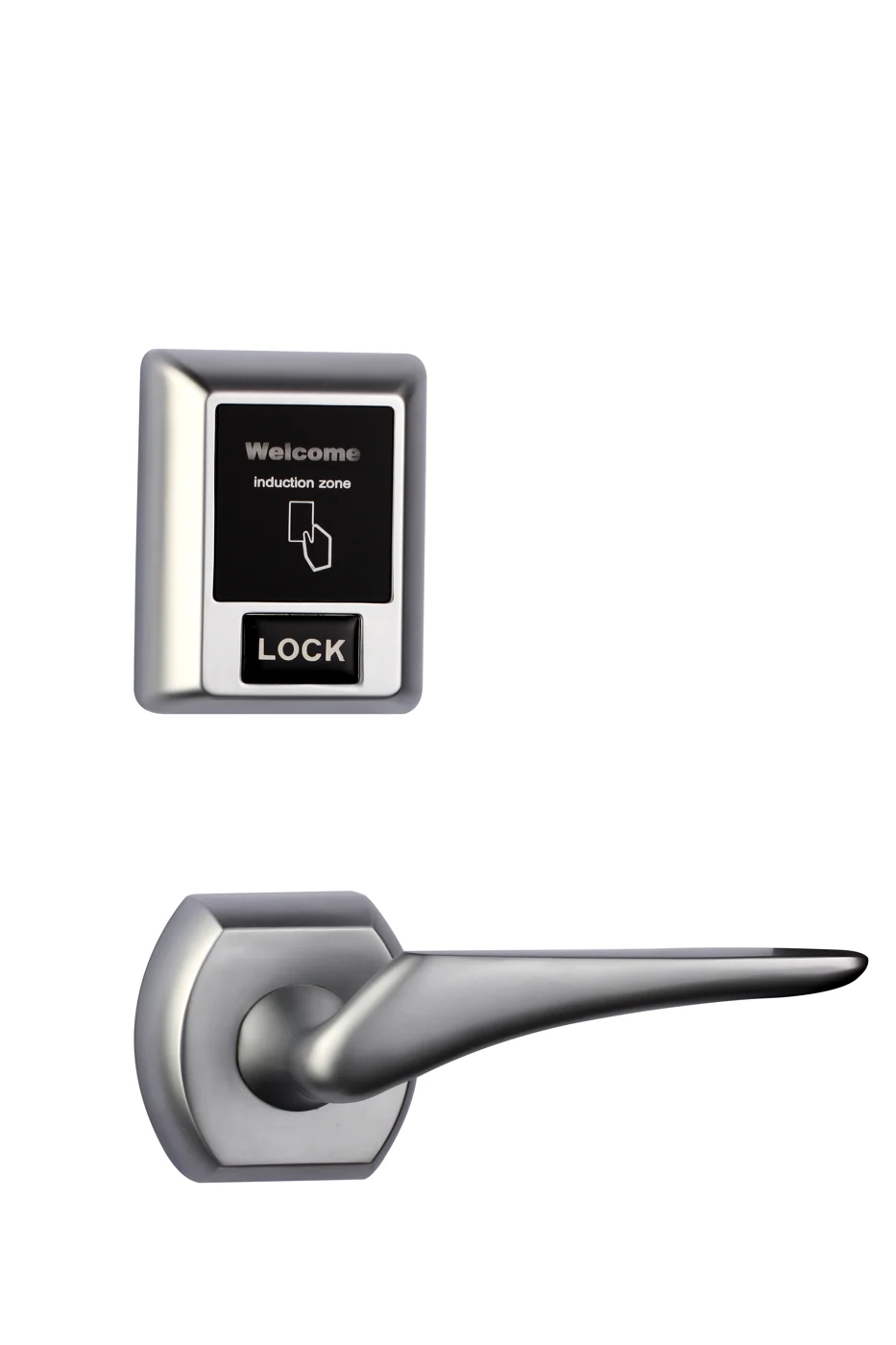
Bluetooth Cabinet Lock — App + PIN + Card, Managed Fleet
Offline BLE app cabinet lock for parcel, office, and managed locker fleets. App + PIN + MIFARE card, remote credential management, no server dependency, battery-powered retrofit.
This page already points to it as the next recommended reference.
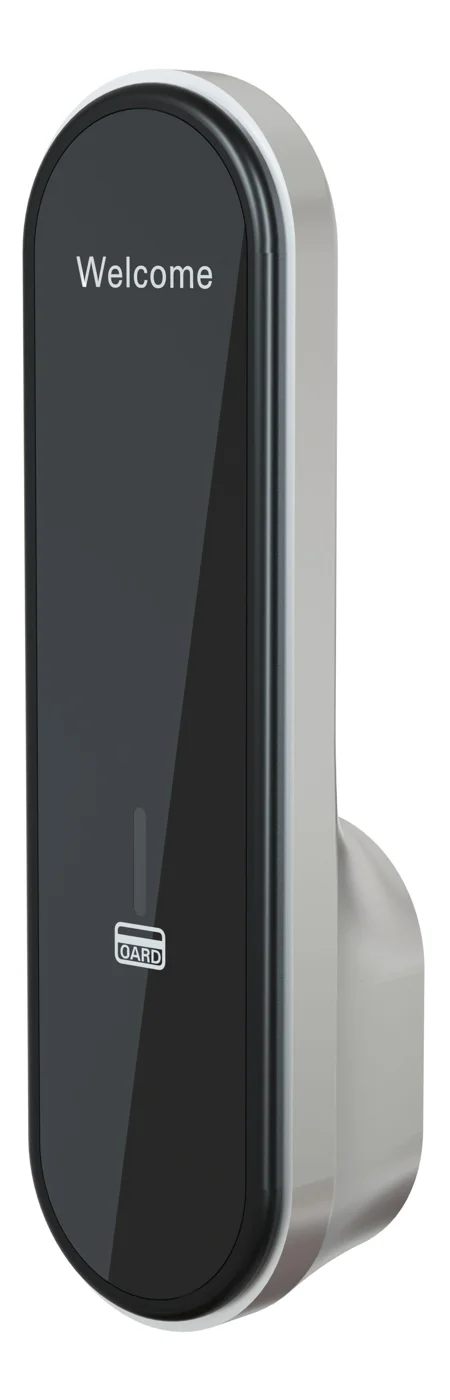
RFID Cabinet Lock — MIFARE Card, Offline Authentication
Offline MIFARE RFID cabinet lock for gym, spa, and office lockers. Tap-to-unlock 13.56 MHz, no WiFi needed, 5-minute retrofit. Zinc alloy body, battery-powered.
This page already points to it as the next recommended reference.
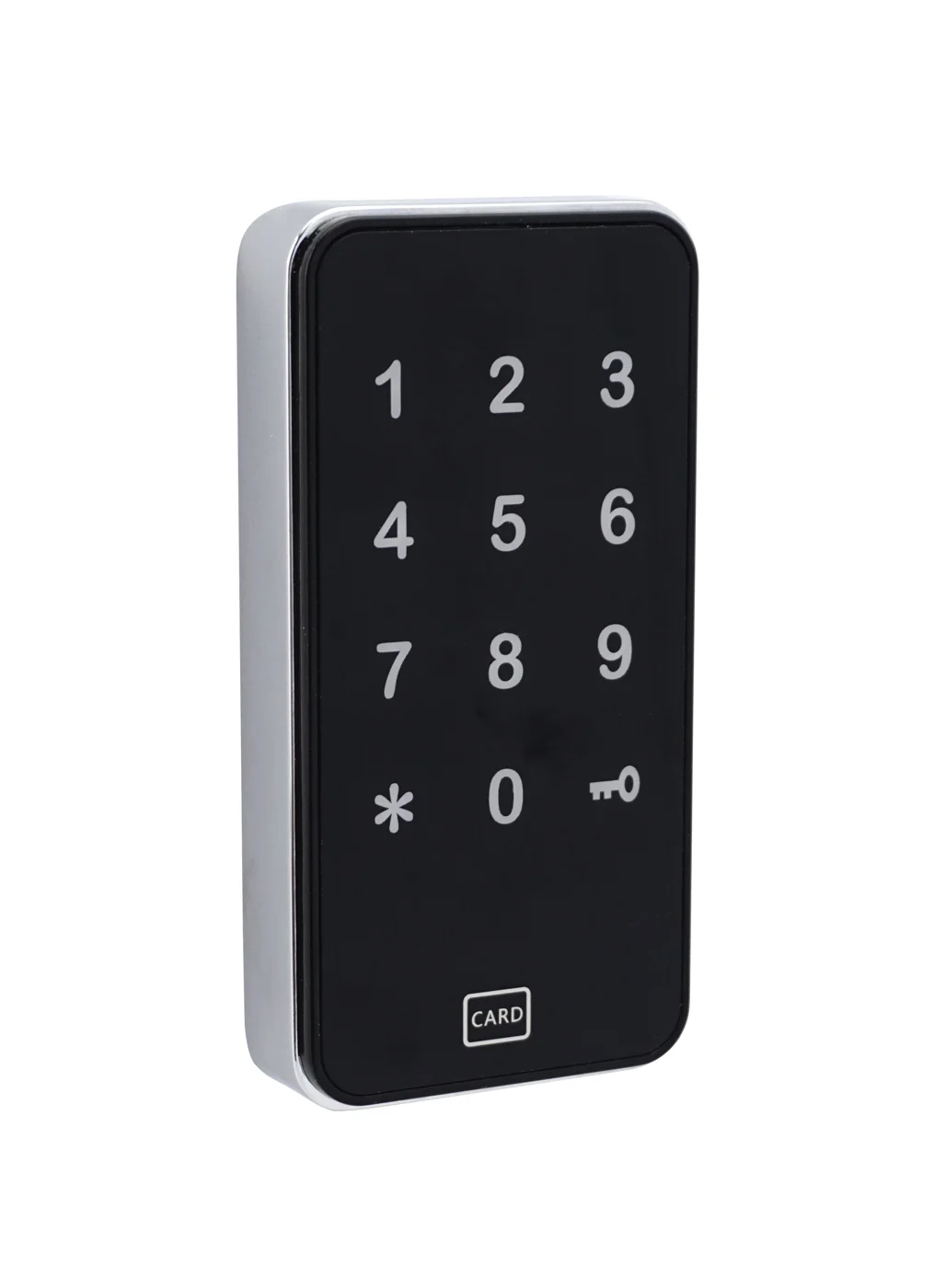
Parcel Locker Lock — EM / MIFARE Card for Pickup Stations
Offline card parcel locker lock for last-mile pickup stations. EM or MIFARE card, battery-powered 5-minute retrofit, no WiFi per locker. CE/FCC/RoHS.
This page already points to it as the next recommended reference.
Related blog posts
3
MIFARE Locker Lock: Definitive Guide to MIFARE-Based Smart Locker Security
Complete guide to MIFARE locker lock technology for gyms, schools, offices, and public facilities. Covers MIFARE Classic, Plus, DESFire variants, multi-user management, installation, networking, and smart locker ecosystem integration.
It supports the same product context: Bluetooth Cabinet Lock — App + PIN + Card, Managed Fleet.
Locker Lock Replacement: The Complete 2026 Guide to Replacing and Upgrading Locker Locks
Expert locker lock replacement guide covering lock types, step-by-step replacement, electronic vs mechanical options, cross-platform migration, lifecycle planning, and installation for gym, school, and workplace lockers.
It supports the same product context: Bluetooth Cabinet Lock — App + PIN + Card, Managed Fleet.
Locker Lock for Office: The Complete Buying and Security Guide
Comprehensive guide to choosing the best locker lock for office environments, covering smart locks, combination locks, key locks, RFID, and security best practices.
It supports the same product context: RFID Cabinet Lock — MIFARE Card, Offline Authentication.
Specify your cabinet lock project with our engineers
Send your locker count, cabinet type, and credential preference. We will return a sample plan and quote within 24 business hours.
- Move from general guidance into a product or application discussion.
- Use RFQ when pricing, drawings, MOQ, or launch timing needs structure.
- Keep a direct contact path visible for fast clarifications and handoff.