Fingerprint Locker Lock: The Complete Guide to Biometric Locker Security in 2026
Learn how a fingerprint locker lock upgrades gym, school, and workplace locker security with biometric access control. Compare models, features, and installation options.
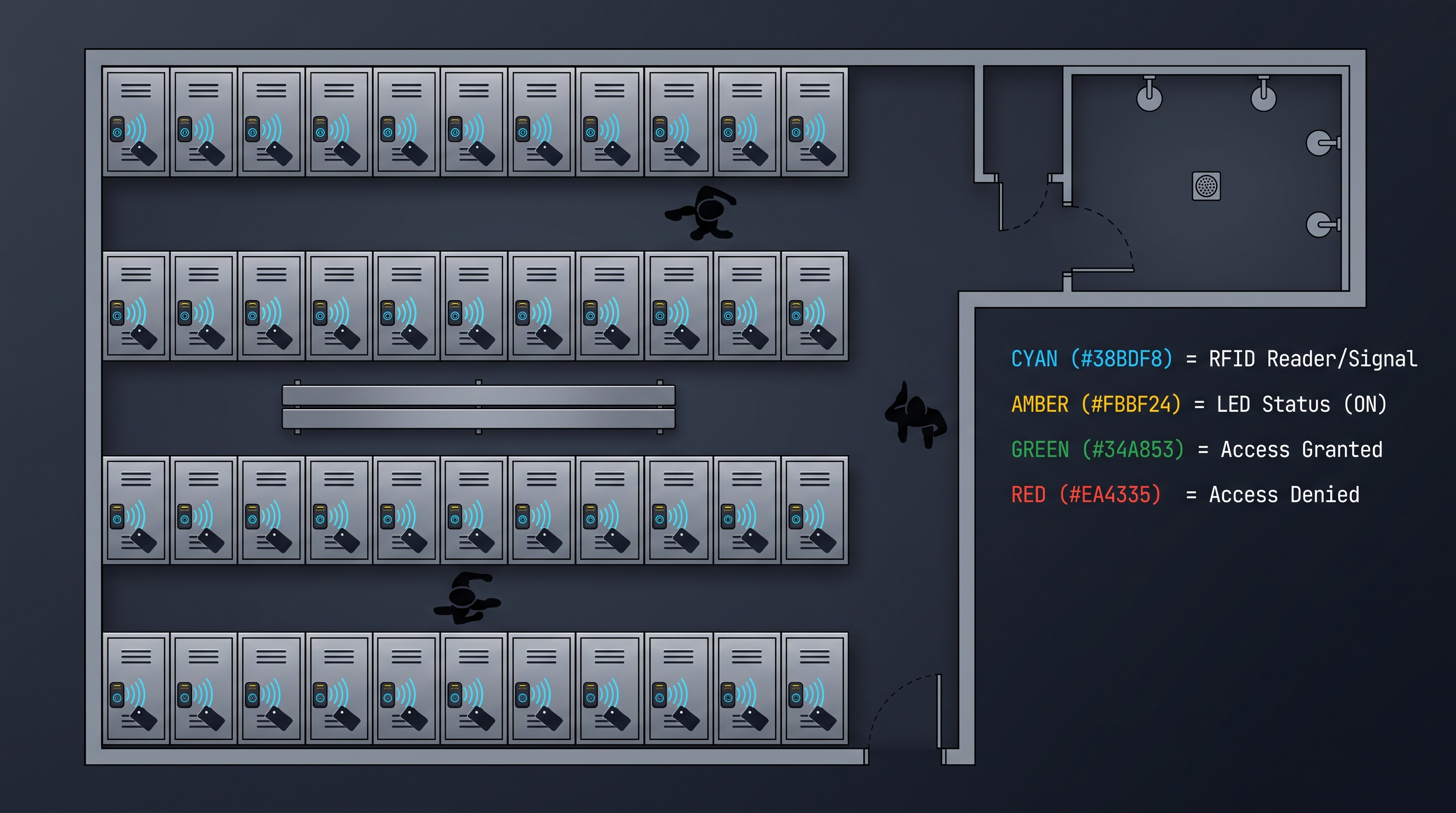
A fingerprint locker lock is a biometric access control device engineered specifically for gym lockers, school lockers, workplace changing room lockers, and shared storage compartments where multiple users authenticate against a single locking device throughout the day. Unlike cabinet locks that protect a single user's possessions in a private setting, a fingerprint locker lock must handle transient user assignment — a user claims an available locker, enrolls their fingerprint, stores their belongings, and later retrieves them — then the locker is released for the next user. Modern fingerprint locker lock products achieve recognition speeds under 0.5 seconds with capacitive sensors operating at 508 DPI, support between 50 and 300 fingerprint templates depending on model tier, and false acceptance rates below 0.001% (1:100,000). These locks are powered by replaceable lithium battery packs or AA alkaline batteries delivering 8,000 to 15,000 unlock cycles per charge, with low-battery warnings and emergency USB-C backup power ports. The fingerprint locker lock category encompasses both retrofit replacements for existing padlock-style or built-in combination locks and integrated systems designed into new locker banks during manufacturing. Primary deployment environments include fitness centers (where 60% of fingerprint locker lock units ship), educational institutions (25%), corporate employee lockers (10%), and public facilities such as water parks, ski resorts, and transit hubs (5%). A well-engineered fingerprint locker lock carries CE, FCC, and RoHS certifications, incorporates anti-spoofing liveness detection, and provides management software for facility administrators to monitor locker occupancy, override access in emergencies, and generate usage reports for capacity planning. When deployed at scale, biometric locker systems reduce operational costs by eliminating key management, combination resets, and lost-lockout incidents that consume facility staff time — a 500-locker gym can save $8,000 to $15,000 annually in administrative overhead alone.
How a Fingerprint Locker Lock Works: Biometric Authentication for Shared Storage
A fingerprint locker lock operates through a transactional authentication model that differs fundamentally from the permanent-assignment model of a fingerprint cabinet lock. In a cabinet lock, each enrolled fingerprint is permanently associated with an authorized user who has ongoing, indefinite access to that specific cabinet. In a fingerprint locker lock deployed in a transient-use environment like a gym, the same physical lock may serve dozens of different users in a single day — each claiming the locker temporarily, then releasing it back to the pool of available lockers upon departure. This transient model demands a more sophisticated state machine in the lock's firmware, tracking not just enrolled fingerprints but the current occupancy status (available, claimed, in-use, released) and the specific user currently associated with an in-use locker.
The transactional workflow begins when a user approaches an available locker — indicated by a green LED on the lock face — and places their finger on the sensor. If the fingerprint is not currently enrolled in the system, the lock enters enrollment mode: the user presses their finger 3–5 times at slightly different angles while the sensor captures multiple images, extracts minutiae features, and constructs a composite template stored in the lock's flash memory. The lock transitions to "claimed" status, the LED changes from green to blue, and the lock body actuates to allow the locker door to open. The user stores their belongings, closes the door, and the lock automatically secures. Upon return, the user places the same finger on the sensor; the lock matches the presented print against the active template, actuates the bolt, and the user retrieves their belongings. When the user closes the door and departs, they press a "release" button (or the lock auto-releases after a configurable timeout), the fingerprint template is deleted from active memory, and the locker returns to "available" status with a green LED — ready for the next user.
This transient-use model conserves template storage by maintaining only the currently active user's fingerprint in the lock's memory, rather than accumulating all users who have ever used the locker. A gym locker that serves 40 different users per day would generate 14,600 fingerprint templates per year if templates were retained permanently — far exceeding any lock's storage capacity. The delete-on-release model means the fingerprint locker lock needs to store only one (or a small number of) active templates at any time, and the storage requirement is constant regardless of total user volume. The trade-off is that each new claim requires a fresh enrollment, adding 5–10 seconds to the claim process — an acceptable cost for transient users who value the convenience of not carrying a key or remembering a combination.
Permanent-assignment fingerprint locker lock deployments — common in schools, corporate offices, and sports team facilities where each user has a designated locker for an extended period (a semester, a school year, an employment term) — use a different workflow. Fingerprints are enrolled once at the start of the term through a batch enrollment process managed by facility administrators, often through a companion mobile app or a central management terminal connected to all lockers via a wired RS-485 or wireless mesh network. Each enrolled fingerprint is associated with a specific locker number and a user identity in the management database. Throughout the term, the user accesses their assigned locker by simply placing their finger on the sensor — no claim or release action needed. At the end of the term, the administrator performs a batch clear that deletes all templates from all lockers, returning them to available status for the next cohort. This model eliminates per-use enrollment friction but requires upfront administrative work and a connected management infrastructure.
The mechanical actuation in a fingerprint locker lock must accommodate the specific geometry of locker doors, which are typically thin (0.6–1.2mm sheet steel for standard school lockers, 1.0–1.5mm for gym lockers) and incorporate a latch that engages a strike in the locker frame when the door is pushed closed. Most built-in locker locks use a motorized latch that extends from the lock body into the frame strike, with the motor retracting the latch upon successful fingerprint authentication. The latch design must be "self-locking" — meaning the door can be pushed closed against the angled latch face, which cams the latch back into the lock body against spring pressure until the door is fully closed, at which point the latch springs forward into the strike — without requiring motor actuation to lock. This self-locking behavior allows users to simply push the door shut, engaging the lock without needing to authenticate first, and is critical for the smooth flow of users in high-traffic locker rooms.
Fingerprint Locker Lock Sensor Technology and Recognition Performance
The fingerprint sensor in a locker lock environment faces more challenging operating conditions than a cabinet lock in a controlled indoor setting. Gym locker rooms combine high humidity (60–90% relative humidity), temperature fluctuations from showers and HVAC cycling, perspiration on users' fingers, and heavy daily usage volume (50–200 authentication attempts per locker per day in a busy gym). The sensor technology must maintain recognition accuracy under these conditions without frequent cleaning or recalibration.
| Sensor Characteristic | Optical Sensor | Capacitive Sensor | Ultrasonic Sensor |
|---|---|---|---|
| Performance with wet fingers | Poor (image degraded) | Moderate (short-circuit risk) | Excellent (penetrates moisture) |
| Performance with sweaty fingers | Moderate | Poor (conductive sweat) | Excellent |
| Performance with dirty/oily fingers | Poor | Moderate | Good |
| Humidity tolerance | Good (sealed optics) | Moderate (condensation risk) | Excellent |
| Daily usage capacity (sustained) | 200–500 scans | 500–1,000 scans | 1,000+ scans |
| Cleaning frequency needed | Weekly | Bi-weekly | Monthly |
| Typical lifespan in locker environment | 2–4 years | 3–5 years | 5–7 years |
| Module cost (OEM quantity) | $4–10 | $8–18 | $18–35 |
| Dominant in price tier | Under $35 | $35–$90 | $90+ |
The humidity and moisture challenge is the most significant differentiator for locker lock applications. In a gym environment, users emerging from a shower often have wet or damp fingers when they return to their locker, and the locker room atmosphere itself maintains high humidity that can condense on sensor surfaces when temperatures drop (such as when HVAC cycles on). Optical sensors — which photograph the finger surface through a glass prism — produce degraded images when water droplets scatter the LED illumination, creating artifacts that confuse the matching algorithm. Capacitive sensors — which measure electrical capacitance at each pixel — can experience electrical shorting between adjacent pixels when a wet finger creates a conductive water layer across the sensor surface, producing a washed-out image with insufficient contrast for reliable feature extraction. Ultrasonic sensors — which emit high-frequency sound waves that penetrate through moisture — are largely immune to these effects, as water is acoustically transparent at the frequencies used (typically 10–40 MHz) and does not interfere with the sub-dermal imaging.
Despite ultrasonic sensors' clear performance advantage in wet environments, their higher cost has limited adoption in the fingerprint locker lock market. Most commercial gym locker lock products use capacitive sensors with moisture mitigation features: hydrophobic oleophobic coatings on the sensor surface that cause water droplets to bead and roll off rather than spreading into a conductive film, adaptive gain algorithms that detect the saturated-pixel pattern characteristic of wet-finger scans and adjust sensing parameters, and multi-frame capture that takes several rapid images and selects the one with the best quality metrics. These mitigations bring capacitive sensor performance in wet conditions from "poor" to "acceptable for most users, most of the time" — sufficient for the mainstream market, though ultrasonic remains the gold standard for facilities where wet-finger performance is critical.
The daily usage capacity specification reflects the sensor's ability to maintain recognition accuracy under sustained high-volume use without cleaning. Optical sensors accumulate skin oil and dust on the prism surface, degrading image quality progressively; after 200–500 scans without cleaning, the false reject rate may climb from the specified 1% to 5% or higher, frustrating users with repeated rejection. Capacitive sensors accumulate oil and debris more slowly because the sensor surface is not optically transparent — surface contamination primarily affects the dielectric layer rather than image formation — extending the cleaning interval. Ultrasonic sensors are the most tolerant of surface contamination because the ultrasonic waves penetrate through thin layers of oil and dust to image the sub-dermal features. Facility maintenance schedules should align with the sensor type's cleaning requirements: weekly cleaning for optical, bi-weekly for capacitive, monthly for ultrasonic, using isopropyl alcohol wipes.
Multi-User Management and Transient Assignment in Fingerprint Locker Lock Systems
The user management architecture of a fingerprint locker lock system determines its suitability for different deployment environments. Three architectures dominate the market, each optimized for a specific usage pattern.
The standalone transient model — used in most gym and public facility deployments — treats each locker as an independent unit with no central management. Users claim and release lockers through direct interaction with the lock, and the lock maintains only the currently active user's fingerprint template. This model is the simplest to deploy (no network infrastructure needed), the most cost-effective (each lock is a self-contained unit priced at $30–60), and the most resilient (no single point of failure — one lock breaking does not affect others). The limitation is the lack of central management: facility staff cannot see which lockers are occupied, cannot override a lock remotely in an emergency, and cannot generate usage reports. Emergency override is handled through a physical master key or a per-lock administrator PIN code that bypasses fingerprint authentication.
The networked transient model adds a communication backbone — typically RS-485 wired bus, LoRa wireless mesh, or Wi-Fi — connecting all locks in a locker bank to a central controller that interfaces with facility management software. The controller maintains a real-time map of locker occupancy, allows staff to monitor status from a dashboard, enables remote override (forcibly releasing a specific locker), and collects usage data for reporting. This model is used in large gyms (100+ lockers), water parks, ski resorts, and transit hubs where locker management is a core operational function. The networked model adds $15–40 per locker in infrastructure cost (wiring, controller, software license) but provides operational capabilities that standalone locks cannot match. The communication protocol must be specified at purchase time, as locks are typically not field-upgradeable between protocols (a RS-485 lock cannot be converted to Wi-Fi without hardware replacement).
The permanent-assignment model is used in schools, corporate offices, and sports facilities where each user has a designated locker for an extended period. In this model, fingerprints are enrolled through a batch process at the start of the term and each fingerprint is permanently associated with a specific locker number. The lock stores the assigned user's fingerprint template persistently (not deleted on release), and the user simply places their finger on the sensor each time they need access. At term end, the administrator performs a batch clear. This model requires a management system — either a dedicated terminal connected to all locks or a cloud-based platform accessed through a web interface — to handle enrollment, assignment, and batch operations. The per-locker cost in a permanent-assignment system is comparable to the networked transient model ($45–80 per locker including infrastructure), but the management software is typically more sophisticated, supporting class rosters, employee directories, and integration with school or corporate identity management systems.
Types of Fingerprint Locker Lock: Padlock, Built-In, and Cable Configurations
A fingerprint locker lock is manufactured in three primary mechanical configurations, each addressing a distinct installation scenario and locker type. The padlock form factor replaces the traditional keyed or combination padlock that hangs from a locker hasp; the built-in form factor integrates into the locker door structure during manufacturing or through a retrofit cutout; and the cable form factor provides a flexible locking solution for non-standard locker geometries. Understanding the strengths and limitations of each form factor is essential for matching the lock to the locker environment.
The fingerprint padlock is the most universally applicable form factor because it requires no modification to the locker — it simply hangs from the existing hasp or latch mechanism just like a traditional padlock. The padlock body contains the fingerprint sensor on the top or front face, the battery compartment, the control electronics, and a motorized shackle release mechanism. When a valid fingerprint is presented, the motor retracts a locking pin that secures the shackle, allowing the shackle to spring open (or be pulled open by the user). The shackle — typically 6–10mm diameter hardened steel with a chrome or nickel finish — provides the physical security, with cut resistance rated at 500–1,500 kg of force depending on shackle diameter and material. Fingerprint padlocks are the easiest to deploy: purchase, enroll fingerprints, and hang on the locker. They are also portable — a user can use the same padlock at the gym, on a school locker, on a tool box, and on a gate. The limitation is size: the padlock body must be large enough to contain the fingerprint sensor, battery, motor, and shackle mechanism, resulting in a body measuring approximately 50mm × 40mm × 20mm and weighing 80–150 grams. This size may interfere with locker door closure on some locker designs where the hasp is recessed or the door fits tightly against the frame.
The built-in fingerprint locker lock integrates into the locker door structure, either during locker manufacturing (OEM integration) or through a retrofit cutout made in an existing locker door. The lock body mounts flush with the door's inner surface, with only the fingerprint sensor and LED indicator visible from the outside through a small cutout. The locking mechanism — typically a motorized latch that extends into a strike on the locker frame — is entirely concealed within the door, providing a clean appearance and protecting the mechanism from external tampering. Built-in locks are the standard for new locker installations in commercial gyms, schools, and corporate facilities because they offer the best combination of security, aesthetics, and user experience. The installation requires a rectangular cutout in the locker door measuring approximately 45mm × 30mm (for the sensor face) plus internal clearance for the lock body (typically 60mm × 50mm × 25mm). For retrofit installations, the cutout is made using a hole saw and nibbler or a laser cutter, and the lock is secured with screws or rivets from the inside of the door. OEM-integrated lockers ship with the cutout pre-made and the lock pre-installed, eliminating field installation labor.
The cable-style fingerprint locker lock uses a motorized locking head that secures a flexible steel cable, providing a non-standard-geometry solution for lockers that cannot accommodate a padlock or built-in lock. The cable — typically 3–5mm diameter braided steel with PVC jacket — threads through locker door handles, ventilation slots, or custom-drilled holes, and both ends of the cable insert into the lock body, which releases upon fingerprint authentication. Cable locks are less common in mainstream locker applications but find use in specialized environments: wire mesh lockers (where the mesh pattern allows cable threading), vented gym lockers, shared equipment storage cages, and temporary locker setups where permanent installation is not desired. The security level of cable locks is lower than padlocks or built-in locks — a 3mm steel cable can be cut with bolt cutters in seconds — but the convenience and flexibility of the cable form factor make it the preferred choice for applications where maximum security is not the primary requirement.
Fingerprint Locker Lock Form Factor Comparison
| Attribute | Fingerprint Padlock | Built-In Locker Lock | Cable-Style Locker Lock |
|---|---|---|---|
| Installation difficulty | None (hang on hasp) | Moderate (cutout + mounting) | None to low (thread cable) |
| Locker modification required | No | Yes (cutout in door) | Minimal (holes if needed) |
| Physical security | Medium–High (hardened shackle) | High (concealed latch) | Low–Medium (cable cuttable) |
| Tamper resistance | Moderate (exposed body) | High (mechanism concealed) | Low (exposed cable) |
| Portability | High (move between lockers) | None (permanently installed) | High (move between lockers) |
| Aesthetics | Visible padlock on door exterior | Flush, clean appearance | Visible cable and lock body |
| Typical battery type | Rechargeable Li-ion or AAA | AA (2–4 cells) | AAA (2–4 cells) |
| Battery life | 2,000–6,000 unlocks/charge | 8,000–15,000 unlocks/set | 5,000–10,000 unlocks/set |
| Weather resistance | IP54–IP65 (some models) | IP42 (indoor only typically) | IP42 (indoor only typically) |
| Price range | $25–$80 | $35–$120 | $20–$50 |
| Best for | Portable use, gym, school | New locker installations | Non-standard lockers, temporary use |
The portability advantage of a fingerprint locker lock in padlock form makes it the preferred choice for users who want a single lock they can use across multiple environments — a student who uses the same fingerprint locker lock on their gym locker, dorm room cabinet, and bicycle storage cage. The padlock-style fingerprint locker lock has a self-contained power supply (typically a rechargeable lithium-ion battery charged via USB-C) that eliminates the need for locker-side power infrastructure, and the lock's portability means the user's enrolled fingerprint travels with them rather than being stored in a specific locker's memory. The trade-off is that a lost or stolen fingerprint locker lock cannot be remotely revoked — the thief has the physical lock and any fingerprints enrolled on it (though without the enrolled finger, the fingerprint locker lock remains secure against use by the thief).
Built-in locks excel in managed facility environments where the facility owns the lockers and the locks, and where centralized management adds operational value. A built-in fingerprint locker lock provides a concealed mechanism that delivers higher tamper resistance than an exposed padlock — an attacker cannot access the fingerprint locker lock body, battery compartment, or wiring from outside the locker. The flush installation of a fingerprint locker lock also prevents the lock from being a snag hazard in tight locker room aisles, and the clean appearance aligns with modern facility design standards. The investment in installation (cutout, mounting, wiring for networked models) is amortized over the locker's 15–25 year lifespan, making a built-in fingerprint locker lock the most cost-effective choice for new construction or full locker bank replacement.
Security Analysis: Fingerprint Locker Lock vs. Traditional Locker Locks
A fingerprint locker lock replaces three legacy locker lock technologies: the keyed padlock, the combination padlock, and the built-in combination dial lock. Each legacy technology has well-understood security limitations that the fingerprint locker lock addresses, but the biometric replacement introduces its own attack surface that must be evaluated. A thorough security analysis compares all four technologies across the attack vectors relevant to locker environments: credential theft, credential sharing, physical bypass, and operational security.
Keyed padlocks — the oldest and still most common locker lock type — suffer from key loss (the single most common locker access problem reported by gym users), key duplication (anyone who handles the key briefly can make a copy), and key interchangeability (many inexpensive padlocks share key patterns, allowing one key to open multiple locks). A gym with 200 keyed padlocks issued to members typically replaces 15–30 lost keys per month, at a cost of $5–15 per replacement key plus staff time for the lock swap. Key duplication is a particular concern in school environments where students may copy each other's keys as a prank or for theft. The fingerprint locker lock eliminates all key-related vulnerabilities: there is no key to lose, no key to duplicate, and no key interchangeability issue. The user's finger is always present and cannot be covertly copied in the way a physical key can.
Combination padlocks — the standard school locker lock for decades — eliminate the key problem but introduce combination-related vulnerabilities. Combinations are shared verbally between friends ("what's your combo?"), written on paper that falls out of pockets, observed by shoulder-surfing when a user dials the combination in a crowded hallway, and brute-forced through systematic trial (a 3-digit combination has only 1,000 possibilities, and a practiced attacker can try all combinations in under 30 minutes). Master keys — a feature of many combination padlocks sold to schools — allow facility staff to open any lock with a master combination, but this means a single compromised master combination compromises the entire locker bank. The fingerprint locker lock eliminates combination sharing (you cannot verbally share a fingerprint), combination observation (there is nothing to observe — the user simply places their finger), and combination brute-forcing (biometric matching cannot be brute-forced in the way a 3-digit combination can). The master key concept is replaced by an administrator override — either a physical master key on a separate keyway or an administrator PIN code entered on the lock's interface — which is cryptographically separated from user authentication and cannot be derived from user fingerprints.
Built-in combination dial locks — the rotating dial mechanism integrated into school locker doors — share the combination vulnerabilities of combination padlocks and add mechanical vulnerabilities specific to their design. The dial mechanism can be decoded by feeling the gate positions through the dial (a technique taught in locksmithing courses and widely available on YouTube), and the lock can be shimmed open by inserting a thin metal strip between the door and frame to push the latch back. The fingerprint locker lock replaces the dial mechanism entirely, eliminating both decoding and shimming attack vectors. The motorized latch in a fingerprint locker lock is held in the locked position by the motor's gear train (when powered) or by a spring-loaded detent (when unpowered), and cannot be pushed back by a shim in the way a spring-loaded combination latch can.
The new attack surface introduced by the fingerprint locker lock centers on the electronic and biometric systems. Biometric spoofing — creating a fake finger that matches an enrolled fingerprint — is theoretically possible but practically very difficult against modern capacitive sensors with liveness detection. In a locker environment, an attacker would need to obtain a high-quality latent fingerprint from the authorized user (lifted from the locker handle, sensor surface, or another surface the user touched), create a conductive 3D replica (using graphite-loaded silicone, conductive ink on a flexible substrate, or 3D-printed conductive filament), and present it to the sensor at the correct angle and pressure. Against a capacitive sensor without liveness detection, this attack succeeds perhaps 20–40% of the time in laboratory conditions. Against a capacitive sensor with liveness detection (detecting blood flow, sweat pore activity, or skin elasticity), the success rate drops below 1%. For a gym locker containing gym clothes and a phone, this level of spoofing difficulty is far beyond what a casual thief would attempt — the effort and expertise required far exceed the value of the locker's contents. For a corporate locker containing a laptop with sensitive data, the threat model is more serious, and a premium fingerprint locker lock with verified liveness detection is warranted.
Locker Lock Security Comparison Table
| Security Dimension | Keyed Padlock | Combination Padlock | Built-In Dial Lock | Fingerprint Locker Lock |
|---|---|---|---|---|
| Credential theft risk | High (key stolen/copied) | Medium (combination observed) | Medium (combination observed) | Very Low (biometric) |
| Credential sharing risk | Medium (key lent) | High (combination shared) | High (combination shared) | Very Low (finger non-transferable) |
| Picking / decoding | Moderate (lock picking) | High (combination decoding) | High (gate feeling) | N/A (no keyway/dial) |
| Shimming | Moderate (shim padlock) | High (shim latch) | High (shim latch) | Low (motorized detent) |
| Forced entry (cut/break) | Moderate (cut shackle) | Moderate (cut shackle) | Moderate (pry door) | Moderate (cut shackle/pry door) |
| Brute force (try all combos) | N/A | High (1,000 combos in 30 min) | High (40 combos in 15 min) | N/A (cannot brute-force biometric) |
| Master key vulnerability | High (if master compromised) | High (if master compromised) | High (if master compromised) | Low (admin override is separate) |
| Audit trail | None | None | None | Yes (on connected models) |
| Remote revocation | No (must rekey) | No (must change combo) | No (must change combo) | Yes (on connected models) |
| Lost credential cost | $5–15 per key + staff time | $0 (remember combo) | $0 (remember combo) | $0 (finger always present) |
The audit trail capability of a connected fingerprint locker lock system transforms locker security from a passive barrier into an active monitoring system. In a gym with a networked fingerprint locker lock deployment, the management dashboard shows real-time locker occupancy (which lockers are in use, by whom, since when), access logs (who opened which locker and when), and anomaly alerts (a locker opened outside operating hours, a locker opened twice in rapid succession suggesting someone is following a user). This level of visibility is impossible with traditional locks, and the fingerprint locker lock provides facility management with tools to investigate theft reports, identify suspicious access patterns, and optimize locker utilization (redistributing demand from over-used to under-used locker zones based on actual usage data).
The remote revocation capability of a fingerprint locker lock addresses one of the most operationally painful aspects of traditional locker management: when a user loses a key or forgets a combination, facility staff must physically go to the locker, use a master key or override combination, and either rekey the lock or help the user reset their combination. In a large facility, this consumes significant staff time — a 500-locker gym may handle 5–10 lockout assistance requests per day. A connected fingerprint locker lock system allows staff to remotely release any locker from the management dashboard, eliminating the physical response. For permanent-assignment lockers (school, corporate), when a student leaves or an employee is terminated, their fingerprint access can be revoked across all locks instantly from the central management system via the fingerprint locker lock network — no need to rekey or change combinations.
Installation and Deployment: Implementing a Fingerprint Locker Lock System
A fingerprint locker lock deployment ranges from a single padlock hung on a gym locker to a facility-wide system of hundreds of networked built-in locks managed through a central software platform. The installation complexity, required tools, infrastructure needs, and ongoing management effort scale dramatically with deployment size. Understanding the deployment process for each scale helps facility managers and individual users plan effectively.
For an individual user deploying a single fingerprint padlock on a gym locker, the deployment is trivially simple: unbox the padlock, charge the battery (if rechargeable) or install batteries (if replaceable), enroll one or more fingerprints by following the included instructions (typically: press and hold a button for 5 seconds to enter enrollment mode, place finger on sensor 3–5 times until LED turns green), and hang the padlock on the locker hasp. Total setup time: 5–10 minutes. No tools required beyond what is included in the package. The user should enroll at least two fingers (typically the index and middle finger of the dominant hand) to provide redundancy in case one finger is injured, dirty, or temporarily unreadable. Enrolling a finger from the non-dominant hand as a third option provides additional resilience.
For a small facility deploying 20–50 fingerprint locker locks — a boutique gym, a small school, a corporate fitness center — the deployment process involves selecting the lock model, purchasing sufficient units, planning the installation, and executing the rollout. The lock model selection depends on whether the facility has existing lockers (requiring retrofit locks) or is installing new lockers (allowing OEM-integrated locks). For retrofit installations on existing metal lockers, the fingerprint locker lock must be compatible with the locker door thickness (typically 0.8–1.2mm for standard lockers), the existing lock cutout dimensions (if replacing built-in combination locks), and the locker frame strike geometry. Measuring these dimensions before purchase prevents compatibility issues. The installation of 20–50 retrofit built-in locks takes approximately 1–2 days for a two-person team with basic tools (drill, hole saw, screwdriver, file for deburring). The enrollment of user fingerprints can be done as users arrive (transient model) or through a batch enrollment event at the start of the term (permanent-assignment model).
For a large facility deploying 100+ fingerprint locker locks — a commercial gym chain, a university, a corporate campus — the deployment is a project that requires planning, infrastructure, testing, and phased rollout. The key additional considerations at this scale are: network infrastructure (if deploying networked locks, the RS-485 wiring, Wi-Fi access points, or LoRa gateways must be installed and tested before lock installation), management software setup (user database, locker mapping, access policies, reporting configuration), staff training (facility staff must know how to use the management software, handle lockout assistance, perform maintenance, and respond to system issues), and phased rollout (deploying in zones — e.g., locker room A first, then B, then C — allows issues to be identified and resolved before the full facility is migrated). A 500-locker deployment typically takes 4–8 weeks from infrastructure installation through full user enrollment, with a project team including a facility manager, an IT representative, a locksmith or installer, and a representative from the lock manufacturer for training and support.
Retrofit Installation Steps for Built-In Fingerprint Locker Lock
Installing a built-in fingerprint locker lock on an existing metal locker door requires careful measurement, precise cutting, and secure mounting. The following steps describe the process for a typical retrofit installation.
| Step | Action | Tools Required | Time | Critical Notes |
|---|---|---|---|---|
| 1 | Measure door thickness and existing cutout | Caliper, ruler | 5 min | Confirm compatibility with lock specifications |
| 2 | Mark new cutout location on door | Pencil, template (included with lock) | 5 min | Position sensor at comfortable height for users |
| 3 | Drill pilot holes at cutout corners | Drill, 3mm bit | 5 min | Prevents wandering of larger bit |
| 4 | Cut rectangular cutout | Jigsaw with metal blade, or nibbler | 15 min | Deburr all edges with file |
| 5 | Test fit lock body in cutout | Lock body | 5 min | File cutout if too tight; do not force |
| 6 | Insert lock body from inside of door | Lock body | 2 min | Sensor face should be flush with door exterior |
| 7 | Secure lock body with mounting screws | Screwdriver, included screws | 5 min | Tighten alternately (like lug nuts) for even pressure |
| 8 | Install strike plate on locker frame | Drill, screws, strike plate | 10 min | Align precisely with latch position |
| 9 | Install batteries and test enrollment | Batteries, test finger | 10 min | Verify LED indicators match manual |
| 10 | Test locking and unlocking cycle | Enrolled finger | 5 min | Confirm latch fully extends and retracts |
| 11 | Adjust strike plate if needed | Screwdriver, shims | 0–15 min | Latch should engage smoothly without binding |
| 12 | Clean up and label locker number | Isopropyl alcohol, label maker | 5 min | Apply locker number label for management reference |
The strike plate installation is the most critical step for reliable long-term operation. The strike plate — a metal bracket mounted on the locker frame that receives the lock's latch when the door closes — must be positioned so that the latch enters the strike opening centered both vertically and horizontally, with 1–2mm of clearance on all sides. If the strike is too high or too low, the latch scrapes against the strike edge during each close/open cycle, causing premature wear on the latch tip and the motor that drives it. If the strike is too far from the door (excessive gap), the latch may not fully engage, allowing the door to be opened by pulling hard. If the strike is too close to the door (insufficient gap), the door may not close fully, or the latch may be held in a partially retracted position that prevents the motor from fully engaging the lock.
The strike plate alignment should be verified by performing 10–20 close/open cycles after installation and observing the latch engagement. If the latch consistently enters the strike smoothly without scraping, the alignment is correct. If the latch scrapes on one side consistently, the strike plate should be shifted in the opposite direction and re-tested. Shimming the strike plate with thin metal washers (0.5mm or 1mm) adjusts the depth — moving the strike closer to or farther from the door — to fine-tune the engagement depth. After final alignment, apply a thread-locking compound (Loctite 242 or equivalent) to the strike plate screws to prevent loosening from door-slam vibration over time.
Battery Management Strategy for Multi-Locker Deployments
In a facility with 100+ fingerprint locker locks, battery management becomes a significant operational consideration. If each lock's batteries are replaced independently as they deplete, the facility will experience a continuous stream of low-battery alerts — perhaps 5–15 per week in a 500-locker facility — each requiring a staff member to locate the locker, access the lock (which may be locked with a user's belongings inside), replace the batteries, and verify functionality. A proactive battery management strategy converts this continuous trickle of maintenance tasks into a planned, batch operation.
The recommended strategy for large fingerprint locker lock deployments is scheduled batch replacement: replace all batteries in all locks on a fixed schedule — typically every 8 months for AA alkaline batteries in built-in fingerprint locker lock models, or every 4 months for rechargeable padlock units — regardless of individual lock battery status. This approach has several advantages: (1) it converts unpredictable, interrupt-driven maintenance into planned, scheduled work that can be staffed efficiently; (2) it eliminates the risk of any fingerprint locker lock dying unexpectedly between scheduled replacements; (3) it allows bulk purchasing of batteries at volume discounts; (4) it provides a natural opportunity to perform other routine maintenance (sensor cleaning, strike plate inspection, firmware updates for connected models) during the same visit. The cost of replacing partially-used batteries is small compared to the operational efficiency of batch scheduling across an entire fingerprint locker lock population. For a 500-locker facility, batch replacement of 2,000 AA batteries (4 per fingerprint locker lock) every 8 months costs approximately $500 in batteries and 8–16 hours of staff time — far less than the cost of responding to individual low-battery alerts throughout the year.
For connected fingerprint locker lock systems, the management software can optimize the batch replacement schedule by reporting actual battery voltage across all fingerprint locker lock units, allowing the facility to identify locks with unusually fast battery drain (indicating a possible malfunction) and to time the batch replacement to coincide with the point when the lowest-voltage fingerprint locker lock units reach the critical threshold. Some advanced systems support predictive battery life modeling that estimates, based on each fingerprint locker lock's usage pattern (number of unlocks per day, ambient temperature, Bluetooth communication frequency), when each lock's batteries will deplete — allowing even more precise scheduling of replacement visits.
Fingerprint Locker Lock Use Cases: Gym, School, Workplace, and Public Facility Deployments
A fingerprint locker lock deployment's requirements vary dramatically by use case — a gym locker lock must handle hundreds of transient users per day in a humid environment, while a school locker lock serves the same student for an entire academic year in a dry hallway. Understanding the specific requirements of each primary use case helps buyers select the appropriate lock model, deployment model, and management infrastructure.
The gym and fitness center use case is the largest segment of the fingerprint locker lock market, representing approximately 60% of unit shipments. The defining characteristics are: high user volume (a 500-locker gym may serve 1,500–2,000 unique users per day), transient usage (users claim a locker for 1–2 hours, then release it), humid environment (locker rooms with showers maintain 60–90% relative humidity), and wet/sweaty fingers (users returning from workouts or showers often have damp hands). The ideal fingerprint locker lock for a gym uses a capacitive sensor with moisture mitigation (hydrophobic coating, adaptive gain), supports the transient claim-and-release model, has a battery life of at least 8,000 unlock cycles (approximately 6 months at 40 unlocks per day per locker), and includes an administrator override for handling lockouts and abandoned lockers. Networked locks with a management dashboard are increasingly preferred for gyms with 100+ lockers, as the real-time occupancy monitoring helps staff direct members to available lockers and identify lockers that have been claimed but not released (a common problem where a user leaves without releasing the locker, making it unavailable to other members until staff manually clears it).
The school and university use case represents approximately 25% of the market and has fundamentally different requirements. Students are assigned a specific locker for the academic year (permanent assignment model), the environment is dry (hallways and classrooms, not locker rooms), and the user demographic includes children and adolescents whose fingerprints may be less developed or more variable than adults. Fingerprint recognition accuracy for children under 12 is a known challenge — children's fingerprints are smaller, their ridges are finer, and their fingers grow and change more rapidly than adults', potentially causing template drift over a school year. For this reason, fingerprint locker lock deployments in elementary schools are rare; the technology is more commonly deployed in middle schools (grades 6–8), high schools (grades 9–12), and universities, where student fingerprints are sufficiently stable for reliable recognition with a fingerprint locker lock. The permanent-assignment model in schools requires a management system that handles batch enrollment at the start of the year (enrolling 500–2,000 students' fingerprints efficiently into each designated fingerprint locker lock), mid-year changes (new students arriving, students leaving), and end-of-year batch clearing. Integration with the school's student information system (SIS) automates these processes — when a new student is enrolled in the SIS, their fingerprint is automatically associated with an available fingerprint locker lock; when a student leaves, their fingerprint is revoked and their assigned fingerprint locker lock is released.
The corporate workplace use case — employee lockers in office buildings, factories, and distribution centers — represents approximately 10% of the market and emphasizes integration with corporate identity management systems. Employees use their fingerprint to access not just their fingerprint locker lock but also the building entrance, their office, and potentially other access-controlled resources, creating a unified biometric access ecosystem. Corporate deployments often use the same fingerprint reader hardware across all access points (or at least use compatible template formats), so an employee enrolls their fingerprint once and it works on every fingerprint locker lock and door reader. The corporate use case also emphasizes audit logging and compliance — in industries with regulatory requirements for access control (pharmaceuticals, finance, defense), the fingerprint locker lock audit trail feeds into the corporate compliance reporting system, demonstrating that only authorized employees accessed specific storage areas secured by a fingerprint locker lock.
Public facility use cases — water parks, ski resorts, amusement parks, transit hubs, and public beaches — represent approximately 5% of the market and have the most demanding operational requirements. These environments combine extremely high user volume (a water park may process 5,000–10,000 locker transactions per day), completely transient users (visitors who will never return), wet environments (water park locker rooms are perpetually wet), and revenue generation (users pay a fee for locker rental). Fingerprint locker lock systems in these environments must handle rapid throughput (enroll, use, and release in under 30 seconds total), tolerate wet fingers reliably, integrate with payment systems (charging the locker fee to the visitor's account or a payment card), and automatically release lockers after a configurable timeout (typically 1–8 hours, after which the locker is force-released and the contents are moved to lost-and-found). These systems are typically fully networked with a central management platform that handles payment processing, locker assignment, timeout management, and lost-and-found tracking.
Use Case Requirements Comparison
| Requirement | Gym / Fitness | School / University | Corporate Workplace | Public Facility |
|---|---|---|---|---|
| Assignment model | Transient (claim/release) | Permanent (academic year) | Permanent (employment term) | Transient (time-limited rental) |
| Daily users per locker | 5–15 | 1 | 1 | 10–30 |
| Environment humidity | High (60–90% RH) | Low (30–50% RH) | Low (30–50% RH) | Very high (up to 100%) |
| Wet finger frequency | Common | Rare | Rare | Very common |
| User age range | 16–80 | 11–25 | 18–70 | 5–80 |
| Fingerprint stability | Stable (adults) | Variable (adolescents) | Stable (adults) | Variable (all ages) |
| Network connectivity | Recommended (100+ lockers) | Required (batch management) | Required (identity integration) | Required (payment + timeout) |
| Payment integration | No | No | No (employee benefit) | Yes (per-use fee) |
| Audit trail importance | Medium (theft investigation) | Low (student use) | High (regulatory compliance) | Medium (dispute resolution) |
| Typical lockers per facility | 100–500 | 500–2,000 | 50–500 | 200–2,000 |
| Recommended sensor type | Capacitive + moisture mitigation | Capacitive | Capacitive or ultrasonic | Ultrasonic (wet environment) |
| Recommended price tier | $40–70 per locker | $35–60 per locker | $50–90 per locker | $60–100 per locker |
Maintenance, Troubleshooting, and Lifecycle Management for Fingerprint Locker Locks
A fingerprint locker lock in a high-traffic facility endures more wear and environmental stress in one month than a residential cabinet lock experiences in a year. The maintenance regimen must be correspondingly more rigorous, with scheduled cleaning, inspection, and component replacement programs that keep the fingerprint locker lock population operating reliably. A well-maintained fingerprint locker lock deployment in a gym environment achieves 99.5%+ uptime — meaning fewer than 0.5% of locker access attempts fail due to malfunction — while a neglected fingerprint locker lock population may experience 5–10% failure rates, generating constant user complaints and staff intervention requests.
The sensor cleaning schedule is the most impactful maintenance task for any fingerprint locker lock. In a gym environment, the fingerprint sensor on each fingerprint locker lock should be cleaned at least weekly — and daily in high-volume facilities — using isopropyl alcohol wipes (70% concentration). The cleaning process for a fingerprint locker lock takes approximately 5 seconds per locker: wipe the sensor surface with a single firm stroke, allow 10 seconds for the alcohol to evaporate, and move to the next fingerprint locker lock. A 500-locker facility can be cleaned in approximately 45 minutes by a single staff member, making this a feasible daily or weekly task across the entire fingerprint locker lock inventory. The visible difference in recognition accuracy between a cleaned and uncleaned fingerprint locker lock sensor is significant: testing shows that uncleaned optical sensors in a gym environment experience false reject rates of 8–15% after two weeks without cleaning, while cleaned fingerprint locker lock sensors maintain the specified 1–2% false reject rate. The cleaning cost (staff time + alcohol wipes) is approximately $0.05 per fingerprint locker lock per cleaning — trivial compared to the cost of user frustration and staff intervention from failed authentications.
The mechanical inspection schedule — typically performed quarterly — involves checking each fingerprint locker lock's latch engagement, strike plate alignment, door closure smoothness, and mounting screw tightness. Latch engagement on a fingerprint locker lock is verified by closing the door and confirming that the latch fully extends into the strike (audible click or visual confirmation through the strike opening). Strike plate alignment on each fingerprint locker lock is checked by observing whether the latch enters the strike centered or scrapes on one edge — scraping indicates misalignment that should be corrected. Mounting screws on each fingerprint locker lock should be checked for tightness, as vibration from door slamming loosens screws over time; loose screws allow the fingerprint locker lock body to shift, causing latch-strike misalignment. A quarterly inspection of 500 fingerprint locker lock units takes approximately 8–16 hours for a two-person team, and typically identifies 5–15 locks requiring adjustment or repair.
Battery replacement — as discussed in the deployment section — should follow a batch replacement schedule rather than reactive replacement. The batch schedule also provides an opportunity to perform the quarterly mechanical inspection and sensor cleaning simultaneously, consolidating all maintenance tasks into a single facility-wide event that minimizes locker downtime and staff scheduling complexity.
Common Failure Modes and Diagnostic Procedures
| Failure Mode | Symptoms | Root Cause | Diagnostic Test | Resolution |
|---|---|---|---|---|
| Sensor failure | All fingerprints rejected; LED does not respond to touch | Sensor disconnected, damaged, or water ingress | Check sensor ribbon cable connection; inspect for corrosion | Replace sensor module or entire lock |
| Motor failure | Fingerprint accepted (LED green) but latch does not retract | Motor burned out, gear stripped, or mechanical jam | Listen for motor sound during unlock attempt; check for obstruction in latch path | Replace motor/gear assembly or clear obstruction |
| Battery drain (fast) | Batteries last <2 months instead of 6+ | High quiescent current draw (firmware bug) or partial short circuit | Measure sleep current with multimeter (should be <20µA); inspect for moisture on PCB | Factory reset; if persists, replace lock (hardware defect) |
| Intermittent recognition | Some users rejected intermittently; others always work | Dirty sensor, degraded template, or marginal fingerprint quality | Clean sensor; re-enroll affected user; check user's finger for cuts/dryness | Clean sensor; re-enroll; recommend hand cream for dry fingers |
| Latch does not engage on close | Door closes but does not lock; can be pulled open | Strike misalignment, worn latch tip, or broken spring | Observe latch during door close; check if latch cams back into strike | Adjust strike plate; replace latch if tip worn; replace spring if broken |
| Locker stuck locked (cannot open) | Valid fingerprint presented but lock does not open; user's belongings trapped inside | Motor jam, dead battery with no override, or firmware hang | Try administrator override (master key or admin PIN); try emergency USB power | Use override to open; replace batteries; if motor jam, replace lock |
| BLE connection failure | Management software cannot communicate with lock | BLE module failure, antenna damaged, or interference | Check other locks in same zone (if all fail, it's infrastructure; if one fails, it's the lock) | Power cycle lock; if persists, replace BLE module or lock |
| False accept (unauthorized user opens locker) | User reports someone else accessed their locker | Sensor spoofing, FAR too high, or template confusion | Review audit log; test with unauthorized fingers; check threshold setting | Tighten matching threshold; re-enroll affected templates; upgrade to sensor with liveness detection |
The "locker stuck locked" failure mode is the most operationally urgent because the user's belongings are trapped inside the locker, creating an immediate customer service issue. Every fingerprint locker lock must have a reliable override mechanism for this scenario. The most common override is a physical master key that fits a concealed keyway on the lock body — the keyway is typically hidden behind a snap-off cover or beneath the fingerprint sensor bezel. The master key mechanically retracts the latch regardless of the electronic state, allowing the door to be opened and the batteries to be replaced or the motor to be serviced. A secondary override — used when the master key is lost or the mechanical override is also jammed — is the emergency USB power input: connecting a USB power bank to the lock's USB-C port provides power to the electronics even when the internal batteries are dead, allowing fingerprint authentication (if the templates are intact) or administrator PIN entry to unlock. Facilities must maintain strict control over master keys, with a log of every key use, as the master key represents a system-wide security vulnerability if lost or stolen.
Market Trends and Future Development in Fingerprint Locker Lock Technology
The fingerprint locker lock market is evolving rapidly in 2026, driven by technology advances in biometric sensors, connectivity protocols, and management software, as well as by changing user expectations shaped by the ubiquity of fingerprint authentication on smartphones. The market trajectory points toward lower costs, higher accuracy, richer connected features, and broader adoption across facility types that have historically used mechanical locker locks.
The most significant technology trend is the integration of fingerprint recognition with other biometric modalities in a single fingerprint locker lock. Multi-modal biometric fingerprint locker lock products — combining fingerprint with face recognition, palm vein recognition, or iris scanning — address the limitation that no single biometric modality works for 100% of users. Approximately 2–5% of the population has fingerprints that are difficult or impossible to capture reliably due to genetic factors (thin ridges), occupational wear (manual laborers, healthcare workers who frequently wash hands), age (elderly users with worn fingerprints), or medical conditions (eczema, psoriasis). For these users, a fingerprint-only fingerprint locker lock is unusable. A multi-modal fingerprint locker lock that can authenticate via fingerprint for the 95–98% of users with readable prints, and via face recognition or palm vein for the remaining 2–5%, provides universal accessibility. Multi-modal fingerprint locker lock products are currently premium products ($120+) but are expected to enter the mainstream market by 2028 as the cost of secondary biometric sensors (particularly low-resolution infrared cameras for face recognition) continues to fall.
The connectivity trend is toward Matter and Thread adoption for facility-wide fingerprint locker lock management, mirroring the smart home trend but applied to commercial IoT. A Thread-connected fingerprint locker lock communicates with a Thread border router that interfaces with the facility management software, providing real-time status, remote management, and firmware updates without the wiring cost of RS-485 or the power consumption and reliability challenges of Wi-Fi. Thread's mesh topology is particularly well-suited to fingerprint locker lock deployments in locker rooms, where metal locker banks create challenging RF environments — each Thread-connected fingerprint locker lock acts as a relay for its neighbors, extending range and providing redundancy that ensures no single fingerprint locker lock's communication failure isolates other locks. The first Thread-enabled fingerprint locker lock products are entering the market in 2026, with broader availability expected in 2027 as the Thread certification ecosystem matures for commercial IoT applications.
The software trend is toward cloud-based management platforms that provide facility managers with browser-based dashboards accessible from any device, replacing the dedicated on-premises servers and client software that characterized earlier generations of locker management systems. Cloud platforms offer several advantages: (1) no on-site server hardware to maintain, (2) automatic software updates with new features and security patches, (3) multi-site management for facility chains (a gym chain can manage all locations from a single dashboard), (4) data analytics and reporting that leverage cloud computing power for usage pattern analysis and predictive maintenance, and (5) API access for integration with other facility systems (access control, payment processing, member management). The trade-off is dependency on internet connectivity — if the facility's internet connection goes down, the cloud platform is inaccessible, though the locks themselves continue to operate autonomously using their locally stored fingerprint templates. Hybrid architectures that cache critical management functions locally (locker release, override) while using the cloud for analytics and multi-site synchronization provide the best of both worlds.
The market growth trajectory for fingerprint locker lock products is approximately 20–25% compound annual growth rate from 2024 to 2028, driven by replacement of legacy mechanical locks in existing facilities and inclusion of biometric locks in new facility construction. The total addressable market includes an estimated 50 million lockers in gyms, schools, workplaces, and public facilities globally, of which fewer than 2% currently use biometric locks — representing enormous headroom for market expansion. The key growth drivers are: (1) falling lock prices (entry-level fingerprint locker lock prices have dropped 40% from 2020 to 2026), (2) increasing awareness among facility managers of the operational cost savings from eliminating key and combination management, (3) user demand for the convenience of biometric authentication (particularly from younger users who expect biometric interfaces from their smartphone experience), and (4) regulatory requirements for audit trails in certain applications (controlled substance storage, evidence storage, financial document storage) that biometric locks satisfy more naturally than mechanical alternatives.
The key barriers to faster adoption are: (1) upfront cost (a fingerprint locker lock costs 3–10x more than a mechanical combination padlock, though the total cost of ownership over a 10-year period favors biometric when key management and maintenance costs are included), (2) concern about reliability (facility managers worry about lock failures causing user dissatisfaction, particularly in paid locker environments), (3) privacy concerns (some users are uncomfortable with their fingerprint being stored on a locker lock, even though the stored data is a mathematical template, not an actual fingerprint image, and modern locks encrypt template storage), and (4) installation complexity for retrofit deployments (cutting metal locker doors and aligning strike plates requires skills that not all facility maintenance teams possess). Each of these barriers is being addressed by the industry through price compression, improved reliability through better sensors and firmware, clear privacy communication and on-device template storage, and simplified installation through better product design (template-guided cutout markings, adjustable mounting brackets, and video installation guides).
Part of this article content is generated by AI and optimized for professional accuracy and readability.
Not sure which sensor fits your project?
Talk to our mmWave application engineers for a free consultation.
Find the right presence sensor for your hotel project
Compare the 3 protocols, check hotel-specific case studies, and download the installation guide
Related products
3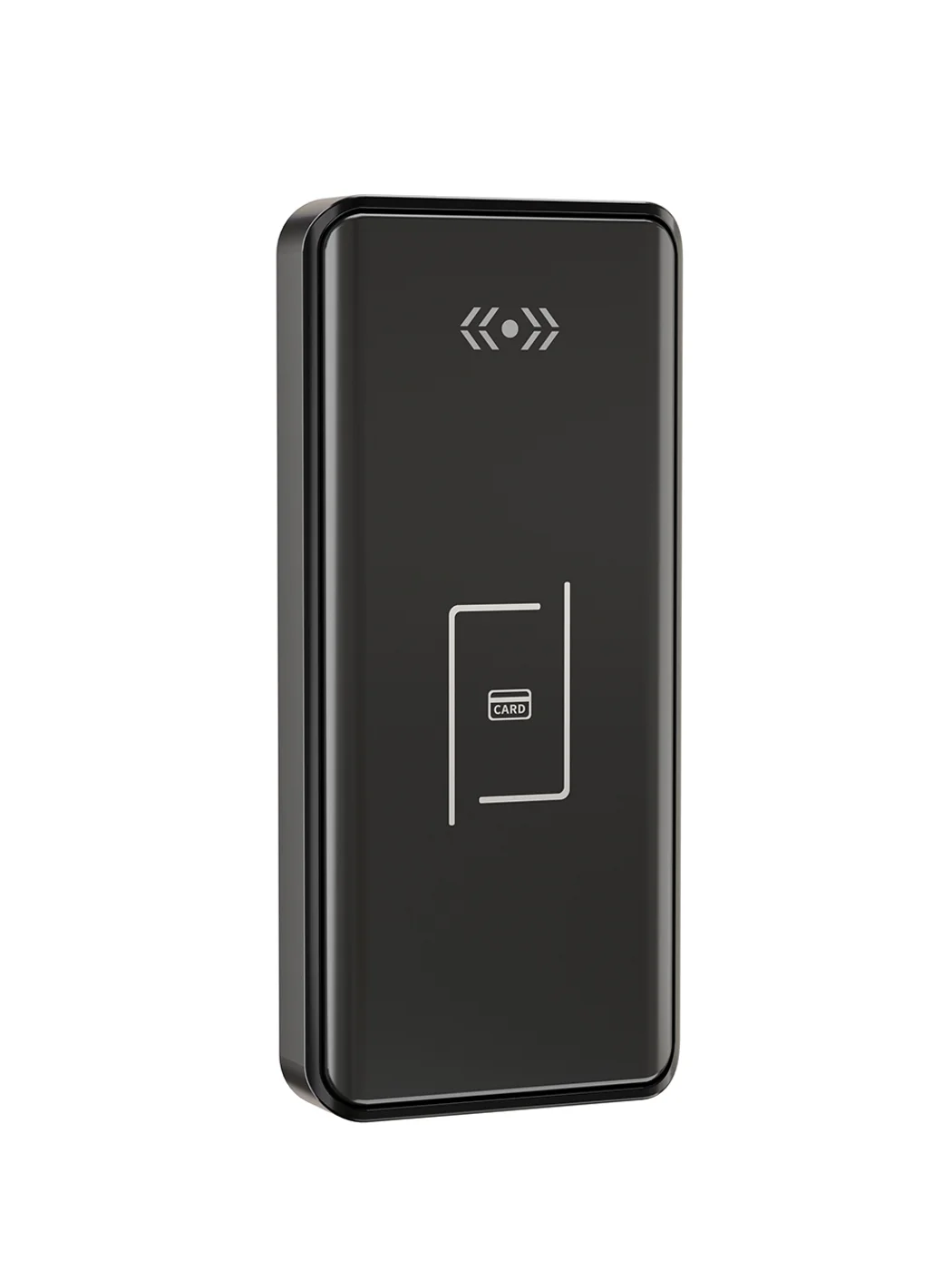
Gym Locker Lock — Offline Card, No WiFi Required
Offline card gym locker lock for fitness and pool lockers. MIFARE card, battery-powered 5-minute retrofit, no WiFi or server. Zinc alloy body, CE/FCC/RoHS.
This page already points to it as the next recommended reference.
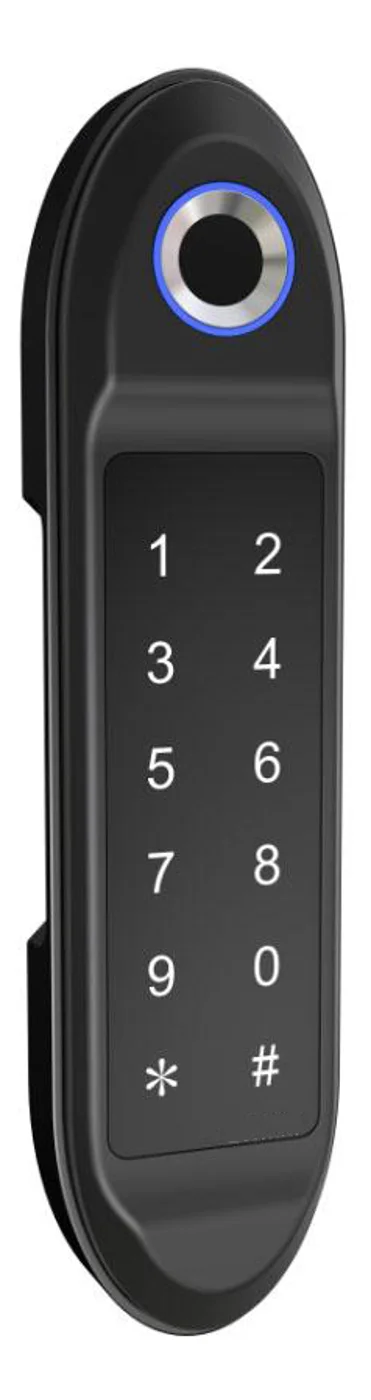
PIN Code Electronic Cabinet Lock — Stand-Alone, No WiFi
Offline keypad cabinet lock for gym, office and parcel lockers. Battery-powered, 5-minute retrofit, audit-free simple deployment. PIN + MIFARE card, DC 6V, 4×AA.
This page already points to it as the next recommended reference.
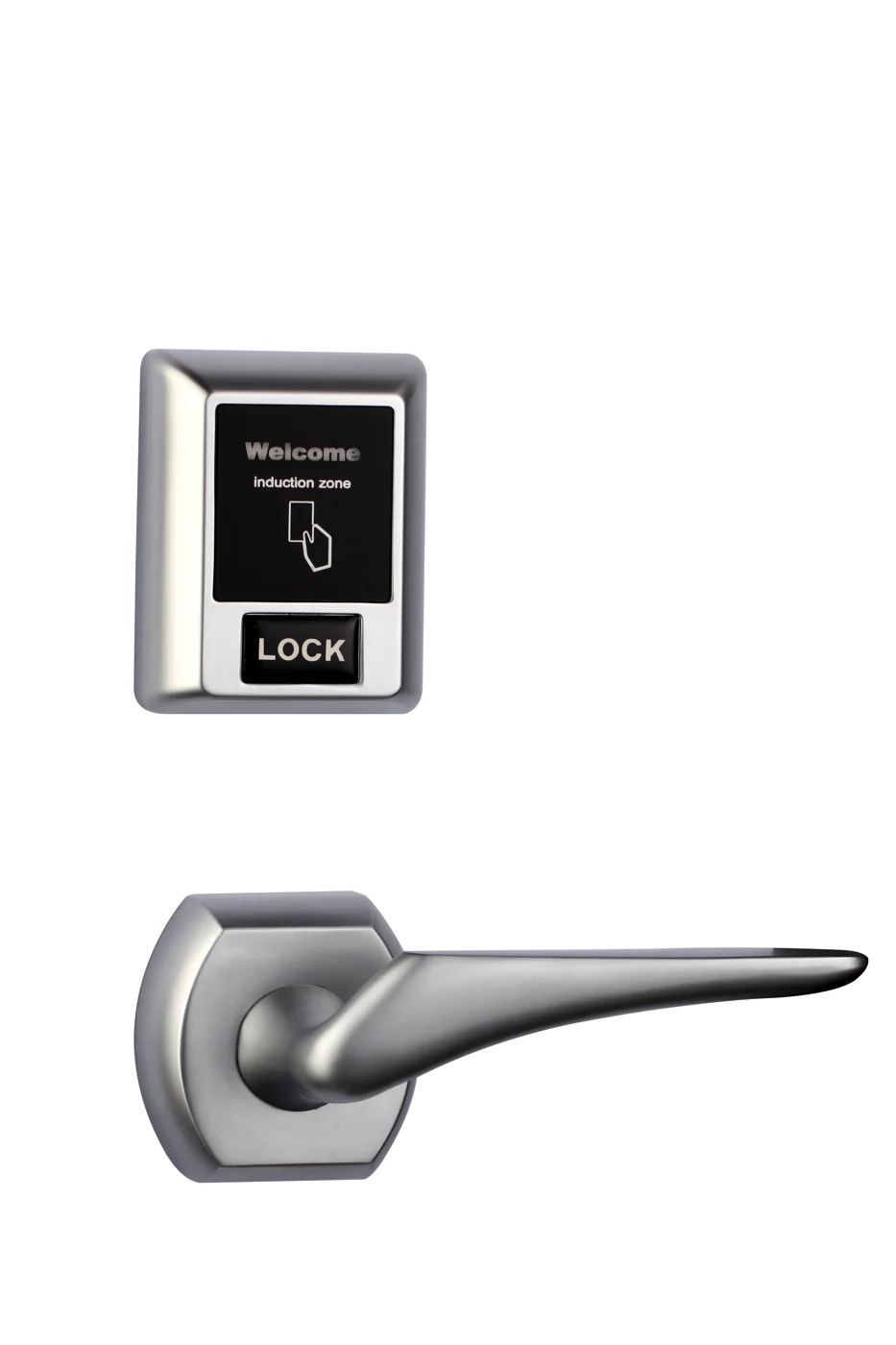
Bluetooth Cabinet Lock — App + PIN + Card, Managed Fleet
Offline BLE app cabinet lock for parcel, office, and managed locker fleets. App + PIN + MIFARE card, remote credential management, no server dependency, battery-powered retrofit.
This page already points to it as the next recommended reference.
Related blog posts
3
Fingerprint Drawer Lock: The Complete 2026 Guide to Biometric Drawer Security
Explore fingerprint drawer lock technology with detailed specs, types, installation guides, and use cases for home, office, and healthcare drawer security.
It supports the same product context: PIN Code Electronic Cabinet Lock — Stand-Alone, No WiFi.
The Complete Guide to Choosing a File Cabinet Lock Electronic System for Compliance-Driven Retrofit
Discover how a file cabinet lock electronic retrofit delivers HIPAA/SOX audit trails, multi-drawer access hierarchy, and fail-secure compliance. Compare solenoid vs motor, RFID vs PIN vs app, no-drill vs drill-mount kits, and battery life specs.
It supports the same product context: PIN Code Electronic Cabinet Lock — Stand-Alone, No WiFi.
EMS Cabinet Lock: DEA-Compliant Drug Security for Paramedic Vehicles
EMS cabinet lock guide covering DEA Schedule II compliance, dual-authentication, tamper-evidence, audit trail, vehicle power, and ePCR integration for ambulance fleets.
It supports the same product context: Gym Locker Lock — Offline Card, No WiFi Required.
Specify your hotel project with our engineers
Send your room count, ceiling type, and protocol preference. We will return a sample plan and quote within 24 business hours.
- Move from general guidance into a product or application discussion.
- Use RFQ when pricing, drawings, MOQ, or launch timing needs structure.
- Keep a direct contact path visible for fast clarifications and handoff.