The Complete Guide to Electronic Locker Management System Software and Hardware Integration
Explore electronic locker management system platforms: real-time occupancy, credential assignment, remote unlock, API/SIEM integration, on-prem vs SaaS deployment, and enterprise security for gyms, schools, hotels, and offices.
What Is an Electronic Locker Management System?
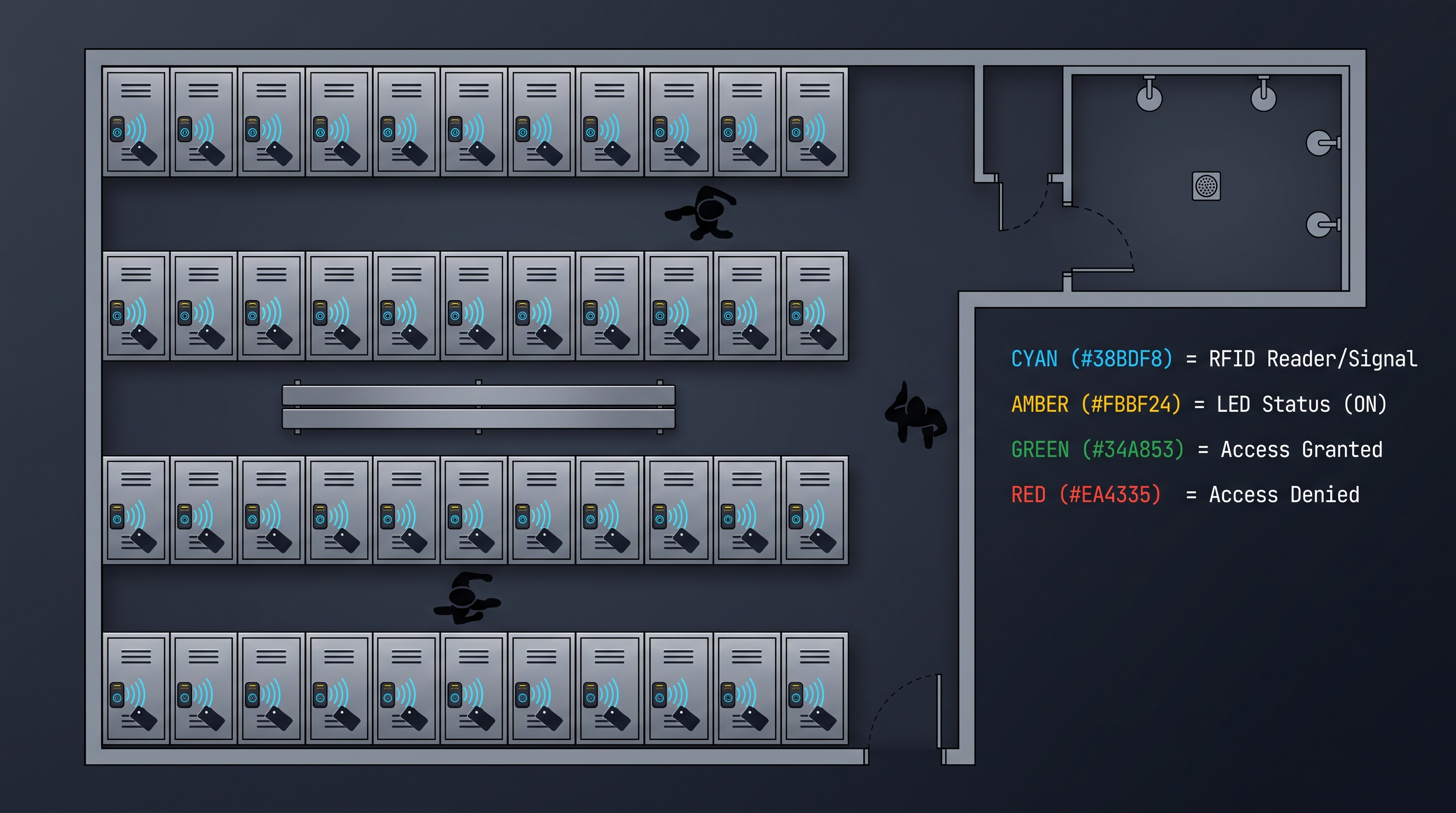
An electronic locker management system is a centralized software and cloud platform that controls, monitors, and administers fleets of electronic lockers across single or multiple facility locations. These systems replace traditional mechanical key-and-lock or coin-operated approaches with digital credentialing, real-time occupancy telemetry, remote unlock capabilities, and granular audit logging. At its core, an electronic locker management system integrates directly with electronic locker hardware — typically Bluetooth Low Energy (BLE), RFID, NFC, or Wi-Fi-enabled electronic locks — and exposes a unified dashboard that displays every locker's status (occupied, available, reserved, or out of service) within sub-100-millisecond refresh intervals. Enterprise deployments commonly span 500 to 10,000+ locker units across dozens of sites, handling 50,000 to over 1 million daily credential transactions with 99.95% or higher platform uptime. API response times for core operations — lock, unlock, status query, credential assignment — typically fall under 200 milliseconds at the 95th percentile when deployed on dedicated infrastructure. Leading platforms support integration with property management systems (PMS), human resources information systems (HRIS), single sign-on (SSO) providers via SAML 2.0 or OAuth 2.0, and security information and event management (SIEM) tools such as Splunk, Sumo Logic, or Elastic Stack. Pricing for an electronic locker management system varies widely: SaaS subscriptions range from $1.50 to $8.00 per locker per month depending on feature tier, while on-premises perpetual licenses typically cost $25,000 to $150,000 for the core platform plus $15 to $45 per locker for the hardware integration layer. Annual maintenance fees for on-premises deployments average 18 to 22 percent of the license value. Organizations handling sensitive data or operating in regulated verticals such as healthcare, government, or finance overwhelmingly prefer on-premises or hybrid deployments to retain full control over credential data, audit trails, and network boundaries. An electronic locker management system is not merely a digital replacement for a coin dispenser — it is a critical piece of physical access infrastructure that sits alongside badge readers, visitor management systems, and access control panels in the broader security ecosystem. Modern platforms expose RESTful APIs (and increasingly GraphQL endpoints) that enable security operations centers (SOCs) to ingest locker events into SIEM pipelines for real-time anomaly detection, compliance reporting, and forensic investigation. The shift from standalone mechanical lockers to networked electronic locker fleets has accelerated dramatically since 2022, driven by contactless hygiene expectations post-pandemic, the proliferation of mobile-first credential delivery, and the operational cost savings of automated locker assignment versus manual key management. Today's electronic locker management system represents a convergence of physical access control, IoT device management, and cloud-native SaaS architecture — a trifecta that delivers measurable ROI through reduced staffing overhead, eliminated key-replacement costs, and data-driven utilization insights that inform facility planning.
Key Components of an Electronic Locker Management System Architecture
A production-grade electronic locker management system comprises several interconnected layers, each responsible for distinct functions ranging from hardware communication to user-facing interfaces. Understanding this architecture is essential for IT directors, facility managers, and security architects evaluating platforms for enterprise deployment. The hardware layer consists of electronic locker locks — typically BLE-enabled cylindrical or cam locks with onboard microcontrollers that manage motor actuation, battery monitoring, and wireless communication. These locks communicate with local gateway devices — either dedicated BLE-to-Ethernet bridges or Wi-Fi-enabled access points — that relay commands and telemetry to the platform server. The gateway layer is critical in an electronic locker management system because it determines latency, throughput, and reliability. Enterprise-grade gateways handle up to 256 locks per unit and support encrypted communication using TLS 1.3 with mutual authentication (mTLS) to prevent replay attacks and device spoofing. The application server layer hosts the core business logic: credential management, occupancy tracking, scheduling, billing integration, and policy enforcement. In on-premises deployments, this runs on VMware vSphere or Hyper-V clusters with PostgreSQL or SQL Server backends, while SaaS deployments use containerized microservices orchestrated by Kubernetes across multi-AZ cloud regions. The API gateway layer exposes RESTful endpoints — typically 80 to 120 distinct endpoints covering locker inventory, user management, credential assignment, event streaming, reporting, and system administration. Rate limiting is configurable, with typical limits of 1,000 requests per minute per tenant for standard tiers and 10,000 requests per minute for enterprise plans. The presentation layer includes the administrative web dashboard, mobile apps for end users, and optionally kiosk interfaces for walk-up locker assignment. A well-designed electronic locker management system provides role-based access control (RBAC) with predefined roles such as System Administrator, Facility Manager, Site Operator, Auditor, and Help Desk Agent, each with granular permissions down to the individual locker or locker group level. The data layer stores all locker events, credential assignments, access logs, and configuration history in a time-series and relational hybrid model. Event retention policies vary: 90 days is standard for SaaS plans, while on-premises deployments commonly retain data for one to seven years depending on regulatory requirements. The SIEM integration layer formats locker events as syslog messages or JSON payloads compatible with common security orchestration tools. Typical events include LOCK_OPENED, LOCK_CLOSED, LOCK_TAMPERED, CREDENTIAL_ASSIGNED, CREDENTIAL_REVOKED, UNLOCK_FAILED (invalid credential), UNLOCK_FAILED (expired credential), GATEWAY_OFFLINE, LOCK_BATTERY_LOW, and FORCED_ENTRY_DETECTED. Each event carries a timestamp, locker ID, site ID, credential ID, user ID (if available), gateway ID, and a cryptographic signature for non-repudiation. The hardware abstraction layer (HAL) is perhaps the most underappreciated component: it normalizes commands and telemetry from different electronic lock manufacturers — including CabinetLock, Salto, Hafele, Digilock, Lowe & Fletcher, and Compx — into a unified data model so that the upper layers remain lock-vendor-agnostic. A mature electronic locker management system supports hot-swapping of lock hardware without requiring application-level changes, which is invaluable for multi-phase deployments where different buildings or campuses may use different lock brands.
On-Premises Deployment: The Enterprise Standard for Electronic Locker Management
For organizations that prioritize data sovereignty, network security, and operational independence, on-premises deployment of an electronic locker management system remains the gold standard. In this model, all software components — application server, database, API gateway, web dashboard, and integration middleware — are installed on the organization's own infrastructure, whether on physical servers in an on-site data center or on virtual machines within the organization's private cloud. The primary advantage is complete data control: every credential assignment, every unlock event, every occupancy change resides on infrastructure the organization owns and operates. This is non-negotiable for defense contractors, healthcare facilities subject to HIPAA, financial institutions governed by SOX or PCI DSS, and government agencies requiring FedRAMP or IL4/IL5 compliance. An on-premises electronic locker management system typically runs on a minimum of three servers — application, database, and gateway management — configured in a high-availability cluster with automatic failover. Hardware specifications call for 8 to 16 vCPUs, 32 to 64 GB of RAM, and 500 GB to 2 TB of SSD storage per server, depending on fleet size. A deployment managing 2,000 lockers across five sites with 50,000 daily transactions requires approximately 200 GB of database storage per year for full event retention. Installation and configuration of an on-premises system typically takes four to eight weeks, including server provisioning, database setup, network configuration, gateway deployment, lock pairing, and user onboarding. Ongoing maintenance includes quarterly software updates, monthly database maintenance, and daily backup verification. IT teams should budget 0.25 to 0.5 full-time equivalent (FTE) for ongoing administration of the system, though this varies based on fleet size and integration complexity. One significant advantage of on-premises deployment is predictable cost structure: a perpetual license for the platform plus per-locker hardware integration fees means the total cost of ownership flattens after the first 18 to 24 months, whereas SaaS costs accumulate indefinitely. For a 1,000-locker deployment over five years, an on-premises electronic locker management system costs approximately $85,000 to $180,000 total, compared to $90,000 to $480,000 for SaaS at the same locker count (depending on per-locker monthly pricing). Network architecture for on-premises deployment requires careful planning. The locker gateways must be on the same Layer 2 or routed Layer 3 network as the application server, with strict firewall rules permitting only encrypted communication on port 443 (HTTPS) and optionally port 1234 for gateway-to-server communication (configurable). Organizations should implement network segmentation — placing locker gateways on a dedicated IoT VLAN with egress-only rules to the application server — to prevent lateral movement in the event of a compromise. For multi-site deployments, site-to-site VPN or dedicated MPLS circuits connect remote facilities to the central server, with local caching gateways that maintain basic unlock functionality if the WAN link goes down. This local resilience is a hallmark of enterprise-grade on-premises electronic locker management system design: even if the central server is unreachable, each site's gateway can authenticate cached credentials and execute unlock commands for up to 48 hours of disconnected operation. Battery-backed gateways extend this to cover power outages, ensuring that locker access continues during extended facility disruptions.
SaaS Deployment: Cloud-Based Electronic Locker Management System Benefits and Trade-offs
Software-as-a-service (SaaS) deployment of an electronic locker management system has become the dominant choice for small to mid-sized deployments and organizations that prefer operational expenditure (OpEx) over capital expenditure (CapEx). In the SaaS model, the platform provider hosts and maintains all software infrastructure — typically across multiple cloud availability zones — and delivers the dashboard and APIs over the public internet. The organization deploys only the gateway hardware and electronic locker locks at its facilities, with the gateways establishing outbound TLS connections to the cloud platform. This architecture eliminates the need for on-premises servers, database administration, software patching, and backup management, which can reduce IT overhead by 60 to 80 percent compared to on-premises deployment. A typical SaaS electronic locker management system is multi-tenant, meaning a single application instance serves multiple customer organizations with strict data isolation enforced at the database row level and through separate encryption keys per tenant. Monthly per-locker pricing for SaaS ranges from $1.50 to $8.00, with the lower tiers offering basic occupancy tracking and manual credential assignment, while premium tiers add SIEM integration, custom API rate limits, dedicated support SLAs with 15-minute response times, and advanced analytics including predictive utilization modeling. Annual contracts typically receive a 10 to 20 percent discount over month-to-month billing. Deployment speed is a major advantage of SaaS: gateways can be shipped overnight, and the software tenant is provisioned within hours of contract signing. Locks can be paired and tested the same day the gateways arrive, and end users can be enrolling credentials within 48 to 72 hours of project kickoff. This contrasts sharply with the four-to-eight-week timeline for on-premises deployments. However, SaaS deployment of an electronic locker management system introduces dependencies that organizations must evaluate carefully. Internet connectivity becomes critical: if the WAN connection at a facility goes down, cloud-dependent lock operations — credential assignment, remote unlock, status dashboard — become unavailable unless the gateways support local credential caching. Most enterprise SaaS platforms now include this feature, but it is essential to verify that the gateway caches credentials and can execute unlock commands during network interruptions. Data residency is another consideration: SaaS platforms store locker event data in the provider's cloud infrastructure, which may reside in a different jurisdiction than the organization's facilities. Organizations subject to GDPR, PIPEDA, LGPD, or similar data localization laws must confirm that the provider offers data residency options in their required geography. Most major electronic locker management system SaaS providers now offer data centers in US East, US West, EU West (Frankfurt or Ireland), and APAC (Singapore or Sydney), with additional regions available through AWS Outposts or Azure Stack for hybrid scenarios. Security certifications are a key differentiator among SaaS platforms. Enterprise buyers should demand SOC 2 Type II reports (at minimum), ISO 27001 certification, and penetration testing results from reputable firms. An electronic locker management system handling credential data for 5,000+ lockers should also demonstrate annual third-party application security assessments, bug bounty programs, and immutable audit logging that prevents administrators from modifying or deleting event records.
Hybrid Deployment: Bridging On-Premises and Cloud in an Electronic Locker Management System
Hybrid deployment architectures for an electronic locker management system have gained significant traction since 2024 as organizations seek to balance data sovereignty with cloud convenience. In a hybrid model, the core credential management and event storage run on-premises — ensuring that sensitive data never leaves the organization's control — while specific functions such as mobile app push notifications, remote unlock via cloud relay, and cross-site analytics dashboards run in the cloud. The on-premises component handles all lock-level communication through local gateways, with sub-50-millisecond command latency for critical operations like emergency unlock or lockdown. The cloud component serves as an optional relay for remote access scenarios — for example, a facility manager traveling internationally who needs to unlock a locker from a mobile device. In this case, the mobile app sends the unlock request to the cloud API, which forwards it through the organization's VPN or secure relay to the on-premises server, which then commands the gateway to actuate the lock. The round-trip time for cloud-relayed remote unlock in a hybrid electronic locker management system typically ranges from 400 to 1,200 milliseconds depending on network conditions, which is acceptable for administrative operations but not for high-frequency access scenarios. Another common hybrid pattern involves storing full event history on-premises while sending anonymized or aggregated utilization metrics to the cloud for multi-site benchmarking and predictive analytics. For example, detailed audit records — including user identity, exact timestamps, and credential identifiers — remain on the local server, while hourly occupancy counts by locker bank or site are pushed to the cloud for trend visualization. This approach satisfies data minimization principles under GDPR and similar regulations while still enabling the analytics capabilities that drive operational improvements. The hybrid model is particularly well-suited to organizations that operate facilities in both connected and disconnected environments. A university, for instance, might deploy an on-premises electronic locker management system at its main campus data center while using cloud-based management for satellite campuses that lack dedicated IT staff. The satellite sites run local gateways with credential caching for resilience, and the cloud dashboard provides centralized visibility for the campus security team. When the satellite site's internet connection is available, events synchronize to the cloud; during outages, the local gateway maintains full functionality from its cache. Hybrid deployment also facilitates phased migration: an organization can start with a fully on-premises system, then selectively move non-sensitive functions to the cloud as confidence in the platform grows, without disrupting day-to-day locker operations. API architecture in a hybrid electronic locker management system must be designed for eventual consistency, with conflict resolution strategies for scenarios where a credential is assigned or revoked while a site is offline. The standard approach is last-writer-wins with timestamp reconciliation, but more sophisticated platforms implement CRDT (conflict-free replicated data type) patterns for credential lists to ensure that revocations are never overridden by stale offline assignments.
Real-Time Occupancy Monitoring and Utilization Analytics
One of the most transformative capabilities of a modern electronic locker management system is real-time occupancy monitoring — the ability to see, within seconds, exactly which lockers are occupied, available, reserved, or out of service across every site in the organization. This data is collected through continuous polling of electronic locker locks (typically every 5 to 30 seconds depending on the lock type and network topology) and aggregated into a live dashboard that updates automatically without page refresh. For facility managers, this eliminates the age-old problem of wandering hallways checking mechanical lockers to find an available unit. An electronic locker management system with real-time occupancy can display a color-coded map of every locker bank — green for available, red for occupied, yellow for reserved, gray for out of service — that refreshes within the lock polling interval. Large organizations with 5,000+ lockers often use this data to optimize locker-to-member ratios, reducing the total number of lockers needed by 15 to 25 percent through dynamic assignment and time-based release policies. Occupancy analytics in an electronic locker management system go far beyond simple available/occupied counts. Historical occupancy data reveals utilization patterns by hour of day, day of week, and season, enabling facility planners to right-size locker banks for peak demand periods. A hotel, for example, might discover that its pool locker bank reaches 92 percent occupancy only between 10 AM and 2 PM on summer weekends, while weekday occupancy averages 40 percent. Armed with this data, the hotel can implement time-limited assignments (four-hour maximum during peak periods) or designate overflow locker banks that open automatically when primary banks exceed 85 percent occupancy. These policies are configured directly in the electronic locker management system's rules engine and enforced automatically by the platform — no staff intervention required. Utilization analytics also inform capital expenditure decisions. When a facility is planning expansion or renovation, historical occupancy data from the electronic locker management system provides objective evidence of locker demand. Organizations can identify underutilized locker banks (occupancy below 30 percent during peak periods) and either redeploy those lockers to high-demand areas or avoid purchasing unnecessary new lockers. One large fitness chain reported saving $340,000 in avoided locker purchases across 12 locations after analyzing 18 months of occupancy data from their electronic locker management system and rebalancing locker allocation between locations. The reporting module of a comprehensive electronic locker management system typically includes pre-built dashboards for: daily occupancy summary (peak occupancy, average occupancy, turnover count); utilization heat maps by time and location; credential assignment audit (who assigned which locker to whom, and when); abandonment detection (lockers occupied beyond a configurable threshold without activity); and SLA compliance for maintenance requests (time to resolve reported locker faults). Custom report builders allow facility managers to create ad hoc reports using any combination of event types, time ranges, locker groups, and user attributes. Export formats include CSV, PDF, and direct integration with business intelligence tools like Tableau, Power BI, or Looker via ODBC/JDBC connectors or live API queries. Advanced platforms apply machine learning to occupancy data for predictive analytics. An electronic locker management system with ML capabilities can forecast occupancy for future dates based on historical patterns, weather data, local events, and seasonal trends, then automatically adjust locker availability policies — such as shortening assignment durations ahead of predicted peak days or pre-reserving locker banks for scheduled events.
Credential Assignment and Access Control Methods
The credential management subsystem is the security heart of any electronic locker management system, governing who can access which lockers, when, and under what conditions. Modern platforms support multiple credential types — often four or five simultaneously — to accommodate diverse user populations and use cases. The most common credential types in an electronic locker management system are: mobile credentials delivered through a white-label iOS/Android app that communicates with locker locks via BLE; RFID cards or fobs using 13.56 MHz MiFARE DESFire EV2/EV3 technology with AES-128 encryption; PIN codes displayed on a kiosk screen or sent via SMS/email; biometric credentials using fingerprint or palm vein scanners integrated into the locker fascia; and wearable credentials such as NFC wristbands or key fobs for pool or spa environments. Each credential type has distinct security and usability characteristics. Mobile credentials are the most flexible — they can be issued, modified, and revoked remotely without physical interaction — but they require users to have a smartphone with a charged battery and the installed app. RFID credentials are highly reliable and work even when phones are unavailable, but they require physical card issuance and management. PIN codes are the simplest to deploy (no hardware beyond the lock itself) but offer the lowest security if codes are shared or observed. An enterprise electronic locker management system enforces credential policies at the system level: minimum PIN length (typically 6 to 8 digits), credential expiration (from 1 hour to permanent), maximum simultaneous active credentials per user, and blacklisting of compromised credentials across the entire fleet. Credential assignment in an electronic locker management system follows one of several models depending on the use case. Fixed assignment permanently associates a specific locker with a specific user — common for employee lockers in office environments or long-term student lockers in schools. Dynamic assignment allocates the next available locker from a pool when a user checks in — standard in fitness centers, hotels, and event venues where users do not need the same locker each visit. Reservation-based assignment allows users to pre-book a specific locker or locker type (large, medium, small, with charging, accessible) through a web portal or mobile app for a future time slot. Time-limited assignment automatically releases the locker when the reservation expires, making it available for the next user without staff intervention. The assignment engine in a modern electronic locker management system can handle complex business rules: priority access for VIP members, gender-segregated locker banks, accessible locker allocation per ADA compliance requirements, locker size matching based on user profile, and cooldown periods preventing users from claiming multiple lockers consecutively. From a security perspective, the credential storage architecture is critical. A properly designed electronic locker management system never stores PIN codes or cryptographic keys in plaintext. PIN codes are hashed with bcrypt (cost factor 12 or higher) or Argon2id. Mobile and RFID credential keys are stored in a hardware security module (HSM) or a software equivalent using envelope encryption with a master key that is never stored on the same server as the credential database. When a user presents a credential to unlock a locker, the lock sends the credential identifier to the platform, which validates it against the stored credentials, checks applicable policies (time of day, expiration, revocation status), and returns an unlock command. The entire round trip — from credential presentation to lock actuation — should complete in under 500 milliseconds for a positive user experience.
Remote Unlock Capabilities and Emergency Access
Remote unlock is one of the most valued features in an electronic locker management system, enabling authorized personnel to open any locker from anywhere with network access. This capability is essential for lost credential scenarios, maintenance access, security investigations, and emergency response. In a typical lost credential event — a user loses their RFID card or their phone battery dies — a help desk agent or facility manager can authenticate to the electronic locker management system dashboard, search for the user's assigned locker by name, ID, or locker number, and click an unlock button. The system logs the unlock event with the agent's identity, timestamp, reason code, and locker ID, creating an immutable audit trail. Remote unlock can be scoped by role: help desk agents might unlock lockers only within their assigned site and only with a manager override for after-hours requests, while security directors might have global unlock privileges across all sites with mandatory multi-factor authentication (MFA) for each unlock action. Emergency access protocols in an electronic locker management system are designed for worst-case scenarios. A "master unlock" command — typically protected by a two-person rule requiring simultaneous authorization from two different administrators — opens every locker in a designated area or entire facility simultaneously. This capability is used during fire alarms, active shooter situations, or hazardous material incidents where rapid evacuation and equipment retrieval are critical. Master unlock events trigger immediate notifications to the security team, facilities management, and (in regulated industries) compliance officers. The electronic locker management system should also support site-wide lockdown: a single command that prevents any locker from opening, regardless of credential presented. Lockdown overrides all other policies and can only be released by a designated security administrator. Both master unlock and lockdown commands require dedicated network paths that bypass normal API rate limiting and are processed at the highest priority by the gateway infrastructure. For organizations with 24/7 security operations centers, remote unlock capabilities extend to SIEM-integrated workflows. A SOC analyst monitoring the electronic locker management system's event stream might observe an anomaly — for example, five failed unlock attempts on a single locker within two minutes — and initiate a remote lock (preventing further access attempts) or trigger a camera recording adjacent to the locker bank. These automated responses are configured through the platform's rules engine or SIEM playbook integration. An electronic locker management system with webhook support can send real-time HTTP callouts to security orchestration platforms like Cortex XSOAR or Splunk SOAR, enabling fully automated incident response without human intervention. From an audit perspective, every remote unlock action is recorded with: the requesting user's identity and authentication method; the timestamp (in UTC with millisecond precision); the locker ID, bank ID, and site ID; the reason code (LOST_CREDENTIAL, MAINTENANCE, EMERGENCY, INVESTIGATION, OTHER); the gateway that executed the command; the lock firmware version at time of execution; the network latency between command issuance and execution confirmation; and a cryptographic hash of the event record for tamper detection. This level of audit granularity is critical for SOC 2, ISO 27001, HIPAA, and internal audit compliance. Organizations in regulated verticals should verify that their electronic locker management system supports immutable audit logging — meaning that event records, once written, cannot be modified or deleted by any user, including system administrators. Immutability is typically achieved through append-only database tables combined with cryptographic chaining similar to blockchain technology.
API Integration: Connecting the Electronic Locker Management System to the Enterprise Ecosystem
The integration capability of an electronic locker management system is what transforms it from a standalone locker controller into a connected enterprise platform. Modern systems expose comprehensive RESTful APIs (and increasingly GraphQL for complex queries) that enable bidirectional data exchange with the broader IT and security ecosystem. A typical enterprise-grade API surface includes endpoints for: locker inventory management (create, read, update, delete locker records; query by site, bank, status, lock type); credential management (issue, modify, revoke credentials; bulk operations via CSV or JSON arrays); occupancy queries (current status of individual lockers, banks, or sites; historical occupancy for date ranges); access events (streaming and historical queries of all lock/unlock events with filters); user management (create, read, update, delete user records; sync with HRIS or directory services); policy management (define and modify assignment rules, access schedules, credential policies); system administration (gateway status, lock firmware versions, battery levels, connectivity health); and reporting (generate and retrieve pre-built and custom reports programmatically). API authentication typically uses OAuth 2.0 with client credentials grant for server-to-server integration and authorization code grant for user-facing applications. API keys are supported for simpler integrations but are strongly discouraged for production use due to the inability to scope keys to specific permissions. An electronic locker management system with mature API governance supports scoped access tokens that limit API clients to specific endpoints, sites, and operations — for example, a PMS integration token might have access only to the occupancy query and credential assignment endpoints for lockers in the hotel's pool and fitness areas. The most common enterprise integrations for an electronic locker management system fall into several categories. Property management system (PMS) integration is critical for hotels: when a guest checks in, the PMS sends a webhook to the locker platform, which automatically assigns a locker near the guest's room for the duration of their stay. On checkout, the PMS triggers locker release, freeing the locker for the next guest. Major PMS platforms with pre-built connectors include Oracle Opera, Infor HMS, Maestro, Cloudbeds, and Mews. HRIS integration serves corporate and campus deployments: when a new employee is onboarded in Workday, BambooHR, or SAP SuccessFactors, the electronic locker management system automatically provisions a locker assignment based on the employee's department, location, and shift. When employment ends, the system revokes access and reassigns the locker. SSO integration via SAML 2.0 or OIDC enables users and administrators to authenticate using their existing corporate credentials through Azure AD, Okta, OneLogin, or Ping Identity, eliminating the need for separate locker platform credentials. SIEM integration, as discussed earlier, forwards locker events to security monitoring platforms. Access control system integration links the electronic locker management system with physical access control platforms like LenelS2, Genetec, Honeywell Pro-Watch, or Gallagher, enabling unified credential management — the same badge that opens the door can also open the locker — and correlated event analysis across door and locker access events. API reliability is measured through uptime SLAs and performance benchmarks. An enterprise electronic locker management system should offer a 99.9 percent API uptime SLA (equating to less than 8.8 hours of downtime per year) with 99.95 percent available at premium tiers. API response times should be documented: p50 under 100 ms, p95 under 250 ms, p99 under 500 ms for standard operations. Rate limits should be clearly published — typical enterprise plans offer 5,000 to 10,000 requests per minute — with burst allowances for high-demand scenarios such as shift changes or event check-ins. Comprehensive API documentation is essential, including interactive Swagger/OpenAPI specs, SDK examples in at least Python, JavaScript/Node.js, Java, and C#, webhook signature verification guidance, and a sandbox environment for integration testing.
Multi-Site Dashboard: Centralized Command for Distributed Locker Fleets
Organizations operating locker fleets across multiple facilities require a multi-site dashboard that provides unified visibility and control without requiring administrators to log into separate instances for each location. A mature electronic locker management system delivers this through a hierarchical dashboard architecture that organizes lockers by site, building, floor, zone, bank, and individual unit — each level aggregating data from the levels below it. The top-level dashboard view displays a site summary card for each location, showing total lockers, current occupancy percentage, lockers out of service, pending maintenance requests, and recent security events. Color-coded status indicators (green for normal, yellow for warning, red for critical) enable administrators to identify sites requiring attention at a glance. Clicking a site card drills into that location's detailed dashboard, which includes a floor plan or map view with locker banks rendered as interactive regions. Each bank displays its occupancy percentage, and clicking a bank shows individual locker status with credential assignment details. This multi-site hierarchy in an electronic locker management system supports global operations such as viewing utilization trends across all sites, comparing occupancy rates by region, identifying sites with consistently high abandonment rates, and deploying global policy changes (like extending maximum assignment duration) with a single action. Cross-site search is a critical feature for multi-site deployments. An administrator should be able to search for a specific user, locker number, credential ID, or event type across all sites simultaneously, with results grouped by site and sorted by recency. This capability is invaluable for security investigations — for example, searching for all lockers accessed by a terminated employee across every facility in the past 90 days. The multi-site dashboard in an electronic locker management system also supports delegated administration: site-level managers have full control over their assigned locations but cannot see or modify lockers at other sites, while global administrators have unrestricted access. This RBAC model scales from small organizations with two or three sites to global enterprises with hundreds of locations. Performance considerations become significant at scale. A multi-site dashboard for an electronic locker management system serving 10,000+ lockers across 50+ sites must be designed for sub-second page loads. This is achieved through several architectural patterns: data aggregation queries that pre-compute site-level metrics in materialized views rather than scanning raw event tables; progressive loading that renders the top-level dashboard immediately while drilling into details asynchronously; edge caching via CDN for static dashboard assets; and WebSocket connections for live updates that avoid full-page refreshes. Real-time event streaming within the multi-site dashboard is another differentiator. Instead of requiring administrators to manually refresh the page to see new events, an enterprise electronic locker management system pushes events to the dashboard via WebSocket or Server-Sent Events (SSE). A site experiencing a high rate of unlock events — such as a gym during peak hours — shows live counters incrementing on the site summary card. Security-critical events, like a forced entry detection or a gateway going offline, trigger browser notifications and can optionally send alerts via email, SMS, or Slack/PagerDuty webhook. Multi-site reporting aggregates data across all locations for enterprise-level analysis. Standard reports include: global utilization summary (total lockers, average occupancy, peak occupancy across all sites); site comparison (occupancy, turnover, abandonment rates by site); regional trending (month-over-month and year-over-year changes by geographic region); and compliance reports (audit trail completeness, credential hygiene, policy adherence across all sites). These reports can be scheduled for automatic generation and distribution to stakeholders via email or exported to BI tools for further analysis.
PMS, HRIS, and SSO Integration: Connecting the Electronic Locker Management System to Business Systems
Deep integration with enterprise business systems distinguishes a tactical electronic locker management system from a strategic one. The three most impactful integration categories are property management systems (PMS) for hospitality, human resources information systems (HRIS) for corporate and campus environments, and single sign-on (SSO) for unified authentication across all user types. PMS integration enables a hotel electronic locker management system to synchronize locker assignments with guest stays automatically. When a reservation is created or a guest checks in, the PMS sends an API call to the locker platform containing the guest's name, room number, stay dates, and any locker preferences (type, location, accessibility requirements). The locker platform assigns an appropriate locker from the available pool and sends the credential — typically a PIN code or mobile app notification — back to the PMS, which includes it in the guest's welcome packet or displays it at the front desk kiosk. When the guest checks out, the PMS triggers locker release, clearing the assignment and making the locker available for the next guest. This end-to-end automation eliminates front desk staff workload and ensures that lockers are never left assigned to departed guests. The bidirectional communication between PMS and electronic locker management system also handles edge cases: extended stays trigger locker reassignment extension; room moves can trigger locker reassignment to a bank closer to the new room; and early departures release lockers immediately rather than holding them until the scheduled checkout time. HRIS integration serves a similar purpose for employee and student locker management. When an HRIS like Workday, SAP SuccessFactors, or BambooHR records a new hire, the electronic locker management system automatically provisions a locker assignment based on rules configured in the platform: employees in the engineering department on the third floor get lockers in Bank E3, for example. When an employee transfers departments or locations, the system can reassign their locker accordingly. When employment ends, the system revokes all credentials and marks the locker as available — all without any manual action from facilities or HR staff. The integration also supports bulk operations: a campus deploying 500 new lockers for an incoming freshman class can import student records from the HRIS/student information system, automatically assign lockers based on dormitory and room number, and distribute credentials through the campus portal or mobile app. SSO integration simplifies access to the electronic locker management system dashboard for administrators and, in some deployments, for end users managing their own locker assignments. Support for SAML 2.0, OAuth 2.0/OpenID Connect, and LDAP enables organizations to connect the locker platform to Azure Active Directory, Okta, OneLogin, Ping Identity, or Google Workspace. Administrators authenticate with their corporate credentials — no separate username and password to remember — and their dashboard permissions are determined by group memberships in the identity provider. For example, members of the "Facility Managers - East Region" Azure AD group automatically receive site administrator access to all locker banks in the eastern region, while members of the "Security Operations" group receive read-only access to audit logs across all sites. SCIM (System for Cross-domain Identity Management) provisioning further automates user lifecycle management: when a user is deactivated in the identity provider, the electronic locker management system automatically revokes their administrative access and any locker credentials they hold.
On-Premises Security Architecture: Protecting Credential Data in an Electronic Locker Management System
Security architecture for an on-premises electronic locker management system demands rigorous attention to every layer of the technology stack, from physical server security to application-level encryption. Unlike SaaS platforms where the provider assumes responsibility for infrastructure security, on-premises deployments place the full security burden on the organization — but also grant complete control over security posture. At the network layer, the electronic locker management system should be deployed in a dedicated security zone with strict ingress and egress rules. The locker gateway network segment should allow only outbound TLS connections to the application server on a single port, with no inbound connections from the general corporate network. Administrative access to the dashboard should be restricted to a separate management VLAN accessible only from authorized administrator workstations or via a jump box with MFA. Network segmentation prevents a compromised workstation or IoT device from reaching the locker control infrastructure. At the application layer, all communication between components — gateways to server, server to dashboard, server to API consumers — must use TLS 1.3 with strong cipher suites (TLS_AES_256_GCM_SHA384 or equivalent). Certificate pinning for gateway-to-server connections prevents man-in-the-middle attacks even if the corporate certificate authority is compromised. The application server should enforce HTTP security headers including Strict-Transport-Security (max-age=31536000; includeSubDomains), Content-Security-Policy, X-Content-Type-Options: nosniff, and X-Frame-Options: DENY. Database encryption for an on-premises electronic locker management system covers data at rest using Transparent Data Encryption (TDE) on SQL Server or PostgreSQL pgcrypto for column-level encryption of sensitive fields. Credential data — PIN codes, cryptographic keys, biometric templates — should be encrypted at the application layer before being stored in the database, using a key hierarchy where the master key is stored in an HSM or Azure Key Vault / AWS KMS if the on-premises deployment uses hybrid cloud key management. Application-level encryption ensures that even if the database is compromised, credential data remains inaccessible. Audit logging in a security-conscious electronic locker management system is immutable and cryptographically verifiable. Each event record includes a hash of the previous record's contents, creating a chain that makes retroactive modification detectable. Audit logs are written to an append-only storage system — typically a separate database or log management platform with write-once-read-many (WORM) permissions — that even system administrators cannot modify. Organizations subject to regulatory requirements should verify that the platform's audit logging meets their specific obligations: HIPAA requires audit logs of all access to electronic protected health information (ePHI) retained for six years; PCI DSS requires audit trails for all access to cardholder data environments retained for one year; SOX requires audit records supporting financial controls retained for seven years. Physical security for on-premises deployments is often overlooked but equally important. The server hosting the electronic locker management system should be in a locked data center or server room with access control logging, environmental monitoring, and video surveillance. Backup media containing locker configuration and credential data must be encrypted and stored in a secure off-site location. Disaster recovery planning should include documented procedures for restoring the electronic locker management system from backups with a recovery time objective (RTO) of four hours or less and a recovery point objective (RPO) of 15 minutes or less for critical deployments.
Choosing the Right Electronic Locker Management System for Gyms
Fitness centers present unique requirements for an electronic locker management system that differ significantly from office or educational deployments. Gyms experience high turnover — members may use lockers for 45 to 90 minutes per visit — with peak demand periods concentrated before and after work hours. The system must handle rapid assignment and release cycles, often processing 200 to 600 locker transactions per hour during peak times at a busy location. Dynamic assignment is the standard model for gyms: members check in at a kiosk or via the gym's mobile app, and the electronic locker management system assigns the next available locker from the selected bank. The member receives a temporary credential — typically a PIN code displayed on the kiosk screen or a mobile app notification — that remains valid only for the duration of their visit. When the member leaves, they close the locker, which the system detects as vacated and immediately makes available for the next member. Some gyms use time-based release: if the locker has been closed (no activity) for 90 minutes, the system automatically releases it and flags any items left inside for staff retrieval. Durability is a critical consideration in fitness environments. An electronic locker management system deployed in a gym must work with locks that resist moisture, chlorine (in pool areas), dust, and physical impact. Locks rated IP65 or higher are recommended for wet areas. Battery life is another factor: gym lockers may be opened and closed 20 to 30 times per day, which is significantly more cycles than office or hotel lockers. Locks with long-life lithium battery packs rated for 100,000+ cycles or 3+ years of typical gym use reduce maintenance overhead. Hot-swappable battery compartments allow replacement without removing the lock from the locker door. Integration with the gym's membership management system is essential. An electronic locker management system for a fitness chain should integrate with platforms like Mindbody, ClubReady, Zen Planner, or Xplor. When a member checks in at the front desk, the membership system sends a check-in event to the locker platform, which pre-assigns a locker and sends the credential to the member's app. This eliminates the need for a separate check-in step at a locker kiosk and creates a frictionless member experience. For multi-location fitness chains, centralized management across all clubs is a key requirement. The electronic locker management system should provide a corporate dashboard showing locker utilization across all locations, enabling regional managers to compare performance, identify underutilized locker banks that could be converted to other uses, and deploy consistent credential policies across the chain. Mobile credential support is particularly important for gyms, where members may not carry RFID cards during workouts. Bluetooth Low Energy (BLE) unlock via the gym's branded mobile app is the preferred method: the member approaches their assigned locker, opens the app, and taps an unlock button. The app communicates with the locker lock via BLE within a range of 1 to 3 meters, ensuring that the member is physically present at the locker. For members who prefer not to use the app, PIN code entry on a keypad-integrated lock provides an alternative. Day-pass and guest access is another consideration. An electronic locker management system for a gym should support temporary credentials for day-pass visitors, with configurable expiration (typically 2 to 8 hours) and limited privileges (specific locker bank, no reservation capability). Guest credentials can be issued at the front desk and automatically revoked when the guest's pass expires, eliminating the need for staff to track which guests are still in the facility.
Choosing the Right Electronic Locker Management System for Schools
Educational institutions — from K-12 schools to universities — deploy electronic locker management systems to address challenges that are distinct from commercial environments. Student safety, integration with existing student information systems (SIS), and the ability to handle semester-based credential lifecycles are paramount. In K-12 settings, an electronic locker management system often integrates with the school's student ID card system. Students use their existing RFID student ID cards as locker credentials, eliminating the need for separate locker keys or combinations. The system assigns lockers at the beginning of the school year based on homeroom, grade level, or schedule, and automatically revokes access at year-end or upon student transfer. This automated lifecycle management saves administrative staff dozens of hours per semester compared to manual combination distribution and collection. For schools, the electronic locker management system must support group-based assignment: a teacher can be granted access to all lockers in their classroom or department for supervised opening during fire drills or lockdowns. The master unlock capability discussed earlier is particularly important for schools, where rapid evacuation may require opening every locker simultaneously. The system must also integrate with the school's emergency notification system, sending alerts when lockers are accessed during off-hours or when tamper events are detected. In university environments, the scale and complexity increase significantly. A university electronic locker management system might manage 5,000 to 20,000 lockers across dormitories, libraries, recreation centers, music practice rooms, and academic buildings. Integration with the university's student information system (Banner, PeopleSoft, or Workday Student) is essential for automated provisioning and deprovisioning. When a student registers for housing, the locker system assigns a locker in their dormitory. When the student graduates or withdraws, the locker is automatically released. Universities also require support for multiple credential types simultaneously. Students may use mobile credentials for recreation center lockers, RFID student IDs for dormitory lockers, and PIN codes for library day-use lockers — all managed through a single electronic locker management system that presents a unified credential management interface for the campus security office. Short-term locker use in academic buildings — libraries, student unions, music practice rooms — requires flexible assignment models. An electronic locker management system for a university library might offer 2-hour, 4-hour, and 24-hour locker options, with automatic release and notification if the user exceeds the time limit. Music practice room lockers for instrument storage might be assignable for a full semester with daily access limits. The system's rules engine handles these diverse policies within a single platform, applying different assignment rules by building, locker bank, and user type (student, faculty, staff, visitor). Reporting is a key requirement for educational institutions. School administrators need data on locker utilization by building, grade level, or department to justify facility investments and optimize space allocation. The electronic locker management system should provide reports on: locker utilization rates by semester; average assignment duration; peak demand periods by location; abandoned locker incidents (lockers occupied beyond term end); and credential-related support tickets. These reports support data-driven decisions about locker bank sizing and new construction. For school districts and university systems with multiple campuses, the multi-site dashboard is critical. A district-level administrator should be able to view locker utilization across all schools in the district from a single dashboard, identify schools approaching capacity, and reallocate portable locker banks between locations as needed.
Choosing the Right Electronic Locker Management System for Hotels
Hotels deploy electronic locker management systems primarily for pool and fitness center lockers, but increasingly for luggage storage, staff lockers, and in-room safe management. The hospitality environment demands an electronic locker management system that integrates seamlessly with the hotel's property management system (PMS) and delivers a frictionless guest experience. Pool and fitness center locker management is the most common hotel use case. Guests checking into these facilities need quick, intuitive locker access without requiring a smartphone app download or staff assistance. The ideal system offers contactless credential delivery: the guest scans their room key card at a kiosk, which assigns a locker and displays the locker number. The same room key card then unlocks the assigned locker via RFID. When the guest checks out of the hotel or leaves the pool area, the system automatically releases the locker. This self-service model reduces front desk and pool staff workload while providing a premium guest experience. Luggage storage is an emerging use case for hotel electronic locker management systems. Rather than storing luggage behind the front desk, hotels can offer self-service luggage lockers that guests access with their room key card or a temporary PIN code. Large-format lockers accommodate suitcases and carry-on bags. The electronic locker management system tracks which locker holds which guest's luggage and sends an automated notification when the guest's room is ready or when the locker is about to exceed the reservation window. This capability is particularly valuable for hotels with limited front desk space or those implementing contactless guest journeys. Staff locker management is often overlooked but operationally important. Hotels employ housekeeping, kitchen, maintenance, and front desk staff who need secure storage for personal belongings and uniforms. An electronic locker management system for staff lockers integrates with the hotel's HRIS or payroll system to automatically provision lockers for new hires and revoke access upon termination. Shift-based locker assignment is common: two employees on opposite shifts share a single locker, with the system ensuring that only the active shift employee has access. For luxury hotels, the electronic locker management system must offer white-label mobile app integration. Guests should be able to access their pool locker through the hotel's existing mobile app (rather than a separate locker app), and the locker experience should feel consistent with the hotel's brand. Some hotels use the locker system as an additional touchpoint for guest engagement — for example, offering a complimentary pool towel or amenity kit that is dispensed when the locker is first opened. Integration with the hotel's PMS is non-negotiable. The electronic locker management system must support real-time synchronization with the hotel's reservation and check-in/check-out data. When a guest checks out early, the system should immediately release their pool locker and luggage locker, even if the scheduled check-out time is hours away. PMS integration platforms like Oracle Opera, Infor HMS, Maestro, Cloudbeds, and Mews should be supported with pre-built connectors that require minimal configuration. Hotel chains with multiple properties require centralized management. A corporate-level dashboard in the electronic locker management system should display locker utilization across all properties, enabling regional managers to identify properties that need additional locker capacity or those with underutilized locker banks that could be repurposed. Consistent credential policies — maximum assignment duration, PIN complexity, guest access rules — can be deployed globally or customized by property.
Choosing the Right Electronic Locker Management System for Offices
Corporate office environments represent a growing segment for electronic locker management systems, driven by the shift to hybrid work models and the need for flexible, unassigned seating arrangements. In a hybrid office, employees may visit the office one to three days per week and need a temporary locker for their personal items, laptop bag, or gym clothes — but they do not need a permanent assigned locker. An electronic locker management system designed for the office environment supports hoteling-style locker assignment: employees reserve a desk through the office booking platform (such as OfficeRnD, Envoy, Robin, or Skedda), and the locker platform automatically assigns a nearby locker for the duration of their desk reservation. On days the employee works remotely, no locker is assigned, maximizing utilization of the locker fleet. This integrated desk-and-locker booking workflow is a powerful differentiator for an office-focused electronic locker management system. Office deployments typically use smaller locker banks distributed across floors and neighborhoods rather than centralized locker rooms. The electronic locker management system should support zone-based locker assignment: employees assigned to desks on the third floor east wing receive lockers in the nearest locker bank, minimizing walking distance. Some organizations implement tiered locker types: standard lockers for daily use, larger lockers for employees who need to store equipment overnight (with manager approval), and small parcel lockers for package delivery. Integration with the HRIS is essential for corporate deployments. When a new employee joins, the electronic locker management system automatically provisions access to the appropriate locker banks based on their department and floor. When an employee leaves, all credentials are revoked. For organizations using hot desking, the system can integrate with the scheduling platform to assign lockers only on days the employee has booked a desk. This dynamic assignment model requires robust API integration between the locker platform and the desk booking system. Visitor management is another important use case for office electronic locker management systems. Visitors checking in through platforms like Envoy, Proxyclick, or SwipedOn can be offered a temporary locker for their personal items. The visitor's credential — typically a QR code or temporary PIN — expires automatically when the visitor's meeting ends. This capability enhances the visitor experience while reducing the risk of items being left behind. Compliance and security considerations differ in office environments. Corporate security teams often require that the electronic locker management system integrate with the existing access control system (LenelS2, Genetec, Gallagher) so that the same badge credential works for both building entry and locker access. Audit logs must be available for security investigations — for example, identifying which employee accessed a locker from which a laptop was reported missing. The system should support chain-of-custody logging for equipment lockers, recording every access event with user identity, timestamp, and purpose code.
Reporting and Audit Analytics: Extracting Value from Locker Data
The reporting and analytics capabilities of an electronic locker management system transform raw event data into actionable business intelligence. Organizations that leverage these capabilities achieve measurable improvements in operational efficiency, space utilization, and security posture. A comprehensive reporting suite covers five primary domains: utilization, operational, security, compliance, and financial. Utilization reports answer the fundamental question: are we using our lockers efficiently? Standard utilization reports include: occupancy rate (percentage of lockers occupied at any given time, averaged over a selected period); turnover rate (number of times each locker is assigned and released per day, week, or month); peak occupancy (highest occupancy level reached during a period, with timestamp); utilization heat map (occupancy by hour of day and day of week, identifying peak periods); abandonment rate (percentage of lockers occupied beyond their assignment period without activity); and bank comparison (utilization metrics compared across locker banks, floors, buildings, or sites). These reports enable facility managers to right-size locker fleets, adjust assignment policies, and make data-driven capital investment decisions. Operational reports focus on system health and maintenance. Key reports include: gateway health (online/offline status, firmware versions, signal strength for all gateways); lock battery status (current battery level for every lock, with predictive alerts for units below threshold); maintenance request summary (open, in-progress, and resolved maintenance tickets by site and locker bank); mean time to repair (average time from fault detection to resolution); and credential hygiene (count of active, expired, and revoked credentials by type and user). These reports help IT and facilities teams maintain the electronic locker management system proactively, reducing downtime and support ticket volume. Security reports are designed for audit and investigation. Standard security reports include: access log (every lock/unlock event with user identity, credential type, timestamp, and outcome — success or failure); failed access attempts (all unsuccessful unlock attempts, sorted by frequency, with credential and location details); after-hours access (all locker events occurring outside defined business hours); forced entry detection (tamper alerts and unauthorized access events); credential changes (history of credential issuance, modification, revocation, and expiration); and user access review (list of all users with active credentials and their assigned lockers, for periodic access certification). These reports support SOC operations, internal investigations, and regulatory compliance audits. Compliance reports vary by industry but commonly include: HIPAA access report (all locker events involving lockers designated for medical equipment or patient belongings storage); PCI DSS access report (locker events for lockers in or near cardholder data environments); SOX control report (audit trail completeness verification, user access certifications); and GDPR data portability report (all data stored about a specific individual, exportable in machine-readable format). An electronic locker management system serving regulated industries should include pre-built compliance report templates that map directly to regulatory requirements. Financial reports quantify the return on investment from the locker management system. Reports in this category include: cost per locker per month (total system cost divided by locker count); staffing savings (labor hours eliminated through automated locker assignment compared to manual key management); key replacement cost avoidance (cost of replacing lost mechanical keys vs. digital credential revocation); and revenue per locker (for facilities that charge for locker rental). These reports are essential for building the business case for expansion or for justifying the initial investment. Custom reporting capabilities enable organizations to create ad hoc analyses specific to their needs. A mature electronic locker management system provides a drag-and-drop report builder with filters, grouping, aggregation, and visualization options. Reports can be scheduled for automatic generation and distribution via email, exported in CSV, PDF, or Excel formats, and embedded in external dashboards via iframe or API. BI tool integration via ODBC/JDBC or live API queries enables advanced analytics in Tableau, Power BI, or Looker. Machine learning-powered analytics represent the cutting edge of electronic locker management system reporting. Predictive occupancy models forecast future demand based on historical patterns, enabling proactive locker bank allocation. Anomaly detection algorithms identify unusual access patterns — such as a single credential accessing multiple lockers in rapid succession — and trigger security alerts. Abandonment prediction models flag lockers likely to be abandoned based on usage patterns, enabling preemptive staff intervention.
API and SIEM Integration for Enterprise Security Operations
For organizations with dedicated security operations centers (SOCs), integration between the electronic locker management system and SIEM platforms is not optional — it is a core requirement. The SIEM integration transforms locker events from isolated physical access data points into contextual security intelligence that correlates with network events, building access events, and user behavior analytics. A properly configured integration enables SOC analysts to detect, investigate, and respond to physical security incidents involving lockers with the same tools and workflows they use for cybersecurity incidents. The integration architecture typically uses syslog (RFC 5424 or RFC 3164) for event forwarding, with events formatted as JSON or CEF (Common Event Format). Each locker event includes fields for: timestamp (ISO 8601 with timezone and microsecond precision); event type (LOCK_OPENED, LOCK_CLOSED, LOCK_TAMPERED, CREDENTIAL_ASSIGNED, CREDENTIAL_REVOKED, UNLOCK_FAILED, GATEWAY_OFFLINE, LOCK_BATTERY_LOW, FORCED_ENTRY_DETECTED, LOCKDOWN_ACTIVATED, LOCKDOWN_DEACTIVATED); locker identifier (unique ID plus human-readable label); bank identifier; site identifier; credential identifier (hashed for privacy if required); user identifier (if credential is assigned to a known user); gateway identifier; event outcome (success, failure, error); failure reason code (INVALID_CREDENTIAL, EXPIRED_CREDENTIAL, LOCK_MALFUNCTION, NETWORK_ERROR, POLICY_VIOLATION); and event signature (HMAC-SHA256 for tamper detection). The electronic locker management system should support configurable event filtering to prevent SIEM overload. Not every locker open event needs to be forwarded — a gym with 200 daily locker transactions would generate excessive noise. Administrators should be able to configure which event types are forwarded and apply threshold-based filtering (e.g., forward UNLOCK_FAILED only if three or more occur within five minutes from the same locker or credential). Pre-built SIEM integration packages for Splunk, Sumo Logic, Elastic Stack, Microsoft Sentinel, and QRadar include dashboards, correlation rules, and alert definitions specific to locker events. These packages reduce integration time from weeks to days. Beyond SIEM, the electronic locker management system API enables integration with SOAR (security orchestration, automation, and response) platforms for automated incident response. A SOAR playbook triggered by a FORCED_ENTRY_DETECTED event might automatically: lock the affected locker to prevent further access; trigger the adjacent security camera to begin recording; send an alert to the facility security team via Slack or PagerDuty; create a ticket in the incident management system (ServiceNow, Jira); and log the event in the case management platform. All of these actions execute within seconds of the event being detected, without human intervention. For organizations using physical access control systems (PACS) from LenelS2, Genetec, or Gallagher, the electronic locker management system API enables credential convergence: the same API call that provisions a building access badge can also provision a locker credential, and the same badge revocation that disables building access also disables locker access. This unified credential lifecycle management reduces administrative overhead and eliminates the security gap created when a terminated employee retains locker access after building access is revoked.
On-Premises vs. SaaS vs. Hybrid: Making the Deployment Decision
Choosing the right deployment model for an electronic locker management system is one of the most consequential decisions an organization will make during the evaluation process. The three models — on-premises, SaaS, and hybrid — each offer distinct advantages and trade-offs that align differently with organizational priorities, technical capabilities, and regulatory requirements. The decision matrix below summarizes the key comparison criteria.
| Criterion | On-Premises | SaaS | Hybrid |
|---|---|---|---|
| Data sovereignty | Full control | Provider-managed | Sensitive data on-prem, analytics in cloud |
| Upfront cost | $25,000–$150,000 license | $0 (monthly subscription) | $25,000–$100,000 license + cloud subscription |
| Ongoing cost (1,000 lockers, 5 years) | $85,000–$180,000 | $90,000–$480,000 | $110,000–$300,000 |
| Deployment timeline | 4–8 weeks | 48–72 hours | 3–6 weeks |
| IT overhead | 0.25–0.5 FTE | <0.1 FTE | 0.15–0.3 FTE |
| Customization | Full (custom integrations, branding) | Limited to available features | Moderate (on-prem component customizable) |
| Compliance readiness | HIPAA, PCI DSS, SOX, FedRAMP, IL4/5 | SOC 2, ISO 27001, GDPR | SOC 2 + on-prem for regulated data |
| Offline resilience | Full (local caching) | Depends on gateway caching | Full (on-prem gateway cache) |
| Remote access | VPN or relay required | Built-in (cloud portal) | Cloud relay for remote, direct for local |
| Scalability | Hardware-bound (add servers) | Elastic (auto-scaling) | On-prem hardware + cloud elasticity |
| Upgrade cadence | Organization-controlled (quarterly) | Provider-managed (continuous) | On-prem component quarterly, cloud continuous |
On-premises deployment is the right choice for organizations that: operate in regulated industries requiring complete data control (healthcare, defense, finance, government); have dedicated IT and security teams to manage infrastructure; need deep customization and integration with existing enterprise systems; require operation during extended network outages; and prefer predictable long-term costs over recurring subscription fees. SaaS deployment is the right choice for organizations that: lack dedicated IT infrastructure or personnel; need rapid deployment (days rather than weeks); prefer operational expenditure over capital expenditure; want automatic updates and feature releases without internal project management; and operate in jurisdictions with clear data residency options from the provider. Hybrid deployment is the right choice for organizations that: need data sovereignty for sensitive credential and audit data but want cloud-based analytics and remote access; operate facilities in both connected and disconnected environments; are migrating from on-premises to cloud and need an intermediate step; have heterogeneous lock hardware across sites that requires local processing; and want the flexibility to shift more functions to the cloud over time without replacing the entire platform.
Evaluating Vendors: What to Look for in an Electronic Locker Management System
Selecting a vendor for an electronic locker management system requires a structured evaluation process that assesses technical capability, security posture, vendor viability, and total cost of ownership. The following criteria provide a framework for comparing platforms. Hardware compatibility is the first and most practical consideration. The electronic locker management system must support the electronic lock hardware already deployed or planned for deployment. Create a matrix of supported lock vendors and models, noting which features are supported with each (BLE unlock, RFID, PIN, biometric, remote unlock, battery monitoring). If the organization uses multiple lock types — for example, BLE locks for gym lockers and RFID locks for staff lockers — verify that a single platform manages both. API maturity is critical for organizations planning integrations. Review the API documentation before engaging in detailed evaluation. A mature API should include: comprehensive OpenAPI/Swagger specification; SDKs in multiple languages; webhook support with signature verification; rate limiting documentation; sandbox environment for testing; and clear deprecation policies for API versions. Security certifications provide independent validation of the platform's security posture. Request and review SOC 2 Type II reports, ISO 27001 certificates, penetration testing results (dated within the past 12 months), and any industry-specific certifications (HIPAA BAAs, PCI DSS AOCs, FedRAMP authorization). Verify that the certifications cover the specific deployment model under consideration. Vendor viability assessment is essential for long-term deployments. Evaluate: years in operation and number of production deployments; financial stability (review available financial statements or funding history); customer references in similar industries and at similar scale; product roadmap and feature release cadence; support organization structure (hours, time zones, escalation paths, SLA guarantees); and partner ecosystem (system integrators, lock hardware partners, technology alliance partners). Total cost of ownership modeling should cover five years and include: license or subscription fees; per-locker hardware integration fees; gateway hardware costs; server infrastructure costs (on-premises); implementation and integration services; annual maintenance fees (on-premises); network infrastructure upgrades (if required); staff training; and ongoing administration labor. A transparent vendor will provide pricing in a format that supports this analysis. Proof of concept is strongly recommended before committing to a deployment. A PoC should include: deployment of at least 10 to 20 lockers in a production-like environment; integration with at least one target system (PMS, HRIS, SSO); SIEM event forwarding demonstration; multi-site dashboard (if applicable); performance testing under simulated peak load; and security testing including penetration testing of the PoC instance. The PoC period should last a minimum of two to four weeks to allow thorough evaluation.
Future Trends in Electronic Locker Management Systems
The electronic locker management system market is evolving rapidly, driven by technological advances and changing workplace dynamics. Several trends will shape the next generation of platforms. AI-driven predictive analytics will move beyond simple occupancy forecasting to prescriptive recommendations. An electronic locker management system will suggest optimal locker bank configurations based on predicted demand patterns, automatically adjust assignment policies in real time, and recommend preventive maintenance before lock failures occur. Natural language interfaces will allow facility managers to query the system conversationally: "Show me all lockers that have been occupied for more than 24 hours in Building C" or "What was the peak occupancy at the downtown gym last Tuesday?" Edge computing will become more prevalent in electronic locker management system architecture. Rather than relying solely on a central server or cloud platform, gateways will increasingly run local instances of the locker management engine, processing credential validation and unlock commands locally with sub-10-millisecond latency. The central platform will serve as the management and analytics layer while edge gateways handle real-time operations. This architecture improves resilience, reduces latency, and supports larger deployments without proportional increases in server infrastructure. Contactless and biometric credential adoption will accelerate. While RFID and mobile credentials are already common, the next wave includes palm vein scanning, facial recognition (where privacy regulations permit), and behavioral biometrics that authenticate users based on interaction patterns with the locker interface. An electronic locker management system that supports multiple biometric modalities will be well-positioned for markets where hygiene and speed are paramount. Interoperability standards will emerge as the market matures. Industry groups are working toward standard data models and APIs for electronic locker management, similar to what ONVIF did for video surveillance. A standardized electronic locker management system API would enable organizations to mix and match lock hardware from different vendors with any compatible software platform, reducing vendor lock-in and fostering competition. Sustainability features will become differentiators. An electronic locker management system that tracks and reports energy consumption per locker, optimizes battery charging cycles, and supports low-power lock modes during off-hours will appeal to organizations with net-zero commitments. Integration with building management systems (BMS) for energy-optimized locker bank lighting and HVAC during unoccupied periods adds another layer of sustainability value. Unified workplace platforms will absorb electronic locker management system functionality over time. Rather than managing separate systems for desk booking, room scheduling, visitor management, and locker management, organizations will prefer a single workplace experience platform that includes all these capabilities. An electronic locker management system with robust APIs and a headless architecture — where the platform exposes APIs and the organization builds its own user interface — will thrive in this consolidated landscape.
Conclusion
An electronic locker management system is no longer a niche product for specialized applications — it is a mainstream infrastructure component for any organization that operates lockers at scale. Whether deployed on-premises for maximum data control, as SaaS for operational simplicity, or in a hybrid configuration that combines the best of both worlds, the right platform delivers measurable ROI through reduced staffing costs, eliminated key replacement expenses, optimized locker utilization, and enhanced security posture. The key to successful selection and deployment is a clear understanding of organizational requirements — regulatory obligations, integration needs, scale, network environment, and IT capabilities — mapped against platform capabilities in hardware compatibility, API maturity, security certifications, and total cost of ownership. Organizations that invest the time in a structured evaluation, including a proof of concept with representative hardware and integrations, will select an electronic locker management system that serves their needs for five to ten years or more. As the market continues to evolve with AI-driven analytics, edge computing, biometric credentials, and unified workplace platforms, the electronic locker management system will become an increasingly intelligent and integral component of facility operations and physical security strategy.
Not sure which sensor fits your project?
Talk to our mmWave application engineers for a free consultation.
Find the right presence sensor for your hotel project
Compare the 3 protocols, check hotel-specific case studies, and download the installation guide
Related products
3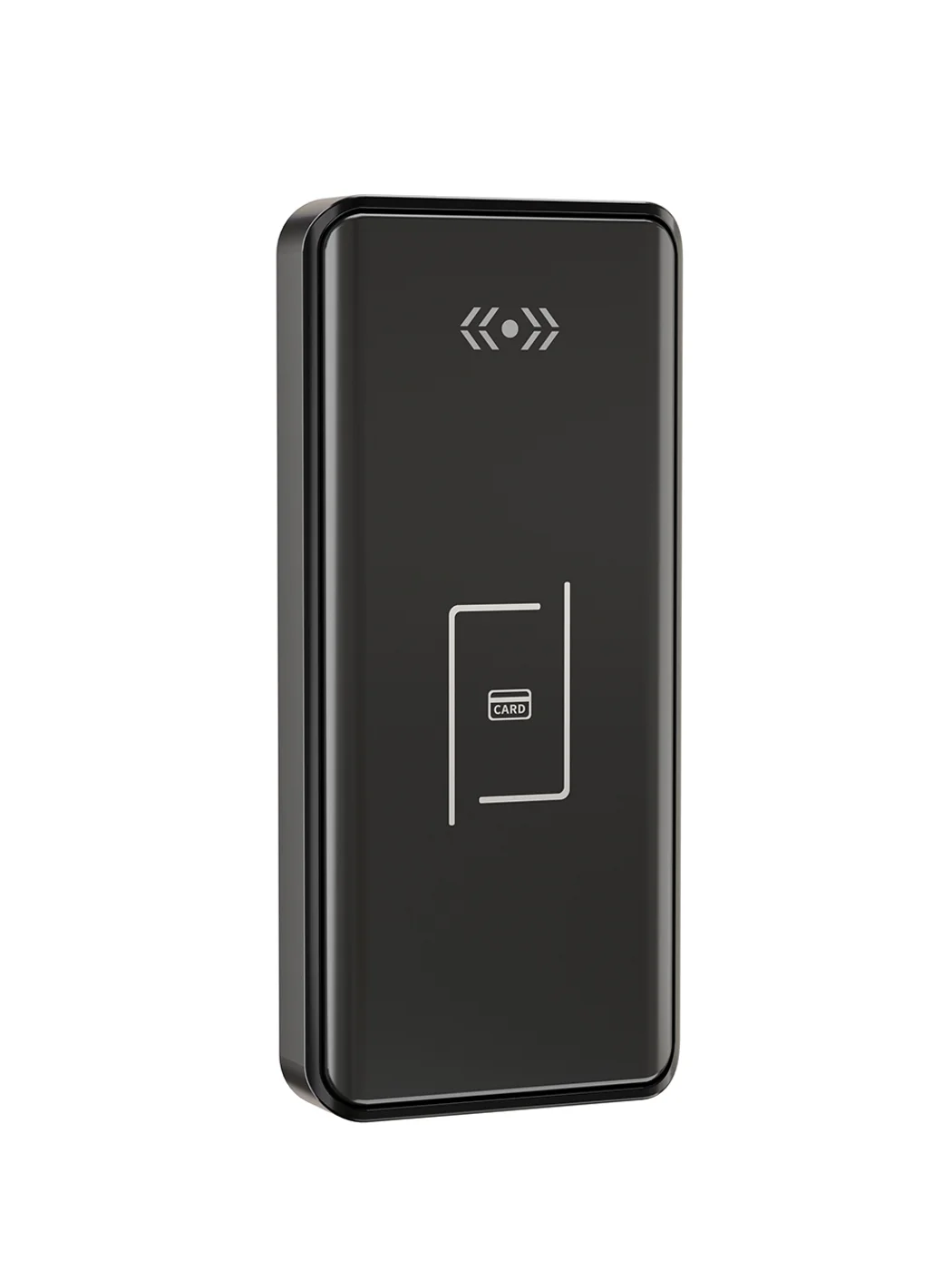
Gym Locker Lock — Offline Card, No WiFi Required
Offline card gym locker lock for fitness and pool lockers. MIFARE card, battery-powered 5-minute retrofit, no WiFi or server. Zinc alloy body, CE/FCC/RoHS.
This page already points to it as the next recommended reference.
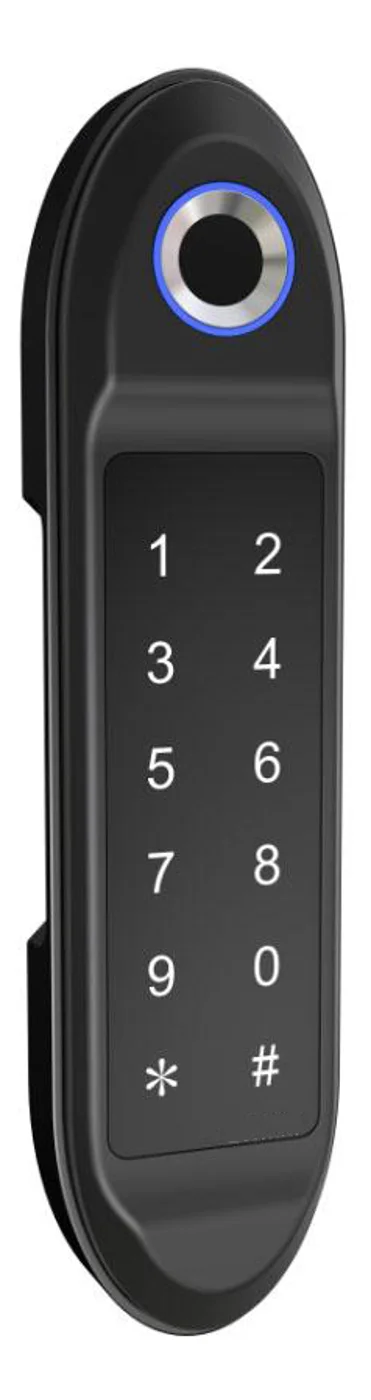
PIN Code Electronic Cabinet Lock — Stand-Alone, No WiFi
Offline keypad cabinet lock for gym, office and parcel lockers. Battery-powered, 5-minute retrofit, audit-free simple deployment. PIN + MIFARE card, DC 6V, 4×AA.
This page already points to it as the next recommended reference.
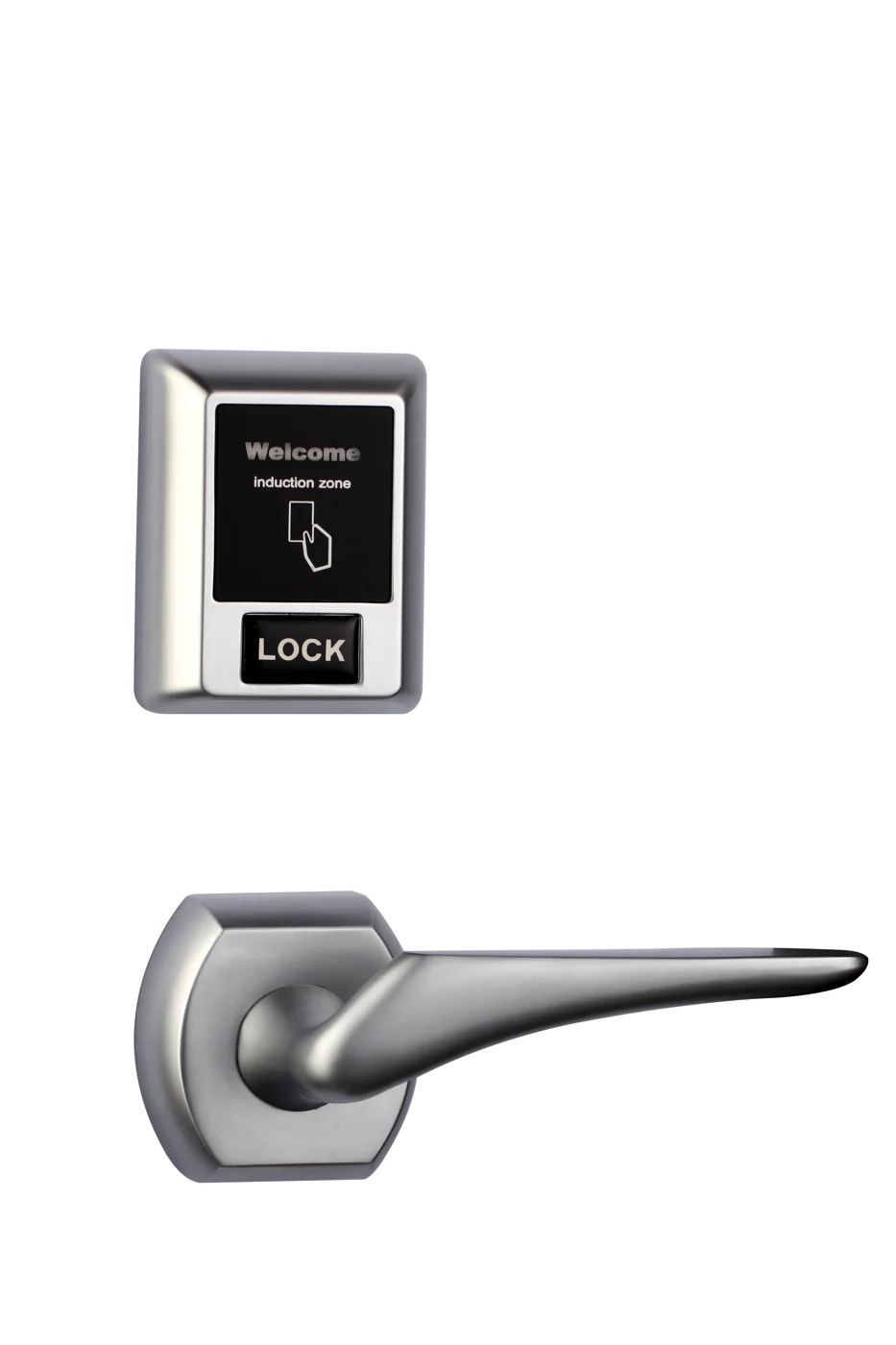
Bluetooth Cabinet Lock — App + PIN + Card, Managed Fleet
Offline BLE app cabinet lock for parcel, office, and managed locker fleets. App + PIN + MIFARE card, remote credential management, no server dependency, battery-powered retrofit.
This page already points to it as the next recommended reference.
Related blog posts
3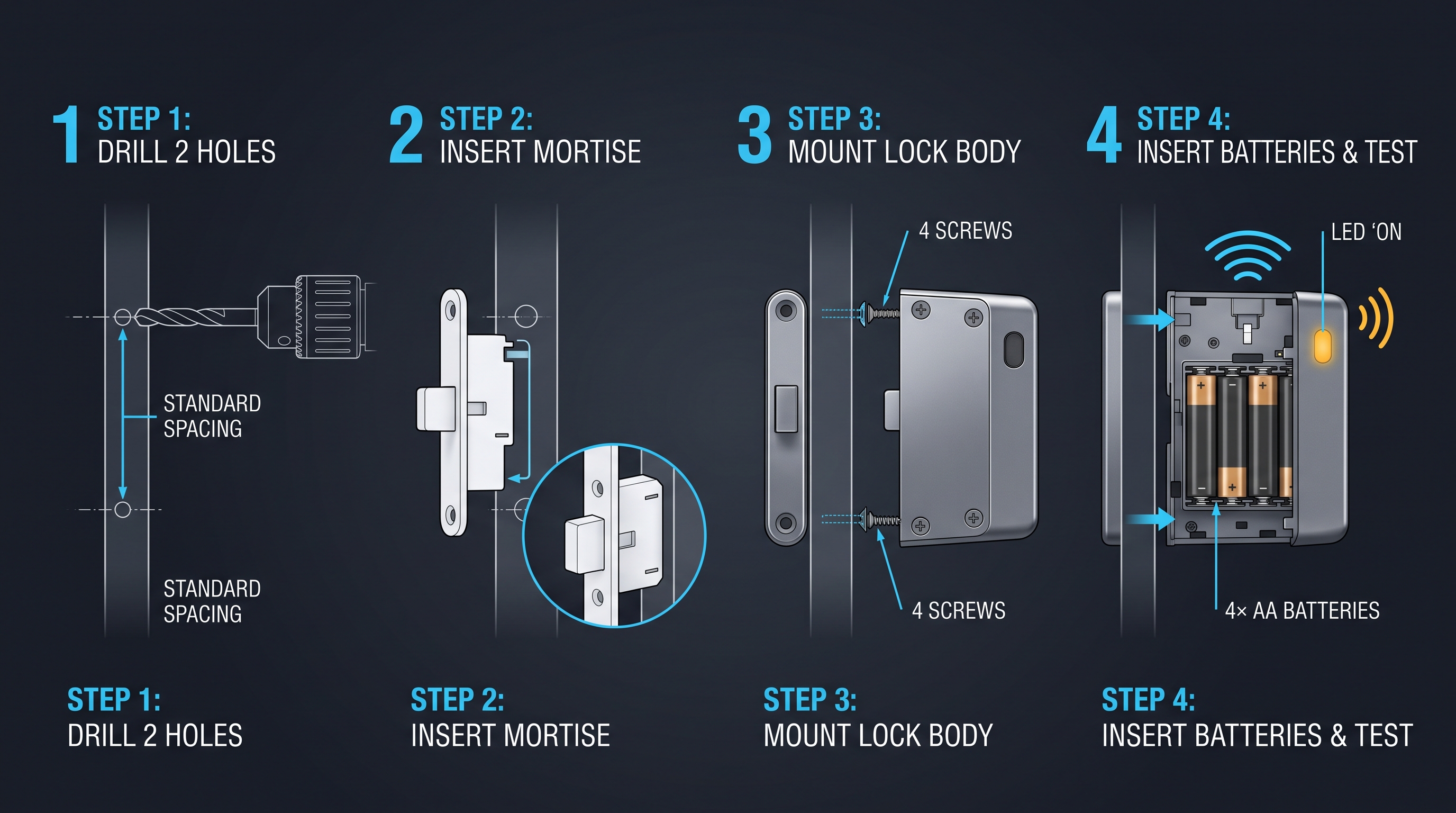
Electronic Locker Lock Price: Complete Guide to Cost Factors, Tiers, and Vendor Negotiation
Understand what drives an electronic locker lock price — from credential types and materials to volume discounts, NRE tooling, shipping, and 5-year TCO. Full pricing guide with tables.
It supports the same product context: Gym Locker Lock — Offline Card, No WiFi Required.
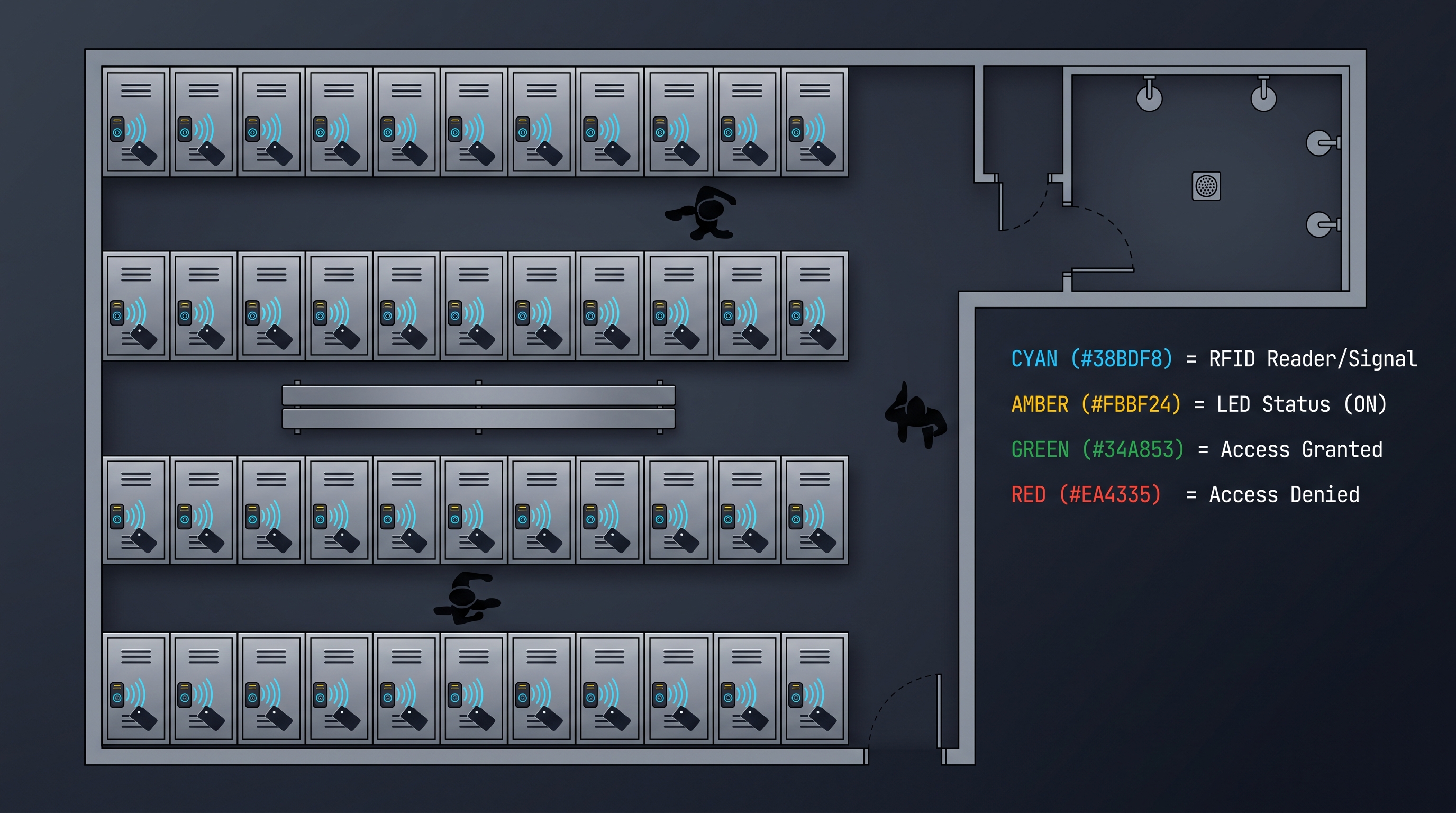
Electronic Locker Lock: The Complete 2026 Guide to Keyless Locker Security
Discover how an electronic locker lock works, from RFID to biometric models, with buying tips, specs, and comparisons for gyms, offices, and schools.
It supports the same product context: Gym Locker Lock — Offline Card, No WiFi Required, PIN Code Electronic Cabinet Lock — Stand-Alone, No WiFi, Bluetooth Cabinet Lock — App + PIN + Card, Managed Fleet.
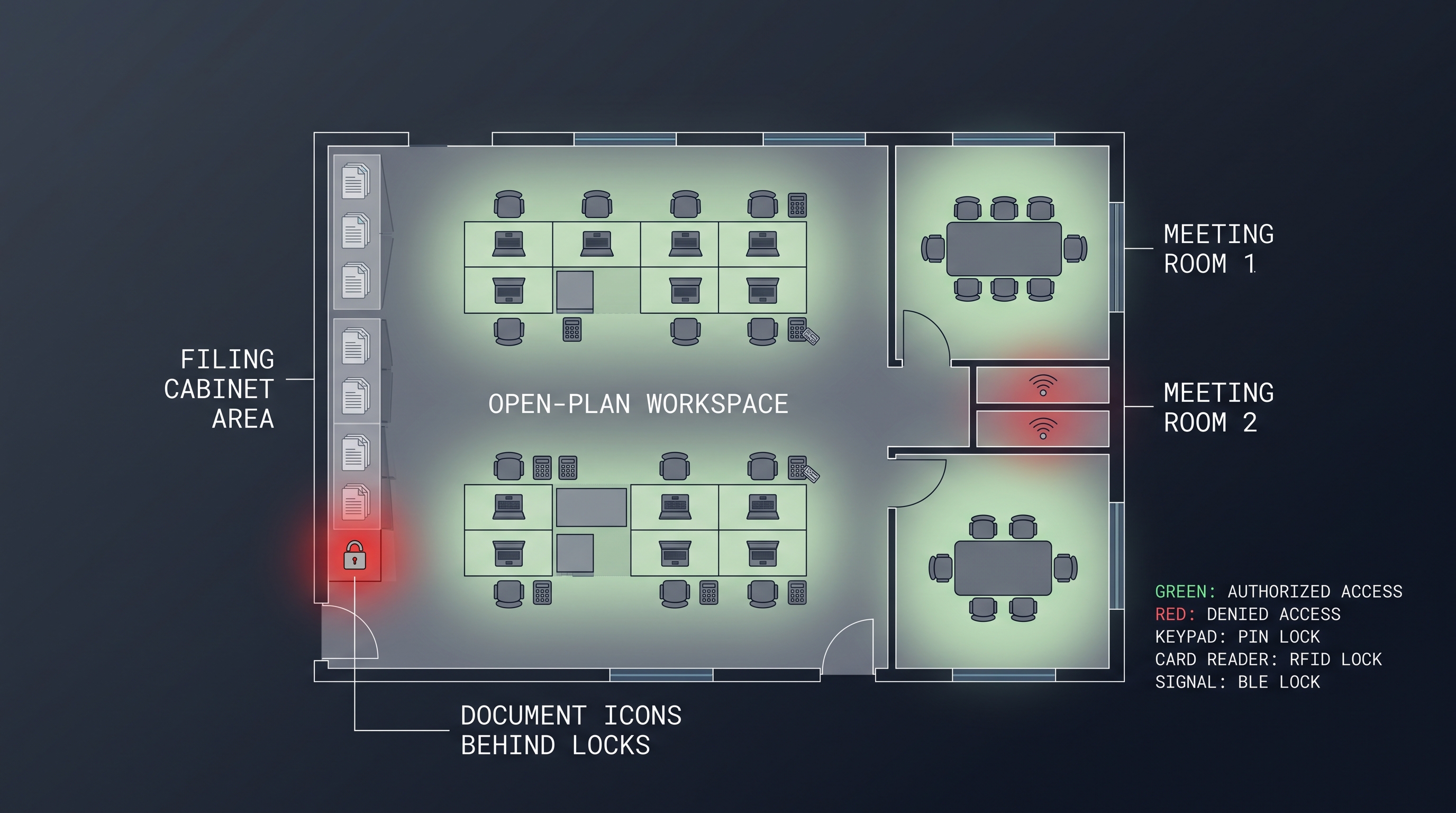
Electronic Furniture Lock: The Complete Guide to Powered Cabinet Security
Electronic furniture lock secures cabinets, drawers, and casegoods with RFID, BLE, PIN, or biometric credentials, replacing keys with auditable, managed access. Full guide.
It supports the same product context: PIN Code Electronic Cabinet Lock — Stand-Alone, No WiFi.
Specify your hotel project with our engineers
Send your room count, ceiling type, and protocol preference. We will return a sample plan and quote within 24 business hours.
- Move from general guidance into a product or application discussion.
- Use RFQ when pricing, drawings, MOQ, or launch timing needs structure.
- Keep a direct contact path visible for fast clarifications and handoff.