Electronic File Cabinet Lock: The Ultimate Guide to Digital Security for Filing Cabinets
A comprehensive guide to electronic file cabinet lock technology—types, features, installation, benefits, troubleshooting, security comparisons, and how to select the best electronic locking system for office, medical, legal, and government file cabinets.
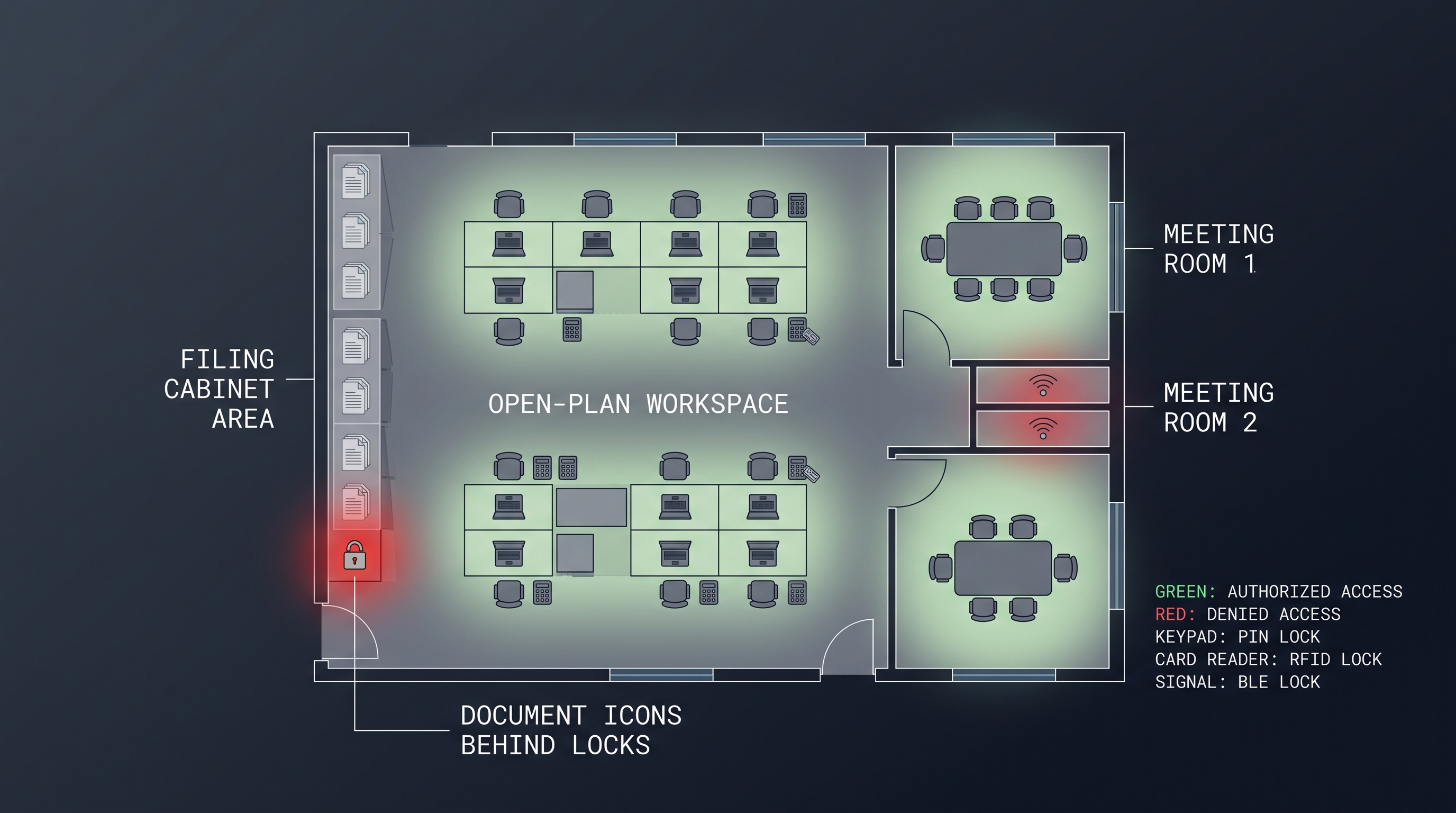
What Is an Electronic File Cabinet Lock and How Does It Work
An electronic file cabinet lock is a digitally controlled locking mechanism designed to secure filing cabinet drawers and doors without the use of traditional mechanical keys. These locks replace or retrofit onto standard filing cabinets—vertical cabinets, lateral cabinets, pedestal units, and flat files—providing electronic access control, audit capabilities, and keyless operation. The electronic file cabinet lock has become essential equipment in legal offices, medical practices, human resources departments, government agencies, financial institutions, and any organization that must protect sensitive documents while maintaining efficient access workflows.
The fundamental mechanism of an electronic file cabinet lock centers on an electromechanical actuator that controls a locking bar, cam, or bolt. When the lock receives a valid authentication signal—from an RFID credential, PIN code entry, biometric scan, or smartphone command—an integrated circuit validates the credential, energizes a small motor or solenoid, and mechanically retracts the locking element. This releases the cabinet drawer or door, allowing it to open. When the drawer closes, the lock automatically re-engages, typically with an audible confirmation, securing the cabinet until the next authorized access event. The entire unlock cycle completes in well under one second.
What fundamentally distinguishes an electronic file cabinet lock from a conventional keyed lock is the decoupling of the credential from the physical lock mechanism. In a traditional file cabinet, the key is both the credential and the mechanical actuator—possessing the key grants access, and losing the key means either re-keying the lock or replacing it entirely. With an electronic file cabinet lock, the credential exists separately from the lock: it can be an RFID card already carried for building access, a PIN code that can be changed in seconds, a biometric signature that cannot be lost or stolen, or a smartphone app that can be remotely provisioned and de-provisioned. This credential independence enables capabilities that are impossible with mechanical locks: instant revocation of access when an employee leaves, time-limited access for temporary workers, complete audit trails of every file cabinet access, and centralized management of hundreds of cabinets from a single administrative interface.
The electronic file cabinet lock exists in several architectural configurations, distinguished primarily by their connectivity and credential management approach. Standalone electronic file cabinet lock models store all user credentials and access logs locally on the lock itself. Programming is performed directly at the lock via a master credential and keypad, with no network connectivity required. These locks are the simplest and least expensive electronic option, but they lack remote management, real-time auditing, and automatic credential synchronization—each lock must be individually programmed any time access permissions change.
Network-connected electronic file cabinet lock systems add WiFi, Ethernet, or proprietary RF connectivity, enabling centralized management through a software platform. Administrators can add or revoke users, view access logs, configure access schedules, and receive alerts from a web dashboard or mobile app. Many network-connected electronic file cabinet lock products support integration with existing access control and identity management systems through APIs or standard protocols like LDAP, SAML, and OAuth2. This architecture is the standard for organizations managing more than approximately 20 file cabinets or those with complex, frequently changing access requirements.
Cloud-managed electronic file cabinet lock systems represent the most advanced tier, where all lock configuration, user data, and access policies reside in a cloud platform managed by the lock manufacturer or a third-party provider. The cloud platform handles firmware updates, security patches, data backup, and infrastructure scaling, reducing the IT burden on the deploying organization. Cloud-managed systems offer the most sophisticated feature sets, including machine learning-based anomaly detection, geofencing, and integration with broader IoT and smart building ecosystems. The trade-off is dependency on the cloud provider's continued operation and on internet connectivity—a consideration that should be weighed carefully for cabinets containing business-critical or legally protected documents.
Core Components of an Electronic File Cabinet Lock
Understanding the internal architecture of an electronic file cabinet lock illuminates how these devices achieve reliable, secure operation over years of daily use. At the heart of every electronic file cabinet lock is a microcontroller unit (MCU) that executes the lock's firmware, processes authentication requests, manages the credential database, and controls the electromechanical actuator. Modern locks typically use ARM Cortex-M series processors that balance processing capability with extremely low power consumption, enabling multi-year battery operation.
The electromechanical actuator converts electrical energy into the mechanical motion that secures or releases the cabinet. Two primary actuator technologies dominate the electronic file cabinet lock market. Motor-driven actuators use a small DC gear motor to drive a cam, bolt, or locking bar through its range of motion. Motor actuators provide high torque in a compact form factor and can overcome moderate misalignment or binding, but they consume more energy per actuation than solenoid-based alternatives. Solenoid actuators use an electromagnetic coil to pull a plunger that retracts the locking element. Solenoids actuate very quickly (typically under 100 milliseconds) and are mechanically simple with few moving parts, but they provide lower force than motor actuators and are more sensitive to misalignment—if the locking element binds, a solenoid may not have sufficient force to retract it.
The credential reader is the user-facing interface of the electronic file cabinet lock. In RFID-based systems, an antenna coil in the lock face reads compatible RFID transponders presented within approximately 1–3 centimeters. In PIN-based systems, a capacitive or mechanical keypad detects user input; capacitive keypads offer a sleek, sealed surface with no moving parts, while mechanical keypads provide tactile feedback that some users prefer. Biometric systems incorporate a fingerprint sensor—typically capacitive or optical—mounted in the lock face. Multi-modal electronic file cabinet lock models combine two or more reader technologies in a single unit, allowing the organization to support multiple user preferences or to implement two-factor authentication for high-security cabinets.
The power system is a critical design element. Most electronic file cabinet lock products are battery-powered, using 4–8 AA alkaline or lithium cells housed in a compartment inside the cabinet. Battery-powered installation is dramatically simpler than wired alternatives—no cables to run, no electricians required—and for standalone or retrofit applications, it is often the only practical option. The trade-off is the ongoing operational requirement of battery monitoring and replacement. Advanced electronic file cabinet lock models mitigate this through low-power design, low-battery alerting (audible beeps, LED indicators, and remote notifications for connected models), and external battery pack options that can be swapped without opening the cabinet.
How Electronic Access Credentials Work
The credential ecosystem of an electronic file cabinet lock is more sophisticated than it might appear to the end user who simply taps a card or enters a PIN. Behind the scenes, a chain of cryptographic operations ensures that only authorized credentials can unlock the cabinet, that credentials cannot be easily cloned or replayed, and that the lock can verify authorization even when temporarily disconnected from its management platform.
RFID credentials operate on defined radio frequency standards. Low-frequency (125 kHz) proximity cards, the simplest and most common type, transmit a fixed identification number when energized by the reader's field. These cards are inexpensive and compatible with a vast installed base of readers, but they offer minimal cryptographic protection—the fixed ID can be captured and cloned with readily available equipment. High-frequency (13.56 MHz) smart cards, including MIFARE Classic, MIFARE DESFire, and iCLASS, incorporate cryptographic processors that engage in challenge-response authentication with the reader. A DESFire EV3 card, for instance, uses AES-128 encryption to prove that it possesses a secret key without ever transmitting that key, making cloning computationally infeasible. Organizations with high security requirements—legal firms handling privileged documents, healthcare providers bound by HIPAA, defense contractors subject to NISPOM—should require MIFARE DESFire or equivalent cryptographic RFID in their electronic file cabinet lock systems.
PIN codes introduce a different security model. Unlike an RFID card that can be lost or stolen, a PIN exists only in the user's memory—it cannot be physically taken, though it can be observed, shared, or guessed. Electronic file cabinet lock systems mitigate these vulnerabilities through several mechanisms. PIN complexity requirements (minimum length, mixed character types) reduce guessability. Rate limiting locks the keypad or triggers an alert after a configurable number of failed attempts. One-time PINs (OTPs) generated by the management system and delivered via SMS or email provide single-use access that becomes worthless after use. Dual authentication—requiring both an RFID card and a PIN, or two different users' credentials—provides defense in depth for the most sensitive cabinets.
Mobile credentials delivered through smartphone apps are the fastest-growing authentication modality. The app communicates with the electronic file cabinet lock via Bluetooth Low Energy (BLE), NFC, or through the cloud over WiFi. Mobile credentials offer several unique advantages: they can be provisioned and revoked remotely without any physical interaction with the lock, they support biometric confirmation on the user's phone (the user must authenticate to their phone before the app will transmit an unlock command), they enable geofencing that restricts access to specific physical locations, and they eliminate the cost and environmental impact of physical credential cards. The primary limitation is the dependency on the user having a charged, functional smartphone—a backup authentication method should always be available.
Key Benefits of Upgrading to an Electronic File Cabinet Lock
Organizations transition from mechanical file cabinet locks to electronic file cabinet lock systems for a combination of security, operational, and compliance reasons. Understanding these benefits in concrete terms clarifies the ROI calculation that typically justifies the investment within 12–24 months.
Enhanced Security and Access Control
The security advantages of an electronic file cabinet lock over a mechanical lock are fundamental, not incremental. A mechanical file cabinet lock protects against only the most casual unauthorized access—the locks on most office filing cabinets can be picked in seconds with basic tools, duplicate keys can be ordered from the manufacturer using the code stamped on the lock face, and a single lost or unreturned key compromises security until the lock is replaced. An electronic file cabinet lock addresses each of these vulnerabilities: there is no keyway to pick, no key code to duplicate, and a lost credential (whether card, fob, or phone) can be deactivated in seconds through the management platform without affecting any other user's access.
Granular access control transforms file cabinet security from a binary state—everyone with a key has access to everything—to a finely permissioned system where each user can access only specific cabinets, only during specific time windows, and only for specific purposes. In a law firm, a partner can access all client files, an associate can access only the files for matters they are assigned to, a paralegal can access files during business hours only, and a temporary document review contractor can access a specific set of cabinets for a defined project period. An electronic file cabinet lock management platform enforces all of these policies automatically, and the permissions can be adjusted in real time as roles and assignments change.
Two-factor authentication, required by many security compliance frameworks for sensitive data access, is trivially implemented with an electronic file cabinet lock—configure the lock to require both an RFID card and a PIN, or a biometric scan plus a mobile app confirmation. Mechanical locks offer no practical path to two-factor authentication beyond the crude and inconvenient approach of placing a second padlock on the cabinet.
Complete Audit Trails and Compliance Support
For regulated industries, the audit logging capability of an electronic file cabinet lock may be the single most compelling reason to upgrade. Every file cabinet access event—successful unlocks, failed attempts, drawer openings and closings, administrator overrides, configuration changes—is recorded with a timestamp, user identity, cabinet identifier, and authentication method. This creates a tamper-proof chain of custody that answers the questions that mechanical locks cannot: who accessed which cabinet and when?
The compliance implications are significant. HIPAA requires covered entities to implement access controls and audit controls for protected health information—an electronic file cabinet lock system that logs every access to medical records cabinets directly supports both requirements. Financial services regulations including SOX, GLBA, and PCI-DSS mandate controls over access to sensitive financial data—electronic file cabinet lock audit trails provide evidence of compliance. Legal ethics rules require law firms to protect client confidences—a firm that can demonstrate that only authorized personnel accessed client files, with complete timestamped records, is in a far stronger position than one that distributed mechanical keys with no way to track who used them.
Beyond regulatory compliance, audit logging changes organizational behavior in ways that improve security culture. When users know that every file cabinet access is recorded and attributable, the incidence of casual snooping—looking at a colleague's personnel file, browsing a client's financial records out of curiosity—drops dramatically. Several electronic file cabinet lock vendors report that their customers observe a measurable reduction in access events after deployment, not because legitimate access is impeded, but because illegitimate access that went undetected with mechanical locks is eliminated.
Operational Efficiency and Administrative Labor Reduction
The administrative burden of managing mechanical file cabinet keys at scale is substantial and frequently underestimated. Key inventory must be tracked, and lost keys must be accounted for. When an employee leaves, all keys they held must be collected—a process that depends on the departing employee's cooperation and the organization's record-keeping. When keys are not returned, the conservative security response is to re-key affected cabinets, at a cost of $50–$150 per lock for a locksmith visit or replacement lock hardware. In a large organization with hundreds of cabinets and regular turnover, key management becomes a significant operational expense.
An electronic file cabinet lock system eliminates this entire category of administrative work. Credential provisioning and revocation are performed in the management platform, taking seconds rather than days. A departing employee's access to all cabinets can be revoked with a single action, effective immediately, without any physical interaction with the cabinets. Temporary access for contractors, interns, or visiting professionals can be granted for specific time windows with automatic expiration. Lost credential cards are deactivated and replaced without any impact on other users or any need to modify lock hardware.
The efficiency gains extend to file retrieval workflows. In a medical records department where staff members retrieve and re-file hundreds of patient charts daily, the seconds saved per interaction by tapping an RFID badge versus inserting and turning a key compound into hours of recovered productive time per week. Electronic file cabinet lock systems that support "passage mode"—where the lock remains disengaged during business hours and automatically re-engages after hours—eliminate authentication for every interaction while maintaining after-hours security. This single feature can transform the user experience in high-traffic filing environments.
Integration with Enterprise Security Infrastructure
Electronic file cabinet lock systems that integrate with existing enterprise infrastructure deliver compounding value beyond what isolated locks can provide. Integration with physical access control systems (PACS) allows the same RFID badge that opens building doors to also unlock file cabinets, eliminating the need to issue and manage separate credentials. Integration with identity management systems (Active Directory, Azure AD, Okta, Ping Identity) means that when an employee is added to or removed from the directory, their file cabinet access is automatically provisioned or revoked—no separate administrative action required.
Integration with security information and event management (SIEM) systems allows file cabinet access events to be correlated with other security data. A SIEM rule might flag a pattern where a user accesses personnel file cabinets outside of business hours while simultaneously accessing HR database records—behavior that might indicate data exfiltration preparation. Without integration, the file cabinet access and the database access exist as separate, uncorrelated events.
Integration with facility management and building automation systems opens additional possibilities. When the building security system is armed for the night, all electronic file cabinet lock units can automatically enter a higher security mode requiring dual authentication. When a fire alarm activates, designated cabinets containing emergency response documents can automatically unlock. These cross-system automations are impossible with mechanical locks and represent the long-term strategic value of electronic lock infrastructure.
| Benefit | Mechanical File Cabinet Lock | Electronic File Cabinet Lock |
|---|---|---|
| Credential Management | Physical keys; must track, collect, replace | Digital credentials; instant provisioning and revocation |
| Access Granularity | One key opens all same-keyed cabinets | Per-user, per-cabinet, per-time-window permissions |
| Audit Trail | None | Complete, timestamped, searchable, non-repudiable |
| Lost Credential Response | Re-key affected cabinets ($50–$150 each) | Deactivate credential in seconds; issue replacement |
| Employee Departure | Collect keys; re-key if not returned | Revoke all access with single action |
| Two-Factor Authentication | Not practical | RFID+PIN, biometric+card, app+badge |
| Compliance Support | Manual logs (if any); unreliable | Automated, tamper-proof, compliance-ready reporting |
| Integration Capability | None | PACS, IAM, SIEM, facilities systems |
Types of Electronic File Cabinet Lock Systems
The electronic file cabinet lock market offers a diverse range of products designed for different cabinet types, security requirements, budgets, and installation scenarios. Understanding the taxonomy of available solutions is the first step toward selecting the right system for a specific application.
Standalone vs. Network-Connected Electronic File Cabinet Lock
The most fundamental architectural distinction among electronic file cabinet lock products is whether they operate independently or as part of a networked system. This choice affects everything from installation complexity to feature set to long-term total cost of ownership.
Standalone electronic file cabinet lock units store all configuration, credential data, and access logs in local memory on the lock itself. User management is performed at each lock individually: an administrator presents a programming credential, enters a programming mode, and uses the lock's keypad or reader to add or delete users. Standalone locks are ideal for small deployments—fewer than approximately 10–15 cabinets—where the administrative overhead of per-lock programming is acceptable and the benefits of centralized management and remote access do not justify the additional cost of networking infrastructure. A small law office with three filing cabinets in a single room, for instance, may be perfectly served by standalone electronic file cabinet lock hardware.
Network-connected electronic file cabinet lock systems, by contrast, communicate with a central management platform through wired (Ethernet, RS-485) or wireless (WiFi, proprietary RF) connections. All user management, access policy configuration, and log review are performed through the platform rather than at individual locks. Changes propagate to affected locks automatically—add a new user to the system, and their credentials work on all cabinets they are authorized for within seconds. Network-connected systems scale effectively from a few dozen to thousands of cabinets across multiple locations, and their centralized architecture is essentially mandatory for deployments exceeding approximately 20 cabinets.
The trade-off for centralized management is increased infrastructure complexity and cost. Network-connected electronic file cabinet lock deployments require network connectivity at each cabinet location—either WiFi coverage or wired Ethernet drops. They require a server or cloud subscription for the management platform. They introduce cybersecurity considerations that do not apply to standalone locks: the network segmentation, firewall rules, and patch management practices appropriate for any networked device. Organizations should assess whether these infrastructure requirements are feasible in their environment before committing to a networked electronic file cabinet lock architecture.
Wired vs. Wireless Communication Protocols
Network-connected electronic file cabinet lock products transmit data using either wired or wireless communication protocols, each with distinct advantages that suit different deployment scenarios.
Wired electronic file cabinet lock connections—typically RS-485 serial bus or Ethernet—provide the highest reliability and the lowest latency, because they are immune to the interference, signal attenuation, and congestion that can affect wireless links. RS-485, an industrial serial communication standard, is particularly well-suited to file cabinet applications: it supports multi-drop topologies where multiple locks share a single cable run, reducing cabling cost and complexity; it operates reliably over distances of up to 1,200 meters; and it uses differential signaling that rejects common-mode noise, making it robust in electrically noisy environments. The cabling itself is inexpensive (twisted pair) and can be installed by low-voltage technicians without specialized tools.
The challenge with wired electronic file cabinet lock installations is physical access for cabling. In new construction or major renovation projects, conduit and cable pathways can be designed into the build, making wired connectivity straightforward. In retrofit scenarios, running cable to existing file cabinets—particularly in historic buildings with solid walls, or across open office floor plans where cable management is a visual concern—can be difficult and expensive. Battery-powered wireless locks eliminate this challenge entirely, which is why they dominate the retrofit market despite the inherent advantages of wired connectivity.
Wireless electronic file cabinet lock products use one of several radio protocols. WiFi (2.4 GHz, 802.11 b/g/n) offers the advantage of using existing network infrastructure—no additional gateways or hubs required—but its higher power consumption limits battery life to approximately 8–18 months and requires adequate WiFi coverage at cabinet locations. Bluetooth Low Energy (BLE) provides excellent battery life (2–3 years) and low per-unit cost, but its limited range means it cannot provide persistent connectivity for remote management unless a BLE-to-IP gateway is deployed. Proprietary sub-GHz RF protocols (433 MHz, 868 MHz, 915 MHz) offer the best combination of range, penetration through cabinet enclosures, and power efficiency, but they require a dedicated gateway device and create vendor lock-in.
Form Factors: Cam Locks, Swing Bolts, and Integrated Systems
The physical form of an electronic file cabinet lock determines which cabinet types it can secure and how it is installed. Selecting the wrong form factor for a given cabinet can result in a lock that physically does not fit, cannot engage the cabinet's locking mechanism properly, or provides inadequate security.
Cam-style electronic file cabinet lock units are the most common and versatile form factor, designed to replace existing mechanical cam locks in the vast majority of filing cabinets. The lock body consists of a cylindrical housing that mounts through the standard lock hole in the cabinet drawer or door face, secured by a retaining nut on the interior side. A rotating metal cam extends from the rear of the lock body; when the lock is in the secured state, the cam engages with a slot, rail, or strike plate in the cabinet frame, preventing the drawer from opening. When the lock receives a valid credential, the motor or solenoid rotates the cam to the open position, releasing the drawer. Installation of a cam-style electronic file cabinet lock typically takes 5–15 minutes using basic tools and requires no modification to the cabinet beyond possibly enlarging the mounting hole to accommodate the lock body diameter.
Swing-bolt and deadbolt electronic file cabinet lock mechanisms secure the cabinet by extending a solid metal bolt into a strike plate or keeper mounted on the cabinet frame. This form factor provides greater physical security than a cam lock because the bolt engages more deeply and resists prying attacks more effectively. Swing-bolt mechanisms are often specified for lateral file cabinets with sliding doors or for cabinets storing high-value or highly sensitive contents. The installation is more involved than a cam lock replacement because the strike plate must be precisely aligned with the bolt throw, but the process is still within the capability of a competent facility maintenance technician.
Surface-mount electronic file cabinet lock assemblies are designed for cabinets that cannot accept a cam lock replacement—because the door material is too thin, too thick, or incompatible with the required hole pattern. The lock housing mounts to the interior surface of the cabinet using screws or adhesive, with a cable or linkage connecting to the locking mechanism. Surface-mount locks are also common on glass-front, sliding-door, and tambour-door cabinets where a conventional cam lock cannot be installed. The trade-off is a less integrated appearance—the lock hardware is visible on the cabinet face rather than flush-mounted.
Integrated electronic file cabinet lock systems are factory-installed by the cabinet manufacturer and are designed as part of the cabinet's overall locking architecture. These systems control all drawers in a cabinet simultaneously (unlike per-drawer locks that secure each drawer independently), and they often include features like anti-tip interlocks and centralized locking bars that are engineered into the cabinet structure. Integrated systems provide the most seamless user experience and the highest physical security, but they are available only on new cabinet purchases—they cannot be retrofitted onto existing cabinets.
Retrofit vs. Factory-Installed Electronic Locking File Cabinet Solutions
The decision between retrofitting existing cabinets with electronic file cabinet lock hardware and purchasing new cabinets with factory-installed electronic locking represents a significant capital allocation choice. Each approach has compelling arguments depending on the organization's circumstances.
Retrofitting existing cabinets with aftermarket electronic file cabinet lock hardware is typically the more economical option when the cabinets are in good condition, appropriately sized for current needs, and aesthetically acceptable. The hardware cost for a retrofit lock ranges from approximately $100 to $300 per drawer, and installation labor adds $50–$150 per drawer if contracted out. A retrofit project can be phased—the highest-security cabinets upgraded first, with additional cabinets added as budget allows—and it avoids the disruption of removing old cabinets and installing new ones. The primary risks of retrofit are compatibility issues (not all aftermarket locks fit all cabinet models), aesthetic mismatch (new lock hardware may not match old cabinet finishes perfectly), and the potential for installation errors that damage cabinets or compromise security.
Purchasing new cabinets with factory-integrated electronic file cabinet lock systems eliminates retrofit risks. The locks are designed, tested, and warranted as part of the cabinet system. The integration is seamless—no visible aftermarket hardware, no enlarged mounting holes, no alignment compromises. Factory integration often enables features that are difficult to achieve with retrofit locks, such as centralized locking bars that secure all drawers from a single mechanism, or anti-tip protection that prevents more than one drawer from opening at a time (a safety feature required by some workplace safety regulations). The premium for factory electronic locking over mechanical locking on a new filing cabinet typically ranges from $200 to $600 per cabinet, depending on features and cabinet quality.
A hybrid strategy is often optimal for larger organizations: specify factory-integrated electronic file cabinet lock systems for all new cabinet purchases going forward, while retrofitting the most security-critical existing cabinets and phasing out non-retrofitted older cabinets through the normal capital replacement cycle. This approach establishes electronic access control as the organizational standard without the capital shock of a wholesale cabinet replacement.
| Form Factor | Installation Complexity | Physical Security | Cabinet Compatibility | Cost Per Unit |
|---|---|---|---|---|
| Cam Lock Replacement | Low (5–15 min) | Medium | Most standard filing cabinets | $100–$250 |
| Swing Bolt / Deadbolt | Medium (20–40 min) | High | Cabinets with adequate frame depth | $150–$350 |
| Surface Mount | Medium-High (30–60 min) | Medium-High | Universal (glass, thin, non-standard) | $200–$400 |
| Factory Integrated | N/A (pre-installed) | Highest | New cabinet purchases only | $200–$600 premium |
How to Choose the Right Electronic File Cabinet Lock
Selecting an electronic file cabinet lock system requires methodical evaluation of organizational requirements across multiple dimensions. A structured decision process prevents the common mistakes of over-specifying (paying for features that will never be used) or under-specifying (deploying locks that cannot meet actual security or operational needs).
Assessing Your Security Requirements
The security requirements for electronic file cabinet lock deployment should be determined by the sensitivity of the contents being protected and the threat model of the environment, not by generic checklists or vendor marketing claims. Begin by classifying the documents and items stored in each cabinet according to their confidentiality level and the consequences of unauthorized access.
For cabinets containing public or internal-use-only documents, a basic electronic file cabinet lock with single-factor RFID authentication provides a significant security improvement over mechanical locks while keeping costs low. The primary value is operational efficiency—no key management—rather than defense against determined attackers.
For cabinets containing confidential information—personnel records, financial data, customer PII, business strategy documents—the electronic file cabinet lock specification should include cryptographic RFID (MIFARE DESFire or equivalent), audit logging, tamper alerts, and optionally two-factor authentication for an additional layer of protection. These cabinets warrant network-connected locks with centralized management to ensure that access permissions are consistently enforced and that logs are captured in a tamper-proof, off-lock repository.
For cabinets containing highly sensitive or regulated information—protected health information (HIPAA), classified materials, trade secrets, attorney-client privileged documents—the specification should include all of the above plus: FIPS 140-2 validated encryption for data at rest and in transit, hardware security module (HSM) or secure element for cryptographic key storage, dual authentication (two separate users must present credentials to unlock), forced-duress capability (a PIN that unlocks the cabinet but simultaneously triggers a silent alarm), and integration with the organization's security operations center for real-time monitoring and response.
The physical environment also drives security requirements. Cabinets in publicly accessible areas require tamper detection and alarms that mechanical attacks cannot go unnoticed. Cabinets in areas with high staff turnover or cleaning crew access should default to a locked state and require authentication for every access, with no "unlocked during business hours" convenience mode. Cabinets in flood-prone or fire-risk areas may require environmental sensors integrated with the lock system to provide early warning of conditions that threaten document integrity.
Evaluating User Experience and Workflow Impact
An electronic file cabinet lock that is too cumbersome for daily use will be bypassed—users will prop drawers open, share credentials, or find other workarounds that undermine the security the system was intended to provide. User experience must be a primary design criterion, not an afterthought.
Assess the authentication interaction in the context of the actual workflow. A medical records clerk who accesses filing cabinets 80 times per shift needs an authentication method that takes under one second—tap-and-go RFID or a fingerprint scan—and the lock should support passage mode (staying unlocked) during high-traffic periods. A hospital nursing supervisor who accesses a controlled-substance cabinet twice per shift can accommodate a longer or multi-step authentication process—PIN plus fingerprint—without meaningful productivity impact. Map the authentication workflow for each user role and ensure the selected electronic file cabinet lock supports the appropriate balance of security and speed for each.
The credential form factor should align with what users already carry and use. If every employee already wears an RFID badge for building access, extending that same badge to file cabinet access is the path of least resistance. If the organization has standardized on mobile credentials for other applications, electronic file cabinet lock products that support the same mobile credential standard eliminate the need to manage a separate credential system. Issuing a new credential type—a separate locker/cabinet card, a different mobile app—creates user friction and administrative overhead that erode the value proposition of the electronic conversion.
Consider the physical ergonomics of the lock interaction. A lock positioned at the top of a four-drawer vertical file cabinet requires the user to bend or squat to reach the reader if it is mounted on the top drawer. A lock on the lowest drawer requires kneeling. The ideal reader placement for a multi-drawer cabinet is waist to chest height on the cabinet frame rather than on any individual drawer, but this often requires a surface-mount lock rather than a cam-lock replacement. Where reader position cannot be optimized for all users, consider locks that can be unlocked remotely via smartphone app before the user reaches the cabinet.
Technology Compatibility and Integration Requirements
The electronic file cabinet lock system you select must coexist with and ideally integrate into your existing technology environment. A system that cannot integrate with your identity provider, access control system, or IT management tools will create ongoing administrative friction and limit the security value you can extract from the investment.
RFID compatibility is the most common integration friction point. If your organization uses a specific RFID standard for building access—HID iCLASS, MIFARE Classic, MIFARE DESFire, Legic, etc.—your electronic file cabinet lock readers must be compatible with that standard or you will be forced to issue separate credentials for cabinets. Many electronic file cabinet lock products support multiple RFID standards, but not all combinations are available. Verify multi-standard support explicitly rather than assuming it, and test with your actual credential cards before committing to a large purchase.
Identity management integration enables automated user lifecycle management. When an employee joins the organization and is added to Active Directory, the electronic file cabinet lock management platform should automatically provision appropriate cabinet access based on the employee's role and department membership. When an employee departs and their AD account is disabled, all cabinet access should be automatically revoked. This integration requires the lock management platform to support directory synchronization protocols (LDAP, SCIM) and to expose APIs that the identity management system can call for provisioning and de-provisioning actions.
SIEM integration enables security monitoring and incident response. The electronic file cabinet lock system should be able to forward access events—both routine access and anomalous events like repeated failed attempts or after-hours access—to your SIEM platform via syslog, REST API, or a platform-specific connector. Ideally, the lock vendor provides pre-built dashboards, correlation rules, and alert definitions for common SIEM platforms (Splunk, Azure Sentinel, QRadar, etc.) to accelerate the integration effort.
Network compatibility is particularly important for wireless electronic file cabinet lock deployments. Verify that the lock's WiFi radio supports the security protocols (WPA2-Enterprise, WPA3) and authentication methods (802.1X with certificate or PEAP-MSCHAPv2) used on your wireless network. Verify that your network infrastructure can support the additional client density that the locks will introduce, particularly in file room areas where dozens of locks may associate with a single access point.
Budgeting for Total Cost of Ownership
The purchase price of electronic file cabinet lock hardware is only the most visible component of total cost of ownership. A comprehensive budget accounts for all costs over the expected service life of the system, typically 7–10 years.
Hardware costs include the lock units themselves, any required gateways or hubs, cabling and connectors for wired installations, and spare units for the maintenance inventory. Request volume pricing from multiple vendors—discounts for quantities above 50 or 100 units are standard, and competitive pressure can significantly reduce per-unit costs.
Software costs include the management platform subscription or license, typically priced per-lock per-month for cloud platforms ($1–$5/lock/month) or as a perpetual license with annual maintenance for on-premises platforms. Confirm whether software costs include firmware updates, security patches, and technical support, or whether these are separately priced.
Installation costs vary dramatically depending on the lock form factor, the cabinet type, and whether wired power or networking is required. Budget $50–$150 per lock for contractor installation of battery-powered retrofit locks, $100–$300 per lock for wired installations requiring low-voltage cabling, and potentially more for complex retrofit scenarios involving non-standard cabinets.
Ongoing operational costs include battery replacement (budget annual replacement cost of $2–$5 per lock for batteries, plus labor), credential card replacement for lost or damaged cards, software subscription renewals, and IT staff time for platform administration. Larger deployments may justify a service contract with the lock vendor or a local integrator that covers preventive maintenance, emergency repair, and guaranteed response times.
| Cost Category | Standalone Electronic Lock | Network-Connected WiFi Lock | Wired Network-Connected Lock |
|---|---|---|---|
| Lock Hardware (per unit) | $100–$200 | $150–$300 | $200–$400 |
| Gateway/Hub (if required) | N/A | $0 (uses WiFi) | $0–$500 (RS-485 controller) |
| Software (per lock/year) | $0 (no platform) | $12–$60 | $12–$60 |
| Installation (per lock) | $20–$50 | $30–$80 | $100–$300 |
| Annual Battery/Maintenance | $5–$10 | $5–$10 | $0–$5 (wired power) |
| 5-Year TCO (per lock) | $525–$1,050 | $960–$2,000 | $1,260–$2,800 |
Installation Guide for Electronic File Cabinet Lock Systems
Installing an electronic file cabinet lock requires careful preparation, methodical execution, and thorough testing. While specific procedures vary by manufacturer and lock model, the following framework covers the critical steps common to most electronic file cabinet lock installations.
Pre-Installation Preparation
Thorough preparation prevents the most common installation failures: compatibility surprises, missing tools or parts, and damage to cabinets or lock hardware. Begin by creating a detailed inventory of every cabinet to be retrofitted or newly equipped with electronic file cabinet lock hardware. For each cabinet, document the manufacturer and model (if known), the cabinet type (vertical, lateral, pedestal, flat file), the number of drawers or doors, the existing lock type and location, the door or drawer material and thickness, and the interior dimensions relevant to lock mounting. Photograph each cabinet from multiple angles, including close-ups of the existing lock hardware, the interior of the lock mounting area, and any obstacles or unusual features.
Verify compatibility between each cabinet and the selected electronic file cabinet lock model before ordering hardware. Send your cabinet inventory and photographs to the lock vendor or integrator for a compatibility assessment. If possible, obtain a sample lock unit and test-fit it on a representative cabinet from your inventory before committing to a full deployment. This test fit will surface any fitment issues, mounting hole size mismatches, or door thickness limitations that could derail the full installation.
Assemble the necessary tools and consumables before installation day. The typical electronic file cabinet lock installation requires a cordless drill with step drill bits for enlarging mounting holes if necessary, screwdrivers (Phillips and flathead in multiple sizes), an adjustable wrench or socket set for retaining nuts, a deburring tool or file for smoothing cut edges, a multimeter for verifying voltage on wired installations, a smartphone or tablet with the manufacturer's provisioning app installed, and all mounting hardware and accessories included with the lock (retaining nuts, washers, strike plates, mounting screws, alignment templates). For wired installations, add a cable tester, crimping tool, and appropriate connectors.
Develop an installation plan that sequences the work to minimize disruption to cabinet users. File rooms with high daily usage should be scheduled for installation during evenings, weekends, or other low-usage periods. Communicate the schedule to affected users at least one week in advance, including information about which cabinets will be unavailable and for how long, how users will access their files during the transition, and whom to contact with questions or concerns. For large-scale deployments, consider a phased approach: install electronic file cabinet lock hardware in one section of the file room at a time, keeping the remaining sections operational, then move to the next section.
Step-by-Step Installation Process
The physical installation of an electronic file cabinet lock follows a systematic sequence. While individual steps vary by lock model, the following process applies to the most common retrofit scenario: replacing a mechanical cam lock with a battery-powered electronic file cabinet lock.
Step 1: Remove the Existing Lock. For cam locks, open the cabinet drawer to access the interior side. Remove any interior drawer liner or cover that obstructs access to the lock. Locate the retaining nut on the interior side of the lock body and unscrew it—this may require penetrating oil if the nut is corroded or overtightened. With the retaining nut removed, push the lock body out through the front of the cabinet. For cabinets with a locking bar mechanism, note how the cam engages with the bar before disassembling, so the new lock's cam can be positioned identically.
Step 2: Prepare the Mounting Hole. Measure the mounting hole diameter and compare it to the electronic file cabinet lock body diameter. If the hole needs to be enlarged, use a step drill bit from the exterior side, drilling slowly to avoid chipping paint or laminate. If the hole is too large (uncommon, but possible with certain aftermarket cabinets), you may need a reducing bushing or mounting plate to ensure the new lock seats securely. Deburr the hole edges on both sides using a deburring tool or fine file to remove sharp edges that could cut the lock's gasket or wiring.
Step 3: Mount the Lock Body. Insert the electronic file cabinet lock body through the mounting hole from the exterior side. Ensure the exterior gasket or O-ring is properly seated to provide a weather seal and prevent metal-on-metal contact. On the interior side, slide the mounting bracket or washer over the lock stem, then thread the retaining nut onto the stem. Tighten the nut snugly—hand-tight plus approximately one-quarter turn is typical—but do not overtighten, which can crack the lock housing or distort the cabinet door. If the lock body can rotate in the mounting hole (because the hole is round and the lock is cylindrical), orient the lock so the reader or keypad is correctly upright before final tightening.
Step 4: Install the Cam or Bolt. The lock manufacturer typically provides multiple cam sizes, shapes, and orientations to accommodate different cabinet configurations. Select the cam that best matches the door swing direction, the position of the strike surface on the cabinet frame, and the required throw distance. Attach the cam to the lock stem using the provided screw or clip, orienting it correctly per the manufacturer's diagram. Close the drawer and visually confirm that the cam aligns with the strike or frame slot—it should engage securely without binding. If the cam does not align properly, try a different cam from the accessory kit or adjust the cam's rotational position on the stem.
Step 5: Install the Strike Plate (If Required). For swing-bolt or deadbolt locks, and for some cam locks where the cabinet's original strike surface does not align with the new lock, install the provided strike plate on the cabinet frame. Use the included template to mark the mounting hole positions, drill pilot holes, and secure the strike plate with the provided screws. Test bolt engagement by closing and locking the drawer—the bolt should extend fully into the strike plate without scraping the edges.
Step 6: Install the Battery Pack. For battery-powered electronic file cabinet lock units, install the battery pack in the interior compartment. Most locks use a modular battery holder that clips or screws to the interior cabinet wall near the lock. Route the battery cable away from moving parts (drawer slides, locking bars) and secure it with the provided adhesive clips. Install the batteries, observing correct polarity—reversing polarity can damage the lock electronics. Some locks provide an external battery contact point that allows a 9V battery to provide emergency power if the internal batteries are depleted; locate this contact point and note it for future reference.
Step 7: Configure and Test. Power up the lock (some models power on automatically when batteries are installed; others have a power button or require a specific button sequence). Enter programming mode using the manufacturer's method (master card, programming PIN, or provisioning app). Set the date and time, configure the lock's operating parameters (auto-relock delay, passage mode schedule, alarm behaviors), and enroll the initial administrator credentials. Test the lock through multiple lock/unlock cycles, verifying that the bolt or cam extends and retracts smoothly, that the LED or audio indicators function correctly, and that the drawer opens and closes without binding.
Network Configuration for Connected Locks
For network-connected electronic file cabinet lock installations, network configuration follows physical installation. The specific procedure depends on the lock's communication protocol.
For WiFi-connected locks, use the manufacturer's provisioning app (typically a smartphone app that communicates with the lock via BLE during setup). The app scans for nearby locks in provisioning mode, displays their unique identifiers, and prompts you to select the target WiFi network and enter the passphrase. After the lock associates with the network and obtains an IP address via DHCP, verify in the management platform that the lock appears online and responds to remote commands. Document each lock's MAC address, IP address, and physical location.
For RS-485 wired locks, connect each lock to the RS-485 bus according to the manufacturer's wiring diagram, observing correct polarity for the A and B data lines. Terminate the bus at both ends with the specified termination resistor (typically 120 ohms) to prevent signal reflections. Connect the bus to the RS-485-to-Ethernet gateway or controller, power on the system, and use the gateway's configuration interface to discover and address each lock on the bus. Assign each lock a unique bus address and descriptive name, and verify communication from the management platform.
For proprietary RF locks, follow the manufacturer's pairing procedure to associate each lock with its gateway. This typically involves putting both the lock and the gateway into pairing mode, verifying the association through LED indicators or the gateway interface, and confirming in the management platform that the lock reports online with acceptable signal strength. RF site surveys may be necessary to ensure adequate coverage—metal filing cabinets can severely attenuate radio signals, and a lock that pairs successfully during installation may lose connectivity when the file room is full and additional metal cabinets create interference.
Post-Installation Validation Protocol
Comprehensive post-installation testing is essential to identify and resolve issues before users depend on the electronic file cabinet lock system. Execute the following validation protocol for every installed lock:
Test basic lock and unlock functionality with every credential type that will be in use (RFID cards of different standards, PIN codes of varying lengths, mobile app credentials, biometric scans). Verify that valid credentials consistently unlock the lock within the specified response time (typically under one second), and that invalid credentials are consistently rejected. Test the auto-relock function by unlocking the cabinet, opening and closing the drawer, and confirming that the lock re-engages after the configured delay.
Test all administrative functions: adding a user credential, deleting a user credential, changing a PIN, configuring time-based access restrictions, enabling and disabling passage mode, and performing a factory reset (if this function is user-accessible). For network-connected locks, verify that all administrative changes made through the management platform propagate to the lock within the expected time.
Test failure modes: remove a credential card from an authorized user's profile and verify that the card no longer unlocks the cabinet; wait for a time-limited access window to expire and verify that the credential is rejected; for PIN-based locks, enter incorrect PINs to trigger the lockout threshold and verify that the lockout behavior (temporary disablement, alert generation) matches configuration; for network-connected locks, disconnect the network connection and verify that offline operation (credential caching) works as expected.
Document all test results in a commissioning report, including any anomalies and their resolution. This report serves as the baseline for future troubleshooting—when a lock malfunctions months or years later, comparing current behavior against the commissioning test results can quickly isolate whether the issue is new or pre-existing.
Troubleshooting Common Electronic File Cabinet Lock Issues
Even well-designed and properly installed electronic file cabinet lock systems develop operational issues over time. A systematic troubleshooting approach resolves most problems quickly, minimizing disruption to file access workflows.
Lock Won't Open Despite Correct Credentials
When an electronic file cabinet lock fails to unlock even though the user presents valid credentials, the root cause is typically power-related, mechanical, or electronic.
Begin with the simplest explanation: battery depletion. Even if the lock was functioning normally the previous day, batteries can reach end-of-life abruptly, particularly in cold environments where battery chemistry degrades. Attempt to power the lock externally if the model supports it—many electronic file cabinet lock products provide a concealed 9V battery contact point on the lock face or underside that can provide enough power to operate the lock once for emergency access. If external power works, replace the internal batteries immediately.
If external power does not resolve the issue, investigate mechanical binding. Over time, filing cabinet drawers can sag on their slides or become misaligned, causing the lock bolt or cam to bind against the strike plate. Try lifting the drawer slightly, pushing it inward, or applying gentle upward/downward/sideways pressure while presenting credentials—if the lock opens with drawer manipulation, the root cause is mechanical misalignment, not electronic failure. Adjust the drawer slides or the strike plate position to eliminate the binding.
If the lock makes an audible motor or solenoid sound but does not retract the bolt, the mechanism may be jammed by debris or a foreign object. Chalk dust, paper fragments, and general office detritus can accumulate in the locking mechanism over years of use. Compressed air blown into the mechanism (from the interior side, with the battery compartment open) can dislodge light debris. For more stubborn jams, a small amount of dry graphite lubricant applied to the bolt or cam can restore smooth operation—never use wet lubricants which attract and hold dust.
For network-connected electronic file cabinet lock systems, a credential that was recently added or modified may not have synchronized to the lock before a network interruption. The lock may be operating with a stale credential list that does not include the user. If the lock can be unlocked with an administrator credential or a credential that has been in the system longer, this is the likely cause. Re-establish network connectivity to trigger a credential database synchronization, or provision the credential directly at the lock if the lock supports local programming.
Connectivity Problems with Network-Connected Locks
Connectivity issues with network-connected electronic file cabinet lock systems manifest as locks appearing offline in the management platform, delayed or missing audit log entries, and credentials not synchronizing. The diagnostic approach differs by communication technology.
For WiFi-connected electronic file cabinet lock models, begin by checking the lock's WiFi signal strength through the management platform or provisioning app. RSSI values below -75 dBm typically indicate marginal connectivity that will produce intermittent dropouts. If signal strength is consistently poor, consider adding a WiFi access point closer to the file cabinet area, relocating the nearest access point to improve line-of-sight, or installing a WiFi repeater. If the lock formerly had good signal but now does not, investigate changes in the RF environment: a new metal cabinet installed between the lock and the access point, a new WiFi network on a conflicting channel, or a new source of 2.4 GHz interference (microwave oven, wireless video transmitter).
Check the DHCP server lease status for the lock's MAC address. If the lock's IP address has been reassigned to another device, or if the DHCP pool is exhausted, the lock will be unable to communicate even if it associates with the WiFi network. Configure DHCP reservations (static DHCP) for electronic file cabinet lock MAC addresses to prevent IP address conflicts and ensure consistent addressing that simplifies troubleshooting.
For RS-485 wired electronic file cabinet lock networks, connectivity problems often originate in the physical layer. Check termination—both ends of the bus must have the correct termination resistor, and unterminated or incorrectly terminated buses will exhibit intermittent communication failures. Check for loose connections at terminal blocks or IDC connectors. Check that the bus is wired in a true daisy-chain topology, not a star or tree topology that creates signal reflections. Use the gateway or controller's diagnostic functions to query individual lock addresses and identify where communication fails along the bus.
Premature Battery Depletion
Batteries that deplete significantly faster than the manufacturer's estimated life expectancy indicate either an environmental condition, a usage pattern, or a hardware fault that is causing excessive power consumption.
Environmental temperature is the most common overlooked factor. Alkaline battery capacity drops by approximately 20% at 0 degrees Celsius and 50% at -18 degrees Celsius compared to room temperature performance. File cabinets in unheated storage areas, loading docks, or outdoor-adjacent locations may expose batteries to temperatures far below the lock's rated operating range. Switching to lithium batteries (which maintain capacity better in cold conditions) or relocating the cabinet to a conditioned space are the remedies.
Usage frequency affects battery life in a roughly linear relationship: a lock that cycles 50 times per day will deplete batteries in approximately one-fifth the time of a lock that cycles 10 times per day, all else being equal. If your deployment experiences higher-than-anticipated usage, shorter battery life is expected rather than indicative of a fault. The solution is to plan battery replacement intervals based on actual usage data from the management platform rather than manufacturer estimates based on average use cases.
Excessive motor current draw due to mechanical binding significantly accelerates battery depletion. If the lock's bolt or cam must overcome resistance from a misaligned strike plate or a sagging drawer, the motor draws higher current during each actuation, consuming more energy per cycle. The lock may also retry a failed actuation multiple times, multiplying the energy consumption. The symptom is typically a combination of shorter battery life and audible straining or slower-than-normal actuation. Correct the mechanical issue to restore normal current draw and battery life.
A defective lock may have an internal short circuit or a component failure that causes continuous or intermittent current drain even when the lock is idle. If a specific lock consistently depletes batteries in a small fraction of the expected life span despite normal environmental conditions and usage patterns, and mechanical factors have been ruled out, the lock hardware should be replaced under warranty.
Credential Database Corruption or Loss
An electronic file cabinet lock that forgets its programmed credentials—all users suddenly unable to access the cabinet despite presenting previously valid credentials—indicates credential database corruption. This can occur due to a power event (batteries removed while the lock was writing to memory), a firmware bug, or a hardware failure in the lock's non-volatile memory.
The immediate remedy is to use the mechanical override key (if the lock model includes one) or the emergency power contact to gain physical access to the lock's programming interface, then reprogram the credentials. For standalone locks, this means re-enrolling all users manually at each affected lock. For network-connected locks, forcing a full credential database re-synchronization from the management platform should restore normal operation, though any access log entries that were stored locally and not yet uploaded may be lost.
To prevent recurrence, ensure that firmware on all electronic file cabinet lock units is updated to the latest version, which may include fixes for memory corruption bugs. Avoid removing batteries from locks unnecessarily—if a lock must be de-powered for maintenance, perform a controlled shutdown (if the lock supports this) rather than abruptly pulling power.
Security Best Practices for Electronic File Cabinet Lock Systems
An electronic file cabinet lock system is a security control, and like all security controls, its effectiveness depends on proper configuration, operation, and governance. The following best practices, drawn from enterprise security frameworks and real-world deployment experience, provide a foundation for securing electronic file cabinet deployments.
Access Control Policy Design
Effective access control begins with well-designed policies that balance security with operational practicality. Policies that are too restrictive will be circumvented; policies that are too permissive will fail to protect sensitive information.
Implement the principle of least privilege: each user should have access only to the specific cabinets required for their job function, and only during the times when that access is legitimately needed. Role-based access control (RBAC) simplifies this by defining access profiles for each organizational role—the "Medical Records Clerk" role has access to patient file cabinets A through F during business hours; the "Nurse Supervisor" role additionally has access to controlled-substance cabinets G and H, 24/7. When a user's role changes, their access permissions change automatically with the role assignment.
Enforce separation of duties for highly sensitive cabinets. The person who can access a cabinet should not be the same person who can configure access permissions for that cabinet, and ideally not the same person who can review the access audit logs. This separation prevents a single compromised administrator account from granting itself access, accessing the cabinet, and then deleting the audit records of that access. The electronic file cabinet lock management platform should support granular role-based permissions for administrative functions.
Require dual authentication for cabinets containing the most sensitive materials. Two authorized users must present credentials within a configurable time window (typically 30–60 seconds) to unlock the cabinet. This provides defense against a single compromised credential and creates a witness dynamic—it is considerably harder for an insider to access sensitive files inappropriately when a second authorized person must be physically present.
Key and PIN Management
The master credentials used for lock programming and emergency access require the highest level of protection in the electronic file cabinet lock system. A compromised master credential potentially grants access to every cabinet in the deployment.
Store physical master cards or fobs in a sealed, tamper-evident envelope in a secure container (safe or locked cabinet separate from the filing cabinets) with controlled access. Log every access to the stored master credentials, including date, time, person accessing, and reason. Consider splitting the master credential function: the enrollment/programming master is stored separately from the emergency override master, so a single physical security breach does not compromise both functions.
For PIN-based electronic file cabinet lock systems, enforce PIN complexity requirements commensurate with the sensitivity of the protected contents. Minimum length of 6 digits is a reasonable baseline for general office use; 8 digits or alphanumeric PINs are appropriate for higher-security applications. Prohibit obvious PINs (123456, 111111, birth dates) through the management platform's policy engine. Set the failed-attempt lockout threshold to 5 consecutive failures, with a lockout duration of 15 minutes, to balance security against the inconvenience of legitimate user errors.
Establish a PIN change policy for shared or high-security cabinets. PINs that have been shared with temporary workers, contractors, or departing employees should be changed immediately. For cabinets accessed by multiple users, consider implementing individual user PINs rather than a shared PIN, so that access can be attributed to specific individuals in the audit log.
Audit Log Review and Monitoring
Audit logs have security value only if they are reviewed. Logs that accumulate unexamined provide a false sense of security and may fail to meet compliance requirements that mandate regular log review.
Establish a regular audit log review cadence appropriate to the sensitivity of the protected information. Weekly review is typical for cabinets containing regulated data (HIPAA, financial); monthly review may be sufficient for general confidential information. The review should focus on anomalies: access outside of normal business hours, access by users who do not typically access a given cabinet, repeated failed authentication attempts, access patterns suggesting credential sharing (the same user accessing the same cabinet from two different geographic locations within a timeframe that makes physical travel impossible), and administrative actions (credential creation, permission changes) that were not authorized through change management.
Configure automated alerts for high-severity events that warrant immediate investigation: multiple failed authentication attempts on a single cabinet in a short period, tamper detection sensor activation, a lock entering or leaving tamper state, administrative credential use, and for network-connected systems, a lock going offline unexpectedly. Route these alerts to the appropriate response team—security operations, facility management, or IT—with clear escalation procedures and response time expectations.
Retain audit logs for the period required by applicable regulations and your organization's data retention policy. HIPAA requires six years; financial services regulations commonly require seven years. Ensure that the electronic file cabinet lock management platform's log storage and export capabilities support your retention requirements, and that logs are included in organizational backup and disaster recovery processes.
Physical Security Integration
The electronic file cabinet lock is one layer in a defense-in-depth security architecture. It should be complemented by physical security controls that detect and deter attacks that bypass or defeat the lock.
Position security cameras to cover filing cabinet areas, with a particular focus on cabinets containing the most sensitive materials. The camera coverage should capture not just the cabinet faces but also the approaches to the cabinet area, so that an individual approaching a cabinet can be correlated with the access event in the electronic file cabinet lock audit log. Coordinate camera placement with the lock management platform—some platforms can accept video feeds or integrate with video management systems to display the camera view of a specific cabinet when an access event or alert occurs for that cabinet.
Implement environmental monitoring in file storage areas. Temperature and humidity sensors protect against conditions that can damage paper documents and electronic media. Water leak sensors provide early warning of plumbing failures or flooding before documents are damaged. These sensors can be independent systems or integrated with the electronic file cabinet lock platform if the locks include environmental sensing capabilities.
Secure the physical access to the file storage area itself. Electronic file cabinet locks protect individual cabinets, but area access control—card readers on file room doors, access logs for file room entry—provides a complementary layer that can corroborate cabinet access logs. If the file room door access log shows that a user entered the room at 14:32 and left at 14:38, but the cabinet access log shows cabinet openings at 14:35 and 15:10, the 15:10 event warrants investigation—the user was not in the room at that time.
Frequently Asked Questions About Electronic File Cabinet Lock
Can I install an electronic file cabinet lock on my existing filing cabinet?
In the majority of cases, yes. Most electronic file cabinet lock products are designed as direct replacements for standard mechanical cam locks, which are used on approximately 80–90% of office filing cabinets. The retrofit process involves removing the existing mechanical lock, enlarging the mounting hole if necessary (using a step drill bit), and installing the electronic lock in the same position. Compatibility depends primarily on the existing hole diameter (standard sizes are 16mm, 19mm, and 22mm), the cabinet door thickness, and whether there is sufficient interior clearance for the lock body and battery pack. Before purchasing, verify compatibility by measuring your cabinet's specifications and consulting the lock manufacturer's compatibility guide. For non-standard cabinets, surface-mount electronic file cabinet lock options are available that mount to the cabinet surface without requiring a compatible lock hole.
How long do batteries last in an electronic file cabinet lock?
Battery life varies by lock type, usage frequency, and environmental conditions. Standalone electronic file cabinet lock units without wireless connectivity typically achieve 2–5 years of battery life from a set of 4 AA alkaline batteries under normal office conditions with approximately 10–20 lock/unlock cycles per day. WiFi-connected locks consume more power due to the radio's periodic wake-ups for connectivity maintenance and typically last 12–18 months on the same battery configuration. Bluetooth (BLE) connected locks fall in the middle, with 18–36 months of typical battery life. Most electronic file cabinet lock products provide low-battery warning indicators—audible beeps, flashing LEDs, or remote notifications for connected models—beginning several weeks before the batteries are fully depleted, providing ample time for scheduled replacement.
What happens if the batteries die completely?
Electronic file cabinet lock manufacturers anticipate battery depletion scenarios and provide emergency access mechanisms. The most common is an external battery contact point—typically two small metal contacts on the lock face or underside—that accepts a 9V battery to provide temporary power for one or two lock/unlock cycles. This allows access even when the internal batteries are completely dead. Many locks also include a mechanical override key that bypasses the electronic mechanism entirely, though this introduces the key management challenges that the electronic lock was intended to solve, so the override key should be stored securely and its use should be audited. Network-connected locks that report battery status remotely enable proactive replacement before complete depletion occurs.
How many users can an electronic file cabinet lock support?
User capacity varies by lock model and tier. Entry-level standalone electronic file cabinet lock units typically store 50–200 unique user credentials in local memory. Mid-range and network-connected locks commonly support 500–2,000 users. High-end and enterprise-grade electronic file cabinet lock systems with cloud management can support virtually unlimited users, because the credential database resides on the cloud platform rather than in the lock's limited local memory. When evaluating user capacity, consider not just current user count but projected growth over the expected service life of the lock, and whether the lock supports user groups or access levels that multiply the effective complexity of the credential database.
Is an electronic file cabinet lock more secure than a mechanical lock?
For most threat models encountered in office environments, an electronic file cabinet lock provides substantially better security than a mechanical cabinet lock. Mechanical file cabinet locks are vulnerable to picking (often trivially, with basic tools and modest skill), key duplication (the key code is often stamped on the lock face), and lost or stolen keys that require lock replacement to restore security. Electronic file cabinet lock systems address all of these vulnerabilities: they have no keyway to pick, credentials can be revoked without affecting other users or requiring lock replacement, and failed access attempts are logged and can trigger alerts. The electronic lock's security depends on proper implementation and configuration—a poorly implemented electronic lock with default credentials and no audit logging may be less secure than a well-managed mechanical key system, but a properly deployed electronic file cabinet lock from a reputable manufacturer represents a significant security upgrade over mechanical alternatives.
Can multiple drawers of a filing cabinet be controlled by one electronic file cabinet lock?
This depends on the cabinet's mechanical design and the lock type. Many filing cabinets use a central locking bar mechanism where a single lock controls all drawers simultaneously—when the lock is engaged, a vertical bar prevents all drawers from opening. In these cabinets, replacing the single mechanical lock with an electronic file cabinet lock controls the entire cabinet. Cabinets without a central locking bar require individual locks on each drawer to achieve electronic access control, which increases the per-cabinet hardware cost. Some electronic file cabinet lock systems support a "master-slave" configuration where one lock is the primary control point and additional locks on other drawers are slaved to it, so a single authentication event unlocks all drawers in the cabinet. This capability varies by manufacturer and should be confirmed during product evaluation.
What regulatory standards apply to electronic file cabinet locks?
The regulatory standards applicable to an electronic file cabinet lock deployment depend on the industry and the type of information being protected. Healthcare organizations handling protected health information (PHI) must comply with HIPAA Security Rule requirements for access controls, audit controls, and integrity controls—an appropriately implemented electronic file cabinet lock system supports all three. Financial services organizations subject to Gramm-Leach-Bliley Act (GLBA) or Sarbanes-Oxley (SOX) requirements must demonstrate controls over access to sensitive financial data. Government agencies and contractors may be subject to FISMA, NIST SP 800-53, or NISPOM requirements for physical security of classified or controlled unclassified information. When evaluating electronic file cabinet lock products for regulated environments, request the vendor's compliance documentation and verify that their audit logging, access control granularity, and encryption meet the specific requirements of your regulatory framework.
This guide to electronic file cabinet lock technology was prepared by the CabinetLock editorial team. For specific product recommendations, installation support, or customized system design for your filing cabinet security needs, consult with a qualified physical security integrator or access control specialist. Product specifications, pricing, and regulatory references are current as of August 2026 and should be verified with manufacturers and relevant authorities before making procurement decisions.
Not sure which sensor fits your project?
Talk to our mmWave application engineers for a free consultation.
Find the right presence sensor for your hotel project
Compare the 3 protocols, check hotel-specific case studies, and download the installation guide
Related products
3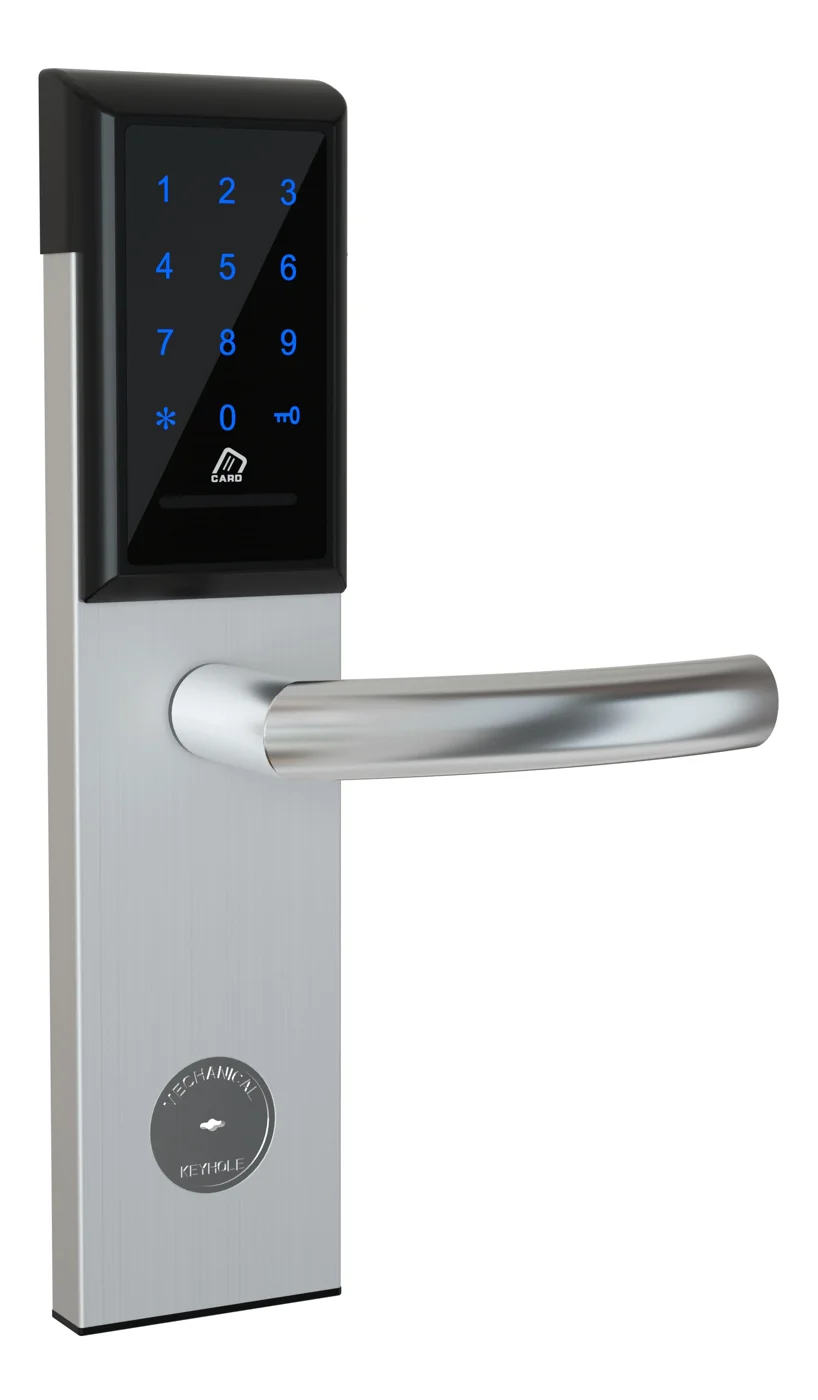
Office Cabinet Lock — PIN + Card for Filing & Pedestals
Offline PIN + card office cabinet lock for filing cabinets, pedestals, and drawers. Battery-powered 5-minute retrofit, no WiFi, no key management. CE/FCC/RoHS.
This page already points to it as the next recommended reference.
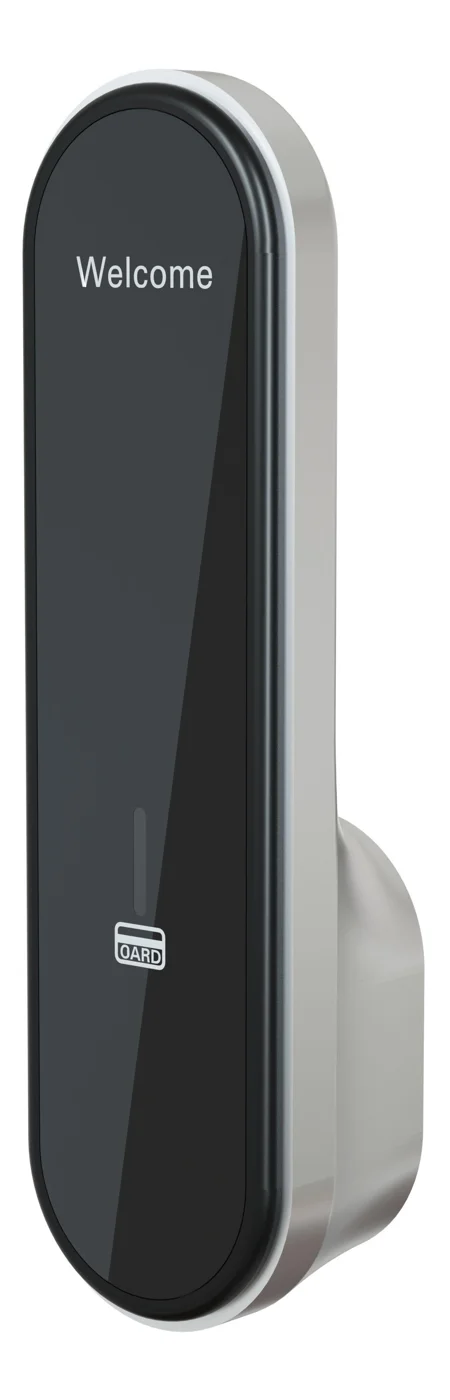
RFID Cabinet Lock — MIFARE Card, Offline Authentication
Offline MIFARE RFID cabinet lock for gym, spa, and office lockers. Tap-to-unlock 13.56 MHz, no WiFi needed, 5-minute retrofit. Zinc alloy body, battery-powered.
This page already points to it as the next recommended reference.
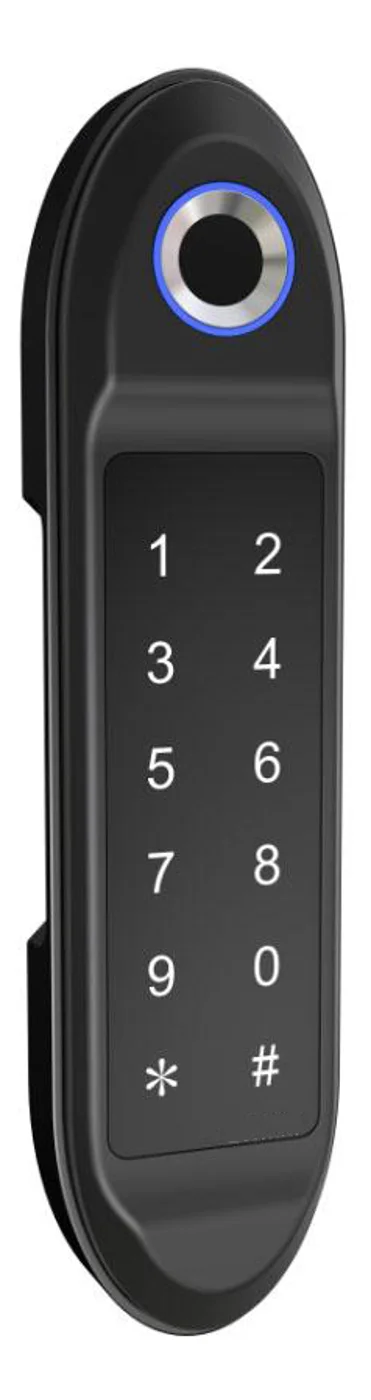
PIN Code Electronic Cabinet Lock — Stand-Alone, No WiFi
Offline keypad cabinet lock for gym, office and parcel lockers. Battery-powered, 5-minute retrofit, audit-free simple deployment. PIN + MIFARE card, DC 6V, 4×AA.
This page already points to it as the next recommended reference.
Related blog posts
3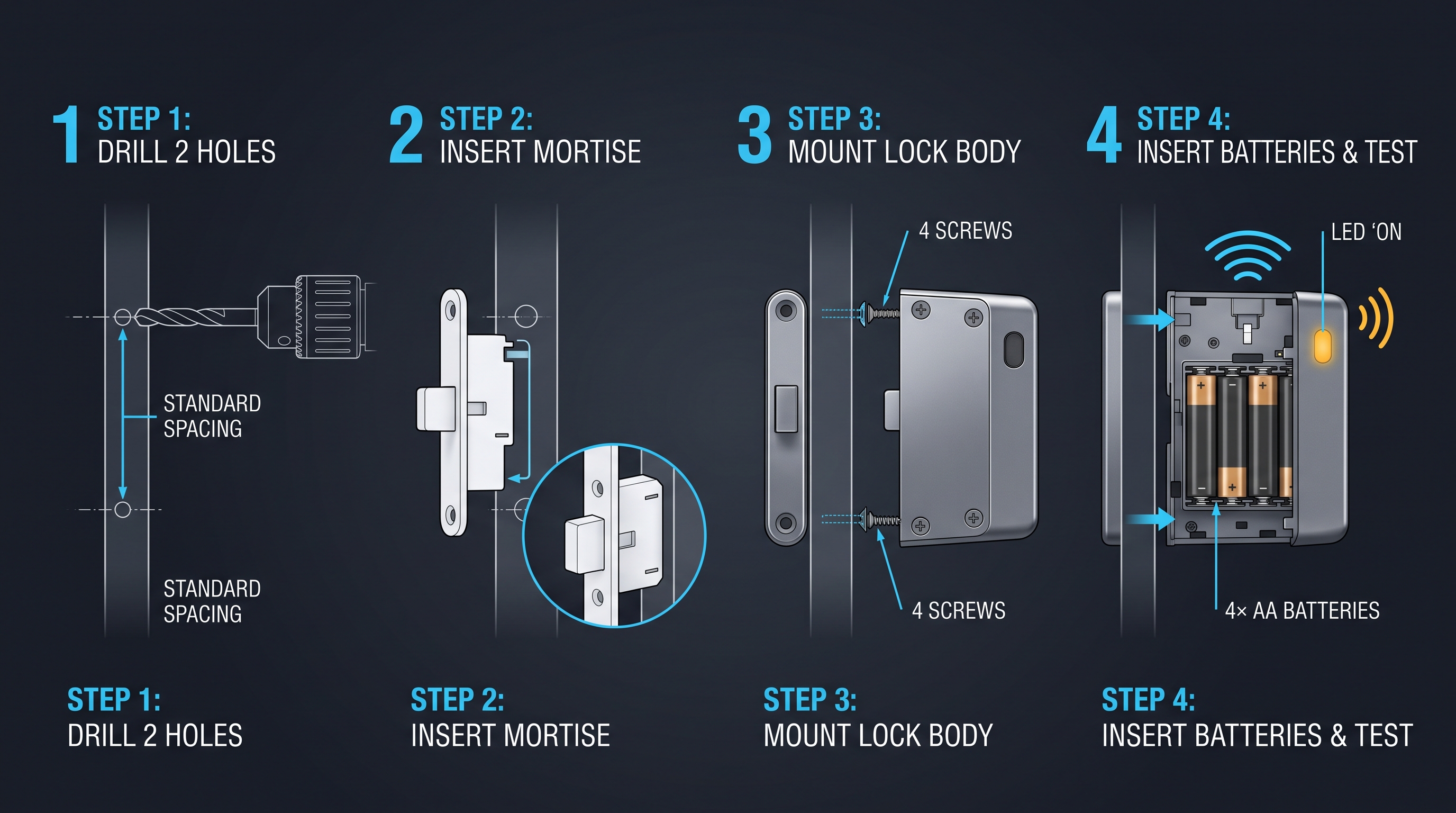
Electronic Locker Lock Price: Complete Guide to Cost Factors, Tiers, and Vendor Negotiation
Understand what drives an electronic locker lock price — from credential types and materials to volume discounts, NRE tooling, shipping, and 5-year TCO. Full pricing guide with tables.
It supports the same product context: Office Cabinet Lock — PIN + Card for Filing & Pedestals.
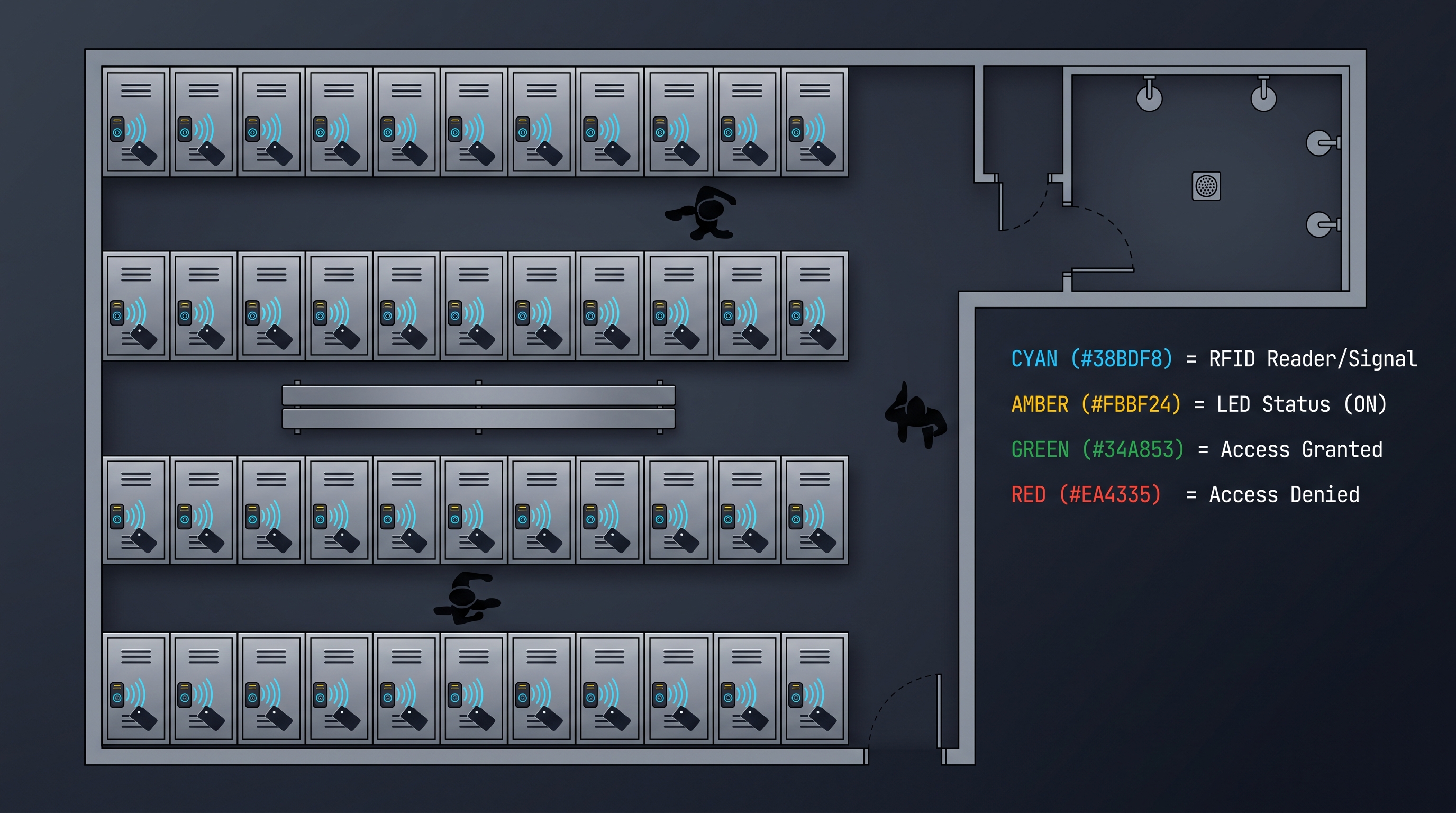
Electronic Locker Lock: The Complete 2026 Guide to Keyless Locker Security
Discover how an electronic locker lock works, from RFID to biometric models, with buying tips, specs, and comparisons for gyms, offices, and schools.
It supports the same product context: PIN Code Electronic Cabinet Lock — Stand-Alone, No WiFi.
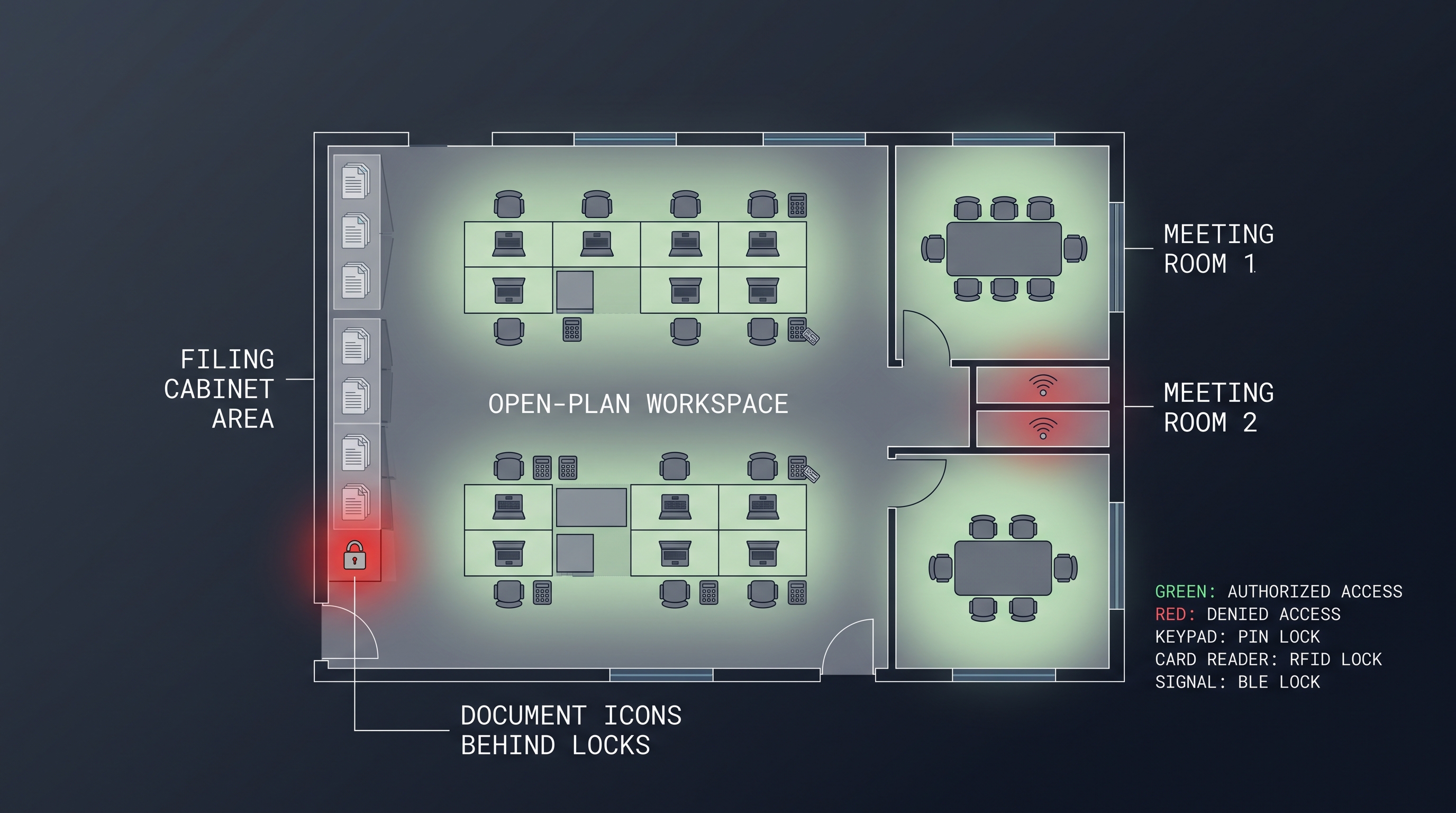
Electronic Furniture Lock: The Complete Guide to Powered Cabinet Security
Electronic furniture lock secures cabinets, drawers, and casegoods with RFID, BLE, PIN, or biometric credentials, replacing keys with auditable, managed access. Full guide.
It supports the same product context: Office Cabinet Lock — PIN + Card for Filing & Pedestals, RFID Cabinet Lock — MIFARE Card, Offline Authentication, PIN Code Electronic Cabinet Lock — Stand-Alone, No WiFi.
Specify your hotel project with our engineers
Send your room count, ceiling type, and protocol preference. We will return a sample plan and quote within 24 business hours.
- Move from general guidance into a product or application discussion.
- Use RFQ when pricing, drawings, MOQ, or launch timing needs structure.
- Keep a direct contact path visible for fast clarifications and handoff.