Cabinet Lock with Code: The Complete Guide to PIN, Digital, and Combination Code Cabinet Locks
Everything you need to know about choosing a cabinet lock with code access: PIN keypad locks, digital combination locks, mechanical code locks, and smart code-based cabinet security systems.
The global market for keyless cabinet security solutions reached $1.8 billion in 2025, with code-based access systems — encompassing mechanical push-button locks, electronic PIN keypad locks, and digital combination locks — representing the fastest-growing segment at 22% year-over-year, driven by two converging trends: the post-pandemic emphasis on touchless and credential-based access in shared spaces, and the growing recognition that physical key management is the single largest operational cost in cabinet security programs (accounting for $45-$85 per lock per year in key duplication, rekeying labor, and lost-key emergency access, compared to near-zero ongoing credential cost for a cabinet lock with code). A cabinet lock with code eliminates the key distribution, tracking, and replacement burden entirely by replacing the physical key with a memorized numeric code — typically 4-12 digits, with the code stored in the lock's onboard memory (for electronic models) or encoded in the mechanical gate positions of internal combination wheels (for mechanical models). This guide provides a comprehensive technical and practical analysis of every major type of cabinet lock with code technology, including mechanical push-button cabinet locks (5-10 button sequences, 1,000-100,000+ theoretical combinations), electronic PIN keypad cabinet locks (4-12 digit codes, 20-500 user code slots, with time-restricted and one-time code capability), mechanical combination dial cabinet locks (3-4 digit dial-based mechanisms), and smart code-based cabinet locks with Bluetooth and WiFi connectivity for remote code management. Whether you are securing a medication cabinet, an office filing cabinet, a retail display case, a school locker, or a home gun safe, this guide will help you select, install, and maintain the right cabinet lock with code for your security requirements.
What Is a Cabinet Lock with Code
A cabinet lock with code is a keyless locking device for cabinets, drawers, lockers, and storage compartments that authenticates user access through a numeric code — entered via a mechanical push-button sequence (5-10 buttons, each press advancing an internal gate mechanism), an electronic PIN keypad (4-12 digit membrane or mechanical-switch keypad with an LCD or LED display, storing 20-500 user codes in non-volatile memory), or a mechanical combination dial (3-4 digit rotating dial marked with 0-39 or 0-49 positions, where the correct sequence of digit alignments releases the internal locking dog) — rather than a physical key, magnetic stripe card, or biometric credential. Unlike a keyed cabinet lock, which requires the physical possession of a key and is vulnerable to key loss, unauthorized duplication, and keyway wear, a cabinet lock with code relies on knowledge-based authentication that can be changed instantly (by resetting the code) and shared with authorized users verbally or via secure messaging without distributing physical objects. A cabinet lock with code operates on either purely mechanical principles (where button presses or dial rotations directly move internal levers, gates, and springs that actuate the locking bolt — no power source required, with a typical service life of 15,000-30,000 cycles) or electromechanical principles (where the code is validated by a microcontroller, and a solenoid or motor actuator drives the locking bolt — powered by 4x AA alkaline or 2x CR123A lithium batteries providing 8,000-30,000 unlock cycles). The security of a cabinet lock with code is a function of the code space size (the total number of possible code combinations, ranging from 1,000 for a 3-digit dial to 10,000-100,000,000,000 for a 4-12 digit electronic keypad), the lockout policy after incorrect attempts (typically 3-5 consecutive incorrect code entries trigger a 30-second to 15-minute timeout, preventing brute-force code guessing), and the physical tamper resistance of the lock body and mounting hardware.
The primary advantage of a cabinet lock with code over a keyed cabinet lock is operational: when an employee leaves the organization, a tenant vacates a rental property, or a family member's access needs change, the code can be changed in seconds — through a reset procedure on the lock itself, a mobile app, or a web-based management dashboard — without replacing hardware, calling a locksmith, or retrieving physical keys. This operational flexibility is the reason that code-based cabinet locks have become the dominant access technology in healthcare (medication cabinets), multi-tenant residential (mailbox and parcel lockers), education (staff supply cabinets), and retail (high-value merchandise storage), where access control changes are frequent and the cost of physical key management is prohibitive.
| Code Lock Type | Authentication Method | Code Space | Power Source | User Capacity | Unit Cost |
|---|---|---|---|---|---|
| Mechanical push-button | 5-10 button sequence | 1,000-100,000+ | None (mechanical) | 1 (single code at a time) | $15-$40 |
| Electronic PIN keypad (basic) | 4-8 digit numeric code | 10,000-100,000,000 | 4x AA or 4x AAA (12-24 months) | 20-200 user codes | $20-$60 |
| Electronic PIN keypad (advanced) | 4-12 digit numeric code | 10,000-100,000,000,000 | 4x AA or 2x CR123A (12-36 months) | 50-500 user codes | $45-$120 |
| Mechanical combination dial | 3-4 digit rotary dial | 1,000-10,000 | None (mechanical) | 1 (single combination) | $10-$30 |
| Smart code lock (Bluetooth/WiFi) | 4-12 digit + app-based code management | 10,000-100,000,000,000 | 4x AA or built-in Li-ion (8-18 months) | 100-1,000+ user codes | $60-$180 |
Cabinet Lock with Code: Mechanical Push-Button Technology
A mechanical push-button cabinet lock with code is a purely mechanical, battery-free locking device where the user presses a sequence of buttons (typically 5-10 individual buttons arranged in a linear or grid pattern, each button labeled with a number or letter) to input the correct code, and each button press advances an internal mechanism — a series of stacked gates, levers, or cams — that, when all correct buttons are pressed in the proper sequence, aligns the internal components to release the locking bolt. The bolt is retracted either by turning a knob or handle after the correct code is entered, or it retracts automatically on the final button press of the correct sequence. The most widely deployed mechanical push-button cabinet lock with code is the simplex-style lock (originally developed by Simplex, now manufactured by Kaba, dormakaba, and several licensed and generic manufacturers), which uses a 5-button mechanism with a theoretical code space of 1,081 possible combinations (including single-button, multi-button simultaneous presses, and sequential presses — the exact number depends on whether simultaneous button presses are treated as a single input or as distinct inputs from the individual buttons). The mechanical push-button cabinet lock with code is the preferred choice for applications where electrical power is unavailable or undesirable (in-cabinet installations in remote locations, outdoor cabinets, or environments where battery replacement is a maintenance burden), where the lock must operate reliably across a wide temperature range (-40 degrees C to +70 degrees C for all-metal mechanical locks, versus 0 degrees C to +50 degrees C for most electronic locks due to LCD and battery chemistry limitations), or where regulatory requirements preclude electronic devices (explosive-atmosphere storage cabinets in chemical facilities, where battery-powered electronics are prohibited by ATEX or NFPA standards).
The mechanical simplicity of a push-button cabinet lock with code is both its greatest strength and its primary limitation. The strengths include: indefinite service life with minimal maintenance (annual cleaning of the button mechanism with compressed air and a light application of dry lubricant to the internal sliding surfaces, with a typical mean time between failures of 15-25 years for a simplex-type lock in moderate-use environments), no battery dependency (the lock functions identically whether it was last used 5 minutes ago or 5 years ago, making it ideal for infrequently accessed cabinets such as emergency equipment storage, building system access panels, and seasonal storage), and inherent tamper simplicity (the mechanical design leaves no digital attack surface — there is no Bluetooth signal to intercept, no firmware to exploit, and no electronic component to fail from electrostatic discharge or power surge). The limitations include: single-code operation (most mechanical push-button locks store only one code at a time, meaning all users share the same code — there is no per-user code assignment, no audit trail, and no ability to revoke one user's access without changing the code for everyone), lower code space (the 1,081 combinations of a 5-button simplex-type lock is sufficient to deter casual code guessing but is vulnerable to systematic brute-force attempts — a determined attacker can test all 1,081 combinations in approximately 30-60 minutes if the lock has no lockout mechanism), and the inability to enforce time-based or conditional access (the code works 24/7 for anyone who knows it, with no scheduling, expiration, or one-time-use capability).
| Mechanical Push-Button Lock Model | Button Count | Code Space | Bolt Type | Mounting Pattern | Price Range |
|---|---|---|---|---|---|
| Simplex 1000 series (Kaba/dormakaba) | 5 buttons | 1,081 combinations | Spring-loaded sliding bolt | 19 mm (3/4 inch) round hole | $25-$45 |
| Simplex L1000 series (narrow stile) | 5 buttons | 1,081 combinations | Deadbolt, 12 mm throw | Surface mount with 2 screws | $35-$60 |
| Generic/Import 5-button cabinet lock | 5 buttons | 1,081 combinations | Sliding bolt or cam | 19 mm round hole or surface mount | $10-$25 |
| 10-button mechanical cabinet lock | 10 buttons (0-9) | 100,000+ (sequential) | Motorized bolt (spring-driven) | 19-22 mm round hole | $30-$55 |
| Locker-style mechanical push-button | 5-8 buttons | 1,000-10,000+ | Spring-loaded latch | Custom mounting plate | $15-$35 |
Cabinet Lock with Code: Electronic PIN Keypad Technology
An electronic PIN keypad cabinet lock with code is a battery-powered locking device featuring a numeric keypad (typically 4x3 or 3x4 grid layout with digits 0-9, plus auxiliary function keys such as asterisk and pound/hash for code entry confirmation or programming mode access, using either membrane switch technology with a polyester overlay rated for 1,000,000+ actuations or mechanical tactile switches rated for 100,000+ actuations per key), an LCD or LED display (for visual feedback during code entry, programming, and status indication — budget models use a single multi-color LED that indicates lock/unlock/error status through color and blink pattern, while premium models use a 2-line backlit LCD or OLED display showing the entered digits as asterisks and displaying menu prompts), a microcontroller (typically an 8-bit or 32-bit ARM Cortex-M series processor running at 16-48 MHz with 64-512 KB flash memory for code storage and firmware, and 8-64 KB SRAM for runtime operation, incorporating a hardware random number generator for one-time code generation and a real-time clock for time-based access scheduling), and a solenoid or motor-driven latch mechanism (a solenoid actuator with a 5-15 mm stroke, 300-800 mA peak current draw during the 0.2-0.5 second actuation, and a spring-return to the locked position when de-energized — or a DC gear motor driving a cam or rack-and-pinion mechanism that provides quieter operation at the cost of slightly slower actuation, 0.5-1.0 seconds). The electronic PIN keypad cabinet lock with code is the most versatile code-based lock category, supporting multi-user code management, time-restricted codes, one-time or temporary codes, and audit trail logging — features that make it the preferred choice for commercial, healthcare, and multi-user residential applications.
The code management capabilities of an electronic PIN keypad cabinet lock with code distinguish it fundamentally from mechanical code locks. An electronic PIN keypad lock can store 20-500 individual user codes, each associated with a specific user identity (displayed in the audit log as "User 14" or as a user-defined name such as "John Smith" programmed via the management interface). Each code can be assigned an access schedule — for example, a cleaning staff code that works only between 6:00 PM and 10:00 PM on weekdays, or a contractor code that expires automatically after 7 days. The lock logs every access event (code entered, time, date, whether access was granted or denied, and which user code was used) in a circular buffer of 1,000-100,000 events, providing an audit trail that satisfies regulatory requirements for controlled substance storage (DEA 21 CFR 1301.75), healthcare information security (HIPAA physical safeguards), and financial document storage (Sarbanes-Oxley physical access controls). When a cabinet lock with code is deployed in a networked configuration (connected to a central access control system via WiFi, LoRa, or a dedicated gateway), the audit trail is transmitted in real-time to a management server, and code changes made on the server are pushed to the lock within seconds — enabling centralized management of hundreds or thousands of code-based cabinet locks across multiple facilities.
| Feature | Basic Electronic PIN Lock | Advanced Electronic PIN Lock | Smart Networked PIN Lock |
|---|---|---|---|
| Code Length | 4-8 digits | 4-12 digits | 4-12 digits |
| User Code Capacity | 20-50 codes | 50-500 codes | 100-1,000+ codes (server-based) |
| Audit Trail | None or 100-500 events | 1,000-10,000 events | 100,000+ events (cloud-based) |
| Time-Restricted Codes | No | Yes (per-code schedule) | Yes (per-code schedule, calendar integration) |
| One-Time / Temporary Codes | No | Yes (manual creation) | Yes (automatic generation via API) |
| Connectivity | None (standalone) | None or Bluetooth for programming | WiFi, LoRa, or gateway (Ethernet) |
| Remote Management | No | Via Bluetooth mobile app | Via web dashboard and REST API |
| Battery Life | 18-24 months (4x AA) | 12-24 months (4x AA) | 8-18 months (4x AA, shorter due to radio) |
| Price Range | $20-$40 | $45-$80 | $80-$180 |
Cabinet Lock with Code: Mechanical Combination Dial Technology
A mechanical combination dial cabinet lock with code is a battery-free, keyless locking device where the combination code is entered by rotating a numbered dial (typically 2-3 inches in diameter, marked with digits 0-39 or 0-49, with tactile detents at each digit position) through a specific sequence of turns — for example, "turn right to 24, turn left past 10 to 36, turn right to 8" — which aligns internal notches, gates, or drive cams on multiple stacked wheels, allowing the locking bolt to retract. The combination dial cabinet lock with code is the oldest form of code-based cabinet security, directly descended from the safe lock mechanisms invented in the 19th century, and it remains in widespread use today for applications where absolute reliability, zero power dependency, and a high degree of pick resistance are required. The most common deployment of a combination dial cabinet lock with code is on fireproof and security filing cabinets (FireKing, Schwab, SentrySafe, and similar brands), gun safes and weapon storage cabinets, and high-security storage cabinets for classified documents, evidence, and controlled substances — environments where the lock must function reliably after decades of service, survive fire exposure, and resist skilled manipulation attacks.
The security of a combination dial cabinet lock with code derives from the interaction between the lock's internal wheels and the fence (the component that drops into the wheel gates when the correct combination is entered, releasing the bolt). Each wheel has a single true gate (a notch cut into the wheel's circumference) and, in high-security models, one or more false gates (shallow notches that mimic the feel of the true gate when the fence contacts them, misleading an attacker attempting to decode the combination by feel). A 3-wheel combination lock with false gates provides a theoretical combination space of approximately 1,000,000 possible settings (100 positions per wheel, cubed), but the practical security is significantly higher than a 1,000-combination mechanical push-button lock because the manipulation attack — systematically feeling for the gates — requires 15-60 minutes of focused work by a skilled safe technician, compared to 30-60 minutes of simple brute-force entry for a 1,081-combination push-button lock. The primary operational limitation of a combination dial cabinet lock with code is speed: dialing a combination takes 15-25 seconds for an experienced user and 30-60 seconds for a novice, compared to 2-5 seconds for a PIN keypad entry or 5-10 seconds for a mechanical push-button sequence. This speed differential makes combination dial locks impractical for cabinets accessed more than 5-10 times per day — a frequency limit that is acceptable for long-term document storage and secure safes but unacceptable for daily-use supply cabinets, medication cabinets, and retail display cases.
| Combination Dial Lock Type | Wheel Count | Dial Positions | Code Space | False Gates | Typical Application |
|---|---|---|---|---|---|
| Standard 3-wheel combination | 3 wheels | 0-39 (40 positions) | 64,000 theoretical | No | Basic filing cabinets, low-security storage |
| High-security 3-wheel | 3 wheels | 0-49 (50 positions) | 125,000 theoretical | Yes (1-2 per wheel) | Fireproof cabinets, evidence storage |
| 4-wheel combination | 4 wheels | 0-39 (40 positions) | 2,560,000 theoretical | Yes (1-2 per wheel) | Gun safes, classified document storage |
| Group 2 combination lock | 3 wheels | 0-99 (100 positions) | 1,000,000 theoretical | Yes (multiple per wheel) | High-security safes, bank vault cabinets |
| Resettable combination dial | 3-4 wheels | 0-39 (varies) | Varies | Varies by model | Multi-user cabinets, rental lockers |
Cabinet Lock with Code: Smart Code Lock Technology
A smart cabinet lock with code is an electronic code-based locking device that adds wireless connectivity (Bluetooth Low Energy 5.0+, WiFi 802.11 b/g/n at 2.4 GHz, or LoRaWAN for long-range, low-power wide-area networking) and a companion mobile application or web-based management platform to the core PIN keypad functionality, enabling remote code management (creating, modifying, scheduling, and revoking access codes from a smartphone or web browser anywhere with an internet connection, without physically touching the lock), real-time access notifications (push notifications to the administrator's phone when the cabinet is unlocked, when a specific code is used, or when a tamper or forced-open event is detected), code sharing via messaging (generating a time-limited access code and sending it to a contractor, delivery person, or family member via SMS, email, or messaging app, with the code automatically expiring after the specified time window or number of uses), and integration with smart home and building automation platforms (Amazon Alexa, Google Home, Apple HomeKit, IFTTT, and commercial building management systems via REST API, enabling voice-controlled cabinet access, automated cabinet locking at a scheduled time, and correlation of cabinet access events with security camera footage and alarm system status). The smart cabinet lock with code represents the convergence of physical cabinet security with the broader Internet of Things (IoT) ecosystem, and it is the fastest-growing segment of the code-based cabinet lock market, driven by demand from smart home consumers, tech-forward co-working spaces, and enterprise facilities adopting unified IoT security platforms.
The architectural distinction between a standalone electronic cabinet lock with code and a smart cabinet lock with code lies in where the code database and access control logic reside. In a standalone electronic lock, the code database is stored in the lock's onboard non-volatile memory (typically 64-512 KB of flash memory), and all code validation and access decisions are made locally by the lock's microcontroller. Code management is performed through a programming interface on the lock itself (using a master code to enter programming mode, then navigating a menu system using the keypad and LED/display feedback) or through a Bluetooth connection to a mobile app (for locks that support Bluetooth programming but not persistent connectivity). In a smart cabinet lock with code, the code database may be stored either locally (with the cloud or app providing a management interface that writes changes to the lock's local memory) or in the cloud (with the lock querying the cloud server for each access attempt, which provides unlimited code storage and real-time central management but requires a reliable internet connection for every access event — a dependency that is unacceptable for life-safety or critical infrastructure cabinets). Many smart cabinet locks with code use a hybrid architecture: the lock caches the most recent code database locally (updated periodically or on-demand via WiFi or Bluetooth), and access decisions are made locally using the cached data, with the lock syncing audit trail events to the cloud when connectivity is available. This hybrid approach provides the best of both worlds — sub-second access response time regardless of internet connectivity, with the management convenience of a cloud-connected platform.
The smart cabinet lock with code also enables integration patterns that are not possible with standalone locks. A cabinet lock with code deployed in a corporate office can be integrated with the company's HR system (via SCIM or REST API) so that when an employee is hired, transferred, or terminated, their access code is automatically created, modified, or revoked without manual intervention. In a co-working space, the cabinet lock with code can be integrated with the space's booking and billing system: a member books a dedicated cabinet for a month, the system generates a unique access code valid for the booking period, and the code is automatically deactivated when the booking expires or the member's payment fails. In a smart home, a cabinet lock with code on a gun safe or medication cabinet can be configured to send an immediate alert to the homeowner's phone whenever the cabinet is unlocked, with the option to trigger a security camera recording and an alarm system notification — a level of security awareness that transforms a passive cabinet lock into an active component of the home security ecosystem.
| Smart Lock Feature | Technology | User Benefit | Operational Benefit | Security Consideration |
|---|---|---|---|---|
| Remote code management | WiFi + cloud platform | Change codes from anywhere | No physical lock access needed for code changes | Requires internet; cloud platform security is critical |
| Time-limited code sharing | Mobile app + OTP generation | Share access with guests/contractors | Reduced staff time for temporary access | Code expiration must be enforced by lock, not just app |
| Real-time access alerts | WiFi + push notifications | Know when cabinet is accessed | Immediate incident response | Alert fatigue if too many notifications; tune thresholds |
| Voice assistant integration | Alexa/Google/HomeKit API | Hands-free status check | Integration with broader smart home | Voice unlock is a security risk; typically status-only or requires PIN confirmation |
| HR/identity system integration | SCIM, REST API, SAML | Automatic access provisioning | Zero manual user management at scale | API security, token management, fail-safe on system outage |
| Usage analytics dashboard | Cloud-based data aggregation | Understand usage patterns | Optimize cabinet allocation, detect anomalies | Data privacy; aggregate data should not reveal individual access patterns |
How to Choose a Cabinet Lock with Code: Security Level Assessment
Selecting the appropriate cabinet lock with code for a given application requires matching the lock's security characteristics to the threat environment and the value of the assets being protected. The security of a cabinet lock with code is a composite of four factors: code space size (the number of possible code combinations — a 3-digit code with digits 0-9 provides 1,000 possible combinations, while a 6-digit code provides 1,000,000, and an 8-digit code provides 100,000,000 — making brute-force guessing impractical for codes of 6+ digits, especially when combined with a lockout policy), lockout and anti-tamper features (the number of incorrect code attempts allowed before the lock imposes a timeout — typically 3-5 attempts triggering a 30-second to 15-minute lockout, with the lockout duration escalating on repeated incorrect attempts to frustrate systematic guessing attacks), physical attack resistance (the ability of the lock body, mounting hardware, and bolt mechanism to resist forced entry through drilling, prying, impact, or cutting — measured in time-to-defeat, with the best cabinet lock with code achieving 5+ minutes against common hand tools), and the code management model (single shared code versus individual user codes with audit trail — the latter providing both accountability through access logging and the ability to revoke individual access without affecting other users, which is essential for any environment where multiple people have cabinet access and accountability is required).
For most residential and low-security commercial applications, a cabinet lock with code that offers a 4-6 digit code space, a 3-5 attempt lockout, basic anti-pry mounting, and a single shared code is adequate — the lock's primary function is to deter casual access by children, visitors, or opportunistic theft, not to resist a determined attacker with tools. For commercial and healthcare applications where regulatory compliance, audit trail, and multi-user management are required, a cabinet lock with code that offers 6-8 digit individual user codes, time-based scheduling, a 3-attempt lockout with escalating timeout, hardened steel anti-drill and anti-pry construction, and a 1,000+ event audit trail is the minimum acceptable standard. For high-security applications — DEA-compliant controlled substance storage, classified document storage, evidence lockers, and high-value asset storage — a cabinet lock with code that incorporates dual authentication (code plus RFID card or biometric), a 6+ digit code space, hardened steel construction with anti-drill plates and anti-pry shielding, real-time alarm output on tamper or forced entry, and integration with a central security monitoring system is required.
| Security Level | Code Space | Lockout Policy | Physical Resistance | Code Management | Appropriate For |
|---|---|---|---|---|---|
| Basic | 3-4 digits (1,000-10,000) | 3-5 attempts, 30-60 second timeout | Standard zinc alloy body, basic cam | Single shared code | Home cabinets, low-risk storage, children's rooms |
| Standard | 4-6 digits (10,000-1,000,000) | 3-5 attempts, 1-5 minute timeout | Zinc alloy body, anti-pry cam | Multiple user codes, basic audit | Office supply cabinets, retail displays, school lockers |
| Advanced | 6-8 digits (1,000,000-100,000,000) | 3 attempts, escalating timeout to 15 min | Hardened steel body, anti-drill, anti-pry | Individual codes, time scheduling, full audit trail | Healthcare, pharmaceutical, financial document storage |
| High-Security | 8+ digits or dual authentication | 3 attempts, permanent lockout requiring admin reset | Hardened steel, anti-drill plates, alarm output | Multi-factor, real-time monitoring, central management | DEA compliance, classified storage, evidence lockers |
Cabinet Lock with Code: Installation Guide
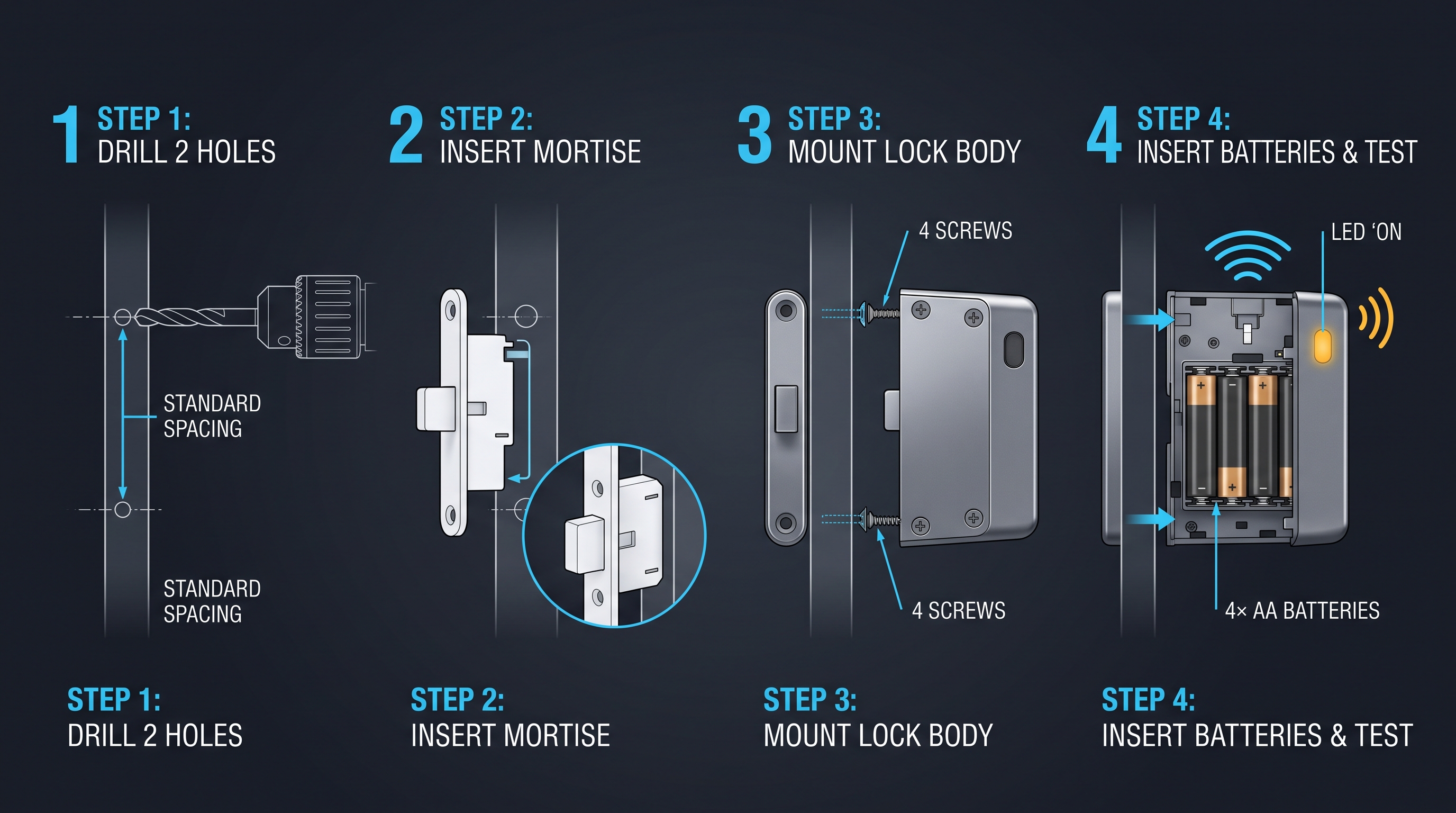
Installing a cabinet lock with code follows a different set of procedures than installing a mechanical keyed lock, primarily because code-based locks introduce additional considerations for the keypad or dial interface (which must be mounted on the exterior of the cabinet door in a position that is accessible and readable), the battery compartment (which must be mounted on the interior of the door in a location that does not interfere with the cabinet contents, the door closing, or any drawer slides), and — for smart locks with wireless connectivity — the radio frequency environment (Bluetooth and WiFi signals must be able to reach the lock, which can be a problem when the cabinet is made of metal, as metal enclosures act as Faraday cages that attenuate radio signals by 20-40 dB). The installation process for a cabinet lock with code begins with the same preparatory steps as any cabinet lock installation: measure the door thickness (must be within the lock's specified range, typically 12-28 mm for electronic locks and 15-35 mm for mechanical push-button locks), verify the mounting hole diameter (typically 19 mm or 3/4 inch for standard cam-lock-style electronic code locks, though some models require a rectangular cutout for the keypad housing), and confirm that the lock body length matches the door thickness so that the bolt or cam engages the strike correctly.
Step 1: Prepare the mounting hole. If the cabinet already has a 19 mm (3/4 inch) round mounting hole from a previous cam lock, most electronic and mechanical push-button cabinet locks with code will install directly into this hole — this is the single most common retrofit scenario, and compatibility with the 19 mm standard hole is a major design consideration for code lock manufacturers. If the cabinet does not have a mounting hole, or if the new lock requires a different hole size or a rectangular cutout, use a hole saw (for round holes, 16-25.4 mm diameter) or a jigsaw with a fine-tooth metal blade (for rectangular cutouts) to create the opening. Always drill from the exterior side of the door inward to prevent tear-out on the visible surface, and use a backing board clamped to the interior side when drilling through thin metal to prevent the material from flexing and the drill bit from grabbing.
Step 2: Install the lock body. Insert the lock body through the mounting hole from the exterior side of the door. For electronic PIN keypad locks and smart locks, the keypad housing is typically part of the exterior escutcheon that sits flush against the door face — ensure that the keypad is oriented correctly (digits right-side up, with the # and * keys at the bottom for standard telephone-style keypad layouts) and that the gasket or O-ring between the escutcheon and the door face is properly seated to prevent moisture ingress. On the interior side, thread the retaining nut or mounting bracket onto the lock body and tighten to firm hand-tightness plus one quarter turn — over-tightening can crack the lock body or warp a thin metal door, while under-tightening leaves the lock loose and vulnerable to prying. For mechanical push-button locks, the push-button mechanism extends through the mounting hole and the backplate is secured with screws from the interior side.
Step 3: Route the wiring and mount the battery compartment. For electronic and smart cabinet locks with code, connect the wire harness from the lock body to the battery compartment/control board (the connector is typically keyed to prevent incorrect orientation — do not force it). Route the wire harness along the interior surface of the door, securing it with the provided adhesive wire clips every 6-8 inches to prevent the harness from sagging, catching on stored items, or being pinched when the door closes. Mount the battery compartment to the interior door surface in a location that is accessible for battery replacement — ideally near the hinge side of the door where the arc of door movement is minimal — using the provided screws or adhesive pad. For cabinets with drawers, verify that the battery compartment and wire harness do not interfere with the drawer slide mechanism or contact the drawer contents when the drawer is fully loaded.
Step 4: Install the strike plate. The strike plate must be mounted on the cabinet frame (or the adjacent door for double-door cabinets) in a position that aligns with the lock bolt when the door is closed. Most cabinet locks with code include an adjustable strike plate with slotted mounting holes that allow 2-5 mm of adjustment in the vertical and horizontal planes. With the door closed, mark the bolt position on the frame, open the door, mount the strike plate at the marked position, close the door, and verify that the bolt enters the strike opening with 1-2 mm of clearance on all sides. If the bolt scrapes against the strike plate edge, adjust the strike position until the bolt moves freely.
Step 5: Power up and program. Install fresh batteries (do not use batteries from different brands, different ages, or different charge levels in the same lock — mismatched batteries can cause voltage irregularities that corrupt the lock's memory during programming). Follow the manufacturer's programming procedure to set the master code, create user codes, configure the lockout policy, and set the auto-relock delay (typically 3-10 seconds after unlocking, the bolt automatically re-extends — this prevents the lock from being left in an unlocked state). For smart locks, complete the WiFi or Bluetooth pairing process and verify that the lock appears in the management app and responds to remote commands.
| Installation Step | Mechanical Push-Button Lock | Electronic PIN Keypad Lock | Smart Code Lock |
|---|---|---|---|
| Mounting Hole Preparation | 19 mm round hole (standard) | 19 mm round hole or rectangular cutout | 19 mm round hole or rectangular cutout |
| Wire Routing | Not applicable (no wires) | 1 wire harness; route and secure with clips | 1-2 wire harnesses; check WiFi signal at mounting location |
| Battery Compartment | Not applicable (no batteries) | Interior door surface; avoid drawer interference | Interior door surface; ensure radio signal can penetrate |
| Strike Plate Alignment | Standard cam strike alignment | Standard cam or solenoid bolt alignment | Solenoid bolt alignment; verify auto-relock clearance |
| Programming | Manual code setting (internal DIP switches or reset button) | Keypad-based programming menu or Bluetooth app | Mobile app setup wizard; WiFi provisioning; firmware update |
| Testing | Cycle 10 times; verify bolt engagement | Test all codes; verify lockout policy; test auto-relock | Test all codes; verify remote unlock; test push notifications |
Cabinet Lock with Code: Code Management Best Practices
A cabinet lock with code is only as secure as the code management practices that govern its use. The most technically sophisticated cabinet lock with code can be defeated by a poorly chosen code (such as "1234", "0000", or a birth year that is easily guessed or associated with the user), a code that is written on a sticky note attached to the cabinet, or a code that is shared with more people than necessary and never changed. Effective code management for a cabinet lock with code encompasses five domains: code selection (choosing codes that are resistant to guessing and social engineering — codes should avoid predictable patterns such as sequential digits, repeated digits, birth years, addresses, and phone number fragments, and should use a random or pseudo-random sequence of at least 6 digits for commercial applications and 8+ digits for high-security applications), code rotation (changing codes on a defined schedule — every 90 days for shared-user commercial cabinets, every 30 days for high-security cabinets, and immediately upon any personnel change, security incident, or suspected code compromise), code uniqueness (never reusing the same code across multiple cabinets, and never using the same code for cabinet access that is used for any other system — a user's building access PIN should not be the same as their cabinet access code, because a compromise of one system would cascade to the other), code distribution (communicating codes to authorized users through secure channels — verbally in person, via encrypted messaging, or through a secure password manager sharing feature — never via email, text message, or written note, which are easily intercepted or discovered), and code auditing (for electronic locks, regularly reviewing the access audit trail to identify unusual access patterns — access at unusual hours, repeated denied-access attempts, or a single code being used from multiple locations in rapid succession, which may indicate code sharing or compromise).
For organizations deploying cabinet locks with code at scale (dozens or hundreds of cabinets across multiple facilities), code management must be systematized through a code management policy and, ideally, a centralized code management platform. The policy should specify: the minimum code length (6-8 digits for commercial cabinets, 8+ digits for high-security cabinets), the code complexity requirements (disallowing sequential digits, repeated digits, and patterns based on publicly available information about the user), the code rotation interval (90 days standard, 30 days high-security, immediate upon personnel change), the code distribution procedure (in-person verbal communication or encrypted messaging, with a written record of code assignment stored in a secure, access-controlled system), the audit trail review frequency (weekly for high-security cabinets, monthly for standard cabinets), and the incident response procedure (when a code is suspected to be compromised, the code is immediately changed, all users are notified of the new code through the secure distribution channel, and the audit trail is reviewed for any unauthorized access events during the compromise window). For electronic locks managed through a centralized platform, many of these policies can be enforced automatically — the platform can require minimum code length, reject weak codes, enforce rotation schedules, and generate audit reports on a schedule.
| Code Management Practice | Residential (Single User) | Small Business (2-10 Users) | Enterprise (10+ Users, Multiple Cabinets) |
|---|---|---|---|
| Minimum Code Length | 4-6 digits | 6-8 digits | 8+ digits |
| Code Rotation | When compromised or annually | Every 90 days or upon personnel change | Every 30-90 days, enforced by system |
| Code Uniqueness | Unique per cabinet | Unique per cabinet, unique from other systems | Unique per cabinet, per user, and per system |
| Distribution Method | In-person or encrypted message | Secure password manager or encrypted message | Centralized platform with automated provisioning |
| Audit Trail Review | Spot-check when concerned | Monthly review | Weekly automated reporting with anomaly detection |
| Incident Response | Change code, notify household | Change code, notify all users, review audit trail | Automated code revocation, SIEM integration, forensics |
Cabinet Lock with Code: Troubleshooting and Maintenance
A cabinet lock with code requires regular maintenance and occasional troubleshooting to ensure reliable operation throughout its service life. The most common issues encountered with code-based cabinet locks — and the solutions to resolve them — vary by lock type but follow predictable patterns that can be addressed with a systematic diagnostic approach.
Mechanical push-button lock troubleshooting: The most frequent issue with mechanical push-button cabinet locks with code is button sticking or binding, caused by the accumulation of dust, skin oils, and debris in the button mechanism over thousands of actuations. The symptom is that a button does not fully depress or does not spring back to its extended position after being pressed, which can prevent the code from being entered correctly or cause the lock to jam in the unlocked state. The solution is to clean the button mechanism: remove the lock from the cabinet door, disassemble the button assembly (following the manufacturer's disassembly instructions — typically removing the backplate and sliding the button stack out of the housing), clean each button and its bore with isopropyl alcohol and a cotton swab to remove accumulated residue, apply a light coat of dry graphite powder or PTFE-based dry lubricant to the button shafts (never use oil-based lubricants, which attract dust and congeal over time), reassemble, and test the button action for smooth, consistent travel. This cleaning procedure should be performed annually for locks in moderate-use environments and every 6 months for locks in high-use or dusty environments.
Electronic PIN keypad lock troubleshooting: The most frequent issue with electronic cabinet locks with code is battery-related failure — the lock does not respond to code entry, the keypad backlight is dim or flickering, or the lock makes a weak, grinding sound when attempting to actuate the bolt. The diagnostic sequence is: remove the batteries and test each one individually with a multimeter (voltage must be at least 1.35V for 1.5V AA/AAA alkaline, 2.85V for 3V CR123A lithium); if any battery is below the threshold, replace all batteries with fresh, matching cells (do not mix old and new batteries); inspect the battery compartment contacts for corrosion (green or white deposits — clean with isopropyl alcohol and a cotton swab if present); and if the lock still does not respond, perform a factory reset by shorting the reset contacts on the control board (consult the manufacturer's documentation for the specific procedure, which varies by model). If the lock responds to some codes but not others, the issue is likely a corrupted code database — perform a factory reset and reprogram all codes from scratch. If the lock's keypad is unresponsive (no beep, no LED flash on any button press), the issue is likely a failed keypad membrane or a disconnected ribbon cable connecting the keypad to the control board — this requires replacement of the keypad assembly or the entire lock, as keypad membranes are not field-repairable.
Code-related troubleshooting: If a user reports that their code is not working, first verify that the code is being entered correctly — a common issue is that the user has confused the code for this cabinet with a code for another cabinet, or has transposed digits. If the code is correct but the lock denies access, check the lock's audit trail (if available) to see whether the code has been deactivated, expired, or restricted by a time schedule. If the lock uses a time-based access schedule, verify that the lock's internal clock is set correctly — a clock that has drifted due to battery removal or power loss will enforce schedules at the wrong times. If the lock has a lockout policy (timeout after incorrect attempts), verify that the user's incorrect attempts have not triggered a lockout, which will clear after the timeout period expires.
| Problem | Lock Type | Most Likely Cause | Diagnostic Step | Solution |
|---|---|---|---|---|
| Button sticks or binds | Mechanical push-button | Debris/dust accumulation | Depress each button; note resistance or incomplete return | Disassemble, clean with alcohol, apply dry graphite lubricant |
| Lock does not respond to code | Electronic PIN keypad | Dead or low batteries | Test each battery with multimeter | Replace all batteries with fresh matching cells |
| Some codes work, others don't | Electronic PIN keypad | Corrupted code database or expired/deactivated code | Check audit log; verify code status in programming menu | Factory reset and reprogram; or reactivate code |
| Keypad unresponsive (no beep/LED) | Electronic PIN keypad | Failed keypad membrane or disconnected ribbon cable | Press each key; observe for any response | Replace keypad or entire lock (not field-repairable) |
| Bolt does not retract fully | All types | Misaligned strike plate or obstructed bolt | Observe bolt movement with door open | Adjust strike plate; clear obstruction; lubricate bolt |
| Combination dial spins freely | Mechanical combination dial | Broken drive cam or spindle | Disassemble; inspect drive cam and spindle | Replace damaged components or entire lock |
| Smart lock offline in app | Smart code lock | WiFi disconnection or low battery | Check router; check lock battery level | Re-pair WiFi; replace batteries; check router signal strength |
Cabinet Lock with Code: Comparison with Alternative Access Technologies
A cabinet lock with code occupies a specific position in the access technology landscape, offering distinct advantages and trade-offs compared to the three other primary cabinet access technologies: keyed mechanical locks, RFID/NFC electronic locks, and biometric (fingerprint) electronic locks. Understanding these trade-offs enables informed selection of the best access technology for a given application.
Code vs. keyed mechanical locks: A cabinet lock with code eliminates the physical key, which is simultaneously the greatest advantage and the greatest risk of keyed systems. The advantage is clear: no key to lose, no key to duplicate, no key to retrieve from departing employees, and no key management overhead. The risk is that a code can be observed (shoulder surfing), shared verbally (intentionally or inadvertently), or guessed (if the code is weak), whereas a physical key requires physical access to copy. In practice, the code-based approach is superior for multi-user environments with frequent personnel changes (the cost of key management exceeds the security advantage of physical keys), while the keyed approach is superior for single-user environments where the key is always in the user's possession and the code observation risk is high (such as a cabinet in a public area where a code entry could be watched by strangers).
Code vs. RFID/NFC electronic locks: A cabinet lock with code using a PIN keypad and an RFID/NFC cabinet lock represent two different approaches to electronic keyless access, and the choice between them depends primarily on user behavior and credential management infrastructure. An RFID lock requires each user to carry a physical credential (a card, fob, or wristband), which can be lost, forgotten, or damaged — the same problems as a physical key, but with the advantage that the credential can be instantly deactivated and replaced without changing the lock. A code lock requires each user to memorize a code, which cannot be lost or forgotten in the same way (though codes can certainly be forgotten — the human memory failure rate for 6-digit PINs used less than daily is approximately 15-25% according to cognitive psychology research). The RFID approach is superior when the facility already has an RFID credential infrastructure (employee badges, membership cards) that can be extended to cabinet access, and when the user base is large and turnover is high (automated provisioning and deprovisioning of RFID credentials is more scalable than code distribution). The code approach is superior when the user base is small and stable, when adding RFID hardware to each user's keychain or wallet is undesirable, and when the cabinet is in a location where carrying an RFID credential is inconvenient (pool lockers, gym lockers, outdoor cabinets).
Code vs. biometric locks: A cabinet lock with code and a fingerprint cabinet lock both provide keyless access, but they authenticate based on different factors: something you know (code) versus something you are (fingerprint). The biometric approach offers the advantage of being impossible to share, forget, or observe — a fingerprint cannot be given to a colleague or written on a sticky note — but it introduces other challenges: fingerprint sensors have a false rejection rate of 0.5-2% (meaning 1 in 50 to 1 in 200 access attempts will be rejected for an authorized user, requiring a retry), which increases with wet, dry, or dirty fingers (common in kitchen, workshop, and outdoor environments), and fingerprint templates cannot be easily shared for temporary access (a contractor cannot be given a fingerprint, so a backup code or key is always needed for guest access). The code approach is superior when multiple users need access to the same cabinet and when temporary or guest access is required, while the biometric approach is superior for single-user high-security cabinets where non-repudiation (proof of exactly who accessed the cabinet) is critical.
| Comparison Dimension | Code (PIN/Digital) | Keyed Mechanical | RFID/NFC Electronic | Biometric (Fingerprint) |
|---|---|---|---|---|
| Credential loss risk | Low (memorized) | High (physical key can be lost) | Medium (card/fob can be lost, but deactivatable) | Very Low (fingerprint cannot be lost) |
| Credential sharing risk | Medium (can be told to others) | Medium (key can be loaned or copied) | Low (credential can be deactivated remotely) | Very Low (cannot be shared) |
| Multi-user management | Good (multiple codes, easy to change) | Poor (physical keys must be distributed/collected) | Excellent (centralized management, instant revocation) | Limited (20-100 templates, enrollment required) |
| Speed of access | 2-5 seconds (keypad entry) | 2-3 seconds (key insertion and turn) | Under 1 second (tap card) | 1-2 seconds (finger placement) |
| Environmental resilience | Good (keypad rated for temperature/humidity) | Excellent (all-mechanical, wide temp range) | Good (electronics, but sealed designs available) | Moderate (sensor affected by wet/dirty fingers) |
| Audit trail capability | Yes (electronic models) | No | Yes (all models) | Yes (all models) |
| Cost | $15-$180 | $5-$80 | $35-$150 | $60-$180 |
Cabinet Lock with Code: Regulatory Compliance and Industry Standards
When a cabinet lock with code is deployed in a regulated environment — healthcare, pharmaceutical storage, financial services, education, or government — the lock must satisfy specific regulatory requirements that govern physical access control, audit trail documentation, and security breach notification. Understanding these requirements before selecting a cabinet lock with code ensures that the deployment will satisfy compliance audits and avoid the cost and disruption of retroactive remediation.
Healthcare (HIPAA and DEA compliance): The HIPAA Security Rule (45 CFR 164.310) requires covered entities to implement physical safeguards for electronic protected health information (ePHI), including "facility access controls" and "workstation and device security." A cabinet lock with code deployed on a medical records cabinet or a medication storage cabinet satisfies the facility access control requirement when it provides: unique user identification (each user must have a distinct access code, not a shared code), an audit trail (recording the identity of the user, the date and time of access, and whether access was granted or denied), and automatic logoff or relock (the cabinet must relock after a defined period of inactivity to prevent unauthorized access if the cabinet is left open). The DEA regulations for controlled substance storage (21 CFR 1301.75) require that Schedule II-V controlled substances be stored in a "securely locked, substantially constructed cabinet," and while the regulation does not specify the lock technology, industry best practice and Joint Commission survey guidance recommend a cabinet lock with code that provides individual user codes, an audit trail, and dual authentication (code plus biometric or RFID) for Schedule II substances.
Financial services (Sarbanes-Oxley and PCI DSS): For publicly traded companies subject to Sarbanes-Oxley (SOX) Section 404 internal controls requirements, and for any organization that processes credit card data subject to PCI DSS (Payment Card Industry Data Security Standard) physical security requirements, the cabinet lock with code securing financial records, audit workpapers, or cardholder data must support: access logging (documenting who accessed the cabinet, when, and for what purpose — the purpose documentation is typically captured through a sign-out log or a digital access request system integrated with the lock), access review (quarterly or annual review of cabinet access logs by internal audit or compliance, comparing actual access against authorized access lists), and segregation of duties (the person who can change access codes should not be the same person who reviews access logs, to prevent unauthorized code changes from going undetected — a requirement that necessitates a cabinet lock with code that supports separate administrator and auditor roles).
Education (FERPA and campus security): For educational institutions subject to FERPA (Family Educational Rights and Privacy Act), which governs the privacy of student education records, a cabinet lock with code on filing cabinets containing student records satisfies the physical security requirement when combined with an access control policy that limits key/code holders to authorized personnel with a legitimate educational interest. The Clery Act, which requires colleges and universities to disclose campus security policies and crime statistics, does not directly mandate specific lock types, but institutions that deploy cabinet locks with code as part of a broader physical security program can cite this investment in their annual security report as evidence of ongoing security improvement.
| Regulation | Industry | Lock Requirements | Recommended Cabinet Lock with Code Features |
|---|---|---|---|
| HIPAA Security Rule | Healthcare | Unique user ID, audit trail, auto-relock | Individual user codes, 1,000+ event audit log, adjustable auto-relock (3-30 seconds) |
| DEA 21 CFR 1301.75 | Pharmaceutical | Securely locked, substantially constructed | 6+ digit codes, dual authentication option, hardened steel construction |
| Sarbanes-Oxley 404 | Financial (public) | Access logging, access review, segregation of duties | Individual codes, exportable audit trail, separate admin and auditor roles |
| PCI DSS | Payment processing | Physical access control, access logging | Individual user codes, audit trail, integration with security monitoring |
| FERPA | Education | Physical security of student records | Individual codes, access logging, restricted code distribution policy |
| GDPR (EU) | All (with EU personal data) | Appropriate technical and organizational measures | Individual codes, audit trail, data encryption, right-to-access compliance |
Cabinet Lock with Code: Future Trends and Technology Evolution
The cabinet lock with code category is undergoing rapid evolution driven by five technology trends that are reshaping the capabilities, cost structure, and user experience of code-based cabinet locks. Understanding these trends helps buyers make forward-looking decisions that avoid premature obsolescence.
Trend 1: Matter and Thread protocol integration. The Matter smart home standard (version 1.4, ratified in late 2025) and the Thread mesh networking protocol (IEEE 802.15.4, operating at 2.4 GHz with AES-128 encryption) are expanding from consumer smart home devices into the commercial access control market. A cabinet lock with code that supports Matter over Thread can integrate directly with Apple HomeKit, Google Home, Amazon Alexa, and Samsung SmartThings ecosystems without requiring a proprietary hub or gateway, and can participate in a Thread mesh network where each lock serves as a router node that extends the network range — a significant advantage for large locker banks and multi-room cabinet deployments where WiFi coverage is inconsistent. The first Matter-certified cabinet locks with code are expected to reach the market in late 2026, with enterprise-grade Matter-compatible access control platforms following in 2027.
Trend 2: AI-powered anomaly detection. The next generation of smart cabinet locks with code will incorporate on-device machine learning models (running on the lock's microcontroller or on a connected edge gateway) that analyze access patterns and detect anomalies in real time — for example, flagging a code that is used at 3:00 AM when that user's historical access pattern is exclusively 9:00 AM to 5:00 PM, or detecting a pattern of rapid code entry attempts from multiple codes that suggests a brute-force attack. These AI models will be trained on the lock's own historical access data (requiring no cloud connectivity for inference, preserving privacy and eliminating latency) and will generate alerts that are integrated into the facility's security information and event management (SIEM) system.
Trend 3: Ultra-wideband (UWB) precise positioning. Emerging cabinet locks with code will incorporate UWB technology (IEEE 802.15.4z, operating at 3.1-10.6 GHz with centimeter-level ranging accuracy) to enable "hands-free" unlock: when an authorized user approaches the cabinet with their UWB-enabled smartphone or wearable, the lock detects the user's precise distance and angle of approach, and automatically unlocks when the user is within 30-50 cm — eliminating the need to enter a code for routine access while still requiring code entry for the first-time pairing or for high-security mode. UWB provides a significant security advantage over Bluetooth RSSI-based proximity unlock (which can be spoofed by a relay attack) because UWB's time-of-flight measurement is resistant to relay attacks.
Trend 4: Energy harvesting and battery-free operation. The most significant operational limitation of electronic cabinet locks with code — battery replacement — is being addressed by energy harvesting technologies that capture ambient energy to power the lock. Piezoelectric energy harvesters integrated into the keypad or push-button mechanism convert the mechanical energy of button presses into electrical energy, storing enough charge in a supercapacitor to power the microcontroller and solenoid for a single unlock cycle. This means that a cabinet lock with code that is used at least 2-3 times per day could potentially operate indefinitely without batteries — a game-changing development for cabinets in remote locations, outdoor installations, and high-security applications where battery failure is a critical risk.
Trend 5: Post-quantum cryptography readiness. As quantum computing advances toward the capability to break current public-key cryptography (RSA, ECC) within the next decade, the access control industry is beginning to plan for the transition to post-quantum cryptographic algorithms. The National Institute of Standards and Technology (NIST) published its first post-quantum cryptography standards in 2024, and smart cabinet locks with code that incorporate wireless communication will, over the next 3-5 years, transition their firmware to support these algorithms — ensuring that encrypted communication between the lock, the management app, and the cloud server remains secure against quantum attacks. While this is not an immediate concern for most cabinet lock deployments, organizations with long planning horizons (government, defense, critical infrastructure) should include post-quantum readiness in their evaluation criteria for smart cabinet locks starting in 2026.
| Technology Trend | Current Status | Expected Market Availability | Impact on Cabinet Lock with Code |
|---|---|---|---|
| Matter over Thread | Standard ratified, early devices shipping | Late 2026-2027 | Multi-ecosystem compatibility, mesh networking, no proprietary hub |
| AI anomaly detection | On-device ML in premium smart locks | 2026-2027 | Real-time threat detection, reduced false alarms, predictive maintenance |
| UWB precise positioning | Available in premium smartphones | 2027-2028 | Hands-free unlock, relay-attack resistant proximity, zone-based access |
| Energy harvesting | Research prototypes and early products | 2027-2029 | Battery-free operation, reduced maintenance, zero power failure risk |
| Post-quantum cryptography | NIST standards published 2024 | 2028-2030 (transition period) | Future-proof encryption, compliance with government security requirements |
Not sure which sensor fits your project?
Talk to our mmWave application engineers for a free consultation.
Find the right presence sensor for your hotel project
Compare the 3 protocols, check hotel-specific case studies, and download the installation guide
Related products
3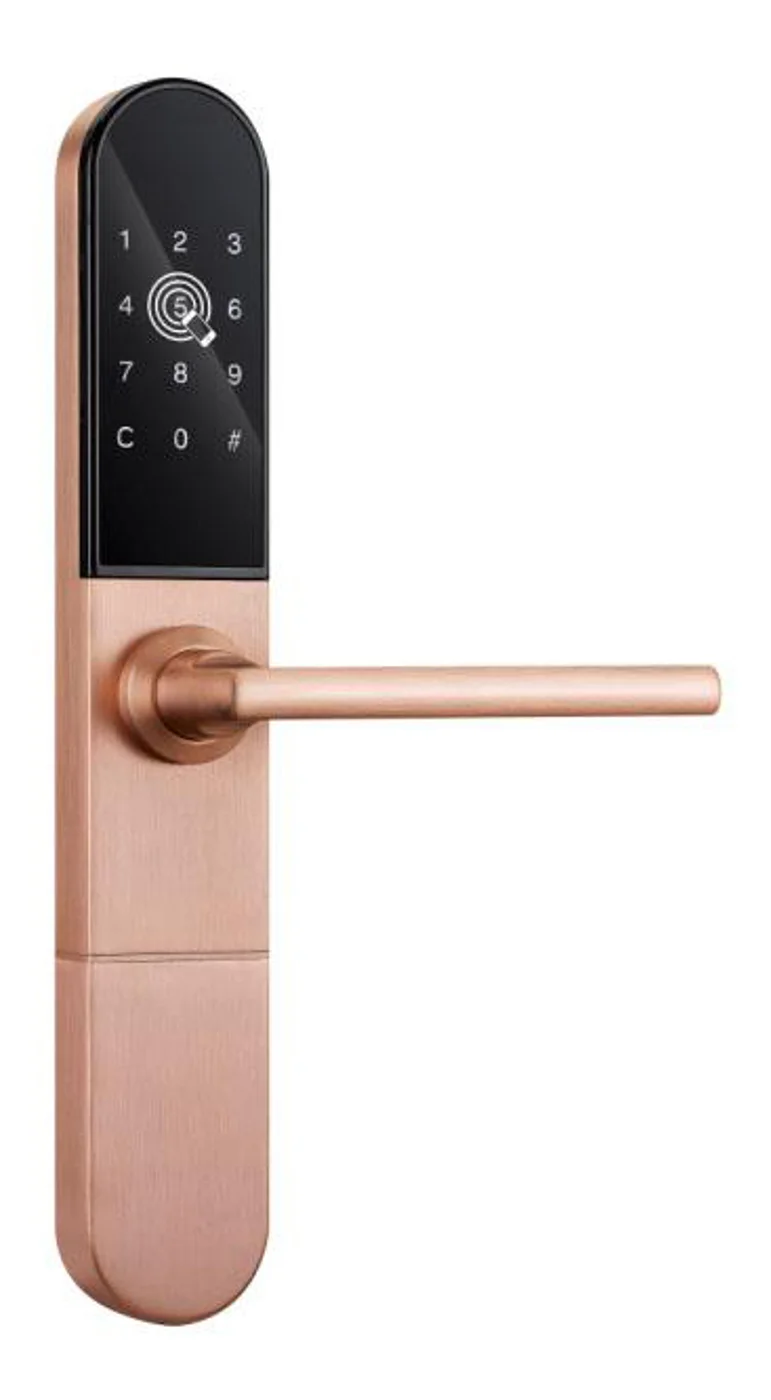
Smart Cabinet Lock — App-Managed, Multi-Site Dashboard
App-managed smart cabinet lock for office, parcel, and multi-site fleets. BLE app dashboard, audit trail, remote unlock, no per-lock server. Higher-tier chassis.
This page already points to it as the next recommended reference.
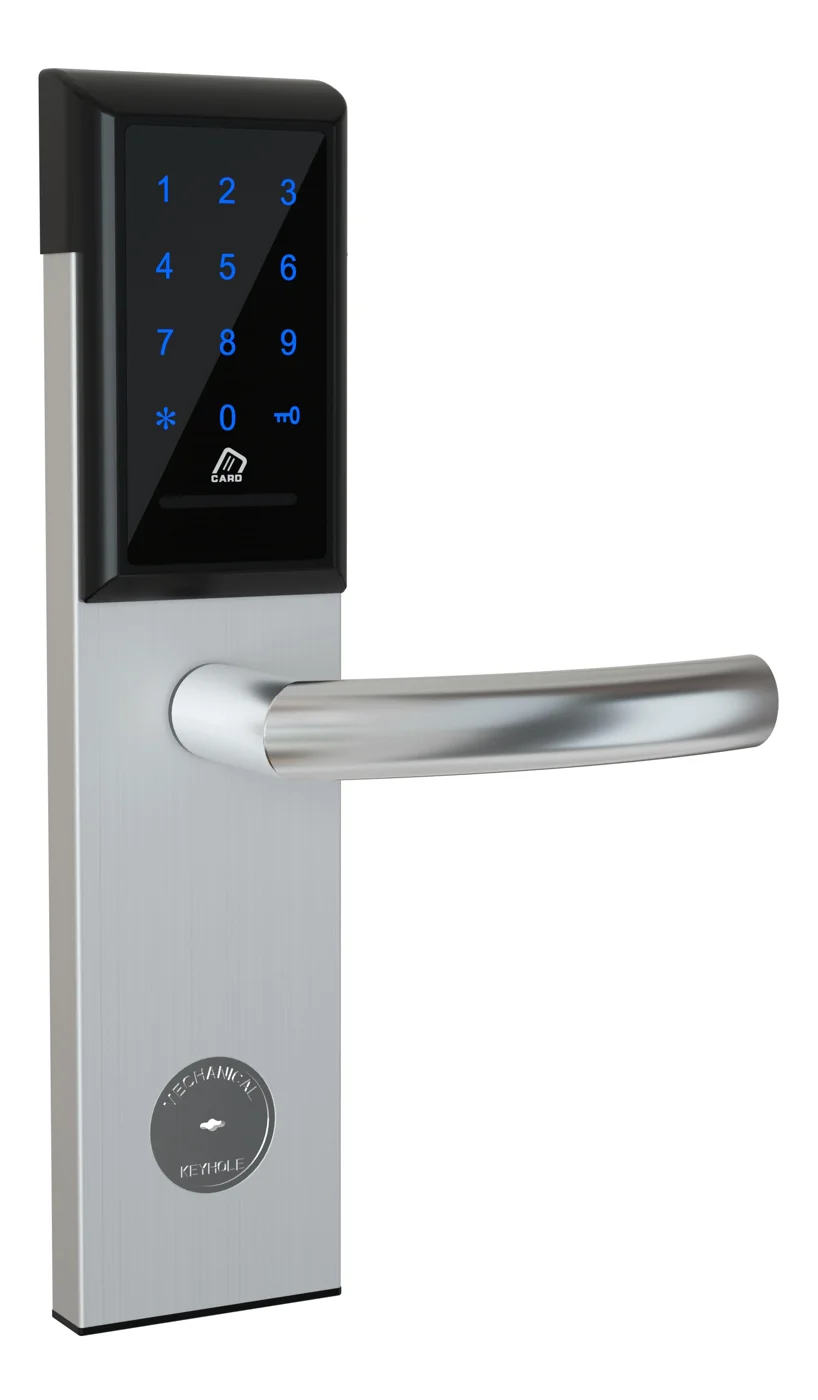
Office Cabinet Lock — PIN + Card for Filing & Pedestals
Offline PIN + card office cabinet lock for filing cabinets, pedestals, and drawers. Battery-powered 5-minute retrofit, no WiFi, no key management. CE/FCC/RoHS.
This page already points to it as the next recommended reference.
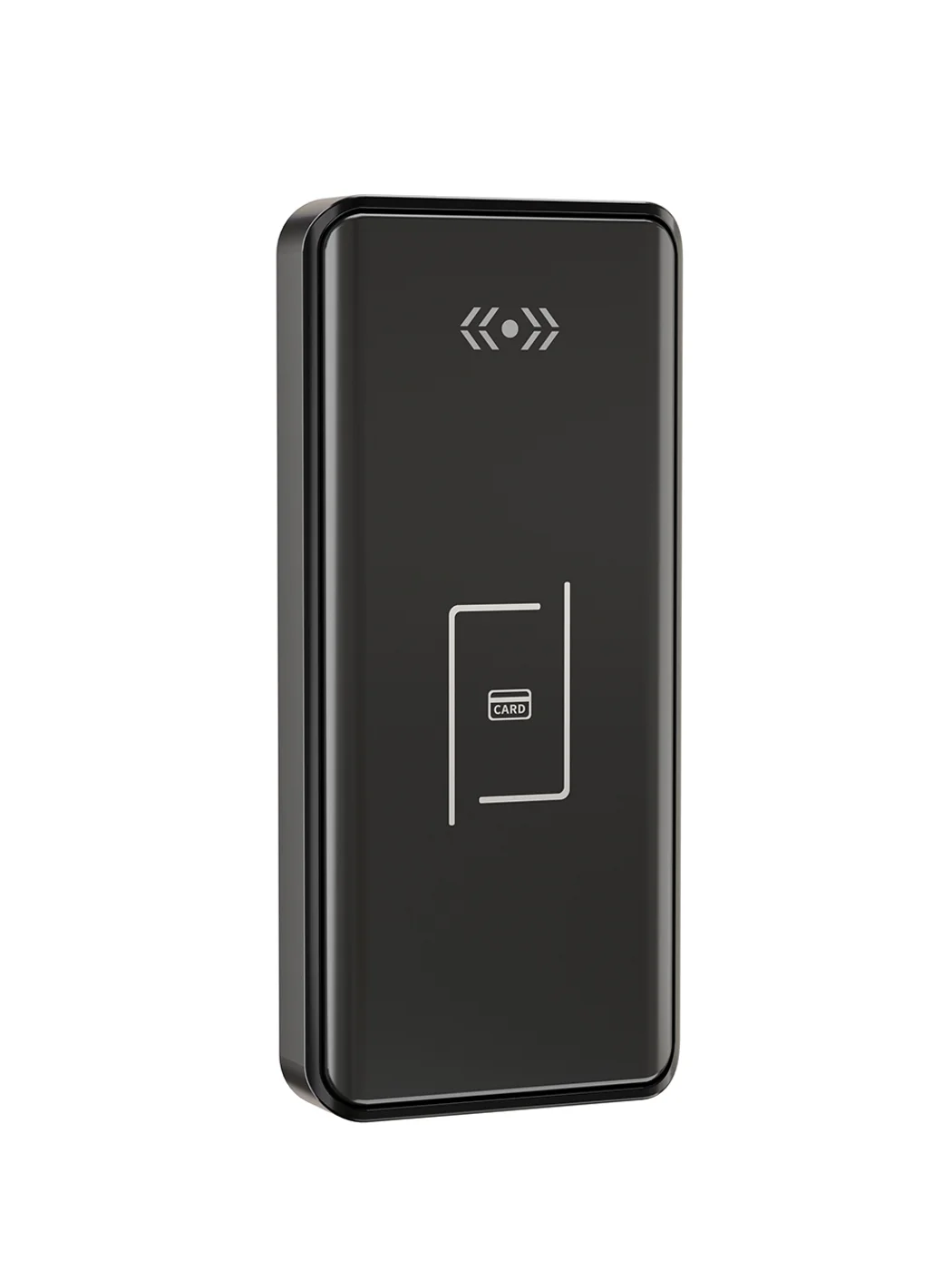
Gym Locker Lock — Offline Card, No WiFi Required
Offline card gym locker lock for fitness and pool lockers. MIFARE card, battery-powered 5-minute retrofit, no WiFi or server. Zinc alloy body, CE/FCC/RoHS.
This page already points to it as the next recommended reference.
Related blog posts
3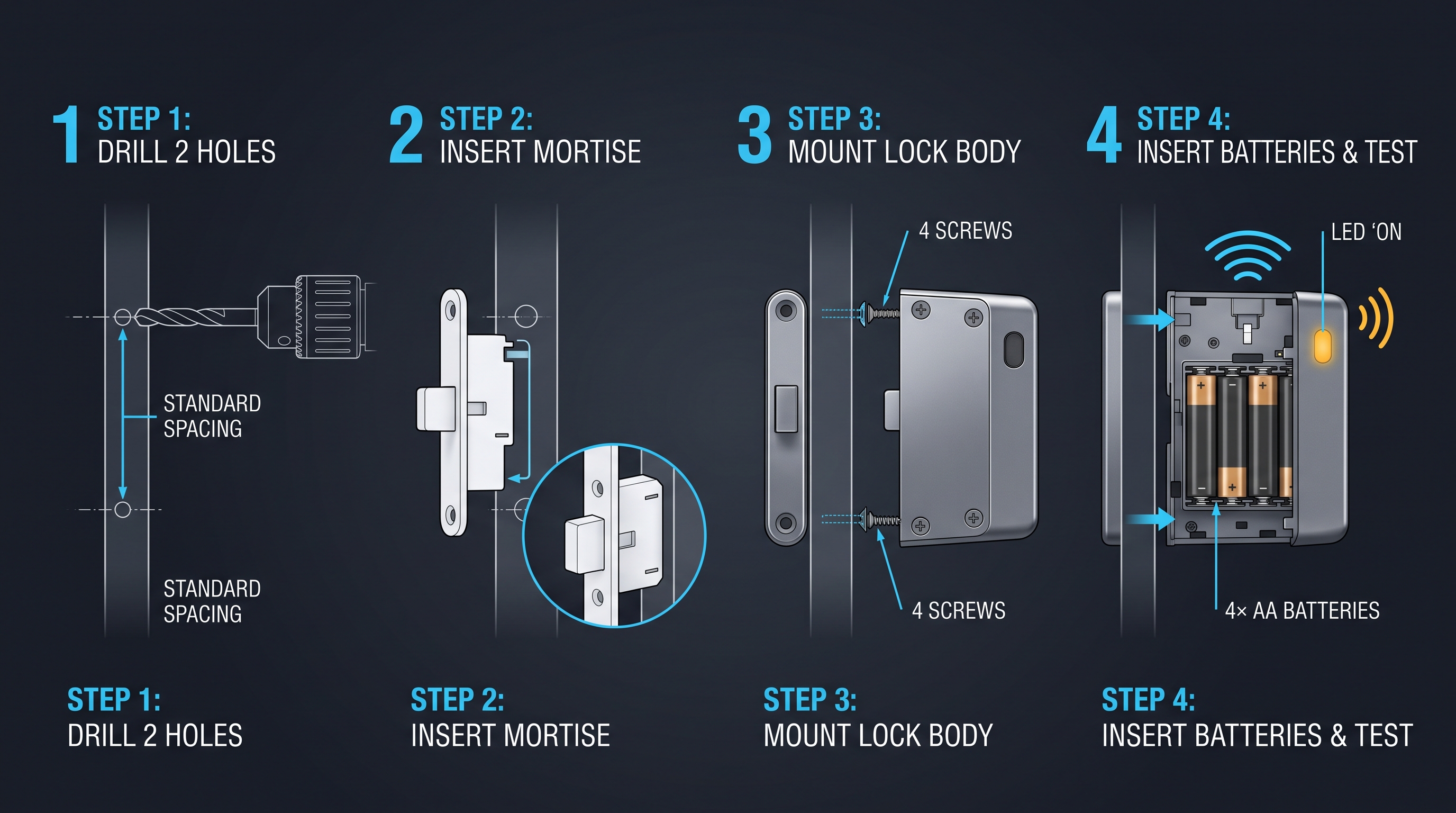
Electronic Cabinet Access: The Complete Guide to Digital Cabinet Entry
Electronic cabinet access replaces keyed locks with digital credentials, generating an access record and letting admins add or revoke users without touching hardware; this guide covers keypad, RFID, biometric, and connected electronic cabinet access methods.
It supports the same product context: Smart Cabinet Lock — App-Managed, Multi-Site Dashboard, Office Cabinet Lock — PIN + Card for Filing & Pedestals, Gym Locker Lock — Offline Card, No WiFi Required.
Display Cabinet Lock: The Complete Guide to Securing Glass Showcases and Retail Display Cabinets
Learn how a display cabinet lock secures glass showcases and retail displays. Compare electromagnetic, RFID, and keyed display cabinet lock types for any application.
It supports the same product context: Smart Cabinet Lock — App-Managed, Multi-Site Dashboard, Office Cabinet Lock — PIN + Card for Filing & Pedestals, Gym Locker Lock — Offline Card, No WiFi Required.
Electronic Access Cabinet: The Complete Guide to Smart Locking Enclosures
Explore electronic access cabinet systems with RFID, Bluetooth, PIN, and biometric control. Learn about powered enclosures for IT, healthcare, and evidence management.
It supports the same product context: Smart Cabinet Lock — App-Managed, Multi-Site Dashboard, Office Cabinet Lock — PIN + Card for Filing & Pedestals, Gym Locker Lock — Offline Card, No WiFi Required.
Specify your hotel project with our engineers
Send your room count, ceiling type, and protocol preference. We will return a sample plan and quote within 24 business hours.
- Move from general guidance into a product or application discussion.
- Use RFQ when pricing, drawings, MOQ, or launch timing needs structure.
- Keep a direct contact path visible for fast clarifications and handoff.