The Best Digital Locker Lock Guide for 2026: NFC, RFID, Bluetooth, and Smart Lock Comparison
Complete guide to selecting the best digital locker lock for gyms, offices, schools, and healthcare. Compare NFC, RFID, Bluetooth, keypad, and biometric digital locker locks with pricing and installation insights.
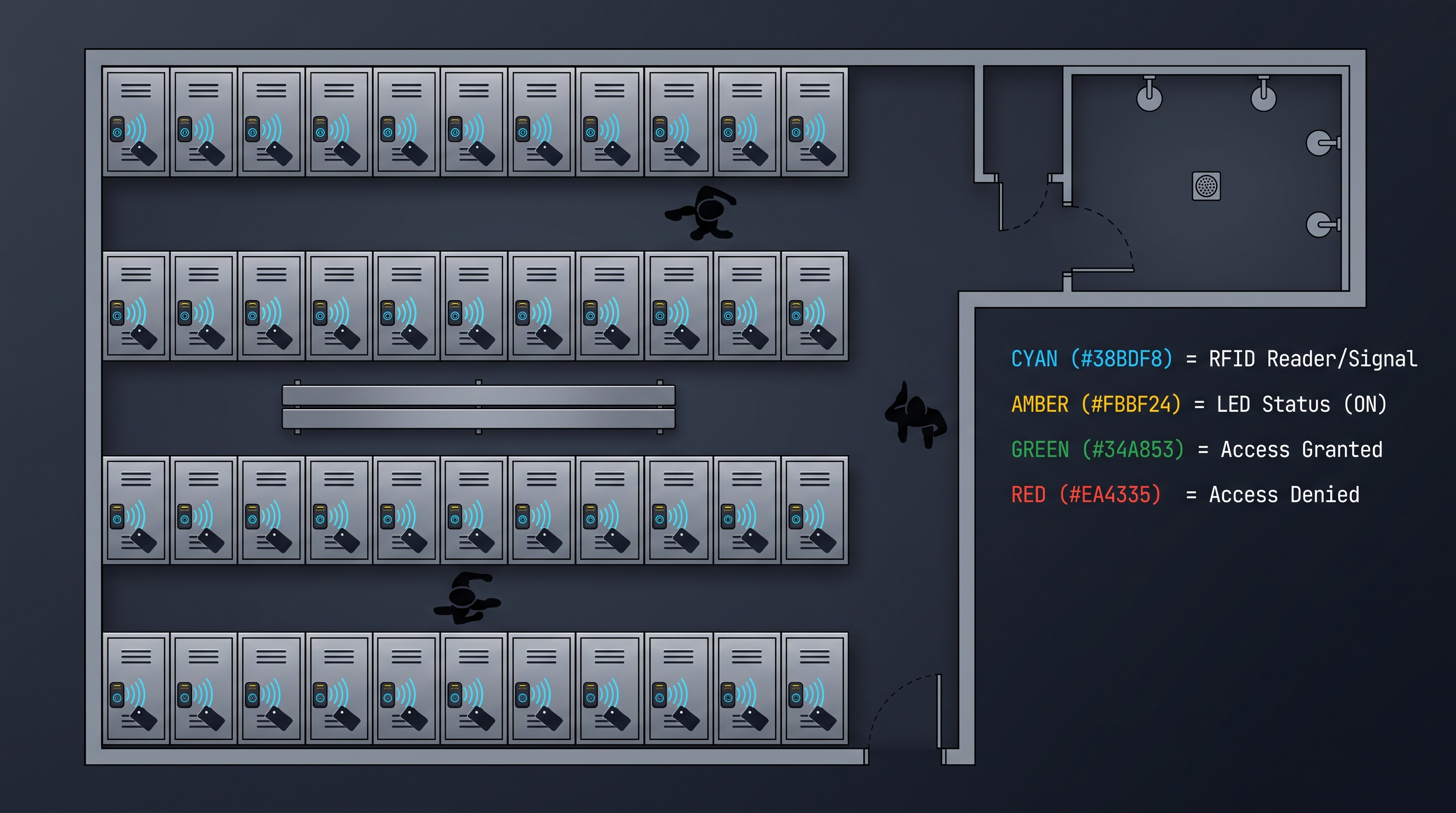
Digital locker locks have become the default choice for new locker deployments across fitness facilities, workplaces, schools, hospitals, and public recreation centers, displacing the mechanical keyed and combination padlock systems that dominated locker security for over a century. The shift from mechanical to digital is driven by three compounding benefits: eliminated key management labor (no physical keys to issue, recover, replace, or rekey after loss), per-user credential accountability (every access traceable to an individual rather than a shared key or combination), and integration with facility management software enabling automated credential lifecycle and audit trail compliance. The best digital locker lock for a specific deployment depends on the user population size and turnover, environmental conditions (humidity, temperature, chemical exposure), existing credential infrastructure (employee badges, student IDs, membership cards), budget constraints, and whether the deployment requires cloud connectivity for remote management or can operate as a standalone system. This comprehensive guide evaluates the best digital locker lock options across five access technology categories — NFC smartphone, RFID card/wristband, Bluetooth, PIN keypad, and biometric fingerprint — providing the comparative data, installation guidance, pricing benchmarks, and industry context needed to make an informed purchasing decision for deployments ranging from a 20-locker boutique fitness studio to a 1,000-locker university campus.
What Makes the Best Digital Locker Lock
A digital locker lock is an electronically controlled locking device for lockers, cabinets, and storage compartments that uses digital authentication — NFC smartphone (13.56 MHz ISO/IEC 14443 Type A/B, NFC Forum Type 2/4/5 Tag, supported by Apple iOS Core NFC since iOS 13 and Android since 4.4 KitKat), RFID card or wristband (13.56 MHz MIFARE Classic 1K/4K, MIFARE DESFire EV2/EV3 with AES-128 encryption, or 125 kHz EM4100/EM4200 and HID Prox), Bluetooth Low Energy (BLE 5.0/5.2 at 2.4 GHz with AES-128-CCM link-layer encryption and LE Secure Connections using ECDH P-256), PIN keypad (4-12 digit codes with 20-200 user code slots in flash memory), or capacitive fingerprint sensor (508 DPI resolution, FAR below 0.0001%, FRR below 1%, 20-100 fingerprint templates) — to actuate a motorized cam or solenoid-driven latch mechanism securing the locker door. Unlike a mechanical combination or keyed padlock, which can be shared, guessed, or bypassed without traceability, the best digital locker lock provides per-user credentials that are individually issued, monitored through audit trail logging (1,000-100,000 timestamped events stored in non-volatile flash memory), and revoked through programming without requiring physical credential recovery. The best digital locker lock for 2026 must achieve IP54 ingress protection minimum (dust-protected, splash-resistant, per IEC 60529) with IP65 or higher for shower-adjacent and outdoor installations, deliver 100,000+ unlock cycles before mechanical failure, provide a mechanical emergency override key for battery failure scenarios, and authenticate in under 1 second from credential presentation to bolt retraction for high-traffic locker rooms where queues form during peak hours. Authentication technology selection for the best digital locker lock is application-dependent: RFID wristband locks dominate gym and aquatic deployments (waterproof, durable credential, 95%+ first-read reliability with wet hands), NFC smartphone locks lead in premium fitness and co-working environments (zero credential cost, smartphone-native user behavior), PIN keypad locks serve budget and short-term deployments (no credential management, lowest hardware cost), and biometric fingerprint locks serve executive and medical storage (highest security, no credential to lose or share).
The best digital locker lock category encompasses both standalone models (all authentication logic and credential storage reside on the lock's microcontroller, programmed via master card or keypad at the lock) and smart connected models (adding BLE or WiFi connectivity for cloud management, remote monitoring, and API integration). The distinction matters for procurement because standalone models have lower hardware cost and zero ongoing platform subscription fees, while smart models provide operational efficiencies (remote credential management, fleet health monitoring, automated audit trail aggregation) that justify the higher acquisition and subscription cost for large or multi-site deployments. The best digital locker lock vendors offer product families spanning both categories with compatible mounting dimensions and credential technologies, allowing facilities to deploy standalone locks in some areas and smart locks in others while maintaining a unified credential and management approach.
| Evaluation Factor | Best Digital Locker Lock Requirement | Why It Matters |
|---|---|---|
| Authentication Technology | NFC, RFID, BLE, PIN, or fingerprint — matched to environment | Determines user convenience and credential lifecycle cost |
| Ingress Protection | IP54 minimum, IP65+ for humid/outdoor | Ensures reliable operation in locker room conditions |
| Cycle Life | 100,000+ unlock cycles at rated load | Determines service life in high-traffic facilities |
| Authentication Speed | Under 1 second credential-to-bolt | Prevents queues in peak-traffic locker rooms |
| Audit Trail | 1,000-100,000 timestamped events | Enables theft investigation and compliance reporting |
| Emergency Override | Mechanical key + external battery contacts | Prevents permanent member lockout from battery failure |
| Construction | Zinc alloy or stainless steel housing, hardened steel cam | Resists tampering and ensures mechanical durability |
| Certifications | CE, FCC, RoHS minimum; UL 294 for access control | Validates safety, EMC, and environmental compliance |
Best Digital Locker Lock: Access Technology Deep Dive
The best digital locker lock evaluation must understand the five access technologies in technical depth, as each presents distinct trade-offs in security, convenience, cost, and environmental suitability: NFC smartphone-based digital locker locks use the 13.56 MHz NFC interface (ISO/IEC 14443 Type A/B, NFC Forum Type 2 Tag for read-only data, Type 4 Tag for application data exchange, operating at 106/212/424 kbps data rates with 2-4 cm read range) to communicate between the user's smartphone and the lock's NFC reader — the best digital locker lock implementations use either Host Card Emulation (HCE on Android, where the phone simulates an NFC card containing a dynamically generated credential validated by a cloud server) or Apple Value Added Services (VAS, a proprietary protocol for secure pass-based credential transmission available through Apple's developer program since 2019) for iOS devices. NFC smartphone unlock eliminates physical credential procurement and distribution costs entirely (zero per-user credential cost), aligns with the smartphone-native behavior of most adult users in developed economies (95%+ smartphone penetration), and enables app-based features such as locker booking, availability checking, and access history that physical credentials cannot provide. The limitations are the 2-4 cm NFC read range (requiring deliberate phone placement against the reader, which takes 3-8 seconds including app launch and NFC tag activation vs under 1 second for an RFID wristband tap), the 15-25% of gym users who prefer not to bring phones into locker rooms, and the requirement for ongoing mobile app maintenance (iOS and Android version updates, NFC API changes, device compatibility testing). RFID card and wristband-based digital locker locks operating at 13.56 MHz (MIFARE Classic, MIFARE DESFire EV2/EV3, ISO/IEC 14443 Type A) or 125 kHz (EM4100, HID Prox, Indala) represent the industry standard for high-traffic multi-user deployments because the credential is inexpensive ($0.50-$3.00 in bulk), durable (IP68 wristbands for aquatic use, 5-10 year service life, 50,000-100,000 read cycle rating), waterproof (wristband can be worn in shower, pool, and during workouts), and readable through wet or sweaty hands with 95%+ first-attempt success rate — conditions under which fingerprint sensors fail (wet finger bridges capacitance ridges) and keypad membranes degrade (moisture ingress under the membrane). The best digital locker lock using 13.56 MHz MIFARE DESFire EV2/EV3 provides AES-128 cryptographic authentication with mutual three-pass challenge-response, preventing the credential cloning attacks that plague 125 kHz EM and HID Prox (which transmit a fixed serial number in plain text, trivially clonable with a $10 reader-writer).
Bluetooth Low Energy (BLE) digital locker locks use the 2.4 GHz ISM band (40 channels of 2 MHz bandwidth, frequency-hopping spread spectrum at 1 MHz channel spacing, GFSK modulation at 1 Mbps or 2 Mbps PHY data rate, BLE 5.0/5.2 specification) to establish a wireless connection between the user's smartphone and the lock for authentication and unlock command transmission. The best digital locker lock BLE implementations use LE Secure Connections (introduced in BLE 4.2, using Elliptic Curve Diffie-Hellman P-256 key exchange instead of the legacy Temporary Key protocol, providing approximately 128-bit equivalent security against passive eavesdropping and man-in-the-middle attacks) and AES-128-CCM link-layer encryption (mandatory in BLE 4.0+, providing confidentiality and integrity for all data transmitted over the wireless link). BLE offers two unlock paradigms: active unlock (user opens the facility's mobile app, taps an "unlock" button, the app establishes a BLE connection to the lock, authenticates, and sends the unlock command — taking 3-8 seconds including app launch and BLE connection setup) and proximity unlock (the app runs in the background, continuously scanning for nearby locks via BLE advertising packets, and when an authorized lock is detected within 1-3 meters, automatically initiates the unlock sequence — providing a hands-free walk-up unlock experience that takes 1-3 seconds from approach to bolt retraction). Proximity unlock is the more convenient but requires careful geofencing and signal calibration to prevent accidental unlocks (e.g., a member walking past their locker to reach an adjacent one).
| Technology | Frequency/Standard | Read Range | Auth Speed | Credential Cost | Wet Hand Reliability | Best Application |
|---|---|---|---|---|---|---|
| NFC Smartphone | 13.56 MHz ISO 14443 | 2-4 cm | 3-8 seconds (with app) | $0 (user phone) | N/A (phone-dependent) | Premium gyms, co-working, offices |
| RFID Card (13.56 MHz) | MIFARE, DESFire, ISO 14443 | 10-25 mm | Under 0.1 seconds | $0.60-$2.00 per card | 95%+ | Health clubs, schools, healthcare |
| RFID Wristband (13.56 MHz) | MIFARE, DESFire, ISO 14443 | 10-25 mm | Under 0.1 seconds | $1.00-$3.00 per wristband | 95%+ (IP68 wristband) | Aquatic centers, gyms, water parks |
| RFID Card (125 kHz) | EM4100, HID Prox | 5-15 mm | 0.2-0.3 seconds | $0.50-$1.00 per card | 90%+ | Budget gyms, schools, legacy systems |
| Bluetooth (BLE 5.0/5.2) | 2.4 GHz ISM | 1-10 m (proximity) | 1-8 seconds | $0 (user phone) | N/A (phone-dependent) | Co-working, corporate, smart buildings |
| PIN Keypad | 4-12 digits | N/A (contact) | 2-4 seconds | $0 (memorized) | Moderate (membrane wear) | Budget, short-term, public rec |
| Fingerprint (Capacitive) | 508 DPI, FAR <0.0001% | Contact (finger press) | 0.3-0.8 seconds | $0 (biometric) | Low (wet finger failure) | Executive, medical, premium |
PIN keypad digital locker locks offer the simplest and lowest-cost deployment path: no credential procurement, no card distribution, no wristband logistics — users memorize a 4-12 digit code and enter it on the lock's keypad to unlock. The best digital locker lock keypad models support 20-200 unique user codes (stored in non-volatile flash memory, surviving battery replacement), implement brute-force protection (lockout after 3-5 consecutive incorrect attempts with escalating lockout durations: 30 seconds, 5 minutes, 30 minutes, permanent until master reset), and provide a tamper-evident audit trail logging each unlock attempt with timestamp and success/failure status. PIN keypad locks are the best digital locker lock choice for short-term or temporary locker assignments (public recreation centers where users rent a locker for a day, transit stations, theme parks) where issuing RFID cards or wristbands would create credential recovery logistics that outweigh the convenience benefit. The primary limitation is keypad membrane durability in humid environments — the membrane (polyester dome with screen-printed silver traces) delaminates after 500,000-1,000,000 presses in dry conditions but as few as 100,000-200,000 presses when exposed to sweat, humidity, and cleaning chemicals, requiring membrane replacement or lock swap every 2-3 years in gym environments.
Fingerprint biometric digital locker locks using capacitive sensors (508 DPI resolution, 256 x 360 pixel sensor matrix measuring the capacitance differential between fingerprint ridges in direct sensor contact and valleys separated by an air gap, live-finger detection rejecting silicone replicas and latent prints by analyzing the dielectric properties and micro-motion of living tissue) provide the highest security and convenience for fixed-user environments. The best digital locker lock fingerprint models enroll 20-100 fingerprints (each enrollment requires 4-6 finger presses to capture multiple angles and partial prints for robust matching), authenticate in 0.3-0.8 seconds, and achieve false acceptance rates below 0.0001% (1 in 1,000,000) and false rejection rates below 1% under controlled conditions. The environmental limitation is significant: wet, pruned (post-shower), or very dry fingers degrade capacitive sensing reliability to 85-92% first-read success, making fingerprint locks unsuitable for shower-adjacent or aquatic locker deployments where RFID wristbands remain the better choice.
Best Digital Locker Lock: Durability and Environmental Ratings
The best digital locker lock must withstand the specific environmental conditions of the deployment location, which range from climate-controlled office environments (20-25 C, 30-50% relative humidity, no chemical exposure) to aquatic center locker rooms (25-35 C, 70-90% RH, chlorine and bromine exposure, direct water splash from pool deck): ingress protection per IEC 60529 defines the lock's resistance to solid particles (first digit: 0=no protection, 5=dust-protected, 6=dust-tight) and liquids (second digit: 0=no protection, 4=splash-resistant from any direction, 5=water-jet resistant at 30 kPa from 3 m, 6=powerful water jets, 7=immersion to 1 m for 30 minutes, 8=continuous immersion per manufacturer specification). The best digital locker lock for standard indoor gym locker rooms achieves IP54 (dust-protected, splash-resistant — adequate for sweat and occasional water droplets but not for direct shower spray or pool splash), while shower-adjacent lockers require IP65 (dust-tight, water-jet resistant — withstands direct shower spray and pool deck splash) and pool-deck or outdoor lockers benefit from IP67 (dust-tight, immersion-resistant — survives occasional submersion if the locker area floods). Impact resistance per IEC 62262 (IK rating) defines the lock housing's ability to withstand mechanical impact: IK08 (5 joules, equivalent to a 1.7 kg mass dropped from 29.5 cm) is the minimum for supervised locker rooms, IK10 (20 joules, equivalent to a 5 kg mass from 40 cm) is specified for unsupervised or vandalism-prone environments such as 24-hour unattended fitness facilities, school corridors, and public recreation centers. Cycle life testing validates the lock's mechanical durability: the best digital locker lock achieves 100,000+ full lock/unlock cycles at the rated cam load (typically 15-30 N) with less than 0.1% failure rate, simulating 5-10 years of gym operation at 30-50 daily cycles per locker — locks rated for only 30,000-50,000 cycles may be adequate for low-traffic office storage but will fail prematurely in high-traffic gym or school deployments.
Material selection for the best digital locker lock housing and external components directly determines corrosion resistance and service life in humid and chemically aggressive environments. The following table summarizes material options and their suitability for different deployment environments.
| Material | Composition | Corrosion Resistance | Cost Impact | Best Environment | Limitation |
|---|---|---|---|---|---|
| 304 Stainless Steel | 18% Cr, 8% Ni | Good (general humidity, sweat) | Baseline (reference) | Indoor gym, office, school | Pitting in chlorine/salt environments |
| 316 Stainless Steel | 16% Cr, 10% Ni, 2% Mo | Excellent (chlorine, salt spray) | +30-50% vs 304 | Aquatic centers, coastal, outdoor | Higher cost, still susceptible to crevice corrosion |
| Zinc Alloy (Zamak 3/5) | Zn + 4% Al + 3% Cu | Fair (with Ni-Cr plating) | -20-30% vs 304 SS | Budget indoor, dry environments | Plating chips expose Zn to corrosion |
| ABS (Glass-Fiber Reinforced) | Acrylonitrile Butadiene Styrene + GF | Excellent (corrosion-immune) | -30-40% vs 304 SS | Aquatic, chemical exposure | Lower impact resistance than metal, UV degradation |
| Polycarbonate (PC) | Thermoplastic polymer | Excellent (corrosion-immune) | -20-30% vs 304 SS | Aquatic, vandal-resistant | Scratches more easily than metal |
| Aluminum (Anodized) | Al + anodic oxide coating | Good (with anodizing) | -10-20% vs 304 SS | Lightweight applications | Anodizing wears, pitting in salt/chlorine |
Salt spray corrosion testing (ISO 9227 neutral salt spray, 5% sodium chloride solution atomized at 35 C) provides a standardized comparison of material and coating performance: 304 stainless steel typically shows first red rust (iron oxide from the steel substrate) at 500-1,000 hours, 316 stainless steel at 1,500-3,000 hours, zinc alloy with quality nickel-chrome electroplating at 200-500 hours (before plating breach), and powder-coated carbon steel at 100-200 hours (at coating edges and fastener points). The best digital locker lock for aquatic center deployments should demonstrate 1,000+ hours of salt spray exposure with no visible corrosion, verified by a certificate from an ISO 17025 accredited testing laboratory rather than in-house manufacturer testing with unverifiable conditions.
Battery performance in humid and high-cycle environments differs significantly from the laboratory specifications typically cited in marketing materials. The best digital locker lock using 4x AA alkaline batteries (6V nominal, 2,000-3,000 mAh capacity from quality brands) achieves 12-24 months of service in a typical office environment (5-20 unlock cycles per day) but only 8-14 months in a high-traffic gym (30-50 cycles per day) due to the higher current draw of more frequent motor/solenoid actuation. Humidity accelerates battery self-discharge: at 85% relative humidity (typical aquatic center locker room), alkaline battery self-discharge increases from under 3% per year (dry storage conditions) to 5-8% per year, reducing effective service life by 15-25% relative to the same lock in a dry environment. Lithium iron disulfide (Li-FeS2) AA batteries (Energizer Ultimate Lithium) offer superior performance in both dimensions — 20-30% longer cycle life due to lower internal resistance under high-current pulse loads, and 50%+ lower self-discharge (under 1% per year) in humid environments — at 3-4x the per-battery cost of alkaline. CR123A lithium batteries (3V, 2-cell configuration providing 6V) offer the longest service life (24-36 months in gym use) and the widest temperature range (-30 C to +60 C, vs -18 C to +55 C for alkaline), making them the preferred choice for outdoor lockers, unheated facilities, and low-maintenance premium deployments despite the $1.50-$3.00 per-lock annual battery cost premium over alkaline.
Best Digital Locker Lock: Management Platform and Software
The best digital locker lock management platform transforms individual locks from standalone access points into a coordinated system that provides centralized credential management, real-time status monitoring, audit trail aggregation, and integration with facility software: standalone digital locker locks (programmed via master card, programming keypad sequence, or USB connection to a configuration utility) require no software platform and incur zero ongoing subscription cost, making them the best digital locker lock choice for deployments under 50 locks or facilities without IT infrastructure — credential management is performed by a facility administrator who physically visits each lock with a master card to enroll or delete user credentials, a process taking 10-30 seconds per credential per lock. Cloud-managed digital locker locks (connected via BLE-to-WiFi gateway, integrated WiFi, or cellular NB-IoT) provide remote management capabilities that eliminate the per-lock visit requirement: credentials are enrolled, modified, and revoked from a web dashboard or mobile app, with changes pushed to the relevant locks within seconds (for always-connected models) or at the next lock heartbeat (for battery-optimized models that connect periodically). The best digital locker lock cloud platform provides multi-tenant architecture (separate logical environments for different facility locations, departments, or client organizations), role-based access control (administrator, manager, staff, viewer roles with distinct permissions), real-time lock status dashboard (online/offline, battery level, locked/unlocked, door open/closed), fleet-wide firmware management (staged OTA rollouts with version monitoring and rollback capability), and REST/GraphQL API for integration with parcel management, workspace booking, library circulation, and access control systems.
The management platform cost dimension is a significant factor in the best digital locker lock total cost of ownership analysis. Platform pricing models include: free tier (basic features, limited lock count, included with lock hardware purchase — suitable for small standalone deployments), per-lock monthly subscription ($1-$5 per lock per month, scaling linearly with lock count — suitable for medium deployments of 50-500 locks), tiered platform pricing ($99/month for up to 50 locks, $299/month for up to 250 locks, $599/month for up to 1,000 locks — suitable for larger deployments where the per-lock cost decreases with scale), and enterprise unlimited pricing ($1,000-$5,000 per month for the entire platform regardless of lock count — suitable for very large deployments of 1,000+ locks or multi-site organizations). Over a 5-year lock lifecycle, the platform subscription cost for a 200-lock deployment ranges from $12,000 (at $1/lock/month) to $60,000 (at $5/lock/month), potentially exceeding the hardware acquisition cost — the best digital locker lock purchasing decision must therefore evaluate whether the operational efficiency gains from cloud management justify the ongoing platform spend.
| Platform Feature | Standalone (No Platform) | Basic Cloud Platform | Professional Cloud Platform | Enterprise Cloud Platform |
|---|---|---|---|---|
| Credential Management | Per-lock visit with master card | Web dashboard, push to lock | Web + mobile app, real-time push | Web + app + API, multi-tenant, SSO |
| Lock Status Monitoring | Visual inspection at locker | Manual status query | Real-time dashboard, push updates | Real-time, fleet health, predictive alerts |
| Audit Trail | Local on lock (manual export) | Cloud, 90-day retention | Cloud, 1-year retention, exportable | Cloud, 1-7 year retention, SIEM export |
| Firmware Management | Not applicable (no connectivity) | Manual via USB | OTA, single lock or all | Staged OTA, version monitoring, rollback |
| Access Scheduling | Not available (standalone) | Basic time zones (5-10) | Calendar-based, unlimited zones | Calendar + exception + role-based policies |
| API Integration | None | None | Basic REST, API key auth | REST + GraphQL + MQTT, OAuth 2.0, SCIM |
| Multi-Site Management | None | None | Limited (manual per-site) | Centralized, all sites in one dashboard |
| Monthly Cost (200 locks) | $0 | $0 (included with hardware) | $200-$600 | $600-$2,000+ |
API integration capability distinguishes the best digital locker lock enterprise platforms from consumer-grade alternatives. A well-designed REST API (documented in OpenAPI 3.0 specification, supporting OAuth 2.0 client credentials grant for machine-to-machine authentication, returning JSON payloads with consistent error handling and pagination) enables the locker system to participate in automated workflows: a parcel delivery driver scans a package barcode, the delivery management system queries the locker API to find the nearest available locker of appropriate size, remotely unlocks that locker via API call, logs the occupancy event, sends a notification with a pickup code to the recipient, and when the recipient enters the code at the locker, the system verifies and unlocks — all without human intervention in locker selection or key management. The best digital locker lock API provides webhook notifications (HTTP POST to customer-specified endpoints on defined events: locker locked, locker unlocked, battery low, tamper detected) enabling real-time event-driven integration, idempotency keys for state-changing operations (allowing safe retry of unlock commands without risk of double-execution), and rate limiting with transparent headers (X-RateLimit-Remaining, Retry-After) for predictable integration behavior.
Identity provider integration via SAML 2.0, OpenID Connect, or SCIM 2.0 is essential for enterprise best digital locker lock deployments where user lifecycle management must be automated. When an employee joins an organization, the HR system triggers user creation in the identity provider (Azure AD, Okta, OneLogin), which automatically provisions the user in the locker platform (with appropriate locker access levels and assignments derived from department, role, or group membership) without any manual administrator action. When the employee departs, their access is revoked instantly across all systems including lockers — avoiding the security gap where a departed employee's locker access may remain active for days or weeks until an administrator manually deactivates it. The best digital locker lock platforms with SCIM 2.0 support (System for Cross-domain Identity Management, RFC 7643/7644) provide this automated user lifecycle synchronization, reducing administrative overhead by an estimated 80-90% compared to manual user management.
Best Digital Locker Lock: Installation and Retrofit Guide
Installing the best digital locker lock requires matching the lock's mounting dimensions to the existing locker preparation: the overwhelming majority of lockers worldwide use a 19 mm (3/4 inch) or 21 mm (13/16 inch) circular cutout for the lock cylinder, based on decades of cam lock standardization across locker, cabinet, and furniture manufacturers. The best digital locker lock provides a lock body with a diameter matching these standard sizes (18.5 mm or 20.5 mm actual diameter for slip fit into 19 mm or 21 mm holes), an escutcheon or bezel (25-35 mm diameter) to cover the cutout and provide aesthetic finish, and a retaining nut or mounting plate that secures the lock body from the locker door's interior face. Locker door thickness ranges from 0.8 mm (thin economy metal lockers) to 25 mm (laminated wood lockers in premium facilities), and the best digital locker lock accommodates this range through a threaded lock body with 15-25 mm of clamping length, supplemented by spacer rings (1-3 mm thickness, included in professional installation kits) to take up the gap when the lock body is longer than the door thickness. The cam mechanism — the rotating arm that engages the locker frame's strike plate or hasp — requires adjustment in two dimensions: rotational angle relative to the lock body (typically adjustable in 15-degree increments on a splined or slotted cam attachment, accommodating the difference in strike plate position between locker brands and door swing directions) and reach distance from the lock center line (typically 8-25 mm, adjusted by selecting the appropriate cam from the included assortment of 3-5 cam lengths and configurations or by sliding the cam on its mounting slot with a set screw). The best digital locker lock installation kit includes stainless steel mounting hardware (machine screws with nylon-insert lock nuts for metal lockers, wood screws for wooden lockers, anti-crush washers for plastic lockers), a drilling template for installations requiring a new cutout, and detailed installation instructions with dimensional drawings.
The installation workflow for the best digital locker lock follows a structured sequence designed to minimize rework and ensure correct operation: (1) verify the existing cutout diameter with a caliper — a 2 mm discrepancy (19 mm vs 21 mm) will prevent proper fitment and must be identified before lock installation begins; (2) remove the existing lock assembly by unscrewing the interior retaining nut (typically 19 mm or 22 mm hex, requiring a spanner wrench or thin-wall socket) and extracting the lock body from the exterior; (3) clean the mounting surface of corrosion, adhesive residue, or debris using isopropyl alcohol and a non-abrasive cloth; (4) install the lock body from the exterior, ensuring the cam is oriented to the correct side (right-hand or left-hand door swing) before tightening the retaining nut to 2.5-3.5 Nm torque — under-tightening allows lock body rotation during use, over-tightening can deform the lock body or crack plastic escutcheons; (5) attach the cam in the correct rotational position using the set screw, testing that the cam engages the strike plate with 2-4 mm of overlap and does not bind during lock/unlock rotation; (6) insert batteries (observing correct polarity), close the battery cover ensuring the gasket is seated evenly to maintain the IP rating; (7) initialize the lock per manufacturer instructions (present master card, press reset button for 5-10 seconds, or enter factory default PIN to enter programming mode); (8) enroll test user credentials and verify lock/unlock operation 5-10 times, confirming full cam retraction and extension with each cycle; (9) permanently affix the exterior label (locker number, usage instructions) if included; (10) record the lock serial number, firmware version, and locker location in the asset management system for future maintenance tracking.
| Locker Type | Cutout Standard | Material Thickness | Cam Configuration | Installation Time | Common Issues |
|---|---|---|---|---|---|
| Metal Gym Locker | 19 mm or 21 mm | 0.8-1.6 mm steel | Straight or offset cam | 10-15 minutes | Rusted existing lock, thin metal flex |
| Wooden Locker | 19 mm typical | 18-25 mm MDF/plywood | Straight cam, longer reach | 15-20 minutes | Splitting when drilling, pilot holes needed |
| Laminate/Phenolic | 19 mm or 21 mm | 12-18 mm phenolic | Straight cam, carbide drilling | 15-25 minutes | Hard material, specialized drill bits |
| Perforated Metal | 19 mm or 21 mm | 0.8-1.2 mm steel | Cam compatible with vent holes | 15-20 minutes | Vent hole interference with lock body |
| Plastic/HDPE | 19 mm or custom | 10-15 mm HDPE | Straight cam, anti-crush washers | 12-18 minutes | Material expansion with temperature cycling |
| Glass Door | Custom bracket | 6-12 mm tempered glass | Adhesive or clamp mount | 20-30 minutes | No drilling possible, specialized mounting |
Installation planning for large deployments (200+ locks) requires coordinating physical installation, network commissioning (for smart connected models), and software configuration across a timeline that minimizes facility disruption. The best digital locker lock deployment in an occupied facility is typically performed during closing hours (overnight for 24-hour facilities, or during scheduled closure for non-24-hour operations). A 200-locker installation performed by a 2-person team at 15 minutes per locker requires approximately 50 hours of labor, or 5-7 overnight shifts. Pre-staging all locks, batteries, mounting hardware, and tools in a mobile cart positioned near the installation area reduces per-locker time by 3-5 minutes. Labeling each locker with its management platform identifier (locker number, bank, location) before installation begins ensures accurate mapping in the software system and prevents the common error of associating a lock's serial number with the wrong locker number — an error that causes significant troubleshooting confusion when a user reports an issue with "locker 42" but the platform shows locker 42's serial number mapped to a different physical locker.
Network commissioning for smart connected best digital locker lock deployments requires verifying connectivity at each locker location before declaring the installation complete. For WiFi-connected locks, each locker position must achieve RSSI above -65 dBm (verified with a WiFi survey tool at each locker position, not estimated from coverage maps — metal locker bodies attenuate 2.4 GHz WiFi signals by 10-25 dB, potentially transforming a "good coverage" area into a dead zone when lockers are installed). For BLE + gateway deployments, gateway placement must achieve BLE signal strength above -75 dBm at each lock position (with 20-50 locks per gateway depending on physical layout and construction materials), and the gateways themselves need wired Ethernet or WiFi backhaul to the cloud platform. For LoRaWAN deployments, gateway placement must achieve spreading factor 7-9 at each lock location (verified with a LoRaWAN mapper device), with a single 8-channel gateway typically serving 500-2,000 locks in a single building. Locks that fail connectivity verification at their installed position require remediation: repositioning the lock's antenna (if external antenna option is available), installing a WiFi range extender or BLE gateway closer to the affected lockers, or in extreme cases, relocating the locker bank to an area with adequate coverage.
Best Digital Locker Lock: Price and Value Analysis
The best digital locker lock spans a price range from approximately $15 for the most basic PIN keypad models to over $180 for enterprise-grade multi-protocol biometric smart locks, and the value analysis must consider the complete lifecycle cost rather than just the upfront hardware acquisition: for a 200-locker gym deployment, the apparent cost advantage of budget keypad locks ($20 per lock, $4,000 total hardware) over professional RFID locks ($70 per lock, $14,000 total hardware) — a $10,000 hardware cost difference — narrows significantly when 5-year lifecycle costs are compared. Budget keypad locks in a humid gym environment require membrane replacement after 2-3 years ($10-$15 per lock in parts plus 15 minutes labor per lock, approximately $4,000-$6,000 for 200 lockers), have a higher annual failure rate (5-10% vs 1-3% for professional tier, requiring 10-20 lock replacements per year at $20 per lock = $200-$400 annually), generate 3-5x more staff support calls (members forgetting codes, keypad not responding — estimated 2-4 hours per week of staff time at $20/hour = $2,000-$4,000 annually), and lack the audit trail capability that prevents theft incidents and resolves disputes (estimated value of theft prevention and dispute resolution: $1,000-$3,000 annually per 200-locker facility based on industry loss data). The professional RFID best digital locker lock 5-year TCO is typically $25,000-$38,000 for 200 lockers vs $18,000-$28,000 for budget keypad locks — the smaller-than-expected gap reflecting the higher maintenance and support costs of budget models. When the value of audit trail capability, member experience (no forgotten codes, wristband convenience), and reduced staff support burden are factored into the analysis, the professional-tier digital locker lock delivers superior value for any deployment serving more than 50 users.
The market segments the best digital locker lock into four price tiers, each with progressively expanding feature sets and target applications. Understanding the feature boundaries between tiers helps procurement avoid both under-specification (cheapest lock fails to meet operational requirements, requiring premature replacement at full cost) and over-specification (paying for advanced features that the deployment will never use, inflating TCO without proportional benefit).
| Price Tier | Hardware per Lock | Technology | Audit Trail | Service Life | 5-Year TCO (200 Lockers) | Best Application |
|---|---|---|---|---|---|---|
| Budget ($15-$35) | $15-$35 | PIN keypad or 125 kHz RFID | None or 1,000 events | 2-3 years | $12,000-$22,000 | Public rec, transit, budget gyms |
| Standard ($35-$70) | $35-$70 | 13.56 MHz RFID, basic keypad | 1,000-10,000 events | 3-5 years | $18,000-$30,000 | Schools, standard gyms, offices |
| Professional ($70-$120) | $70-$120 | Multi-protocol RFID/BLE, fingerprint option | 10,000-50,000 events | 5-7 years | $22,000-$38,000 | Health clubs, corporate, healthcare |
| Enterprise ($120-$180+) | $120-$180+ | All protocols + biometric + cloud API | 100,000+ cloud events | 7+ years | $30,000-$55,000 | Government, pharma, premium facilities |
Credential lifecycle cost is a frequently underestimated component of the best digital locker lock TCO. RFID card or wristband locks incur an initial credential cost of $0.50-$3.00 per user (depending on credential type and quantity) plus annual replacement cost of 5-15% of the credential pool (for lost, damaged, or unreturned items) — a 1,000-member gym deploying RFID wristbands at $2.00 each spends $2,000 on initial credentials and $100-$300 annually on replacements. NFC smartphone locks eliminate credential cost entirely (zero per-user cost, users authenticate with their existing smartphone) but require mobile app development or customization ($5,000-$20,000 one-time for a white-labeled member app with locker unlock functionality) if the facility's existing app does not support NFC locker integration. PIN keypad locks have zero credential cost but the hidden cost of PIN management (staff resetting forgotten codes, estimated 2-5 minutes per event at 10-30 events per week per 200 lockers) and reduced security (codes shared between members, guessed by observing locker usage patterns) manifests in higher theft incident rates. Fingerprint biometric locks have zero credential cost and the highest security (fingerprint cannot be shared or stolen), but the enrollment process requires staff interaction (1-2 minutes per user) and the fingerprint sensor module is the most expensive single component, driving lock hardware cost 30-50% above comparable RFID models.
Multi-year platform subscription costs apply to smart connected best digital locker lock deployments with cloud management. While these costs are zero for standalone models (where all programming is performed at the lock via master card or keypad), smart models incur platform subscription fees of $1-$5 per lock per month for management dashboards, remote monitoring, API access, and cloud audit log storage. Over a 5-year period, the platform cost for a 200-lock smart deployment ranges from $12,000-$60,000 — potentially exceeding the hardware cost. The best digital locker lock purchasing decision for cloud-managed deployments must evaluate whether the operational efficiency gains (remote management eliminating physical visits to each lock for credential changes, automated credential lifecycle through identity provider integration, fleet health monitoring with predictive maintenance alerts, integrated audit trail for compliance reporting) justify the ongoing platform spend. For deployments under 50 locks or facilities without IT infrastructure, standalone models with master card programming remain the more cost-effective choice.
Best Digital Locker Lock: Real-World Application Scenarios
Fitness facilities represent the largest and most demanding application segment for the best digital locker lock, with deployments ranging from 50-locker boutique studios to 500-locker full-service health clubs: the dominant configuration for traditional gyms is 13.56 MHz MIFARE RFID wristband locks with standalone programming (master card enrollment at each lock, no network infrastructure required), serving 10-100 daily unlock cycles per locker during peak gym hours (5-9 AM and 5-8 PM) with first-read reliability above 95% even when wristbands are presented with wet or sweaty hands — the best digital locker lock for gym applications uses a motorized cam mechanism (6V DC motor, 80-150 mA running current, 0.8-1.5 second cycle time) rather than a solenoid because motorized actuation is quieter (45-55 dB at 1 meter vs 60-75 dB for solenoid snap — important in open-plan locker rooms where loud solenoid clicks disturb other members), more tolerant of door misalignment (motor torque overcomes minor cam-to-strike misalignment that would stall a solenoid), and more durable in high-cycle use (motor gear trains rated for 100,000+ cycles vs solenoid plunger wear at 30,000-50,000 cycles). Boutique fitness studios (cycling, HIIT, yoga, pilates) with 50-100 lockers and a premium member experience focus represent the fastest-growing segment for NFC smartphone and BLE proximity digital locker locks: members use the studio's branded mobile app to unlock lockers (NFC tap for deliberate unlock, or BLE proximity for hands-free walk-up unlock), with dynamic locker assignment (members select any available locker via the app upon arrival, the locker is assigned to their credentials for the duration of their visit, and released at end of visit). Aquatic centers and pool facilities present the most demanding environment for the best digital locker lock: the combination of chlorinated pool water, shower steam, and direct water exposure requires IP65 or IP67 rated locks with 316 stainless steel construction (containing 2-3% molybdenum for enhanced chloride corrosion resistance vs 304 stainless steel), hermetically sealed electronics with conformal-coated circuit boards, and RFID wristband credentials (IP68 waterproof, wearable in pool and shower) — the best digital locker lock for aquatic applications typically costs 30-50% more than standard gym locks but achieves 5-7 year service life in conditions that would destroy standard locks within 12-18 months.
School and university deployments of the best digital locker lock prioritize different characteristics than fitness facilities: student populations of 500-2,000 with locker assignments changing each semester require locks supporting bulk programming at semester start and bulk deactivation at semester end (the best digital locker lock management platform provides CSV import for bulk credential assignment and batch deletion for end-of-semester cleanup, processing 500+ credential changes in under 5 minutes), integration with the school's existing student ID card system (typically 13.56 MHz MIFARE — the same card used for library checkout, cafeteria payment, and attendance tracking becomes the locker credential, eliminating separate credential procurement), and vandal resistance for unsupervised corridors (IK10 impact rating, fully sealed electronics with no exposed fasteners, recessed reader surfaces that cannot be pried with tools). The best digital locker lock for educational deployments includes a "lockdown mode" — activated by staff from a master station, panic button, or mobile app command — that simultaneously locks all lockers in an emergency scenario, a feature increasingly specified by school district security policies following high-profile security incidents.
| Application | Recommended Technology | Key Features | Lock Count | Environment | 5-Year TCO |
|---|---|---|---|---|---|
| Traditional Gym | RFID wristband (13.56 MHz) | Motorized cam, IP54+, audit trail | 100-500 | Humid, high cycle | $25K-$38K (200 locks) |
| Boutique Studio | NFC smartphone + BLE | Dynamic assignment, branded app | 50-100 | Climate-controlled | $15K-$28K (100 locks) |
| Aquatic Center | RFID wristband, IP65/67, 316 SS | Chlorine resistant, waterproof | 100-300 | High humidity, chlorine | $30K-$45K (200 locks) |
| School/University | RFID student ID (13.56 MHz) | IK10 vandal, lockdown mode, bulk programming | 200-2,000 | Dry, vandal-prone | $28K-$40K (500 locks) |
| Corporate Office | RFID badge + BLE | Cloud-managed, hot-desk integration | 20-200 | Climate-controlled | $18K-$28K (100 locks) |
| Healthcare/Hospital | RFID staff badge | Shift-based access, HIPAA, disinfectant resistant | 100-500 | Hospital, chemical | $35K-$55K (200 locks) |
Corporate and workplace deployments of the best digital locker lock increasingly favor cloud-managed smart models that integrate with workspace booking platforms for dynamic locker assignment in hot-desking environments. The best digital locker lock for corporate use combines RFID (reading the employee's existing building access badge at 13.56 MHz MIFARE DESFire) with BLE (providing smartphone app unlock as an alternative authentication method and enabling cloud connectivity via a Bluetooth gateway) and a cloud management platform that synchronizes with the workspace booking system — when an employee books desk 42 for Tuesday via the office booking app, the pedestal locker under desk 42 is automatically assigned to the employee's credentials for Tuesday's duration. At end of day, the assignment expires and the locker is available for the next day's occupant. This dynamic assignment model increases locker utilization from 40-60% (permanent assignment) to 80-95%, enabling the same number of lockers to serve 1.5-2x as many employees.
Healthcare and hospital employee locker deployments require the best digital locker lock to navigate complex shift-based access requirements: nurses and medical staff work 8-12 hour shifts with shared locker assignments (different staff members use the same locker during different shifts), necessitating time-based access that automatically expires at shift end. The best digital locker lock for healthcare integrates with the hospital's staff scheduling system (Kronos, Workday, API Healthcare) to automatically provision locker access for the duration of a staff member's scheduled shift and revoke it when the shift ends, preventing a departing staff member from retaining access to a locker assigned to the incoming shift worker. HIPAA compliance for lockers in clinical areas storing patient information or medical supplies requires unique user identification (each access traceable to a specific individual), automatic relock (within 30 seconds of opening), and audit trail capability for compliance reporting. Hospital-grade disinfectant resistance is an often-overlooked requirement: locker lock surfaces in clinical environments are cleaned multiple times daily with quaternary ammonium compounds, hydrogen peroxide vapor, or bleach solutions — the best digital locker lock housings and reader surfaces must withstand this chemical exposure without crazing, delamination, or corrosion.
Best Digital Locker Lock: Maintenance and Troubleshooting
Maintaining the best digital locker lock fleet requires a structured preventive maintenance program addressing the leading causes of failure in high-traffic, high-humidity locker room environments: battery replacement is the most frequent maintenance activity, and the best practice is calendar-based replacement (every 12 months for AA alkaline in gym environments, every 18-24 months for lithium CR123A) rather than waiting for low-battery warnings — low-battery warnings typically occur at 10-20% remaining capacity, providing only 1-3 months of additional service during which a complete battery failure could occur at an inconvenient time (during peak gym hours, on a weekend when maintenance staff are unavailable), resulting in a member lockout incident requiring emergency staff intervention. The best digital locker lock maintenance program schedules battery replacement during off-peak hours (overnight or during facility closure), uses only brand-name batteries from authorized distributors (Energizer Industrial, Duracell Procell, Panasonic, Varta — counterfeit batteries from online marketplaces deliver 20-50% of rated capacity and leak within 6-12 months causing corrosion damage), and maintains a log of replacement dates and battery brands per lock to identify anomalies (a lock requiring replacement at 6 months when others last 12 months signals higher-than-expected current draw warranting diagnostic investigation). RFID reader surface cleaning with isopropyl alcohol (70% solution on a microfiber cloth, monthly for high-traffic gyms, quarterly for lower-traffic facilities) removes the accumulation of sweat residue, skin oils, sunscreen, and cosmetics that attenuate the RFID field and reduce read sensitivity — regular cleaning restores read range from a degraded 5-10 mm to the designed 15-25 mm, eliminating the most common cause of "lock won't read my card" member complaints. Mechanical inspection of the cam mechanism, latch bolt alignment, and door strike condition (annually recommended, with quarterly spot-checks of 10% of lockers) identifies developing issues before they progress to lock failure: cam play (rotational looseness indicating bushing or bearing wear), motor noise change (grinding sound indicating gear wear vs normal hum), latch bolt scoring (indicating misalignment with strike plate causing metal-on-metal contact), and strike plate deformation (indicating repeated forced opening attempts or door slamming).
The following troubleshooting table summarizes the most frequent issues encountered with the best digital locker lock deployments, their root causes, and resolution approaches developed from industry maintenance data across hundreds of facility deployments. Facility staff trained on these procedures can resolve 80-90% of reported issues without escalating to the lock manufacturer's technical support.
| Symptom | Primary Cause | Diagnostic Check | Resolution | Prevention |
|---|---|---|---|---|
| Card/wristband not reading | Dirty reader, damaged credential | Clean reader; test with known-good credential | Replace visibly bent, cracked, or delaminated credentials | Monthly reader cleaning; credential replacement program |
| Keypad unresponsive | Membrane delamination, moisture ingress | Inspect keypad for bubbling, flexing; check for internal condensation | Replace keypad assembly or entire lock (if sealed unit) | Upgrade to IP65 keypad; avoid pressure washing |
| Motor stalls or grinding | Debris in cam path, gear wear | Remove lock, inspect cam and gears for debris or stripped teeth | Clean cam path; replace lock if gears stripped | Annual mechanical inspection; keep locker interiors clean |
| Battery drains in under 6 months | High cycle count, counterfeit batteries, short circuit | Count daily cycles; verify battery authenticity; check for PCB corrosion | Install lithium batteries for high-cycle lockers; replace lock if short circuit | Battery monitoring; procure from authorized distributors |
| Fingerprint won't authenticate | Sensor dirty, wet finger, sensor failure | Clean sensor with microfiber cloth; try with slightly moistened finger | Replace lock if sensor consistently fails | Monthly sensor cleaning; educate users on finger placement |
| Locker won't lock | Misaligned strike plate, bent cam | Close door slowly, observe cam-to-strike engagement | Adjust strike plate or cam position; straighten or replace bent cam | Annual door alignment check |
| Lock randomly unlocks | Firmware bug, EMI interference | Note circumstances (time, which lockers, recent events) | Factory reset and reprogram; contact manufacturer if persistent | Keep firmware updated; report patterns to manufacturer |
| Member locked out (dead battery) | Battery depletion past override threshold | Verify lock is unresponsive to credential presentation | Use external battery contacts (9V) or mechanical override key | Battery monitoring; proactive replacement at 20% charge |
The member-locked-out scenario deserves special attention as the most visible and time-sensitive failure mode in best digital locker lock deployments. When a member returns to their locker and the lock fails to respond (dead battery, electronic failure, or mechanical jam), the facility must provide immediate assistance — the member's belongings (wallet, phone, keys, clothing) are trapped, and the member's ability to leave the facility is compromised. The best digital locker lock designs provide multiple resolution pathways: (1) external battery contacts on the lock exterior (two exposed gold-plated contacts that, when bridged by a 9V battery or external power pack, provide momentary power to unlock — this feature resolves 70-80% of lockout scenarios); (2) mechanical emergency override key accessible to staff (a registered key design, blanks controlled by the manufacturer and distributed only to verified facility managers, that mechanically retracts the locking bolt independent of the electronic system — resolves 15-20% of lockouts including complete electronic failure); (3) remote unlock via the management platform for networked smart locks (resolves 5-10% of lockouts when the lock's electronics are functional but the credential is not being read); (4) physical force as a last resort (drilling out the lock cylinder or prying the door — causes damage requiring lock and possibly door replacement at $50-$200 per incident). Staff training on the first three resolution methods, with readily available tools (9V batteries, override keys, management app access), eliminates the need for destructive resolution in 99%+ of lockout scenarios.
Firmware updates for networked best digital locker lock deployments should be scheduled during low-traffic periods (overnight for 24-hour facilities, or during closed hours for non-24-hour operations) to minimize member impact. The update process for WiFi-connected locks can be initiated remotely from the management platform and typically takes 3-8 minutes per lock, during which the lock is temporarily non-functional. Staged updates (updating 10-20% of locks per night over 5-10 nights) spread the risk and allow rollback if an update introduces issues. The best digital locker lock management platforms provide firmware version dashboards showing which locks are on which version, with the ability to target specific locks or groups for updates and to halt or roll back at any stage if issues are detected.
Best Digital Locker Lock: Industry Trends and Future Outlook
The best digital locker lock market is being shaped by several transformative technology and market trends: universal credential convergence — the smartphone becoming the single access credential for building entry, elevator, office door, locker, printer, and vending machine — is being enabled by NFC (with Apple VAS and Google Smart Tap for value-added services over ISO/IEC 14443 Type A/B), Bluetooth (with Fast Pair and nearby device APIs for proximity-based identity assertion), and UWB (Ultra-Wideband, IEEE 802.15.4z, 3.1-10.6 GHz, with 30 cm spatial positioning accuracy for hands-free walk-up auto-unlock — a member simply approaches their assigned locker and it unlocks automatically as their smartphone is detected within the UWB range, eliminating the need to remove the phone from a pocket or armband, tap a reader, or interact with an app, with unlock completing in under 500 ms from approach detection to bolt retraction). The best digital locker lock supporting all three protocols (NFC + BLE + UWB) in a single device provides the most flexible authentication experience: NFC for deliberate tap-to-unlock, BLE for app-initiated unlock and digital key sharing, and UWB for frictionless walk-up auto-unlock. Matter protocol adoption (Matter 1.3 released in May 2024, with lock cluster support including lock/unlock, user management, PIN code programming, and door sensor status) is extending multi-platform smart home ecosystem compatibility to locker locks, enabling a Matter-certified best digital locker lock to be controlled simultaneously by Apple Home, Google Home, Amazon Alexa, and Samsung SmartThings — while Matter adoption in commercial locker applications is currently limited (Matter's focus is residential), its momentum suggests commercial-grade Matter profiles for lockers will emerge by 2027-2028, creating a standardized integration layer that reduces the fragmentation and proprietary lock-in of today's platform landscape. Energy harvesting and sustainable power solutions are entering the best digital locker lock category: NFC energy harvesting (where the lock draws 50-100 mW from the NFC field of the user's smartphone during credential presentation, sufficient to power a low-energy solenoid or motorized latch for the 200-500 ms required to retract the locking bolt) could eliminate batteries entirely for NFC phone-unlock scenarios, and indoor solar harvesting (amorphous silicon or perovskite cells integrated into the lock faceplate, generating 100-500 microwatts from typical locker room LED lighting at 300-500 lux) could trickle-charge a supercapacitor or thin-film battery for extended or eliminated battery replacement in well-lit facilities.
AI-powered predictive maintenance, analyzing battery discharge curves, motor current profiles, and RFID read reliability metrics across a fleet of locks to predict individual lock failures 30-90 days in advance with 80-90% accuracy, is being integrated into enterprise management platforms for the best digital locker lock — early adopter data suggests 60-80% reduction in unplanned lock failures and member lockout incidents, transforming maintenance from reactive (responding to reported failures) to proactive (replacing batteries and servicing locks before they fail). Post-quantum cryptography is a longer-term consideration: while cryptographically relevant quantum computers remain 5-15 years away by consensus estimates, locker locks deployed in 2026 may still be in service when quantum threats materialize — particularly in government, defense, and critical infrastructure applications with 10-15 year deployment lifecycles. NIST's 2024 standardization of CRYSTALS-Kyber (FIPS 203, Module-Lattice-Based Key-Encapsulation Mechanism) provides a migration path to quantum-resistant key exchange for the best digital locker lock firmware, though the computational and memory requirements present implementation challenges for the constrained microcontrollers (ARM Cortex-M0/M3/M4, 64-256 KB flash, 8-32 KB RAM) typically used in digital locker locks.
| Trend | Technology | Timeline | Impact on Best Digital Locker Lock |
|---|---|---|---|
| Universal Smartphone Credential | NFC + BLE + UWB tri-mode | 2025-2028 | Single credential for entire facility access ecosystem |
| UWB Frictionless Unlock | IEEE 802.15.4z, 3.1-10.6 GHz | 2026-2028 | Walk-up auto-unlock, no interaction needed |
| Matter Protocol Support | Matter 1.3+, Thread mesh | 2027-2029 | Standardized multi-platform integration |
| AI Predictive Maintenance | ML on lock telemetry data | 2025-2028 | 60-80% reduction in unplanned failures |
| NFC Energy Harvesting | ISO 14443 field power, 50-100 mW | 2026-2029 | Battery-free NFC phone-unlock locks |
| Indoor Solar Harvesting | Amorphous Si, 100-500 uW | 2026-2030 | Extended or eliminated battery replacement |
| Post-Quantum Cryptography | NIST PQC (CRYSTALS-Kyber) | 2028-2032 | Quantum-resistant key exchange for long-life deployments |
Biometric privacy regulation is an increasingly important consideration for the best digital locker lock with fingerprint authentication. Illinois's Biometric Information Privacy Act (BIPA, 740 ILCS 14) imposes statutory damages of $1,000 per negligent violation and $5,000 per intentional or reckless violation for unauthorized collection or disclosure of biometric data; Texas's Capture or Use of Biometric Identifier Act; Washington State's My Health My Data Act; and GDPR's classification of biometric data as a "special category" of personal data under Article 9 all impose specific requirements on biometric data collection, storage, and processing. The best digital locker lock with fingerprint biometrics must store fingerprint data as irreversible templates (hashed feature vectors per ISO/IEC 24745 biometric information protection, not raw fingerprint images), must encrypt templates at rest (AES-256 with device-unique key derived from a hardware-unique identifier), and must process biometric authentication only within the lock's secure element or trusted execution environment — never transmitting raw biometric data off-device or storing it in cloud platforms where it would be subject to broader disclosure and breach notification requirements.
Best Digital Locker Lock: Final Recommendations
Selecting the best digital locker lock requires methodically matching the lock technology, durability rating, management platform, and total cost of ownership to the specific deployment context: for traditional full-service gyms with 200+ lockers and 1,000+ members, the recommendation is 13.56 MHz MIFARE RFID wristband locks in the professional tier ($70-$100 per locker) with standalone programming via master card — this configuration provides the optimal balance of durability (IP54+, 100,000+ cycle life, motorized cam for quiet operation), member convenience (wristband tap, under 1 second unlock, works with wet hands), facility staff efficiency (no physical key management, rapid member onboarding by linking wristband serial numbers to member accounts), and total cost of ownership ($25,000-$38,000 over 5 years for 200 locks including hardware, batteries, credential replacements, and maintenance labor). For boutique fitness studios prioritizing premium member experience, the recommendation shifts to NFC smartphone or BLE proximity locks with a cloud management platform offering dynamic locker assignment, real-time availability display, and branded mobile app integration — the higher per-lock cost ($100-$150) is justified by the differentiated experience that supports premium membership pricing. For aquatic centers and pool facilities, the non-negotiable requirements are IP65 or IP67 water resistance and 316 stainless steel construction, with RFID wristband locks in the professional-to-enterprise tier ($90-$150 per locker) providing the necessary durability in the most demanding locker room environment. For schools and universities with high-turnover student populations and vandal-prone unsupervised corridors, the recommendation is standard-tier RFID card locks ($40-$60 per locker) with IK10 vandal resistance, integrated with the student ID card system, with bulk programming capability for semester start/end transitions. For corporate offices with hot-desking environments, the recommendation is professional-tier RFID + BLE smart locks ($80-$120 per locker) with cloud management and workspace booking platform integration for dynamic locker assignment.
Vendor evaluation for the best digital locker lock should prioritize demonstrated experience in the target application market — a vendor with hundreds of gym deployments has encountered and resolved the specific failure modes and operational challenges that a general-purpose cabinet lock vendor has not. Schedule a hands-on trial deployment of 5-10 locks in the actual locker room environment for 30-90 days before committing to a 200+ lock purchase, testing real-world performance with actual member credentials, actual usage patterns, and actual environmental conditions. Request references from facilities of similar type and size, and contact those references to inquire about reliability (failures per 100 locks per year), battery life achieved in practice, support responsiveness (time to resolution for P1 issues), and any unexpected costs or limitations discovered after deployment. Evaluate the management platform's usability with a trial account before committing — a platform that requires 5 clicks to assign a locker will consume hundreds of staff hours annually across a 500-locker facility. Verify warranty terms (2-3 years standard for professional tier, 1 year for budget tier) and the warranty replacement process (cross-shipping with prepaid return labels is the gold standard; requiring the defective lock to be returned before shipping a replacement creates unacceptable facility downtime).
| Deployment Scenario | Recommended Technology | Lock Tier | Cost per Lock | Management | 5-Year TCO (200 locks) |
|---|---|---|---|---|---|
| Traditional Gym (200+) | RFID wristband 13.56 MHz | Professional | $70-$100 | Standalone, master card | $25K-$38K |
| Boutique Studio (50-100) | NFC smartphone + BLE | Enterprise | $100-$150 | Cloud, dynamic assignment | $15K-$28K (100 locks) |
| Aquatic Center (100-300) | RFID wristband, IP65/67, 316 SS | Professional-Enterprise | $90-$150 | Standalone or cloud | $30K-$45K |
| School/University (200-2000) | RFID student ID, IK10 | Standard | $40-$60 | Standalone, bulk programming | $28K-$40K (500 locks) |
| Corporate Office (20-200) | RFID badge + BLE smart | Professional | $80-$120 | Cloud, workspace booking API | $18K-$28K (100 locks) |
| Healthcare/Hospital (100-500) | RFID staff badge, chemical resistant | Professional-Enterprise | $90-$140 | Cloud, shift scheduling integration | $35K-$55K |
| Public Recreation (200-500) | RFID or coin-operated | Budget-Standard | $25-$70 | Basic standalone | $18K-$35K |
Not sure which sensor fits your project?
Talk to our mmWave application engineers for a free consultation.
Find the right presence sensor for your hotel project
Compare the 3 protocols, check hotel-specific case studies, and download the installation guide
Related products
3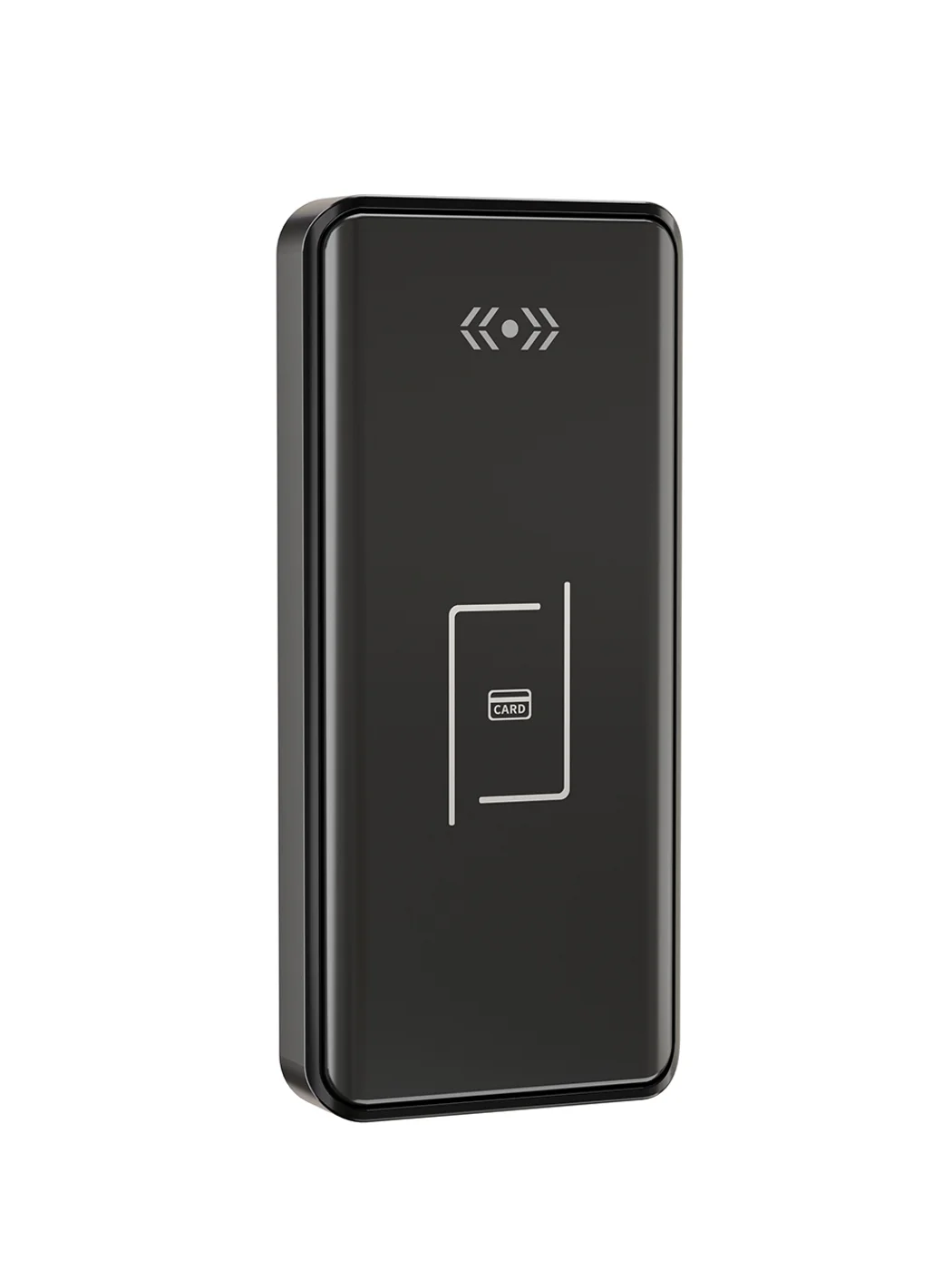
Gym Locker Lock — Offline Card, No WiFi Required
Offline card gym locker lock for fitness and pool lockers. MIFARE card, battery-powered 5-minute retrofit, no WiFi or server. Zinc alloy body, CE/FCC/RoHS.
This page already points to it as the next recommended reference.
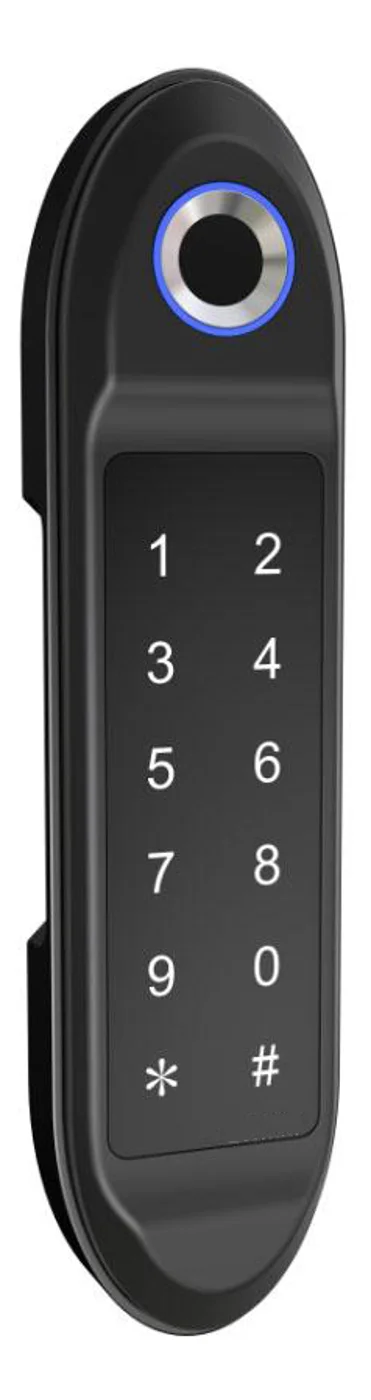
PIN Code Electronic Cabinet Lock — Stand-Alone, No WiFi
Offline keypad cabinet lock for gym, office and parcel lockers. Battery-powered, 5-minute retrofit, audit-free simple deployment. PIN + MIFARE card, DC 6V, 4×AA.
This page already points to it as the next recommended reference.
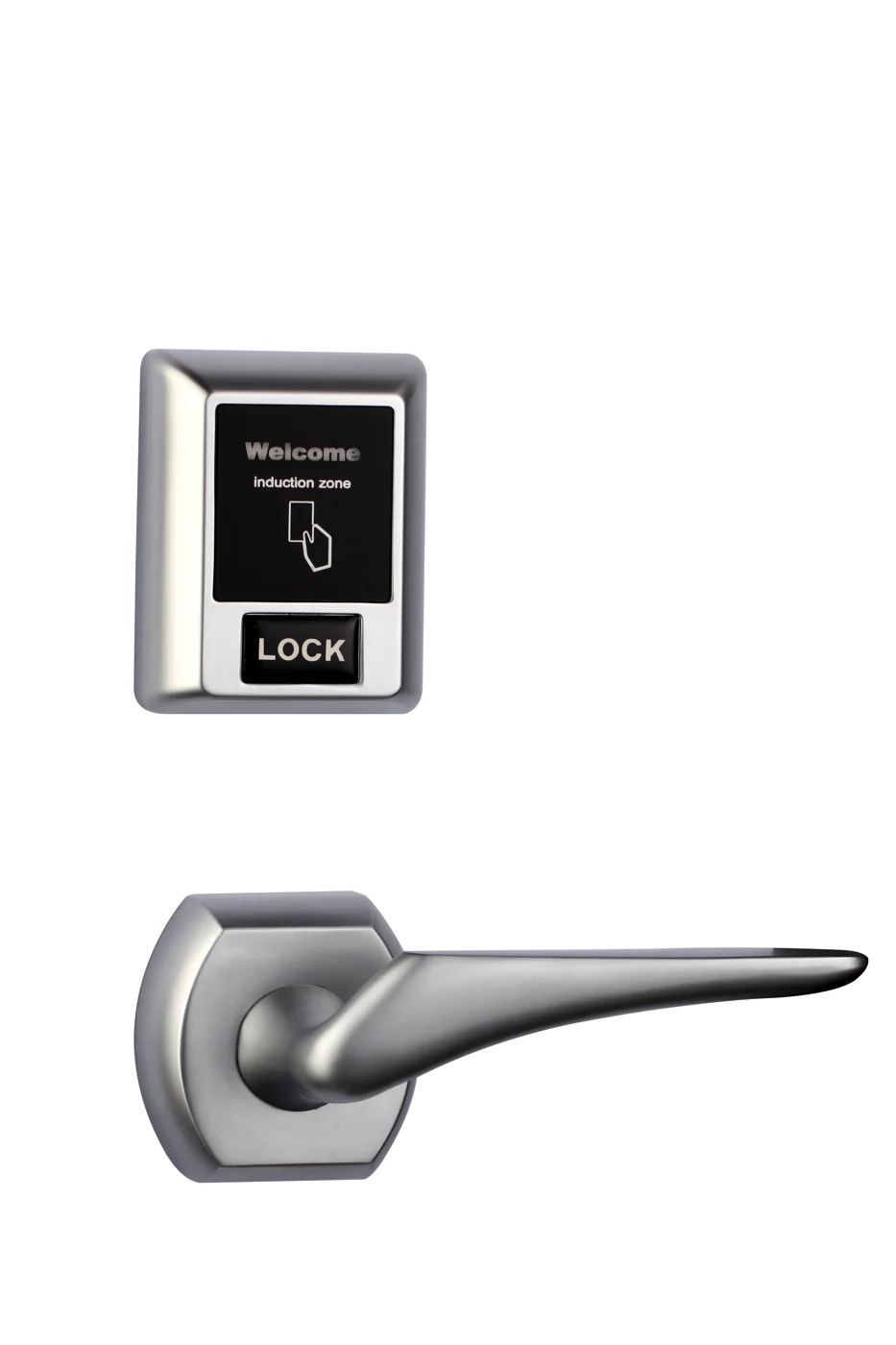
Bluetooth Cabinet Lock — App + PIN + Card, Managed Fleet
Offline BLE app cabinet lock for parcel, office, and managed locker fleets. App + PIN + MIFARE card, remote credential management, no server dependency, battery-powered retrofit.
This page already points to it as the next recommended reference.
Related blog posts
3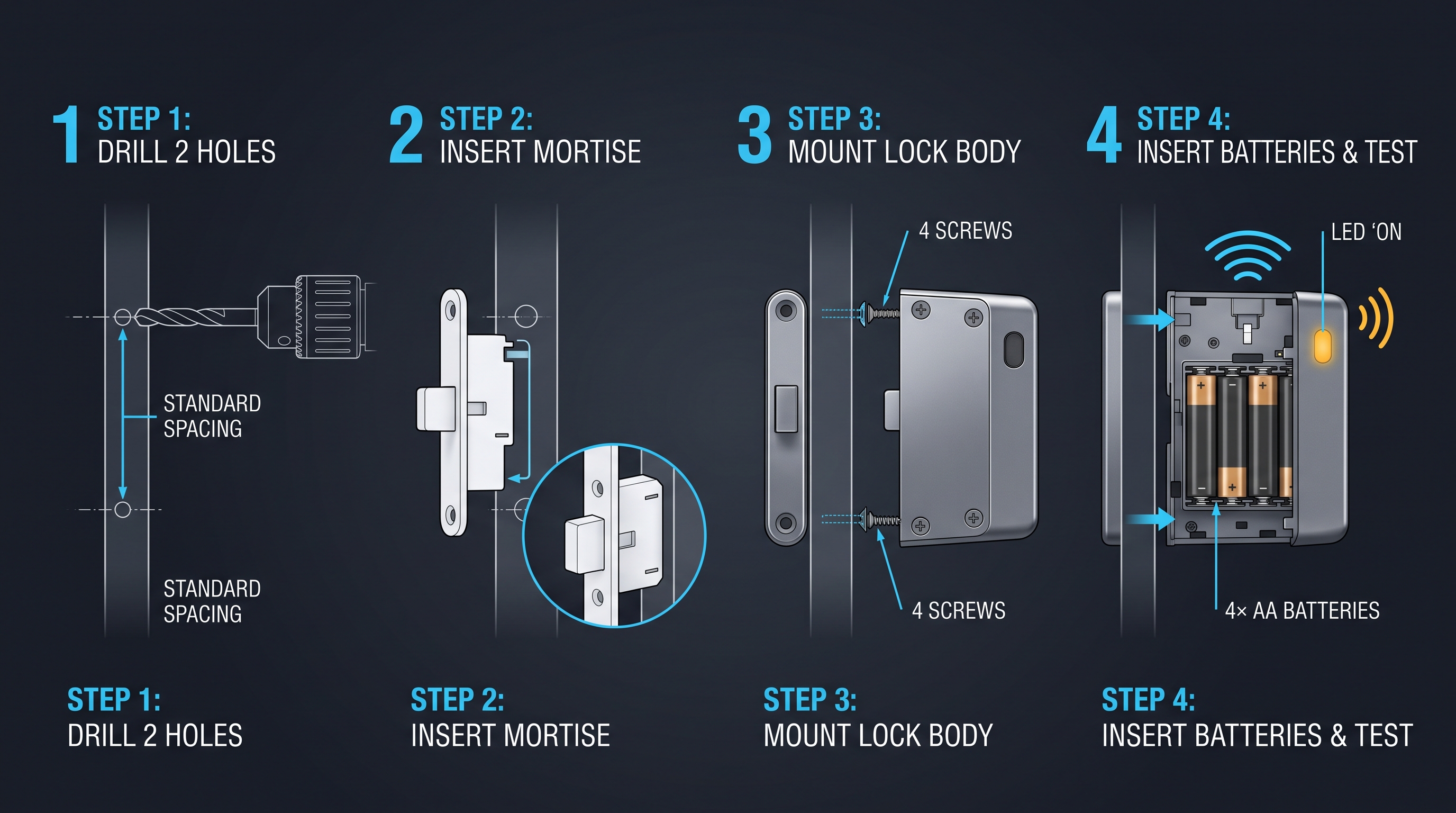
EMS Cabinet Lock: DEA-Compliant Drug Security for Paramedic Vehicles
EMS cabinet lock guide covering DEA Schedule II compliance, dual-authentication, tamper-evidence, audit trail, vehicle power, and ePCR integration for ambulance fleets.
It supports the same product context: Gym Locker Lock — Offline Card, No WiFi Required.
The Complete Guide to Emergency Cabinet Locks for AEDs, First Aid, Fire Extinguishers, and Trauma Kits
Learn everything about emergency cabinet locks: break-glass vs solenoid vs motorized latches, tamper alarms, remote alerts, ADA compliance, battery life, and deployment across schools, offices, gyms, transit, and aircraft.
It supports the same product context: Gym Locker Lock — Offline Card, No WiFi Required, PIN Code Electronic Cabinet Lock — Stand-Alone, No WiFi, Bluetooth Cabinet Lock — App + PIN + Card, Managed Fleet.
Employee Locker Lock Systems: The Definitive Guide for Workplace Security and Efficiency
A definitive guide to employee locker lock systems covering selection, installation, security, management software, compliance, and best practices for workplace locker security.
It supports the same product context: Gym Locker Lock — Offline Card, No WiFi Required.
Specify your hotel project with our engineers
Send your room count, ceiling type, and protocol preference. We will return a sample plan and quote within 24 business hours.
- Move from general guidance into a product or application discussion.
- Use RFQ when pricing, drawings, MOQ, or launch timing needs structure.
- Keep a direct contact path visible for fast clarifications and handoff.