The Best Cabinet Lock for Office Security in 2026: Digital, Smart, and Mechanical Buying Guide
Complete guide to selecting the best cabinet lock for office environments. Compare digital, smart, RFID, and mechanical cabinet locks with detailed features, pricing, and installation advice for workplace security.
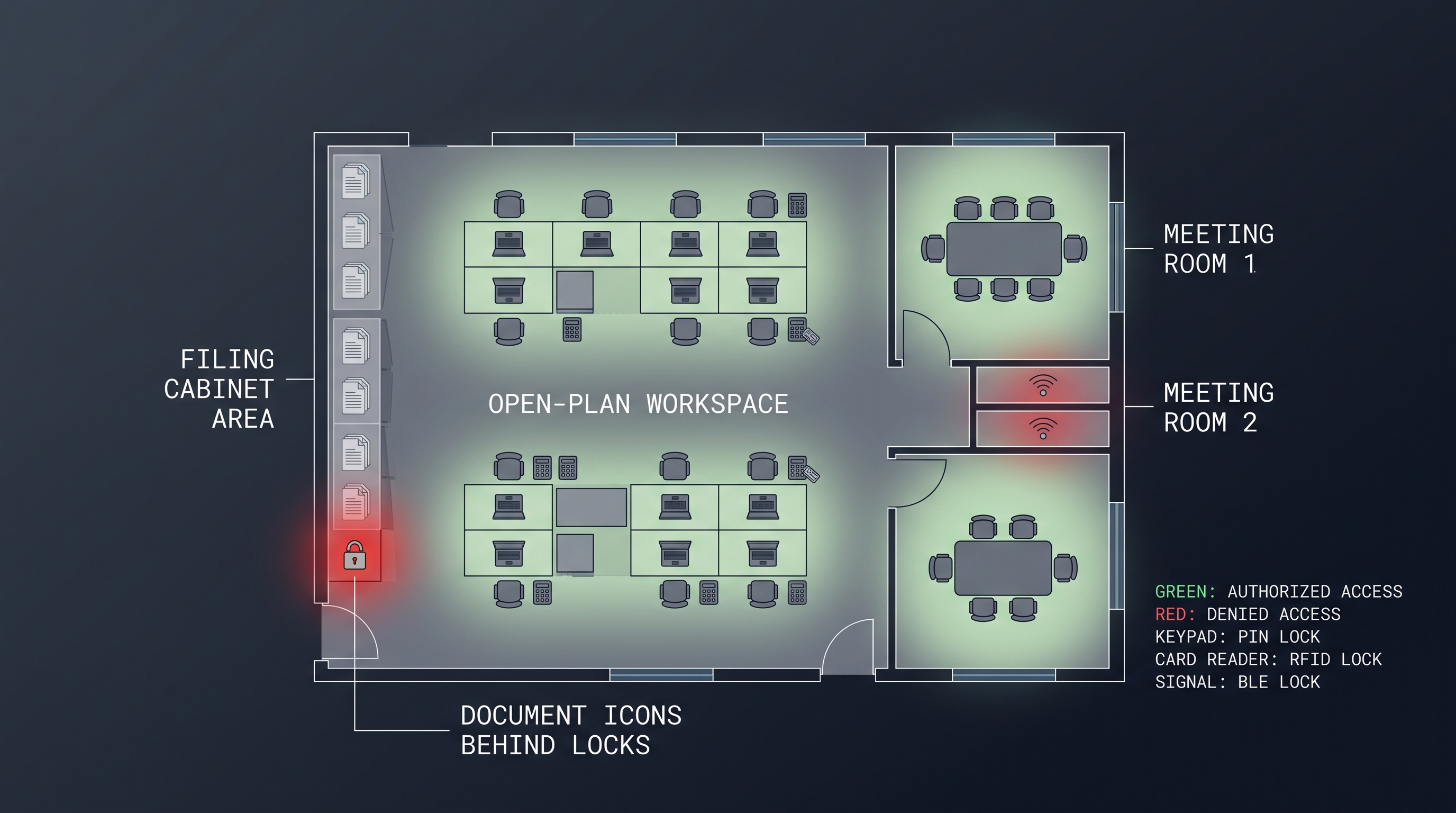
Office security incidents involving unauthorized cabinet access cost organizations an estimated $3.7 billion annually in lost intellectual property, misplaced sensitive documents, and compromised personal data according to 2025 workplace security surveys. Selecting the best cabinet lock for office deployments is a foundational element of an effective physical security program — one that addresses the specific threat profile of open-plan workspaces, shared desk arrangements, and multi-tenant office buildings where hundreds of individuals may pass within arm's reach of filing cabinets, supply closets, and IT equipment racks daily. The best cabinet lock for office environments differs fundamentally from residential or industrial locks because it must balance security with accessibility for multiple authorized users, integrate with existing employee credential systems (typically HID or MIFARE badges), provide verifiable audit trails for compliance-sensitive document storage, and accommodate the frequent access pattern of a busy workplace — often 20-50 unlock events per cabinet per day. This guide examines more than a dozen lock types across mechanical, digital, RFID, and smart categories, providing the evaluation criteria, installation guidance, and total cost analysis necessary for facility managers, IT directors, and office administrators to select the best cabinet lock for office security in 2026.
What Defines the Best Cabinet Lock for Office Environments
The best cabinet lock for office deployment is an access control solution specifically engineered for workplace storage — filing cabinets and pedestals (typically 19 mm or 21 mm mounting hole preparation), IT network racks and server enclosures (42U standard, requiring locks compatible with rack rail mounting or cabinet door cutouts), supply cabinets (often double-door configurations requiring synchronized locking), and employee personal storage — that supports multi-user access management with credentials that can be issued, modified, and revoked without physical key exchange. Unlike a residential cabinet lock, which secures against a small, known user group (typically 2-6 family members), the best cabinet lock for office use must accommodate 20-200+ users with varying access levels, integrate with building-wide access control infrastructure through Wiegand, OSDP, or cloud API interfaces, and provide audit trail functionality that logs each access event with user identity, timestamp (1-second resolution), cabinet identifier, and authentication method for compliance with internal security policies and external regulations such as SOX, HIPAA, and GDPR. The office environment itself imposes constraints: the best cabinet lock for office installations must operate quietly (below 45 dB at 1 meter to avoid disturbing nearby workers), fit within the 15-25 mm profile depth of standard cabinet faces without protruding objectionably, and be installable by in-house facility maintenance staff using basic tools (Phillips screwdriver, 19 mm hole saw, tape measure) in under 15 minutes per cabinet without requiring licensed locksmith services. Authentication technology selection for the best cabinet lock for office is typically dominated by 13.56 MHz RFID/NFC (MIFARE DESFire EV2/EV3 with AES-128 encryption) because it leverages existing employee access badges — the card that opens the building door also opens the assigned filing cabinet — eliminating the cost and administrative burden of issuing separate cabinet keys or codes.
Office security requirements span a broader range than most other deployment environments because a single facility often contains cabinets with vastly different protection needs. The filing cabinet in an HR director's office holding personnel files and salary information requires substantially different security properties than the supply cabinet in the break room holding coffee pods and paper towels. The best cabinet lock for office deployments provides a range of security levels within a single management platform, allowing the security administrator to apply different access policies and authentication requirements to different cabinets while managing all locks through a unified interface. This graded approach — applying higher security to higher-value assets — optimizes both budget allocation and user experience, as employees interfacing with low-security supply cabinets should not face the same authentication friction as those accessing confidential documents.
| Office Security Factor | Requirement for Best Cabinet Lock for Office | Why It Matters |
|---|---|---|
| Multi-User Management | 20-200+ unique user credentials per lock | Offices have many authorized users with varying access needs |
| Credential Integration | Compatibility with existing employee badges (HID, MIFARE) | Avoids cost and complexity of separate credential systems |
| Audit Trail | Minimum 10,000 timestamped access events | Required for compliance investigations and security audits |
| Quiet Operation | Below 45 dB at 1 meter during lock/unlock | Prevents noise disruption in open-plan office environments |
| Rapid Installation | Under 15 minutes per cabinet, standard tools only | Minimizes disruption and labor costs during deployment |
| Access Scheduling | Time-restricted access for cleaning and contract staff | Enables after-hours security without 24/7 supervision |
| Emergency Override | Mechanical key backup accessible to security/facilities | Prevents permanent lockout from battery or electronic failure |
| Central Management | Cloud dashboard or on-premises server for all locks | Eliminates per-cabinet administration for multi-lock fleets |
Best Cabinet Lock for Office: Mechanical vs Digital vs Smart
The best cabinet lock for office security spans three broad categories — mechanical locks (traditional keyed cam locks and tubular locks), digital locks (RFID card, PIN keypad, and fingerprint models with onboard authentication but no network connectivity), and smart locks (Bluetooth, WiFi, or proprietary wireless mesh models with app or cloud-based management) — and the selection among them depends on the office's user count, access frequency, compliance requirements, and budget. Mechanical keyed cam locks (priced $5-$25 per lock) remain the installed base in the majority of offices worldwide, offering simple operation and no power requirements, but they carry an inherent security weakness: physical keys can be duplicated at any hardware store for $3-$7 without authorization, and there is no audit trail to determine who accessed a cabinet or when. Digital RFID cabinet locks (priced $30-$80 per lock, operating at 13.56 MHz MIFARE or 125 kHz EM frequency) eliminate physical key duplication risk because RFID credentials use cryptographic authentication — MIFARE DESFire EV3 implements AES-128 with mutual three-pass authentication requiring knowledge of a secret key stored only in the credential and the lock — and provide basic audit trail capability (1,000-10,000 events stored locally in flash memory). Smart Bluetooth cabinet locks (priced $40-$120 per lock, using BLE 5.0/5.2 at 2.4 GHz with AES-128-CCM link-layer encryption) add smartphone app-based management, remote unlock capability, time-limited digital key sharing (sending a contractor a key that works only from 9 AM to 5 PM on a specific date), and cloud-synchronized audit trails that are accessible from any browser without physically visiting the cabinet. The best cabinet lock for office deployments with more than 20 users and any compliance obligations is overwhelmingly the RFID digital or BLE smart category, as the total cost of ownership comparison shows that mechanical key systems cost 40-60% more over a 5-year lifecycle once key management labor, rekeying costs after staff departures, and lost productivity from locked-out employees are factored in.
The office environment creates specific dynamics that influence the mechanical versus digital versus smart decision. Office cabinets are accessed far more frequently than residential cabinets — an HR filing cabinet might be unlocked 15-30 times per day — making the speed and convenience of authentication a critical user experience factor. Mechanical keys require 2-3 seconds to locate the correct key on a keyring, insert, and turn. RFID cards require approximately 0.5 seconds to tap. PIN codes require 2-4 seconds to enter. The cumulative time difference across a 200-employee office with 50 secured cabinets can represent 50-100 hours of employee time per year — a meaningful productivity consideration that, while not the primary driver of lock selection, adds weight to the digital and smart categories.
| Feature | Mechanical Keyed Lock | Digital RFID/Keypad Lock | Smart Bluetooth/WiFi Lock |
|---|---|---|---|
| Hardware Cost | $5-$25 per lock | $30-$80 per lock | $40-$120 per lock |
| User Management | Physical key distribution | Programming card or keypad | Mobile app or web dashboard |
| Key Duplication Risk | High (any hardware store) | Very low (cryptographic auth) | Very low (encrypted tokens) |
| Audit Trail | None | 1,000-10,000 events local | 10,000-100,000+ events cloud |
| Remote Management | None | None (must visit cabinet) | Full remote via cloud |
| Access Scheduling | Not possible | Time-zone (some models) | Calendar-based scheduling |
| Battery Dependence | None | 12-36 months (AA/CR123A) | 8-24 months (AA/CR123A) |
| Integration with Badge System | No | Yes (HID, MIFARE compatible) | Yes (HID, MIFARE compatible) |
| 5-Year TCO (50 locks) | $6,000-$12,000 | $3,500-$7,000 | $5,000-$12,000 |
The cost comparison above requires explanation: while mechanical locks have the lowest hardware cost, their 5-year total cost of ownership is higher than digital alternatives due to the labor-intensive nature of physical key management. Each time an employee with key access leaves the organization, best practice requires rekeying all cabinets to which that employee had access — at a cost of $15-$40 per lock for a locksmith visit or $8-$15 in parts plus facility staff time for DIY rekeying. In an office with 25% annual turnover (typical for many industries), this translates to 10-15 rekey events per year per 50 locks, consuming 20-40 hours of facility staff time or $2,000-$4,000 in locksmith fees annually. Digital and smart locks eliminate rekeying entirely — access revocation is a software operation that takes seconds and costs nothing.
Best Cabinet Lock for Office: Access Management and Integration
The best cabinet lock for office environments must integrate access management into the organization's broader physical security infrastructure: employee badge compatibility is paramount — the lock reader must support the same card technology used for building access, most commonly 13.56 MHz MIFARE Classic (using the card's unique identifier or a specific sector key), MIFARE DESFire EV2/EV3 (using AES-128 encrypted application files with diversified keys), or HID iCLASS SE/SR (using Secure Identity Object with mutual authentication), ensuring that employees use a single credential for building entry, elevator floor access, parking garage, and now cabinet access. The best cabinet lock for office deployments with 50+ locks should provide centralized management through either a cloud-based platform (accessed via HTTPS web dashboard with role-based access control supporting administrator, manager, and viewer roles) or an on-premises server (deployed as a virtual appliance or Docker container, communicating with locks via a local gateway device connected via Ethernet or WiFi to the office LAN). API integration is essential for large enterprises: the best cabinet lock for office platforms expose RESTful APIs (documented with OpenAPI 3.0 specification, supporting OAuth 2.0 client credentials grant for machine-to-machine authentication, returning JSON payloads with HTTP 2xx/4xx/5xx status codes) that allow the organization's identity management system (such as Okta, Azure Active Directory, or SailPoint) to provision and deprovision cabinet access automatically when employees are onboarded, change roles, or depart — eliminating the manual per-cabinet administration that would otherwise consume 2-5 hours per week for a 200-lock deployment. The most advanced best cabinet lock for office platforms support SCIM 2.0 (System for Cross-domain Identity Management) for automated user lifecycle synchronization and SIEM (Security Information and Event Management) integration via syslog or Kafka streaming for real-time access event correlation with video surveillance and building access events.
The integration landscape for office cabinet locks has matured significantly since 2023. Where early digital cabinet locks operated as standalone islands requiring manual programming via master cards or keypad sequences, the best cabinet lock for office deployments in 2026 is expected to participate in the building's unified access ecosystem. This integration delivers compounding benefits: when an employee's badge is deactivated in the building access system at 5:00 PM on their last day, their cabinet access is automatically revoked within seconds via API webhook. When a security incident is reported — a missing document from a specific cabinet — the investigator can correlate the cabinet access log with building entry/exit events and video footage, identifying not only which badge accessed the cabinet but also whether the badge holder was physically present in the building at that time.
| Integration Capability | Basic Cabinet Lock | Mid-Range Office Lock | Enterprise Best Cabinet Lock for Office |
|---|---|---|---|
| Badge Compatibility | 125 kHz EM only | 125 kHz + 13.56 MHz MIFARE | Multi-protocol (HID iCLASS, DESFire, BLE) |
| Management Interface | Programming card/keypad | Basic mobile app | Cloud dashboard + role-based access |
| API Availability | None | Limited REST endpoints | Full REST + GraphQL, OAuth 2.0, SCIM 2.0 |
| SIEM Integration | None | Manual CSV export | Syslog, Kafka, webhook streaming |
| Identity Provider Sync | None | Manual CSV import | Okta, Azure AD, SailPoint auto-provisioning |
| Access Scheduling | None | 5-10 time zones | Unlimited calendar-based schedules |
Active Directory and Azure AD integration is particularly valuable in Microsoft-centric office environments. The best cabinet lock for office deployments can map Active Directory security groups to cabinet access levels — the "Finance" AD group automatically gets access to finance department filing cabinets, while the "HR-Confidential" group gets access to personnel file cabinets with dual-authentication requirements. This group-based access model scales elegantly: adding a new finance employee requires only adding them to the AD group, and cabinet access follows automatically without any separate provisioning step. Deprovisioning is equally automatic — removal from the AD group instantly revokes all mapped cabinet access.
Single Sign-On (SSO) integration for the management dashboard adds both security and convenience. The best cabinet lock for office management platforms support SAML 2.0 or OpenID Connect for authentication, allowing security administrators to sign in with their corporate credentials (enforcing the organization's password complexity policies, multi-factor authentication requirements, and session timeout settings) rather than maintaining a separate set of credentials for the cabinet lock platform. This reduces the attack surface — each additional credential repository is a potential breach point — and streamlines the administrator experience.
Best Cabinet Lock for Office: Installation and Retrofit Considerations
The best cabinet lock for office retrofit installations must accommodate the diverse cabinet infrastructure found in typical workplaces: standard filing cabinets manufactured by major suppliers (HON, Steelcase, Herman Miller, Haworth) typically use 19 mm (3/4 inch) or 21 mm (13/16 inch) mounting holes with lock body depth clearance of 25-40 mm behind the drawer face, while lateral filing cabinets and flat-file storage units may require 25 mm mounting holes and lock bodies up to 60 mm in length — the best cabinet lock for office retrofit kits include multiple cam lengths (8 mm, 12 mm, 16 mm, 20 mm projection) and slotted mounting plates with 3-5 mm of adjustment in both axes to accommodate the measured distance from the lock cylinder axis to the cabinet frame locking bar contact point. IT server rack cabinet locks present a different installation challenge: they must fit standard 19-inch rack rail mounting patterns, typically attaching to the front door or side panel of a 42U enclosure with M6 cage nuts, and must be compatible with the existing rack door handle mechanism or replace it entirely. The best cabinet lock for office server racks uses a motorized latch rather than a rotating cam, with the latch bolt extending 12-20 mm into the rack frame strike plate, and often requires a power source — either battery (for standalone units) or 12V DC from the rack's power distribution unit (for always-on monitoring). Pedestal drawer units (the three-drawer mobile filing cabinets under many office desks) require a central locking mechanism where a single lock secures all drawers simultaneously through a vertical locking bar — the best cabinet lock for office pedestals must be compatible with this central locking bar arrangement, with the cam engaging a slot in the bar rather than a fixed strike plate, and must accommodate the bar's vertical travel of 15-25 mm.
The installation process for the best cabinet lock for office applications should be thoroughly planned to minimize disruption. A 100-cabinet deployment across an occupied office floor typically requires 2-3 facility staff working over a weekend or during evening hours, with each lock installation taking 12-18 minutes including removal of the existing mechanical lock, cleaning of the mounting surface, installation of the digital lock, battery insertion, and initial programming/test. Pre-configuration of locks at a centralized workbench before installation — enrolling the lock into the management platform, assigning it to a specific cabinet in the floor plan, and pre-loading user access permissions — can reduce per-cabinet installation time to 5-8 minutes of purely mechanical work.
| Installation Step | Time Required | Tools Needed | Common Issues |
|---|---|---|---|
| Remove existing mechanical lock | 2-3 minutes | Phillips screwdriver, spanner wrench | Stripped retaining nuts, seized lock bodies |
| Clean and inspect mounting surface | 1-2 minutes | Isopropyl alcohol, cloth | Deformed cutout, rust, uneven surface |
| Install digital lock body | 2-4 minutes | Phillips screwdriver, adjustable wrench | Incorrect cam orientation, overtightened nut |
| Install cam and test alignment | 2-4 minutes | Hex key (typically 2 mm or 2.5 mm) | Cam length mismatch, locking bar interference |
| Insert batteries | 1 minute | None (batteries included with premium models) | Battery contact corrosion on old cabinets |
| Initialize and program | 3-5 minutes | Programming card or mobile app | Mobile app Bluetooth pairing failures |
| Test lock/unlock cycles | 2-3 minutes | Test credentials (master card, user card) | Cam binding, motor stall, misaligned strike |
| Record in asset management system | 1 minute | Tablet or laptop | Missing cabinet serial numbers or location tags |
Retrofit challenges deserve proactive attention. Approximately 15-25% of office cabinets encountered during retrofits have non-standard mounting holes or obstructions that require modification: oversized holes (22-24 mm) from previous lock replacements, double-layer metal construction (outer decorative panel plus inner structural door) that exceeds the lock body's clamping thickness range, or drawer slide mechanisms that intrude into the lock body clearance zone behind the mounting surface. The best cabinet lock for office retrofit kits should include escutcheon plates or adapter rings to cover oversized holes up to 25 mm, lock body spacers (1-3 mm thickness) to accommodate double-layer door construction, and alternative mounting positions or offset cam adapters to avoid interference with drawer slides. For cabinets where the existing mounting hole is incompatible with any available digital lock, the alternative is mounting the lock in a secondary position — drilling a new 19 mm hole in an adjacent location — which should be performed by a qualified installer to maintain cabinet structural integrity and appearance.
Cabling considerations apply to a subset of best cabinet lock for office installations: locks with external antenna modules (for metal cabinet doors that attenuate RFID signals), locks integrated with building access panels via Wiegand or OSDP wiring, and network-connected locks using Power over Ethernet (PoE, 802.3af/at, 48V DC, up to 25.5W per port). Cable routing should follow the cabinet's existing wire paths where possible, using adhesive cable clips or flexible conduit for exposed runs, and connectors should be strain-relieved at both ends. For under-desk pedestals that are moved periodically (during office reconfigurations), wireless-only locks avoid the maintenance issue of repeated cable flexing.
Best Cabinet Lock for Office: Security and Compliance Standards
The best cabinet lock for office deployments serving regulated industries must satisfy specific compliance frameworks: financial services organizations subject to Sarbanes-Oxley (SOX) Section 404 require documented access controls for systems and physical assets that could impact financial reporting integrity — the best cabinet lock for office implementations in finance departments therefore must provide immutable audit trails (tamper-evident logging that cannot be modified or deleted without detection, stored with cryptographic checksums or blockchain-based integrity verification), role-based access policies enforced at the lock level (preventing a single administrator from granting themselves access without secondary approval), and quarterly access reviews where audit logs are compared against authorized user lists to identify discrepancies. Healthcare organizations bound by HIPAA Security Rule (45 CFR 164.312) must implement technical access controls for workstations and storage containing protected health information (PHI) — the best cabinet lock for office medical record storage requires unique user identification (each access event traceable to a specific individual, not a shared code), automatic logoff (auto-relock within 30 seconds to 2 minutes, consistent with HIPAA workstation security requirements), and emergency access procedures (mechanical override accessible to designated security officers with documented key control procedures). Government contractors handling Controlled Unclassified Information (CUI) under NIST SP 800-171 must meet the 14 control families including Access Control (3.1.1-3.1.22), where the best cabinet lock for office implementation contributes to limiting physical access to CUI-authorized individuals and maintaining access records for audit and accountability. General Data Protection Regulation (GDPR) Article 32 requires appropriate technical measures for personal data security — biometric cabinet locks storing fingerprint templates must implement template protection (irreversible hashing, not raw image storage) and provide mechanisms for data portability and erasure upon data subject request.
Compliance is not a one-time checkbox but an ongoing operational discipline. The best cabinet lock for office deployments includes quarterly access review procedures: the security administrator exports the current access list for each cabinet, compares it against the authorized user roster maintained by HR or department managers, identifies and investigates discrepancies (users with access not on the roster, former employees not removed), and documents the review findings. This process, which takes 2-4 hours per quarter for a 100-lock deployment using a centralized management platform, would be impossible with mechanical keys without physically tracking down every key holder — a process most organizations perform only annually or when an incident occurs.
| Compliance Framework | Key Requirement | Best Cabinet Lock for Office Solution |
|---|---|---|
| SOX Section 404 | Documented access controls, audit trails | Immutable audit log, role-based access, quarterly review |
| HIPAA Security Rule | Unique user ID, auto-logoff, emergency access | Per-user credentials, programmable auto-relock, mechanical override |
| GDPR Article 32 | Technical measures for personal data security | Encrypted biometric templates, data portability, erasure capability |
| NIST SP 800-171 | Limit physical access to authorized individuals | User-level access control, access records, audit capability |
| PCI DSS 9.1 | Physical access controls for cardholder data environments | Video-monitored cabinets with access logging |
| ISO 27001 A.11 | Secure areas, equipment security | Lock audit integration with ISMS, documented access policies |
Physical security standards provide independent verification beyond regulatory compliance. The best cabinet lock for office applications may achieve certification under UL 437 (high-security key locks, requiring resistance to picking, impressioning, and drilling for 5-10 minutes by skilled operators), EN 1300 Class B or C (high-security lock classification, requiring 30,000-100,000 effective key differs and 5-10 minutes of manipulation resistance), or EN 1143-1 (secure storage units, though few cabinet locks alone achieve this — it typically requires the lock integrated with a certified cabinet). For most office applications, CE marking for electrical safety and EMC, FCC Part 15 for wireless emissions, and RoHS compliance for environmental protection are the minimum certification bar, with UL 294 for access control system unit security being a valuable differentiator for enterprise-grade best cabinet lock for office products.
Best Cabinet Lock for Office: Price and Total Cost of Ownership
The best cabinet lock for office acquisition requires a comprehensive total cost of ownership analysis spanning hardware, installation, software subscriptions, credential management, and ongoing administration: for a representative 50-cabinet office deployment, mechanical keyed locks have the lowest upfront hardware cost ($250-$1,250 for 50 locks at $5-$25 each) but incur $3,000-$8,000 in cumulative key management costs over 5 years — including rekeying at 15-20% annual staff turnover ($15-$40 per lock per rekey, 10-15 rekey events over 5 years), replacement key cutting ($3-$7 per key, 2-3 keys per employee), and facility staff labor for key distribution and tracking (estimated 2-4 hours per month at $25-$40/hour). Digital RFID locks (50 locks at $35-$80 each, $1,750-$4,000 upfront) add battery replacement costs ($0.50-$1.00 per lock per year, $125-$250 over 5 years) and optional cloud management platform fees ($0-$3 per lock per month, $0-$9,000 over 5 years depending on tier) but eliminate rekeying and key management labor entirely. Smart Bluetooth/WiFi locks (50 locks at $50-$120 each, $2,500-$6,000 upfront) carry similar battery and platform costs but add IT infrastructure demands — a local gateway device ($100-$300) for WiFi-connected locks or reliance on employee smartphones for BLE models, plus ongoing app compatibility maintenance. The financial break-even point where digital locks become cheaper than mechanical locks occurs at approximately 2-3 years for offices with more than 25% annual turnover or more than 30 users — making the best cabinet lock for office deployment overwhelmingly digital for all but the smallest offices with stable, long-tenured staff.
The subscription cost dimension requires careful scrutiny during procurement because recurring fees compound significantly over the lock's operational life. Cloud management platform subscriptions range from free (basic tier, limited to 5-10 locks, basic audit trail, no API) to enterprise (up to $5 per lock per month, unlimited locks, full API access, SIEM integration, SSO, 99.9% uptime SLA). A 50-lock deployment at $3/lock/month costs $1,800/year or $9,000 over 5 years — potentially exceeding the hardware acquisition cost. Organizations should model the platform cost over 5 years and compare against alternatives including on-premises server deployment (one-time license fee, typically $2,000-$8,000) and open-source self-hosted solutions where available.
| Cost Category | Mechanical Keyed (50 locks) | Digital RFID (50 locks) | Smart BLE/WiFi (50 locks) |
|---|---|---|---|
| Hardware Acquisition | $250-$1,250 | $1,750-$4,000 | $2,500-$6,000 |
| Installation Labor | Not applicable (included with cabinet) | $375-$750 (7.5-15 hrs @ $50/hr) | $375-$750 (7.5-15 hrs @ $50/hr) |
| Annual Battery | $0 | $25-$50 | $25-$50 |
| Annual Key Management | $600-$1,600 | $0 | $0 |
| Annual Platform Fee | $0 | $0-$1,800 | $0-$1,800 |
| Gateway Hardware | $0 | $0 | $100-$300 (one-time) |
| Rekeying (5-year cumulative) | $1,500-$4,000 | $0 | $0 |
| 5-Year TCO | $3,250-$12,850 | $2,000-$14,050 | $3,125-$19,150 |
| TCO per Lock per Year | $13-$51 | $8-$56 | $12-$77 |
The TCO ranges above are wider for digital and smart locks because the vendor and feature tier selections drive significantly different costs. The best cabinet lock for office deployments achieves the lowest TCO by matching the lock tier to the actual security need rather than over-specifying: use budget-tier RFID locks ($30 each) for supply cabinets and break room storage, standard-tier digital locks ($50 each) for general filing cabinets, and professional-tier smart locks ($80-$100 each) only for HR, finance, and IT cabinets requiring advanced audit and remote management. This tiered approach optimizes the security-cost trade-off across the deployment.
Procurement timing can significantly impact the cost of the best cabinet lock for office purchases. Bulk purchasing (50+ locks) typically attracts 15-25% discount from list price, and annual contract commitments for cloud platform subscriptions can reduce per-lock monthly fees by 20-30% compared to month-to-month pricing. End-of-quarter and end-of-year purchasing windows may bring additional discounts as sales teams work toward quota targets. Requesting quotes from 3+ vendors and being transparent about the competitive process typically yields the most favorable pricing.
Best Cabinet Lock for Office: Use Case Scenarios
Open-plan office environments deploying the best cabinet lock for office across 50-200 workstations, filing areas, and common storage present the most common deployment scenario: the optimal configuration uses 13.56 MHz MIFARE RFID digital locks integrated with the office's existing employee badge system, with card readers mounted on the face of each filing cabinet drawer, pedestal unit, or supply closet door, and a cloud-based management platform that maps badge serial numbers to access permissions for specific cabinets — this configuration serves the 100-person office with 60 cabinets for approximately $3,000-$5,000 in hardware and $600-$1,800 annually in platform fees, with quarter-over-quarter access review completion of under 3 hours. Executive office suites require a higher security tier: the best cabinet lock for office deployments in C-suite areas, boardrooms, and legal counsel offices should use multi-factor authentication — typically fingerprint biometric plus PIN code or RFID card plus PIN — with enrollment limited to a specific list of authorized individuals (usually 3-8 people per cabinet), real-time tamper alerts sent to security operations via push notification or email, and integration with the executive floor access control system for correlation of access events with building entry. IT server rooms and network equipment racks represent the highest-security office storage category: the best cabinet lock for office IT rack applications must support 24/7 monitoring (lock status reported every 60 seconds via SNMP or MQTT to the network monitoring platform), integration with environmental sensors (door open sensor triggering HVAC adjustment alerts), and power-over-ethernet operation to eliminate battery failure risk for always-secured equipment, at a hardware cost of $100-$250 per lock with integration to the organization's DCIM (Data Center Infrastructure Management) platform via REST API or Modbus/TCP protocol.
Co-working and flexible office spaces present a unique access management challenge that the best cabinet lock for office must address: members and day-pass users have no permanent employee badge, and access needs change daily as hot-desking arrangements shift. The best cabinet lock for office co-working applications uses smartphone BLE credentials provisioned through the co-working space's member app — when a member books a desk for the day, the associated locker or pedestal cabinet is automatically assigned to their app credentials for that day's duration, with automatic expiration at end-of-day. The member management platform's API pushes these temporary access assignments to the lock management system, which provisions access in real time. This model eliminates the need for physical key exchange entirely and aligns cabinet access duration precisely with workspace booking duration.
| Office Type | Lock Technology Recommendation | Management Approach | Key Integration |
|---|---|---|---|
| Traditional Office (50-200 staff) | 13.56 MHz RFID digital locks | Cloud dashboard, badge mapping | Existing employee access badges |
| Executive Suite | Multi-factor (fingerprint + PIN) | Cloud dashboard, high-security policies | Executive floor access system |
| IT Server Room | Networked smart locks, PoE | DCIM integration, 24/7 monitoring | SNMP, Modbus/TCP, REST API |
| Co-working / Flex Space | Bluetooth BLE smartphone locks | API-driven, time-based access | Space booking platform |
| Remote/Branch Office | 13.56 MHz RFID, cloud-managed | Central dashboard, local badge sync | Corporate identity provider |
| Legal / Financial Services | RFID + PIN dual auth, enterprise tier | SIEM integration, quarterly audits | Document management system |
Legal and financial services offices handling client-privileged documents and material non-public information require the best cabinet lock for office with features supporting both security and operational efficiency. Matter-based access organization — where cabinets assigned to a specific client case or deal team are grouped together in the management platform and access is granted or revoked for the entire group as the legal team composition changes — simplifies administration for firms handling hundreds of active matters. Document management system integration allows the cabinet lock audit trail to be correlated with document checkout records, providing a complete chain of custody for sensitive physical documents.
Medical office deployments of the best cabinet lock for office must navigate the intersection of HIPAA compliance and clinical workflow efficiency. Physicians, nurses, and medical assistants access patient record cabinets dozens of times per day in fast-paced clinical environments — the best cabinet lock for office medical applications must authenticate in under 1 second (eliminating PIN entry scenarios), operate reliably with gloved hands (RFID card tap or proximity-based BLE unlock), and withstand frequent cleaning with hospital-grade disinfectants (quaternary ammonium, hydrogen peroxide) without degradation. Fingerprint biometrics present a complication in clinical settings where staff wear gloves, making RFID the dominant technology choice for medical office cabinet locks.
Best Cabinet Lock for Office: Maintenance and Lifecycle Management
Sustaining the best cabinet lock for office deployments requires a structured maintenance program addressing battery replacement, firmware updates, credential management, and periodic security audits: battery replacement should follow a calendar-based schedule — every 12 months for AA alkaline batteries, every 24 months for lithium CR123A — with replacement performed during a scheduled maintenance window (weekend or evening) to avoid disrupting office operations, and batteries should be procured from authorized distributors in bulk (typically 100-500 batteries per order for a 50-lock office deployment) to ensure authenticity and volume pricing. The best cabinet lock for office models preserve all configuration data, user credentials, and audit logs in non-volatile flash memory during battery changes, with a supercapacitor backup maintaining real-time clock continuity for 30-90 seconds — sufficient for a practiced technician to swap batteries without triggering a re-initialization sequence. Firmware updates should be applied within 30 days of release for security patches (vulnerability remediation) and within 90 days for feature updates, with the update process tested on 2-3 non-critical cabinets before fleet-wide deployment to identify any compatibility or regression issues — approximately 3-5% of firmware updates introduce unintended behavior that affects specific lock models or configuration combinations according to industry deployment data. Credential lifecycle management requires quarterly reconciliation: comparing the active credential list for each lock against the HR system's current employee roster, disabling credentials for departed employees (within 24 hours of separation per security best practice), issuing credentials for new hires (typically during first-week orientation), and processing credential changes for role transfers — a best cabinet lock for office management platform automates these tasks through identity provider integration, but manual review still catches the 2-7% of changes that fail to propagate automatically due to API rate limiting, temporary network outages, or data format inconsistencies.
Audit log management is a compliance-critical maintenance activity. The best cabinet lock for office generates approximately 50-200 access events per cabinet per month in a typical office, producing 2,500-10,000 events monthly across a 50-lock deployment. These logs must be archived in a tamper-evident storage system — either the cloud management platform's built-in log storage (which typically retains 90-365 days online and 3-7 years in cold storage) or exported to the organization's SIEM or log management platform. Quarterly audit log reviews should examine access patterns for anomalies: access during non-business hours, access by users not typically associated with a particular cabinet, an unusual frequency of access events, and failed authentication attempts (which should trigger investigation at 5+ consecutive failures). These reviews, while time-consuming when performed manually (2-4 hours per quarter), surface security incidents that would otherwise go undetected — internal investigations estimate that 30-40% of insider data theft incidents could have been detected earlier through systematic audit log review.
| Maintenance Activity | Frequency | Duration (50-lock office) | Responsible Party |
|---|---|---|---|
| Battery replacement (AA alkaline) | Every 12 months | 2-3 hours | Facility maintenance staff |
| Battery replacement (CR123A lithium) | Every 24 months | 2-3 hours | Facility maintenance staff |
| Firmware update (security patch) | Within 30 days of release | 1-2 hours (including testing) | IT or security team |
| Credential reconciliation | Quarterly | 1-2 hours | Security administrator |
| Audit log review | Quarterly | 2-4 hours | Security analyst |
| Mechanical override testing | Quarterly | 1 hour | Facility maintenance staff |
| Physical inspection | Annually | 2-3 hours | Facility maintenance staff |
| Access policy review | Annually | 4-8 hours | Security + department managers |
Physical inspection of the best cabinet lock for office hardware should be performed annually: check each lock body for signs of tampering (scratches around the keyway or reader surface, deformation of the housing, loose mounting), verify that the cam mechanism operates smoothly without binding (indicating wear or lack of lubrication), test the tamper alarm if equipped (triggered by removing the lock from its mounting while locked, or by applying force to the lock body), and confirm that the emergency mechanical override key operates correctly. A small percentage of locks — typically 2-5% — will show signs of wear requiring remediation (tightening, lubrication, or replacement) during annual inspections, and addressing these preventively avoids unplanned lockouts that disrupt office operations.
End-of-life management for the best cabinet lock for office hardware has both security and environmental dimensions. When decommissioning locks — whether due to office closure, cabinet replacement, or technology refresh — the lock must be securely wiped of all configuration data, user credentials, and audit logs. The best cabinet lock for office models include a factory reset procedure (typically holding a recessed button for 5-10 seconds while powering on) that performs a NIST SP 800-88 compliant purge by overwriting all non-volatile memory sectors with zeros or random data. Decommissioned locks containing lithium batteries must be disposed of through electronics recycling programs compliant with WEEE (Waste Electrical and Electronic Equipment) Directive 2012/19/EU in Europe or state-level e-waste regulations in the US. Lock components containing zinc alloy, steel, and ABS plastic are recyclable through standard e-waste streams.
Best Cabinet Lock for Office: Industry Trends and Future Outlook
The best cabinet lock for office market is being reshaped by several converging technology and workplace trends: the normalization of hybrid work models (where 40-60% of employees work remotely 2-3 days per week as of 2025-2026, per Gartner and McKinsey workplace surveys) is driving demand for flexible cabinet access that follows the employee rather than the cabinet — the best cabinet lock for office solutions are responding with cloud-first architectures that enable an employee to unlock their assigned cabinet at any office location using their corporate badge or smartphone, with access permissions synchronized globally across regional offices through the identity provider integration. Zero Trust physical security is emerging as a framework analogous to Zero Trust networking: the best cabinet lock for office implementations moving toward continuous verification — requiring re-authentication after periods of inactivity (configurable from 30 minutes to 8 hours), evaluating contextual factors such as time of day and whether the employee badged into the building that day, and dynamically adjusting authentication requirements based on the sensitivity classification of the cabinet contents. AI-powered anomaly detection, analyzing access patterns across thousands of locks and users to identify deviations indicative of security incidents — an employee suddenly accessing cabinets they have never accessed before, an unusual burst of access events outside normal working hours, a single badge accessing cabinets in physically separated locations within an unrealistically short timeframe — is being integrated into enterprise management platforms, with alerts generated automatically and false-positive rates below 5% through machine learning models trained on 6-12 months of the organization's own access data. Sustainable and circular-economy design principles are entering the best cabinet lock for office product development cycle: manufacturers are designing locks with user-replaceable batteries using widely available standard formats (AA, CR123A) to avoid the waste of whole-lock replacement when batteries degrade, specifying recyclable materials (zinc alloy, steel, ABS marked with resin identification codes for sorting), and offering take-back programs for end-of-life locks to recover and recycle the metal and electronic components — addressing the growing procurement preference for vendors with documented sustainability practices, particularly among organizations with ESG reporting commitments.
Hybrid work is fundamentally changing what "the office" means and how cabinet security must operate. When employees are in the office 2-3 days per week instead of 5, the concept of a permanently assigned desk and cabinet becomes economically inefficient — organizations are moving toward desk-sharing ratios of 1.2-1.8 employees per desk. The best cabinet lock for office solutions in this environment must support dynamic assignment: when Employee A books desk 42 for Tuesday, the pedestal cabinet under desk 42 is automatically assigned to Employee A's credentials for Tuesday 7:00 AM to 7:00 PM, reverting to unassigned at end of day. This requires tight integration between the workspace booking platform (such as Condeco, Teem, or Robin) and the cabinet lock management platform via API, with sub-second authorization response times and conflict resolution for scenarios where bookings overlap or employees extend their stay.
| Trend | Technology Enabler | Adoption Timeline | Impact on Best Cabinet Lock for Office |
|---|---|---|---|
| Hybrid Work / Hot-Desking | Cloud API, identity provider integration | 2024-2027 | Dynamic per-day cabinet assignment, global sync |
| Zero Trust Physical Security | Continuous auth, context evaluation | 2025-2028 | Time + location + badge presence verification |
| AI Anomaly Detection | ML on access logs, behavioral baselines | 2025-2028 | Automated insider threat detection, <5% false-positive |
| Sustainable Design | Recyclable materials, user-replaceable batteries | 2025-2027 | Procurement preference for ESG-compliant vendors |
| Face Authentication | 3D structured light, edge AI processing | 2026-2029 | Contactless access, no credential required |
| Universal Credential (Phone-as-Badge) | NFC + UWB, Apple/Google Wallet integration | 2026-2029 | Single device for building + elevator + cabinet access |
Face authentication using 3D structured light or time-of-flight sensors represents the next frontier for the best cabinet lock for office applications. Unlike 2D camera-based face recognition (vulnerable to photo spoofing), 3D sensors project an infrared dot pattern and measure depth, creating a facial depth map that cannot be replicated with a photograph or video display. The technology — matured in smartphones (Apple Face ID, since 2017) — is now available in embedded modules at $15-$30 BOM cost with power consumption of 0.5-1.5W during authentication, making integration into cabinet locks feasible at the professional and enterprise price tiers. Face authentication eliminates the need to carry any credential — badge, phone, or key — which is particularly valuable in creative office environments and technology company workplaces where employee badge compliance is low. The best cabinet lock for office implementations will likely offer face authentication as an option alongside RFID and BLE, rather than a replacement, due to the privacy concerns and regulatory requirements (Illinois BIPA, Texas CUBI, Washington My Health My Data Act) that apply specifically to biometric data collection and storage.
Best Cabinet Lock for Office: Final Recommendations
The best cabinet lock for office selection process should follow a structured evaluation framework: (1) document the specific cabinets to be secured — their type (filing cabinet, pedestal, IT rack, supply closet), mounting hole size (caliper-measured, not estimated), material (metal, wood, glass), access frequency (daily vs occasional), and the sensitivity of the contents they hold (low: office supplies, medium: internal documents, high: personnel files, financial records, client data); (2) map the user population — total number of users needing access to each cabinet, turnover rate, whether users already carry RFID access badges, and the level of technical comfort with smartphone apps; (3) define compliance requirements — any regulatory frameworks (SOX, HIPAA, GDPR, PCI DSS) that mandate specific security controls, any internal security policies regarding cabinet access, and any insurance requirements related to physical security; (4) establish integration needs — whether the cabinet lock system must integrate with existing building access control, identity management, SIEM, or workspace booking platforms; and (5) determine the budget — both upfront hardware acquisition and ongoing operational costs including platform fees, battery replacement, and administrative labor. For the typical 50-100 person office with standard filing cabinets, employee badges already in use, and moderate compliance requirements, the best cabinet lock for office recommendation is a 13.56 MHz MIFARE RFID digital lock platform in the professional tier ($50-$80 per lock) with cloud management and identity provider integration — this configuration delivers the optimal balance of security, convenience, and total cost of ownership, with a 5-year per-lock TCO of $80-$150 when factoring hardware, batteries, platform fees, and administrative time.
Vendor evaluation must go beyond the feature checklist and price comparison. Schedule product demonstrations with 2-3 vendors using your organization's actual cabinet types and badge technology — not the vendor's pre-configured demo setup. Request a trial deployment of 5-10 locks for 30 days to evaluate real-world usability, battery performance, and management platform usability with your actual facility team. Ask for references from deployments of similar scale and industry, and contact those references directly with specific questions about reliability, support responsiveness, and any issues encountered during deployment. The best cabinet lock for office is the one that your team can operate effectively, not necessarily the one with the longest feature list.
| Cabinet Type | Recommended Lock Type | Approximate Cost per Lock | Management Approach |
|---|---|---|---|
| General Filing Cabinet | 13.56 MHz RFID digital lock | $40-$60 | Cloud dashboard, badge-serial mapping |
| HR / Finance Cabinet | RFID + PIN multi-factor, enterprise tier | $80-$120 | SIEM integration, enhanced audit logging |
| IT Server Rack | Networked PoE smart lock | $120-$200 | DCIM integration, 24/7 status monitoring |
| Pedestal Under Desk | 13.56 MHz RFID, standard tier | $35-$55 | Hot-desk integration via API |
| Supply / Break Room | RFID or keypad, budget tier | $25-$40 | Basic cloud dashboard, no audit required |
| Executive Office Storage | Fingerprint + PIN dual-factor, enterprise tier | $90-$150 | High-security policies, real-time alerts |
Not sure which sensor fits your project?
Talk to our mmWave application engineers for a free consultation.
Find the right presence sensor for your hotel project
Compare the 3 protocols, check hotel-specific case studies, and download the installation guide
Related products
3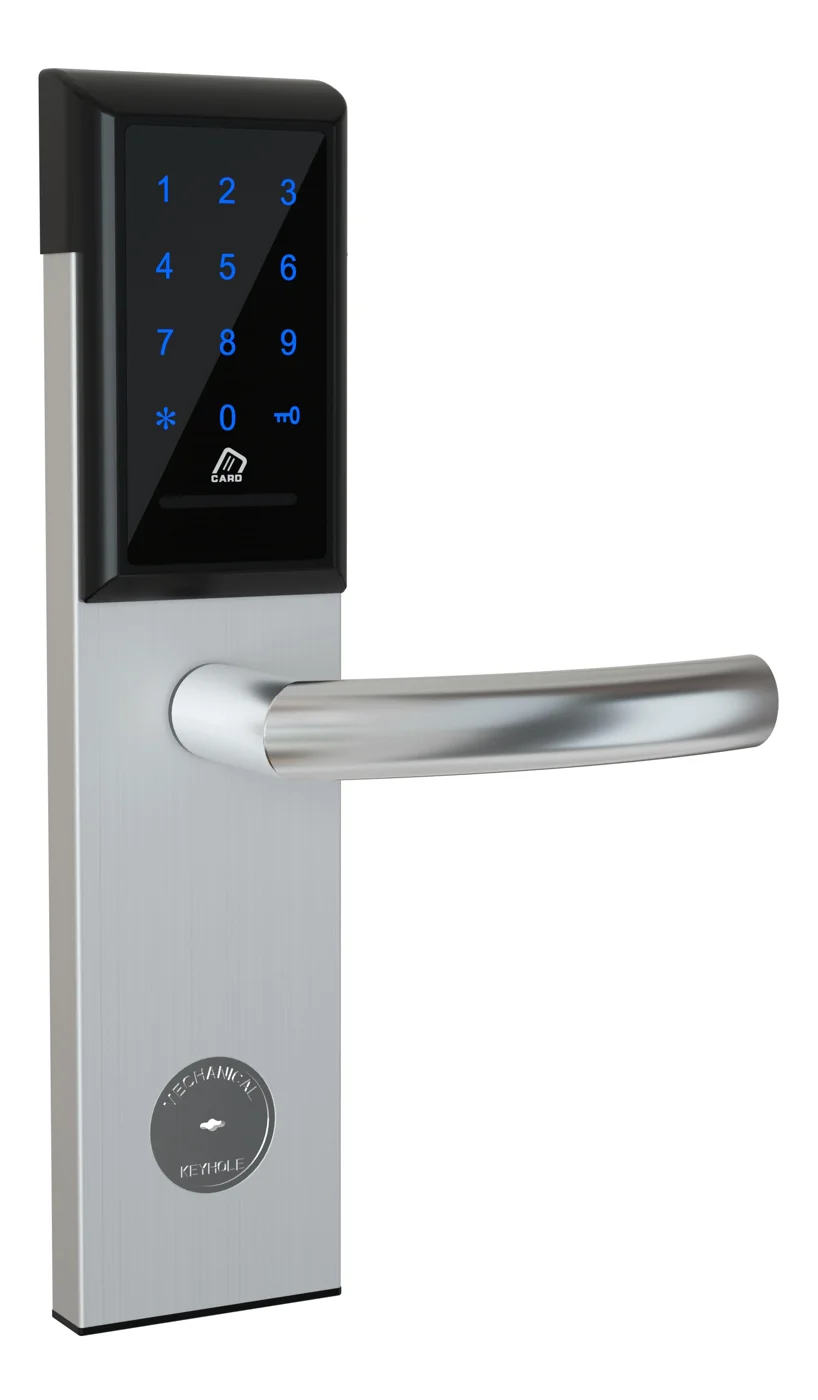
Office Cabinet Lock — PIN + Card for Filing & Pedestals
Offline PIN + card office cabinet lock for filing cabinets, pedestals, and drawers. Battery-powered 5-minute retrofit, no WiFi, no key management. CE/FCC/RoHS.
This page already points to it as the next recommended reference.
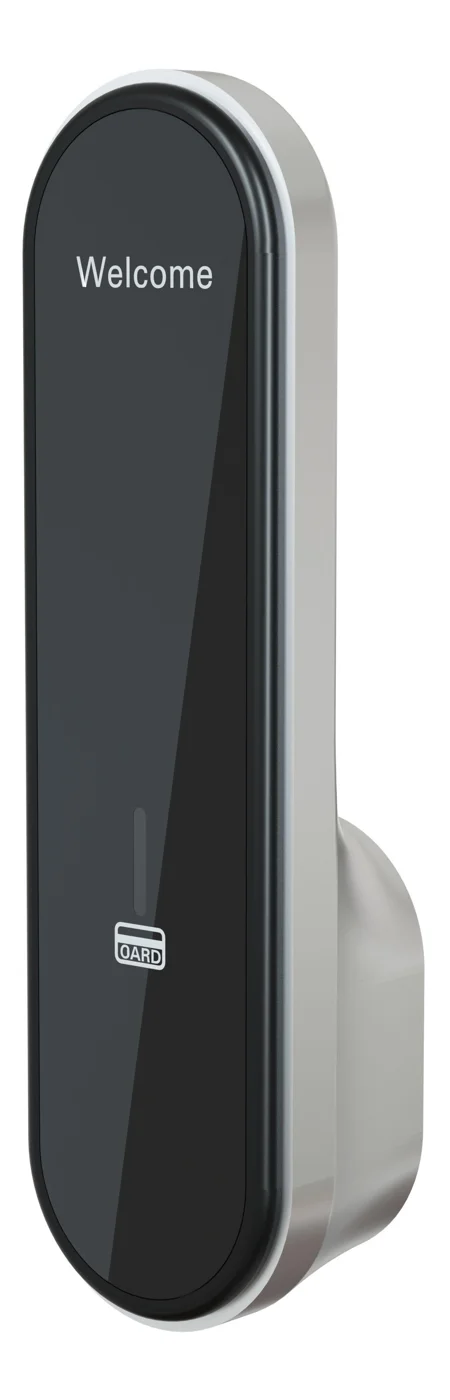
RFID Cabinet Lock — MIFARE Card, Offline Authentication
Offline MIFARE RFID cabinet lock for gym, spa, and office lockers. Tap-to-unlock 13.56 MHz, no WiFi needed, 5-minute retrofit. Zinc alloy body, battery-powered.
This page already points to it as the next recommended reference.
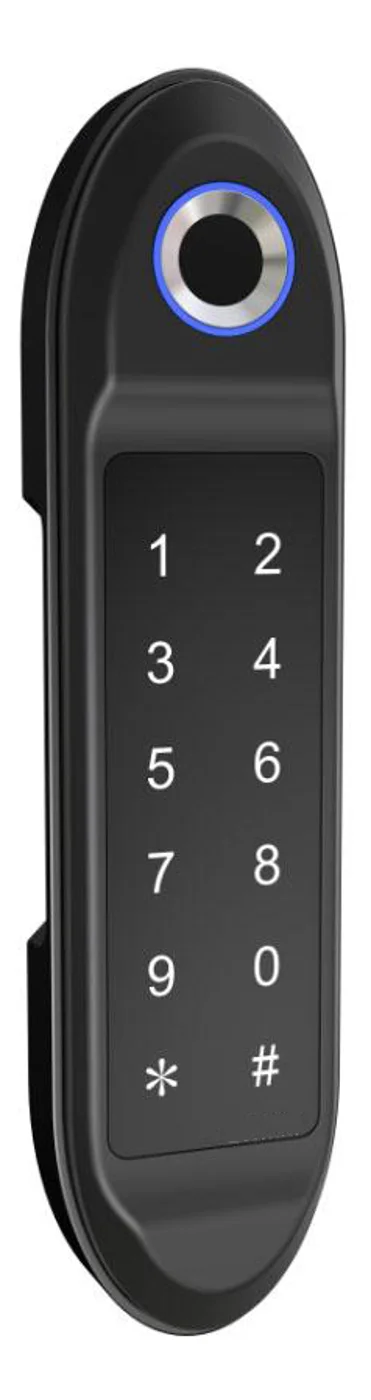
PIN Code Electronic Cabinet Lock — Stand-Alone, No WiFi
Offline keypad cabinet lock for gym, office and parcel lockers. Battery-powered, 5-minute retrofit, audit-free simple deployment. PIN + MIFARE card, DC 6V, 4×AA.
This page already points to it as the next recommended reference.
Related blog posts
3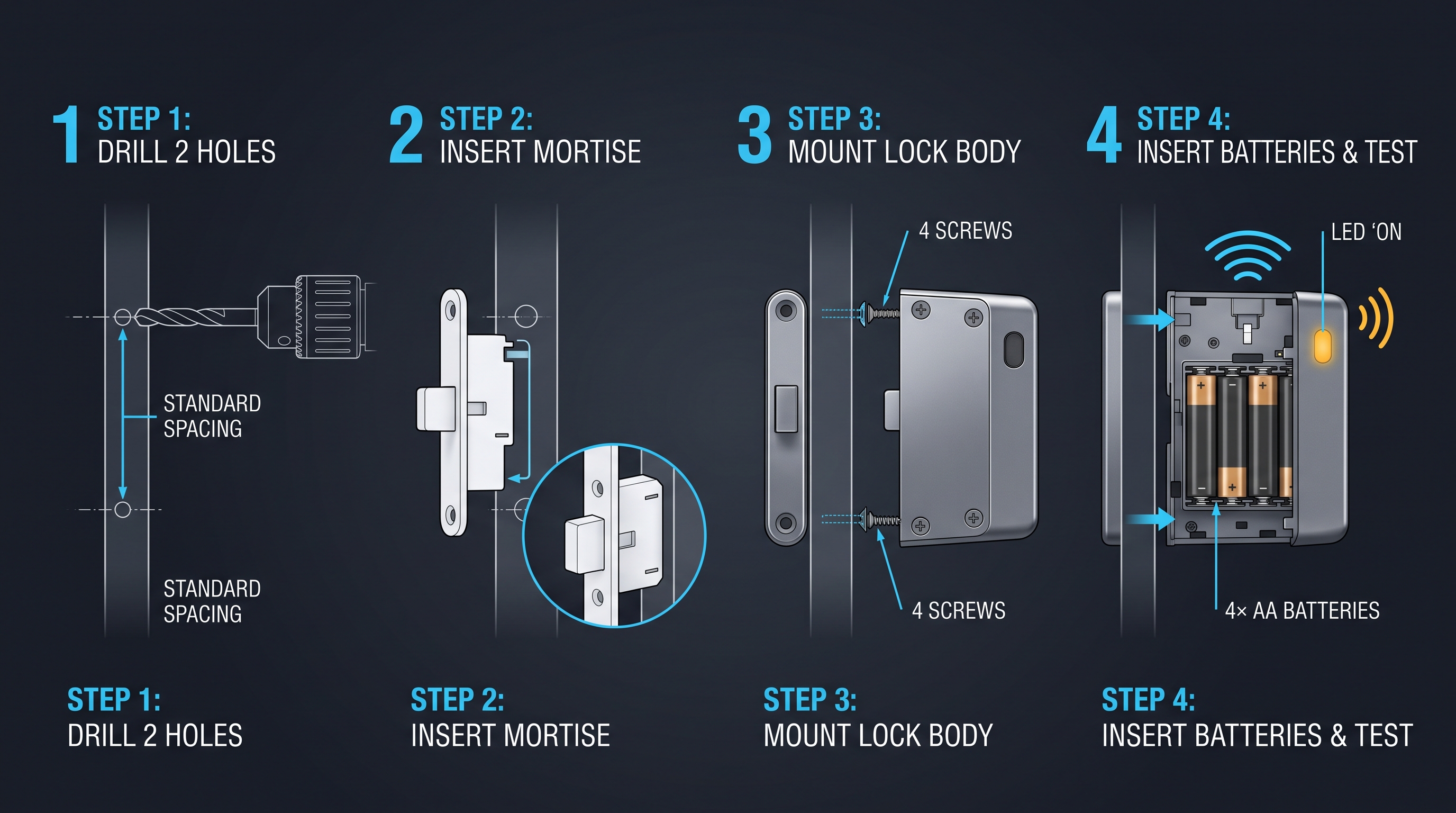
EMS Cabinet Lock: DEA-Compliant Drug Security for Paramedic Vehicles
EMS cabinet lock guide covering DEA Schedule II compliance, dual-authentication, tamper-evidence, audit trail, vehicle power, and ePCR integration for ambulance fleets.
It supports the same product context: Office Cabinet Lock — PIN + Card for Filing & Pedestals.
The Complete Guide to Emergency Cabinet Locks for AEDs, First Aid, Fire Extinguishers, and Trauma Kits
Learn everything about emergency cabinet locks: break-glass vs solenoid vs motorized latches, tamper alarms, remote alerts, ADA compliance, battery life, and deployment across schools, offices, gyms, transit, and aircraft.
It supports the same product context: PIN Code Electronic Cabinet Lock — Stand-Alone, No WiFi.
Employee Locker Lock Systems: The Definitive Guide for Workplace Security and Efficiency
A definitive guide to employee locker lock systems covering selection, installation, security, management software, compliance, and best practices for workplace locker security.
It supports the same product context: Office Cabinet Lock — PIN + Card for Filing & Pedestals.
Specify your hotel project with our engineers
Send your room count, ceiling type, and protocol preference. We will return a sample plan and quote within 24 business hours.
- Move from general guidance into a product or application discussion.
- Use RFQ when pricing, drawings, MOQ, or launch timing needs structure.
- Keep a direct contact path visible for fast clarifications and handoff.