RFID File Cabinet Lock: Contactless Access for Modern Filing Systems
RFID file cabinet lock uses 13.56 MHz or 125 kHz radio frequency identification for keyless cabinet access, audit logging, and credential management. Complete technical guide.
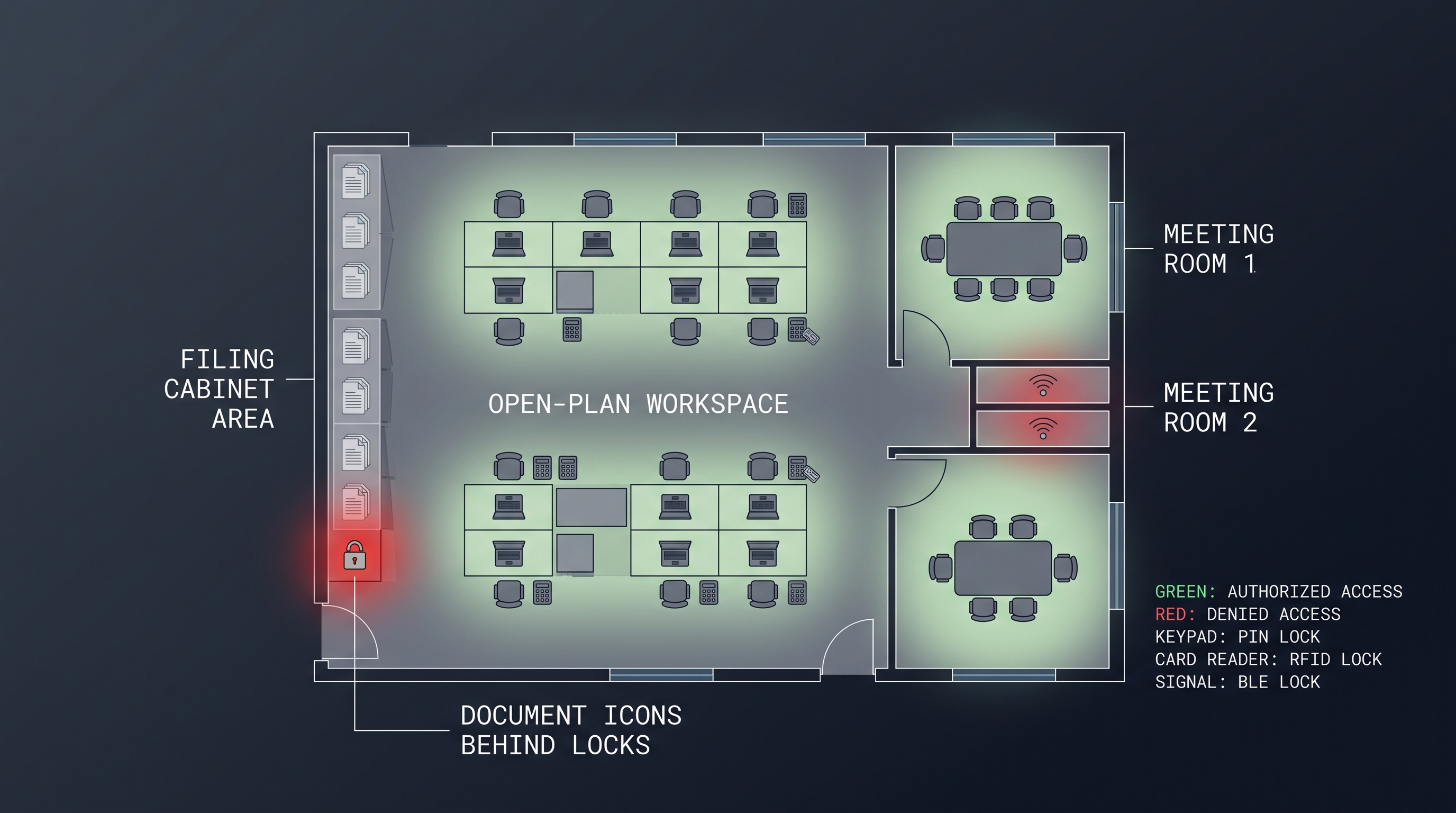
An RFID file cabinet lock is an electronic locking device that uses radio frequency identification at 125 kHz or 13.56 MHz to authorize access to filing cabinet drawers through contactless credentials such as badges, fobs, wristbands, or smartphone NFC. Unlike a mechanical key that can be duplicated at a corner hardware store, the RFID file cabinet lock relies on a unique digital serial number seeded with encryption keys, making cloning impractical without access to the issuer's private key. Typical models store 100 to 2,000 individual credentials locally, log 1,000 to 10,000 audit events with timestamps, and actuate a motorized cam within 300 to 800 milliseconds of a valid badge tap. Power is delivered by two or four AA batteries that last 12 to 24 months, and connectivity to a management platform runs over BLE, Zigbee, or WiFi. The RFID file cabinet lock is the most widely deployed contactless technology in the electronic filing category because it re-uses corporate employee badges, eliminating per-user acquisition cost.
What Is an RFID File Cabinet Lock?
An RFID file cabinet lock is a cabinet-securing device with an integrated RFID reader that validates a credential stored on a passive transponder before energizing a motor or solenoid to retract the locking cam. The credential is a resonant circuit — an inductive coil and chip — that draws power from the reader's electromagnetic field at 125 kHz or 13.56 MHz, modulates the carrier with its stored identity, and returns a signal to the reader in milliseconds. The lock's controller checks that identity against an authorized list, optionally applies time-of-day and day-of-week restrictions, and releases the bolt if all conditions are satisfied. Because the RFID tag has no battery and the coupling distance is typically 10 to 50 millimeters, the power consumption on the reader side is dominated by the antenna field, which turns on only during an interrogation window conservatively timed for a few seconds per minute.
The RFID file cabinet lock concept is mature, with millions of units deployed in offices, hospitals, schools, and government facilities worldwide. The simple user experience — tap and open — is intuitive for every user who has carried an access badge for building entry, and the incremental cost of adding RFID to a cabinet lock is now low enough that it competes directly with high-security mechanical cylinders. After a decade of field hardening, the RFID file cabinet lock is no longer a novelty but a standard specification item for architects and facility managers designing secure record-keeping environments. Integrators report that the RFID file cabinet lock shortens door-entry transition because the badge users already carry for the main door extends to the drawer without extra training or hardware on the user side.
The technical differentiation among RFID file cabinet lock products rests on the RFID standard employed. 125 kHz proximity cards (EM4100, HID Prox) are common, widely supported, and work with legacy badge systems, but offer limited memory and weak anti-cloning protection. 13.56 MHz smart cards (MIFARE Classic, MIFARE DESFire, HID iCLASS) carry a microcontroller that can execute challenge-response protocols with AES or 3DES encryption, making them resistant to cloning and relay attacks. NFC-compatible locks can read a smartphone acting as a virtual card, which lets users tap their phone to a drawer just as they do at a door reader. The choice of standard has long-term implications for security posture and badge migration, so it deserves careful attention during evaluation.
A high-quality RFID file cabinet lock delivers more than an open-close function. It generates an audit trail that can be exported for compliance, supports batch credential updates from a central platform, and alerts administrators to tamper attempts, low batteries, and communication failures. The best products treat the RFID interaction as the first step in a secure pipeline that ends with a logged, attributable event, not as a simple relay that anyone with a generic RFID badge can trigger. That architectural discipline is what separates a security-grade RFID file cabinet lock from a consumer-grade electronic latch.
RFID Standards in Cabinet Locks
| RFID Standard | Frequency | Read Range | Anti-Cloning | Card Example |
|---|---|---|---|---|
| EM4100 / Prox | 125 kHz | 10 to 30 mm | Weak, static UID | HID Prox, key fob |
| MIFARE Classic | 13.56 MHz | 10 to 50 mm | Improved, crypto-1 | Corporate access badge |
| MIFARE DESFire | 13.56 MHz | 10 to 50 mm | Strong, AES/3DES | High-security badge |
| NFC (Type 4) | 13.56 MHz | 10 to 40 mm | Strong, PKI | Smartphone wallet |
How an RFID File Cabinet Lock Works
The operating cycle of an RFID file cabinet lock begins with the reader antenna emitting a continuous or pulsed RF field at the carrier frequency, typically 125 kHz for proximity or 13.56 MHz for smart cards. When a compatible tag enters the near-field region, the field induces a voltage in the tag's coil, charging a small capacitor that powers the tag's chip. The chip modulates its identity response onto the carrier using load modulation or backscatter, and the reader demodulates this signal into a digital payload. The lock's microcontroller hashes and compares the payload against its authorized list, and if the badge is valid and the time schedule permits, the controller energizes a small DC motor to retract the cam. The entire sequence, from tap to bolt retraction, takes 300 to 800 milliseconds, which feels instantaneous to the user.
The RFID file cabinet lock differs from simpler access devices in how it handles the credential after read. A basic electronic lock might accept any reading from an ISO 15693 compatible tag as valid, which is effectively a relay — anything that chirps in the right frequency band opens the drawer. A proper RFID file cabinet lock executes a cryptographic challenge-response: it sends a random nonce to the tag, the tag encrypts it with a shared secret key, and the lock validates the response. This prevents replay attacks, where an eavesdropper records one unlock session and replays it later. DESFire and iCLASS credentials are built for this protocol, and the lock firmware must be written to use it correctly, which is why system integrators certify specific lock-and-credential combinations rather than mixing at random.
Power management is an area where RFID file cabinet lock design diverges from the broader electronic lock market. The RFID reader's antenna must transmit a field that delivers enough energy to the tag, and that transmission consumes multiple milliamps. To preserve batteries, the lock pulses the field for short sensing windows — perhaps 200 milliseconds on, 500 milliseconds off — rather than running the antenna continuously. An accelerometer or capacitive sensor can be used as a wake source, so the RFID field does not energize until a drawer touch is detected. These power-saving techniques give the RFID file cabinet lock a battery life comparable to BLE-only locks, around 12 to 24 months, despite the additional load of the RFID field generator.
The credential management path for an RFID file cabinet lock can be online or offline. Online locks report every tap to the management platform in real time, which enables instant revocation and live audit, at the cost of network dependency. Offline locks validate credentials against a local database and batch-sync when a gateway comes within range or a cable is attached. A hybrid approach caches the latest revocation list locally and updates the full database periodically, giving the best of both availability and security. The offline-capable RFID file cabinet lock is especially important in environments where network availability is intermittent, such as remote offices, construction trailers, and temporary field sites.
Authentication Flow Step by Step
The RFID file cabinet lock authentication sequence consists of five stages. First, the lock's reader energizes its antenna and begins polling for a compatible ISO 14443 or ISO 15693 tag. Second, a tag enters the field and responds with its UID, and the lock initiates a mutual authentication handshake if the credential supports it. Third, the lock performs a cryptographic challenge-response to verify the tag possesses the correct secret, preventing replay and cloning. Fourth, the controller checks the resolved identity against the local authorization list and any applicable time restrictions. Fifth, if access is granted, the actuator retracts the bolt and the event is logged. An RFID file cabinet lock that skips the crypto step is no more secure than a lock that opens to any radio chirp, which is why enterprises standardize on DESFire or iCLASS.
RFID File Cabinet Lock vs Keyed and Smart Locks
Comparing the RFID file cabinet lock against the conventional keyed cylinder and the smartphone-controlled smart lock illuminates where each technology fits. The keyed cylinder is the cheapest to buy and needs no power, but its security collapses with key duplication, loss, or sharing, and it generates no audit. The smartphone smart lock uses BLE and a mobile app, which is convenient for users who always carry a phone, but problematically excludes users without company-issued phones and creates reliability challenges when phones run out of battery. The RFID file cabinet lock sits in a productive middle: it requires no phone, refuels by induction at the moment of tap, reuses corporate badges that already exist, and delivers auditable access with simple, one-hand operation.
| Attribute | Keyed Cylinder | Smartphone Smart Lock | RFID File Cabinet Lock |
|---|---|---|---|
| User hardware | Key | Smartphone | Existing corporate badge |
| Power | None | Battery in phone | Induction from reader |
| Audit | None | Full log | Full log |
| Duplicability | Easy to copy | App-secured | Crypto-protected |
| Cost per user | Key cost | Zero incremental | Reuses badge |
| Deploy speed | Stalled by key logistics | App rollout | Instant with badge |
The practical deployment advantage of the RFID file cabinet lock is enormous. In a 500-person office, issuing 500 keys is a physical logistics operation with a security tail that never ends — keys get lost, former employees fail to return them, and the rekey cascade is expensive. A smartphone-based system requires 500 app installations, account creations, and connectivity checks. An RFID file cabinet lock requires zero end-user setup: the badge that opens the front door also opens the drawer, and the IT department manages the access list from a server. Most organizations deploying cabinet-level access control standardize on RFID precisely because it collapses per-user deployment cost to zero.
Durability also favors the RFID file cabinet lock. The badge has no battery, no screen, and no firmware, so it survives drops, water, and years in a wallet or lanyard without service. The reader has no moving parts except the motor that drives the bolt, and it is sealed behind the lock faceplate. In the 200,000-cycle life rating typical of a quality RFID file cabinet lock, the failure points are the motor brushes and the battery contacts, not the RFID reader itself, because the reader is solid-state electronics with no wear parts. This mechanical simplicity contributes to low total cost of ownership and high reliability over a decade of operation.
When RFID Is the Right Choice
An RFID file cabinet lock is the best choice whenever users already carry RFID badges for building access, whenever a no-phone, no-battery user experience is required, and whenever audit capability is needed across a large cabinet fleet. It is less ideal in environments where every authorized user also has a smartphone and prefers an app, or where the budget cannot cover the reader hardware premium. For most enterprise deployments, the RFID file cabinet lock is the default specification precisely because the badge ecosystem is already paid for and the total integration cost is the lowest of any electronic option.
RFID File Cabinet Lock Credential Types and Security
The credential is the heart of the RFID file cabinet lock system, and security rises with the sophistication of the credential. At the low end, a 125 kHz EM4100 tag transmits a static 40-bit serial number that is trivially read and cloned by a 15 USD handheld copier. An RFID file cabinet lock that accepts prox without any additional security should be considered a convenience device, not a security device, and is inappropriate for protected records. The step up is a 13.56 MHz MIFARE Classic card, which uses a sector-based memory model and the proprietary Crypto-1 cipher, broken in 2008 but still viable against opportunistic attacks if properly keyed with diversified sector keys. For genuine security, DESFire EV2 and EV3 cards use AES-128 encryption with a session key derived per transaction, making cloning and eavesdropping infeasible without the master key, which is stored in a secured hardware module at the issuer. The RFID file cabinet lock should specify the minimum card technology it supports, and buyers should align this with the badge standard already in use at the building entrance.
Card anti-cloning protection is only as strong as the key management behind it. If the RFID file cabinet lock and the card both support AES but the secret key is shared across thousands of cards in plaintext, the system is as weak as the easiest path to that key. Diversified keys — where each card derives a unique key from its UID and a master secret — limit the blast radius of a single compromise. Secure key injection ensures the key never leaves the HSM during provisioning. The RFID file cabinet lock manufacturer should document how keys are generated, stored, and rotated, because the cryptographic strength of DESFire or iCLASS requires a disciplined key lifecycle to be meaningful.
Physical security of the lock itself matters alongside the RFID layer. An attacker who can pry the lock off the cabinet face can access the wiring and potentially the debug ports, so the RFID file cabinet lock should include tamper-detection switches and an encrypted flash. If the controller is accessed, the credential database should be useless without the decryption key, so theft of the lock does not compromise the badge fleet. A security-grade RFID file cabinet lock reports tamper events to the management platform, and high-security models require an administrator credential to reset after a tamper event, ensuring that physical attacks cannot be sanitized by simply power-cycling the lock.
Credential Security Comparison
| Credential Type | Encryption | Cloning Difficulty | Suitable for Regulated Data |
|---|---|---|---|
| EM4100 (125 kHz) | None | Minutes with copier | No |
| MIFARE Classic 1K | Crypto-1 (broken) | Hours with tools | Borderline |
| MIFARE DESFire EV2 | AES-128 | Infeasible | Yes |
| HID iCLASS SE | AES-128 | Infeasible | Yes |
| NFC virtual card | PKI / token | Device-bound | Yes |
RFID File Cabinet Lock Management Platform
The management platform for an RFID file cabinet lock is the software layer that provisions credentials, applies policies, collects audits, and monitors health across the fleet. The platform should present a clean interface where an administrator can add a badge by typing or scanning its UID, assign it to a person with a start and end date, and grant it access to specific cabinets on specific schedules. Bulk operations are essential: provisioning 200 badges for a new hire class should take a CSV import, not individual entry. The platform should be accessible through a standard browser with role-based administration, and it should support SSO through SAML or OIDC so that identity management consolidates with the organization's directory.
Audit functionality turns the RFID file cabinet lock into a compliance tool. Every tag read, whether granted or denied, is recorded with the badge ID, lock ID, timestamp, and result, and the platform allows a compliance officer to search by any of these fields and export the result as a PDF or CSV report. The logs should be immutable — write-once, read-many — so that even a platform administrator cannot edit or delete events after the fact. Log retention should match the organization's regulatory requirement, commonly one to seven years, and the platform should support automatic archiving to cold storage when the live database grows too large. An RFID file cabinet lock without an auditable trail fails the purpose for which most buyers purchase it.
Integration with existing access control and identity systems is what makes the RFID file cabinet lock platform enterprise-ready. An API should enable third-party provisioning, so that when an employee is added to the HR system, their badge appears automatically in the lock platform without manual entry. Termination should revoke access to every cabinet in seconds. Integration with SIEM platforms sends lock events to the security operations center, where anomalies such as after-hours badge taps and repeated denials can trigger incident response workflows. The RFID file cabinet lock is not a silo; it is a node in the physical identity fabric, and the platform's integration muscle determines whether it gets adopted or bypassed.
Platform Feature Scorecard
| Feature | Minimum | Enterprise-Grade |
|---|---|---|
| Badge provisioning | Manual UID entry | CSV, API, HR integration |
| Access schedules | Simple time window | Recurring rules, holidays, exceptions |
| Audit exports | CSV | Immutable logs, PDF, SIEM |
| Roles | Single admin | RBAC with MFA |
| Integration | None | REST API, SAML, SIEM webhook |
| Data residency | Vendor default | Selectable region, DPA |
Installing an RFID File Cabinet Lock
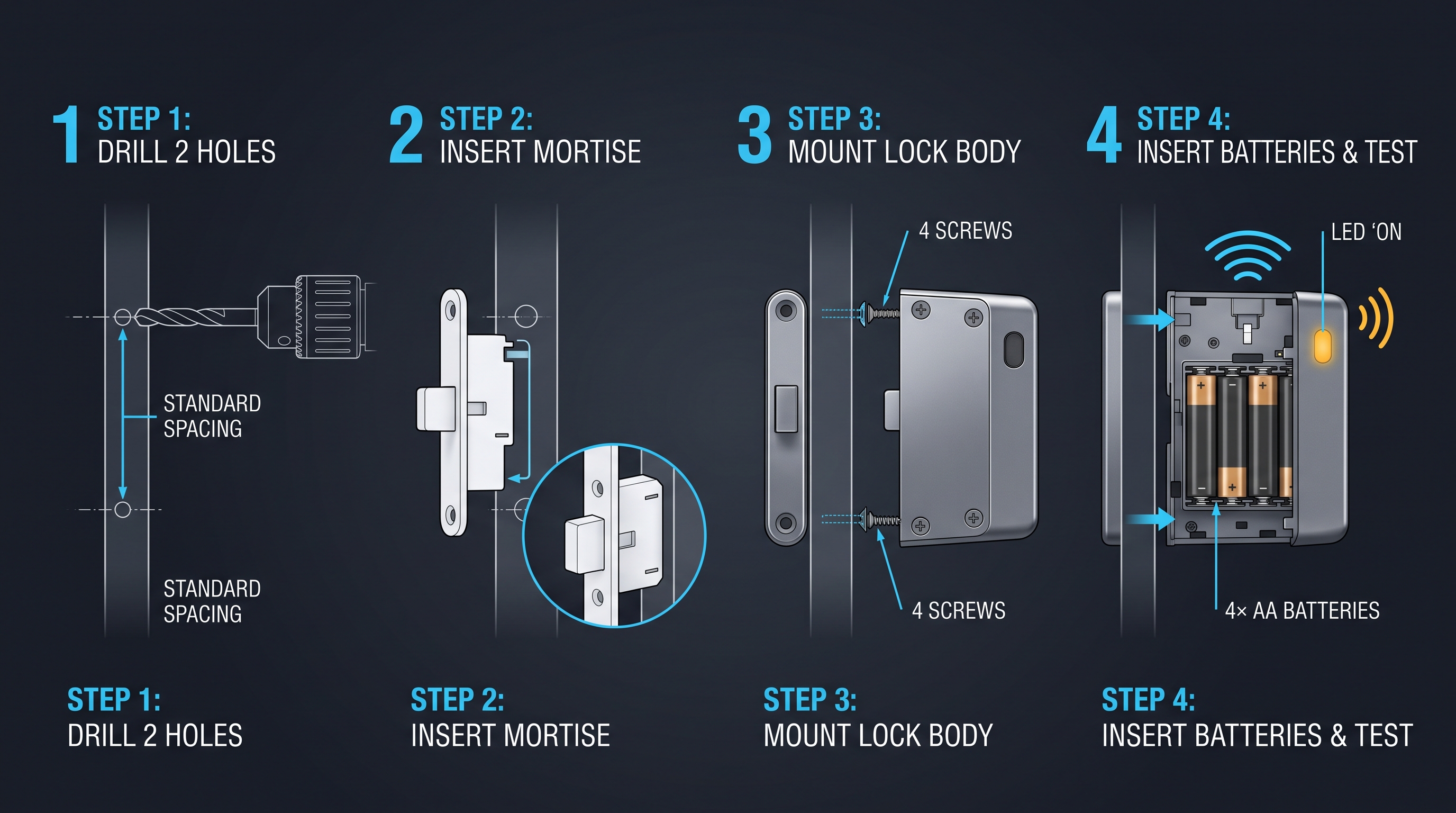
The installation of an RFID file cabinet lock follows the cabinet lock retrofit pattern but adds the consideration of reader placement and minimal cable management. The lock body typically fits into the same 16 to 25 mm cylinder bore used by mechanical cam locks, and the mounting plate is secured with the existing screw pattern. The RFID reader is integrated into the lock faceplate, so no separate reader needs to be mounted — the user taps the badge against the lock itself. Battery power eliminates the need for wiring, and the entire installation takes 15 to 25 minutes per drawer if the cam geometry is correct. For OEM integration into new furniture, the RFID file cabinet lock can be factory-fitted into the door with minimal additional tooling.
Mechanical fit is the make-or-break step, and good preparation avoids most problems. The installer should pull the old cylinder, measure the bore diameter and depth, and confirm the new RFID file cabinet lock ships with a cam of matching length and offset. Lateral, vertical, and pedestal cabinets have different frame geometries, and the cam must fully engage the frame with the drawer closed. A cam that only partly engages is the common cause of false-lock reports: the drawer seems locked but a sharp tug opens it, because the cam barely overlaps the frame. A cam that over-travels wastes battery power and adds wear. Most quality RFID file cabinet lock kits include an adjustable cam tail and a selection of cam plates, and the installer should verify proper engagement with the drawer both open and closed.
Pairing and credential setup follow mechanical installation. The installer powers the lock, enters pairing mode via a hidden button or an administrator badge, and searches for the lock with the management app or hub. Once paired, the first administrator badge is enrolled, and the lock's network settings are configured. A test badge should be provisioned and a full unlock-lock cycle tested with the drawer in its actual operating position, because cabinet geometry under load can differ from bench testing. The last step is a mechanical check of the emergency key override, if one exists, to ensure the cabinet can be opened even if the electronics fail completely.
Step-by-Step Install Procedure
- Remove the old cylinder and measure the bore and cam dimensions.
- Select the appropriate cam plate and adjust tail length to match the cabinet frame.
- Slide the RFID file cabinet lock into the bore and secure with the included screws or nut.
- Insert batteries and observe the LED for normal boot sequence.
- Put the lock in pairing mode and connect it to the hub or gateway.
- Enroll an administrator badge and verify badge-tap unlock to drawer opening.
- Set schedule policies, confirm audit logging, and test the emergency override.
RFID File Cabinet Lock Power and Battery Strategy
The power profile of an RFID file cabinet lock differs from a pure BLE lock because the RFID reader's antenna draws current whenever it energizes the field. A typical 13.56 MHz reader consumes between 50 and 150 mA while transmitting, and a 125 kHz reader somewhat less. This load, while brief, is higher than the lock's BLE advertising and crypto operations, so firmware must balance polling frequency, field strength, and battery budget. The dominant design settled in the industry uses four AA alkaline cells, which at 2,500 to 3,000 mAh of usable capacity support roughly 5,000 to 8,000 badge-tap cycles plus the related management radio traffic. At 20 to 30 badge taps per day, a set of alkaline batteries lasts 12 to 18 months, which is the maintenance cadence most facility teams accept.
Lithium AA cells improve life in demanding environments. With a flatter discharge curve and better cold-weather performance, lithium cells extend the RFID file cabinet lock battery run to 24 to 30 months and reduce the voltage sag that can cause a brownout during motor actuation. The per-cell cost is roughly double alkaline, so the tradeoff is operating budget rather than capital, and most enterprise deployments absorb it for the reduced maintenance frequency. Rechargeable variants with USB-C charging are emerging and are viable in high-use drawers that run through alkalines in under six months, but they add the operational discipline of charging rotation and battery wear monitoring.
Power-saving firmware techniques are essential for every RFID file cabinet lock. The reader does not need to power its antenna continuously; it can pulse the field for 100 to 300 milliseconds once per second, and wake on a contact vibration sensor if the drawer is touched. The lock's BLE or WiFi radio spends nearly all its time asleep and wakes on a scheduled advertising interval or on an explicit wake signal from a connected hub. Door-state monitoring via a reed switch also follows a low-duty-cycle scan pattern. Together these measures keep the RFID file cabinet lock in a microamp sleep state for more than 99 percent of its life, drawing significant current only during the brief badge-read and motor-drive windows. The engineering challenge is tuning these sleep-and-wake rhythms so the user never perceives latency despite the aggressive power conservation.
| Battery Type | Capacity (mAh) | Expected Life | Cost per Change | Environmental Note |
|---|---|---|---|---|
| 4 x AA Alkaline | 2,500 to 3,000 | 12 to 18 months | 2 to 4 USD | General waste |
| 4 x AA Lithium | 3,000 to 3,500 | 24 to 30 months | 8 to 12 USD | Recyclable |
| Li-ion pack | 1,000 to 2,000 | 3 to 6 months | Recharge, 2 years lifespan | E-waste regulated |
RFID File Cabinet Lock Industry Applications
The RFID file cabinet lock is most heavily deployed in organizations that already use RFID badges for building entry, because the marginal cost of extending that badge to the cabinet is near zero. Healthcare is the largest vertical: hospitals and clinics with RFID badges for staff doors and medication rooms extend the same badge to patient-chart cabinets, prescription lockboxes, and supply drawers. The RFID file cabinet lock allows a nurse to tap the same badge she uses to enter the unit and open the chart drawer, with every event logged for HIPAA audit. No new credential is issued, no new training is required, and the compliance burden moves from physical key control to an automated electronic log.
Government and defense installations use the RFID file cabinet lock with high-grade credentials such as PIV cards and CAC cards, which are smart credentials with strong cryptographic capabilities. The lock reads the same card that authenticates the user to their workstation, and the single-credential model reduces the logistics of clearance management. For classified document storage, the RFID file cabinet lock is paired with tamper detection and dual-authentication policies, and the audit trail satisfies the continuous monitoring requirements of NIST SP 800-171 and similar frameworks. The credential reuse model is especially powerful in government, where the cost of issuing and managing separate cabinet keys is high.
Corporate offices, legal firms, and financial institutions deploy the RFID file cabinet lock for HR records, client files, and sensitive financial documents. The badge that an employee uses for the parking garage, the elevator, the office door, and their computer login also opens the filing cabinet drawer that holds their project files. Termination of the badge automatically terminates cabinet access across every lock in the fleet, closing the gap that exists when an HR action takes effect but cabinet keys are still in the employee's possession. This single-credential, single-action revocation is the operational justification most cited in enterprise purchase decisions for the RFID file cabinet lock.
Vertical Adoption Patterns
| Industry | Badge Already Deployed? | Primary Use for RFID File Cabinet Lock | Compliance Driver |
|---|---|---|---|
| Healthcare | RFID badge for doors | Patient records, meds | HIPAA technical and physical safeguards |
| Government | PIV, CAC card | Classified documents | NIST SP 800-171, FISMA |
| Legal | RFID building badge | Client files, evidence | Bar association rules, data protection |
| Finance | RFID access card | Client documents, trade secrets | SEC, FINRA, SOX |
| Education | Student/staff ID badge | Student records, exams | FERPA, institutional policy |
RFID File Cabinet Lock Security Hardening
Hardening an RFID file cabinet lock deployment goes beyond the lock hardware to encompass the credential ecosystem, the network, and the operational procedures. The first hardening step is credential selection: use MIFARE DESFire EV2 or higher, or HID iCLASS SE, with diversified keys and AES session encryption. Do not deploy an RFID file cabinet lock that only accepts 125 kHz prox, because those credentials are cloned in minutes. The second step is badge lifecycle management: program badges with a start and end date, revoke immediately on termination, and audit badge issuance and decommissioning. The third step is network segmentation: if the lock uses WiFi or Ethernet, it should reside on a dedicated IoT VLAN with restricted east-west traffic, so a compromised lock cannot serve as a pivot point into the building management or corporate network.
Physical security hardening addresses the lock itself. The RFID file cabinet lock should be mounted with tamper-resistant screws, and the emergency key override should use a restricted cylinder that cannot be duplicated at a hardware store. The lock's firmware should enforce a lockout after sequential failed badge taps, and the lock should record and report tamper events. For high-security environments, consider a model with an internal accelerometer that detects prying or drilling and triggers an immediate alert. Physical security of an RFID file cabinet lock is a layered design: the lock is the last barrier after the building perimeter, the room door, and the cabinet enclosure, and it should resist the attack levels appropriate to the data it protects.
Operational security procedures complete the hardening cycle. Administrators should review audit logs weekly for anomalous badge taps, such as after-hours access or repeated denials. Battery replacement should be logged as a maintenance event, and locks showing declining voltage should be scheduled proactively. Firmware updates should be applied within 30 days of release, and every update should be tested on a representative subset before fleet-wide rollout. The emergency key storage should be audited quarterly, and any key that is unaccounted for should trigger a cylinder replacement. These procedures are not burdensome, but they are the difference between an RFID file cabinet lock that is merely installed and one that is genuinely secure.
Hardening Checklist
- Credential: DESFire EV2 or iCLASS SE with diversified keys.
- Reader: Mutual authentication and AES session encryption enabled.
- Network: IoT VLAN, no east-west traffic without explicit rules.
- Platform: MFA for all administrator accounts; immutable audit logs.
- Physical: Tamper screws, restricted emergency key, accelerometer.
- Operations: Weekly audit review, proactive battery replacement, firmware patching within 30 days.
RFID File Cabinet Lock Frequently Asked Questions
An RFID file cabinet lock is a cabinet access device that uses an RFID reader and a motorized cam to secure drawers with contactless badges, keyfobs, or smartphone NFC. It replaces the mechanical key with an electronic credential that supports encryption, schedules, and audit logging. This FAQ addresses the most common questions from specifiers, installers, and compliance officers who need to understand the technology before procurement. Each answer is built on current-generation hardware specifications and confirmed with field data from active deployments.
Does an RFID file cabinet lock require a smartphone?
No. The RFID file cabinet lock works with passive RFID badges that draw power from the reader's field, so neither the badge holder nor the lock requires a smartphone. A smartphone is only needed if the lock supports NFC virtual cards and the organization chooses to issue phone-based credentials instead of physical badges. Most deployments use physical cards or fobs exclusively, so users who do not have a phone, or whose phone battery is dead, can still open the drawer.
Can an RFID file cabinet lock work with my existing building badges?
Most RFID file cabinet lock models read a defined set of RFID standards, and if your badge is compliant with one of those standards and the badge's data format is supported, the lock can use it. Common badge compatibility covers 125 kHz HID Prox, 13.56 MHz MIFARE Classic and DESFire, and HID iCLASS. The lock manufacturer provides a badge compatibility list, and some models can read the UID from cards that use proprietary formats. Verify badge standard and lock reading capability before purchase.
How many users can an RFID file cabinet lock store?
Onboard credential storage in current models ranges from 100 to over 2,000 unique badges, and some models support an unlimited capacity when used with a live management server, because the lock queries the server in real time. The local capacity is sufficient for a single cabinet accessed by a department, while the server-linked model scales to enterprise fleets. Check the lock datasheet for local credential capacity and for the behavior when the limit is reached.
What stops someone from cloning an RFID badge and opening the cabinet?
Crypto-protected badges, such as MIFARE DESFire and iCLASS SE, use AES session encryption and diversified keys, making cloning infeasible without the issuer's private key. A properly configured RFID file cabinet lock only accepts cards that complete a cryptographic challenge-response, rejecting proximity cards that broadcast a static UID. Security depends on configuring the lock to reject weak credentials and on managing the cryptographic keys securely throughout their lifecycle.
How long does the RFID file cabinet lock battery last?
Typical battery life on four AA alkaline cells is 12 to 18 months at 20 to 30 badge taps per day, with management radio traffic included. Lithium cells extend this to 24 to 30 months, and high-frequency drawers or cold environments shorten it. The management platform reports battery voltage and should alert when remaining capacity is below 20 percent, enabling scheduled replacement rather than dead-battery emergencies.
Is the RFID file cabinet lock weather-resistant for outdoor use?
RFID file cabinet lock models are available with IP ratings from IP54 to IP65, covering dust-tight and water-jet resistance for outdoor rated enclosures and unconditioned storage. Most standard office models are rated for indoor use with no significant dust or water exposure. Specify the IP rating based on the deployment environment, and verify that the operating temperature range of the lock covers the expected conditions.
Part of this article content is generated by AI and optimized for professional accuracy and readability.
Not sure which sensor fits your project?
Talk to our mmWave application engineers for a free consultation.
Find the right presence sensor for your hotel project
Compare the 3 protocols, check hotel-specific case studies, and download the installation guide
Related products
3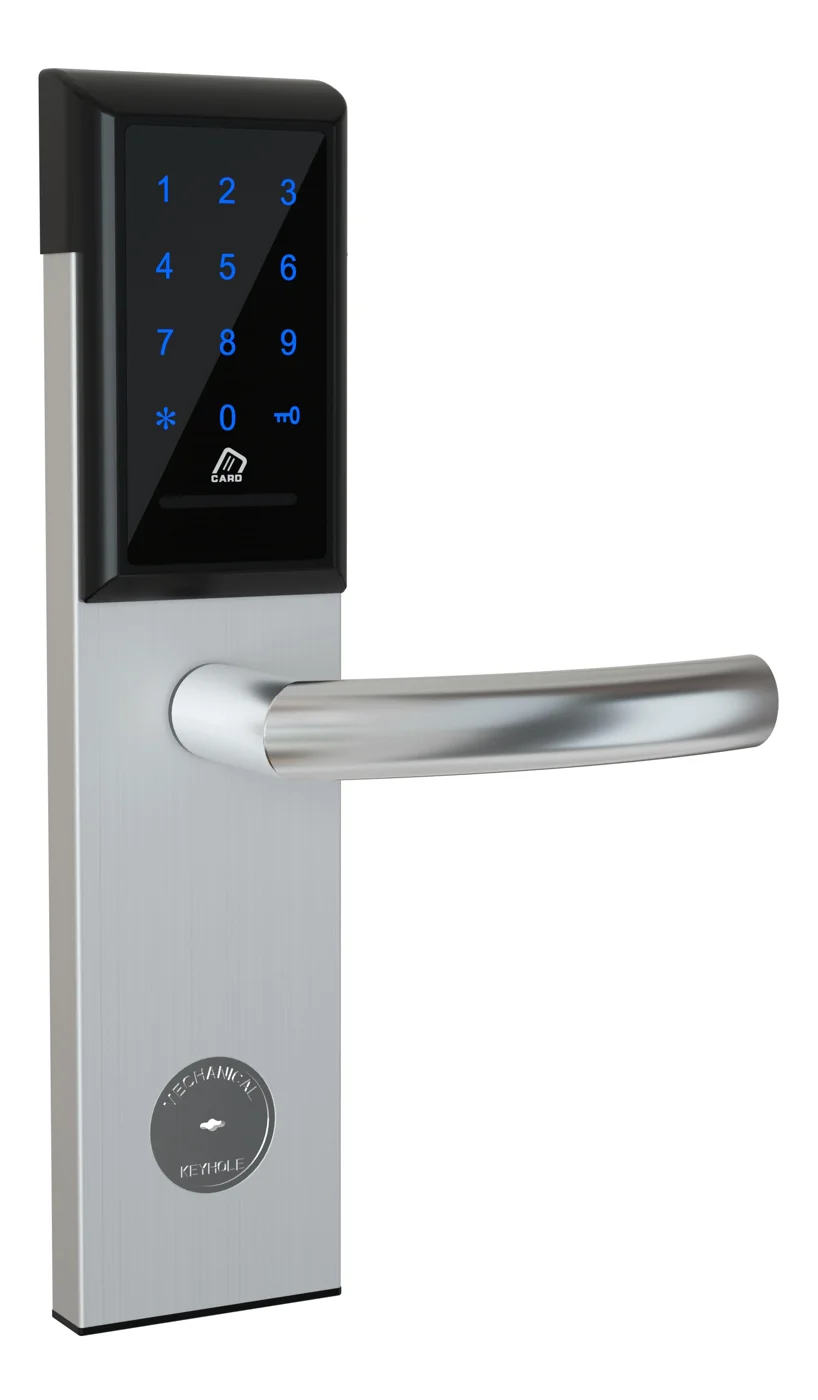
Office Cabinet Lock — PIN + Card for Filing & Pedestals
Offline PIN + card office cabinet lock for filing cabinets, pedestals, and drawers. Battery-powered 5-minute retrofit, no WiFi, no key management. CE/FCC/RoHS.
This page already points to it as the next recommended reference.
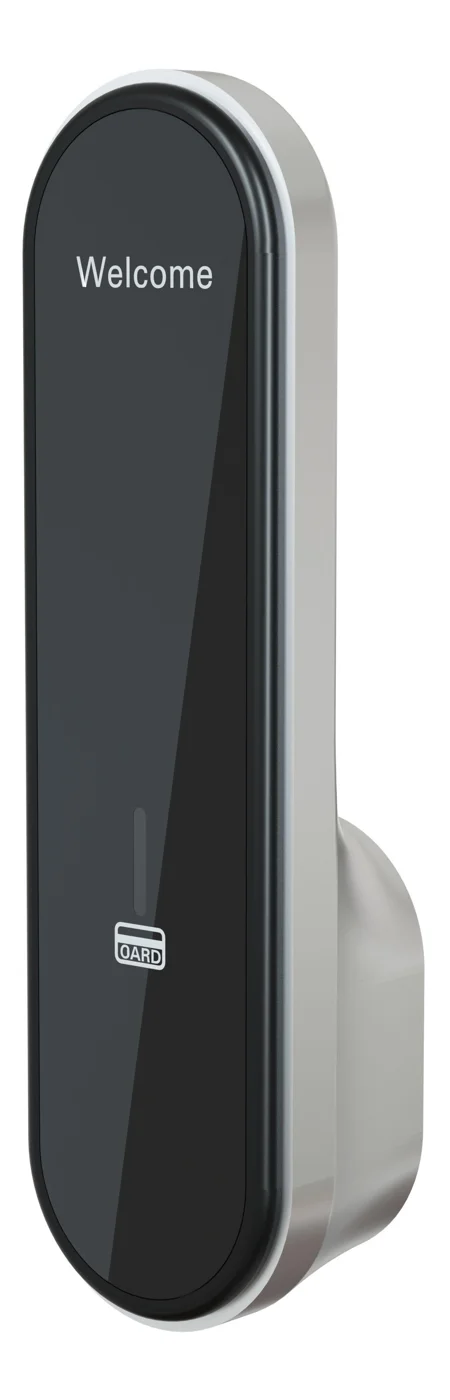
RFID Cabinet Lock — MIFARE Card, Offline Authentication
Offline MIFARE RFID cabinet lock for gym, spa, and office lockers. Tap-to-unlock 13.56 MHz, no WiFi needed, 5-minute retrofit. Zinc alloy body, battery-powered.
This page already points to it as the next recommended reference.
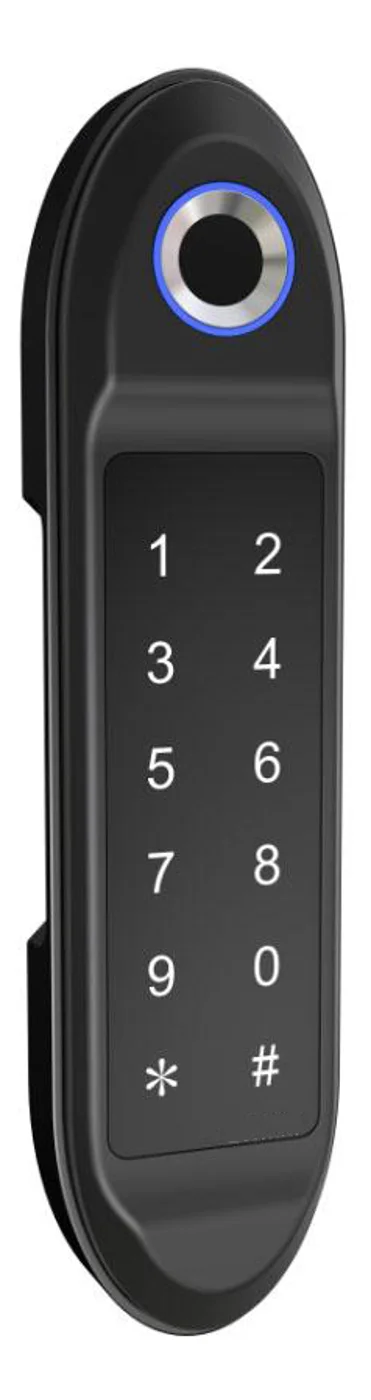
PIN Code Electronic Cabinet Lock — Stand-Alone, No WiFi
Offline keypad cabinet lock for gym, office and parcel lockers. Battery-powered, 5-minute retrofit, audit-free simple deployment. PIN + MIFARE card, DC 6V, 4×AA.
This page already points to it as the next recommended reference.
Related blog posts
3
The Complete Guide to Electronic Locker Management System Software and Hardware Integration
Explore electronic locker management system platforms: real-time occupancy, credential assignment, remote unlock, API/SIEM integration, on-prem vs SaaS deployment, and enterprise security for gyms, schools, hotels, and offices.
It supports the same product context: PIN Code Electronic Cabinet Lock — Stand-Alone, No WiFi.
Electronic Locker Lock Price: Complete Guide to Cost Factors, Tiers, and Vendor Negotiation
Understand what drives an electronic locker lock price — from credential types and materials to volume discounts, NRE tooling, shipping, and 5-year TCO. Full pricing guide with tables.
It supports the same product context: Office Cabinet Lock — PIN + Card for Filing & Pedestals.
Electronic Locker Lock: The Complete 2026 Guide to Keyless Locker Security
Discover how an electronic locker lock works, from RFID to biometric models, with buying tips, specs, and comparisons for gyms, offices, and schools.
It supports the same product context: PIN Code Electronic Cabinet Lock — Stand-Alone, No WiFi.
Specify your hotel project with our engineers
Send your room count, ceiling type, and protocol preference. We will return a sample plan and quote within 24 business hours.
- Move from general guidance into a product or application discussion.
- Use RFQ when pricing, drawings, MOQ, or launch timing needs structure.
- Keep a direct contact path visible for fast clarifications and handoff.